
The concept of a 'smart home' has evolved from a futuristic dream into an accessible reality for millions. Today, home automation is not just about convenience; it's about creating a living space that is more efficient, secure, and perfectly attuned to your lifestyle. Every home automation idea offers a unique way to enhance your daily routines, from lighting that syncs with your body clock to security systems you can manage from halfway across the world.
In this comprehensive guide, we move beyond the basics to explore 10 innovative and practical home automation ideas designed to transform your house into a responsive, intelligent environment. Whether you're a seasoned tech enthusiast looking for your next project or a newcomer curious about where to start, these upgrades provide actionable steps to elevate your living experience. Our goal is to present a curated collection of inspiring and achievable projects, providing you with the specific insights and implementation details needed to make informed decisions for your home's technological future. We will cover everything from smart lighting and climate control to advanced security and whole-home entertainment systems, ensuring you have a clear roadmap for building a truly connected home.
1. Smart Lighting Systems
Smart lighting is a foundational and highly impactful home automation idea that replaces traditional bulbs with connected, intelligent ones. These systems allow you to control brightness, color, and on/off states remotely via smartphone apps, voice assistants like Amazon Alexa or Google Home, or pre-programmed schedules. They operate on your home's Wi-Fi or a dedicated mesh network (like Zigbee or Z-Wave) to communicate with a central hub or directly with your router.
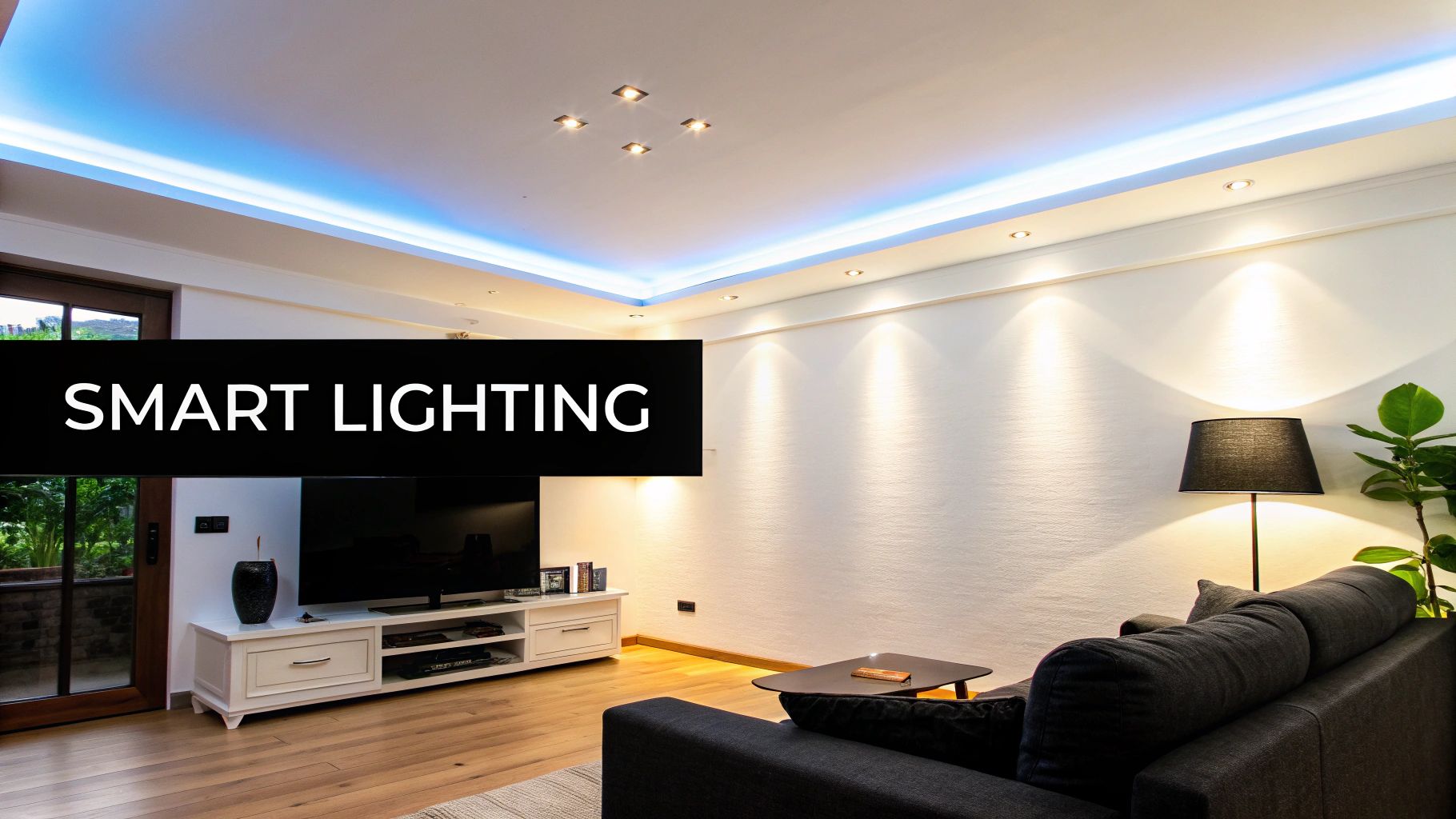
The primary benefits are convenience, energy efficiency, and ambiance creation. For instance, you can program your bedroom lights to slowly brighten in the morning, mimicking a natural sunrise, or dim them in the evening to prepare your body for sleep. This level of control goes beyond simple on/off switches, transforming a room's atmosphere instantly.
Practical Implementation Tips
To get started, consider these actionable steps:
- Start Small: Begin with a single room, like the living room or master bedroom, using a starter kit from a brand like Philips Hue or LIFX. This allows you to test the system and its compatibility with your existing smart home ecosystem without a major investment.
- Automate with Schedules: Use the system's app to set schedules. A "Good Morning" scene can turn lights on to a cool, energizing white, while a "Movie Night" scene can dim them to a warm, soft glow.
- Leverage Geofencing: Set your lights to automatically turn off when your smartphone leaves the house and turn on when you arrive home. This adds a layer of security and ensures you never waste electricity.
Smart lighting is an excellent entry point into home automation because it offers immediate, tangible benefits. It enhances daily routines, saves money on energy bills, and provides a powerful tool for personalizing your living space. Discover more about how these systems contribute to a greener home by exploring these energy-efficient lighting options.
2. Smart Thermostats and Climate Control
A smart thermostat is a crucial home automation idea for optimizing comfort and reducing energy consumption. These intelligent devices replace traditional thermostats and connect to your Wi-Fi, learning your household's heating and cooling preferences over time. They allow you to control your home's climate remotely via a smartphone app, voice commands, or automated schedules based on occupancy and even local weather forecasts.
The core benefits are significant energy savings, enhanced convenience, and personalized comfort. For instance, a Nest Learning Thermostat can automatically lower the temperature when you leave the house and begin warming it back up before you arrive. This intelligent management prevents wasteful heating or cooling of an empty home, directly translating into lower utility bills.
Practical Implementation Tips
To effectively integrate a smart thermostat, consider these steps:
- Set Realistic Temperature Ranges: Avoid drastic temperature swings. Program a comfortable, energy-saving range for when you are home and a wider, more economical range for when you are away or asleep.
- Enable Geofencing: Use your smartphone's location to trigger "Home" and "Away" modes automatically. This ensures your HVAC system runs only when needed without any manual input, maximizing efficiency.
- Monitor Energy Reports: Most smart thermostats, like those from Ecobee and Honeywell, provide detailed energy usage reports. Review these weekly to identify patterns and find new opportunities to save.
- Combine with Smart Scheduling: Program your thermostat to pre-cool your home before peak energy-rate hours in the summer or pre-heat it before you wake up on a cold morning.
Smart thermostats provide a powerful return on investment by automating one of your home's biggest energy expenses. They offer an intelligent, set-it-and-forget-it solution that keeps you comfortable while being eco-conscious. You can explore a detailed breakdown of smart thermostat energy savings to see how much you could cut from your utility bills.
3. Smart Door Locks and Security Systems
Upgrading to smart locks is a powerful home automation idea that revolutionizes home access and security. These digital locks replace traditional keys with more flexible methods like PIN codes, fingerprint biometrics, or smartphone apps. They connect to your home's Wi-Fi or Bluetooth, allowing you to lock or unlock your door remotely, grant temporary access to guests, and receive real-time notifications about who is entering and leaving your home.
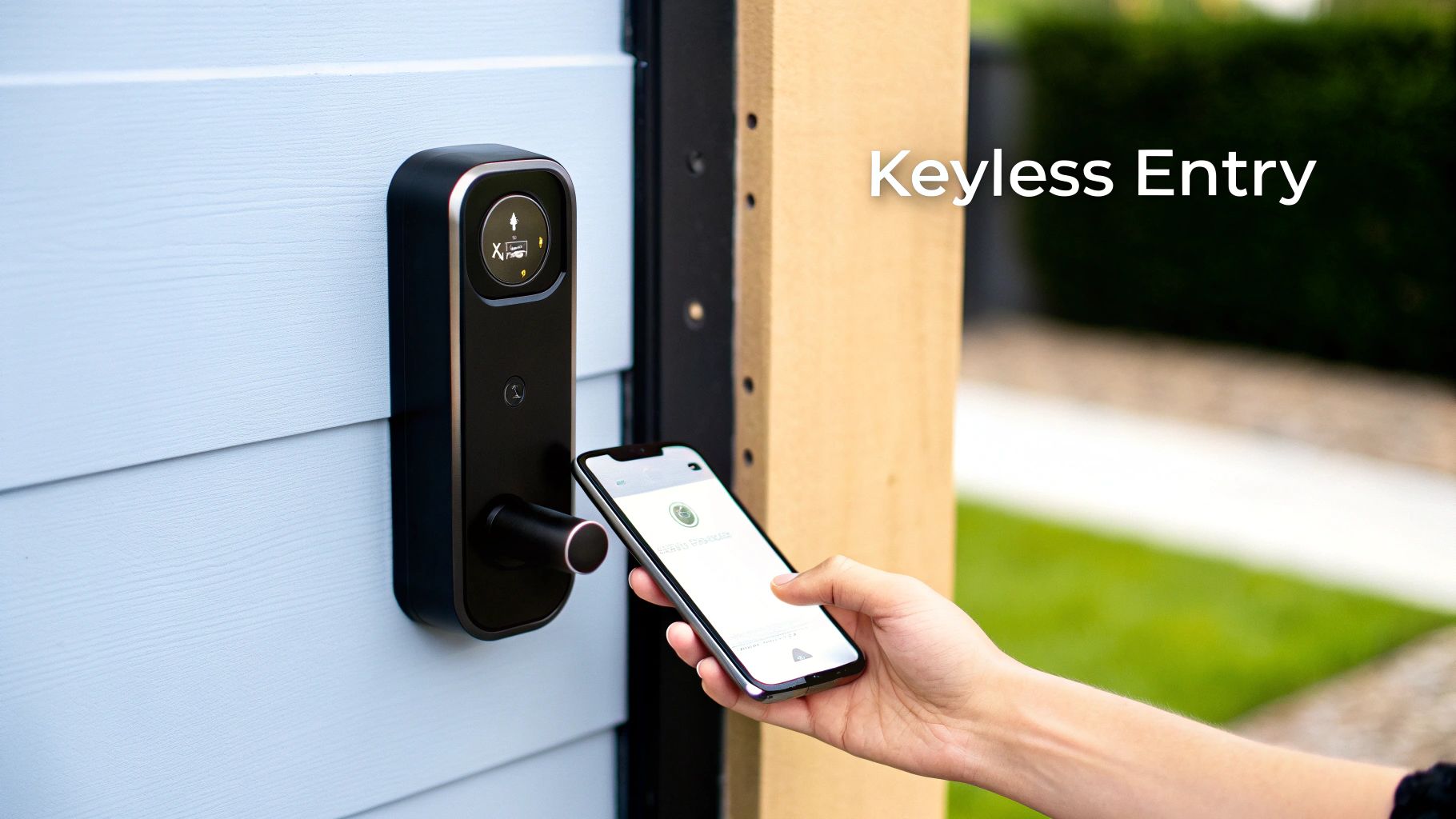
The core benefits are enhanced security, convenience, and peace of mind. For instance, you can create a unique access code for a pet sitter that only works during specific hours, or check if you remembered to lock the door after leaving for work. Models like the August Smart Lock can even retrofit over your existing deadbolt, making installation simple.
Practical Implementation Tips
To effectively integrate a smart lock, consider the following steps:
- Integrate with a Video Doorbell: Pair your smart lock with a video doorbell like Arlo or Ring. This allows you to visually confirm who is at your door before granting them remote access, creating a comprehensive entry management system.
- Assign Unique Access Codes: Avoid sharing one code with everyone. Create separate, personalized PINs for family members, housekeepers, or temporary guests. This lets you track access logs more effectively and easily revoke privileges when needed.
- Monitor Battery Life: Smart locks are battery-powered, so enable low-battery alerts in the app. This ensures you have ample time to replace the batteries and avoid getting locked out, maintaining uninterrupted security.
Smart locks serve as a central component of a modern smart home, providing both convenience and robust control. For a comprehensive overview of modern protection, refer to an expert guide on the best home security systems in Australia to see how these devices fit into a larger ecosystem.
4. Smart Home Security Cameras and Surveillance
Smart security cameras represent a powerful home automation idea for enhancing safety and peace of mind. These AI-powered devices provide 24/7 monitoring, often featuring cloud storage, real-time alerts sent to your phone, facial recognition, and advanced night vision. They connect to your home's Wi-Fi network, allowing you to view a live feed from anywhere, receive notifications when motion is detected, and communicate through two-way audio.
The core benefits are proactive security and remote awareness. For example, a Ring Doorbell can capture footage of a potential package thief and allow you to speak to them directly, while a Nest Cam can monitor indoor spaces to keep an eye on pets or children. This technology transforms surveillance from a passive recording system into an interactive, real-time security solution that integrates seamlessly with other smart home alarms and devices.
Practical Implementation Tips
To effectively set up your smart surveillance system, follow these steps:
- Cover Key Entry Points: Position cameras to monitor front and back doors, ground-floor windows, and driveways. The goal is to eliminate blind spots where intruders could gain access undetected.
- Utilize Motion Zones: To reduce false alarms from passing cars or swaying trees, define specific motion detection zones within the camera's field of view. This ensures you only get alerts for activity in critical areas.
- Enable Smart Detection: Activate features like person, package, or vehicle detection. This AI-driven filtering helps distinguish important events from general motion, making your notifications more relevant and actionable.
- Review Storage Options: Before purchasing, compare cloud storage subscription plans (like Ring Protect or Nest Aware) or look for cameras that offer local storage via SD cards. Ensure you have a plan for saving important footage.
This approach is an essential home automation idea for anyone looking to bolster their home's security, deter potential threats, and maintain a constant connection to their property, whether at home or away.
5. Smart Irrigation and Garden Systems
Smart irrigation is a practical and eco-friendly home automation idea that brings intelligence to your garden and lawn care. These systems replace traditional sprinkler timers with connected controllers that adjust watering schedules based on real-time data, such as local weather forecasts, rainfall, soil moisture levels, and temperature. They connect to your home's Wi-Fi, allowing you to manage your garden's hydration from anywhere using a smartphone app.
The core benefits are significant water conservation, healthier plants, and lower utility bills. Instead of watering on a fixed, inflexible schedule, systems like the Rachio smart controller or Hunter Hydrawise will automatically skip a watering session if it rains, preventing overwatering and waste. This ensures your landscape receives precisely the amount of water it needs to thrive without manual intervention.
Practical Implementation Tips
To effectively set up your smart garden, consider these steps:
- Zone Your Landscape: Group plants with similar watering needs (e.g., flower beds, shrubs, lawn) into different irrigation zones. This allows the system to deliver the right amount of water to each specific area, promoting plant health.
- Integrate Soil Sensors: For maximum accuracy, install soil moisture sensors. These provide ground-level data that tells the controller exactly when the soil is dry enough to need water, preventing guesswork.
- Enable Weather Intelligence: Connect your controller to a local weather service through its app. This enables features like "rain skip," which automatically pauses watering schedules based on precipitation forecasts, saving water and money.
Smart irrigation is an excellent home automation project because it automates a time-consuming chore while delivering tangible environmental and financial benefits. It is a powerful tool for maintaining a beautiful yard with minimal effort and maximum efficiency.
6. Smart Appliances and Kitchen Automation
The kitchen is the heart of the home, and this home automation idea integrates intelligence directly into your core appliances. Smart ovens, refrigerators, dishwashers, and laundry machines connect to your Wi-Fi, offering remote control, status updates, and advanced functionality through dedicated apps. This technology streamlines daily chores, enhances efficiency, and provides a new level of convenience for managing your household.
The primary benefits are task management, resource conservation, and culinary assistance. For instance, you can preheat your oven on the way home from work, get a notification on your phone when the dishwasher cycle is finished, or use your smart refrigerator to see its contents while at the grocery store. This interconnectedness transforms routine tasks into a seamless, automated experience.
Practical Implementation Tips
To get started, consider these actionable steps:
- Start with One High-Use Appliance: Instead of a full kitchen overhaul, begin with the appliance you use most, like a smart washing machine or oven. This allows you to learn the ecosystem, such as LG ThinQ or Bosch Home Connect, without a significant upfront investment.
- Prioritize a Strong App Ecosystem: Choose a brand known for a reliable and feature-rich app. A well-designed app is crucial for setting schedules, receiving alerts, and monitoring energy consumption effectively.
- Leverage Smart Notifications: Use app alerts to your advantage. Set up notifications to remind you when a laundry cycle is done to prevent clothes from sitting too long, or to signal when your dishwasher needs more rinse aid.
Smart appliances are an excellent automation upgrade for busy households. They save time, reduce energy and water waste, and can even help you become a better cook with guided recipes and precise temperature controls.
7. Whole-Home Entertainment Systems and Audio
A whole-home audio system is a sophisticated home automation idea that transforms your living space into an immersive soundscape. These systems use your home's Wi-Fi or a dedicated mesh network to stream music, podcasts, and other audio content to multiple speakers, delivering perfectly synchronized sound in every room. Centralized control via a smartphone app or voice assistant allows you to play different audio in each zone or group them together for a seamless, house-wide party mode.
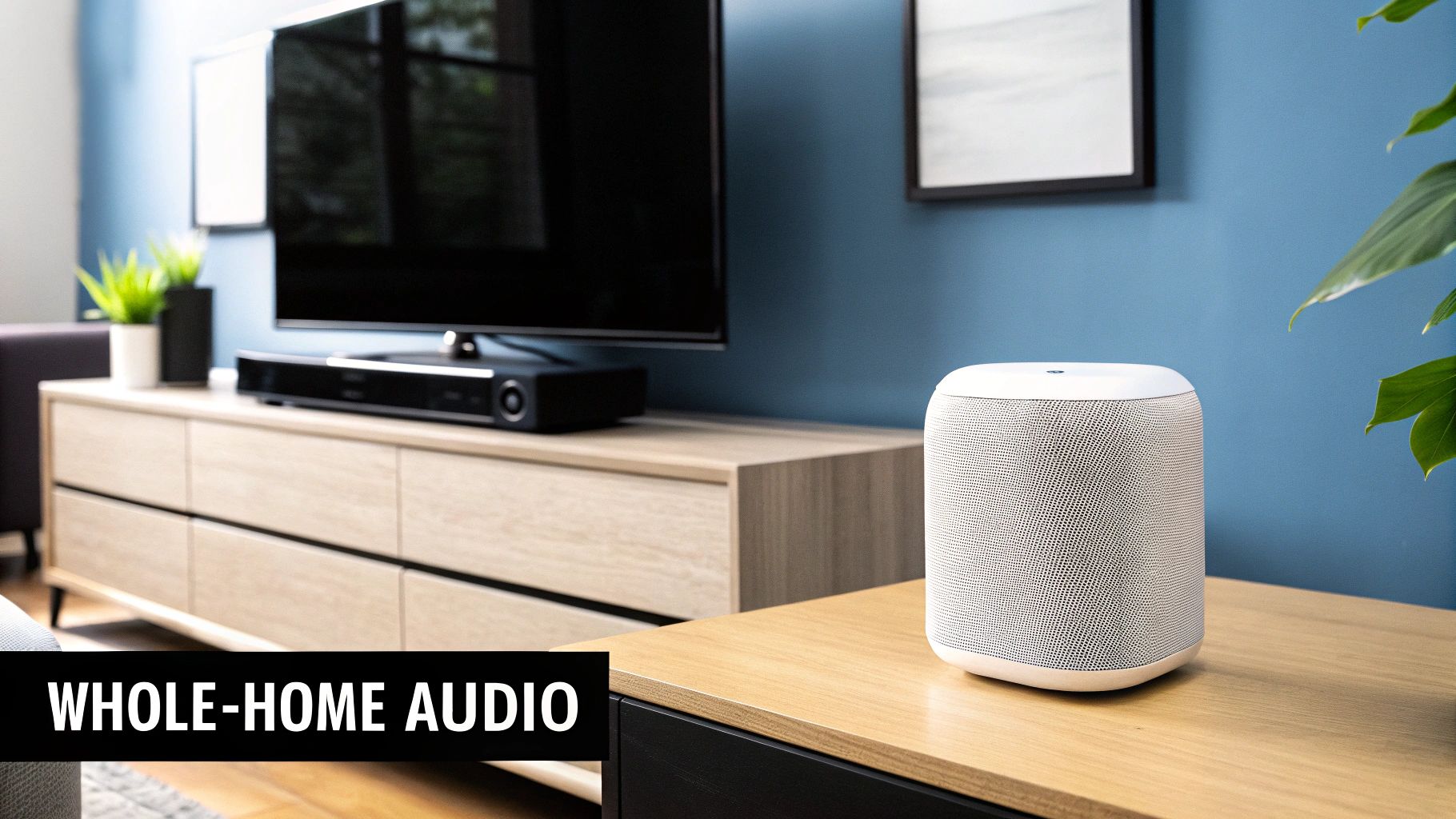
The key benefits are unparalleled convenience and a high-quality, continuous listening experience. Imagine cooking in the kitchen while listening to a podcast, which then follows you into the living room without interruption. Popular systems like Sonos, Google Home speaker groups, and Apple AirPlay 2 make this high-end audio experience accessible and easy to manage.
Practical Implementation Tips
To set up your own multi-room audio system, follow these steps:
- Start with Key Areas: Begin by placing one or two smart speakers in your primary listening areas, such as the kitchen and living room. Brands like Sonos or Google Home offer speakers that can be easily expanded into a larger system later.
- Ensure Strong Wi-Fi: A stable audio stream depends on a strong Wi-Fi signal. Before investing, check the connectivity in every room you plan to place a speaker. If needed, consider upgrading to a mesh Wi-Fi system for reliable coverage.
- Group Speakers Logically: Use the system's companion app to create speaker groups based on your home's layout (e.g., "Downstairs," "Bedrooms"). This makes it simple to control multiple speakers with a single command, like "Hey Google, play my chill playlist downstairs."
This automation elevates daily activities, from hosting gatherings to simply relaxing at home. It centralizes your audio control, eliminates the need for separate stereos in every room, and provides a truly connected entertainment environment.
8. Smart Lighting Scenes and Automations
Beyond simple on/off commands, this advanced home automation idea involves creating preset lighting configurations, or "scenes," that instantly establish a specific mood or environment. Scenes combine color, brightness, and individual lamp settings, which can then be triggered by voice commands, schedules, or sensor events. This system allows you to craft a dynamic and responsive atmosphere perfectly tailored to any activity.
The primary benefit is creating contextual ambiance with a single command or automated trigger. For instance, a "Movie Night" scene can automatically dim all lights to 10% and change them to a warm color, while a "Work from Home" scene could set your desk lamp to a cool, bright white for focus. This automation adds a layer of sophistication and convenience, making your home feel more intuitive and personalized.
Practical Implementation Tips
To effectively implement lighting scenes, follow these actionable steps:
- Start with Essential Scenes: Begin by creating 3-5 core scenes for your daily routine, such as "Morning Wake-Up" to gradually brighten lights, "Dinner Time" for a warm glow, and "Bedtime" to transition to soft, amber tones.
- Use Clear Naming Conventions: Name your scenes logically and simply (e.g., "Focus Lighting," "Relax Mode"). This makes them easy to remember and ensures voice assistants like Alexa or Google Assistant can recognize them without error.
- Test and Refine Transitions: When setting up scenes that fade or change over time, test the transition speed. Ensure changes are smooth and gradual rather than abrupt, which creates a more pleasant and natural effect in your space.
9. Smart Home Energy Management and Monitoring
Smart energy management is a powerful home automation idea that provides real-time visibility into your home's electricity consumption. These systems, such as the Sense Energy Monitor, connect to your electrical panel to track power usage, identify individual appliances as they turn on and off, and pinpoint "energy vampires" that draw power even when idle. They operate by analyzing the unique electronic signatures of devices in your home, translating that data into easy-to-read reports on a smartphone app.
The primary benefits are cost savings, energy conservation, and data-driven decision-making. For instance, you can discover that an old refrigerator in the garage is costing you hundreds per year or see exactly how much your HVAC system contributes to your monthly bill. This granular insight empowers you to make targeted changes rather than guessing where your energy dollars are going. For a deeper dive into optimizing your household's power consumption, explore various home energy management solutions.
Practical Implementation Tips
To get started with monitoring your energy usage, consider these actionable steps:
- Establish a Baseline: Install the monitor and let it run for a full billing cycle before making any major changes. This gives you an accurate baseline of your typical consumption patterns.
- Focus on High-Impact Devices: Use the reports to identify the top three energy-consuming devices in your home. Target these first with efficiency upgrades, such as replacing them or connecting them to smart plugs to manage their usage.
- Track Phantom Loads: Identify devices that draw power while in standby mode. Use the monitor's data to justify putting these electronics on a smart power strip that can be shut off completely when not in use.
Smart energy monitoring is an excellent home automation project because it provides a clear return on investment. It transforms abstract utility bills into actionable insights, helping you reduce waste and lower your carbon footprint.
10. Smart Home Hubs and Central Control Systems
A smart hub is an essential home automation idea that acts as the central brain for all your connected devices. It translates and manages communication between different products and protocols-like Zigbee, Z-Wave, and Wi-Fi-unifying them under a single interface. This allows devices from various brands, which normally wouldn't work together, to communicate and trigger complex automated routines. It consolidates control, moving you from managing dozens of separate apps to one central command center.
The primary benefits are interoperability, reliability, and powerful automation. For example, a hub like Samsung SmartThings or the open-source Home Assistant can link your Ring doorbell (Wi-Fi) to your Philips Hue lights (Zigbee). When someone rings the doorbell after sunset, the hub can automatically turn on your porch and hallway lights, an automation that wouldn't be possible without a central controller.
Practical Implementation Tips
To effectively integrate a central hub, follow these actionable steps:
- Prioritize Protocol Support: Before buying a hub, inventory your existing smart devices and check which protocols they use (Zigbee, Z-Wave, Matter, etc.). Choose a hub that is compatible with the majority of your equipment to ensure seamless integration.
- Start with Simple Automations: Begin by creating straightforward routines, such as "when the front door unlocks, turn on the entryway light." This helps you understand the hub's logic before building more complex, multi-step sequences.
- Update Firmware Regularly: Hub manufacturers frequently release updates that add new device support, patch security vulnerabilities, and improve performance. Enable automatic updates or check for them manually to keep your system secure and running smoothly.
A smart hub is the key to unlocking the full potential of your smart home, creating a truly cohesive and responsive environment. To select the right "brain" for your ecosystem, you can dive into a detailed smart home hub comparison and find the best fit for your needs.
Top 10 Home Automation Ideas Comparison
| Item | Implementation Complexity 🔄 | Resource Requirements ⚡ | Expected Outcomes 📊 | Ideal Use Cases 💡 | Key Advantages ⭐ |
|---|---|---|---|---|---|
| Smart Lighting Systems | Medium — simple bulb swaps to advanced hub automations | WiFi, smart bulbs $30–$200+, optional hub/sensors | Up to ~30% energy savings; better ambiance & security | Residential rooms, hospitality, circadian lighting setups | Energy savings; remote/voice control; scalable |
| Smart Thermostats & Climate Control | Medium — wiring/compatibility; pro install sometimes needed | Device $200–$400; HVAC compatibility; WiFi; possible pro labor | 10–23% heating/cooling cost reduction; improved comfort | Whole-home temperature control; energy-focused households | Adaptive learning; geofencing; energy reports |
| Smart Door Locks & Security Systems | Medium–High — mechanical fit, power management, secure setup | Lock $150–$500+; batteries/power; possible pro install | Improved access control; audit logs; remote entry | Entrances, rentals/short-term lets, managed properties | Keyless entry; access tracking; remote emergency access |
| Smart Home Security Cameras & Surveillance | Medium — placement, network bandwidth, legal/privacy setup | Camera $50–$500; robust WiFi; cloud storage $5–$20/mo | Deterrence, evidence capture, real-time alerts | Entryways, perimeter surveillance, package protection | 24/7 monitoring; person/package detection; integration |
| Smart Irrigation & Garden Systems | Medium — zone wiring and sensor calibration | Controller $100–$400; soil sensors $20–$50 each; weather data | Water savings up to ~50%; healthier landscapes; lower bills | Lawns, gardens, commercial landscapes, drought-prone areas | Precise watering; weather-aware schedules; zone control |
| Smart Appliances & Kitchen Automation | High — appliance replacement and ecosystem compatibility | Very high cost $2,000–$5,000+ per appliance; WiFi | Convenience, remote control, energy monitoring over time | Tech-forward kitchens, busy households, remote monitoring | Remote start/alerts; energy/maintenance insights; integration |
| Whole-Home Entertainment & Audio | Medium–High — network tuning, speaker placement | Speakers $100–$500+; strong WiFi/mesh; streaming services | Synchronized multi-room audio; seamless media experience | Multi-room homes, entertaining, whole-house audio setups | Seamless playback; scalable; voice and app control |
| Smart Lighting Scenes & Automations | Low–Medium — scene design and trigger setup | Compatible smart lights $50–$300 (depends on count) | Faster scene changes; energy-optimized routines; better mood | Home theater, routines (morning/night), work-from-home lighting | Quick ambiance control; automation reduces manual tasks |
| Home Energy Management & Monitoring | Medium — electrical installation and data setup | Monitoring hardware $200–$1,000; possible electrician; subscriptions | 10–20% avg energy reduction; appliance-level insights | Energy-conscious homes, solar integration, efficiency projects | Real-time usage, appliance detection, cost forecasting |
| Smart Home Hubs & Central Control Systems | Medium–High — configuration, protocol management, automation logic | Hub $50–$400; multi-protocol support (Zigbee/Z-Wave/Thread); network | Unified control, more reliable automations, local failover | Multi-brand ecosystems, advanced automations, privacy-focused users | Cross-device integration; local processing; advanced rules |
Your Next Step Towards a Fully Automated Home
Embarking on your home automation journey can feel like assembling a complex puzzle, but as we've explored, each piece adds a unique layer of convenience, security, and efficiency to your daily life. We've moved beyond the abstract, diving into tangible projects from intelligent lighting scenes that set the perfect mood to smart irrigation systems that conserve water and keep your garden thriving. The key takeaway is that a truly smart home isn't about collecting gadgets; it's about creating a cohesive ecosystem where technology works for you, often invisibly, in the background.
The most impactful home automation idea is the one that solves a specific problem for you. Whether it's the peace of mind offered by integrated smart locks and security cameras or the tangible energy savings from an automated thermostat and energy monitoring system, the power lies in customization. Your home should adapt to your routines, not the other way around.
From Inspiration to Implementation
The journey from a single smart device to a fully integrated home is a gradual process built on a solid foundation. The ideas discussed, such as smart kitchen appliances and whole-home audio, highlight how automation can permeate every aspect of your living space, enhancing both routine tasks and leisure time. The central nervous system of this operation, the smart home hub, is what ties these disparate elements together, allowing for complex routines and seamless control.
To get started, consider these actionable next steps:
- Assess Your Pain Points: Identify the biggest daily inconveniences. Is it adjusting the thermostat, worrying about unlocked doors, or managing your home’s energy consumption? Start with the solution that offers the most immediate relief.
- Start Small and Scale Up: You don't need to automate everything at once. Begin with a single room or a specific function, like lighting or security. Master it, understand how it works, and then expand your system thoughtfully. This approach prevents overwhelm and ensures each new device adds real value.
- Prioritize Compatibility: Before purchasing any new device, ensure it works with your existing ecosystem or the one you plan to build. Look for compatibility with major platforms like Amazon Alexa, Google Assistant, or Apple HomeKit to ensure your devices can communicate effectively.
Building a Smarter, More Responsive Future
Ultimately, mastering these concepts transforms your house from a static structure into a dynamic, responsive environment. An intelligent home anticipates your needs, secures your family, and manages resources with unparalleled efficiency. The initial investment of time and resources pays dividends in comfort, security, and long-term cost savings.
Each home automation idea is more than just a technological upgrade; it's a step toward a lifestyle of greater ease and control. By thoughtfully implementing these solutions, you are not just adding features to your home; you are future-proofing your living space and reclaiming valuable time to focus on what truly matters. Your perfectly automated home is within reach, one smart decision at a time.
Ready to dive deeper and get personalized guidance for your projects? The Automated Home Guide offers comprehensive reviews, step-by-step tutorials, and expert advice to help you select and implement the perfect home automation idea for your unique needs. Visit us at Automated Home Guide to start building your smarter home with confidence today.










Leave a Reply