
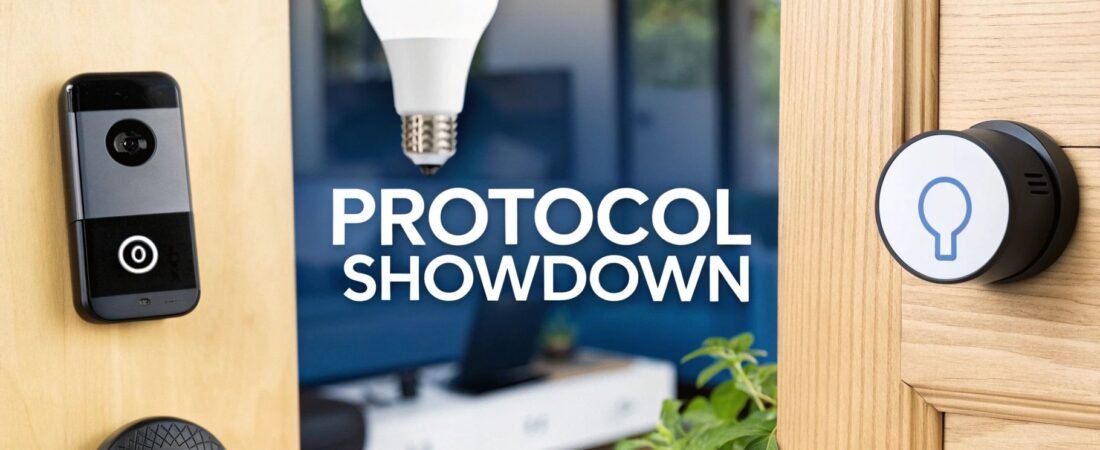
When you're trying to decide between Zigbee, Z-Wave, and Wi-Fi, the best choice really comes down to what you want your smart home to do. If you're looking for the widest variety of gadgets, Zigbee is a strong contender. For rock-solid reliability in critical systems like locks and alarms, Z-Wave is king. And for anything that needs speed, like cameras or smart speakers, Wi-Fi offers plug-and-play simplicity.
Comparing Smart Home Protocols
Picking the right communication standard is the first, and most important, step in building a smart home that's responsive and dependable. Each of these protocols—Zigbee, Z-Wave, and Wi-Fi—has its own way of doing things, which translates into real-world differences in performance, battery life, and which devices you can use. Getting a handle on these core distinctions will help you build an ecosystem that just works.
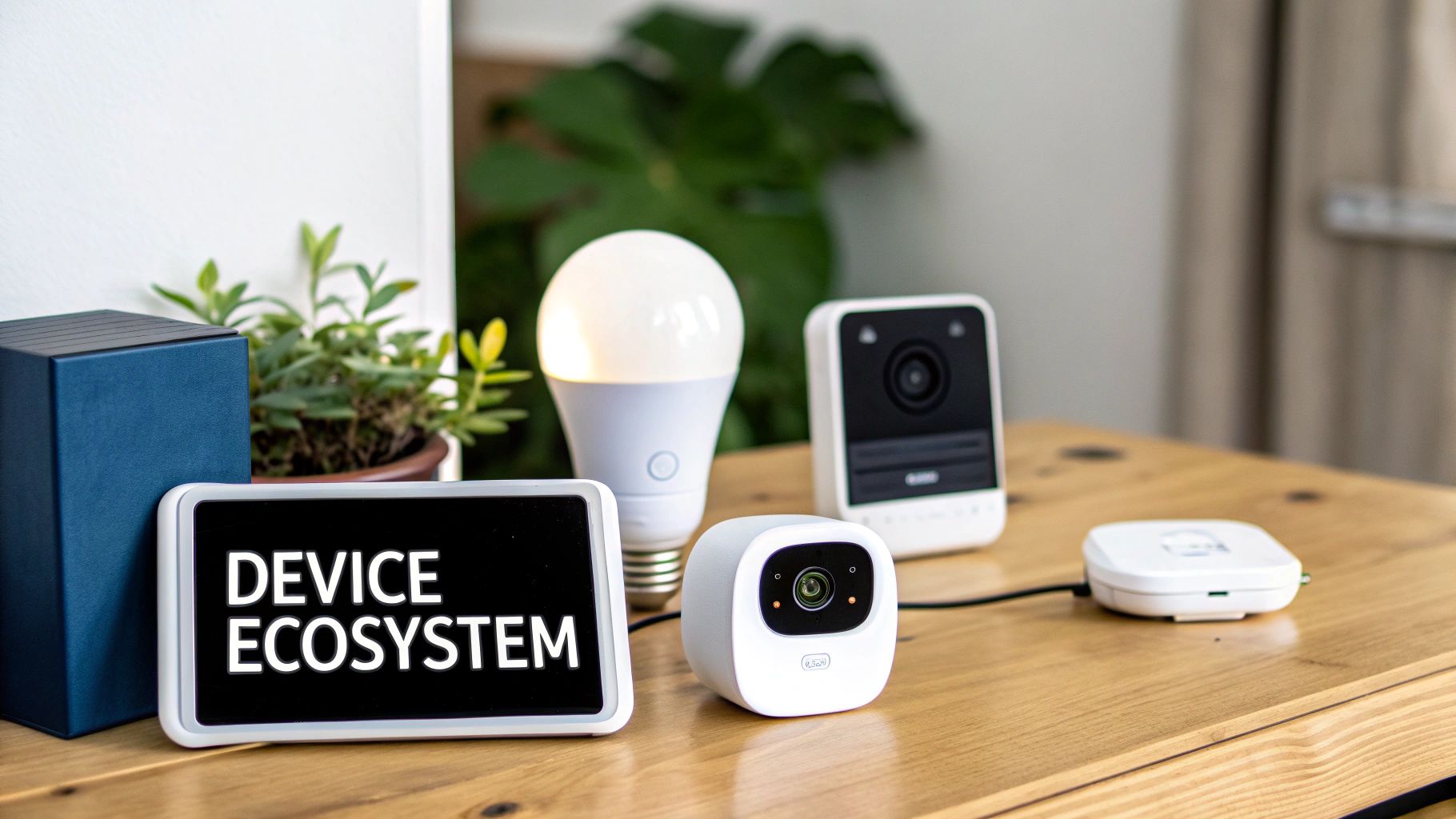
This image gives a great high-level view of where each protocol shines. It's all about what matters most to you.
Are you looking for the biggest toy box of compatible devices? Or is it more important that your smart lock responds instantly, every single time? To really get into the weeds, we need to compare them head-to-head.
Key Technical Distinctions
Zigbee and Z-Wave were built from the ground up specifically for smart home automation. They both use a mesh network, which is a clever design where your devices can talk to each other, passing messages along. This is fantastic for two reasons: it makes them incredibly power-efficient for battery-powered sensors and extends the network's reach far beyond what a single hub could manage.
Wi-Fi, on the other hand, uses a classic star network. Every single device has to connect directly back to your router. This setup is perfect for streaming video or music, but it can quickly clog your network and is a major battery hog for small, simple smart devices.
The core difference lies in their intended use. Zigbee and Z-Wave are designed for low-data, high-reliability communication for automation, while Wi-Fi is built for high-speed data transfer.
To make sense of it all, here's a quick cheat sheet comparing the most important specs. This table gives you a snapshot of the technical trade-offs before we dig into what they mean in the real world.
Zigbee vs Z-Wave vs Wi-Fi At a Glance
| Feature | Zigbee | Z-Wave | Wi-Fi |
|---|---|---|---|
| Operating Frequency | 2.4 GHz (Global) | 908.42 MHz (US), 868.42 MHz (EU) | 2.4 GHz, 5 GHz, 6 GHz |
| Best For | Device variety, sensors, lighting | Reliability, security systems, smart locks | High-bandwidth devices, easy setup |
| Power Consumption | Very Low | Extremely Low | High |
| Network Type | Mesh Network | Mesh Network | Star Network |
| Interference Risk | High (shares frequency with Wi-Fi) | Very Low (operates on a dedicated frequency) | High (competes with many household devices) |
This at-a-glance comparison sets the stage, but the real story is in how these technical details translate to day-to-day performance in your home.
How These Core Smart Home Technologies Work
Before you can pick the right gear for your smart home, you really need to get what’s going on under the hood. Zigbee, Z-Wave, and Wi-Fi aren't just different brand names; they are entirely different ways of getting your smart devices to talk to each other. How they're designed impacts everything from how reliable they are to how often you'll be changing batteries.
The biggest distinction comes down to how devices communicate. Both Zigbee and Z-Wave use a clever system called a mesh network. Think of it like a bucket brigade—if the first person can't reach the fire, they pass the bucket to the next person in line. In your home, every powered device (like a smart plug or light switch) acts as a signal repeater, passing messages along to devices further away.
This "self-healing" network is incredibly resilient. If one device drops offline, the message simply finds another route. This not only makes the network more reliable but also dramatically extends its reach beyond what a single hub could ever cover on its own.
The Role of Governing Bodies
So, who keeps all this technology in line? The standards and compatibility for these protocols are managed by dedicated organizations. For Zigbee, it's the Connectivity Standards Alliance (CSA), a consortium that includes giants like Amazon, Apple, and Google. Because Zigbee is an open standard, hundreds of manufacturers can jump in, which leads to a ton of innovation and product variety.
Z-Wave takes a different path. It's a proprietary technology owned by Silicon Labs, which means they run a much tighter ship. For any product to get the Z-Wave seal of approval, it has to go through a rigorous certification process. This ensures that a Z-Wave device from one company will, without a doubt, work with a Z-Wave device from another. If you want to dive deeper, our guide on what Z-Wave technology is breaks down how this controlled ecosystem works.
The core difference is control vs. openness. Z-Wave's strict certification guarantees devices work together, while Zigbee's open approach fosters a massive, diverse ecosystem, sometimes with compatibility quirks.
This difference in governance has real-world consequences for you. With Z-Wave, you get peace of mind knowing that your new smart lock and your old motion sensor will play nicely together. With Zigbee, you get a wider selection of devices, but you might have to double-check that your specific hub supports them.
How Wi-Fi Stands Apart
Wi-Fi is the odd one out here. It uses a completely different setup called a star network topology. In this model, every single smart device—your thermostat, your security camera, your smart display—connects directly to your central Wi-Fi router. The router is the hub of the "star," and everything else is a point on its edge.
This direct-to-router approach is fantastic for devices that need a lot of bandwidth, like a video doorbell. But it creates some real challenges for a home filled with dozens of smart gadgets.
- Network Congestion: Each new device is another voice shouting for your router's attention. Too many devices can bog down your entire home network, affecting everything from Netflix streaming to online gaming.
- Single Point of Failure: It’s simple: if your router goes down, every single Wi-Fi smart device goes with it.
- Limited Range: A device is only as good as its connection to the router. Unlike mesh networks, there are no repeaters to help the signal reach that smart sensor in the back of the garage.
Grasping these fundamental differences is the first step. It explains exactly why one protocol is perfect for a tiny, battery-sipping sensor, while another is the only real choice for a high-definition security camera.
A Deep Dive Into Network Performance
Knowing the theory behind smart home protocols is one thing, but what really matters is how they hold up in the real world. That instant response when you flip a smart switch or the crystal-clear feed from your security camera—that’s all about network performance. This is where the technical jargon translates into your actual day-to-day experience.
Let's break down the four critical performance areas that will make or break your smart home's reliability, battery life, and overall responsiveness. These are the make-or-break factors when you're deciding between Zigbee, Z-Wave, and Wi-Fi for different jobs around your house.
Signal Range and Interference
The first battleground is the radio frequency each protocol uses. You can think of these frequencies like lanes on a highway. Some are wide open, while others are perpetually jammed, causing slowdowns and collisions.
Wi-Fi and Zigbee both operate on the very crowded 2.4 GHz frequency. This is the same digital highway your router, microwave, Bluetooth speakers, and a dozen other gadgets are all trying to use at once. The result? A high chance of signal interference, which can lead to delayed commands or devices randomly dropping offline, especially if you live in an apartment building with neighbors' networks all around you.
Z-Wave, on the other hand, gets its own private lane. It operates on a much quieter sub-GHz frequency (908.42 MHz in the US). This lower frequency isn't just less crowded; it's also physically better at punching through solid objects like walls, floors, and furniture. This gives Z-Wave a built-in advantage for reliable, whole-home coverage.
Key Takeaway: Z-Wave's sub-GHz frequency means it cuts through walls better and avoids the traffic jam of household electronics. Zigbee and Wi-Fi have to fight for space on the busy 2.4 GHz band, making them more prone to getting knocked offline.
While a single Z-Wave or Zigbee device might only have an indoor range of 40-100 feet, their mesh networking capability is the real hero here. Every powered device (like a light switch or plug) acts as a repeater, passing the signal along. This allows the network to easily blanket even very large homes. Wi-Fi's range, in contrast, is all about the power and placement of your one central router.
Bandwidth and Data Throughput
Next up is bandwidth—how much data a network can move at once. This is where the specific job of each protocol becomes crystal clear.
Wi-Fi is the undisputed heavyweight champion of bandwidth. Modern Wi-Fi can push hundreds, even thousands, of megabits per second (Mbps), which is absolutely essential for data-hungry devices.
- Security Cameras: Streaming high-definition video is a massive data load that only Wi-Fi can handle.
- Smart Speakers: High-fidelity audio streaming also demands a fat pipe for data.
- Video Doorbells: Sending live video and two-way audio in real-time is a job built for Wi-Fi.
Zigbee and Z-Wave were designed for the complete opposite. They are ultra-efficient, low-data protocols built to send tiny packets of information. We're talking about data rates measured in kilobits per second (Kbps), not megabits.
- Zigbee: Tops out around 250 Kbps.
- Z-Wave: Offers up to 100 Kbps.
That might sound pitifully slow, but for their purpose, it's perfect. Sending a "lock the door" command or reporting a window sensor is a tiny blip of data. This minimalist design isn't a flaw; it's a feature that directly contributes to their incredible power efficiency.
Power Consumption and Battery Life
For any battery-powered device—think motion sensors, door locks, or leak detectors—power consumption is everything. This is where Zigbee and Z-Wave absolutely crush Wi-Fi.
Because Zigbee and Z-Wave devices spend nearly all their time in a deep sleep mode, waking for just a fraction of a second to send a signal, they can last for years on a single coin-cell battery. This "set it and forget it" reliability is what makes them so great for automation.
Wi-Fi devices, however, have to stay in constant communication with the router, which burns through power. It's why you rarely see small, battery-operated Wi-Fi sensors. A Wi-Fi-powered sensor would kill a typical battery in a matter of days or weeks, not years, making it completely impractical for most sensor-based tasks.
| Protocol | Typical Power Draw | Expected Battery Life (Sensors) |
|---|---|---|
| Z-Wave | Extremely Low | 2-5+ years |
| Zigbee | Very Low | 1-3+ years |
| Wi-Fi | High | Weeks to a few months |
This is a fundamental difference and a primary reason why the best smart homes use a mix of technologies. You lean on Wi-Fi for your high-bandwidth cameras and speakers, but you use Z-Wave or Zigbee for the dozens of battery-sipping sensors that actually run the automations.
Scalability and Network Capacity
As you add more and more devices, your network's ability to keep up becomes critical. Each protocol scales differently.
A single Z-Wave network can handle up to 232 devices. Its low-interference frequency and efficient mesh mean it handles this load with amazing stability. In fact, every new powered device you add actually strengthens the network by creating more pathways for signals to travel.
Zigbee can scale to a much larger number, theoretically supporting over 65,000 devices on one network. Of course, no home will ever get close to that, but it shows how robust the architecture is. The catch is its reliance on the 2.4 GHz band; the more Zigbee (and Wi-Fi) devices you add, the more you risk creating your own signal congestion.
Wi-Fi's scalability is a bit more complicated. A modern router might claim it can handle 200+ devices, but the practical limit is far lower. Every Wi-Fi device is competing for airtime and attention from the router. Start adding dozens of Wi-Fi plugs, bulbs, and switches, and you can easily clog your network, slowing down performance for everything—including your work laptop and Netflix stream. Knowing how to choose a Wi-Fi router designed for a high-device-count environment is absolutely essential if you plan to go heavy on Wi-Fi gadgets.
Navigating Device Ecosystems and Compatibility
Technical specs are only half the story. The best smart home protocol is useless if you can't find the devices you actually want to use. The size, variety, and true interoperability of a protocol’s ecosystem are what truly shape your smart home—dictating what you can build and how easily you can get it all to work together.
Think of it like this: each protocol offers a completely different shopping experience. One is a massive, sprawling open-air market with endless options. Another is a curated, high-end boutique where everything is guaranteed to work. And the third is like your familiar big-box store, filled with simple, standalone gadgets. Understanding these fundamental differences is the key to avoiding a box full of incompatible devices later on.
The Expansive World of Zigbee
Zigbee's biggest advantage is its sheer scale and diversity. Because it’s an open standard managed by the Connectivity Standards Alliance, hundreds of manufacturers have jumped in. This has created an enormous selection of devices from household names like Philips Hue and Amazon Echo to countless smaller, innovative companies.
All this competition drives innovation and often pushes prices down. Zigbee has become a powerhouse, with its market valued at USD 4.72 billion in 2024 and over 400 million devices shipped globally by 2021. But there's a catch to this open approach: different brands can implement the protocol in slightly different ways, which can lead to frustrating compatibility quirks. You can dig deeper into the Zigbee market's growth and challenges on snsinsider.com.
The Zigbee Trade-off: You get an unparalleled selection of devices at competitive prices, but you must verify that your specific hub supports the exact device you want to buy. Not all Zigbee devices play nice with all Zigbee hubs.
For instance, a motion sensor from Aqara might refuse to pair with a Philips Hue Bridge, even though both are technically "Zigbee." This is why a powerful, multi-protocol hub like Home Assistant or Hubitat is often the best choice for a serious Zigbee setup—they’re built to handle these manufacturer-specific variations.
The Walled Garden of Z-Wave
Z-Wave takes the opposite approach. Instead of an open market, it operates more like a meticulously curated “walled garden.” Now owned by Silicon Labs, any manufacturer that wants to put the Z-Wave logo on its product must pass a strict certification process. This rigorous testing ensures that every single certified Z-Wave device works flawlessly with every single certified Z-Wave hub, no matter who made it.
This gives you incredible peace of mind and unmatched interoperability. If you buy a Z-Wave lock from Schlage and a Z-Wave motion sensor from Fibaro, you can be 100% confident they will communicate perfectly through your Z-Wave controller. No guesswork needed.
The trade-off for this strict quality control is a smaller device selection compared to Zigbee. You'll find excellent, high-quality options for all the core smart home gear—locks, sensors, switches, thermostats—but you won't find the same breadth of niche or quirky gadgets.
- Benefit of Certification: Guaranteed interoperability. If it has the Z-Wave logo, it works.
- Drawback of Certification: Fewer manufacturers and a somewhat less diverse product catalog.
This makes Z-Wave a fantastic choice for anyone who prioritizes rock-solid reliability and simplicity over having the absolute widest selection of products.
Wi-Fi: The Universe of Standalone Simplicity
Wi-Fi offers the largest marketplace of them all, but it’s not an "ecosystem" in the same way as Zigbee or Z-Wave. There's no unified standard for how these devices talk to each other. Instead, each Wi-Fi product connects independently to your router and is managed by its own cloud service and mobile app.
This hub-free design is incredibly simple for getting started. You can buy a single Wi-Fi smart plug, set it up in its app in two minutes, and you’re done. The problem only crops up when you want these separate devices to work together.
Getting a Wi-Fi sensor from one brand to trigger a Wi-Fi light from another brand often requires a third-party service like IFTTT or using platforms like Amazon Alexa or Google Home as a sort of digital duct tape. These platforms bridge the gap between different brands' clouds, but this can introduce noticeable lag and creates more potential points of failure.
The Future: A Unified Language Called Matter
The smart home industry is keenly aware of these compatibility headaches. That's where the emerging Matter standard comes in. Backed by heavyweights like Apple, Google, and Amazon, Matter aims to be the universal translator for the smart home.
Matter isn't a replacement for the underlying technologies. It’s an application layer that runs on top of them—specifically Wi-Fi and Thread (a protocol derived from Zigbee).
The goal is refreshingly simple: if a device has the Matter logo, it will work with any Matter-certified controller. This promises to tear down the walled gardens and unite the fragmented smart home, finally giving you the freedom to buy the best device for the job, regardless of the brand.
Comparing Security and Reliability Standards
A smart home is only as good as its foundation. Beyond flashy features and fast connections, the real test is whether your system is secure and reliable day in and day out. When we dig into Zigbee vs. Z-Wave vs. Wi-Fi, it's clear that their approaches to security and stability are what truly set them apart.
On the surface, all three protocols look solid. They all rely on AES-128 encryption, a tough-as-nails standard trusted by banks and governments. So, the data itself is well-protected. But how that protection is applied and how the network holds up under pressure is where the differences really start to show.
Protocol-Specific Security Frameworks
Z-Wave takes a hard-line stance on security, and that’s a good thing. The S2 security framework is a mandatory part of its certification, meaning every device has to meet a high, consistent standard. This built-in protection is designed to shut down common threats right out of the box, giving you a baseline of strong security across your entire Z-Wave network.
Zigbee is also secure, but as an open standard, the security implementation can differ from one manufacturer to another. The framework is solid, but the responsibility shifts slightly to you, the user. You need to stick with reputable brands that have a proven track record for prioritizing robust security in their devices.
Wi-Fi security is a completely different ballgame. The safety of your Wi-Fi smart lock or camera isn't determined by the device itself, but by your home's router. Everything hinges on you setting a strong password and, crucially, using the latest security standard, WPA3. For a deep dive, our guide on home network security best practices is a must-read.
Key Insight: Z-Wave delivers uniform, out-of-the-box security with its mandatory S2 framework. For Zigbee and Wi-Fi, the ultimate strength of your security often comes down to the manufacturer's choices and your own network setup.
Network Uptime and Reliability
Security is one thing, but what happens when a device goes offline? This is where reliability comes in, and it's a huge win for mesh networks. Both Zigbee and Z-Wave are built to be resilient. Their self-healing mesh topology means if one connection path fails, the network instantly and automatically finds another route.
This design eliminates a single point of failure, creating a far more stable system for critical automations. While we're on the topic of secure communications, it's interesting to see how other technologies handle this; for instance, you can look into different types of secure access protocols like IPSec vs SSL VPN for a broader perspective.
Wi-Fi, with its classic star topology, has an Achilles' heel: your router. If your router goes down—whether it's a reboot, a power flicker, or a total failure—every single one of your Wi-Fi smart devices goes offline with it. This single point of failure makes Zigbee and Z-Wave the inherently more dependable choices for things you need to count on, no matter what.
Which Protocol Is Right for You?
So, how do all these technical details translate into a real-world decision? The truth is, there's no single "best" protocol. The right choice is all about your specific home, what you want to achieve, and how much you enjoy tinkering.
Let's cut through the theory and figure out the best starting point for a few common scenarios. These recommendations are based on everything we've covered—performance, device availability, and day-to-day reliability.
Ideal Scenarios for Each Protocol
Your living situation is often the best clue for which protocol will serve you best. A system that works wonders in a sprawling house might be complete overkill for a small apartment, and the other way around.
-
For the Apartment Dweller (Simplicity First): Wi-Fi
If you're in a smaller space and just want a few key devices—think smart plugs, a video doorbell, and some fun color-changing bulbs—Wi-Fi is your best entry point. The beauty of Wi-Fi is its plug-and-play simplicity. You don't need a hub, so you get that instant gratification of just connecting a new device and having it work. In a smaller home with fewer gadgets, network congestion usually isn't a big deal. -
For the Homeowner (Reliability is King): Z-Wave
For those building a serious system in a larger home where security, locks, and sensors have to work every single time, Z-Wave is the superior choice. Its rock-solid reliability is its claim to fame, largely because it operates on a dedicated, low-interference frequency. Z-Wave runs at 908.42 MHz in the US, which keeps it far away from the crowded airwaves used by Wi-Fi and Bluetooth. A Z-Wave network can handle up to 230 devices, and its strict certification process means everything just works together. You can learn more about the growing Z-Wave products market on coherentmarketinsights.com. -
For the Tech Enthusiast (Maximum Flexibility): Zigbee
If you love to tinker, want access to the absolute widest selection of gadgets, and aren't afraid to get your hands a little dirty with a powerful hub, then Zigbee is your playground. Its vast, open ecosystem means you can find a device for almost any niche imaginable. This does mean a bit more homework to ensure compatibility with your hub, but the reward is a deeply customized and often more affordable smart home.
The most powerful smart homes don't pick just one protocol; they pick the right tool for the job. A hybrid approach, powered by a multi-protocol hub, is the ultimate strategy for a truly integrated home.
The Power of a Hybrid Strategy
Here's the secret: you don't actually have to choose just one. The most capable and future-proof smart homes almost always use a hybrid approach. By using a multi-protocol hub—think of platforms like Home Assistant or Hubitat—you can become the master of all three worlds.
This kind of setup lets you play to each protocol's strengths. You can use Wi-Fi for your bandwidth-hungry security cameras, Z-Wave for your mission-critical door locks and alarm sensors, and Zigbee for its incredible variety of affordable light bulbs and motion sensors.
The hub acts as a central translator, letting all these different devices talk to each other. It’s what allows you to create seamless automations that truly bring your home to life, giving you the best of all three worlds.
Frequently Asked Questions About Smart Home Protocols
Even after digging into the details of Zigbee, Z-Wave, and Wi-Fi, a few practical questions always seem to pop up. Getting these sorted out early can save you a lot of headaches and help you build a smart home that just works.
Let's tackle some of the most common ones I hear.
Do I Really Need a Hub for Zigbee or Z-Wave?
For all practical purposes, yes. Zigbee and Z-Wave devices operate on their own low-power mesh networks, which means they can't connect directly to your home’s Wi-Fi router. The hub is the crucial bridge that translates their signals into something your phone or computer can understand.
You might see some smart speakers, like certain Amazon Echo models, with a built-in Zigbee radio. While this is a nice starting point, a dedicated multi-protocol hub will give you much broader device support and unlock far more sophisticated automation possibilities.
Can I Make Zigbee and Z-Wave Devices Talk to Each Other?
Not on their own, no. They operate on completely different radio frequencies and speak different languages, so a Zigbee sensor has no way to communicate directly with a Z-Wave light switch.
This is where a multi-protocol hub comes in. Think of it as a universal translator for your smart home. With a hub from a company like Hubitat or a platform like Home Assistant, you can easily get these two ecosystems working in harmony.
The hub is what makes the magic happen. It allows you to create powerful automations where a device from one protocol triggers an action on another. For instance, a Zigbee motion sensor can instantly turn on your Z-Wave porch lights. This is the key to a truly unified smart home.
Which Protocol Should I Use for Security Cameras?
This one's easy: Wi-Fi. Streaming high-definition video is an incredibly data-heavy task, and it demands the kind of bandwidth that only Wi-Fi can provide.
Zigbee and Z-Wave were designed to send tiny bits of information—things like an "on/off" command or a "door opened" status. They were never meant to handle a continuous, high-quality video stream. For crisp footage and reliable streaming, always go with a Wi-Fi camera.
At Automated Home Guide, our goal is to demystify smart home technology. Dive into our expert guides and start building a smarter, more convenient home today. https://automatedhomeguide.com










Leave a Reply