
A carbon monoxide detector with WiFi is exactly what it sounds like: a smart safety device that connects to your home network. When it sniffs out dangerous levels of CO gas, it doesn't just blare an alarm—it sends an instant alert straight to your smartphone. This means you can keep tabs on your home's air quality and get emergency notifications from anywhere, which is a massive leap forward from old-school alarms.
The Smart Evolution of Home Safety
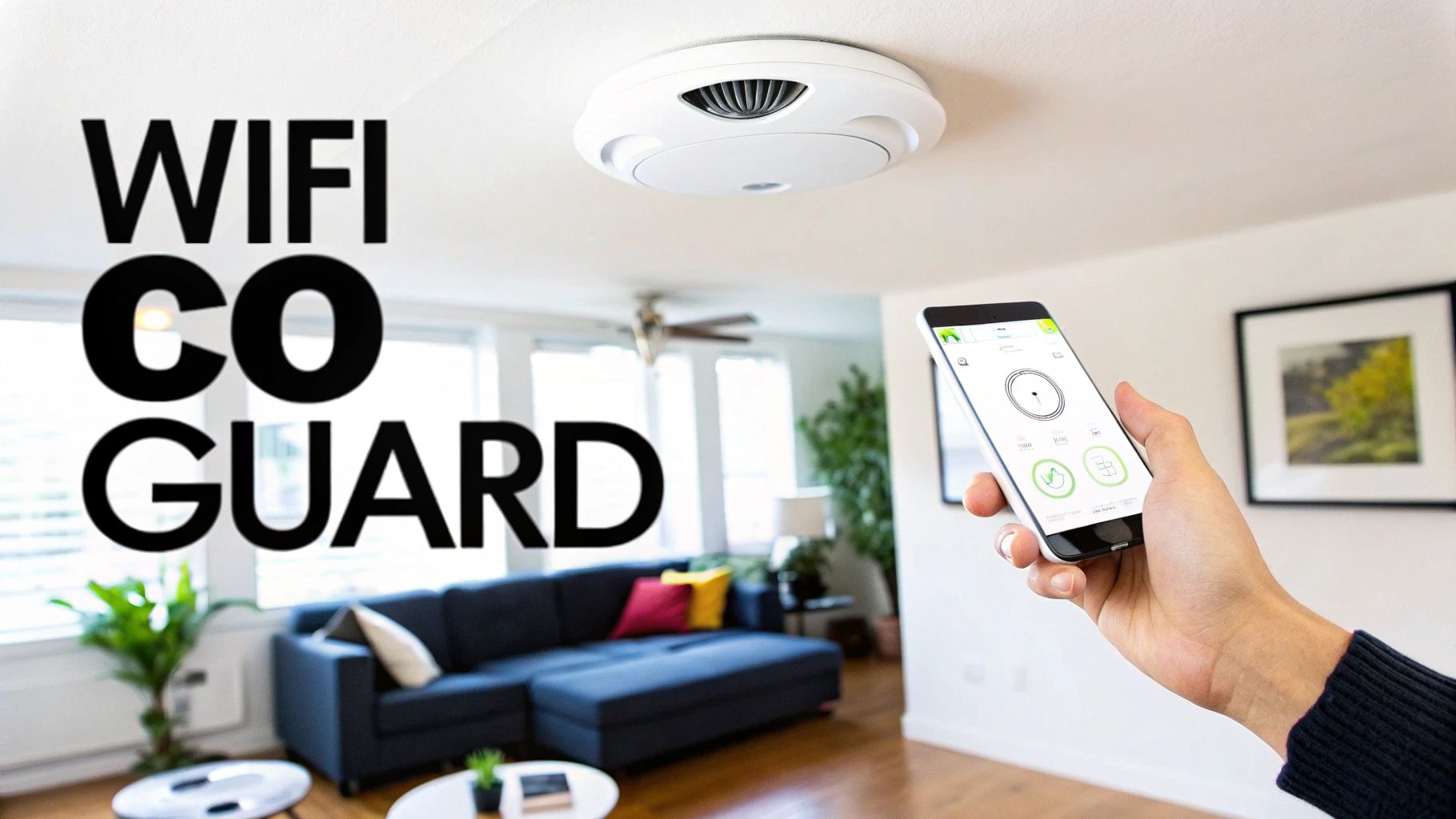
Picture a standard carbon monoxide alarm. It's just a loud siren that only works if someone is home to hear it. If you're out, that life-saving warning goes completely unnoticed. A WiFi CO detector is different. Think of it as a personal security guard for your air, one who calls your cell phone the second trouble starts, whether you're at work or on vacation.
This is a fundamental change, shifting home safety from a passive, localized alert to an active, connected system. It closes the gap between simply detecting a problem and you being able to act on it, which is especially critical if you have pets, kids, or elderly family members at home when you're not.
How a WiFi CO Detector Works
Under the hood, a WiFi carbon monoxide detector marries two pieces of technology:
- An Electrochemical Sensor: This is the workhorse. It’s the same proven, industry-standard tech found in most reliable detectors. When CO gas is present, it triggers a tiny chemical reaction that generates an electrical current, sounding the alarm.
- A WiFi Module: This is what makes it "smart." The module connects the detector to your home's wireless network, letting it talk to an app on your smartphone.
So, when the sensor detects a dangerous amount of CO, it does two things at once. It sounds the loud, local siren to warn anyone inside, and the WiFi module instantly pings your phone with a notification. You get real-time information about the threat, right in your pocket.
Key Takeaway: The real genius of a WiFi CO detector isn't a fancier sensor—it's smarter communication. Getting that remote alert means you're always in the loop about a potential CO leak, even when you're miles from home.
This technology is part of a much bigger move toward wireless safety systems. In fact, the wireless gas detection market was valued at around USD 1.5 billion back in 2020 and continues to grow, mainly because these systems are easier to install and offer remote monitoring. If you're curious about the broader industry, you can get more information on wireless gas detection systems.
Traditional CO Detector vs WiFi CO Detector at a Glance
To put it simply, connecting your CO detector to WiFi fundamentally changes how it protects your home. The table below really highlights the differences between the old guard and the new.
| Feature | Traditional CO Detector | WiFi CO Detector |
|---|---|---|
| Primary Alert | Loud, audible siren inside the home | Loud siren plus instant smartphone notification |
| Remote Monitoring | None. You must be home to hear it. | Full remote access via a mobile app |
| Alert History | No record of past events | Logs CO levels and alert history in the app |
| Battery Status | Low-battery "chirp" sound | Low-battery chirp and a phone notification |
| Smart Integration | Not available | Connects with other smart devices (e.g., lights, thermostats) |
Ultimately, a standard detector tells you there's a problem. A smart one tells you there's a problem, giving you the power to do something about it, no matter where you are.
Why a WiFi CO Detector Is Such a Big Deal
A standard carbon monoxide detector is a must-have, but it has one major flaw: it can only warn people who are close enough to hear the alarm. This is where a carbon monoxide detector with WiFi completely changes things. It turns a simple, localized alarm into a smart, active safety system that keeps an eye on your home 24/7, no matter where you are.
The biggest advantage by far is getting instant alerts right on your smartphone. This simple feature opens up a whole new world of life-saving possibilities that older alarms just can't offer.
Peace of Mind When You're Away From Home
Picture this: you're at work, and your furnace starts leaking CO back at the house. A normal detector would be blaring away in an empty home, its warning unheard. But a WiFi-connected detector instantly sends a notification to your phone the second it senses danger.
This one feature is a true game-changer. You can immediately call 911, giving first responders a chance to get in, ventilate the house, and prevent a tragedy. It's especially crucial if you have pets at home—this gives you the chance to save them from a silent threat they wouldn't even know was there.
A WiFi CO detector is like having a guardian for your home. It doesn't just make a noise; it sends out an SOS directly to you, turning your phone into the first line of defense against an invisible killer.
Using Smart Data to Keep Your Home Safe
Beyond just emergency alerts, a carbon monoxide detector with WiFi gives you useful information that helps you stay on top of your home's air quality. Instead of just a loud beep, you get real insights.
- See a History of CO Levels: Many smart detectors log CO levels over time, even the low-level stuff that isn’t enough to set off the main alarm. This can help you spot a slow leak from an appliance, giving you a heads-up to get it fixed before it becomes a real crisis.
- No More "Midnight Chirp": We all know that annoying low-battery chirp that only seems to happen at 3 AM. A smart detector sends an alert to your phone long before the battery dies, so you can swap it out on your own time.
Building a Connected Safety Net
Another huge step forward is how these smart alarms can talk to each other wirelessly. If you have a few WiFi detectors around the house, they form a network. When the one in the basement detects a CO buildup, it doesn't just sound its own alarm—it tells every other alarm in the house to go off, too.
This is a critical feature. A leak starting in the utility room might not be loud enough to wake someone sleeping upstairs. Interconnected alarms make sure the warning is blasted throughout the entire home, giving everyone as much time as possible to get out safely. It’s a unified system that offers a much higher level of protection for your family.
How to Choose the Right WiFi Carbon Monoxide Detector
Picking the right smart home safety device can feel overwhelming with all the technical jargon and features. But when it comes to choosing a carbon monoxide detector with WiFi, it really boils down to finding the one that fits your home, your budget, and how comfortable you are with the tech. Let's walk through the most important things to look for so you can feel confident in your choice.
At the heart of any modern CO detector is an electrochemical sensor. This is the industry-standard technology, and for good reason—it's incredibly accurate and reliable at sniffing out dangerous carbon monoxide gas.
When you go for a WiFi-enabled model, you’re getting that same trusted sensor but with a smart brain attached. This is what connects it to your home network, sending those crucial alerts to your phone when you're away. As more people demand connected safety, this market is growing fast. In fact, one report projects the consumer market for these electrochemical CO sensors to hit USD 14.7 million by 2025 and keep climbing. You can see more details about this growing sensor market on futuremarketinsights.com. This trend shows just how central these smart sensors are becoming to keeping our homes safe.
Power Source: Hardwired vs. Battery-Only
One of the first big decisions is how you’ll power the detector. There’s no single "best" answer; it really depends on your home’s wiring.
-
Hardwired with Battery Backup: These units connect directly to your home's electrical system, so they have a steady, reliable source of power. They also come with a backup battery (usually a 9-volt or AAs) to keep things running if the power goes out. This is the top-tier option for new homes or houses that already have wiring in place for smoke alarms.
-
Battery-Only: The biggest advantage here is flexibility. Since they run purely on batteries, you can install them practically anywhere in minutes without needing an electrician. This makes them a fantastic choice for older homes, apartments, or just for adding extra coverage in a specific room. The only catch is that you have to stay on top of changing the batteries when the app sends you a low-power warning.
Consider Your Home: If your house already has hardwired smoke detectors, swapping one out for a hardwired combination smoke and CO unit is often a simple job. If not, battery-powered models give you excellent protection without the hassle of running new wires.
Combination vs. Standalone CO Detectors
Next, you need to decide if you want a device that only detects carbon monoxide or one that pulls double duty and detects smoke, too.
-
Standalone CO Detector: This type of alarm has one job and one job only: to detect carbon monoxide. It's a great option if you already have a good, interconnected system of smoke alarms and just need to fill the CO protection gap.
-
Combination Smoke and CO Detector: These two-in-one units are incredibly popular because they're convenient and cost-effective. You get two critical safety devices in a single piece of hardware, which means less clutter on your ceiling and a simpler installation. Most smart combo units are great at telling you exactly what’s wrong, sending a specific alert to your phone that says "Smoke in the kitchen" or "Carbon monoxide in the hallway."
Lifespan and End-of-Life Alerts
Here's something a lot of people don't realize: every carbon monoxide detector has an expiration date. The electrochemical sensor inside degrades over time and eventually can't be trusted to detect CO accurately. Because of this, all modern CO alarms are built to last between 7 to 10 years.
This isn't a ploy to get you to buy more—it's a vital safety feature. Any reputable carbon monoxide detector with WiFi will have the replacement date stamped right on the device. Even better, it will give you an end-of-life (EOL) warning. As the sensor nears its expiration, the unit will start chirping in a specific pattern and, most importantly, send a notification straight to your phone letting you know it's time for a replacement.
Smart Features and App Usability
Finally, let's talk about the "smart" part. This is what really separates a WiFi detector from a basic one, and the user experience can make or break a device. A powerful detector with a clunky, confusing app is just a recipe for frustration.
When you're comparing models, look for an app that provides clear, actionable alerts and has an intuitive layout for checking the device's status and history. You also want an easy-to-use setup process. Getting the detector connected to your WiFi shouldn't feel like a chore, which is why a stable home network is so important. If you’re just starting to build out your smart home, it pays to learn how to choose a WiFi router that can handle everything you throw at it.
Integration with smart ecosystems like Amazon Alexa or Google Home is another huge plus. Being able to ask, "Hey Google, is there carbon monoxide in the house?" adds a whole new level of convenience and peace of mind.
Getting Placement Right: Where to Install Your CO Detectors
Picking out a great WiFi carbon monoxide detector is a fantastic first step, but it’s only part of the puzzle. To really keep your family safe, you have to install these devices in the right spots. Proper placement isn't just a "nice-to-have"—it's the single most important factor in making sure the alarm goes off in time.
Thankfully, you don't have to guess. Safety experts at the National Fire Protection Association (NFPA) have laid out clear guidelines. The golden rule? Install at least one carbon monoxide detector on every level of your home, and that absolutely includes the basement. This gives you a baseline of coverage, but getting specific about where they go on each floor is what truly makes the system effective.
The Best Spots for Installation
Think about where your family is most vulnerable, especially when asleep. That’s where you want your first line of defense. Carbon monoxide is just a little bit lighter than air and tends to spread out pretty evenly, so the goal is to catch it as soon as possible, no matter where it starts.
Here are the non-negotiable locations for your detectors:
- Outside Each Sleeping Area: A detector in the hallway right outside the bedrooms is crucial. If you have a few bedrooms off one hallway, a single detector there will do the trick. The idea is to make sure the alarm is loud enough to wake everyone.
- On Every Floor: Basements, main floors, second stories—each one needs its own detector. CO can travel through a house in weird ways, and you can’t rely on an upstairs alarm to catch a leak that starts in the basement.
- Near an Attached Garage: Garages are a huge source of CO, often from a car left running by mistake. Putting a detector in the room or hallway connected to the garage door gives you a heads-up before the gas gets deep into your living space.
Once you know where the detectors should go, the next question is what kind to get. Many people hire professional carbon monoxide detector installation services to handle the wiring and ensure everything is up to code. If you're doing it yourself, the first big decision is power.
This flowchart can help you decide between a hardwired or battery-only model based on your home's existing wiring.
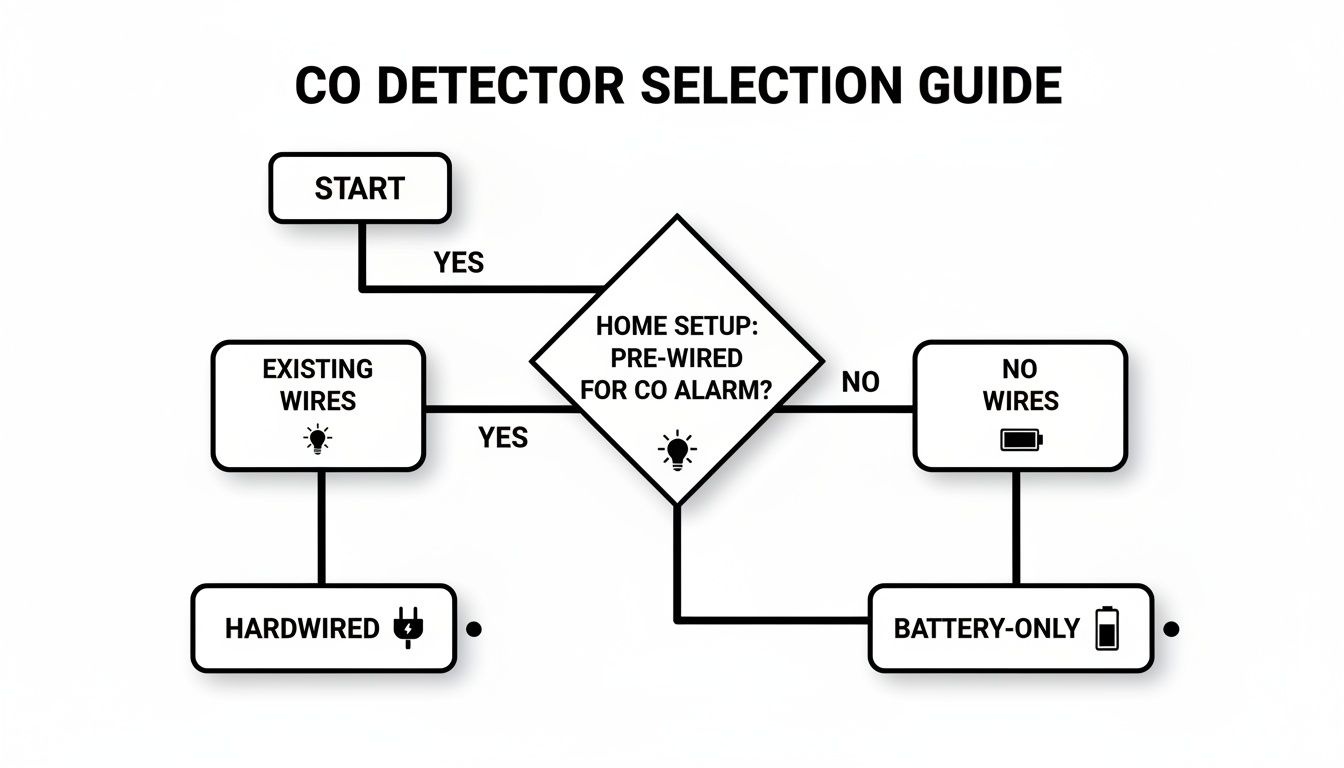
The choice really boils down to this: if you already have wiring for smoke alarms, a hardwired CO detector is a reliable, no-fuss option. If not, battery-powered models give you the freedom to install them anywhere.
Places You Should Always Avoid
Knowing where not to put a CO detector is just as critical. The wrong spot can lead to a ton of annoying false alarms or, far worse, damage the sensor and keep it from working when you actually need it.
Steer clear of these locations:
- Kitchens & Near Fuel-Burning Appliances: Keep detectors at least 15 feet away from stoves, furnaces, and water heaters. These appliances can release a tiny, harmless puff of CO when they kick on, which is enough to trigger a false alarm if the detector is too close.
- Humid Areas: Don't install them in bathrooms or laundry rooms. All that moisture can mess with the sensitive internal sensor over time, making it less reliable.
- Direct Sunlight or Near Vents: Drafts from windows, fans, and air vents can blow CO gas away from the sensor, delaying an alarm. Direct sunlight can also cause a detector to malfunction.
Placement Pro-Tip: You can usually install CO detectors on either the wall or the ceiling. For wall installations, mount it at least as high as a light switch and about 6 inches from where the wall meets the ceiling. This ensures it gets a good sample of the room's air. And make sure it's never blocked by curtains or furniture!
If you want to take your home's safety to the next level, look into an interconnected system. You can learn more about how https://automatedhomeguide.com/wireless-interconnected-smoke-co-detectors/ work together, so when one alarm sounds, they all do. It’s the best way to make sure a warning in the basement is heard loud and clear on the second floor.
Unlocking the Power of a Smart Home Safety System
A carbon monoxide detector with WiFi is so much more than a standalone alarm that just makes a loud noise. Think of it as the command center for an automated emergency response. When you hook it into your smart home, it stops being a passive warning device and becomes an active, life-saving system.
This isn't about flashy tech for tech's sake; it’s about creating a faster, smarter, and more practical reaction to a real emergency. By linking your CO detector to other smart devices, you can build powerful safety routines that spring into action the moment CO is detected. Those routines can buy you and your family precious seconds when it truly matters.
Creating Automated Emergency Responses
The real magic happens when your smart CO detector starts "talking" to your other gadgets. Instead of just a blaring siren, a high CO reading can kickstart a whole sequence of coordinated actions designed to protect everyone in the house.
For example, imagine a CO alert automatically doing all this:
- Flipping on all your smart lights to 100% brightness, instantly lighting up hallways and escape routes.
- Unlocking your smart front door so first responders can get inside immediately without smashing a window or breaking down the door.
- Texting an alert to a trusted neighbor or family member, letting them know something is wrong at your house.
- Shutting down your HVAC system via your smart thermostat to stop it from circulating the dangerous, contaminated air.
These aren't futuristic ideas—they're practical, life-saving automations you can set up right now. This kind of device teamwork is the bedrock of modern smart home security systems, where everything works together to create a safety net. As you integrate your CO detector, it's a good idea to think about your home's broader security and plan for effective alarm response measures.
By linking your WiFi CO detector to other smart devices, you create an intelligent safety web. The system doesn't just tell you there's a problem—it actively works to help you and emergency services solve it faster.
Seamless Integration with Voice Assistants
Beyond setting up those automatic safety routines, a carbon monoxide detector with WiFi gives you simple, hands-free control through your favorite smart home hubs. If your device works with Amazon Alexa or Google Assistant, managing your home's safety becomes as easy as just asking.
Connecting your Wi-Fi CO detector to a voice assistant lets you build powerful automations and get quick status updates without even picking up your phone. Here’s a look at what’s possible.
Smart Home Integration Capabilities
A summary of potential automations and voice commands available when integrating your WiFi CO detector with popular smart home platforms.
| Platform | Example Automation Triggered by CO Alert | Example Voice Command |
|---|---|---|
| Amazon Alexa | Turn all Philips Hue lights red and announce "Emergency, CO detected." | "Alexa, what is the status of the basement CO detector?" |
| Google Assistant | Unlock the August Smart Lock and shut off the Ecobee thermostat. | "Hey Google, is the upstairs CO alarm okay?" |
| Apple HomeKit | Flash all LIFX lights and send a notification to family members. | "Siri, what's the battery level on the carbon monoxide detector?" |
| IFTTT | Send an email to a predefined contact list and log the event in a Google Sheet. | (Not applicable for direct voice commands; IFTTT is for automation) |
This voice integration adds a fantastic layer of convenience and peace of mind. The ability to quickly check on your home's air quality, combined with automated actions, shows just how a single connected device can make your entire living space safer and more responsive.
Essential Maintenance and Troubleshooting Tips
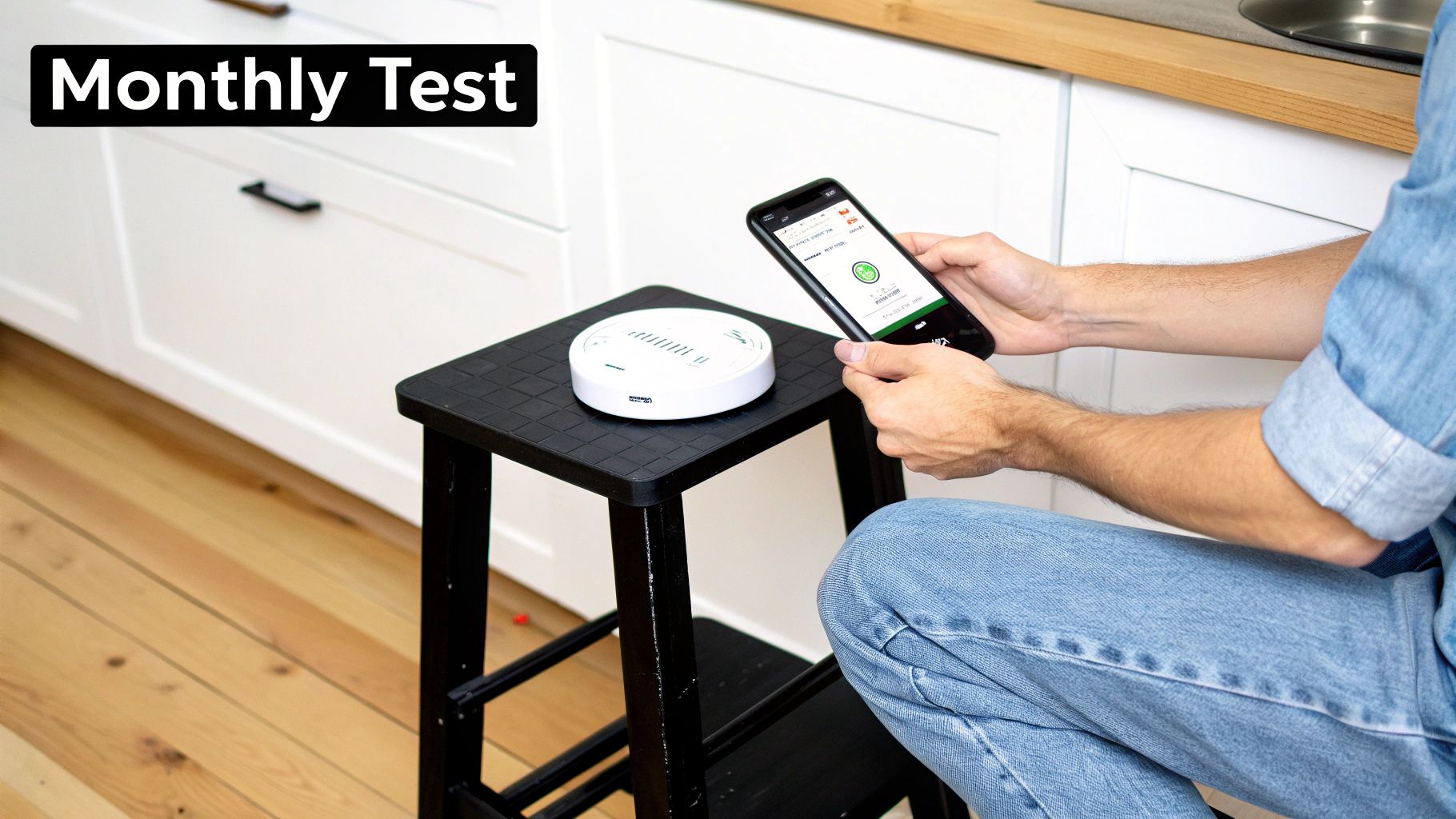
A carbon monoxide detector with WiFi is a fantastic safety net, but it's not a "set it and forget it" appliance. Just like any other critical piece of safety gear, it needs a little attention to keep it in peak working order. Think of it as a quick, monthly check-up for one of your home's most important guardians.
Thankfully, this upkeep is dead simple and only takes a few minutes. A little bit of routine maintenance goes a long way, ensuring your detector is ready to do its job when it matters most.
Your Monthly Maintenance Checklist
I always tell people to set a recurring reminder on their phone for these quick tasks. It's the consistency that really counts here.
-
Test the Alarm: Every single Wi-Fi CO detector has a test button. Go ahead and press it until the alarm screams at you—and trust me, it will be loud. This simple press confirms that the siren and all the internal electronics are functioning correctly. Many smart apps even let you trigger a test right from your phone, which is a great, convenient feature.
-
Clean the Vents: Over time, dust, cobwebs, and other gunk can clog the vents where the air actually enters the sensor chamber. If those are blocked, the detector can't do its job. Grab a soft brush attachment for your vacuum or a can of compressed air and gently clear the exterior. Never use water, household cleaners, or any kind of spray, as you'll risk damaging the sensitive internal parts.
-
Check the App Connection: Pop open your detector’s app and make sure you see a "Connected" or "Online" status. This quick glance confirms it's still talking to your Wi-Fi network, which is essential for getting those life-saving alerts when you're away from home.
Keeping your Wi-Fi CO detector in top shape is a small investment of time that pays huge dividends in peace of mind. A clean, tested, and connected device is a reliable one.
Understanding Beeps and Blinks
Your detector uses a language of chirps and flashing lights to tell you what's going on. The exact patterns can differ between brands, but they almost always follow a few common conventions.
-
Low Battery Warning: A single, sharp chirp every minute or so is the universal signal for low backup batteries. Your app should also give you a heads-up, giving you plenty of time to swap them out before the annoying chirping drives you crazy.
-
End-of-Life (EOL) Signal: If you hear a pattern of several chirps every minute, listen up. This is the device telling you its internal sensor has expired. This is a critical alert—it means the entire unit needs to be replaced immediately because it can no longer be trusted to detect carbon monoxide. Most detectors have a lifespan of 7 to 10 years.
-
Network Disconnected: A specific light, often a blinking amber or red one, usually points to a lost Wi-Fi connection. The local alarm will still sound if it detects CO, but you won't get any notifications on your phone until you get it back online.
It's no surprise that these connected features are becoming more popular. The demand is driving some serious market growth, with one forecast predicting the global CO detector market will expand from USD 691.7 million in 2022 to over USD 906.9 million by 2030, with Wi-Fi integration being a major reason why. You can dig into more of the CO detectors market data on consegicbusinessintelligence.com.
Got Questions About Wi-Fi CO Detectors? We've Got Answers.
Jumping into smart home safety can feel a little overwhelming, and it's natural to have a few questions. Let's tackle some of the most common ones about switching to a Wi-Fi carbon monoxide detector.
Will My Wi-Fi CO Detector Still Work if the Internet Goes Out?
Yes, absolutely. The most important job of a CO detector—sounding its deafening alarm when it senses gas—is completely self-contained. It doesn't need an internet connection to keep your family safe.
What you'll lose temporarily are the "smart" features. Without a connection, it can't send alerts to your phone or update its status in the app. But its core function, the life-saving local alarm, will always work as long as it has power.
How Long Do These Things Actually Last?
The electrochemical sensors inside any modern CO detector, smart or not, have a firm expiration date. You can expect a lifespan of 7 to 10 years from the day it was made. Over time, the chemical components that detect the gas simply wear out and can no longer be trusted.
Every certified detector is designed to give you an "end-of-life" warning. This is a distinct sound—different from a low-battery chirp—that tells you the entire unit needs to be replaced. A good smart detector will also push a notification to your phone, making it impossible to miss.
Is One Wi-Fi CO Detector Enough for My Whole House?
Definitely not. A single detector can't possibly cover an entire home. Safety experts and fire departments all agree on a layered approach for real protection. You should have a CO detector on every level of your house, especially the basement, and another one in the hallway right outside sleeping areas.
This is where a network of smart detectors really proves its worth. If the unit in the basement detects a leak, it doesn't just sound off down there. It instantly triggers every other alarm in your home to go off, too. This interconnected system turns a localized alert into a whole-house alarm, ensuring everyone hears the warning, no matter where the danger is.
For more expert guides on creating a safer, smarter living space, explore the resources at Automated Home Guide. Discover everything you need to know at https://automatedhomeguide.com.










Leave a Reply