
When it comes to setting up your home Wi-Fi, the big question is usually: Do you go with a single, powerful router, add some signal boosters to the mix, or invest in a modern mesh system to cover every square foot of your house? Each path offers a unique blend of cost, performance, and simplicity designed for different kinds of homes.
Finding Your Perfect Home WiFi Setup
Trying to figure out home networking can feel like decoding a secret language full of jargon and numbers. But really, it all boils down to matching the right tech to your home's size and your family's digital life. The goal isn't just getting online; it's about building a stable, fast network that works without constant fiddling.
This guide will walk you through the most important decisions you'll need to make. We’ll start with the three fundamental ways you can set up your home network. Getting this first step right is the key to finally getting rid of those frustrating dead spots for good.
The Three Core WiFi Setups
How your network is structured physically has the biggest influence on your coverage and stability. This choice dictates how the signal gets around your home, which is especially critical in larger houses with multiple floors or signal-blocking walls.
- Single Router: This is the traditional setup. One router sits in a central spot and broadcasts the Wi-Fi signal. It's a great, straightforward solution for smaller homes, apartments, or open-plan spaces where the signal has a clear path.
- Router with Extenders: If you have just one or two specific dead zones, a Wi-Fi extender (sometimes called a repeater) can help. It grabs the signal from your main router and rebroadcasts it to extend its reach. It's an affordable fix, but be aware that it can sometimes cut your speeds in the extended area.
- Mesh WiFi System: This is the modern go-to for total coverage. A mesh system uses several "nodes" that you place around your house. They all work together to create one big, seamless Wi-Fi network. It's easily the best choice for large, multi-story homes or properties with tricky layouts, delivering a strong signal everywhere you need it.
Why WiFi Standards Matter
Beyond how your network is laid out, the technology inside your router—the Wi-Fi standard—is just as crucial. You can think of standards like Wi-Fi 5 or Wi-Fi 6 as different generations of a car engine. The newer the standard, the better the performance.
For instance, Wi-Fi 6 is built to handle way more devices at the same time without getting bogged down, and it offers faster potential speeds and smarter traffic management. If you want to get into the nitty-gritty of picking the right hardware, check out our guide on how to choose a WiFi router for more in-depth advice.
Of course, if you’d rather have an expert handle the installation and optimization, looking into professional WiFi networking services is always a solid option.
To help you see how these setups stack up, here’s a quick comparison.
Home WiFi Setups at a Glance
This table gives you a quick look at the most common home network configurations. Use it to get a feel for which approach might be the best starting point for your home and needs.
| WiFi Type | Best For | Pros | Cons |
|---|---|---|---|
| Single Router | Small homes, apartments (< 1,500 sq ft), open layouts | Simple, affordable, easy to set up | Limited range, struggles with walls and multiple floors |
| Router + Extenders | Medium homes (1,500-2,500 sq ft) with 1-2 specific dead zones | Inexpensive way to extend coverage | Can cut speeds in half, may create a separate network name |
| Mesh System | Large or multi-story homes (> 2,500 sq ft), complex layouts | Seamless coverage, one network name, consistent speeds | Higher initial cost, may be overkill for small spaces |
Ultimately, whether you stick with a single router or upgrade to a full mesh system, understanding these core differences will help you build a network that truly works for you.
Decoding the Generations of Wi-Fi Technology
Think of Wi-Fi standards like generations of a car. An old Model T will get you down the road, but a modern sedan is faster, safer, and packed with technology that makes the drive smoother. Each new Wi-Fi generation, or "standard," brings similar upgrades—boosting speed, improving efficiency, and better handling the chaos of a busy home network.
Getting a handle on these generations is the first step to picking the right Wi-Fi for your home. You'll often see them listed by a technical name like 802.11ac, but thankfully, the industry has simplified this with a numbered system. Let’s break down what each one really means for you.
Wi-Fi 4 (802.11n): The Reliable Workhorse
Way back in 2009, Wi-Fi 4 was a game-changer. It was the first standard to really make wireless internet a dependable part of the home, using both the 2.4 GHz and 5 GHz radio bands to give a decent mix of range and speed for the time.
You might still find Wi-Fi 4 in some older gadgets or ultra-budget routers today. It's fine for checking emails or some light web browsing, but it really starts to buckle under the pressure of a modern home filled with streaming TVs, smart speakers, and multiple people online at once.
Wi-Fi 5 (802.11ac): The Modern Standard
For the better part of a decade, Wi-Fi 5 has been the go-to standard for home networks, and for good reason. It delivered a huge speed upgrade over Wi-Fi 4 by focusing exclusively on the cleaner, less-crowded 5 GHz band. This was the technology that made streaming HD movies and playing online games a smooth, buffer-free experience.
Most of the devices you own right now probably use Wi-Fi 5. It still provides a solid performance baseline for many households, but it has a crucial weakness: it can only talk to one device at a time. This one-by-one approach creates a bottleneck when too many gadgets try to connect simultaneously.
Wi-Fi 6 (802.11ax): The Smart Traffic Manager
This is where things get really cool. Wi-Fi 6 isn't just about being faster—though it certainly is. Its true superpower is efficiency. It introduced brilliant new technologies like OFDMA (Orthogonal Frequency Division Multiple Access) that fundamentally change how a router manages traffic.
Imagine your Wi-Fi 5 router is like a cashier serving one person at a time in a long line. A Wi-Fi 6 router is more like a fleet of delivery drones, dropping off packages to multiple houses all at once.
This is a massive leap forward for any home juggling laptops, phones, smart lights, security cameras, and gaming consoles. It slashes network congestion, which means a faster, more stable connection for everyone, even when the whole family is streaming, gaming, or on video calls.
The evolution of these standards has completely reshaped the home Wi-Fi market. Routers that once topped out at 300 Mbps or 450 Mbps have been replaced. With Wi-Fi 6, routers offering 1200 Mbps and higher speeds are now the standard for anyone with multiple devices, a passion for gaming, or a family that loves 4K streaming. You can discover more insights about the home router market and its evolution.
Wi-Fi 6E: The Exclusive Superhighway
Wi-Fi 6E takes everything great about Wi-Fi 6 and gives it a brand-new playground: the 6 GHz frequency band. Think of it as a private, multi-lane superhighway built exclusively for the newest, most powerful devices.
- Less Interference: This 6 GHz band is completely free from the traffic jams caused by older Wi-Fi gadgets and even common household items like your microwave.
- Higher Speeds: With wide-open channels, it unlocks the potential for blisteringly fast and reliable connections that were impossible before.
Wi-Fi 6E is the ultimate choice for bleeding-edge tech like virtual and augmented reality, 8K streaming, and competitive gaming. The only catch? Both your router and your devices need to be Wi-Fi 6E compatible to get on this new superhighway. It’s the premium option for anyone who wants to build a truly future-proof network.
Choosing Your Network Layout: Single Router vs. Mesh vs. Extenders
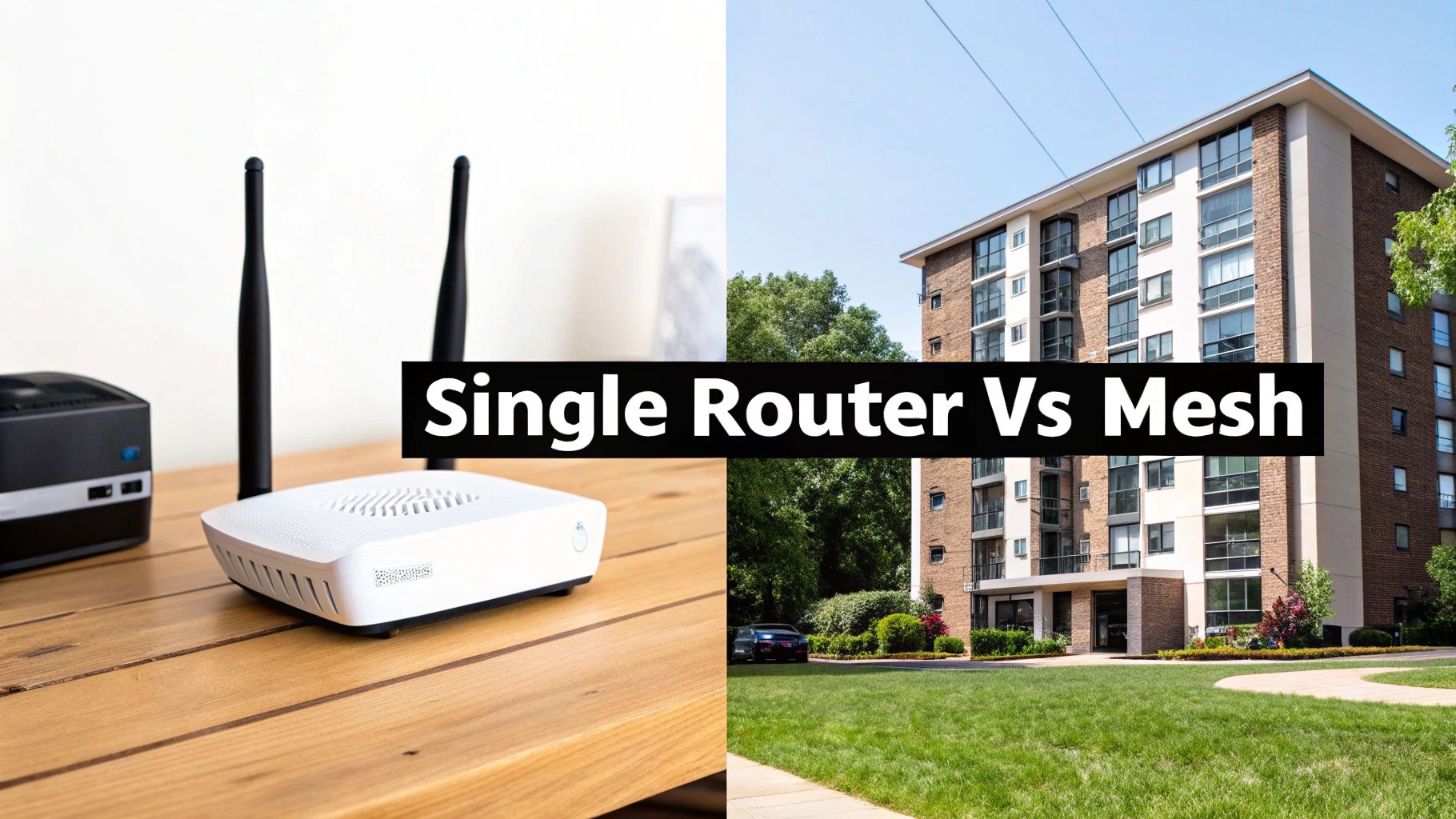
Knowing the difference between Wi-Fi 5 and Wi-Fi 6 is a great start, but it's only half the battle. How you physically arrange your Wi-Fi hardware—your network's layout—is just as crucial. This decision is what separates a flawless, house-wide connection from one riddled with frustrating dead zones.
There are really three ways to set up your home Wi-Fi, and each one is built for a different type of home and a different set of expectations. Let's dig into how a single router, an extender, and a modern mesh system actually perform in the real world.
The Traditional Single Router
For a long time, this was the only option. You'd get one box from your internet provider, plug it in somewhere central, and hope for the best. A single router broadcasts its signal from one point, kind of like a lighthouse sending out a beam of light. The closer you are, the stronger and more reliable the connection.
This classic setup is still the most affordable and works perfectly well for smaller spaces. If you live in an apartment, a condo, or a smaller single-story house under 1,500 square feet, a good-quality router can cover you just fine.
The trouble starts in bigger, more complicated homes. Every wall, floor, and large appliance the signal has to pass through weakens it, leading to frustratingly slow speeds and dead spots in rooms farther away from the router.
Wi-Fi Extenders: The Quick (But Flawed) Fix
So, you found a dead zone in the upstairs bedroom. The simplest fix seems to be a Wi-Fi extender, sometimes called a repeater. You plug this little gadget into an outlet somewhere between your router and the dead zone, and it grabs the existing Wi-Fi signal and rebroadcasts it.
Think of it like putting a mirror in a hallway to bounce light into a dark room. It works, but the reflected light is never as bright as the original source. An extender essentially creates a new, separate network, and it has to use half of its own speed just to talk back to the main router. The result? Your connection speed in that "extended" area can get cut in half.
- The Good: It's a cheap and easy way to patch up one specific dead spot.
- The Bad: It drastically cuts your Wi-Fi speed and performance in that area.
- The Ugly: You often have to manually switch your phone or laptop between the main network and the extender's network, which is just plain annoying.
Extenders can be a decent band-aid for a minor coverage problem, but they always come with a big performance trade-off.
Mesh Systems: The Modern, Whole-Home Solution
For seamless coverage without compromise, mesh Wi-Fi systems are the clear winner. A mesh system isn't just one router; it's a team. You have a main router connected to your modem and several satellite "nodes" that you place around your home. These nodes all talk to each other, blanketing your entire house in a single, powerful Wi-Fi signal.
It's the difference between having one bright lamp in your living room versus having smart, recessed lighting installed in every room of your house. The light is perfectly even everywhere, and you never have to think about which switch to flip.
The system is smart. As you walk around, your devices automatically and seamlessly switch to the node with the strongest signal, all while staying connected to the same network name. No dropped video calls, no manual network switching, and no major speed loss. This is what makes mesh the most popular type of Wi-Fi for home setups today.
The market backs this up. Consumers are tired of dead zones, and the whole-home mesh market is on track to hit around USD 5 billion by 2025, with a healthy growth rate of 15% expected through 2033. People want Wi-Fi that just works, everywhere. For a deeper look at this trend, check out this growing market for whole-home WiFi.
If you think a mesh system is right for you, learning about a wireless mesh network setup can help you get started.
This table breaks down the key differences to make the choice a little easier.
| Feature | Single Router | Router + Extender | Mesh System |
|---|---|---|---|
| Ideal Home Size | Under 1,500 sq ft | 1,500 – 2,500 sq ft | Over 2,000 sq ft, multi-story |
| Coverage | Centralized, weakens with distance | Extended, but with performance loss | Whole-home, seamless |
| Performance | Strongest near the router | Speeds are often halved | Consistent speeds throughout |
| Network Name | One network | Usually two separate networks | One single, unified network |
| Complexity | Simple setup | Moderate, placement is key | Easy setup, often app-guided |
| Cost | Low | Low-to-moderate | High |
In the end, it's all about matching the hardware to your home. A single router is fantastic for a small apartment, but for a larger family home, a mesh system is the definitive solution for killing dead zones for good.
How Wi-Fi Frequencies Work: Your Home's Digital Highways
Think of Wi-Fi standards as the engine in your car, defining its top speed. The frequency bands—2.4 GHz, 5 GHz, and 6 GHz—are the actual roads that engine drives on. Your router is constantly broadcasting signals over these invisible highways, and just like real-world traffic, some are wider, faster, and less congested than others.
Understanding these bands is the key to figuring out why your new laptop flies while your smart plug sometimes drops its connection. Modern routers act like savvy traffic controllers, automatically steering your devices into the best lane. Let's take a look at the roads available for your data.
The 2.4 GHz Band: The Scenic Country Road
The 2.4 GHz frequency is the original Wi-Fi highway, and it’s still widely used today. Picture it as a long, winding country road.
Its biggest advantage is range. The lower-frequency radio waves are fantastic at traveling long distances and penetrating solid objects like walls, floors, and thick furniture. This makes it perfect for reaching that smart bulb in the basement or the security camera in the garage.
But this old road has some serious drawbacks. It's slow and narrow, offering limited bandwidth for today's needs. Worse, it’s incredibly crowded. It’s not just your neighbors' Wi-Fi on this road; it's a whole host of other household gadgets, too.
Digital Traffic Jam: The 2.4 GHz band is a public space. Bluetooth devices, baby monitors, garage door openers, and even your microwave oven all shout over each other on this frequency. This constant chatter creates a digital traffic jam that can seriously slow you down.
Because of the heavy interference and slow speeds, it's best to leave the 2.4 GHz band for simple, low-priority devices. Think smart plugs, thermostats, or anything else that just needs a stable connection, not a fast one.
The 5 GHz Band: The Multi-Lane Expressway
The 5 GHz band is the modern expressway for Wi-Fi traffic. It's a much wider road with far more lanes, meaning it can handle more traffic at much higher speeds with less congestion.
- Way Faster Speeds: With more bandwidth to work with, the 5 GHz band breezes through demanding tasks like streaming 4K movies, competitive online gaming, and video calls.
- A Cleaner Signal: This highway is much less crowded. It doesn't have to compete with all the non-Wi-Fi noise that plagues the 2.4 GHz band, giving you a more stable and reliable connection.
This makes 5 GHz the go-to choice for nearly all your important devices—laptops, smartphones, smart TVs, and gaming consoles should live here. The trade-off? Its higher-frequency waves don't travel as far and struggle a bit more with walls compared to 2.4 GHz signals. It's a super-fast highway, but the off-ramps are closer together.
The 6 GHz Band: The Private Superhighway
Introduced with Wi-Fi 6E, the 6 GHz band is the brand-new, exclusive superhighway. This road is only open to the latest Wi-Fi 6E and Wi-Fi 7 devices, making it a pristine, wide-open space with virtually no traffic.
This band offers a massive amount of clean bandwidth, creating an interference-free zone for peak performance. Think of it as your own private HOV lane, delivering incredibly low latency and jaw-dropping speeds.
The 6 GHz band is built for the most demanding things you can do online. We're talking high-stakes online gaming, immersive virtual reality (VR), and streaming 8K video without a single hiccup. It's simply the fastest, cleanest connection you can get for your home network today.
Matching Your WiFi to Your Home and Lifestyle
Choosing the right WiFi setup isn't about picking the "best" one on the shelf; it's about finding the best fit for your life. The network that works perfectly for a student in a small apartment will be a nightmare for a busy family in a sprawling two-story house. This is where we turn all that tech talk into a practical plan that actually works for you.
Forget the specs for a minute and think about your daily routine. Are you mostly just streaming Netflix and scrolling through social media? Or is your home a chaotic hub of Zoom calls, intense online gaming, and a small army of smart gadgets all fighting for a signal? Your answer is the key to finding the right kind of WiFi.
This is more important than ever. The global WiFi market is booming, expected to jump from USD 39.7 billion in 2025 to over USD 101.0 billion by 2034. A huge part of that growth comes from people like us demanding better home networks—especially mesh systems that can handle the new reality of working from home.
This flowchart gives you a simple way to visualize how your devices should choose a frequency band when they connect.
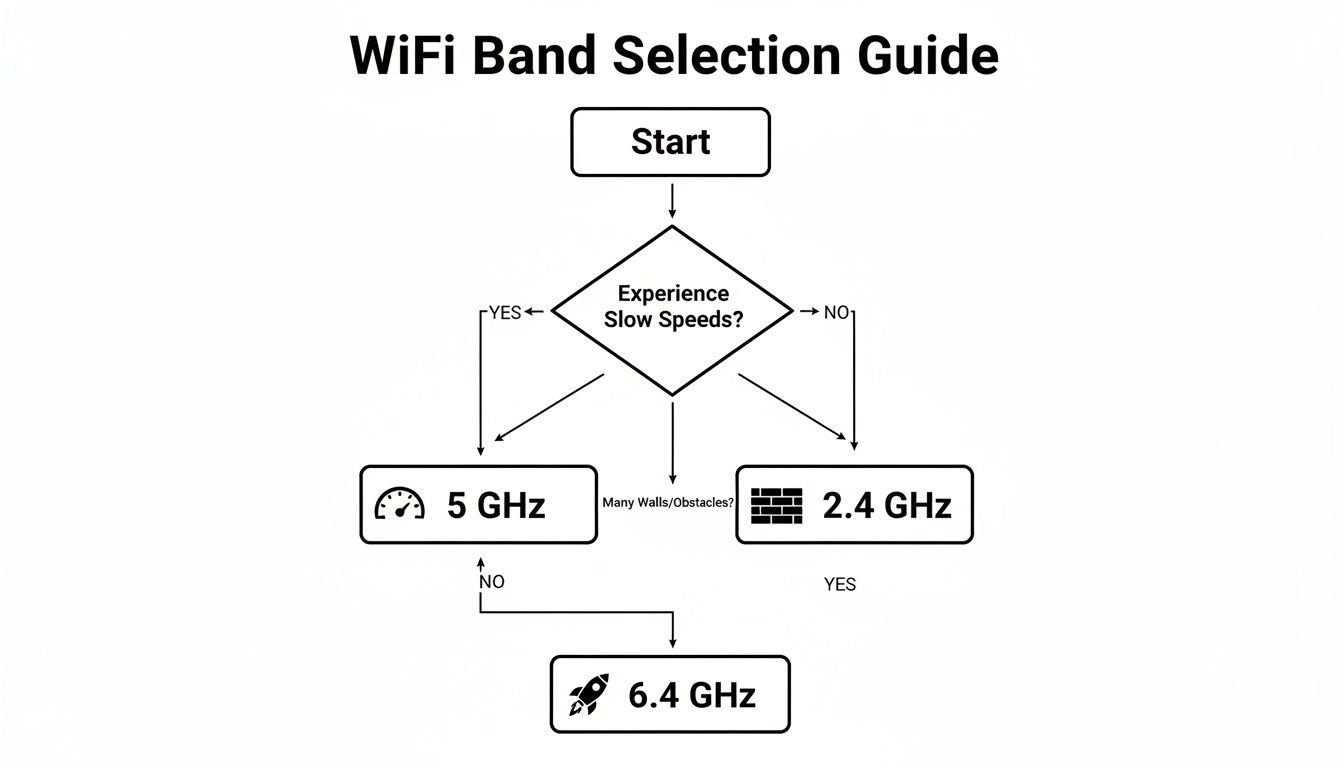
The takeaway here is that each band—2.4 GHz, 5 GHz, and 6 GHz—is a tool for a different job. One is great for punching through walls, while another delivers blistering speed for the newest tech.
Tailoring WiFi to Your Lifestyle
To make this crystal clear, let's walk through a few common scenarios. Each one shows how your home size, the number of gadgets you own, and what you do online all point toward a specific WiFi solution.
Scenario 1: The Student Streamer
Picture someone living in a smaller apartment, maybe under 1,000 sq ft. Their online life revolves around streaming shows, joining online classes, and keeping up with friends. With fewer than 15 devices online, the network isn't exactly crowded.
- Recommended Standard: Wi-Fi 5 or Wi-Fi 6. A good Wi-Fi 5 router will do the job beautifully and save you some money. But if there are a couple of roommates, a basic Wi-Fi 6 model is a smart upgrade for its efficiency.
- Recommended Layout: A single, quality router is all you need. Stick it in a central spot, and it will easily blanket the whole apartment in a strong signal. Simple and effective.
Scenario 2: The Connected Family
Now imagine a medium-to-large house (2,000-3,500 sq ft) with a couple of floors. Mom and Dad are on video calls for work, the kids are gaming online, the living room TV is streaming in 4K, and there are over 50 connected devices—smart lights, security cameras, speakers, you name it.
- Recommended Standard: Wi-Fi 6 is non-negotiable here. Its superpower is managing dozens of devices at once without breaking a sweat, which is exactly what this chaotic household needs.
- Recommended Layout: A mesh system is the only real answer. It’s designed to kill dead zones across multiple floors and make sure every single device gets a stable, fast connection, no matter which room it’s in.
Relying on a single router in a large, busy home is like trying to light up the whole house with one lamp in the living room. A mesh system, on the other hand, is like putting a bright, reliable light in every single room.
Scenario 3: The Tech Enthusiast
This is for the person who needs the absolute best performance for everything. We're talking competitive online gaming, lag-free virtual reality, and downloading massive files in the blink of an eye. They have all the latest gadgets and zero tolerance for slowdowns.
- Recommended Standard: Wi-Fi 6E or Wi-Fi 7. Having access to the exclusive 6 GHz band is a complete game-changer. It’s like having your own private, uncongested superhighway for your most demanding devices.
- Recommended Layout: A high-performance mesh system. This ensures those incredible Wi-Fi 6E or Wi-Fi 7 speeds aren't just stuck in one room but are available everywhere, creating a powerhouse network that’s ready for whatever comes next.
Which Home WiFi Type Is Right for You?
To bring it all together, this table breaks down the recommendations into a simple matrix. Just find the profile that sounds most like your household to get a clear starting point for your perfect WiFi setup.
| Lifestyle / Home Profile | Recommended WiFi Standard | Recommended Network Layout | Key Consideration |
|---|---|---|---|
| The Solo Streamer / Small Apartment (Under 1,500 sq ft, <15 devices, basic browsing, HD streaming) | Wi-Fi 5 or Wi-Fi 6 | Single Router | Focus on affordability and simplicity. A good router is more than enough. |
| The Modern Couple / Small Home (1,500-2,500 sq ft, 15-40 devices, 4K streaming, smart home basics) | Wi-Fi 6 | Single High-Performance Router or 2-Node Mesh System | Balance coverage with device capacity. A mesh system can prevent annoying dead spots in tricky layouts. |
| The Connected Family / Large Home (2,500-4,000+ sq ft, 40+ devices, multiple 4K streams, gaming, remote work) | Wi-Fi 6 or Wi-Fi 6E | 3+ Node Mesh System | Prioritize eliminating dead zones and managing dozens of devices without lag. Consistency is key. |
| The Power User / Tech Enthusiast (Any size, 50+ devices, competitive gaming, VR, massive file transfers) | Wi-Fi 6E or Wi-Fi 7 | High-Performance Mesh System or Pro-Grade Access Points | Go for maximum speed and minimal interference. The 6 GHz band is your best friend. |
Ultimately, the goal is to build a network that just works, fading into the background so you can get on with what you actually want to do online. Use these guidelines as your roadmap, and you'll be well on your way.
Common Questions About Home WiFi Types
Even after doing all the research, a few last-minute questions always seem to come up before you hit "buy." I get it. Choosing the right WiFi setup involves some big decisions, so let’s tackle the most common questions I hear. This is your final gut-check before you build a home network you'll actually love.
Do I Need a New Router if I Upgrade My Internet Plan?
More often than not, yes. Think of your router as the bottleneck for your internet connection. If you're paying for a blazing-fast 1 Gbps plan but are still using an ancient Wi-Fi 4 router, you’ll never see those speeds. The old hardware just can't keep up.
To get your money's worth from any modern internet plan (I'd say anything over 500 Mbps), you need a router that supports at least Wi-Fi 5. But honestly, Wi-Fi 6 is the real sweet spot right now—it's built to handle a house full of devices without breaking a sweat.
Is Wi-Fi 6E Worth the Extra Cost Today?
For most homes, a solid Wi-Fi 6 system offers the best bang for your buck. The main draw of Wi-Fi 6E is its exclusive access to the 6 GHz band, which is like a private, multi-lane superhighway for your newest devices, completely free of traffic jams from your neighbors' networks.
It’s only worth paying the premium if you check these boxes:
- You already own several Wi-Fi 6E devices, like a brand-new high-end laptop, a recent flagship phone, or a VR headset.
- You live in a dense apartment complex where the regular WiFi bands are a congested mess.
- You're a competitive gamer or stream in 8K, where every millisecond of performance counts.
If that doesn't sound like you, a great Wi-Fi 6 setup will keep you happy for years to come.
The core difference is access to the 6 GHz band. If your devices can't use that special lane, you're paying for a feature you can't access. Always check your device specs before investing in Wi-Fi 6E.
Of course, a great network is also about user experience. To make life easier for guests, you can create a scannable QR code for WiFi password sharing so they can connect in seconds.
Can I Mix Different Brands in a Mesh WiFi System?
I see this question a lot, and the answer is almost always no. Mesh systems are proprietary little ecosystems. The different nodes (or points) are designed to talk to each other using the manufacturer's special software, which is how they seamlessly hand your phone off to the strongest signal as you walk around the house.
You can't just add a Google Wifi point to an Eero network and expect it to work. To get the reliable, self-healing performance that mesh is known for, you have to stick with nodes from the same brand and product family. While you're at it, don't forget to lock down your new network—our guide on home network security best practices covers all the essentials.
At Automated Home Guide, we're dedicated to helping you make sense of smart home technology. Explore our expert guides and reviews to build a safer, more efficient home. https://automatedhomeguide.com












Leave a Reply