
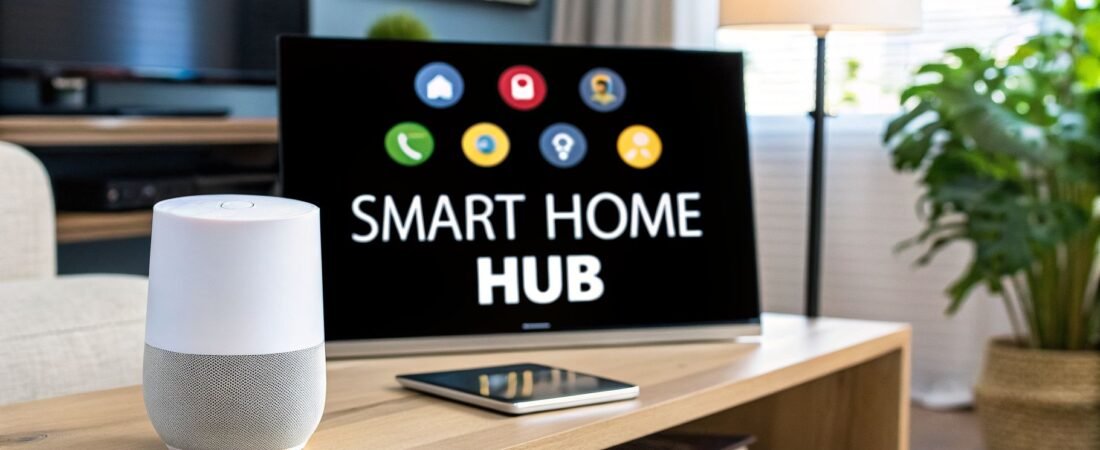
So, what can a Google Home actually do? At its heart, it’s a smart speaker running on the Google Assistant. You can ask it questions, have it play your favorite tunes, and get help with daily tasks. But where it really comes alive is as the central command post for your smart home, tying all your connected gadgets together.
Your Smart Home Command Center

Think of your Google Home device (now part of the Google Nest family) less like a simple speaker and more like a live-in personal assistant. It’s powered by the incredibly capable and always-improving Google Assistant, making it the brains of your entire operation.
From the moment you plug it in, it’s ready to be your personal search engine. You can ask for anything from a quick weather update before you head out the door to settling a debate over a tricky trivia question. It’s like having the full power of Google search, but you just have to ask.
To give you a clearer picture, here’s a quick rundown of what your Google Home can handle right away.
Google Home Core Capabilities at a Glance
| Category | Example Commands & Functions |
|---|---|
| Information & Answers | "Hey Google, what's the latest news?" or "How many ounces are in a cup?" |
| Media & Entertainment | "Play my 'Workout' playlist on Spotify," or "Show funny cat videos on the living room TV." |
| Daily Organization | "Set a timer for 15 minutes," or "Add milk to my shopping list." |
| Communication | "Call Mom," or "Broadcast 'Dinner's ready!' to all speakers." |
| Smart Home Control | "Dim the lights to 50%," or "Set the thermostat to 70 degrees." |
This table just scratches the surface, but it shows how a single device can branch out to manage many different parts of your day.
Beyond Simple Questions
The real magic starts when you move past asking simple questions and let it help you run your day. Your Google Home can quickly become the one tool you can't live without.
It’s a huge help with keeping your daily life in order. You can use it to:
- Set timers and alarms: A lifesaver in the kitchen or for making sure you wake up on time.
- Manage your calendar: Just ask, "Hey Google, what's on my schedule today?" for a quick briefing of your appointments.
- Build shopping lists on the fly: As soon as you notice you're out of something, just say the word. No more forgotten items at the store.
This is what people mean by "seamless integration"—it just fits into your life. We get into the nuts and bolts of the technology in our guide on how Google Home operates, which explains how your voice commands turn into actions.
The Heart of a Connected Home
This is where Google Home truly proves its worth, acting as the conductor for all your other smart gadgets. It connects you to your devices, giving you a single point of control for what can sometimes feel like a chaotic collection of tech. The ecosystem is huge, with support for thousands of products from hundreds of brands.
Think of your Google Home as the conductor of a smart home orchestra. It doesn’t play an instrument itself, but it directs the lights, thermostats, cameras, and locks, making them all work together in perfect harmony.
For instance, climate control is a popular starting point. With a compatible smart thermostat, a simple command like, “Hey Google, set the temperature to 72 degrees,” is all you need. If you're new to this, a good smart thermostat installation guide can walk you through the setup.
This central control touches almost every part of a modern home. You can dim your Philips Hue lights for movie night, pull up the feed from your Nest security camera on a smart display, or even turn on your old coffee maker that's plugged into a smart plug. It’s what turns a bunch of individual smart products into a truly responsive and helpful home.
Your Personal DJ and Entertainment Hub

While Google Home is great for managing tasks, where it really comes alive is as the heart of your home's entertainment. Think of it as your personal DJ, movie night coordinator, and podcast librarian, all ready to go with a simple voice command.
Getting started is a breeze. Just link your favorite streaming accounts like Spotify, Apple Music, or YouTube Music in the Google Home app. Once you do, your entire music library is just a sentence away. A simple, "Hey Google, play my 'Morning Coffee' playlist," is all it takes to set the mood.
But the real magic happens when you have more than one speaker. With multiple Google Home or Nest Audio devices, you can create a whole-home audio system that blankets your space in sound.
Imagine hosting a party where the music flows seamlessly from the living room to the kitchen and out onto the patio, perfectly in sync. Just say, "Hey Google, play this on all speakers," and your home becomes one unified soundstage. No more awkward silences or competing playlists.
This is also fantastic for just moving about your day. You can keep listening to a podcast or audiobook without missing a beat as you walk from one room to another.
Mastering Your Music and Audio
Controlling your audio with Google Home goes way beyond just "play" and "pause." The more you use it, the better it gets at knowing your tastes, making it a great tool for discovering new artists you'll genuinely enjoy. Try asking, "Hey Google, play something I'll like," and let it pull from your listening history to find your next favorite song.
You have a surprising amount of control with just your voice:
- Build playlists on the fly: Hear a new track you love on a streaming radio station? Say, "Hey Google, add this song to my workout playlist."
- Catch up on your shows: Command your device to "Play the latest episode of [Podcast Name]" or "Read my book on Audible."
- Settle a debate: If you can't place a song, just ask, "What song is this?" to get the artist and title instantly.
And you're not limited to the speaker's built-in sound. Google Home can easily connect to external Bluetooth speakers and soundbars for a richer audio experience. It helps to know how to pair your audio devices to get everything working together smoothly. If you're looking to upgrade, our guide on the best smart speakers for your home can help you compare different models.
Your Voice-Controlled Home Theater
This voice-first entertainment experience extends to video, too. When you pair a Google Home with a Chromecast or a TV that has Chromecast built-in, you can finally stop searching for the remote.
Saying, "Hey Google, play Stranger Things on the living room TV," does it all—it turns on the TV, launches Netflix, and starts playing the show right where you left off. It's an incredibly smooth way to watch what you want without navigating a single menu.
You can manage the whole experience with simple commands:
- Playback control: "Hey Google, pause the TV."
- Volume adjustments: "Turn the volume up to 40%."
- Binge-watching: "Play the next episode."
- Browsing content: "Show me action movies on YouTube."
This effortless connection between your speaker and your screen puts you in total command, making your home entertainment setup feel truly modern and intuitive.
Building a Truly Automated Smart Home
This is where your Google Home really comes into its own, shifting from a helpful voice assistant to the command center for your entire house. It stops being just another gadget and becomes the brain that connects all your different smart devices, which can often feel like they're speaking different languages.
Think of it this way: you might have lights from Philips Hue, a thermostat from Nest, and cameras from Arlo. On their own, they're great. But Google Home acts as the universal translator and conductor, getting them all to work together seamlessly.
It's this promise of a unified, convenient home that’s driving a massive industry. The global smart home market is expected to balloon to over $230 billion by 2028, which shows just how many of us are jumping on board. Google, alongside giants like Amazon and Samsung, is at the forefront of this wave. Digging into market trends reveals just how popular this technology has become.
From Individual Gadgets to a Cohesive Home
The real magic isn't just telling one light to turn on. It's about creating experiences that flow with your daily life. Inside the Google Home app, you can group devices by room, which is a total game-changer. A simple command like, "Hey Google, turn off the living room," can instantly shut down every light and device in that space.
This is what elevates a house full of smart gadgets into a genuinely smart home. Everything becomes simpler.
Here are a few of the most popular types of devices that play nicely with Google Home:
- Smart Lighting: Brands like Philips Hue or Wyze let you do more than just turn lights on and off. You can dim them for movie night, change their color to match your mood, or schedule them to wake you up gently—all with your voice.
- Smart Plugs: These are brilliant. They can turn just about any regular appliance into a smart one. Plug in a fan, a coffee maker, or your holiday lights, and you can suddenly control them from anywhere.
- Smart Thermostats: With a Nest thermostat, you can tweak the temperature from your phone on your way home, ensuring it’s perfectly comfortable when you walk in, and saving some energy while you’re away.
- Security Cameras and Doorbells: Get a notification on your phone when a package arrives or see who’s at the front door on your Nest Hub screen. It adds a huge layer of convenience and peace of mind.
Once these are linked, you'll start to see your home in a new light—as a space that responds to you.
Creating Scenes for Real-World Scenarios
Now for the really cool part: creating "Routines" that trigger a whole cascade of actions from a single phrase. This is when your home starts to feel like it’s one step ahead of you, anticipating what you need.
Think of it like setting the stage for different moments in your day.
For instance, you could set up a 'Movie Night' Routine. Say the words, "Hey Google, it's movie night," and watch as your Philips Hue lights dim to a cozy, warm color, the Chromecast-powered TV turns on and switches to Netflix, and the Nest thermostat bumps the temperature up a degree.
Suddenly, you’ve replaced three or four separate actions with one simple command. No more juggling remotes or phone apps.
Here are a few other ideas to get you started:
- "Good Morning" Routine: As your alarm goes off, this command can slowly fade your lights on, get the coffee brewing via a smart plug, and have Google read you the day's weather, traffic, and calendar appointments.
- "Leaving Home" Routine: A quick "Hey Google, I'm leaving" on your way out the door can be your trigger to turn off all the lights, set the thermostat to an energy-saving "Away" mode, and lock the smart lock on your front door.
- "Dinner Time" Routine: This could dim the lights over the dining table, pause the music playing in the living room, and maybe start a quiet, instrumental playlist to set the mood for your meal.
The best part is that these Routines are completely up to you. You get to design automated sequences that fit your life and your habits. You're not just issuing commands anymore—you're creating experiences. This is the full potential of Google Home, unlocked.
2. Automate Your Life with Google Home Routines
This is where your Google Home goes from a fun gadget to an indispensable part of your home. While asking for the weather or playing a song is useful, the real magic happens when you start using Routines.
Think of a Routine as a custom shortcut. Instead of giving a bunch of individual commands—"turn off the lights," "lock the front door," "set an alarm"—you can bundle them all into a single trigger phrase. It’s the difference between managing every little detail yourself and having a personal assistant who knows exactly what you need done.

Essentially, your simple voice command kicks off a chain reaction. The Google Home hub processes your request and tells all the connected devices what to do, just like the diagram shows.
Start with Ready-Made Routines
Getting your feet wet with automation is easy because the Google Home app comes with several pre-built Routines. These are fantastic templates designed for common parts of the day, and you can tweak them to fit your home and schedule perfectly.
Some of the most useful pre-made Routines are:
- Good Morning: Kick-start your day. This can gently turn on your lights, tell you about the weather, read your first few calendar events, and even start your smart coffee maker.
- Bedtime: Wind down for the night. This can dim all the lights, lock the doors, set your alarm for the morning, and play some rain sounds or a podcast to help you drift off.
- Leaving Home: Secure your house with a single phrase. This can turn off all your lights and smart plugs, set your thermostat to an eco-friendly temperature, and arm your security system if you have one.
- I'm Home: The perfect welcome. This reverses the "Leaving Home" routine by turning on specific lights, setting a comfortable temperature, and maybe playing your favorite "welcome home" playlist.
Remember, these are just starting points. You can easily jump into the app and add or remove actions. For example, add "play the morning news" to your "Good Morning" routine or "turn off the TV" to your "Bedtime" routine.
Routines are what make your home feel genuinely smart. Instead of just responding to you, your home starts to anticipate what you need. That’s the real goal of home automation.
To give you a better idea of what’s possible, here are a few practical examples you can set up.
Sample Google Home Routines to Automate Your Day
| Routine Name | Trigger Phrase | Automated Actions |
|---|---|---|
| Movie Night | "Hey Google, it's movie time." | • Dims living room lights to 20% • Sets smart LED strips to a warm color • Turns on the TV and soundbar • Announces "Enjoy the show!" on other speakers |
| Workout Mode | "Hey Google, let's work out." | • Sets the smart lights to a bright, energetic color • Turns on the fan via a smart plug • Plays your "Workout" playlist on Spotify • Sets a 30-minute timer |
| Dinner Time | "Hey Google, it's time for dinner." | • Pauses music or TV playback • Dims the dining room lights • Makes a broadcast to other speakers: "Dinner is ready!" |
| Focus Mode | "Hey Google, I need to focus." | • Sets your office lights to a cool white • Plays an ambient focus playlist • Sets your phone to "Do Not Disturb" (Android only) • Announces "Focus mode is on" |
These examples show how you can tailor your smart home's behavior to specific activities, making everything smoother and more convenient.
Create Your Own Custom Routines
Once you're comfortable with the basics, you can build your own Routines from the ground up. This is where you can get really creative and solve your own unique household challenges. The entire process works on a simple "if this, then that" principle that's easy to set up in the Google Home app.
First, you decide on a trigger—the "if this" part of the equation. A trigger can be:
- A Voice Command: A unique phrase you create, like, "Hey Google, get the house ready for guests."
- A Specific Time: Automate actions to happen at the same time every day, such as turning on the porch light at 7:00 PM.
- Sunrise or Sunset: Trigger actions based on the actual time of sunrise or sunset in your location, which is perfect for managing outdoor lights automatically.
After you've set a trigger, you add the actions—the "then that" part. You can stack as many as you need. For that "get the house ready for guests" Routine, your actions might be:
- Turn on the entryway and living room lights.
- Set the thermostat to a comfortable 72 degrees.
- Play a chill, instrumental playlist on your main speaker.
The only real limits are your imagination and the number of smart devices you've connected. By building custom Routines, you can truly make your Google Home work for you, handling the small, repetitive tasks so you can focus on more important things.
Managing Your Privacy and Security with Confidence
Bringing a smart speaker into your home naturally raises some questions. The biggest one? The always-on microphone. It's a valid concern, and understanding what Google Home does with your data is just as important as knowing how to use its features. Let's get right into it so you can feel confident and in control.
First, your Google Home isn't constantly recording and saving everything it hears. It’s simply listening for its wake words—"Hey Google" or "OK Google." Think of it like a well-trained dog that's just chilling out until it hears its name. Only after it detects that phrase does it wake up, light up to show you it's active, and begin recording your command to process it.
This is a critical distinction: it’s not eavesdropping, it’s waiting for a specific command.
Your Data, Your Rules
Google gives you a whole dashboard of tools to manage your data, putting you squarely in the driver's seat. The main one you'll want to get familiar with is the Google Assistant Activity dashboard. This is your personal hub for all things privacy.
From here, you can review—and even listen back to—your past voice commands. More importantly, you can decide what happens to them.
- Manual Deletion: Don't like a specific recording or want to wipe the slate clean? You can delete individual entries or your entire history whenever you want.
- Voice Deletion: If the device activates by accident, just say, "Hey Google, that wasn't for you." You can also clear recent history with commands like, "Hey Google, delete everything I said this week."
- Auto-Deletion: For a set-it-and-forget-it approach, you can have your activity automatically deleted after 3, 18, or 36 months. This keeps your data history from piling up forever.
If you want a non-digital solution, every Google Home and Nest speaker has a physical microphone mute switch. Sliding this switch physically disconnects the microphone's power. It’s a hardware-level cutoff, meaning it’s impossible for the device to listen for anything. A clear orange light will show you the mic is off.
Securing Your Smart Home Ecosystem
Privacy isn't just about voice recordings; it's also about who can control the devices in your home. When you invite family members into your Google "Home," you're often giving them full access to lights, locks, and thermostats. Thankfully, Google is introducing more granular roles to give you better control over permissions.
When you invite someone into your digital home, you want to be sure you can control what "rooms" they can enter. The goal is to provide access, not hand over the master keys to your entire setup.
For houseguests, there’s a great feature called Guest Mode. Turn this on, and your visitors can ask Google questions or play music without any of their activity being linked or saved to your account. It's perfect for parties.
Ultimately, your Google account is the front door to your entire smart home. For a broader look at protecting all of your connected gadgets, our guide on IoT security best practices covers essential steps for your whole ecosystem. When you know how these tools work, you can enjoy all the convenience of a smart home with total peace of mind.
Common Questions About Your Google Home
Once you get your Google Home set up, the real questions start. It’s one thing to unbox it, but it’s another to really live with it. Let's tackle some of the most common queries I hear from people just getting started.
Can Google Home Work Without Wi-Fi?
The short answer is: not really. Think of your Google Home as a gateway to the internet. For all the "smart" stuff—asking questions, streaming Spotify, or turning on your lights—it needs an active Wi-Fi connection to reach the Google Assistant.
But it won't become a total paperweight if your internet goes down. It can still function as a basic Bluetooth speaker, so you can play music directly from your phone. Plus, any alarms or timers you’ve already set will still work, so you won’t oversleep just because your router decided to take a break.
Is There a Limit to How Many Devices I Can Connect?
Officially, no. Google doesn’t put a hard cap on the number of devices you can add to your Google Home app. The ecosystem is designed to handle thousands of products from all the major brands, so you can go wild adding every light, plug, and thermostat you can find.
The real-world bottleneck is almost always your Wi-Fi network. Every smart device needs a little bit of your router's attention. While a modern router can easily juggle dozens of devices, if you start adding too many, you might notice some lag or devices occasionally dropping their connection. It’s more of a network capacity issue than a Google Home limitation.
Does Google Record All My Conversations?
This is a huge, and completely valid, concern. The simple answer is no, your device isn't constantly recording everything happening in your home. It’s designed to be in a passive listening mode, waiting for one of its wake words, like "Hey Google."
Your device only begins to record and send your request to Google's servers after it hears that wake word. The flashing lights on top are your confirmation—that’s the signal it's actively listening.
You're also in the driver's seat when it comes to your data. Head into your Google Account settings, and you can review, listen to, or delete your past voice commands. You can even set them to auto-delete after a set period, which is a great way to manage your privacy without having to think about it.
At Automated Home Guide, our goal is to help you build a smarter, safer, and more convenient home. For more expert tips, honest reviews, and straightforward guides on smart home tech, explore our other resources at https://automatedhomeguide.com.












Leave a Reply