
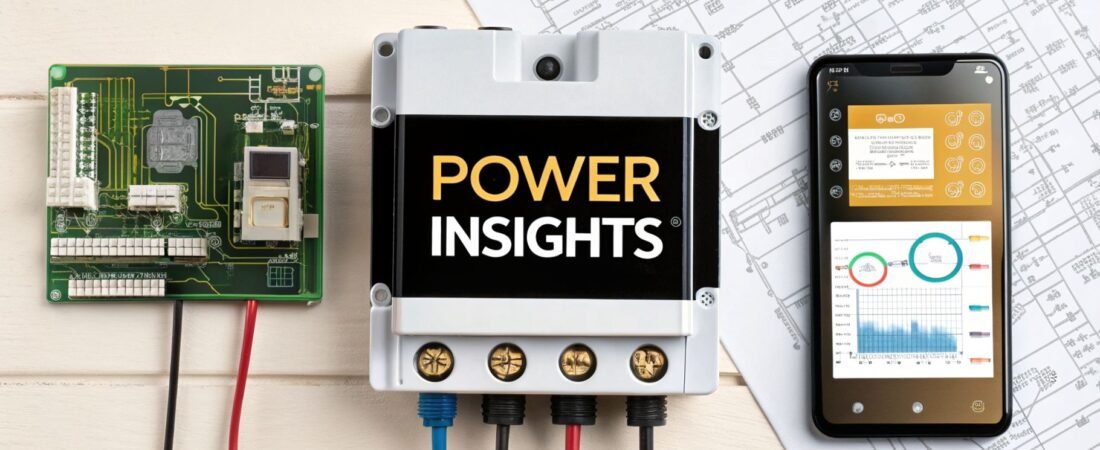
If you're hunting for one of the best home energy monitors, you've probably seen names like Emporia Vue and Sense pop up again and again. It's for good reason—they're both fantastic at giving you a window into your home's electricity use. The choice really boils down to one thing: do you want the immediate, guaranteed precision of circuit-level tracking (Emporia), or the slick, AI-driven convenience of automatic appliance detection (Sense)?
Why an Energy Monitor Is Your Smart Home's Best Investment

With utility costs on the rise, a home energy monitor has graduated from a cool gadget for tech lovers to an essential tool for any household budget. It takes that abstract number on your monthly bill and turns it into real, actionable information, showing you exactly where every dollar is going. No more guessing games—you can finally see which appliances are the real energy hogs in real time.
This kind of visibility is the first, and most important, step toward a smarter, more efficient home. Once you install an energy monitor, you can finally:
- Hunt Down "Energy Vampires": Find all those sneaky devices that suck power even when they're turned off, otherwise known as phantom loads.
- Optimize Your Routines: See if running the dishwasher or charging your EV is cheaper at night. You can shift those high-power tasks to off-peak hours and save money.
- Spot Failing Appliances: An abnormal spike in energy use from your fridge could be an early warning sign that it's on its last legs, giving you time to act before it breaks down completely.
- Make Smarter Upgrades: Use hard data to decide if replacing that old, inefficient HVAC unit will actually pay for itself.
The Growing Need for Energy Visibility
Let's be honest, no one is happy about their power bill these days. With electricity costs jumping 20-30% in many areas since 2020, homeowners are desperate for ways to get control back. This has fueled a huge demand for these monitors, with the global market projected to hit $225.9 million in 2025.
The proof is in the savings. Most people who install a monitor report cutting their monthly bills by an average of 10-15%. That's not from making huge sacrifices; it's just from finally knowing what to turn off.
By making the invisible visible, an energy monitor fundamentally changes your relationship with electricity. It moves you from being a passive consumer to an active manager of your home's resources.
Quick Picks Best Home Energy Monitors of 2026
To give you a head start, here's a quick look at our top recommendations for different types of users. We'll dive much deeper into each of these models later in the guide.
| Category | Top Pick | Key Feature | Best For |
|---|---|---|---|
| Best Overall | Emporia Vue Gen 3 | 16-sensor circuit tracking | Data enthusiasts who want immediate, granular detail without AI guesswork. |
| Best for Automation | Sense Monitor | AI-driven appliance detection | Hands-off users who value automatic device identification and smart alerts. |
| Best Budget Option | Efergy Engage | Simple, real-time display | Homeowners who need basic, whole-home usage data without complex features. |
At the end of the day, investing in one of the best home energy monitors offers a clear and often quick return. You'll not only see a drop in your monthly bills but also gain the peace of mind that comes with truly understanding and controlling your home's energy consumption.
If you're looking for more ways to slash your energy costs, be sure to check out our guide on other great devices to reduce your electricity bill.
How Home Energy Monitors Actually Work
Before you can pick the best home energy monitor for your house, it helps to pull back the curtain and see what’s really going on inside your electrical panel. At its heart, an energy monitor translates your home's electrical activity into simple, actionable data you can view right on your phone.
Your utility bill is like a restaurant receipt that just shows the grand total—not very helpful for figuring out what to skip next time. A home energy monitor, on the other hand, is the itemized bill that shows you exactly what you ordered, from the expensive steak to every single side dish. That's the kind of detail you need to find real savings.
The magic comes from a bit of tech called Current Transformers (CT clamps). These are just small clips that you snap around the main power cables feeding into your breaker box. They're non-invasive, meaning they don't actually cut or splice any wires. Instead, they safely measure the magnetic field that electricity creates as it flows, giving them a perfect window into your power consumption.
The Brains Behind the Operation
Once those CT clamps are attached, they start measuring the flow of electricity thousands of times a second. All that raw data gets sent to a small central hub—the monitor's "brain"—which is also installed in your panel. From there, the hub connects to your Wi-Fi and sends the information up to the cloud for processing.
An app on your phone then takes over, turning that data into easy-to-read, real-time graphs. You can literally watch your usage spike the moment the AC kicks on or see it drop as you turn off a room's lights. This immediate feedback is what makes these monitors so powerful for changing habits and cutting down on waste.
The real power of a home energy monitor isn’t just measuring total usage; it’s about providing the granular, real-time feedback needed to connect your actions to their electrical consequences.
Whole-Home vs. Circuit-Level Tracking
How a monitor interprets the data from the clamps is a major fork in the road for buyers. There are two main approaches, and your choice here really matters.
Whole-Home Monitors: These systems clamp onto your two main service lines and measure the total power your entire house is drawing. They then use sophisticated AI to listen for the unique electrical "signatures" of different appliances. For example, your refrigerator has a very distinct on-and-off cycle that the software can learn to identify over time.
Circuit-Level Monitors: This approach gets much more specific. In addition to the main clamps, you install smaller CT clamps on individual circuits in your breaker box. If you put a clamp on the breaker for your kitchen, your EV charger, or your HVAC, you get 100% accurate, direct readings for that specific circuit. There’s no guesswork.
This is why a model like the Emporia Vue is so popular; its circuit-level data is undeniable from day one. On the flip side, an AI-driven system like Sense offers a sleek, automated experience but needs time to learn your home's patterns and may not identify every device perfectly.
Understanding Installation Requirements
Let's be clear: this technology lives inside your home's main electrical panel, so installation isn't something to take lightly. While a very confident DIYer might tackle it, working in a live breaker box is genuinely dangerous.
You'll be working inches away from live 240-volt main lines. For this reason, professional installation by a licensed electrician is strongly recommended for almost every whole-home system. An electrician will get the CT clamps installed safely and correctly, which is critical for getting accurate data and, more importantly, for keeping everyone safe. Make sure to factor the cost of a pro into your budget.
Key Features That Define the Best Home Energy Monitors
When you start looking at home energy monitors, it's easy to get lost in marketing hype. To pick the right one, you have to cut through the noise and focus on what actually matters for your home and your goals. What works for a tech-savvy data enthusiast might be overkill for someone who just wants to lower their monthly bill.
Think of this as your personal checklist. The best monitor for you isn't always the one with the most features; it's the one that delivers the specific insights you need in a way that makes sense to you. Let's break down the core features you should be evaluating.
Data Accuracy and Granularity
First things first, let's talk about accuracy. A monitor that gives you bad data is worse than no monitor at all—it’s actively misleading. You should look for systems that are transparent about their accuracy, which is typically within a ±1-2% margin of error. Anything less reliable isn't worth your money.
Once you’ve confirmed a monitor is accurate, the next question is how detailed you want that data to be. This is where you’ll run into the big debate: whole-home monitoring versus circuit-level monitoring.
- Whole-Home Simplicity: Some monitors, like the popular Sense, take a high-tech approach. They listen to your home’s entire electrical signature and use AI to try and identify what’s running. It's fantastic for a hands-off overview without a complicated installation.
- Circuit-Level Precision: On the other hand, monitors like the Emporia Vue clamp sensors directly onto individual circuits in your breaker panel. There’s no guesswork here. You get 100% accurate, real-time data for your biggest energy hogs like the HVAC system, EV charger, or water heater.
For most people, knowing for a fact how much the air conditioner is costing you is far more useful than an AI’s best guess. That's why circuit-level monitoring often provides more actionable insights right out of the box. To see which appliances are the real culprits, take a look at our guide on home appliances' electricity consumption.
App Interface and User Experience
The physical monitor is only half the story. The mobile app is where the magic really happens, and a clunky, confusing app can make even the best hardware feel useless. You’re looking for an app that translates raw electrical data into a clear story about your home's energy use.
A great app should deliver on a few key things:
- Real-time data with a lag of only a few seconds.
- Easy-to-read historical graphs by the hour, day, week, or month.
- Cost tracking that lets you input your actual utility rates.
- Smart alerts that notify you of abnormal usage or new devices.
A great app doesn’t just throw numbers at you; it helps you connect the dots. If the interface is a pain to navigate, you simply won't use it, and that expensive gadget in your electrical panel becomes nothing more than a decoration.
Smart Home and System Integration
This is where a good energy monitor becomes a great one. By connecting it to your larger smart home setup, you move from passively watching your energy use to actively managing it. For tech enthusiasts, this means endless possibilities for data analysis and custom automations.
Think about your smart thermostat—it already controls up to 50% of your home's energy consumption. When you pair it with an energy monitor, the potential savings multiply. In some trials, homeowners have seen an additional 12% drop in their heating costs just from this pairing, as highlighted in this smart home energy market report.
Look for native support for platforms like Amazon Alexa and Google Home, but the real power player is often IFTTT (If This Then That). With IFTTT, you can set up practical rules. For instance, you could have your smart lights flash yellow when you enter a "peak demand" time from your utility, giving you a visual nudge to hold off on running the dishwasher. That's when a monitor truly starts paying for itself.
An In-Depth Comparison of Leading Home Energy Monitors
When you start digging into the best home energy monitors, you quickly realize there are two very different schools of thought: smart, AI-driven automation versus direct, granular measurement. Picking the right one isn't about which is technologically superior; it’s about finding the system that matches your personality and goals as a homeowner. We’re going to break down the top contenders—Sense, Emporia Vue, and Efergy—and look past the marketing to see how they actually perform in the real world.
To really get a handle on the technical side of things, checking out a complete guide to selecting the right energy meter is a great starting point. It gives you the background knowledge to appreciate the differences between these consumer-friendly monitors.
Sense: The AI-Powered Detective
Sense is all about effortless insight. It’s designed for the person who wants to understand their energy use without having to become a data analyst. It takes a "set it and forget it" approach by using some seriously clever AI to listen to the unique electrical signatures of your appliances. There are no clamps on individual circuits, which makes the initial installation a bit simpler than its rivals.
The promise here is pretty amazing. Over time, Sense learns to tell the difference between your refrigerator kicking on, your furnace firing up, and even your espresso machine pulling a shot. You'll get notifications like, "Your sump pump has been running for 2 hours," giving you a heads-up you'd never get otherwise.
So, what's the catch? This AI magic needs time—a lot of time. It can take weeks, or even months, for Sense to start accurately identifying a good chunk of your devices. In the beginning, many users find that a large portion of their consumption is just labeled "Unknown," which can be a real source of frustration if you're looking for quick answers.
Sense is best for the patient, tech-savvy homeowner who is fascinated by the idea of an automated smart home that learns on its own. If you’re willing to play the long game and can tolerate a slow "training" period, the insights Sense eventually uncovers are truly unique.
Emporia Vue Gen 3: The Data Enthusiast's Dream
The Emporia Vue Gen 3 sits on the complete opposite end of the spectrum. It skips the AI guesswork entirely and goes straight for guaranteed accuracy through direct, circuit-level monitoring. The full kit comes with sensors for your two main electrical lines and up to 16 additional clamps for tracking individual circuits. This means you can know—not guess—exactly what your HVAC, EV charger, and oven are drawing with ±2% accuracy.
This approach delivers immediate, undeniable data. Minutes after you're set up, you can open the app and see precisely how much that new heat pump is costing you per hour. For anyone focused on calculating a clear return on investment and making decisions based on hard numbers, this is the gold standard.
The trade-off is a more involved installation. You'll need to get your hands dirty inside your electrical panel to attach all those clamps, and for a full 18-sensor setup, we highly recommend hiring an electrician. This adds to the upfront cost. While the app is fantastic and loaded with data, it's on you to dive in and find those savings opportunities; it won't hand them to you on a platter like Sense tries to.
Who is Emporia Vue best for? This is the perfect tool for the hands-on homeowner, the amateur data scientist, or anyone who can't stand ambiguity. If your main goal is to immediately find and tame your biggest energy hogs, the Vue gives you the clearest possible view.
Efergy Engage: The Simple, Budget-Friendly Option
Sometimes you don't need to know what every single appliance is doing. You just want a clear picture of your home's total energy use right now. That's exactly where the Efergy Engage comes in. It's a no-frills, whole-home monitor that nails the basics with simplicity and accessibility.
The Efergy system is straightforward: it clamps onto your main service lines and sends real-time usage data to a clean app and an optional in-home display. It won't tell you that your kid left the gaming console on, but it will instantly show you the huge spike in consumption when the central air kicks in. It’s brilliant for learning the fundamental cause-and-effect of your habits.
Its biggest advantage is its simplicity and lower price. The installation is much less intimidating than a multi-sensor system like the Emporia Vue, making it a very manageable DIY project for most people. It gives you the essential big-picture view you need to spot major problems (like a high overnight baseline) and see the immediate impact of changing your behavior.
This infographic neatly summarizes the core features you should be weighing as you compare these systems.

As you can see, the best monitors find that sweet spot between accurate data, a user-friendly app, and the ability to connect with your other smart home devices to really deliver value.
Feature Face-Off: Top Home Energy Monitors
To make this even clearer, let's put these three monitors head-to-head on the features that matter most. The goal here isn't to declare a single "winner," but to help you see which one is the winner for you.
| Feature | Sense | Emporia Vue Gen 3 | Efergy Engage |
|---|---|---|---|
| Detection Method | Whole-home AI/ML signatures | Direct circuit monitoring (up to 16 sensors) | Whole-home monitoring only |
| Time to Insight | Weeks to months (requires learning) | Immediate and guaranteed | Immediate |
| Data Granularity | Device-level (when identified) | Circuit-level (high precision) | Whole-home total |
| Best For User Type | The hands-off automation enthusiast | The data-driven analyst | The budget-conscious beginner |
| Installation | Professional recommended | Professional required for multi-sensor | DIY-friendly for basic setup |
| Smart Integration | Alexa, Google Home, IFTTT, Philips Hue | Alexa, Google Home, IFTTT, and broad ecosystem | Basic integrations available |
| Key Differentiator | Automated device discovery and alerts | Unambiguous circuit-level data accuracy | Simplicity and affordability |
Ultimately, your decision comes down to your personality and what you want to achieve. If you're excited by the idea of your home getting smarter over time and are patient enough to let the AI do its work, Sense is a fascinating piece of tech. If you live by the numbers and want to take immediate, targeted action on your biggest energy costs, the Emporia Vue is an incredible tool. And if you're just getting started and want a simple, effective way to become more mindful of your energy use without breaking the bank, Efergy is the perfect entry point.
How to Calculate Your Return on Investment
Buying an energy monitor isn't just another tech gadget; it's a financial tool. The real question isn't whether it will save you money, but how quickly it will pay for itself. Figuring out your return on investment (ROI) gives you a clear target and turns energy saving into a tangible financial goal.
The math behind it is straightforward: divide what you paid for the monitor by how much you save each month. But first, you need to know your starting point. After you get your monitor installed, just live normally for a week or two. Don't try to save energy yet. The goal is to capture a clear picture of your home's typical energy appetite.
Once you have that baseline, the hunt for savings can begin. Every kilowatt-hour (kWh) you cut from your usage is money that stays in your pocket.
Estimating Your Potential Savings
Most people are surprised by how quickly they start saving. Seeing your energy use jump in real time when the AC kicks on creates a powerful, immediate incentive to make a change. It’s a direct feedback loop that actually works.
In fact, studies have shown that homeowners tend to cut their energy consumption by 8-12% on average, simply by reacting to the insights their monitor’s app provides. Things like dimming lights or shifting when you run the dishwasher really add up. Recent government subsidies in the EU and US, which can cover up to 30% of the device cost since 2023, are making the initial purchase even easier. If you're curious about the broader market, detailed smart home energy reports offer a deeper dive.
Let's run the numbers with a real-world example.
ROI Calculation Example:
- Initial Investment: $300 (This covers a monitor like the Emporia Vue plus a professional installation)
- Average Monthly Electric Bill: $200
- Estimated Savings (15% reduction): $200 x 0.15 = $30 per month
Payback Period = Total Investment / Monthly Savings
$300 / $30 per month = 10 months
In this case, the monitor pays for itself in just 10 months. After that, it's all profit. Over two years, that's $360 in pure savings that would have otherwise gone to the utility company.
Factors That Speed Up Your Payback
While a 10-15% reduction is a great starting point, some homes will see a much faster ROI. Your savings potential is entirely unique to your situation.
- High Local Electricity Rates: This one's simple. The more you pay for each kWh, the more each kWh you save is worth. If you're in a state with high electricity costs, your payback period will be significantly shorter.
- Identifying Major Energy Hogs: The biggest and fastest wins come from spotting the hidden villains. A monitor might finally prove that the old, buzzing freezer in your garage is costing you an extra $25 a month. That discovery alone pays for a huge chunk of the device.
- Behavioral Change: Ultimately, the data is only as good as the action you take. Your commitment to shifting laundry times away from peak hours, hunting down phantom loads, and nudging the thermostat is what truly drives the savings.
For instance, you might use your monitor to discover a constant "phantom load" of 400 watts overnight. That’s the energy equivalent of leaving four 100-watt light bulbs burning all night, every single night. By tracking down the culprits—usually entertainment centers and home office gear—and putting them on smart power strips, you could easily slash that waste by 75%. That simple fix could save you well over $100 a year, drastically accelerating your monitor's payback period.
A Practical Guide to Installing Your Energy Monitor

Popping the cover off your home’s electrical panel can feel a bit daunting. I get it. The good news is that installing one of the best home energy monitors is a surprisingly straightforward job, as long as you prioritize safety and know what you’re getting into. This guide will walk you through it, helping you decide if this is a DIY project for you or one to hand off to a pro.
Let’s be crystal clear: safety comes first. Before you even grab a screwdriver, you need to kill the power to your entire home. Find the main circuit breaker—it's that big, often double-wide switch at the top of your panel—and flip it to the "OFF" position. While this cuts power to the individual circuits below, the main service lines feeding the panel are always live.
Critical Safety Warning: Never, ever touch the main lugs where the thick wires from your utility meter connect. They carry a lethal 240 volts and are not protected by your main breaker. If you’re even the slightest bit hesitant, stop what you're doing and call a licensed electrician.
The Physical Installation Process
With the main breaker off and the panel cover removed, the main job is to install the Current Transformer (CT) clamps. For a whole-home system, you’ll clip two large clamps around the two main service lines you just carefully avoided. Make sure they click shut completely and face the right way—the manufacturer’s instructions will have a diagram showing proper orientation. Getting this wrong will throw off your data completely.
If you have a circuit-level monitor like the Emporia Vue, you'll repeat this process by clipping smaller CT clamps onto the hot wire of each individual circuit you want to monitor.
A couple of common snags to look out for:
- Crowded Panel? If your panel looks like a spaghetti dinner, just finding a clean spot to attach the clamps can be a challenge. An electrician can often neaten things up to make space, which is a good idea for safety anyway.
- Weak Wi-Fi Signal? Your monitor needs to phone home to the app, so a stable Wi-Fi connection is a must. If your panel is in a concrete basement or a detached garage, check the signal strength first. You might need a Wi-Fi extender to get a reliable connection.
Software Setup and Configuration
Once the hardware is properly installed, it's time to put the panel cover back on and flip the main breaker to "ON". The rest of the setup happens on your phone. Just download the manufacturer's app and it will guide you through connecting the monitor to your home Wi-Fi. You’ll create an account, enter your network password, and then the system will start calibrating and pulling in your energy data.
For those eager to tackle more projects themselves, it pays to build a solid foundation of electrical knowledge. Our guide on smart home electrical installation is a great starting point. It's also wise to get familiar with core concepts like understanding circuit breaker sizing to ensure every project is done safely and correctly.
Common Questions About Home Energy Monitors
Even after weighing all the features, a few questions probably come to mind. Let's tackle some of the ones we hear most often to help you feel confident in your choice.
Can a Home Energy Monitor Track My Solar Panels?
Absolutely, and for many homeowners, this is one of the biggest benefits. A quality monitor like the Emporia Vue Gen 3 includes extra sensors specifically designed to clamp onto the lines coming from your solar inverter.
This setup gives you a complete picture. You won't just see what your home is using; you'll see what your panels are producing at the exact same time. The app then does the math for you, showing your net consumption—whether you’re pulling power from the grid or sending your extra solar energy back to it. It’s the best way to see how your solar investment is truly paying off day-to-day.
How Accurate Is AI Appliance Detection Really?
This is the million-dollar question, especially when looking at a system like Sense versus a direct-monitoring option like Emporia. The truth is, AI-based detection is an amazing technology, but it isn't magic. It has a "learning" phase that can take weeks or even months, and during that time, you'll see a lot of your energy use bucketed into an "Unknown" category.
While impressive, AI is not foolproof. It may struggle to identify low-wattage devices or differentiate between appliances with similar power signatures. For guaranteed accuracy on your biggest energy users from day one, direct circuit monitoring remains the more reliable method.
So, while the AI will eventually get pretty good at spotting your big-ticket items like your HVAC or dryer, it might always struggle with smaller, variable loads. If you want indisputable data on specific circuits from the moment you turn the monitor on, a system with dedicated circuit clamps is the way to go.
Do I Absolutely Need an Electrician for Installation?
Let’s be crystal clear on this: for any whole-home monitor that connects inside your main electrical panel, hiring a licensed electrician is strongly recommended. You're working inches away from live 240-volt main lines that can be fatal. It’s simply not worth the risk.
An electrician will get the job done safely and ensure the sensors are clamped correctly, which is crucial for getting accurate data. The only time you can truly DIY the install is with a simple plug-in monitor. For the powerful whole-home systems we’ve discussed, consider the cost of an electrician a non-negotiable part of the investment.
At Automated Home Guide, we're dedicated to helping you build a smarter, more efficient home. For more guides, reviews, and practical advice, explore our full range of resources at https://automatedhomeguide.com.












Leave a Reply