
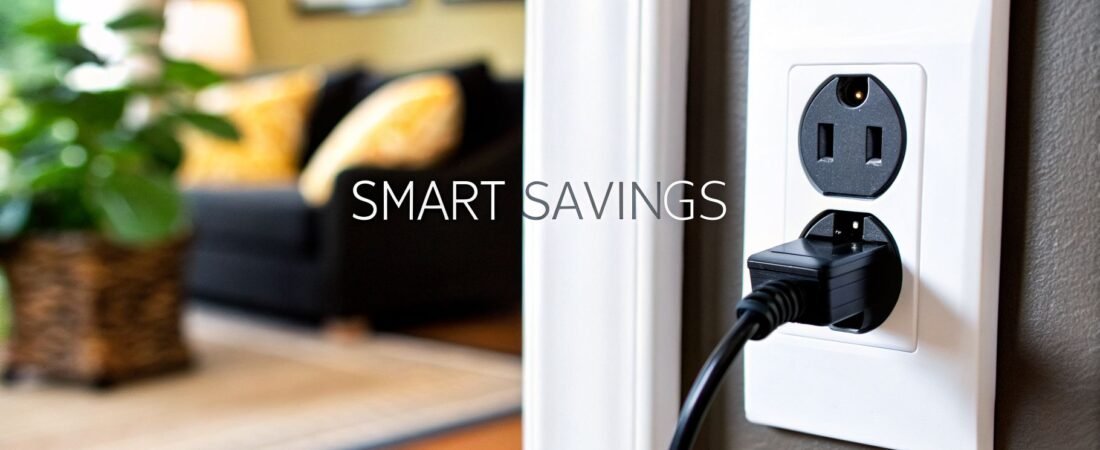
Ever wonder if your electronics are secretly costing you money even when they're off? They are. This phenomenon is called "vampire power," and it's the silent drain on your wallet from devices in standby mode. Energy-saving smart plugs are your secret weapon against it.
Think of them as intelligent gatekeepers for your wall outlets. They give you the power to completely cut electricity to idle electronics, putting you back in control of your energy bill.
Your Introduction to Smarter Energy Savings

Imagine a slow, constant leak in your home's financial plumbing. It's not water, though—it's electricity. Every TV, game console, and phone charger you leave plugged in quietly sips power around the clock. This standby power, or vampire energy, can be a real budget-killer, often accounting for up to 10% of your total electricity bill.
An energy-saving smart plug is the simple, effective tool that stops this leak. It’s not some complex gadget; it's basically an automated switch you can control from your phone, with your voice, or by setting a simple schedule. Just plug an appliance into a smart plug, and you gain the ability to completely kill the power flowing to it.
Slashing Standby Power for Real Savings
This isn't just about saving a few pennies, either. The impact is measurable and surprisingly significant. Recent market analysis revealed that households using smart plugs can cut their standby power consumption by an average of 28%. That’s a real reduction in your monthly expenses.
These savings come from finally putting a stop to the constant trickle of electricity that feeds your entertainment center, charges your gadgets, and keeps office equipment on standby. It's a straightforward first step for anyone looking into how to reduce electricity bills and wanting to see immediate results.
A smart plug is more than just a convenience; it's a financial tool. It transforms passive energy waste into active, controllable savings, giving every homeowner a direct line of defense against rising electricity costs.
The Benefits of Adopting Smart Plugs
So, what exactly do you get out of this? To give you a clear snapshot, here’s a quick look at how these simple devices translate into real-world benefits.
Quick Look: How Smart Plugs Save You Money
| Core Function | What It Does For You | Example Application |
|---|---|---|
| Scheduling | Automates on/off times for any plugged-in device, so you only use power when you need it. | Setting your entertainment center to power off completely from midnight to 6 AM. |
| Remote Control | Lets you turn devices on or off from anywhere using your smartphone. | Turning off a fan or lamp you accidentally left on after leaving the house. |
| Energy Monitoring | Tracks the real-time and historical power consumption of the connected appliance. | Identifying that your old space heater is the biggest energy hog in the living room. |
| Automation Rules | Creates "if this, then that" scenarios with other smart home devices. | Automatically turning off all standby electronics when your smart lock registers you've left. |
As you can see, the benefits go beyond just turning things on and off. You gain control, insight, and a bit of extra cash in your pocket.
Beyond the numbers, these simple devices introduce a new layer of control and awareness to your home. The core benefits really boil down to three key areas:
- Financial Savings: Directly combat vampire power to lower your monthly utility bills.
- Environmental Impact: Reduce your home's overall energy consumption and shrink your carbon footprint.
- Added Convenience: Automate your daily routines, like scheduling lights or starting your coffee maker before you even get out of bed.
This guide will walk you through exactly how these plugs work, what to look for when buying one, and how to use them to get the most savings possible.
How Smart Plugs Work Their Magic on Your Outlets
Let's get down to brass tacks. An energy saving smart plug is essentially a small, clever adapter that sits between your appliance and the wall socket. It acts like an intelligent gatekeeper for the electricity flowing to whatever you've plugged into it, from a simple table lamp to your entire home office setup.
Think of it as adding a remote control to any outlet in your house, one that you can access from your phone no matter where you are. Instead of needing to be there to flip a switch, you just tap a button in an app. This magic is made possible by a few key components packed inside that small plastic case.
The Anatomy of a Smart Plug
So, what exactly is inside that makes a plug "smart"? It really comes down to a couple of crucial pieces of tech working in tandem. Every smart plug has a Wi-Fi module that connects to your home’s wireless network, the same way your phone or laptop does. This is the bridge that lets it talk to your app.
Inside, a tiny but mighty component called a relay switch does the actual work. It physically opens or closes the electrical circuit on command. When you tap "Off" in the app, the relay gets the signal and instantly cuts the power, stopping the flow of electricity to your device completely. It's a surprisingly simple, yet incredibly effective, mechanism.
By acting as a Wi-Fi-enabled switch, a smart plug transforms any "dumb" appliance into a connected device you can command remotely. This gives you the power to eliminate vampire energy drain with a single tap, no matter where you are.
A tiny, low-power microprocessor is the brain of the operation. This little computer is what listens for commands from your network, tells the relay when to flip, and brings smart control to an otherwise ordinary outlet.
Putting Your Smart Plugs to Work
Once you're connected, you can tap into some powerful features that make saving energy almost effortless. The real magic isn't just turning things on and off; it's about how you can automate your home.
Here are the most popular features you can put to use right away:
Remote Control: This is the most basic function. Did you leave a fan running after you left for work? Just open the app and shut it off from your desk, saving hours of wasted electricity.
Custom Scheduling: Here’s where the real energy savings begin. You can create automated schedules for any device. For example, I have my entertainment center set to power down completely at midnight and turn back on at 7 AM. This guarantees zero standby power is wasted while my family and I are asleep.
Countdown Timers: Timers are perfect for things you only need on for a specific amount of time. You can set a space heater, a curling iron, or a phone charger to automatically switch off after 30 minutes, giving you both peace of mind and preventing needless energy consumption.
Voice Control and Smart Home Integration
The convenience of energy saving smart plugs goes well beyond just your phone. Most good ones integrate seamlessly with popular smart home assistants like Amazon Alexa, Google Assistant, and Apple's Siri, which means you can go completely hands-free.
After a quick one-time setup, you can use simple voice commands like, “Hey Google, turn off the living room lamp,” or “Alexa, start the coffee maker.” This level of integration makes managing your devices feel completely natural, weaving energy-saving habits right into your daily routine without you even thinking about it.
Become an Energy Detective with Monitoring Features

While scheduling and remote control are great, the real power of today's best energy-saving smart plugs comes from their monitoring features. These devices are more than just fancy on/off switches; they’re miniature energy meters for any appliance you plug into them. This is where you stop guessing about energy savings and start making precise, data-backed decisions.
Think about it this way: instead of just getting a lump-sum power bill each month, you can finally see exactly which devices are costing you the most. This is how you become an "energy detective" in your own home, uncovering the hidden costs lurking in every outlet.
Turning Data Into Real Savings
So, how does it all work? A smart plug with energy monitoring measures the exact amount of electricity passing through it at any given moment. The plug's app then takes that raw data and presents it in easy-to-understand charts and graphs showing usage by the hour, day, or month.
This kind of visibility is a game-changer. You might find out that your old freezer in the garage is quietly tacking an extra $20 a month onto your bill, or that your "efficient" TV is a major power hog even when it's off. Suddenly, that abstract number on your bill becomes a tangible cost you can actually manage.
With energy monitoring, you're no longer in the dark about where your money is going. It empowers you to pinpoint the exact appliances draining your budget and gives you the evidence needed to make smarter decisions.
This level of detail is why homeowners are adopting these plugs so quickly. The global smart plug market is booming, largely driven by residential demand for features that track electricity down to the watt. As you can discover more about the growing smart plug market and its trends, you'll see this data-first approach is what separates simple automation from true energy management.
Identifying Your Home's Biggest Energy Hogs
Once you begin monitoring, you'll be surprised how quickly the main culprits reveal themselves. The goal is to spot both "active" energy hogs (appliances that use a ton of power while running) and "vampire" loads (devices that bleed power even when turned off).
Here are a few common offenders that energy-saving smart plugs are perfect for sniffing out:
- Entertainment Centers: Your TV, soundbar, and gaming console are notorious for vampire drain. Together, they can easily pull over 40 watts in standby mode, adding up significantly over a month.
- Home Office Equipment: That whole setup—printers, monitors, speakers, and chargers—sips power 24/7. A smart plug can show you exactly how much it costs to keep everything on standby overnight.
- Older Appliances: An aging dehumidifier, a secondary fridge, or even that vintage stereo receiver can be far less efficient than you think. The data from a smart plug gives you the hard proof.
From Monitoring to Management
Of course, identifying these energy hogs is just the first step. The real win comes from using that knowledge to take action. After discovering the high standby cost of your entertainment center, for example, you can set a schedule that cuts its power completely every night while you sleep.
For those who want a bird's-eye view of their entire home's consumption, these plugs are a great starting point. From there, you might even consider a whole-house solution, which you can learn about in our guide to the best home energy monitors.
Ultimately, monitoring features turn smart plugs into powerful diagnostic tools. They explain the "why" behind your high energy bills and give you a clear roadmap for cutting costs, one appliance at a time. This is how you move from just owning smart devices to building a truly intelligent, efficient home.
Choosing the Right Smart Plug for Your Home
So, you’re sold on the idea of an energy-saving smart plug. Great! Now comes the fun part: picking the right one. It might seem like they all do the same thing, but the small differences between models can have a big impact on how useful they are in your day-to-day life.
Think of it like this: you wouldn't buy a new tool without knowing it fits the job you have in mind. The same principle applies here. Let's walk through the key things to look for so you end up with a plug that fits your home, your gadgets, and your smart home setup perfectly.
Ecosystem Compatibility Is Key
The absolute first thing you need to check is smart home compatibility. A smart plug is only as smart as the system it can talk to. If your plug can’t connect to your home’s central brain—like an Amazon Echo or Google Nest Hub—it’s not much more than a fancy on/off switch with a tiny remote.
Before you even think about adding a plug to your cart, confirm it works with your ecosystem. Most plugs support at least one of the big three:
- Amazon Alexa: With the widest reach, you'll find tons of Alexa-compatible devices out there.
- Google Assistant: A powerful competitor, especially known for its excellent voice commands and automation routines.
- Apple HomeKit: Praised for its focus on security and privacy, but it tends to be more selective about which devices get its seal of approval.
Finding a device that plays nice with Apple's ecosystem can sometimes feel like a treasure hunt. If you're an Apple user, it's a good idea to check out a curated list of smart plugs that work with Apple HomeKit to avoid any setup headaches.
The goal is integration, not frustration. A smart plug should feel like a natural extension of your existing smart home, not a separate, clunky addition you have to manage with yet another app.
Smart Plug Feature Comparison
With compatibility sorted, your next decision is about features. The biggest choice you'll make is between a standard, no-frills plug and one with built-in energy monitoring. Each has its place, and this table breaks down the differences to help you decide what's best for you.
| Feature | Basic Smart Plug | Energy-Monitoring Smart Plug | Why It Matters for You |
|---|---|---|---|
| Primary Function | Remote on/off control and scheduling. | All basic features plus real-time energy tracking. | Do you just want control, or do you want data-driven insights to find savings opportunities? |
| Cost | Typically lower, offering an affordable entry point. | Slightly more expensive due to the extra hardware. | The extra cost for monitoring often pays for itself by revealing hidden energy hogs. |
| Best For | Simple tasks like controlling lamps, fans, or seasonal decorations. | Identifying and managing high-consumption or vampire power devices like entertainment centers. | Match the plug's capabilities to the appliance's energy profile for the best return. |
Ultimately, a basic plug is perfect for simple convenience, while an energy-monitoring plug is an investment in understanding and reducing your home's power consumption.
Physical Design and Power Rating
Last but not least, don't forget the practical, real-world details. The physical shape of the plug and its power handling capability can make all the difference between a helpful gadget and a daily annoyance—or even a safety risk.
Size and Shape: Have you ever tried to plug in two bulky power adapters next to each other? Many early smart plugs had this exact problem, blocking the second outlet. Look for modern, compact designs often labeled as "mini" that are specifically made to leave the other socket free.
Power Rating: This is a non-negotiable safety check. For lamps, phone chargers, and other low-power items, any standard plug will do. But for power-hungry appliances like a space heater, a portable air conditioner, or even a high-end coffee maker, you must use a heavy-duty smart plug. Check that its amperage (amps) and wattage rating can handle the load to prevent overheating and fire hazards.
Practical Scenarios to Maximize Your Savings
Knowing what energy saving smart plugs can do is one thing, but putting them to work is where you’ll really see the difference. Let's get practical. This is how these little gadgets become a secret weapon for your wallet and your daily routine.
The examples below aren't just hypotheticals—they're real-world strategies you can set up in your own home tonight. You'll see exactly how a feature translates into actual money saved.
The Entertainment Center Shutdown
Take a look at your entertainment center after everyone's gone to bed. That little red standby light on the TV? It's sipping power. The soundbar is off but listening. The game console is in rest mode, quietly downloading updates. These devices are classic "vampire power" drains, pulling electricity 24/7 even when they're not in use.
A single smart power strip is the perfect fix. Plug your whole media setup into it, and then you can create a dead-simple schedule: "Everything off at midnight, and back on at 7 AM."
By grouping these electronics, you can instantly cut out over 20-40 watts of standby power for eight hours every single night. That one simple automation can easily save you $30-$60 per year without you having to lift a finger.
This simple move completely stops that silent energy waste, making sure those devices only draw power when you actually want them to. It’s easily one of the most effective ways to use energy saving smart plugs.
The Automated Morning Routine
We’ve all done it. You turn on the coffee maker, get pulled into a conversation, and come back an hour later to a burnt-smelling pot that's been cooking on the hot plate. Or maybe you leave the space heater running in the bathroom long after you’ve left for work. These little slip-ups really add up on your utility bill.
A smart plug lets you automate these morning rituals for total efficiency and safety.
- Coffee Maker: Schedule it to flick on at 7:15 AM and, just as important, to shut itself off 30 minutes later. You get your fresh coffee without ever having to wonder if you left the pot on.
- Space Heater: Forget scheduling—use a countdown timer. When you turn on the heater to take the chill out of the bathroom, just tell it to power down in 20 minutes. It's plenty of time to warm up the room, and you never waste electricity.
These tiny automations prevent hours of needless power consumption each week. While smart plugs are great for targeting specific devices, understanding how to reduce electricity consumption throughout your home can make your savings even bigger.
The Peace of Mind Plug
This one is less about the steady, predictable savings and more about saving your sanity. That sudden jolt of panic on your way to work—"Did I leave the iron on?!"—is a terrible feeling. The same goes for hair straighteners and curling irons.
Plugging these high-heat appliances into a smart plug completely eliminates that worry. If you feel that pang of anxiety, just pull out your phone and check the app. You get instant confirmation. And if you did forget? One tap turns it off, no matter where you are.
This is where the combination of features shown in the infographic below really comes into play.

You need a plug that’s compatible with your home network, small enough to not block the other outlet, and capable of handling the appliance's power draw.
The Seasonal Savings Tactic
Appliances you only use for part of the year, like window air conditioners or big portable heaters, are some of the worst energy hogs you own. It's incredibly wasteful to leave a window AC unit blasting all day just so the room is cool when you get home from work.
A smart plug lets you be much more strategic. Instead of cooling an empty room for eight hours, you can set the AC to turn on an hour before you head home. You walk into a perfectly cool room without paying for a full day of wasted electricity. This tactic alone can put a serious dent in your summer cooling costs.
For more ideas on managing your home's overall energy use, our complete guide on how to lower energy bills is a great place to start.
Create a Truly Automated Home with Advanced Rules
Simple schedules are a great first step, but the real power of energy saving smart plugs comes alive when you graduate from basic timers to advanced automation. This is where your smart home starts to feel less like a collection of gadgets and more like an intelligent assistant, taking action on its own based on what's happening in real time.
By creating simple "if-this-then-that" rules, you can make your smart devices work together as a cohesive team. These rules, often called "routines" or "automations" in apps like Amazon Alexa or Google Home, are exactly what they sound like. You pick a trigger (the "if") and then decide on the action (the "then"). This elevates your smart plugs from being simple remote controls to being the core of a responsive, energy-efficient home.
Building Your First Automation Rule
Think of these automations as custom recipes for your home. Instead of manually turning things on and off, you’re teaching your system how to react to your daily life. The possibilities are nearly limitless, but it's always best to start with a simple rule that solves a common energy-wasting problem.
For instance, a classic "goodbye" routine is a huge energy saver. The trigger is simple: your phone's location shows you've left the house. The action? Your smart home platform automatically shuts down all the energy saving smart plugs powering non-essential gear—think TVs, game consoles, desk lamps, and fans. You'll never have to worry if you left something running again. Homes using these location-based rules often see energy use drop by 30-40%.
Advanced rules turn your smart plugs into proactive energy managers. Instead of you remembering to save power, your home automatically powers down devices based on your actions, creating seamless and consistent savings.
In the same way, a "goodnight" routine can be triggered by a voice command or even by locking your smart front door for the night. That one action can power down your entire entertainment center, kill all the lights except a dim hallway nightlight, and ensure every vampire power source is completely cut off.
Pro Tips for Effortless Automation
To get these automations running smoothly, a little bit of organization is your best friend. The key is to set up your devices in a logical way so you can control them easily, especially when using your voice.
- Logical Naming: Get rid of default names like "Plug-01" or "Smart Socket B." Be descriptive! Name plugs after what they control, like "Living Room Lamp," "Office Power Strip," or "Bedroom Fan." This makes voice commands completely natural and easy to remember.
- Creating Groups: In your Alexa or Google Home app, bundle related devices. For example, put your "Living Room Lamp," "Entertainment Center," and "Floor Light" into a group named "Living Room." Now, a single command like, "Hey Google, turn off the living room," shuts everything down at once.
- Experiment with Triggers: Don't just stick with time and location. Modern smart home systems offer all kinds of creative triggers:
- Device-based triggers: When your smart lock engages, turn off the porch light.
- Sensor-based triggers: If a motion sensor in the office detects no movement for 30 minutes, power down the entire workstation.
- Voice triggers: A custom phrase like, "Alexa, movie time," can dim the lights and power on the TV and soundbar simultaneously.
This detailed control is what allows your energy saving smart plugs to truly adapt to your lifestyle. They stop being just standalone devices and become key players in an automated system that saves you money and makes life more convenient without you having to lift a finger.
Frequently Asked Questions About Smart Plugs
Alright, you're intrigued by what energy-saving smart plugs can do, but a few practical questions are probably rattling around in your head. That's perfectly normal. Before you jump in and start buying them, it's always a good idea to sort out the real-world details.
Let’s get those last few uncertainties cleared up, from safety concerns to what happens when your Wi-Fi inevitably decides to take a coffee break.
Do Smart Plugs Use a Lot of Electricity Themselves?
This is the first question on most people's minds, and it's a great one. The short answer is no, not really. A smart plug sips a tiny bit of power—usually less than 1 watt—just to stay connected to your network. This is often called its parasitic load.
The key is that the energy you save by cutting power to a much thirstier device completely eclipses the plug's own minimal draw. For instance, an older cable box can easily pull 20 watts just sitting on standby. Shutting that down for eight hours a night with a smart plug means the plug pays for its own energy use many, many times over. You always come out way ahead.
Think of a smart plug's energy use like the drop of gas it takes to start your car. It's a tiny, necessary cost to stop a much bigger, constant energy drain from your idle electronics. The net savings are always substantial.
Can One Smart Plug Control Multiple Devices?
Absolutely, and this is where you can get really efficient. Just plug a standard power strip or surge protector into a single smart plug. Instantly, you’ve made the entire strip "smart."
This is a fantastic trick for home entertainment centers or office desks. You can group your TV, soundbar, and gaming console together, or your computer, monitor, and printer. Then, with one tap in your app or a quick voice command, you can shut down the whole cluster of devices, eliminating multiple sources of vampire power all at once.
What Happens If My Internet Goes Down?
A Wi-Fi outage doesn't turn your smart plug into a useless brick. While you’ll lose the ability to control it from your phone or with your voice assistant, it’s designed to keep working.
- Schedules Usually Keep Running: Most modern smart plugs save your schedules directly onto the device itself. This means your "turn off the living room lights at midnight" rule will keep running like clockwork, internet or not.
- Manual Control Is Always an Option: Every smart plug has a physical power button on it. You can always just walk over and press it to turn the connected appliance on or off, just like you would with a normal power switch.
Are Smart Plugs Safe for High-Power Appliances?
This is a critical safety point, so pay close attention. The answer depends entirely on the plug's power rating. For everyday items like lamps, TVs, fans, or chargers, a standard smart plug is perfectly safe.
However, for anything that generates a lot of heat or has a powerful motor—like a space heater, window AC unit, or a large coffee maker—you must use a heavy-duty smart plug specifically designed for that kind of load. Always check the plug's maximum amperage (A) and wattage (W) specs before you buy. Plugging a high-draw appliance into an underrated smart plug is a serious fire risk.
Here at Automated Home Guide, our goal is to give you the practical knowledge to build a home that's not just smarter, but genuinely more efficient. When you have the right information, you can make choices that save money and make life a little easier.
Ready to take control of your energy use? Find more expert tips and in-depth product reviews over at Automated Home Guide.












Leave a Reply