
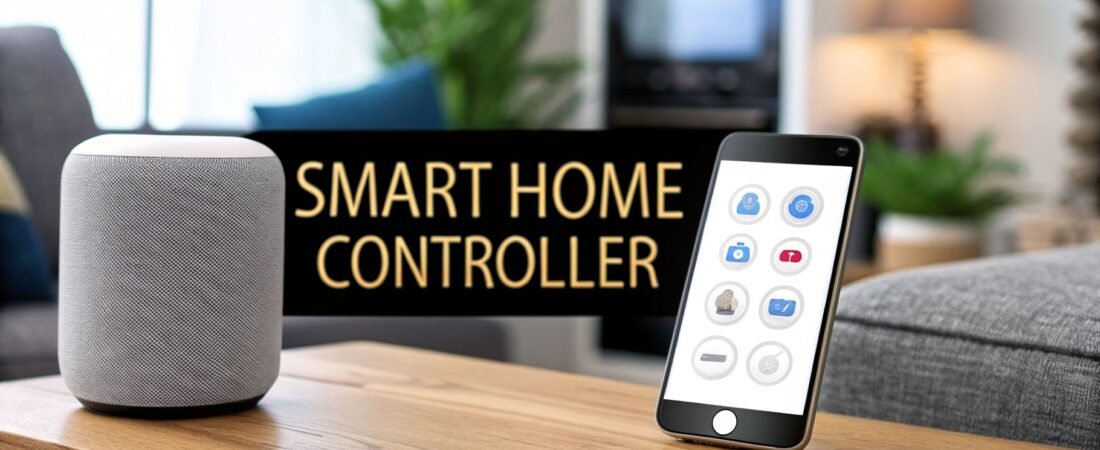
A smart home controller is the brain of your entire operation. Think of it as the conductor of an orchestra. Without one, your smart lights, locks, and speakers are just talented musicians playing their own tunes. A controller smart home system gets them all playing from the same sheet music, creating a symphony of seamless automation.
What Is a Smart Home Controller and Why Bother?

If you already own a few smart devices, you know the drill. You're constantly juggling different apps—one for your Philips Hue lights, another for your Nest thermostat, and a third for your August smart lock. This isn't a smart home; it's just a collection of gadgets.
A smart home controller changes the game by giving you a single, unified command center. It’s what lets you move beyond simply tapping buttons on your phone and into the world of true automation.
Instead of fumbling to turn on the lights, you can create a "Good Morning" routine that slowly brightens your bedroom, nudges the thermostat up, and starts the coffee maker—all triggered automatically when your alarm goes off.
A centralized controller is what separates a home with smart devices from a truly smart home. It’s the key that unlocks the ability for all your devices to work together, creating routines that actually simplify your life.
From Disconnected Gadgets to a Cohesive System
Without a central brain, your home’s potential is seriously limited. Your smart sprinklers might be great at saving water, but they have no idea your smart smoke detector just went off. A controller bridges that gap, creating powerful automations that boost both convenience and safety.
Bringing all your devices under one roof with a controller makes a night-and-day difference.
Core Benefits of a Centralized Smart Home Controller
| Benefit | Without a Controller | With a Controller |
|---|---|---|
| Unified Control | Juggling 5-10 different apps to manage lights, locks, and climate. | One single, clean interface to control everything in your home. |
| Powerful Automation | Devices work in isolation. Your lock doesn't talk to your lights. | Unlocking your door can trigger your entryway lights to turn on. |
| Enhanced Security | Basic scheduling features within individual apps, if they exist. | Create a "Vacation Mode" that mimics human activity to deter intruders. |
| Future-Proofing | Locked into one brand's ecosystem or limited by protocol (e.g., Wi-Fi only). | Mix and match the best devices from any brand, regardless of protocol. |
The move from individual gadgets to integrated systems is more than just a trend; it's where the entire industry is headed.
The global smart home automation market was valued at USD 132.65 billion in 2025 and is on track to hit an incredible USD 1,359.21 billion by 2035. If you want a deeper dive into what it takes to build a connected living space from the ground up, this guide to a tech-smart home is a great place to start.
Decoding the Four Main Types of Smart Home Controllers
Think of a smart home controller as the brain of the operation. It’s the central command post that tells your lights, locks, and thermostats what to do and when to do it. But just like people, these "brains" come in different forms, each with its own strengths and personality.
Choosing the right controller smart home system is a bit like deciding on a car. Do you want a reliable daily driver, a high-performance sports car you can endlessly tinker with, or something straightforward that just gets you from A to B? Let's look at the four main options you'll encounter.
Dedicated Hardware Hubs: The Universal Translators
Imagine a professional interpreter at the United Nations who can instantly translate dozens of languages. That's a dedicated hardware hub. It's a small physical box that you plug into your router, specifically built to "speak" the various languages of smart devices—like Zigbee, Z-Wave, and Thread—and get them all working together.
These hubs are all about performance and rock-solid reliability. A huge advantage is that they process commands locally, right inside your home. This means your "Movie Night" scene will still dim the lights and lock the door even if your internet connection goes down.
A few popular hardware hubs include:
- Aeotec Smart Home Hub (formerly Samsung SmartThings): Well-known for its massive list of compatible devices and a powerful automation engine.
- Hubitat Elevation: A favorite among enthusiasts because it prioritizes local processing, which translates to speed and better privacy.
- Amazon Echo Plus (with built-in Zigbee): This is a hybrid, blending a popular voice assistant with the core function of a basic hardware hub.
These devices are the backbone of many serious smart homes. Their ability to bridge the gap between different brands is why the market for them is projected to hit USD 282.16 billion by 2031. They make it possible to add smart technology to existing homes without being locked into one brand. You can discover more insights on the smart home hub market from Mordor Intelligence.
Software-Based Hubs: The DIY Command Centers
If a hardware hub is like buying a pre-built computer, a software hub is like building your own PC from scratch. You install specialized software on your own hardware—often a tiny, inexpensive computer like a Raspberry Pi—and turn it into a completely custom smart home controller.
This path is for the tinkerer, the tech enthusiast who craves ultimate control and isn't afraid to get their hands dirty. You aren't confined by a manufacturer's rules. You can integrate just about any gadget under the sun, write incredibly complex automations, and design a user interface that's perfectly suited to your needs.
The undisputed king of software controllers is Home Assistant. It’s an open-source project with a gigantic, passionate community. It offers incredible flexibility, but be prepared for a steeper learning curve. For those who see their smart home as a fun, ongoing project, it's the ultimate choice.
Voice Assistant Ecosystems: The Convenient Butlers
Voice assistants like Amazon Alexa and Google Assistant have become the front door to the smart home for millions of people. They act as cloud-based controllers, using their massive online platforms to connect thousands of Wi-Fi devices from different manufacturers.
Their main selling point is pure convenience. It’s hard to beat the simple magic of saying, "Hey Google, turn on the kitchen lights." But that simplicity comes with some important trade-offs.
- Cloud Dependent: If your internet goes out, most of your automations and voice commands will stop working.
- Simpler Rules: The routines you can create are generally much simpler than what a dedicated hub can handle.
- Potential for Lag: Your command has to travel to a server on the internet and back, which can sometimes introduce a slight delay.
These ecosystems are fantastic for voice control and linking basic devices, but they don't have the local reliability and raw automation power of a true hub.
Built-In Brand Ecosystems: The Walled Gardens
Finally, you have the "walled garden" approach from major tech companies, with Apple HomeKit being the most well-known example. These ecosystems put a premium on security, privacy, and a buttery-smooth user experience, but there's a catch: they only work with devices that are officially certified.
The experience within these walls is often polished and incredibly reliable. Setup is usually dead simple, security is top-notch, and you know that any certified device will just work. The trade-off is a much smaller selection of compatible products and far less flexibility for custom projects compared to more open platforms. When you choose this path, you're buying into a specific company's vision for what a smart home should be.
What Language Do Your Smart Devices Speak?
Ever wonder how a smart light bulb from one brand can talk to a door sensor from another? The secret is the "language" they speak, which in the tech world we call a communication protocol. For a controller smart home setup to work its magic, it has to act as a universal translator, understanding all these different languages.
Think of it like being the general contractor on a build site. You have electricians, plumbers, and carpenters, and they all have their own specific jargon and expertise. Your job is to make sure they can all work together to build the house. A smart home controller does the same thing for your devices.

As you can see, the controller sits right at the center of everything, managing the different protocols and ecosystems to create one seamless experience.
The Workhorses: Zigbee and Z-Wave
Two of the most reliable and long-standing protocols you'll run into are Zigbee and Z-Wave. Both were built from the ground up specifically for home automation. Instead of clogging up your Wi-Fi, they create their own independent "mesh network."
Here’s how a mesh network works: each device can talk to its neighbors. If a signal from the controller can't reach a sensor in the basement, it simply "hops" through a closer device, like a smart plug, to deliver the message. This makes the network incredibly robust and extends its range far beyond what a single Wi-Fi router could ever handle.
Zigbee is known for its speed and open-standard approach. This means tons of different manufacturers can use it, which has led to a huge variety of devices, often at great prices. Philips Hue lights and some Amazon Echo devices are popular examples.
Z-Wave is famous for its rock-solid reliability, thanks to a strict certification process. Every Z-Wave device has to play by the same rules, ensuring they work together perfectly. It also operates on a unique frequency, so you get less interference from your home's Wi-Fi network.
The real game-changer with Zigbee and Z-Wave is their low power consumption. This is why they're perfect for small, battery-powered gadgets like motion sensors and door contacts, which can run for months or even years before needing new batteries.
The New Standard: Thread
Thread is the new kid on the block, but it's quickly becoming a major player. It's another low-power mesh protocol, just like Zigbee and Z-Wave, but built with modern security and a self-healing network in mind.
Thread's biggest advantage is its role as the backbone of Matter, the new universal smart home standard. With backing from Apple, Google, Amazon, and hundreds of other companies, Matter promises a future where you no longer have to worry about compatibility. If a device is Matter-certified, it will simply work with any Matter-enabled controller.
The Familiar Faces: Wi-Fi and Bluetooth
Of course, you already know Wi-Fi and Bluetooth well. They're everywhere. Many smart devices, especially those that need high bandwidth like security cameras or the best smart appliances, use Wi-Fi to connect directly to your router.
The main downside to Wi-Fi is that it's a power hog. A battery-powered Wi-Fi sensor would die in a matter of days, not months. This is why it’s almost always used for devices that plug directly into an outlet.
Bluetooth, particularly Bluetooth Low Energy (BLE), is fantastic for short-range tasks. Think of your smart lock unlocking automatically as you approach with your phone. It sips power, but its limited range means it isn't the right choice for controlling devices across your entire home.
To help you decide which protocols matter most for your home, here’s a quick comparison.
Smart Home Protocol Comparison
A comparative look at the most common smart home communication protocols, highlighting their key characteristics to help users choose the right devices for their controller.
| Protocol | Primary Strength | Best For | Key Consideration |
|---|---|---|---|
| Zigbee | Speed & Device Variety | Lights, sensors, plugs | Open standard means quality can vary by brand. |
| Z-Wave | Reliability & No Interference | Locks, thermostats, security | Stricter certification can lead to slightly higher prices. |
| Thread | Modern & Future-Proof | Building a Matter-based system | Still a newer protocol, so device selection is growing. |
| Wi-Fi | High Speed & Ubiquity | Cameras, smart speakers, appliances | Power-hungry; can congest your home network. |
| Bluetooth (BLE) | Low Power & Simplicity | Device-to-phone proximity tasks | Very limited range; not for whole-home control. |
Choosing the right devices often comes down to understanding what language they speak. If you want to dive deeper, our guide on how to choose the right smart home protocol can help. Ultimately, a multi-protocol controller that speaks Zigbee, Z-Wave, and Wi-Fi will give you the most freedom to pick the perfect device for any job.
How to Choose the Right Controller for Your Home
Picking the right smart home controller is probably the single most important decision you'll make. This isn't about finding the "best" technology on the market; it's about finding the best fit for your home, your budget, and how much you enjoy tinkering with tech.
Instead of getting bogged down in specs, let's figure this out based on who you are. We’ve sketched out three common homeowner profiles to help guide you to a controller that will grow with you, not drive you crazy.
Are You The Beginner?
If your top priority is convenience and you want things to work straight out of the box, you’re likely a Beginner. You imagine a smart home you can control with your voice or a simple app, without ever needing to mess with confusing settings or write a line of code.
- Your Goal: Plug-and-play simplicity and effortless voice control.
- Best Controller Type: Voice Assistant Ecosystems like Amazon Alexa or Google Home.
- Why It Works: These systems are incredibly easy to get started with. You just plug in a smart speaker, follow the app's instructions, and you're good to go. You get immediate access to thousands of Wi-Fi devices and the magic of voice commands—something 7 out of 10 homebuyers now look for.
For most beginners, the convenience of these cloud-based systems far outweighs any downsides. You can start small with a few smart plugs or bulbs and expand your setup over time without hitting a steep learning curve.
Are You The Customizer?
Now, if you see a smart home as a fascinating project and love the idea of tinkering, you're a Customizer. You're not just looking for "on/off" commands; you want to build powerful, unique automations that are tailored perfectly to your life. You aren't afraid of a challenge—in fact, that's part of the fun.
- Your Goal: Ultimate flexibility and the power to create deep, complex automations.
- Best Controller Type: Software-Based Hubs (like Home Assistant) or powerful Dedicated Hardware Hubs (like Hubitat).
- Why It Works: Think of these controllers as the power tools of the smart home world. They give you the freedom to connect almost any device, no matter the brand or protocol. You can write your own intricate rules, design custom dashboards, and keep all your data processed locally for maximum speed and privacy.
Taking the Customizer path requires more effort upfront, but the payoff is a home that truly anticipates your needs. For a detailed look at your options here, our smart home hub comparison breaks it all down.
Are You The Privacy-Focused User?
If your number one concern is security and keeping your data out of the cloud, you're a Privacy-Focused User. You want a smart home that makes your life easier without selling out your privacy. For you, a secure, reliable system where you own your information is non-negotiable.
- Your Goal: Local control, tight security, and complete data privacy.
- Best Controller Type: Brand Ecosystems like Apple HomeKit or Dedicated Hardware Hubs that run locally.
- Why It Works: Apple's entire HomeKit platform is built on a foundation of privacy, with a strict device certification process and end-to-end encryption. Hubs like Hubitat are also fantastic choices because they're designed to run completely inside your home, meaning they don't need an internet connection to work.
This focus on privacy is more important than ever. Tech giants like Amazon and Google command a combined 48% of the smart speaker market, which often acts as the primary controller. With the global smart home market projected to hit a staggering USD 537.27 billion by 2030, understanding who controls your data is critical. You can read the full research about the global smart home market to learn more.
A Quick Checklist for Your Decision
Before you pull the trigger, run through these three quick questions:
- What devices do I own now? Make sure your current gadgets will play nicely with the controller you're eyeing.
- What is my budget? A voice assistant is a cheap and easy entry point. A dedicated hub is a bigger investment but often pays off in the long run.
- What are my long-term goals? If you dream of creating complex automations, pick a controller that gives you room to grow. If you just want to tell your lights to turn on, keep it simple.
Bringing Your Smart Home to Life with Automations

Having a smart home controller isn't just about tapping a button to turn on a light. The real power comes from automation—teaching your home to react on its own. This is where a pile of smart gadgets transforms into a truly intelligent environment that works for you.
Every automation, no matter how complex, is built on a simple recipe: "if this happens, then do that." The "if" part is your trigger, which could be anything from the sun setting to your phone detecting you've arrived home. The "then" part is the action, like your lights turning on or your thermostat adjusting.
Let’s look at three classic automations that show just how powerful this simple concept can be.
Crafting a "Good Morning" Scene
Who actually enjoys being jolted awake by a blaring alarm? A "Good Morning" automation is a much better way to start the day, creating a gentle and natural wake-up call.
Trigger: Your weekday alarm sounds at 6:30 AM.
Actions:
- Instead of flipping a switch, your smart blinds gradually open over 5 minutes, letting daylight trickle in.
- The bedroom lights slowly fade on to a soft, warm white at 30% brightness.
- Your smart thermostat nudges the heat up to a comfortable 70°F.
- Downstairs, the smart plug connected to your coffee maker clicks on and starts brewing.
Suddenly, your morning routine feels less like a frantic rush and more like a calm, coordinated ritual.
Setting the Stage with a "Movie Night" Routine
Getting the living room ready for a movie usually means juggling a few remotes and hitting multiple light switches. A "Movie Night" scene gets it all done with a single voice command or tap.
This is a perfect example of "scene" automation, where multiple devices change their state simultaneously to create a specific mood. Instead of just one action, you're activating a whole environment.
Trigger: You say, “Hey Google, it’s movie time,” or tap the "Movie Night" button in your smart home app.
Actions:
- The main living room lights dim to a cozy 10% brightness.
- Accent lights behind the TV shift to a cool blue, adding to the cinematic feel.
- Your smart TV turns on and jumps straight to your favorite streaming service.
- The front door smart lock checks itself and confirms it's locked for the night.
This is the kind of seamless convenience that adds a touch of luxury to everyday life. It’s no surprise that 7 in 10 homebuyers are specifically looking for homes with these kinds of integrated features.
Securing Your Home with an "Away" Routine
An "Away" routine is all about giving you peace of mind while saving a little energy. Best of all, it can happen automatically, so you'll never have that nagging feeling that you forgot to lock up.
Trigger: Your controller detects that the last person's smartphone has left the house's geofenced area.
Actions:
- All smart lights and non-essential devices (like TVs and stereos) are shut off.
- Every exterior door with a smart lock is instructed to lock itself.
- The thermostat switches over to its energy-saving "Eco" mode.
- The security system is armed automatically.
By using your physical location as the trigger, your home doesn't just run on a schedule—it responds to your actual life. Once you get the hang of these basic "if/then" recipes, you'll start seeing opportunities everywhere to create custom automations that fit your family perfectly.
Securing Your Connected Home and Protecting Your Privacy
When you create a controller smart home, you're not just adding convenience; you're building a network. Every smart bulb, plug, and sensor is another device connected to your life, and each one holds a little piece of your data. Getting security and privacy right isn't something to worry about later—it's step one for enjoying your smart home with genuine peace of mind.
Think of it this way: you wouldn't dream of leaving your front door unlocked, so why leave your digital front door wide open? The good news is that securing your home network doesn't require a degree in cybersecurity. It just takes a few common-sense habits.
Foundational Security Habits
Let's start with the absolute non-negotiables. These are the digital locks and deadbolts for your connected home, and they're your strongest defense against unwanted visitors.
Create Strong, Unique Passwords: This is ground zero. Avoid easy-to-guess passwords like "Password123" or your dog's name. The best move is to use a password manager to generate and store incredibly complex, unique passwords for every single smart home account.
Enable Two-Factor Authentication (2FA): If a password is a lock, 2FA is the security chain. It requires a second form of proof—usually a code sent to your phone—before granting access. Even if someone steals your password, 2FA stops them in their tracks. Turn it on everywhere you can.
Keep Firmware Updated: Manufacturers constantly find and fix security holes in their products. These fixes come in the form of firmware updates. Set your controller and all your devices to update automatically. Running on old software is like leaving a window unlocked.
Advanced Strategies for a Digital Fortress
Once the basics are locked down, you can take a few more steps to build a truly robust digital fortress. The big idea here is separation—creating walls between your sensitive personal devices and your army of IoT gadgets.
A core strategy is called network segmentation. Imagine your home Wi-Fi is the main house where your personal computers and phones live. Segmentation is like building a separate, guarded guesthouse just for your IoT devices. They can do their jobs, but they can't wander into the main house.
This simple separation is incredibly powerful. If a smart plug or camera ever gets compromised, the problem is contained within that guesthouse. The attacker can't use it as a jumping-off point to get to your laptop with all your financial and personal files.
Create a Guest Wi-Fi Network: Most modern routers let you create a separate "guest" network in just a few clicks. Put all your smart home devices—your lights, speakers, sensors, and plugs—on this isolated network. This keeps them completely walled off from the primary network you use for banking and personal email.
Scrutinize Device Permissions: When you set up a new smart device, its app will ask for permissions. Be skeptical. Does that smart light bulb really need access to your phone's contacts and microphone? Probably not. If a permission request seems unrelated to what the device does, deny it.
By layering these simple habits with smart network design, you can enjoy all the benefits of a connected home without the nagging security worries. For a much deeper dive into this topic, be sure to read our complete guide on IoT security best practices.
Your Smart Home Controller Questions Answered
Thinking about a central controller for your smart home can definitely feel overwhelming. It’s completely normal to have questions as you start mapping out your setup. Let's tackle some of the most common ones we hear.
Do I Still Need a Hub with Alexa or Google?
This one comes up all the time. The short answer? It really depends on what you want to accomplish. If all you need are simple voice commands for your Wi-Fi smart plugs and bulbs, then no, a voice assistant like Alexa or Google Home might be all you need.
But if you're aiming for a truly powerful and reliable system, a dedicated hub is still the gold standard. A hub can run complex automations with Zigbee or Z-Wave devices and process them locally. That means your "Good Morning" routine will fire off instantly, even if your internet connection goes down.
Think of voice assistants as the friendly, convenient remote controls for your home. A dedicated hub, on the other hand, is the local, always-on brain running the entire operation. For the best of both worlds, most smart home enthusiasts end up using both.
What Does Matter Mean for My Old Devices?
Matter is the new standard that promises to let devices from different brands finally play nice together. The best part is that it’s designed to be backward-compatible, so you don't need to toss out all your existing gear.
Many current controllers and devices, particularly those that use Thread, are getting simple firmware updates to make them Matter-certified. This means a new Matter controller can communicate with your older, updated devices just as easily as it can with brand-new ones. It's a bridge to the future, not a wall blocking off your past investments.
How Can One Controller Manage Zigbee and Z-Wave?
Think of a multi-protocol controller as a universal translator for your smart home. Inside the device, it has separate radios—one that "speaks" the Zigbee language and another that "speaks" Z-Wave.
This specialized hardware is what allows it to communicate natively with devices using either protocol, bringing everything together seamlessly into a single app.
What's a Realistic Budget to Start?
You can get started for a lot less than you might think. A simple setup with a voice assistant and a handful of smart plugs could run you less than $100.
If you're ready to jump in with a more capable, dedicated hub, you should plan to invest somewhere between $150 and $250 for the controller itself. While that initial cost is higher, it opens up a much wider world of more affordable and often more reliable Zigbee and Z-Wave devices for the future.
Ready to build a smarter, more connected home? Automated Home Guide provides the expert tips and in-depth reviews you need to make the right choices. Explore our guides at https://automatedhomeguide.com and start your journey today.











Leave a Reply