
A great home automation setup isn't about having the most expensive gadgets. It's about designing a system that actually solves your real, everyday problems. The best way to get there is to start with a simple plan focusing on your daily routines and frustrations—before you even look at a single piece of tech.
Planning Your Smart Home From Scratch
Jumping into home automation without a plan is a recipe for a drawer full of unused smart plugs and a system that just doesn't feel connected. The real secret to building a home that’s genuinely smart is to forget about the technology at first. Instead, think about your lifestyle, your daily habits, and the little things that annoy you. This way, every device you eventually buy will have a clear purpose, creating a cohesive system that makes life easier.
This people-first approach is catching on in a big way. The global home automation market is exploding, projected to jump from USD 60.79 billion in 2025 to a staggering USD 166.97 billion by 2035. A huge part of that growth is driven by the desire for energy efficiency—homeowners are often cutting their utility bills by 20-30% with a few smart automations.
Start With Your "Why": Identify Your Automation Goals
Before you even think about browsing for a smart bulb, grab a notebook and do a mental walkthrough of your day. What does a typical day look like from the moment you wake up to when you go to bed?
-
The Morning Rush: Where's the chaos? Is it fumbling for a light switch in a dark room? Waiting forever for the coffee to brew? Or shivering because you forgot to adjust the thermostat the night before?
-
Leaving the House: Do you get that nagging feeling halfway to work? "Did I lock the front door?" "Are all the lights off?" "Is the garage door still open?" These are perfect candidates for automation.
-
Winding Down at Night: How do you relax? Imagine saying "movie night" and having the lights dim, the TV turn on to your favorite streaming service, and the blinds automatically close.
Jot these down as "pain points." This list isn't just a random collection of ideas; it's your personalized shopping guide. Instead of a vague goal like "I want a smart home," you'll have specific missions, like "I need the hallway lights to turn on automatically when I get home after dark." For a deeper dive into the possibilities, check out our guide on what a home automation system is.
Once you know why you want to automate, it becomes much easier to figure out what you need. The table below connects common goals to the types of devices that can help you achieve them.
Matching Smart Home Goals to Device Types
Use this table to connect your personal goals with the right technology, helping you make smarter purchasing decisions from the start.
| Primary Goal | Example Scenarios | Recommended Device Categories |
|---|---|---|
| Convenience | – Turn on lights with your voice – Automatically start the coffee maker at 7 AM – Open the garage door as you pull in the driveway |
Smart Speakers, Smart Plugs, Smart Lighting, Smart Garage Door Openers |
| Security & Safety | – Get alerts when a door or window is opened – See who's at the front door from your phone – Automatically lock doors at 10 PM |
Smart Locks, Video Doorbells, Security Cameras, Contact & Motion Sensors |
| Energy Savings | – Adjust the thermostat when no one is home – Turn off all lights when the house is empty – Close blinds during the hottest part of the day |
Smart Thermostats, Smart Lighting, Smart Plugs, Motorized Blinds |
| Entertainment | – Create a "Movie Night" scene that dims lights and turns on the TV – Play music in any room with a voice command – Sync lights with the music or movie you're watching |
Smart TVs, Media Streamers, Multi-room Audio Systems, Smart Lighting |
By mapping your goals to these categories, you can avoid buying gadgets that sound cool but don't actually solve a problem for you.
Think in Zones, Not Just Rooms
With your goals in hand, start organizing them by the physical areas of your home. This "zoning" strategy is a game-changer. It helps you focus your budget and energy, letting you build out your system piece by piece without getting overwhelmed.
A smart home isn't a one-and-done project; it's an evolving ecosystem. Start with the one zone that solves your biggest daily frustration. Get it right, perfect it, and then expand. This methodical approach is so much more successful than trying to do everything at once.
Think about what you could do in these common zones:
-
The Entryway: Have lights turn on automatically when you arrive. Get a notification on your phone when the front door opens. Set all the doors to lock automatically at bedtime.
-
The Kitchen: Program the coffee maker to start brewing a few minutes before you wake up. Get an alert if the fridge door is left ajar. Have under-cabinet lights turn on when you walk in for a late-night snack.
-
The Living Room: Create instant ambiance for movie nights or parties. Have the lighting adjust automatically based on the time of day. Control all your media devices from a single app or voice command.
-
The Bedroom: Wake up more naturally with lights that slowly brighten to mimic the sunrise. Make sure the thermostat is at the perfect temperature for sleeping. Play calming sounds to help you wind down for the night.
By mapping your personal needs to these specific zones, you create a practical blueprint for your home automation setup. This blueprint will guide every decision you make, from what kind of central hub you need to which devices to buy first, ensuring you build a system that’s truly smart because it was designed for you.
Choosing Your Smart Home's Central Hub
Every great smart home needs a brain—a central command post that gets all your different devices talking to each other. This "brain" isn't always a physical box you plug into the wall. It’s the underlying logic that turns a random collection of gadgets into a genuinely smart, cohesive system. Without it, you’re just juggling a bunch of separate apps.
The biggest decision you'll make here comes down to what language your devices speak. These are called communication protocols. Think of it this way: if your smart lock only speaks Z-Wave and your lights only speak Wi-Fi, they can't work together without a translator. This is where a central hub becomes a game-changer.
Understanding the Core Communication Protocols
Your smart devices need a way to communicate, and they typically do it using one of a few key wireless technologies. Each has its pros and cons, and knowing the difference is crucial for building a system that doesn't let you down.
- Wi-Fi: You already have it, which is its biggest plus. Wi-Fi devices connect right to your home router, so there's often no need for an extra piece of hardware. The catch? Piling on dozens of smart plugs, bulbs, and switches can seriously clog up your network, slowing down everything from Netflix streams to your work video calls.
- Zigbee and Z-Wave: These two are the workhorses of home automation. They are low-power mesh networks built specifically for this job. Each device acts as a repeater, extending the network's reach and making it stronger with every new sensor or switch you add. This keeps all that smart home chatter off your main Wi-Fi, but you'll almost always need a dedicated hub to act as the go-between.
- Matter: As the new kid on the block, Matter aims to be the universal language for smart home devices. It’s a standard designed to make gadgets from different companies play nicely together. It runs over your existing Wi-Fi or another network called Thread, promising a future where you don’t have to obsess over compatibility charts.
For most serious setups, a mix-and-match approach works best. I often recommend using Wi-Fi for things that need a lot of bandwidth, like security cameras, while relying on Zigbee or Z-Wave for smaller, battery-powered devices like motion sensors and door locks. This gives you the best of both worlds.
The Power of a Dedicated Smart Home Hub
Voice assistants like Alexa and Google Assistant are fantastic for simple, one-off commands. But to unlock the real power of automation, you need a true central hub. This is where platforms like Hubitat, Homey, or the open-source powerhouse Home Assistant come in. They act as the dedicated command center for your entire smart home.
The single biggest advantage of a dedicated hub is local processing. This means your automations—like turning on the hallway lights when a motion sensor trips—run inside your own home, not on some company's cloud server. Your system will be lightning-fast and will keep working even if your internet goes down.
This local control gives you a level of reliability that cloud-based systems just can't touch. It’s also a huge win for privacy since far less of your personal data is being beamed out over the internet.
This decision tree can help you visualize how to connect your daily frustrations to your ultimate automation goals, which in turn helps you pick the right gear.
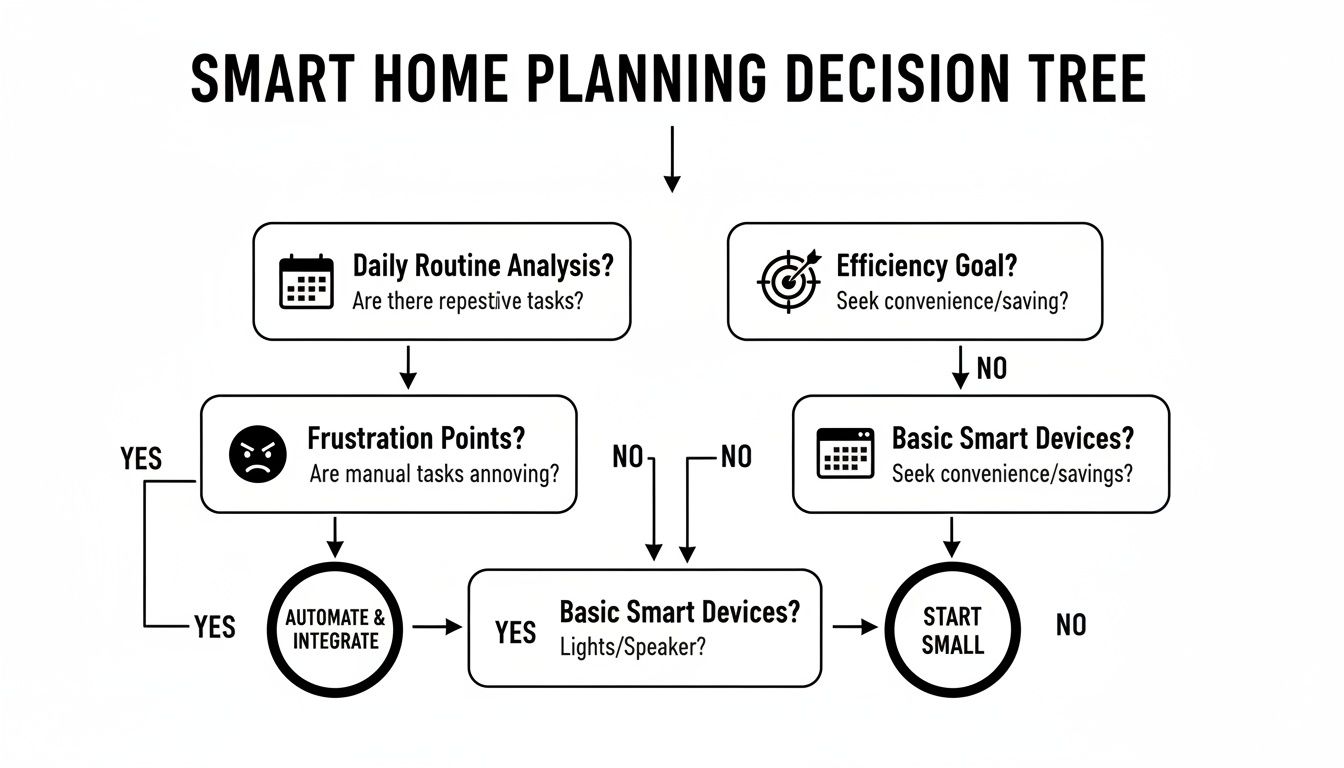
The key takeaway is that the best automations solve real problems. Once you identify the friction in your day, you can choose the hub and devices that will smooth it out.
Do You Really Need a Hub?
So, is a hub an absolute must-have? Honestly, it depends on what you're trying to achieve.
If your plan is to just have a few smart lights you can control with your voice, you can probably skip it. Many Wi-Fi devices are designed to work directly with platforms like Amazon Alexa, Google Home, or Apple HomeKit. These "hub-less" setups are simple, straightforward, and a great entry point.
However, if you're aiming for something more powerful and truly integrated, a hub is non-negotiable.
You should invest in a hub if you want to:
- Mix and match device brands and protocols: A good hub is a master translator, letting your Z-Wave door lock tell your Wi-Fi light bulbs to turn on.
- Create complex, multi-step automations: This is where the magic happens. A hub lets you build routines with multiple triggers and conditions, like: "If it's after sunset AND my phone is home AND the front door opens, THEN set the entryway lights to 50% brightness."
- Ensure offline reliability: Your most critical automations—especially security-related ones—shouldn't depend on your internet connection. A hub makes sure they run no matter what.
Think of a dedicated hub as the foundation for a truly smart, responsive, and reliable home. While it’s an investment upfront, the power and flexibility it unlocks are what separates a simple collection of gadgets from a sophisticated, automated living space. For a detailed breakdown of the top options, check out our in-depth smart home hub comparison to find the perfect brain for your system.
Choosing the Right Smart Devices for Your Home
Alright, you've got your plan and you’ve settled on a smart home platform. Now for the fun part: picking the actual gear. This is where your smart home starts to feel real, but it's also where you can easily get overwhelmed by marketing hype and a dizzying array of options.
The goal here isn't to just buy the fanciest or most expensive gadgets. The real win is finding the right devices that play nicely with the ecosystem you've already mapped out.
The smart home market is absolutely booming. In North America alone, it’s on track to be a USD 57.67 billion industry by 2025. This isn't just a niche hobby anymore; U.S. households are now averaging over 40 smart devices, partly driven by incentives for energy-savers like smart thermostats. This tells you it's crucial to pick gear that works now and will fit into a system that's likely to grow.
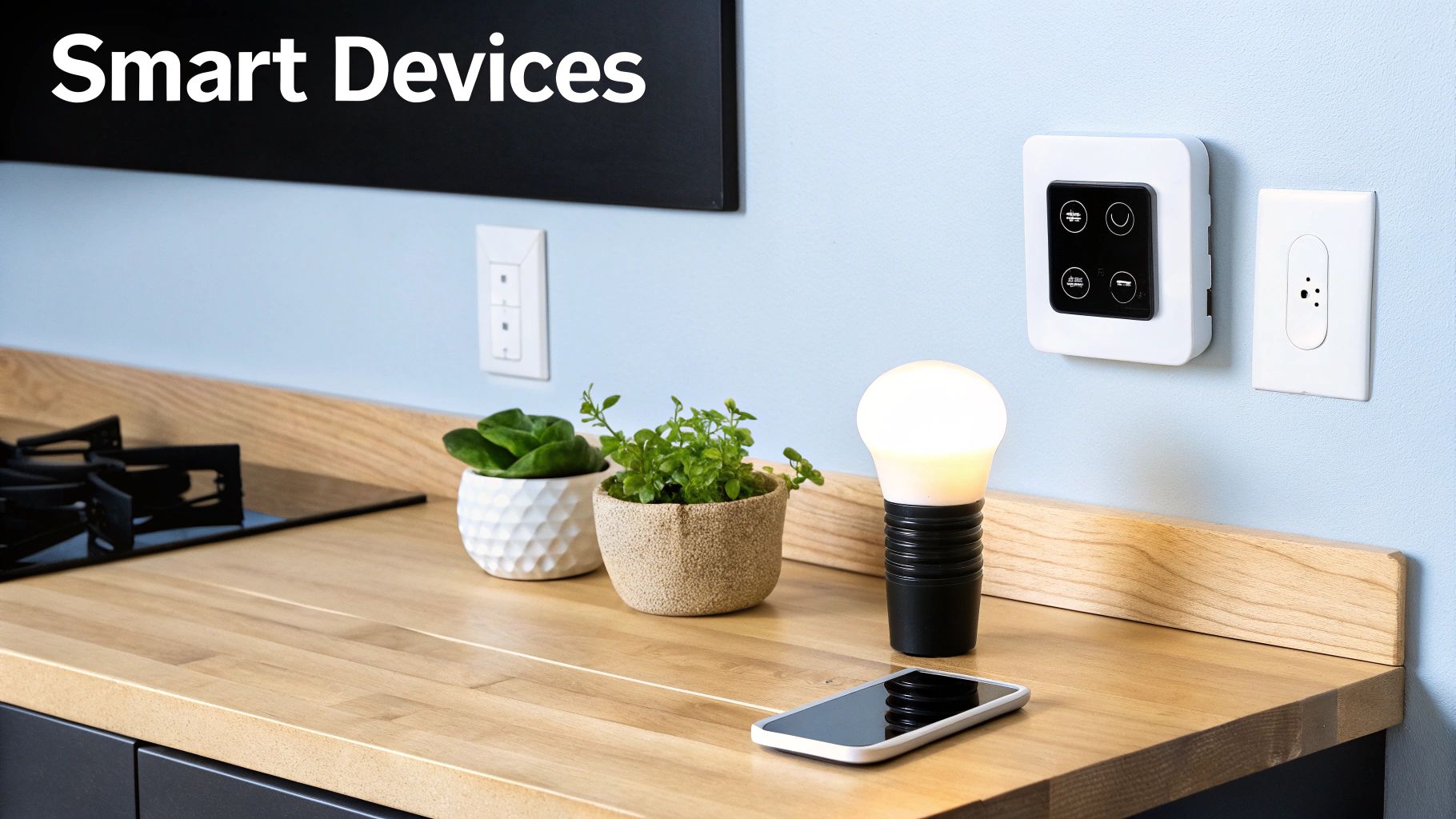
Smart Lighting: The Great Debate
One of the first places people start is with lighting, and it usually comes down to two choices.
-
Smart Bulbs: These are the definition of plug-and-play—just screw them into an existing socket. They're fantastic for table lamps or for any fixture where you want to play with colors and moods, like setting a warm, dim light for movie night.
-
Smart Switches: A smart switch replaces the standard switch on your wall and controls the entire circuit. Its biggest advantage is that the physical switch still works for everyone. No more shouting, "Don't touch the switch!" This simple feature is a game-changer for keeping things user-friendly for family and guests.
So, which is the better call? For single lamps or accent lighting where you want color control, a smart bulb is perfect. But for the main lights in a room, especially in high-traffic zones like the kitchen or living room, a smart switch is almost always the more practical and reliable option. If you're going this route, you might want to consult a professional residential lighting electrician to ensure everything is installed safely and correctly.
Beyond the Gadgets: The Power of Sensors
While smart speakers and colorful lights get all the attention, the real workhorses of a truly smart home are the sensors. These are the unsung heroes—the eyes and ears that feed your system the data it needs to make intelligent decisions without you lifting a finger.
The best automations are the ones you don't even notice. They just happen in the background, making life a little easier. That kind of magic is impossible without a solid network of sensors reporting back to your hub.
Here are the must-have sensors to start with:
-
Motion Sensors: The key to hands-free lighting. Pop one in the hallway, and the lights turn on when you walk through at night. Put one in the laundry room, and you never have to fumble for a switch with a full basket again.
-
Contact Sensors: These little guys go on doors and windows and are the backbone of any good security setup. They can trigger an alarm, send you an alert if a window is open when it starts to rain, or even pause your HVAC if the patio door has been left ajar for too long.
-
Temperature & Humidity Sensors: These give you granular control over your climate. A sensor in a stuffy bathroom can automatically kick on the exhaust fan after a shower. Another in a cold basement can trigger a smart plug connected to a space heater.
Making Smart Choices in Key Categories
When you're shopping for the bigger-ticket items, a few key distinctions can make all the difference. You have to learn to see past the marketing to find the features that truly matter for automation.
Smart Thermostats
You’ll generally find two types. A standard smart thermostat lets you create schedules and control things from your phone. A learning thermostat (like the Google Nest) tries to figure out your patterns and build a schedule for you. While the "learning" part sounds cool, many smart home veterans actually prefer the control of a standard smart model, which they can tie into much more powerful automations triggered by their central hub.
Security Cameras
With cameras, the big fork in the road is storage. Cloud-based cameras are easy to set up but usually come with a monthly subscription and are useless if your internet goes down. Cameras with local storage (using an SD card or a dedicated network video recorder) give you total control over your footage, have no recurring fees, and keep recording even during an internet outage. From a privacy and reliability standpoint, local storage is often the way to go.
By focusing on function and how well a device integrates with your chosen platform, you'll build an ecosystem that is not just powerful, but genuinely helpful.
Optimizing Your Network For A Reliable System
Your smart home is only as good as the network it runs on. It’s a hard lesson many of us learn when a security camera starts lagging or a smart speaker drops its connection. This isn't just a minor annoyance; it completely defeats the purpose of an automated home.
Getting the network foundation right is the single most important thing you can do for a frustration-free experience. Before you even think about installing devices, you need to think about the invisible signals that make them work.
Strategic Device Placement
Your home’s construction materials can be the biggest enemy of a strong signal. Wi-Fi, Zigbee, and Z-Wave signals are all forms of radio waves, and they don’t pass through everything equally. Think of it like sound—it’s a lot harder to hear through a concrete wall than a hollow door.
Metal is the worst offender. Things like refrigerators, steel support beams, and even some types of insulation can kill a signal dead. Dense materials like concrete, brick, and thick plaster walls also absorb and weaken the signal significantly.
When you’re deciding where to put your main router or smart home hub, aim for a central spot. Don't hide it in a basement corner or cram it into a metal TV cabinet. The more open air between your hub and your devices, the better the connection will be. This applies to individual devices, too; a sensor on a solid steel door might have a tough time phoning home.
Taming Your Wi–Fi Network
Once you start adding dozens of smart plugs, bulbs, and cameras, your home Wi-Fi can get seriously crowded. This digital traffic jam is why your smart plug might suddenly become unresponsive right when you're streaming a 4K movie. One of the best pro-tips is to create a separate, dedicated network just for your smart gadgets.
Setting up a separate Wi-Fi network for your IoT devices isn't just about performance; it's a critical security measure. By isolating these gadgets, you create a digital barrier that helps protect your main network—where your computers and phones live—from potential vulnerabilities.
Most modern routers let you create a "guest" network. Simply enable it, give it a name like "SmartHome_IoT," and connect all your Wi-Fi smart devices to that network instead of your primary one. This one change can make a massive difference in both performance and peace of mind. For more tips, check out our guide on how to choose a Wi-Fi router to find a model that can handle the job.
Beyond the initial setup, it's crucial to understand how to maintain your system's integrity and prevent potential vulnerabilities, as explored in an article on securing your smart home effectively. This ongoing vigilance ensures your network remains both robust and safe.
Is A Mesh Network Right For You?
If your house is on the larger side, has multiple floors, or is built with signal-blocking materials, a single router probably won't cut it. You'll end up with dead spots in the back bedroom or the basement, rendering any smart devices there useless. This is where a mesh Wi-Fi system is an absolute game-changer.
Instead of one router trying to cover the whole house, a mesh system uses several "nodes" placed strategically around your home. They all work together to create one big, seamless Wi-Fi network, killing dead zones for good.
Consider a mesh system if:
- Your home is larger than 2,000 square feet.
- You have multiple floors or a funky layout.
- You already know you have Wi-Fi dead spots.
- You plan on piling on a lot of Wi-Fi-based smart devices.
Yes, a mesh system costs more upfront, but it provides the kind of scalable and rock-solid backbone that a serious home automation setup really needs. By taking the time to get your network right, you're not just plugging in gadgets—you're building a dependable ecosystem that will actually make your life easier for years to come.
Creating Automation Routines That Simplify Your Life
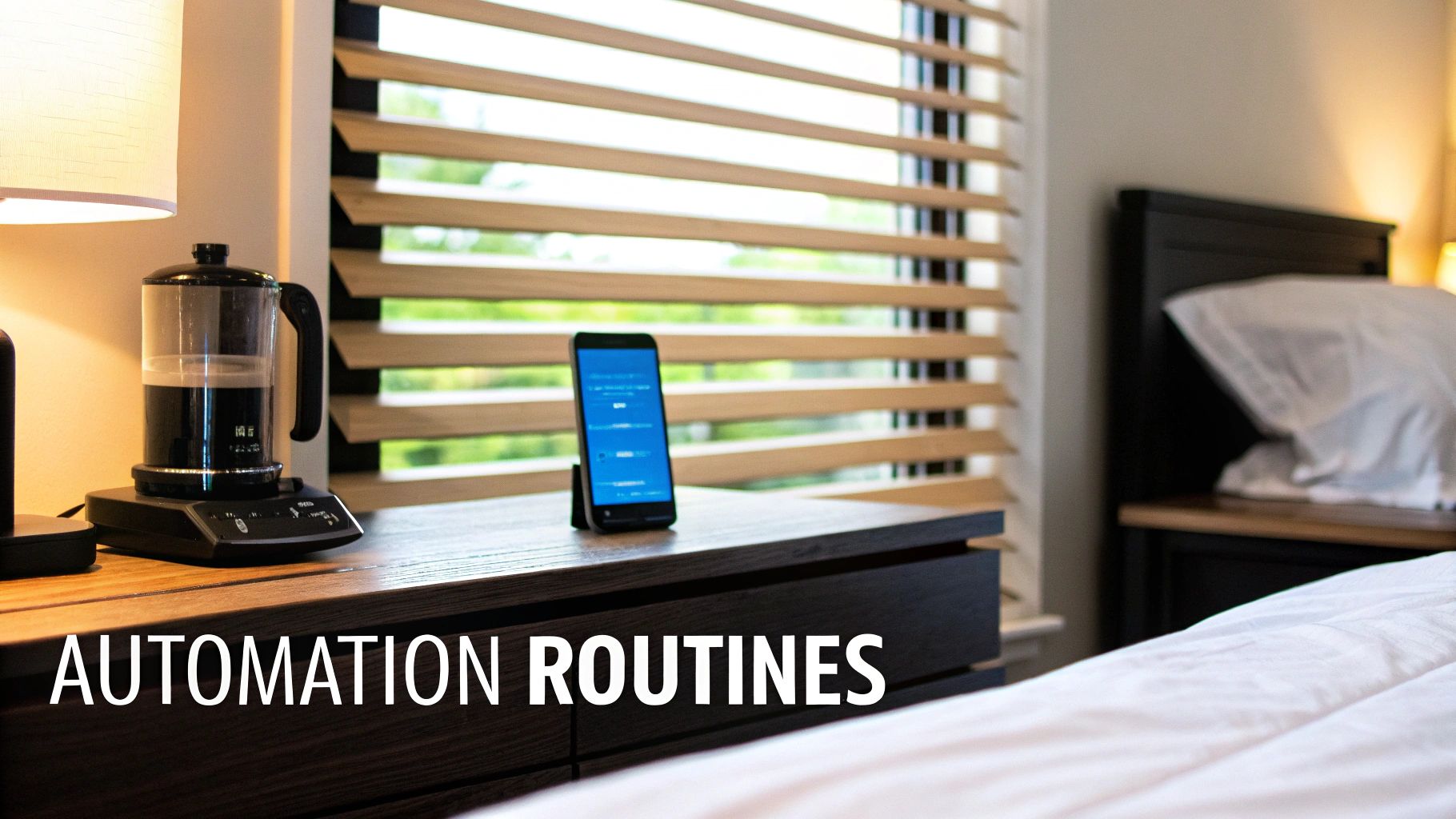
Here's where the real fun begins. Having a house full of smart devices is one thing, but getting them to work together without your input is what makes a home truly smart. The magic happens when your devices anticipate your needs and take action on their own.
We’re moving beyond just voice commands and app toggles. We're talking about creating automated routines—sometimes called "scenes" or "automations"—that genuinely make your daily life easier. Think of them as recipes: a specific trigger happens, and your system follows the steps you’ve laid out. The trigger could be anything: the time of day, a sensor detecting motion, or even your phone arriving home.
Building Your First Automation: The 'Good Morning' Routine
Let’s walk through a classic automation that can completely change the tone of your morning. The goal is to ditch the jarring alarm clock for a gentle, gradual wake-up experience that gets your day started on the right foot.
Imagine this sequence kicking off ten minutes before your alarm is set to go off:
- Lights: The smart bulbs in your bedroom slowly start to brighten, mimicking a natural sunrise.
- Blinds: Your motorized blinds gradually open to let the daylight in.
- Climate: The smart thermostat bumps the temperature up to your preferred setting, making it much easier to get out from under the covers.
- Coffee: The smart plug connected to your coffee maker clicks on, so the smell of fresh coffee is already in the air.
This isn't some far-off fantasy; it’s a completely achievable routine you can build in almost any smart home app. It’s a perfect example of combining multiple devices into a single, coordinated event.
From Scenes to Sensor-Driven Intelligence
Manually triggered scenes, like a "Movie Night" that dims the lights and turns on the TV, are incredibly useful. But the next level of a sophisticated home automation setup is letting the house react to the environment on its own. This is where sensors become the unsung heroes of your system.
A truly intelligent automation uses conditions to decide if it should run. For instance, you don't want your hallway lights to pop on every single time the motion sensor trips during the middle of the day.
The best automations are the ones you forget are even there. They just work, guided by a simple logic of "If This, And This, Then That." This conditional logic is what stops automations from being annoying and makes them genuinely helpful.
Take this hands-free lighting scenario, for example:
- Trigger: The hallway motion sensor detects movement.
- Condition: Only if it's between sunset and sunrise.
- Action: Turn on the hallway lights to a dim 30% brightness.
Adding that one simple condition—checking the time of day—is what elevates the automation from a neat trick to something practical. You get light when you need it and save energy when you don’t.
Practical Automation Recipes to Get You Started
Ready to start building your own? The possibilities are endless, but seeing a few examples can help get the ideas flowing. I've put together some "recipes" that show how you can combine triggers, conditions, and actions to solve common household problems.
Here are a few automation ideas to get you started:
| Routine Name | Trigger Event | Required Conditions | Sequence of Actions |
|---|---|---|---|
| Welcome Home | Your phone's GPS detects you've arrived home. | It's after sunset. | 1. Turn on entryway and living room lights. 2. Set thermostat to "Home" temperature. 3. Unlock the front door. |
| Goodbye | Your phone's GPS detects you've left home. | The last person has left. | 1. Turn off all lights. 2. Lock all doors. 3. Set thermostat to "Away" mode. 4. Arm the security system. |
| Bathroom Fan | A humidity sensor in the bathroom detects humidity above 65%. | N/A | 1. Turn on the exhaust fan. 2. Wait until humidity drops below 50%. 3. Turn off the exhaust fan. |
| Laundry Done | A smart plug monitoring power on the washer detects power draw has dropped to near zero for 2 minutes. | N/A | 1. Send a notification to your phone: "The laundry is finished!" 2. Flash the kitchen light green three times. |
The key takeaway from these examples is that a great routine should solve a real problem or remove a point of friction from your day. Don’t automate just for the sake of it. Instead, focus on the little things you do over and over again and see where your system can lend a hand. Once you start with these practical ideas, you'll quickly find yourself designing custom routines that are perfect for your own lifestyle.
Got Questions About Home Automation? We've Got Answers.
Jumping into the world of smart homes can feel like opening a can of worms. You're probably wondering about the real cost, what happens when the Wi-Fi acts up, or if you need to be a coding genius to make it all work. Let's tackle those common questions head-on.
So, What's This Actually Going to Cost Me?
Honestly, a smart home can cost anything from less than $100 to tens of thousands. It's completely up to you and what you want to achieve.
You could dip your toes in the water with a single smart speaker and a couple of smart plugs for less than a family pizza night. But if you're picturing a more complete setup—think a central hub, a handful of sensors, smart light switches, and a thermostat—you're probably looking at a budget between $500 and $2,000.
The best smart homes aren't bought in a day; they're built over time. My advice? Start by solving one small, daily annoyance. Maybe it's automating the entryway lights so you never walk into a dark house again. This makes it affordable and lets you really learn the system as you go.
What Happens if My Internet Goes Down?
This is a big one, and the answer completely depends on your gear. If your whole system is built on cloud-dependent gadgets (which includes most Wi-Fi devices), then yeah, an internet outage means they temporarily become "dumb" again. You won't be able to use the app or run your automated routines until you're back online.
This is where a local control hub like Hubitat or Home Assistant is a game-changer. With one of these, your core automations keep chugging along without a hitch. Your motion-activated lights will still switch on, and your schedules will run like clockwork because the "brain" is right there in your house, not miles away on a server. It’s a huge plus for both reliability and privacy.
Do I Need to Be a Tech Whiz to Do This?
Not anymore. The barrier to entry is lower than ever.
Platforms like Amazon Alexa and Google Home are made for everyday people. You can set up some surprisingly useful automations right from their mobile apps, no code required. It’s all very point-and-click.
For those who crave more control and custom features, there's definitely a learning curve, but the online communities are fantastic. You don't have to be a software developer to build a powerful smart home—just curious and willing to tinker a bit. The key is to start small and build on what you learn.
At Automated Home Guide, our goal is to cut through the jargon and help you build a smart home that genuinely makes your life easier. For more hands-on advice and product reviews, check out our other guides at https://automatedhomeguide.com.










Leave a Reply