
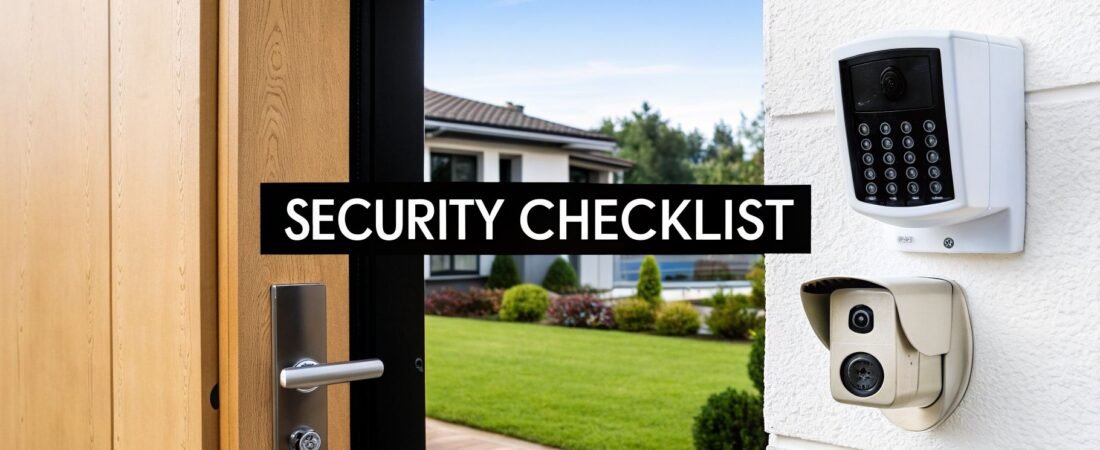
In an age of constant connectivity, securing your home has evolved beyond simple locks and alarms. The modern smart home, while offering immense convenience, also presents unique vulnerabilities that require a new approach to safety. From your WiFi network to your front door, every connected device is a potential entry point that needs safeguarding. This is where a detailed home security checklist becomes essential.
At Automated Home Guide, we recognize that real security is built in layers. It isn't about a single gadget but a complete strategy that combines physical reinforcements, intelligent technology, and consistent habits. This guide delivers a direct, actionable checklist created specifically for the smart-home owner.
We move beyond generic advice to provide a clear blueprint for your security setup. Inside, you'll find:
- Actionable Items: Specific steps for securing doors, windows, cameras, and networks.
- System-Specific Advice: Tips for locks, alarms, lighting, and smart device configurations.
- Structured Checklists: Organized by area (entry points, outdoors), frequency (daily, monthly), and priority level.
Think of this as your definitive roadmap to creating a resilient, intelligent, and secure home environment. We'll give you the exact steps needed to fortify your connected living space against both physical and digital threats, ensuring peace of mind for you and your family. Let's begin building your fortress.
1. Install Smart Door and Window Locks
Your home's entry points are the first line of defense, and smart locks offer a significant security and convenience upgrade over traditional mechanical deadbolts. These electronic systems allow you to lock and unlock your doors remotely using a smartphone app, a numerical keypad, or even biometric data like your fingerprint. This keyless functionality is a core component of any modern home security checklist.
The primary benefit is enhanced control over access. Instead of handing out physical keys that can be lost or copied, you can grant temporary digital "keys" to guests, dog walkers, or maintenance workers. These codes can be set to expire after a certain time or a specific number of uses, and you receive real-time notifications when your door is opened or closed.
Implementation and Key Features
Integrating smart locks into your smart home system creates powerful automations. For instance, you can program your system to automatically lock all doors at 10 PM, turn on entryway lights when the front door unlocks after dark, or even trigger an alarm if a door is forced open.
- Retrofit vs. Full Replacement: Models like the August Smart Lock attach to your existing deadbolt's interior hardware, allowing you to keep your original keys. Full replacement locks, such as the Schlage Encode Plus or Yale Assure Lock 2, replace the entire mechanism for a more integrated look.
- Connectivity: Choose between Wi-Fi enabled locks for direct internet access or Bluetooth locks that require a nearby hub or your phone for remote control. Ensure you have a strong Wi-Fi signal at your entryway for reliable performance.
- Power Backup: Most smart locks operate on batteries and will warn you weeks in advance when they are running low. Some models, like certain Yale locks, even have 9V battery terminals on the exterior for emergency power.
Pro Tip: Regularly review the access log in your smart lock's app. This digital trail shows who has accessed your home and when, making it simple to spot any unusual activity or confirm a service provider's visit. Always keep the lock's firmware updated to protect against security vulnerabilities.
2. Deploy Smart Security Cameras
Smart security cameras are a fundamental element of any modern home security checklist, providing 24/7 visual surveillance and acting as a powerful deterrent. These systems stream real-time video to your mobile devices and offer features like night vision, motion detection, and cloud storage. Many now include AI-powered person detection to reduce false alarms from passing cars or animals, ensuring you're only alerted to genuine threats.

The core advantage is having eyes on your property from anywhere. Whether you're at work or on vacation, you can check live feeds, review recorded events, and even use two-way audio to speak with a delivery person or warn off an intruder. This constant connection provides both peace of mind and crucial evidence should a security incident occur.
Implementation and Key Features
Integrating cameras into your smart home ecosystem unlocks automated security actions. For example, you can have your exterior lights turn on when a camera detects motion at night, or have an indoor camera begin recording if a smart smoke alarm is triggered. The right placement and configuration are key to their effectiveness.
- Wired vs. Wire-Free: Wire-free models like the Arlo Pro 4 offer flexible placement, while wired options such as the Reolink RLC-810A provide a constant power source and a more stable connection, eliminating battery concerns. Doorbell cameras like the Ring Video Doorbell Pro secure your primary entry point. For more guidance, explore our guide to wireless security camera installation.
- Placement Strategy: Mount cameras 8-10 feet high to get a clear view of faces while keeping them out of easy reach. Focus on all entry points (front door, back door, ground-floor windows) and any blind spots around your property.
- Smart Detection Zones: Use the camera's app to create specific motion detection zones. By instructing the camera to ignore motion on a public sidewalk or a neighbor's busy driveway, you significantly cut down on unnecessary notifications.
Pro Tip: Before finalizing camera placement, test the night vision performance in complete darkness. A nearby porch light or reflective surface can create glare that washes out the image. Also, regularly check your video storage settings to ensure you have enough space and that clips are retained for a sufficient period.
3. Install a Smart Video Doorbell
A smart video doorbell is a modern gatekeeper for your front door, combining a camera, microphone, and speaker into a single unit. It lets you see, hear, and speak to anyone who approaches your entryway, whether you're at home or across the world. This real-time interaction and recording capability makes it an essential component of any home security checklist, offering a proactive layer of defense at your most-used entry point.

The primary advantage is situational awareness. Instead of wondering who rang the bell, you get an instant video feed on your smartphone. Advanced features like person and package detection can differentiate between a delivery driver, a neighbor, and a passing car, sending you specific alerts. This allows you to screen visitors, deter porch pirates with two-way audio, and maintain a visual log of all front-door activity.
Implementation and Key Features
Connecting a video doorbell to your smart home ecosystem unlocks its full potential. For example, you can have your smart speakers announce "Someone is at the front door" or display the video feed on your smart TV or display when the bell is pressed. This integration turns a simple security device into a central part of your home's communication system.
- Wired vs. Wireless: Wired models, like the Google Nest Doorbell (wired) or Logitech Circle View, draw power from your existing doorbell wiring, eliminating battery concerns. Wireless options, such as the Ring Video Doorbell or Arlo Essential, offer easier installation but require periodic recharging.
- Motion Zones: To prevent a constant stream of false alarms from street traffic or swaying trees, configure custom motion zones. This tells the camera to only monitor specific areas, like your porch and walkway, for movement.
- Subscription Services: Many doorbells offer basic notifications for free but require a subscription for advanced features like cloud video storage, person detection, and package alerts. Factor this recurring cost into your decision.
Pro Tip: Position your video doorbell at an optimal height, typically 48 inches (4 feet) from the ground, to capture visitors' faces clearly. Always respect your neighbors' privacy by adjusting the camera's field of view and motion zones to avoid recording their property.
4. Set Up Smart Alarm and Monitoring System
A smart alarm system is the central nervous system of your home's security, connecting door/window sensors, motion detectors, and other devices to a central hub. This setup detects unauthorized entry and immediately alerts you via your smartphone. Modern systems offer the flexibility of professional monitoring, where a security company responds to alerts, or self-monitoring, giving you direct control and making them an essential part of any home security checklist.
The core advantage is creating a responsive, unified security network. When a sensor is triggered, the system can sound a siren, send push notifications, and notify a monitoring center. This integration extends to other smart devices, allowing you to create automated actions like turning on all lights when an alarm sounds, providing a powerful deterrent to intruders. You can explore a variety of smart home security systems to find one that fits your needs.
Implementation and Key Features
Choosing the right system depends on your budget, technical comfort, and desired level of protection. DIY options like SimpliSafe or Wyze Sense are user-friendly and affordable, while professionally installed systems from Vivint or ADT offer complete smart home integration and premier monitoring services.
- Monitoring Options: Decide between professional 24/7 monitoring for a monthly fee or self-monitoring where you receive alerts and decide how to respond. Brands like Abode and Frontpoint offer flexible plans without long-term contracts.
- Sensor Placement: Install contact sensors on all ground-floor doors and windows. Place motion detectors in high-traffic areas like main hallways and living rooms, but avoid positioning them where they might be triggered by pets or heating vents.
- System Modes: Configure different armed modes for when you are home, away, or asleep. A "Home" mode might activate door sensors but disable interior motion detectors, while "Away" mode arms everything.
Pro Tip: Test your entire alarm system monthly, including each sensor and the connection to the monitoring service. Keep your emergency contact list updated within the app and securely document your system codes and settings offline. Annually review your monitoring plan to ensure you're getting the best rate and features.
5. Secure Your WiFi Network
Your WiFi network is the digital backbone of your smart home, connecting everything from cameras and locks to personal computers and phones. Securing this network is a fundamental step in any home security checklist, as an unsecured network provides a direct entry point for bad actors to access your smart devices and sensitive personal data. Proper WiFi security prevents unauthorized access and ensures the integrity of your entire smart home ecosystem.
The core objective is to create a digital fortress around your home's internet connection. By implementing strong security protocols, you make it extremely difficult for outsiders to piggyback on your internet, spy on your activity, or take control of connected devices. Modern routers like the Eero Pro 6 or Google Nest WiFi Pro offer built-in security features and automatic updates, but manual configuration is still essential for maximum protection.
Implementation and Key Features
A multi-layered approach to network security is most effective. Start by changing the router's default administrator login and password, as these are often publicly known. From there, you can configure encryption, manage access, and keep the system updated to defend against new threats. For a deeper dive into these configurations, explore these home network security best practices.
- Encryption and Passwords: Always use WPA3 encryption, the current security standard. If your router doesn't support it, WPA2 is the next best option. Your WiFi password should be complex, at least 12 characters long, and include a mix of uppercase letters, lowercase letters, numbers, and symbols.
- Network Segmentation: Create a separate guest network for visitors. This isolates their devices from your primary network, preventing any potential malware on their devices from spreading to your smart home gadgets or personal computers.
- Router Configuration: Disable features that create vulnerabilities, such as Wi-Fi Protected Setup (WPS) and Universal Plug and Play (UPnP), which can be exploited. Enable your router's built-in firewall to filter malicious traffic before it reaches your devices.
Pro Tip: Make it a habit to regularly audit the list of devices connected to your network through your router’s admin panel or app. Remove any unrecognized devices immediately. Also, enable automatic firmware updates on your router to ensure it is always protected against the latest known security vulnerabilities without manual intervention.
6. Implement Smart Lighting with Automation
Smart lighting is a powerful yet often underestimated element of a complete home security checklist. Beyond simple illumination, these systems act as a dynamic deterrent by creating the illusion of an occupied home. You can program lights to turn on and off on a schedule, respond to motion, or even coordinate with other security devices to create a unified defense against potential intruders.
The core advantage lies in proactive security. A dark, quiet house is an open invitation, but a home with lights that mimic human activity patterns presents a much riskier target. Motion-activated floodlights, like those from GE Enbrighten, can startle a trespasser and capture their image on camera, while interior lights from brands like Philips Hue or LIFX can be scheduled to make it appear someone is always home.

Implementation and Key Features
Integrating smart lighting allows for sophisticated security routines. For instance, you can create a "Vacation Mode" that randomizes your lighting schedule to appear more natural than a fixed timer. You can also link lights to your smart alarm; if the alarm is tripped, all lights in and outside the house can flash red to attract attention.
- Hub vs. Wi-Fi: Systems like Philips Hue use a central hub for reliable communication, even if your internet goes down. Wi-Fi-direct bulbs from LIFX or Wyze connect straight to your router, offering a simpler setup. As these devices rely on your home network, understanding how to secure your home network is a fundamental step in preventing unauthorized access to your smart devices.
- Outdoor Placement: Install motion-activated lights at key entry points, dark corners, and along pathways. Place them 6-8 feet high to maximize coverage and prevent tampering. Solar-powered options are excellent for areas where running electrical wire is difficult.
- Automation and Geofencing: Use geofencing to automatically turn on your porch and entryway lights as you arrive home after dark. This not only enhances safety but also adds a welcoming touch.
Pro Tip: Don't just set a simple on/off schedule. Create more believable patterns by having lights in different rooms turn on and off at slightly varied times each evening. This makes it much harder for an observer to recognize an automated system.
7. Monitor and Control Smart Garage Doors
The garage is a frequent and often overlooked entry point, providing direct access to your home and storing valuable items like vehicles and tools. A smart garage door opener transforms this vulnerability into a monitored and controlled asset. These systems allow you to open, close, and check the status of your garage door from anywhere using a smartphone app, adding a critical layer to your home security checklist.
The main advantage is the ability to eliminate the "Did I leave the garage open?" anxiety. You can receive real-time alerts whenever the door opens or closes and remotely secure it if you forget. This level of control is essential, as an open garage door is a clear invitation to intruders. You can also grant temporary access to delivery services or family members without sharing a physical remote or keypad code.
Implementation and Key Features
Integrating a smart garage door opener into your security system offers practical automations. For instance, you can link it with your smart lighting to turn on garage lights when the door opens after sunset. Geofencing can even be set up to automatically open the door as you approach home and close it as you leave.
- Add-On vs. Integrated: Devices like the Meross Smart Garage Door Opener or Wyze Garage Door Controller are add-on units that connect to your existing opener, making them affordable and easy to install. Integrated systems, such as those from LiftMaster (MyQ) or Genie (Aladdin Connect), come built into new garage door motors for a seamless experience.
- Connectivity and Power: A strong Wi-Fi signal in your garage is crucial for reliable communication. Test your signal strength before installation. Most controllers plug into a standard outlet, but the motor itself should have a battery backup to ensure you can operate it during a power outage.
- Camera Integration: Some controllers, like the Wyze model, include a camera to provide visual confirmation of the door's status. Alternatively, placing a separate security camera aimed at the door can verify its operation and record any activity.
Pro Tip: Set up an "auto-close" timer in the app. Configure it to automatically shut the garage door if it's been left open for more than 10 or 15 minutes. Also, regularly review the activity logs to spot any unusual openings or closings, and ensure you have notifications enabled for all garage door events.
8. Install Motion Sensors and Occupancy Detectors
While cameras provide visual confirmation, motion sensors are the unsung heroes of a proactive security system, acting as digital tripwires across your property. These devices detect movement in specific zones and can trigger alerts, lights, or alarms. This immediate awareness is a critical component of a layered home security checklist, giving you real-time information about activity inside and outside your home, often before an intruder reaches a door or window.
Modern sensors go beyond simple motion detection. Advanced occupancy detectors can differentiate between pets and people, reducing false alarms. They can also learn your family's typical movement patterns, making it easier to spot unusual activity, such as movement in the middle of the night when everyone should be asleep. This level of environmental awareness makes your security system smarter and more responsive.
Implementation and Key Features
Integrating motion sensors with your smart home hub unlocks powerful security automations. For instance, a sensor in the hallway can trigger entryway lights and send a notification to your phone if it detects motion after midnight. An outdoor sensor can activate a floodlight and start a camera recording when someone approaches your driveway.
- Strategic Placement: Install sensors at a height of 5-6 feet in high-traffic areas like hallways, living rooms, and stairwells. Point them toward entry points but away from heat sources like vents or windows that get direct sunlight, as these can cause false triggers.
- Sensor Technology: Passive Infrared (PIR) sensors are most common and detect body heat. Dual-technology sensors combine PIR with microwave technology to confirm movement, significantly reducing false alarms. Choose models like the Philips Hue Motion Sensor for smart lighting integration or the SimpliSafe Motion Sensor for seamless alarm system functionality.
- Pet Immunity: If you have pets, look for sensors with adjustable sensitivity or a "pet-immune" mode. These are calibrated to ignore movement from animals under a certain weight, ensuring your furry friends don't accidentally set off the alarm.
Pro Tip: Regularly test your motion sensors by walking through their detection zones. Check the battery levels in your sensor's companion app monthly to ensure they are always operational. Use their data to create "if this, then that" automations, such as flashing all house lights if a basement sensor is tripped while the system is armed.
9. Secure Physical Entry Points
While smart technology adds layers of monitoring and control, the physical strength of your home's entry points remains the foundation of any effective security plan. Doors, windows, and patio sliders are common targets for intruders. Reinforcing these weak spots with stronger hardware and materials creates a formidable barrier that can deter or delay a forced entry, making it a critical part of your home security checklist.

This approach combines strong physical deterrents with electronic monitoring. A solid-core door is much harder to kick in than a hollow one, and security film can prevent a window from shattering upon impact. When these physical upgrades are paired with door and window sensors, you get the best of both worlds: a tough barrier and an immediate alert if that barrier is ever breached.
Implementation and Key Features
Strengthening entry points involves upgrading locks, frames, and glass to withstand significant force. Start by assessing your exterior doors. Are they solid core or metal? Are the hinges on the interior side? A simple but powerful upgrade is replacing the factory-installed screws in your strike plates and hinges with 3-inch screws that anchor deep into the wall studs, not just the flimsy door jamb.
- Door and Frame Reinforcement: Products like Strike Guard or DEFIANT reinforced hinges add heavy-gauge steel plates to the door frame, distributing the force of a kick across a much larger area. Beyond smart locks, don't forget the fundamentals; consider upgrading your traditional locks and reinforcing doors with professional residential locksmith services to ensure robust physical security.
- Window and Glass Security: Applying a product like 3M Security Film to ground-floor windows or glass panels near doors makes them shatter-resistant. For sliding glass doors, a simple security bar in the track or a secondary lock is a must-have.
- Secondary Locking Mechanisms: For an extra layer of protection, especially at night or when you're away, install secondary window locks from brands like MASTER LOCK. These are simple, affordable devices that prevent a window from being jimmied open even if the primary latch is defeated.
Pro Tip: Don't advertise what's inside. Keep valuables like electronics, jewelry, and cash out of sight from windows. An intruder who can't see anything worth stealing is more likely to move on to an easier target.
10. Create Backup Power and Internet Redundancy
Your smart security system is only effective when it's online and powered on. Power outages and internet disruptions create dangerous vulnerabilities, rendering cameras, sensors, and alarms useless. Implementing redundancy for both power and connectivity is a critical step in any robust home security checklist, ensuring your defenses remain active even when external services fail.
The core idea is to create a safety net for your essential security devices. This involves using uninterruptible power supplies (UPS), battery backups, and alternative internet sources like cellular data. These systems automatically take over during an outage, preventing any gaps in protection and giving you continued control and visibility over your home's security.
Implementation and Key Features
Integrating backup systems ensures that your security hub, router, and modem stay online during a blackout. For example, a UPS like an APC Back-UPS Pro can power your network hardware for several hours, while a professionally monitored system from ADT or Vivint often includes cellular backup to keep your alarm signals connected to the monitoring center if your Wi-Fi goes down.
- UPS and Battery Backup: Connect your modem, router, and primary security hub to a UPS system. This is a simple, effective first line of defense against short-term power flickers and outages. For longer-term needs, a whole-home solution like a Tesla Powerwall or a portable generator from Westinghouse provides extended runtime.
- Internet Redundancy: Many modern security systems offer a cellular backup service for a small monthly fee. Alternatively, some mesh Wi-Fi systems, like the Eero Pro 6, can failover to a cellular hotspot, ensuring your smart devices stay connected.
- Device-Level Power: Ensure that critical standalone devices, such as smart locks and certain sensors, have fresh batteries. Document replacement schedules and keep spares on hand to avoid being caught off guard by a low-battery warning during an emergency.
Pro Tip: Test your backup systems monthly. Unplug your UPS from the wall to simulate an outage and confirm that your router and security hub remain powered. If you have a generator, run it for 15-20 minutes every few months and rotate the fuel supply every six months to prevent it from degrading.
10-Point Home Security Checklist Comparison
| Solution | Implementation Complexity 🔄 | Resource Requirements ⚡ | Expected Outcomes 📊 | Ideal Use Cases 💡 | Key Advantages ⭐ |
|---|---|---|---|---|---|
| Install Smart Door and Window Locks | Moderate 🔄 — DIY or pro install; compatibility checks | $100–$400/lock; batteries; smartphone/hub | Strong access control & audit trails 📊⭐⭐⭐ | Front/main doors; rentals; remote access needs | Keyless entry, temporary codes, integration ⭐ |
| Deploy Smart Security Cameras | Low–Moderate 🔄 — mounting and network setup | $50–$400/cam; cloud storage $10–$30/mo; bandwidth | High deterrence and visual evidence 📊⭐⭐⭐ | Perimeter, driveways, multi-area monitoring | Live view, AI detection, evidence capture ⭐ |
| Install a Smart Video Doorbell | Moderate 🔄 — wiring or battery placement; angle tuning | $100–$250; subscription $3–$12/mo; stable WiFi | Improved visitor awareness & package protection 📊⭐⭐ | Front door, package-prone homes, rentals | Two-way audio, visitor logs, deter theft ⭐ |
| Set Up Smart Alarm & Monitoring System | High 🔄 — sensor layout and (often) professional install | $300–$1,500 system; $20–$50/mo monitoring | Comprehensive intrusion alerts & response 📊⭐⭐⭐ | Full-home security; high-value properties; remote owners | Professional monitoring, integrated automation ⭐ |
| Secure Your WiFi Network | Moderate 🔄 — router config, segmentation, firmware | $100–$300 router; time for setup; minimal recurring cost | Foundational protection for all smart devices 📊⭐⭐⭐ | Any smart home, IoT-heavy environments | Prevents unauthorized access; secures data ⭐ |
| Implement Smart Lighting with Automation | Low–Moderate 🔄 — bulb/fixture install and scheduling | $15–$30/bulb; $50–$200 outdoor systems; WiFi | Better visibility and occupancy simulation 📊⭐⭐ | Vacation simulation, entryways, pathways | Motion-triggered lighting; energy savings ⭐ |
| Monitor & Control Smart Garage Doors | Moderate 🔄 — compatibility check; possible pro install | $100–$500 controller or opener; WiFi; battery backup | Reduced risk of unintended access 📊⭐⭐ | Garages with home access; deliveries; rentals | Remote open/close, auto-close, activity logs ⭐ |
| Install Motion Sensors & Occupancy Detectors | Low 🔄 — simple placement and sensitivity tuning | $20–$50/sensor; batteries; optional integration hub | Fast detection and automation triggers 📊⭐⭐ | Hallways, main living areas, camera triggers | Low-cost intrusion detection; pet-immune options ⭐ |
| Secure Physical Entry Points | Moderate 🔄 — reinforcement work or pro labor | $50–$300 materials; tools or locksmith labor | Significant reduction in forced-entry risk 📊⭐⭐⭐ | Front doors, sliding doors, ground-floor windows | Passive defense independent of power or internet ⭐ |
| Create Backup Power & Internet Redundancy | Moderate–High 🔄 — UPS/generator setup and testing | UPS $150–$500; cellular $20–$40/mo; generators $1,000+ | Maintains protection during outages 📊⭐⭐⭐ | Areas with frequent outages; critical systems | Resilience for monitoring and alarms; continuous uptime ⭐ |
From Checklist to Lifestyle: Maintaining Your Smart Security
Completing a detailed home security checklist is a monumental achievement. You've moved beyond basic locks and alarms, building a multi-layered, intelligent defense system tailored to your property. From securing your digital backbone with a protected WiFi network to reinforcing physical entry points and deploying smart cameras, you have addressed the critical vulnerabilities that most homeowners overlook. This process establishes a powerful baseline for safety.
However, true security is not a "set it and forget it" project. It's a dynamic discipline that requires ongoing attention and adaptation. The very smart technology that protects your home is constantly being updated, and potential threats evolve alongside it. Viewing your security measures as a living system, rather than a completed task, is the single most important shift you can make.
Key Takeaways: From Tasks to Habits
Reflecting on the comprehensive checklist we've covered, several core principles emerge as the foundation for lasting security. Internalizing these ideas will help you maintain your defenses effectively over the long term.
- Layering is Paramount: A single point of failure is a massive risk. Your security strength comes from the interplay between different systems: a video doorbell works with smart locks, motion sensors trigger lights, and it’s all supported by a secure network and backup power. An intruder might bypass one layer, but they are unlikely to defeat them all.
- Physical and Digital Security are Inseparable: A weak WiFi password can render the world's best smart lock useless. Likewise, a state-of-the-art alarm system is less effective if a window latch is broken. Your home security checklist must always address both the physical world and the digital one.
- Proactive Maintenance Beats Reactive Repair: Regularly testing your sensors, checking camera feeds, and updating firmware prevents small issues from becoming critical failures during an actual emergency. This proactive stance ensures your investment continues to perform as expected when you need it most.
Key Insight: The goal is not just to install security devices but to integrate security practices into your daily and weekly routines. A quick daily check of your security app or a weekly walk-around to test sensors transforms a static checklist into a resilient, active shield.
Your Actionable Next Steps
With your initial setup complete, it is time to establish a maintenance rhythm. This ensures your systems remain effective and you stay ahead of potential issues. Here’s how to transition from installation to operation.
- Create a Maintenance Calendar: Don't rely on memory. Use a digital or physical calendar to schedule your security reviews. Set recurring reminders for daily, weekly, monthly, and annual checks as outlined in this guide.
- Monthly: Test all sensors (motion, door/window contacts) and backup batteries.
- Quarterly: Review camera angles, clean lenses, and check for any new environmental obstructions.
- Annually: Conduct a full system audit, re-evaluate your security needs, and research new technology or firmware features you might want to implement.
- Stay Informed: Subscribe to newsletters from your device manufacturers. These often contain important information about security patches, firmware updates, and new features. Being aware of a potential vulnerability before it becomes widespread news is a significant advantage.
- Practice and Drill: Your security system is only as good as your ability to use it. Run occasional drills with your family. Practice arming and disarming the system, review how to access camera footage, and ensure everyone knows the protocol in case of an alert. This familiarity is invaluable during a high-stress situation.
By transforming this home security checklist from a one-time project into an ongoing lifestyle, you are doing more than just protecting your property. You are cultivating peace of mind. You are building a secure environment where your family can feel safe, and you are taking empowered control over your personal sanctuary. This consistent, deliberate approach is the hallmark of a truly smart and secure home.
Ready to take your home's intelligence to the next level? At Automated Home Guide, we provide in-depth reviews, step-by-step tutorials, and expert advice on all things smart home, from security to energy management. Visit Automated Home Guide to discover how you can create a more connected, efficient, and secure living space today.








Leave a Reply