
Think of the smart gadgets in your home—the lights, thermostats, and security cameras—as the building blocks of a bigger system. These are IoT (Internet of Things) devices, and when they work together, they give your home a kind of central nervous system. This setup allows you to automate and control everyday tasks, usually right from your phone or with a simple voice command.
What Exactly Is Home Automation
Picture this: you're pulling into the driveway after a long day. Without you lifting a finger, the garage door opens, the lights in the entryway flick on, and the thermostat kicks in to warm the place up. That’s not a scene from a futuristic movie; it's what home automation does in the real world.
It’s all about creating a seamless living experience where different IoT devices for home automation talk to each other to handle routine tasks automatically. This frees up your time and lets you focus on what matters.
At its heart, home automation is about making your home smarter and more responsive to you. Instead of just a pile of cool gadgets, it's a complete ecosystem built around your lifestyle. If you want to dive deeper into the basics, check out our complete guide on what a home automation system is.
The Growing Smart Home Market
What was once a niche hobby for tech enthusiasts has exploded into the mainstream. The global market for smart home devices has seen incredible growth as more and more people embrace this technology. In fact, one report valued the smart home market at a staggering USD 127.8 billion in 2024, with forecasts predicting it will soar to over USD 537 billion by 2030.
This boom shows just how much we want smarter, more connected homes. You can read more about this expanding market on mordorintelligence.com.
Home automation isn't just about remote control; it's about creating an environment that actively works for you, enhancing comfort and providing peace of mind through intelligent, automated actions.
To get started, it helps to understand the different players on the team. We're going to explore all the key device categories in this guide, and each one has a specific job to do.
Here's a quick look at the main types of smart devices and what they bring to the table.
Key Categories of IoT Devices for Your Smart Home
| Device Category | Primary Function | Example |
|---|---|---|
| Hubs & Controllers | The 'brain' that manages and coordinates all other devices. | Amazon Echo, Google Nest Hub |
| Sensors | The 'senses' that detect changes in the environment. | Motion detectors, door/window sensors |
| Actuators | The 'muscles' that perform physical actions based on commands. | Smart locks, smart plugs, light bulbs |
| Appliances | Everyday devices with built-in smart capabilities. | Smart refrigerators, robot vacuums |
Think of these categories as the foundation of your smart home. Understanding their roles will help you choose the right devices to build a system that works perfectly for you.
The Core Components of Your Smart Home
Every smart home, whether it's a single smart bulb or a fully automated mansion, is built on the same fundamental principle: a team of devices working together. This team has three main types of players, and understanding what each one does is the key to building a system of IoT devices for home automation that actually makes your life easier.
Think of it like an orchestra. You have the conductor calling the shots, the musicians who create the sound, and the sheet music that tells them what to play. In a smart home, these roles are filled by hubs, actuators, and sensors.
The Brain of the Operation: The Smart Hub
The smart hub is your orchestra's conductor. It’s the central command post that corrals all your different devices, gets them speaking the same language, and directs the show. Without a hub, you’d just have a bunch of smart gadgets doing their own thing—total chaos. A hub brings harmony.
For example, a hub is what allows a signal from a door sensor (made by one company) to tell a smart light bulb (made by a totally different company) to switch on. It’s the ultimate middleman, translating messages and enabling the cool, complex automations that individual devices just can't handle on their own.
Of course, none of this works without a solid network foundation. After all, your hub and devices need a way to talk to each other. Getting a handle on understanding routers and modems is a crucial first step, as they provide the connectivity for this whole operation.
This diagram shows how the central brain (the hub) coordinates the senses (sensors) and muscles (actuators) of your home.

As you can see, a truly cohesive system depends on that central hub to process information and tell other devices what to do.
The Senses of Your Home: Smart Sensors
If the hub is the brain, then sensors are the eyes, ears, and nerve endings of your smart home. Their only job is to notice what’s happening in the environment and report back to the hub. Think of them as the triggers that kick your automations into gear.
Sensors are incredibly varied, each designed for a specific task. A motion sensor spots movement, a contact sensor knows when a door is opened, and a temperature sensor keeps an eye on the climate. They don't do anything by themselves; they just observe and report.
Here are a few common types you'll run into:
- Motion Sensors: Great for automatically turning on lights when you walk into a room or sending an alert if there's movement where there shouldn't be.
- Contact Sensors: You'll find these on doors and windows. They're a cornerstone of home security and also handy for simple things, like turning on a closet light when you open the door.
- Environmental Sensors: These can detect temperature, humidity, air quality, or even water leaks, giving you valuable data for both comfort and preventing disasters.
- Light Sensors: Also called ambient light sensors, they can tell your smart blinds to close when the afternoon sun gets too intense or switch on your lamps at dusk.
The Muscles of the System: Smart Actuators
Finally, we get to the actuators. These are the muscles of your smart home—the devices that do the physical work based on commands from the hub. After a sensor reports a change, the hub thinks about it and tells an actuator what to do. This is where the magic of "automation" really happens.
An actuator is any device that can physically change something in your home. It takes a digital command and turns it into a real-world action, like flipping a switch, turning a lock, or adjusting a thermostat.
Let's put it all together. A motion sensor (the senses) detects you walking into the kitchen at night. It tells the hub (the brain). The hub then tells the smart light switch (the muscles) to turn on the lights. Simple as that.
This silent, constant communication is happening behind the scenes for every single automated task. And the number of devices involved in these conversations is exploding. Projections suggest the number of connected IoT devices worldwide could hit nearly 39 billion by 2030. That means the average home is quickly shifting from having a few smart gadgets to dozens, making a unified system more important than ever.
Exploring the Must-Have Smart Device Categories

Now that we've covered how smart home gadgets talk to each other, let's get to the fun part: the devices themselves. These are the tools that do the actual work, transforming your house from a passive structure into a responsive, helpful environment.
Each category of IoT devices for home automation solves a different set of problems, whether it's boosting convenience, tightening security, or trimming your energy bills. Let's walk through the core building blocks of any great smart home.
Smart Lighting: Ambiance and Efficiency
Smart lighting is the classic entry point into home automation, and for good reason. It’s affordable, dead simple to set up, and you see the benefits instantly. We're not just talking about turning bulbs on and off with your phone—these are tools for setting the perfect mood, beefing up security, and even saving a little energy.
Imagine your bedroom lights gently brightening in the morning to mimic a sunrise, waking you up far more pleasantly than a blaring alarm. Or, with a single voice command, trigger a "movie night" scene that dims everything perfectly. When you're away, you can have your lights switch on and off at random times to make it look like someone's home.
Key features to look for include:
- Color and Temperature Control: Shift from a warm, cozy glow for relaxing to a crisp, cool white for focus. Many can even produce millions of colors.
- Dimming Capabilities: Get the brightness just right for any task without needing to call an electrician to install a physical dimmer switch.
- Scheduling and Routines: Set your lights to follow the sun, a daily schedule, or the actions of other smart devices.
Smart Thermostats: Comfort and Savings
If you want an IoT device that pays for itself, a smart thermostat is one of your best bets. Old-school thermostats are dumb—they just follow a rigid schedule. A smart one, on the other hand, actually learns your family's comings and goings to build an efficient heating and cooling schedule for you.
This single upgrade can make a serious dent in your utility bills. It figures out when you're home, away, or asleep, then dials the temperature back to save energy without you ever feeling uncomfortable. Most also give you detailed energy reports, so you can see exactly where your money is going.
A smart thermostat is like a dedicated energy manager for your home. By learning your routine, it ensures you’re not wasting money heating or cooling an empty house, making it one of the smartest investments for long-term savings.
Smart Security: Peace of Mind
Feeling safe at home is a huge reason people get into smart technology. The security category is massive, covering everything from video doorbells and cameras to smart locks and motion sensors. When used together, they create a digital shield around your property that you can check on from anywhere.
A video doorbell lets you answer the door from your phone, whether you're at work or in the backyard. Smart locks are perfect for letting in a dog walker or contractor without having to hand out a physical key. And with cameras inside and out, you can get an alert on your phone the second motion is detected.
Among these, smart garage door openers are a game-changer for both convenience and security. If you're looking for guidance, this article on choosing the right garage door opener is a great resource.
Smart Plugs: The Ultimate Utility Player
Smart plugs are the unsung heroes of the smart home world. These cheap and cheerful gadgets can make just about any "dumb" appliance smart. Just plug one into a wall outlet, plug your lamp, fan, or coffee maker into it, and voilà—you can now control it from your phone.
The possibilities are endless. Schedule that old coffee pot to start brewing five minutes before your alarm goes off. Put a fan on a timer, or remotely reboot your Wi-Fi router when it gets flaky. They're a fantastic, low-risk way to start automating the little things.
Smart Appliances: A Connected Kitchen and Home
Even our big-ticket items are getting an intelligence boost. We're seeing smart refrigerators that can help track your grocery list, smart ovens you can preheat on your drive home, and robot vacuums that can clean specific rooms on command.
While these are definitely a bigger financial commitment, they bring a new level of convenience by weaving major household chores right into your smart home routines.
It’s clear that the physical hardware is what drives the smart home market. People are willing to spend on security, energy management, and lighting because the value is so obvious. In fact, security and access control are projected to make up about 28% of the entire smart home market by 2025, which shows just how much homeowners care about safety.
To help you figure out where you should start your own smart home journey, we've put together a quick comparison of the most popular device categories.
Comparing Smart Device Categories by Use Case
This table offers a snapshot of the most popular IoT device types, helping you prioritize what to buy based on the benefits you're looking for.
| Device Category | Primary Benefit | Best For | Average Cost |
|---|---|---|---|
| Smart Lighting | Ambiance & Convenience | Beginners looking for an easy and impactful first step. | $15 – $50 per bulb |
| Smart Thermostats | Energy Savings & Comfort | Homeowners focused on long-term cost reduction and efficiency. | $100 – $250 |
| Smart Security | Peace of Mind & Safety | Anyone wanting to monitor and protect their home remotely. | $50 – $300 per device |
| Smart Plugs | Versatility & Affordability | Budget-conscious users who want to make existing appliances smart. | $10 – $25 per plug |
| Smart Appliances | Ultimate Convenience | Those undertaking a kitchen or laundry room renovation. | $800 – $4000+ |
Whether you start with a single smart plug or dive right into a full security system, each category offers a unique way to make your home a little smarter and your life a little easier.
Understanding How Your Smart Devices Communicate
For all your smart gadgets to work together as a single, cohesive system, they need to be able to talk to each other. Think of your smart home as a team—and for any team to succeed, its members need to speak the same language. These "languages" are called protocols, and they're the invisible threads that tie your entire smart home together.
Every protocol has its own strengths. Some are built for high-speed data transfer, while others are designed to sip power, allowing small sensors to run for years on a tiny battery. When you're choosing IoT devices for home automation, understanding which language they speak is the key to building a home that's responsive, reliable, and frustration-free.
The Main Languages of a Smart Home
As you start exploring smart devices, you'll run into a few common protocols. They all get your devices communicating, but they do it in fundamentally different ways. Getting a handle on these differences will not only help you choose the right gear but also make it easier to troubleshoot problems down the line.
Here’s a quick rundown of the big players:
- Wi-Fi: The one you already know. It's fast, ubiquitous, and connects devices directly to your home's internet router, often without needing a separate piece of hardware.
- Zigbee and Z-Wave: These are specialized, low-power networks created specifically for smart home gadgets. They form a "mesh" where devices can relay signals to one another, making the network stronger and more reliable.
- Matter: The new universal standard that promises to let devices from different brands and ecosystems finally talk to each other without any fuss.
A truly robust smart home often uses a mix of these, playing to the strengths of each one.
Wi-Fi: The Familiar Powerhouse
Wi-Fi is the path of least resistance. You already have a Wi-Fi router, so setup for these devices is usually as simple as plugging them in and connecting them through an app. This makes it perfect for any gadget that needs to sling a lot of data, like a security camera streaming high-definition video to your phone.
But there's a trade-off. Wi-Fi is notoriously power-hungry, which is why you won’t find many small, battery-powered sensors that use it. Another thing to watch out for is network congestion. If you add dozens of smart plugs, bulbs, and switches to your Wi-Fi, you could start to bog down the network, slowing down the internet connection for your computers and phones.
Zigbee and Z-Wave: The Efficient Team Players
This is where protocols like Zigbee and Z-Wave really come into their own. They were designed from the ground up to solve Wi-Fi's shortcomings in a smart home. They operate on a mesh network, which is a brilliant concept.
Instead of every device yelling all the way back to your router, each device can pass the message along to its closest neighbor. This creates a resilient, self-healing web of communication. In fact, the more devices you add, the stronger and more reliable your network becomes.
The core advantage of a mesh network is its reliability and range. A device in the far corner of your house doesn't need a strong signal to your router—it just needs to reach the nearest neighboring device.
Their low-power design is their other superpower. It makes them the perfect choice for battery-operated devices like door sensors, motion detectors, and temperature sensors that can last for years on a single coin battery. The one catch is that they usually require a dedicated hub—a small device that acts as a translator between the Zigbee or Z-Wave network and your home's Wi-Fi.
If you want to dig deeper, you can learn more about the differences between each smart home protocol in our complete guide.
Matter: The Universal Translator
For years, one of the biggest headaches in the smart home world has been brand incompatibility. A light bulb from one company couldn't talk to a light switch from another unless you got lucky or did a ton of research.
Matter is here to fix that. It isn't a replacement for protocols like Wi-Fi, but rather a universal application layer that runs on top of them. Its goal is refreshingly simple: if you see the Matter logo on a box, you know that device will work with any other Matter-certified gear you own, no matter who made it. This is set to make building a versatile and future-proof smart home easier than ever before.
Choosing the Right Smart Home Ecosystem
Picking a smart home ecosystem is a lot like choosing a language for all your devices. It’s the single most important decision you'll make, because it determines which gadgets will play nicely together, how you'll control everything, and ultimately, how "smart" your home actually feels. The ecosystem is the central platform—usually built around a voice assistant—that brings all your IoT devices for home automation under one roof.
Think of it as the operating system for your house. You've got three major players in this space: Amazon Alexa, Google Home, and Apple HomeKit. Each has its own personality, strengths, and weaknesses.
There’s no single "best" choice here. The right one for you depends entirely on the tech you already own, how much you enjoy tinkering with settings, and what you want your home to do for you in the long run.
Amazon Alexa: The Universal Connector
If you want the absolute widest selection of compatible gadgets, Amazon Alexa is tough to beat. Its strength is its sheer scale. Thousands of products from hundreds of brands feature the "Works with Alexa" badge, giving you an incredible amount of choice. For anyone whose top priority is compatibility, this is usually the best place to start.
Alexa is fantastic at voice control and has a massive library of "Skills," which are basically apps you can add to your Echo devices. This makes it super flexible. The trade-off is that setting up more complex automations can sometimes feel a bit clunky, but for the hobbyist who loves options, it’s a perfect fit.
Google Home: The Intelligent Assistant
Google Home, with the powerful Google Assistant at its core, really excels at understanding what you mean, not just what you say. It’s incredibly good at processing natural, conversational language. If you're already living in the Google world with an Android phone, Gmail, and Google Calendar, this ecosystem just feels right. It seamlessly pulls from your digital life to offer proactive help, like warning you about traffic on your way to a calendar appointment.
While its device support isn't quite as vast as Alexa's, it's still excellent and catching up fast. Google's real magic is its intelligence. It handles complex, multi-part questions and commands with an ease that often feels more like you're talking to a real assistant.
Your smart home ecosystem is the software foundation that makes your hardware sing. It’s the difference between having a collection of cool gadgets and having a truly intelligent, automated home that works in harmony.
Apple HomeKit: The Secure and Seamless Integrator
For anyone invested in the Apple universe, HomeKit offers a level of polish, security, and seamless integration that the others can't quite match. If you’re an iPhone, iPad, or Mac user, HomeKit just works. Control is baked right into iOS via the Home app and Siri, which makes for an incredibly clean and intuitive experience.
Apple is famously strict about privacy and security, and every device has to go through a rigorous certification process to be HomeKit-compatible. This means you'll find fewer compatible products than you will for Alexa or Google, but you can be confident that the ones you do buy meet incredibly high standards. If a frictionless user experience and top-tier security are non-negotiable for you, HomeKit is the obvious choice.
For a deeper dive into how these platforms manage different devices, our smart home hub comparison offers more detailed insights.
Your First Steps to Building a Smart Home
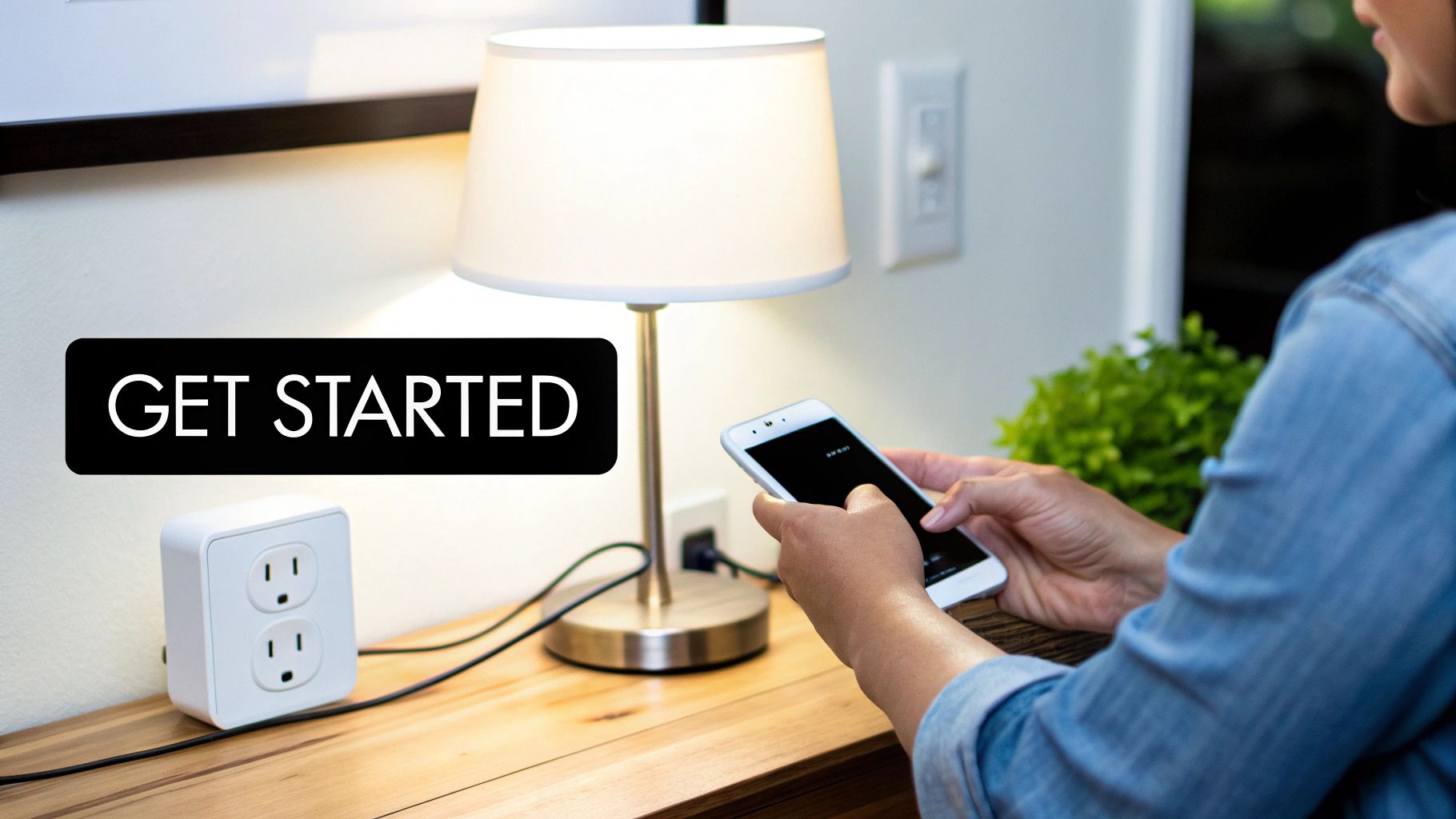
Alright, let's turn all this theory into action. Diving into your first smart home project might seem like a huge leap, but it’s actually much easier than you’d think. The trick is to start small and have a clear purpose. Don't go out and buy a dozen different IoT devices for home automation all at once. Instead, pick one specific problem you want to solve.
Think about a small, nagging annoyance in your day. Do you always forget to turn off the living room lamp? Wish your coffee maker was already brewing when your alarm goes off? Nailing down a simple, real-world goal makes that first purchase feel meaningful and keeps you from getting buried in options.
Once you have that goal in mind, you can lay out a simple plan. This method not only builds your confidence but also ensures every gadget you add actually makes your life better.
A Simple Setup Roadmap
Getting that first device up and running is where the magic starts. If you follow a few logical steps, you'll sidestep the common headaches and get right to the fun part: making things happen automatically.
Here’s a practical checklist to get you started:
-
Define Your Goal: Be specific. Instead of a vague idea, frame it like this: "I want the lamp in the living room to turn on by itself at sunset." This keeps your first project focused and totally manageable.
-
Choose Your Device: For a goal like that, a smart plug is your best friend. They're cheap, incredibly versatile, and don't require you to mess with any wiring. It's the perfect starter device.
-
Install and Connect: Just plug the smart plug into an outlet, then plug your lamp into it. Grab your phone, download the manufacturer's app, and follow the simple prompts to get it hooked up to your Wi-Fi.
-
Create Your First Automation: Open the app and find the section for "routines," "schedules," or "scenes." From there, you can create a new rule that tells the plug to switch on every day at sunset. Most of these apps are smart enough to use your phone's location to figure out the timing automatically.
This four-step process delivers that first satisfying win and gives you a solid blueprint you can use again and again as you add more devices.
Prioritizing Security from Day One
The more things you connect to your home network, the more you need to think about security. A smart home with weak security can become a real liability, so it’s vital to build good habits right from the start.
Building a smart home isn't just about adding convenience; it's about doing so safely. Your network security is the foundation that protects your privacy and ensures your devices work for you, not against you.
Kick things off with these basic security practices:
- Change Default Passwords: The very first thing you should do with a new router or any smart device is change the factory-set admin username and password. Seriously, do it immediately.
- Use Strong, Unique Passwords: Give your Wi-Fi network and each smart home app its own complex password. If you can't remember them all, a password manager is a lifesaver.
- Enable Two-Factor Authentication (2FA): If an app offers 2FA, turn it on. It adds a powerful second layer of defense that makes it dramatically harder for anyone else to get into your accounts.
Your Top Home Automation Questions, Answered
Jumping into the world of smart homes can feel like learning a new language. You’re bound to have questions, and getting straight answers is the first step to building a system you'll actually love using.
Will All My Smart Devices Just Work Together?
In a perfect world, yes. In reality, not quite. Getting devices to talk to each other all comes down to the wireless languages they speak (protocols like Wi-Fi, Zigbee, or Z-Wave) and the team they play for (ecosystems like Amazon Alexa, Google Home, or Apple HomeKit).
A new industry standard called Matter is trying to fix this by becoming a universal translator for smart devices. Until it’s everywhere, your best bet is to look for the "Works with Alexa" or "Google Home compatible" logos on the box before you buy.
Do I Really Need a Smart Hub?
Not necessarily, especially when you're just starting out. Plenty of great devices, like smart plugs and bulbs, connect directly to your Wi-Fi network. No extra gear required.
You'll want to think about adding a hub, however, when you start mixing and matching devices that use different protocols (like Zigbee or Z-Wave) or when you want to build sophisticated automations where devices from different brands trigger each other.
What's This Going to Cost Me?
That's the best part—it costs whatever you want it to. You can dip your toes in the water with a single smart plug for less than $20. If you want a more coordinated start, a kit with a few smart bulbs and a basic hub can be found for around $100 to $200.
Of course, a fully decked-out, whole-home system can run into the thousands. My advice? Start by solving one small annoyance, like automating a lamp. See how you like it, and let your system grow from there.
At Automated Home Guide, our goal is to give you the expert insights needed to build a smarter, safer, and more efficient home. We have a ton of resources to help you make the right choices for your space. Learn more at https://automatedhomeguide.com.










Leave a Reply