
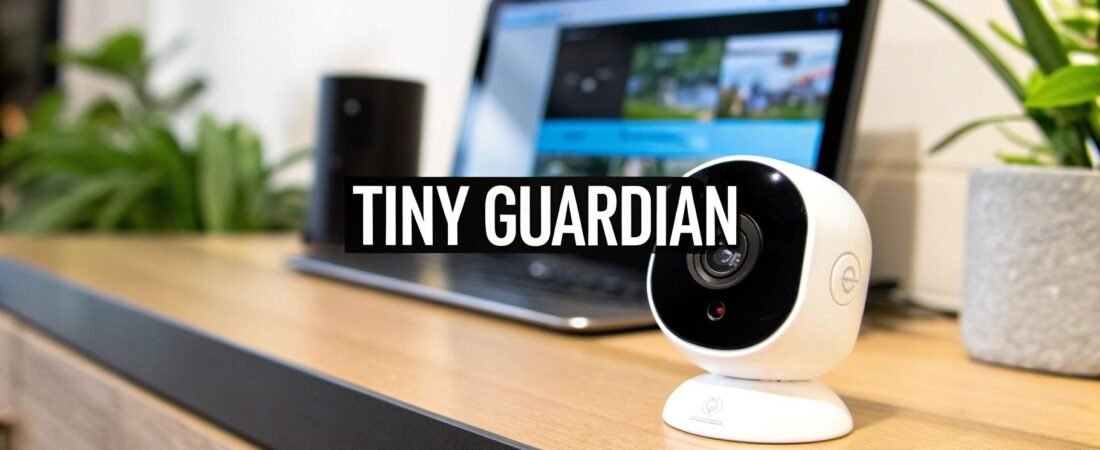
When you hear "security camera," you probably picture a bulky white dome mounted on a corner wall. But what if you need to keep an eye on things without making it obvious? That's where micro security cameras come in.
These are incredibly small surveillance devices built for one primary purpose: discreet monitoring. They're often tiny enough to be camouflaged inside everyday items, allowing them to capture video footage without anyone knowing they're there. Don't let their size fool you; these little gadgets can pack a punch with features like HD video, motion detection, and even Wi-Fi connectivity.
Unveiling the World of Micro Security Cameras

It's helpful to think of a micro camera not as a shrunken-down version of a standard security camera, but as a specialized tool for a very specific job. It’s the closest thing we have to being a "fly on the wall," designed for situations where being noticed would defeat the purpose. While a big, visible camera is meant to deter intruders, a micro camera is all about observing and recording quietly in the background.
This is all made possible by incredible miniaturization. Engineers have figured out how to cram high-tech sensors, processors, and lenses into a super-compact shell. The real magic is embedding this technology into objects you'd never suspect—think USB chargers, smoke detectors, or even picture frames. This gives them a level of versatility that larger, more conventional systems just can't offer.
The Core Concept and Growing Demand
The key difference really boils down to intent and placement. A standard camera might visibly guard your front porch. A micro camera, on the other hand, could be subtly monitoring a sensitive drawer in your home office or watching over a newborn from inside a digital clock on the nightstand. Understanding this distinction is the first step to figuring out if one is right for you.
And it seems a lot of people are finding a need for them. The global market for miniature cameras, which includes these micro security devices, was valued at roughly USD 3.65 billion in 2024 and is expected to grow significantly. This boom is driven by a rising demand for smaller, more covert monitoring solutions in both home and business security, a trend you can read more about on MarketGrowthReports.com.
At its heart, a micro security camera is about gaining insight without altering behavior. It provides an unfiltered view of events precisely because it goes unseen, offering a layer of security that relies on discretion rather than deterrence.
Ultimately, these devices fill a unique and important niche in modern surveillance. By blending performance with stealth, they've become a valuable tool for anyone needing an extra set of unseen eyes. As you start looking at different models and features, just remember that their greatest strength is their ability to disappear. To see how these cameras fit into a larger strategy, take a look at our guide on comprehensive smart home security systems.
Choosing the Right Type of Micro Camera
Picking the right micro security camera can feel a bit overwhelming with all the options out there. But it really just boils down to two simple questions: How does it get power, and how does it connect to your network? The answers to those questions will shape everything from where you can put it to how you use it every day.
You'll run into three main flavors: wired, wireless, and what we call “wire-free.” Think of it like choosing a phone. A wired camera is like a classic landline—rock-solid and always on. A wireless one is like a cordless phone, giving you freedom to move around the house. And a wire-free model is your smartphone, ready to go anywhere.
Wired vs. Wireless vs. Wire-Free Models
Wired micro security cameras are the old faithful of the group. They use a physical cable for both power and their network connection, typically plugging into a central hub like a Network Video Recorder (NVR). The upside? You get an incredibly stable, private connection that can’t be knocked offline by a spotty Wi-Fi signal. The setup takes a bit more work, but for a permanent, “set it and forget it” camera in a critical spot, you can’t beat their reliability.
Wireless cameras are a great middle-ground. They ditch the data cable and send video over your Wi-Fi network instead, but they still need to be plugged into a wall outlet for power. This gives you way more flexibility in where you can place them—as long as a power outlet is nearby, you're good to go. This convenience makes them a super popular choice for most homes.
Finally, you have the truly wire-free cameras. These are the champions of flexibility. Running on rechargeable batteries and connecting via Wi-Fi, they are completely untethered. You can stick one on a bookshelf, mount it on a tree in the backyard for an afternoon, or move it around as needed. The only trade-off is that you’ll have to recharge them periodically. To save juice, they usually only record when they detect motion.
Overt Minis vs. Covert Hidden Cameras
Once you've sorted out the power and connection, the next big decision is about visibility. Do you want would-be intruders to see the camera, or do you need it to be completely invisible?
- Overt Mini Cameras: These are small, but they still look like cameras. The goal isn't to be invisible, but to be discreet. They’re great for placing subtly in a room to act as a gentle deterrent, letting people know the area is monitored without the intimidating look of a big, bulky camera.
- Covert Hidden Cameras: This is where things get interesting. These are the spy-movie gadgets, ingeniously built into everyday objects you'd never suspect. We're talking about cameras hidden inside smoke detectors, USB chargers, alarm clocks, or even picture frames. Their entire purpose is to blend in and capture footage without anyone knowing they’re there. If you're curious about the tech that makes these work, our guide on IP cameras vs. analog cameras breaks down the core differences.
Choosing between overt and covert isn't just about the tech—it's a strategic move. An overt camera is a warning sign meant to prevent something from happening. A covert camera is a silent observer meant to find out what's really going on.
So, to figure out what you need, just ask yourself: am I trying to scare someone off, or am I trying to gather information? Your answer will point you straight to the right camera.
To help you visualize the options, here’s a quick breakdown of how these different types stack up.
Micro Security Camera Types at a Glance
This table compares the main camera types to help you quickly identify which one best fits your surveillance needs.
| Camera Type | Power Source | Connectivity | Best For | Key Advantage |
|---|---|---|---|---|
| Wired | Constant (AC Power) | Physical Cable (Ethernet) | Permanent, high-security areas where reliability is paramount. | Uninterrupted power and the most stable, secure data connection. |
| Wireless | Constant (AC Power) | Wi-Fi Network | Easy-to-install home monitoring in rooms with power outlets. | Flexible placement without needing a data cable run to a recorder. |
| Wire-Free | Rechargeable Battery | Wi-Fi Network | Temporary or portable surveillance in any location, indoors or out. | Ultimate placement freedom with no cables required whatsoever. |
| Covert | Varies (AC or Battery) | Varies (Wi-Fi or Local) | Discreet monitoring where the camera must remain unseen. | Complete concealment inside everyday, functional objects. |
Ultimately, matching the camera's features—its power, connectivity, and design—to your specific goal is the key to getting a system that truly works for you.
Essential Features That Actually Matter
When you start shopping for a micro security camera, the tech specs can feel a bit overwhelming. Let's cut through that noise and focus on what really makes a difference in how well a camera performs. Knowing these key features will help you find a device that’s a perfect fit for your home, without overpaying for bells and whistles you just don't need.
Getting a Clear Picture: Resolution and Field of View
Think of video resolution as the camera's eyesight. It's the difference between seeing a blurry, unrecognizable shape and being able to clearly make out a face or a license plate number. While 1080p (Full HD) is a great starting point for clear indoor video, 4K is on another level, offering four times the detail. That extra clarity means you can digitally zoom in on something far away without the image turning into a pixelated mess. The trade-off? Higher resolution video creates much larger files, which will eat up storage space and require more internet bandwidth.
For most people, 1080p resolution provides the ideal balance between sharp video quality and manageable file sizes. It's more than enough for monitoring a living room, entryway, or nursery where you don't need to zoom in across a long distance.
Deciding between a visible camera for deterrence or a hidden one for observation is a big first step. This simple decision tree can help you figure out which path makes more sense for your security goals.
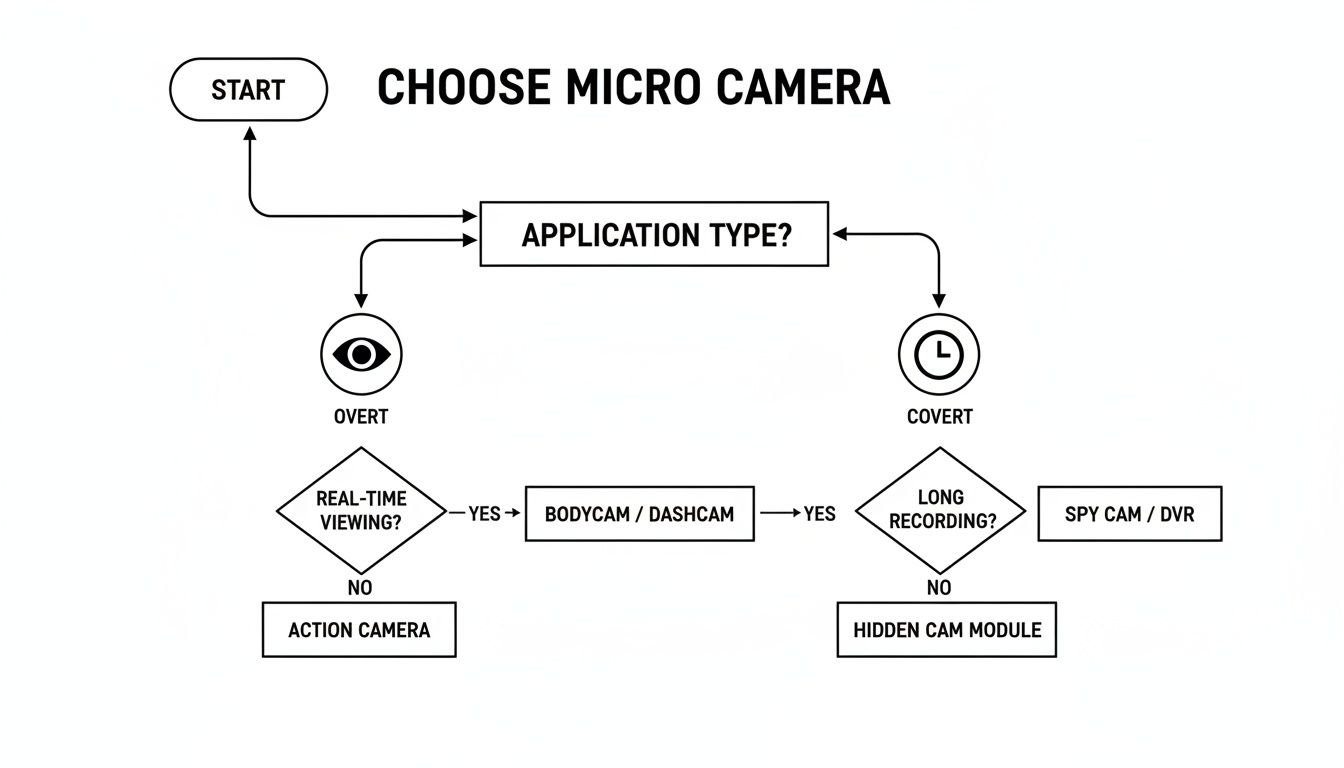
As the chart shows, it really boils down to whether you want to prevent an incident or discreetly capture one.
Great resolution doesn't mean much if your camera has tunnel vision. That’s where Field of View (FoV) comes in, measured in degrees. A camera with a narrow FoV creates huge blind spots. Look for a wider angle, ideally 120 degrees or more, which is often enough to cover an entire room from a single corner. This means you get maximum coverage with fewer cameras.
Seeing, Hearing, and Sensing What's Happening
Night vision is an absolute must-have. Most micro cameras use small, built-in infrared (IR) LEDs to see in total darkness. The video will be in black and white, but you’ll still be able to clearly identify people, pets, and objects, even in the middle of the night. Always check the camera’s stated night vision range to make sure it can see as far as you need it to.
And don't forget about sound. A camera with two-way audio—meaning it has both a microphone and a speaker—is far more useful than one that just watches. It becomes an interactive tool. You can check in on your kids, comfort a barking dog, or even shout at an intruder to let them know they’re being watched, all right from your phone.
Modern cameras are also getting much smarter. Motion detection is a standard feature that automatically starts recording and pings your phone with an alert the second it senses movement. This is a game-changer for saving battery life and storage, since you’re only capturing footage when something is actually happening. Digging into more advanced topics like AI camera systems shows you how far this technology has come, with cameras that can tell the difference between a person, a pet, and a passing car.
Where Does the Footage Go? Storage Explained
Once your camera records a video clip, it needs a place to save it. You generally have two options, each with its own pros and cons:
- Local Storage (MicroSD Card): You just pop a memory card right into the camera. It's a one-time cost, you have physical control over your video, and it keeps recording even if your Wi-Fi drops. Just make sure you get a card with a fast enough speed class (like U3 or V30) to handle the video stream without errors.
- Cloud Storage: This is where your video clips are automatically uploaded to a secure online server. It’s usually a subscription service, but its biggest advantage is that your footage is safe even if a burglar steals or breaks the camera. Plus, you can access your recordings from anywhere with an internet connection.
Key Insight: I often recommend a hybrid approach. Getting a camera that supports both local and cloud storage gives you the best of both worlds. The SD card acts as a reliable primary, and the cloud serves as a secure, off-site backup.
The numbers show that this is where the market is headed. Network-connected cameras, many of which are micro-sized, already make up a dominant 49.6% of the camera systems market. And the demand for smart home security cameras is expected to explode from USD 10.51 billion in 2024 to USD 60.99 billion by 2034, proving that homeowners are all-in on this technology. If you carefully weigh these essential features, you’ll be in a great position to pick a micro security camera that gives you real peace of mind.
How People Use Micro Cameras in Real Life
Forget the tech specs for a moment. The real magic of a micro security camera is how it solves actual, everyday problems. These little gadgets are the silent witnesses you need in places where a big, obvious camera just won't work—or would even make things worse. Their tiny size is their superpower, letting them fit into countless situations to give you some much-needed peace of mind.
From watching over your family to protecting your business, the ways people use these cameras are incredibly creative and effective. Let's jump into some of the most common scenarios where these powerful little tools really shine.
Protecting Loved Ones and Property
One of the first things that comes to mind is the classic "nanny cam." It’s a huge source of comfort for parents. A covert camera, maybe hidden inside a digital clock on the mantle or a USB phone charger plugged into the wall, lets them check in. It’s a simple way to make sure a new babysitter is giving their kids the great care they expect.
This same idea applies beautifully to keeping an eye on elderly relatives living on their own. Placing a discreet camera in the living room or kitchen allows family members to see that their loved one is up and about, all without the institutional, "being watched" feeling that a bulky dome camera creates.
And then there's the modern-day headache: package theft. A small, wire-free micro camera is perfect for this. You can stick one in a potted plant by the door or tuck it into a decorative porch light. It gets a perfect, eye-level shot of anyone who walks up, making it far more likely to capture a clear image of a thief's face than a high-mounted camera they can easily spot and avoid.
A well-placed micro camera does more than just record events; it provides objective truth in situations often clouded by uncertainty. Whether it’s verifying the quality of care or identifying a thief, it offers concrete evidence that empowers you to act decisively.
Often, these tiny cameras are just one piece of a much larger puzzle. They can fill in the gaps in a bigger security setup. To see how they fit into a complete strategy, it’s worth exploring the best home security systems to understand how a layered defense works.
Monitoring Pets and Businesses
Pet owners have also discovered how useful these cameras can be. If you have a dog with separation anxiety, you know how stressful it is to leave the house. A small camera with two-way audio lets you not only see what your furry friend is doing but also talk to them. A few calming words from you can make a world of difference.
For small business owners, micro cameras are a game-changer for preventing loss. Here’s how they’re often put to work:
- Cash Register Monitoring: A tiny pinhole camera aimed at the till can discreetly watch transactions, helping to catch employee theft or figure out why the cash drawer is short.
- Stockroom Surveillance: Tucking a camera away in a supply closet or stockroom is an easy way to keep an eye on valuable inventory and make sure nothing walks away on its own.
- Office Security: A camera that looks just like a smoke detector can monitor a sensitive office after hours, ensuring cleaning crews or late-night staff aren't poking around confidential files or expensive equipment.
The beauty here is that these cameras protect your assets without making honest employees feel like they’re working in a prison. It’s security that doesn’t scream “I don’t trust you.”
On-the-Go and Specialized Uses
The usefulness of micro cameras doesn't stop at the front door. Because they're small and often battery-powered, they're perfect for security on the move. For example, a tiny wide-angle camera can be quickly set up as a dashcam in a rental car, giving you a record of your trip in case of an accident.
Travelers love them for hotel room security. You can place a small, motion-activated camera facing the door to get an instant alert if someone—like housekeeping or a stranger—comes into your room when you’re out. It’s a simple trick that adds a serious layer of security and calm when you’re staying somewhere new.
Installation and Strategic Placement for Best Results
You've picked out the perfect micro security camera, but the job's only half done. Getting it set up correctly is just as crucial as the hardware itself—a top-of-the-line camera in a bad spot is practically useless. The good news is that most modern cameras, especially the wireless ones, are designed for a quick and painless setup. The real art is in finding that sweet spot for maximum coverage while keeping the camera hidden in plain sight.
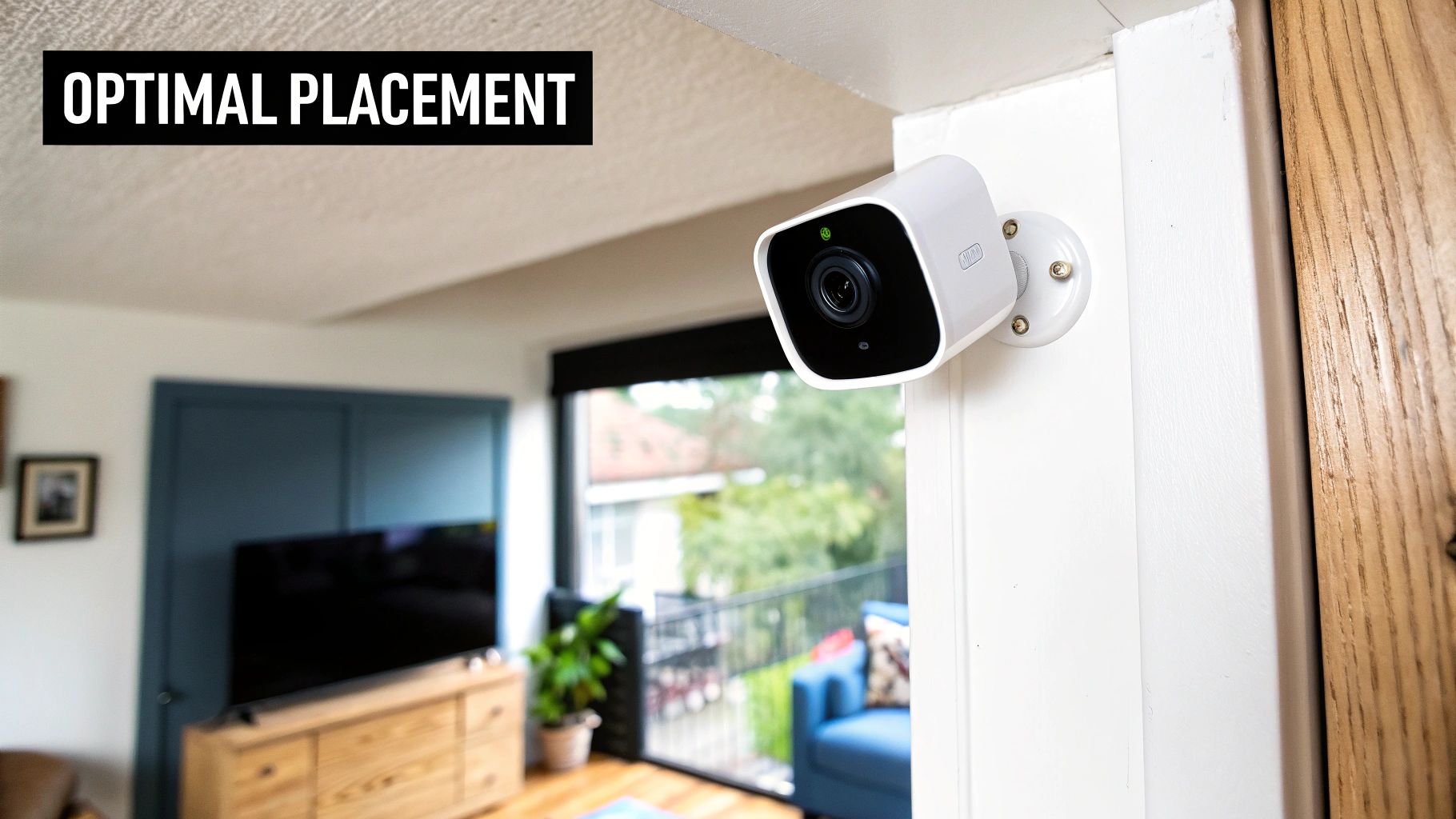
Let's walk through exactly how to do that. We'll cover the basic setup process and then dive into some pro-level tips for placement—finding the perfect angle, getting rid of blind spots, and dealing with tricky lighting.
A Simple Setup Walkthrough
Most wireless micro cameras are made to be incredibly user-friendly. While you should always check the manufacturer's specific instructions, the basic steps are almost always the same and should only take a few minutes.
- Juice It Up: First things first, if your camera runs on a battery, give it a full charge right out of the box. This gives you plenty of power to play around with placement without it dying mid-setup.
- Get the App: Head to your phone's app store and download the camera's companion app. This is your new control panel for everything from live feeds to settings.
- Power On and Pair: Turn the camera on and let the app guide you through connecting it to your Wi-Fi. It's usually as simple as scanning a QR code or picking your network from a list.
- Do a Live Test: Before you permanently mount anything, walk around with the camera in your hand and watch the live feed on your phone. This is the single best way to test camera angles and check your Wi-Fi signal in different spots.
If you want a deeper dive into the specifics of setting up various models, our guide on wireless security camera installation has you covered.
Strategic Placement for Optimal Coverage
Where you put your camera is everything. The classic, and often best, spot is a high corner of the room. It gives you a great bird's-eye view and keeps the camera out of reach from tampering or accidental bumps. Your main goal should be to cover the primary ways in and out, like front doors and main hallways.
Pro Tip: Try to think like a burglar for a minute. Where would they come in? What are the most valuable items or areas? By placing your camera to cover these "choke points," you guarantee you’ll catch the most important action.
Keep these placement strategies in mind:
- Watch Out for Windows: Never point a camera directly at a bright window or light. The intense backlight will wash out the image, turning everything in front of it into a dark, useless silhouette.
- Check Your Audio: If you’re hiding your camera in an object (like a plant or behind books), make sure the microphone isn't muffled. Do a quick test of the two-way audio to make sure you can hear what’s going on.
- Focus on High-Traffic Zones: The living room, hallways, and the top of the stairs are prime real estate. A camera in these areas has the highest chance of capturing anyone moving through your home.
Pairing a straightforward installation with a bit of clever placement will turn your micro camera into a seriously powerful tool for keeping an eye on things.
Staying on the Right Side of the Law
When you install a micro security camera, you're not just setting up a piece of tech; you're taking on a real responsibility. It’s easy to focus on the peace of mind these little gadgets offer, but you're also stepping into a tricky area where security and privacy meet. The laws here can be a maze, changing from one state—or even one city—to the next. Getting a handle on these rules isn't just a good idea, it's a must to keep things legal and ethical.
The key concept you’ll hear over and over is the "reasonable expectation of privacy." It’s a legal line in the sand that protects people in places they'd naturally assume are private. We’re talking about bathrooms, changing rooms, or a guest bedroom. Sticking a camera, especially a hidden one, in any of these spots is a huge no-go—it’s illegal and a serious invasion of someone's privacy.
Video is One Thing, Audio is Another
Here’s where things get even more serious. While you generally have the right to record video on your own property, the rules for recording audio are way tougher. If you remember one thing from this section, make it this.
Many places have what are called "two-party consent" or "all-party consent" laws. In simple terms, this means you can’t legally record a conversation unless every single person in that conversation knows and agrees to it. A tiny camera quietly recording voices could land you in hot water fast, potentially violating wiretapping laws.
Legal Takeaway: Your safest bet is to assume audio recording is illegal without explicit permission from everyone involved. The easiest way to stay out of trouble? Just turn the audio recording feature off.
This isn't a niche issue. Micro cameras are part of a massive global security market valued at USD 18.3 billion in 2024. With indoor cameras making up nearly 40% of the revenue last year, it’s clear this technology is deeply woven into our homes. If you're curious, you can explore more data on camera market trends to see just how big this is.
Do Your Local Homework
There’s no single, nationwide law for video surveillance in the U.S. Instead, it’s a patchwork of state and local rules. That means what’s perfectly fine in one state could get you into serious trouble just across the border.
Before you mount a single camera, you have to do your homework. A quick search for "video surveillance laws in [Your State]" is the absolute first step. Look specifically for:
- Consent rules for both video and audio.
- Signage requirements (do you need to post a sign saying you’re recording?).
- Specific restrictions on where you can put cameras, especially if you have tenants, employees, or houseguests.
At the end of the day, your right to keep an eye on your property ends where someone else's right to privacy begins. By learning your local rules and using your camera with respect—especially by keeping audio off unless you’re 100% sure it’s legal—you can protect your home and your family without crossing a legal line.
Frequently Asked Questions
Even after you've got the basics down, you probably still have a few nagging questions about how these tiny cameras work in the real world. Let's tackle some of the most common ones we hear from people just starting out.
How Long Do Battery-Powered Micro Cameras Last?
Honestly, it's a huge range. A battery-powered micro camera could last anywhere from a few days to several months on a single charge. The biggest battery hog by far is activity. A camera tucked away in a quiet corner might sip power for months, but one watching a busy hallway that’s constantly waking up to record will likely need a recharge every week.
Think of it like your phone battery. A few things will drain it much faster:
- High-Resolution Streaming: Pushing 1080p or 4K video takes a lot more energy than standard definition.
- Frequent Live Viewing: If you're constantly pulling up the live feed on your app, you're going to see that battery percentage drop.
- Weak Wi-Fi Signal: When a camera has to struggle to stay connected to your router, it burns through its battery trying to maintain a stable link.
Can These Cameras Record Without Wi-Fi?
Absolutely, and many of the best ones do. If the camera has a slot for a microSD card, it can keep right on recording footage based on motion or a set schedule, even if your internet cuts out.
The catch, of course, is that you lose all the "smart" features. Without a Wi-Fi connection, you can't get motion alerts on your phone, you can't check the live view, and you won't be able to access the recordings until you physically take out the SD card and pop it into a computer.
The ability to record offline is a fantastic backup. It means that even when your internet is down, your camera still works as a local eyewitness, saving everything right onto its own storage.
Is It Legal to Use a Hidden Camera in My Home?
This is a really important one. For the most part, it's legal to use a hidden video camera on your own property without telling anyone. The major exception is you can't place it somewhere with a "reasonable expectation of privacy"—think bathrooms or a guest's bedroom.
Where you can get into real trouble is with audio. The laws for recording sound are much tougher. Many states have "two-party consent" laws, which make it illegal to record a private conversation unless everyone involved knows about it and agrees. A hidden camera that also captures audio could easily land you on the wrong side of the law.
Before you set anything up, it's crucial to look up the specific video and audio recording laws for your state and city.
At Automated Home Guide, our mission is to cut through the noise and help you make sense of smart home tech. Whether you're picking out your first device or making sure you're using it responsibly, we've got your back. For more expert advice and real-world tips, come see us at https://automatedhomeguide.com.










Leave a Reply