

When most people think "smart home," they picture a smart speaker or a plug you control with your phone. But a truly integrated smart home goes much deeper than that—it starts with a hardwired foundation built right into your home's electrical system. This means replacing your standard switches and outlets with connected versions, creating a seamless and incredibly reliable setup.
This approach isn't just about hiding the tech; it's about future-proofing your home and building a system that just works.
Building a Reliable Smart Home Foundation
Moving beyond plug-in gadgets is the first real step. While those smart plugs are fantastic for a table lamp or the coffee maker, they're just scratching the surface. A robust, dependable smart home is built on a solid electrical backbone, with core components like switches and outlets wired directly into the walls. This integration provides a level of stability that plug-in solutions can't hope to match.
Think about it: hardwired devices like in-wall smart dimmers and outlets don't get accidentally unplugged. They communicate more reliably and get rid of the clutter of bulky adapters. They become a permanent, elegant part of your home's infrastructure, creating a polished look without all the messy cords. More importantly, this sets the stage for a powerful and scalable automation ecosystem you can build on for years.
Why a Solid Electrical Backbone Matters
A dedicated smart home installation is more than a cool upgrade—it's a strategic one. Your home’s wiring was probably designed long before anyone imagined dozens of "always-on" devices like hubs, sensors, and cameras. Each of these adds a small but constant electrical load to your circuits.
A well-planned installation prevents the classic headaches: overloaded circuits, flickering lights, or devices that mysteriously stop responding. It makes sure your system has the muscle to grow as you add more tech, whether it's a full smart lighting setup or a powerful EV home charger.
This kind of forward-thinking is becoming essential. The smart home market is projected to explode from USD 78.3 billion to USD 135.3 billion between 2020 and 2025. That rapid growth means our homes need an electrical system that can handle not just today's gadgets, but whatever innovations are coming next. You can learn more about the projected growth in the smart home industry to see just how fast things are changing.
The Core Benefits of Hardwired Integration
Choosing to hardwire your smart devices instead of relying on temporary plug-ins brings some serious advantages that improve both your daily life and your home's value. A professional installation ensures your smart home isn't just powerful, but also safe and dependable for the long haul.
Here's what you really gain:
- Enhanced Reliability: Direct wiring gets rid of a huge point of failure—the connection between the plug and the outlet. This means rock-solid performance for essential gear like security cameras and smart locks.
- Superior Aesthetics: In-wall devices just look better. They provide a clean, uncluttered finish that blends right into your home's design, with no bulky adapters or extra cords to wrangle.
- Increased Home Value: A professionally installed, fully integrated smart home is a huge selling point for potential buyers. It’s no longer a novelty; it’s a significant home upgrade.
- Future-Proofing Your Home: By building this strong electrical foundation now, you’re preparing your home for whatever comes next. You can easily add new devices down the road without ever worrying if your system can handle it.
Mapping Out Your Smart Home Electrical Plan
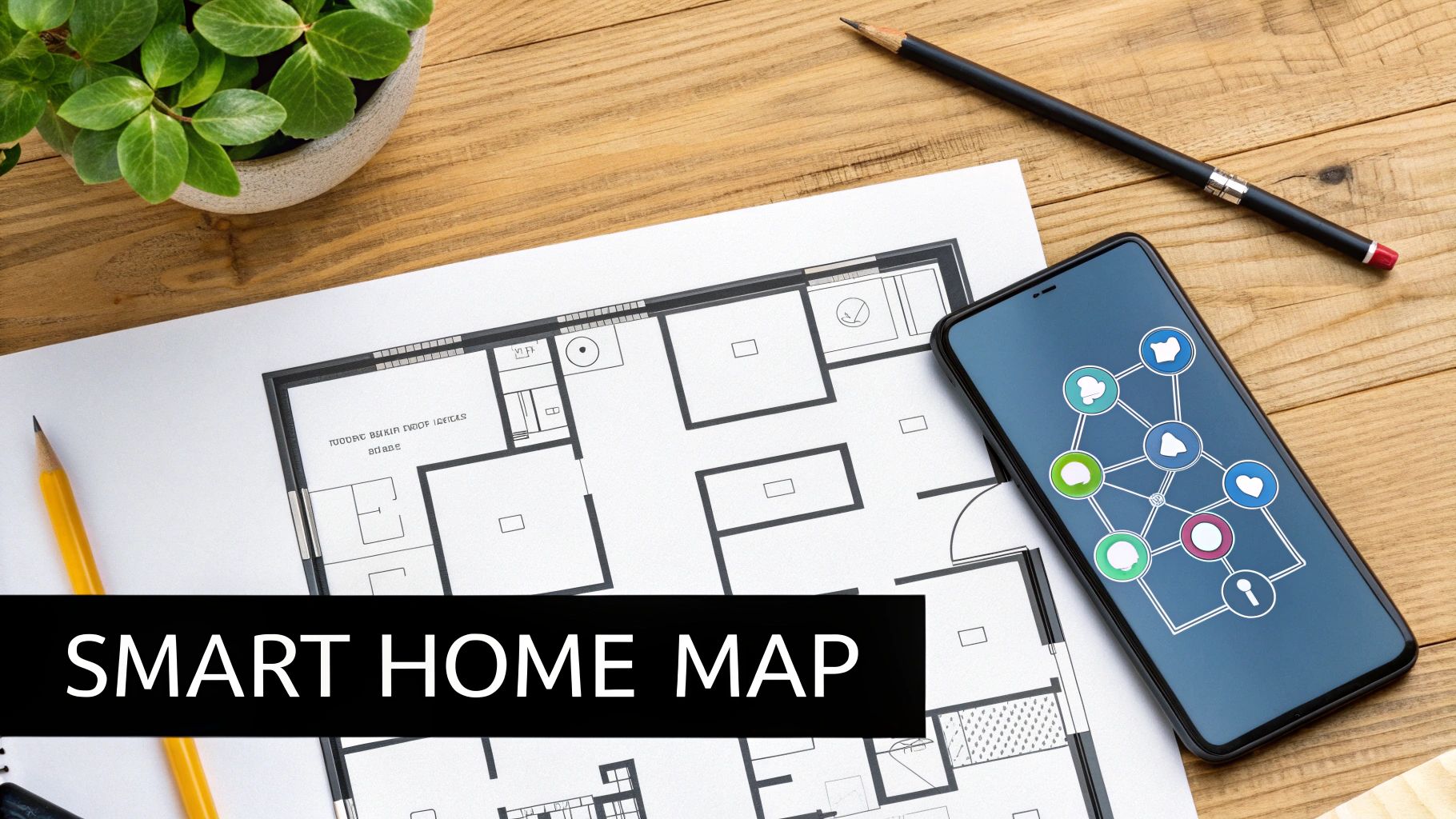
Before you even think about grabbing a screwdriver, the single most important step in a hardwired smart home project is putting a solid plan down on paper. Trust me, jumping straight into the wiring without a clear blueprint is the fastest way to end up with a mess of frustration, extra drywall patches, and even serious safety risks. I like to call this first step creating a "smart map" for your home—a detailed layout showing exactly what you want to install, where, and why.
The best way to start is with a simple walk-through. Grab a floor plan sketch (or use an app on your tablet) and go room by room, identifying every single switch, outlet, and light fixture you want to make smart. Don't just list what's already there; imagine how you want the room to work.
For instance, in your living room, you might decide on a smart dimmer for the main lights, a pair of smart outlets for your floor lamps so they turn on together, and maybe a separate smart outlet just for the home theater setup. Jot every one of these down on your map. This simple visual guide takes the guesswork out of the project and makes sure you buy the right number of devices from the get-go.
Sizing Up Your Electrical Circuits
Once your map is sketched out, it's time to get a little more technical and look at your home's existing electrical system. This is where your wish list meets the real world. The main task here is to get a handle on your circuit loads. Think of your home’s circuits as highways for electricity—each one has a "speed limit," or a maximum amperage it can handle safely.
Overloading a circuit is a classic rookie mistake. While a single smart switch uses a tiny amount of power, a smart outlet powering something beefy like a space heater or a high-end audio receiver puts a real strain on the circuit. If you accidentally stack too many power-hungry devices on the same circuit, you’ll be making constant trips to the breaker box.
Key Takeaway: Don't just assume a circuit has room to spare. A solid rule of thumb is to keep a circuit's continuous load at no more than 80% of its max rating. For a standard 15-amp circuit, that means you shouldn't exceed a 12-amp continuous load.
To figure this out, you'll need to map your breaker panel. The old-fashioned way is still the best: turn breakers off one by one and walk around the house to see what lost power. This might seem tedious, but it's the only way to ensure you spread your new smart devices evenly across different circuits, which is key to a stable and safe system.
The All-Important Neutral Wire Check
Before you click "buy" on a cart full of smart switches, there's one critical check you absolutely have to do: look for a neutral wire.
Here’s the deal: most smart switches need a tiny but constant stream of power to keep their radio (Wi-Fi, Z-Wave, etc.) online and listening for commands. The neutral wire is what provides that return path for the electricity, completing the circuit.
Checking for it is pretty straightforward:
- First and most importantly, turn off the power to that switch at your circuit breaker. Verify it’s off with a voltage tester.
- Unscrew the old switch and gently pull it out from the wall box.
- Peer into the back of the box. You're looking for a bundle of white wires, usually twisted together under a wire nut. That's your neutral bundle.
If you open the box and don't see those white wires, you have a couple of options. You could hire an electrician to run a new neutral wire, which is the best but also the most expensive solution. Alternatively, you can buy special "no-neutral" smart switches. They can be a lifesaver in older homes, but be aware they sometimes have performance quirks, like causing low-wattage LED bulbs to flicker.
Finally, this planning stage is the perfect time to think about the communication backbone of your smart home. You'll need to choose the best smart home protocol for your situation—whether that's Wi-Fi, Z-Wave, or Zigbee—as they all have different strengths when it comes to range and hub placement. A little extra thought here saves a ton of time and money down the road, turning what could be a headache into a smooth and successful upgrade.
Wiring Your First Smart Switches and Outlets
This is where the real fun begins. All that planning is about to pay off as you start to physically build your smart home. Getting that first smart switch or outlet wired up is a huge confidence booster, and you'll find the process is surprisingly manageable once you get the hang of it.
Let's walk through what it actually takes to get these installed. We'll cover swapping a basic bedroom switch for a Wi-Fi dimmer and then upgrading an office outlet to something a bit more modern.
First things first, and I can't say this enough: always turn off the power at the circuit breaker. This is non-negotiable. Once you've flipped the correct breaker, grab a non-contact voltage tester and double-check the outlet or switch you're about to work on. You want to be 100% certain the circuit is dead before you touch a single wire.
Making Sense of the Wires in the Box
When you pop the cover off an electrical box for the first time, that jumble of wires can look pretty intimidating. Don't worry. Once you know the color code, it all starts to make sense.
Here’s a quick rundown of what you’ll typically find in a modern home:
- Line (Hot) Wire: This is almost always a black wire. It's the one bringing power from your breaker panel into the box.
- Load Wire: Also usually black. This wire takes the power from the switch and sends it on to the light fixture.
- Neutral Wire: This is the white wire. It completes the circuit, giving the electricity a path back to the panel. This is critical—most smart devices need a neutral wire to stay powered themselves.
- Ground Wire: Look for a bare copper or green wire. This is purely a safety feature, designed to give electricity a safe path to the ground if something goes wrong.
Getting the line and load wires right is a common stumbling block. If you mix them up, your smart switch just won't work. The easiest way to tell them apart is with your voltage tester (before you kill the power, and being very careful!). The line wire will show as hot even when the light is off.
A Real-World Example: Installing a Smart Dimmer
Okay, let's put this into practice. Imagine we're swapping out a standard toggle switch in a bedroom for a new Wi-Fi smart dimmer.
Power is off, and you've confirmed it with your tester. Now, unscrew the old switch and gently pull it out from the wall. You'll likely see two black wires attached to screws on the switch and a ground wire. Dig around in the back of the box, and you should find a bundle of white neutral wires capped off together—that's exactly what we need.
Your new smart dimmer probably has short wires (called pigtails) coming out of it: one black for the line, one for the load (often red), a white one for the neutral, and a green one for ground. Your job is to connect each of these to its matching wire in the box using the included wire nuts.
My Two Cents: When you twist on a wire nut, make sure it's good and tight. I always give each wire a gentle tug afterward to be certain the connection is solid. A loose wire is not only a common reason for failure but also a serious fire risk.
Once everything is connected, carefully tuck the wires back into the box, screw the new dimmer in, and snap on the faceplate. Now you can head back to the breaker, flip the power on, and start pairing the switch with its app.
How to Tackle a Smart Outlet
Upgrading an outlet is a very similar process. Let's say you want to install a smart outlet with USB-C ports in your home office. Great idea.
Again, kill the power and verify. When you pull the old outlet out, you'll see wires on its side terminals. The black (hot) wire goes to the brass-colored screw, the white (neutral) wire goes to the silver-colored screw, and the bare copper (ground) wire connects to the green screw.
Most new smart outlets come with pigtails, just like the switches, which makes life a lot easier. You’ll simply use wire nuts to connect hot-to-hot, neutral-to-neutral, and ground-to-ground. It's a much more secure method.
Now, if you have an older home, you might open the box and find there's no neutral wire. This is a common issue, but you have options. To see what solutions are available, check out our detailed guide on installing a WiFi light switch with no neutral wire.
What About Three-Way Switches?
Ever have a hallway or staircase with two switches controlling the same light? That's called a three-way switch setup, and it adds a small wrinkle to your smart home project.
Inside the walls, you have an extra wire called a "traveler" (it's usually red) that runs between the two switches. To make this smart, you don't replace both switches with identical smart switches. Instead, you'll install a "main" smart switch at one location and a special "add-on" or "companion" switch at the other.
You have to buy a kit specifically designed for three-way wiring. Follow the manufacturer's diagram to the letter—the traveler wire is the key, and hooking it up wrong means it simply won't work. This is one of those times where reading the instructions isn't just a suggestion, it's a requirement.
Understanding Safety and Knowing When to Call a Pro
Getting hands-on with a smart home installation is incredibly satisfying, but we have to be honest about what we're dealing with: live electricity. Safety isn't just another step in the process; it's the bedrock of the entire project. Simply flipping a breaker is the bare minimum—true safety means having a healthy respect for the power you're working with and knowing your own limits.
Before you even think about touching a wire, you absolutely must confirm the circuit is dead. Grab a non-contact voltage tester—it's easily the most important tool in your bag. A quick, two-second check can be the difference between a successful install and a life-threatening mistake.
Recognizing Your DIY Limits
So, when does a project cross the line from a manageable weekend task to a job for a licensed electrician? The line can feel a bit fuzzy, but some situations are non-negotiable. If your project involves touching the main electrical panel, running brand new circuits through the walls, or any kind of major rewiring, it's time to put down the tools and call a pro. These jobs require a deep understanding of electrical load calculations, safety codes, and years of experience.
Another huge red flag is discovering old or unusual wiring. If you open up a switch box and find brittle, cloth-insulated wires or aluminum wiring, stop what you're doing immediately. These older systems have very specific requirements and can be dangerous if you don't know exactly how to handle them.
Key Takeaway: Bringing in a professional electrician isn't about convenience—it's your insurance against a potential disaster. They guarantee the work isn't just functional but is also perfectly safe and up to code, protecting both your home and your family.
The flowchart below breaks down the simple but critical safety process you'll follow for any hardwired device.
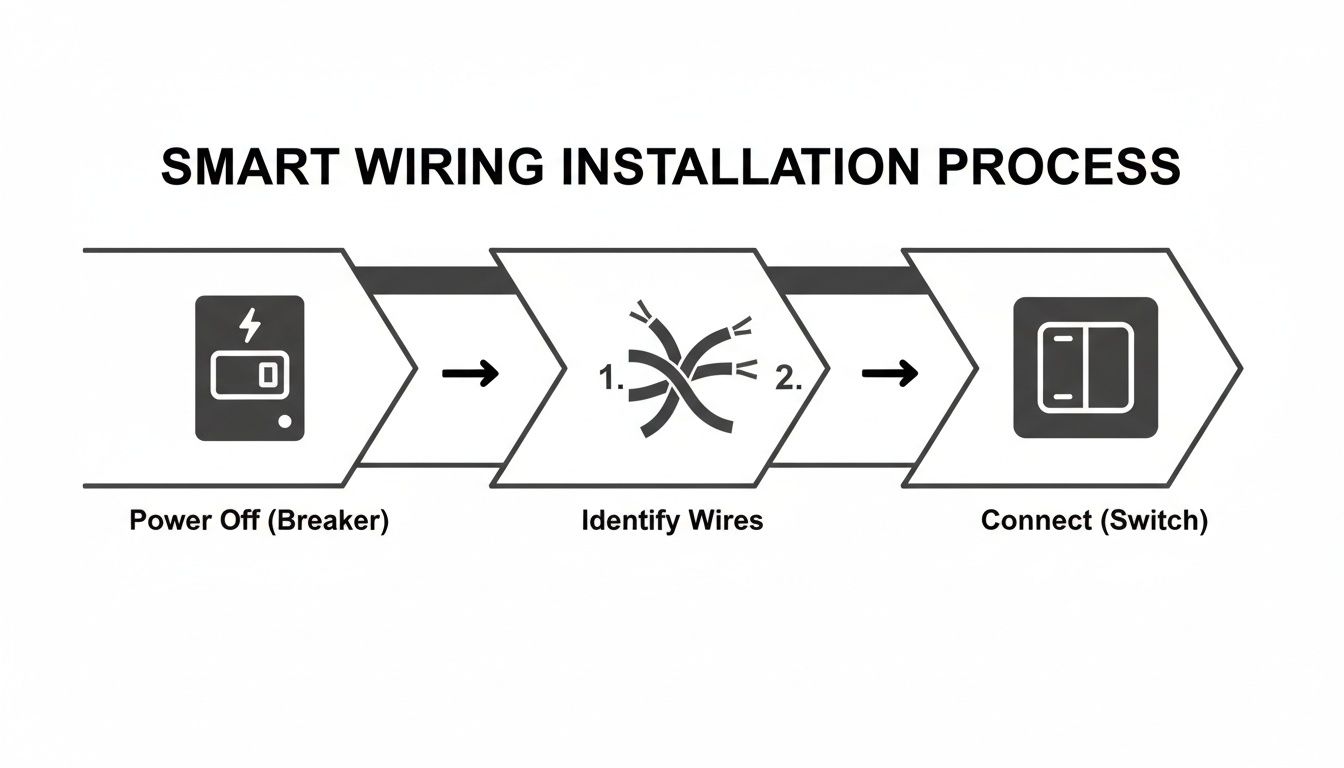
This basic flow—Power Off, Identify, Connect—is the safety mantra you need to repeat every single time, without exception.
Navigating Electrical Codes and Permits
Local building codes, which are usually based on the National Electrical Code (NEC), aren't just bureaucratic hoops to jump through. They are safety standards built from decades of experience to prevent fires and electrocution. Before you start, do a quick search online for your city or county's electrical permit requirements. It's a crucial first step.
Here are a few scenarios that almost always require a permit and a professional's touch:
- Adding a New Circuit: Running a completely new wire from your breaker box to a new outlet or fixture.
- Major Circuit Alterations: Significantly changing the path of an existing circuit or adding a heavy load to it.
- Working Inside the Main Panel: Anything beyond flipping a breaker.
Skipping a required permit can cause serious headaches later on, from your homeowner's insurance denying a claim to creating major hassles when it's time to sell your house.
The demand for professional help tells the whole story. The smart home installation market is already a massive USD 33.85 billion in 2024 and is expected to skyrocket to USD 207.36 billion by 2035. With homeowners making up 84.5% of that demand, it's clear people are prioritizing safe, reliable installations over risky DIY shortcuts.
Essential Safety Protections
Beyond following the rules, a couple of protective devices are non-negotiable for a modern, tech-filled home. First is effective ground fault protection to prevent shock. This is why GFCI (Ground Fault Circuit Interrupter) outlets are mandatory in places with water, like kitchens, bathrooms, and garages. They monitor the electrical current and can shut off the power in a fraction of a second if they detect a dangerous leak.
Second, you need to think about power surges. A nearby lightning strike or even a hiccup in the power grid can send a voltage spike through your home, frying your expensive smart devices in an instant. Our guide on whole-home surge protector installation walks you through how a single device installed at your panel can shield every gadget in your house. It’s a smart, one-time investment to protect your entire smart home ecosystem.
The Real-World Payoff of Smart Electrical Upgrades
Let's be honest—a smart home electrical installation is about more than just the cool factor. It’s a smart financial move. When you hardwire devices like thermostats and lighting controls, you're not just spending money on a project. You're building an infrastructure that actively works to lower your bills and make your property more attractive down the road.
The immediate fun is telling your lights to turn on, but the long-term satisfaction comes from seeing those tangible returns. It's time to stop thinking of this as just another expense. See it for what it is: an upgrade that starts paying you back the moment you flip the power on.
From Installation Costs to Energy Savings
The upfront investment is often what gives homeowners pause. But once you start crunching the numbers, the return on that investment becomes pretty clear. On average, a US home might spend around USD 1,173 to get a solid suite of smart devices installed. The good news? The efficiency gains start chipping away at that cost right away.
Take a smart thermostat, for instance. It can cut your annual heating and cooling energy use by around 9%. Smart lighting offers similar returns. Since lighting makes up about 15% of a typical home's electricity use, making the switch can save an average of USD 225 per year. These aren't just hypotheticals; they're real savings that justify the initial spend.
Smart Upgrade Cost vs. Potential Annual Savings
To put it in perspective, let's look at a side-by-side comparison of common smart device installation costs versus their estimated annual energy savings. This really highlights the long-term ROI.
| Smart Device | Average Installed Cost | Estimated Annual Savings | Payback Period (Approx.) |
|---|---|---|---|
| Smart Thermostat | $250 – $400 | $100 – $150 | 2-3 years |
| Smart Lighting | $50 – $150 per switch | $50 – $225 (total system) | 3-5 years |
| Smart Outlets | $40 – $75 per outlet | $30 – $80 (per year) | 1-2 years |
| Smart Blinds/Shades | $300 – $700 per window | $120 – $250 (passive heating/cooling) | 2-4 years |
As you can see, most of these upgrades pay for themselves in just a few years, turning what feels like an expense into a powerful savings tool.
Boosting Your Home Value
Beyond the month-to-month savings, a professionally installed smart home system is a huge asset if you ever decide to sell. Buyers today are looking for modern amenities. A home with integrated smart lighting, climate control, and smart outlets isn't a niche feature anymore—it's a major selling point.
An integrated smart home shows buyers that the property is modern, well-maintained, and energy-efficient. It’s a feature that can genuinely set your home apart from others on the block, often leading to a higher sale price and less time on the market.
Think of it like this: just as you’d expect a renovated kitchen to add value, a thoughtful smart home installation signals a forward-thinking upgrade that makes daily life better.
Creating a More Sustainable Future
The financial perks are compelling, but there's a bigger picture here. By optimizing how and when you use energy, you’re also shrinking your home's carbon footprint. Smart devices help eliminate waste by ensuring lights aren't left on in empty rooms and your HVAC system isn't running on overdrive for no reason.
This push toward efficiency is just part of being a modern homeowner. For those looking to really maximize their home's electrical infrastructure, you can even expand into vehicle charging solutions by installing advanced EV home chargers. Upgrades like these don't just prepare your home for the future of transportation; they contribute to a more sustainable energy grid. It's about building a home that isn't just smart, but responsible, too.
Common Questions About Smart Home Wiring
Even the best-laid plans run into snags. When you're dealing with smart home wiring, a few questions pop up time and time again. Getting these sorted out early will save you a ton of headaches and help you make smarter choices for your setup. Let's dig into some of the most common issues I see people run into.
Do I Really Need a Neutral Wire for My Smart Switch?
This is probably the number one question people have, and for most modern smart switches (anything using Wi-Fi, Z-Wave, or Zigbee), the answer is a hard yes. That neutral wire is what gives the switch's internal radio the small, constant trickle of power it needs to stay connected to your network. Without it, the switch is just a dumb switch.
Sure, you can find "no-neutral" switches out there, but they often come with compromises. They can cause annoying flickering with low-wattage LED bulbs and sometimes have compatibility issues that you won't discover until after you've installed them.
Before you even think about buying a switch, you need to check what’s inside your wall.
- Safety First: Kill the power at the breaker. Don't just trust the wall switch—use a voltage tester to make sure the circuit is dead.
- Take a Look: Carefully pull the old switch out from the box. You're looking for a bundle of white wires, usually tucked in the back and connected with a wire nut. That's your neutral.
If you come up empty, your best bet is to call an electrician to run a new neutral wire. The alternative is to buy a no-neutral switch, but just be prepared for the potential quirks that come with it.
Can I Put All My Smart Devices on the Same Circuit?
I get why people ask this—it seems simpler. But piling all your new smart gadgets onto one circuit is asking for trouble. Every circuit in your house has a built-in limit for how much power it can safely handle. While a single smart switch sips power, the real problem is what you plug into those smart outlets.
Imagine plugging your home theater system, a PS5, and maybe a small space heater into smart outlets all running on the same circuit. That's an easy way to overload it. When that happens, the breaker does its job and trips, killing power to everything on that line.
The smart way to do this is to spread your smart devices across different circuits, just like you would with regular lights and outlets. For power-hungry areas like a media room or your kitchen, the safest and most reliable move is to have a licensed electrician install a dedicated circuit.
Should I Use Smart Plugs or Hardwired Smart Outlets?
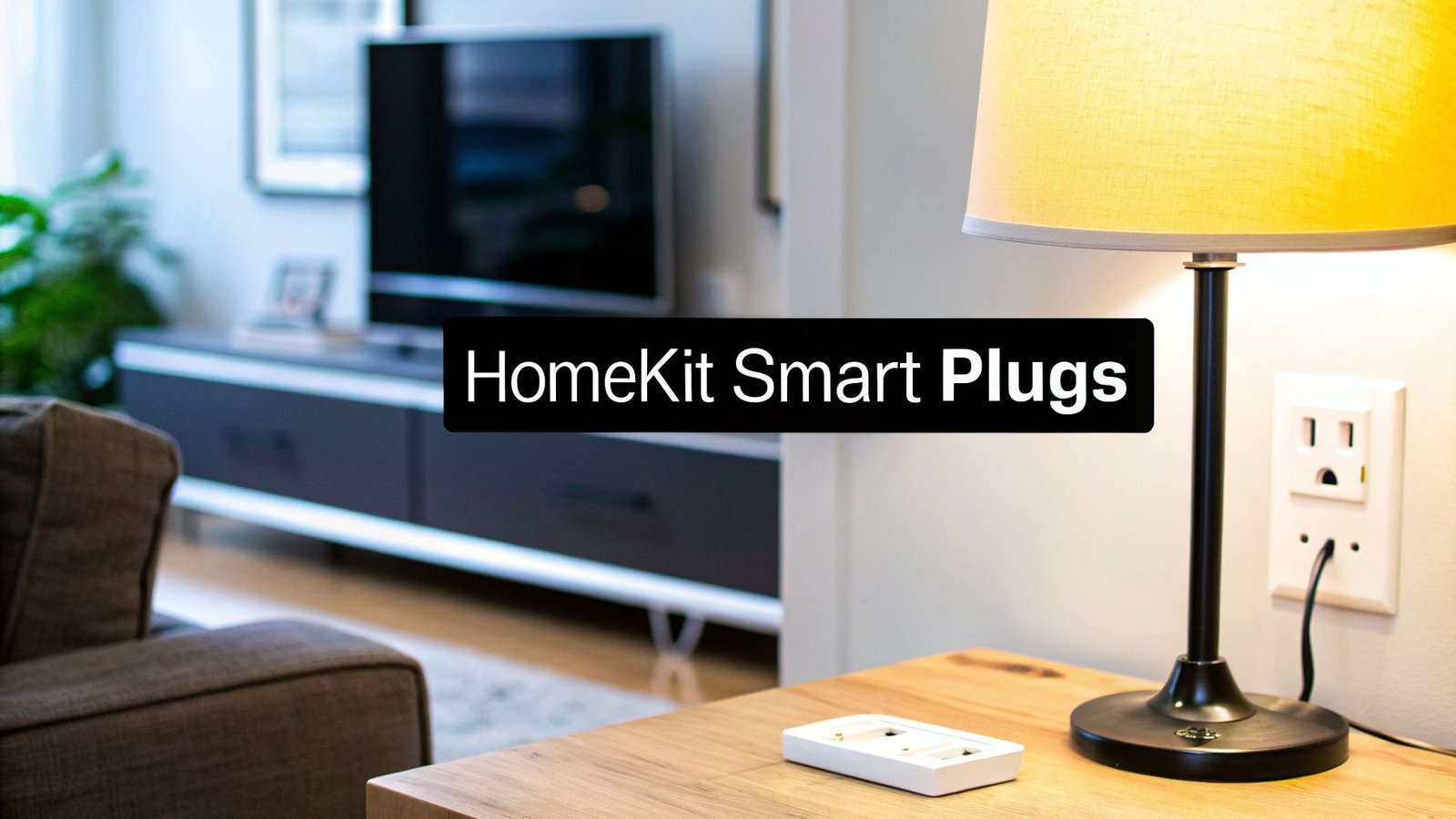
This really boils down to convenience versus a clean, permanent installation. Smart plugs—the little adapters you stick in an existing outlet—are an awesome way to dip your toes into the smart home world. There's zero installation, and they're perfect for controlling things like a lamp or a fan.
On the other hand, hardwired smart outlets completely replace your existing ones. This gives you a much cleaner, professional look. They're also built to handle bigger electrical loads, are typically more reliable, and often pack in extra features like USB charging ports or energy monitoring.
Here’s a simple way to think about it:
- Smart Plugs: Fantastic for renters, beginners, or small appliances that aren't mission-critical.
- Hardwired Outlets: The clear winner for a fully integrated smart home. You get better looks, rock-solid reliability, and more advanced features.
How Do I Fix a Smart Switch That Stopped Working?
When a smart switch decides to go on strike, don't panic. The fix is usually surprisingly simple. Before you start unscrewing things, run through the basics.
First, check the low-hanging fruit: Is the light bulb itself burned out? Is your Wi-Fi down? You’d be amazed how often a quick router reboot solves connectivity problems. If that doesn't do the trick, try power-cycling the switch. Head to your breaker panel, find the right breaker, and flip it off. Wait about 30 seconds, then flip it back on. This simple reset clears up most minor software hiccups.
If it's still playing dead, open up the manufacturer's app. It might give you an error code or tell you the device needs to be re-paired with your network. If all else fails, and you feel safe doing it, you can shut off the power again and use a voltage tester to see if the switch is getting power at all. This will help you figure out if the switch itself has finally given up the ghost.
At Automated Home Guide, we're committed to giving you the knowledge to build a safer, more efficient home. Explore our guides to make informed decisions about your smart home journey. Find out more at https://automatedhomeguide.com.



Leave a Reply