
Tired of buffering videos, laggy game sessions, and Wi-Fi dead zones in your own home? Imagine a world where every device works flawlessly, all the time. That's the power of smart wiring for homes.
Think of it as a dedicated central nervous system for your house. It’s a network of high-performance cables tucked away behind the walls, all leading back to a central hub. This creates a rock-solid foundation for all your technology.
What Is Smart Wiring and Why It Matters Now
Smart wiring, often called structured wiring, is the secret to a high-performance, reliable connected home. While Wi-Fi is great for convenience, it can be like a crowded highway during rush hour—the more devices you have, the slower everything gets.
Smart wiring gives your most important devices their own private, multi-lane expressway. This guarantees they always get the fastest and most stable connection possible, leaving the Wi-Fi "airwaves" clear for your portable gadgets.
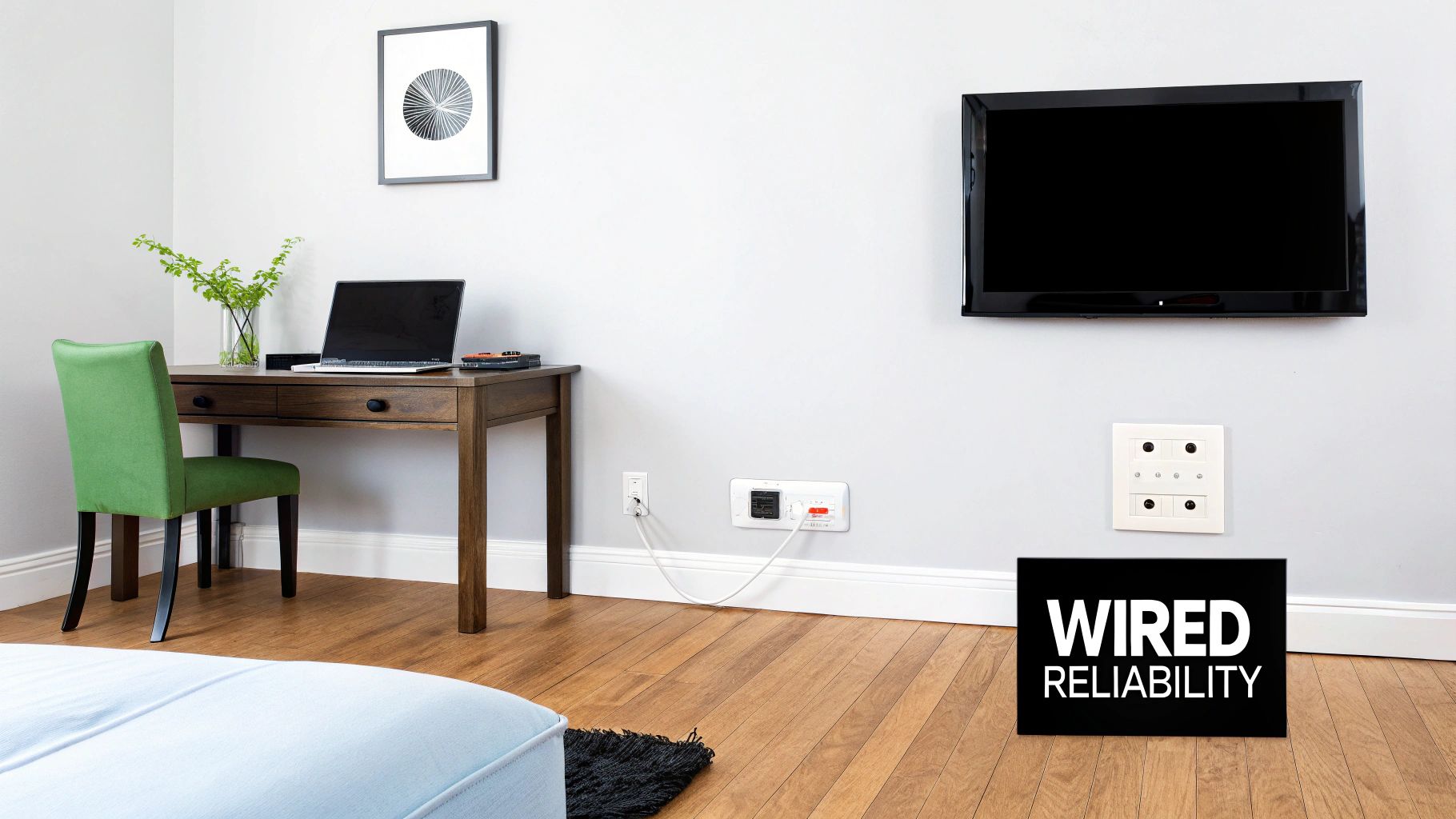
Beyond Just Faster Internet
This is about more than just speeding up your Netflix stream. When you hardwire your data-hungry devices—like your 4K TV, gaming console, or home office computer—you take a huge load off your wireless network.
Suddenly, your Wi-Fi is freed up for the devices that actually move around, like your phone, tablet, and laptop. The result? A dramatically better digital experience for everything in your home.
Here’s what you gain with a wired infrastructure:
- Unmatched Reliability: Wired connections aren't affected by interference from your neighbor’s Wi-Fi, microwave ovens, or even thick walls. The signal is pure and consistent.
- Peak Performance: A dedicated cable gives your data a direct, uncontested path. This means you get the absolute maximum speed and lowest latency, which is critical for gaming, streaming, and video calls.
- Enhanced Security: It’s much harder for someone to tap into a physical wire than it is to hack a wireless signal. This makes it a much safer choice for sensitive devices like security cameras.
Future-Proofing Your Living Space
Installing smart wiring is one of the smartest investments you can make in your property. The global market for smart home devices is expected to hit USD 278.32 billion by 2034. Tellingly, new construction is driving this growth, accounting for a 55.65% market share in 2025.
This trend makes it clear: builders and savvy homeowners know that a robust wired backbone is non-negotiable. It's essential for supporting the next wave of smart lighting, security systems, and entertainment tech. You can find more insights about the growing smart home market and what's driving it.
By running cables during construction or a major renovation, you're building a scalable platform that can handle technologies that haven't even been invented yet. That small upfront investment will save you a world of cost and headaches compared to trying to retrofit later on.
Ultimately, smart wiring is about creating a technological foundation that works for you today and is ready for tomorrow. It ensures every device, from your current smart TV to some future holographic projector, has the stable, high-speed connection it needs to shine.
What’s Running Behind Your Walls? A Look at Smart Wiring Components
To really get what makes a smart home tick, you have to peek behind the drywall. It’s not just a chaotic jumble of wires in there; a properly wired home is a carefully planned system where every single cable has a purpose. Think of it less like a tangled mess of Christmas lights and more like a city's well-organized subway system, with each line designed to get specific traffic where it needs to go, efficiently and without delays.
At the core of it all are the cables that carry your data—the digital lifelines for everything from your work-from-home video calls to your 4K movie night.
The Network and Entertainment Lifelines
When people talk about smart wiring, they're usually talking about Ethernet cables. For any new home or major renovation, you should be looking at Cat6 or Cat6a as your go-to standard. Cat6 is a fantastic all-rounder, giving you more than enough speed for the typical modern family. Think of Cat6a as its heavy-duty cousin; it’s better shielded from electrical "noise" and can maintain its top-tier speed over longer cable runs, making it a great choice for larger homes or future-proofing.
But your home's wiring needs to handle more than just internet data. Entertainment is a huge piece of the puzzle.
- Coaxial Cable (Coax): This is the old standby for cable TV and satellite. Running high-quality RG6 coax to your main TV locations ensures you get a crystal-clear, rock-solid picture without interference.
- Speaker Wire: If you're dreaming of a dedicated home theater or music flowing through every room, you can't skimp on speaker wire. It's the only way to deliver clean, powerful audio from your amplifier to your in-wall or ceiling speakers.
A great smart wiring plan uses a mix of these cables, running the right one to the right place for peak performance.
To help you keep track, here’s a quick comparison of the most common cables you'll be dealing with.
Comparing Common Smart Wiring Cables
This table breaks down the key players in your home's wiring infrastructure, showing what they do and where they shine.
| Cable Type | Primary Use | Key Benefit | Best For |
|---|---|---|---|
| Cat6/Cat6a Ethernet | High-speed internet, data networking | High bandwidth, reliability, future-proof | Connecting computers, smart TVs, Wi-Fi access points, security cameras |
| Coaxial (RG6) | Cable/Satellite TV, cable internet | Signal integrity over long distances | Main television hookups, connecting your cable modem |
| Speaker Wire | Audio signal transmission | Pure, uncompressed sound quality | In-wall/in-ceiling speakers, home theater systems |
| Fiber Optic | Ultra-high-speed internet | Highest possible speeds, immune to interference | The primary internet connection coming into the home (if available) |
Understanding this lineup is the first step to designing a system that works for you, not against you.
Your Home’s Central Hub
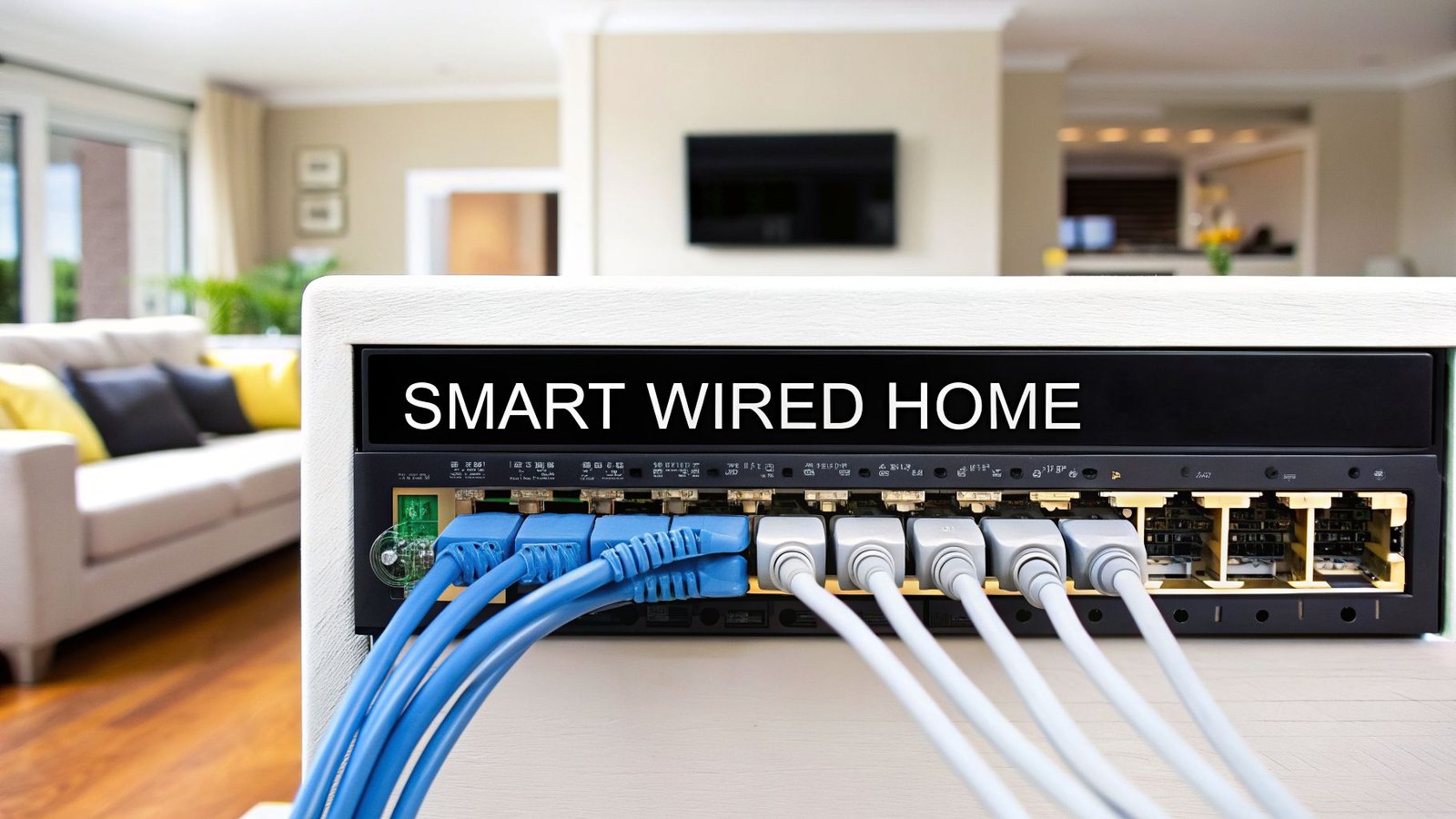
So where do all these wires actually lead? They all snake back to one central spot: the structured wiring panel. This is usually a metal box tucked away in a utility room, closet, or basement, and it acts as the brain of your entire home network.
Think of the structured wiring panel as your home's mission control. Every signal—from your internet, TV, and audio—comes here first to be processed and routed to the correct room. This centralized design makes it a breeze to manage, troubleshoot, or upgrade your system down the line.
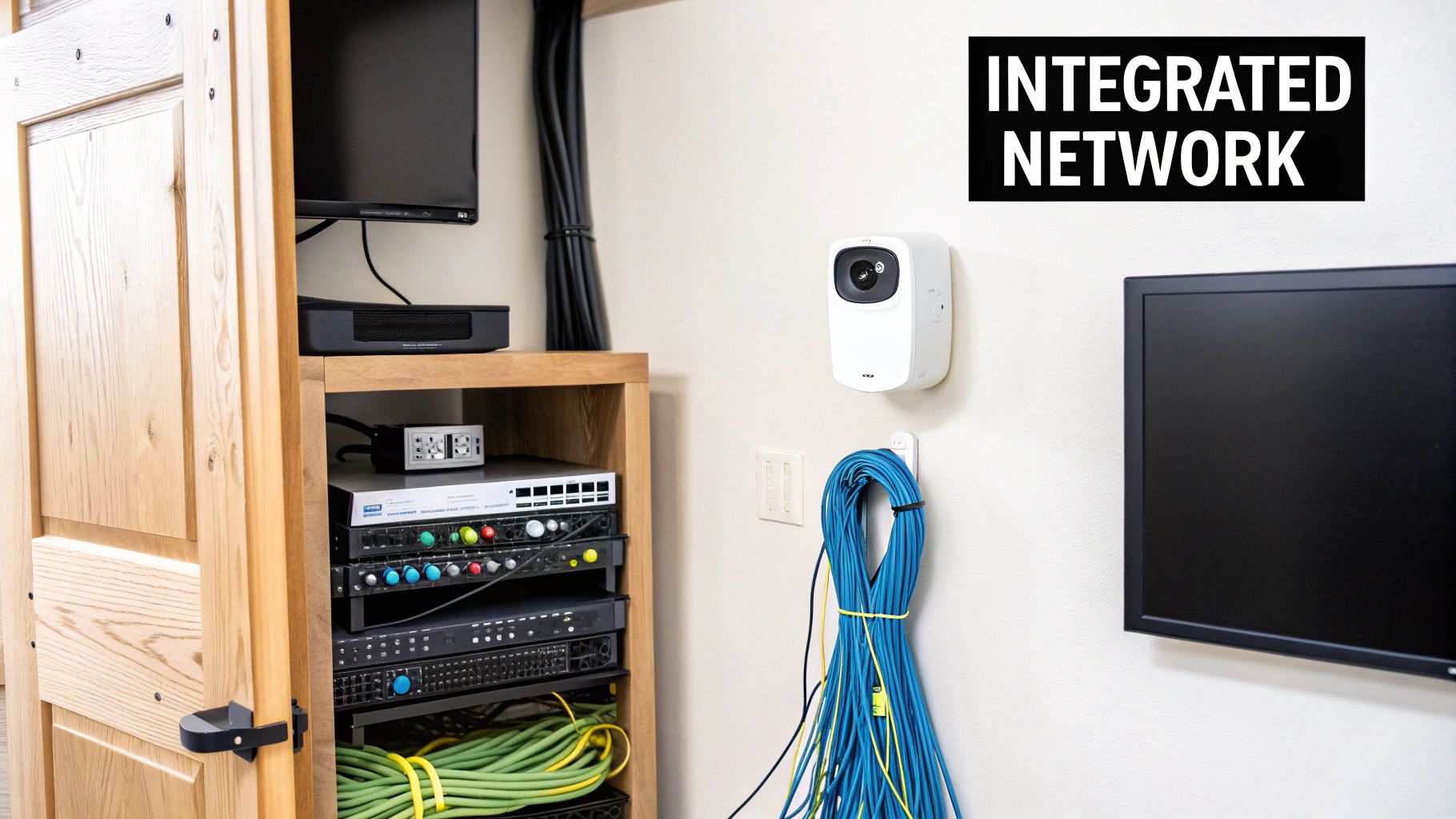
Inside this panel is where you'll neatly house your modem, router, and network switches. It’s an elegant solution that keeps all that critical gear in one accessible, organized place instead of cluttering up your living room.
This wired-first approach is so reliable that it still holds the largest revenue share in the U.S. smart home market, even with the explosion of wireless gadgets. With the market projected to grow at a 23.4% CAGR from 2025-2030, the trend is clearly moving toward hybrid setups that use a strong wired backbone to support a home’s wireless devices. You can dive deeper into the U.S. smart home market's growth trends to see just how foundational this technology has become.
The Magic of Power Over Ethernet (PoE)
One of the coolest innovations in modern wiring is Power over Ethernet, or PoE. It's a total game-changer. PoE lets a single Ethernet cable carry both data and electrical power at the same time.
Suddenly, you don't need a separate power outlet for every little device. You can power them right through the network cable they’re already using. This makes installation way cleaner and simpler for things like:
- Security Cameras: Mount them high up on a wall or under an eave, no electrician required.
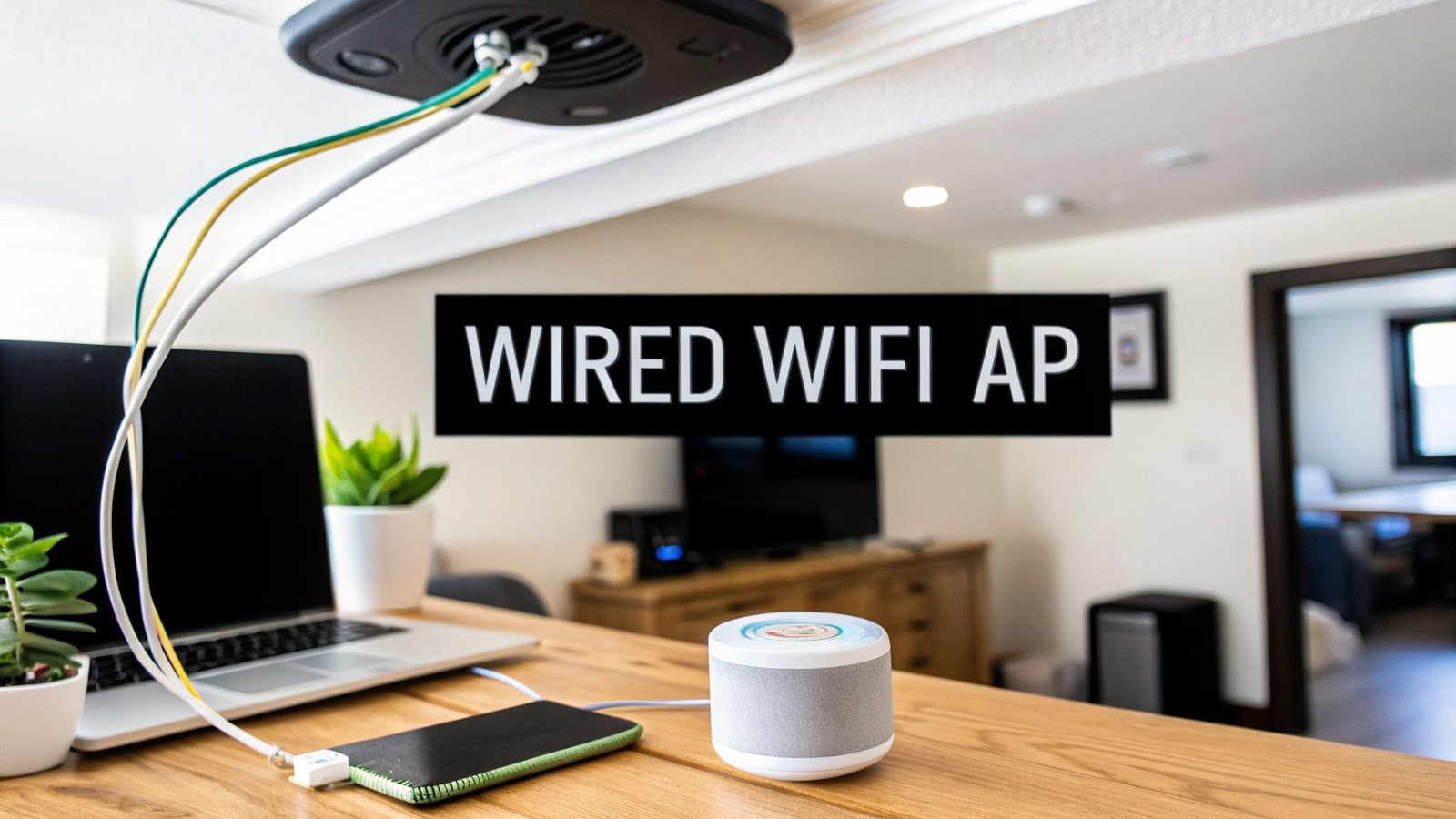
- Wireless Access Points (WAPs): Place them on the ceiling for perfect Wi-Fi coverage without a power cord dangling down.
- Video Doorbells: Get a super-reliable connection and consistent power without ever having to change a battery.
Once you get a handle on these core pieces—the right cables, a central hub, and clever tech like PoE—you're well on your way to planning a smart home network that’s not just powerful, but also organized and ready for whatever comes next.
How to Design Your Home's Smart Wiring Plan
Building a truly smart home isn’t just about the cool gadgets you see; it's about the powerful, invisible foundation that makes them all work together flawlessly. Designing your smart wiring plan is the most critical step in the whole process. Think of it like drawing up the blueprints for a skyscraper before pouring the foundation—get it right, and you've built something strong, functional, and ready for whatever the future throws at it.
A good plan goes way beyond just sticking a few Ethernet ports in the wall. It’s a strategic, room-by-room audit of how you live now and how you might live in the future. The goal is to create a rock-solid network that gives you dedicated, high-speed connections right where you need them.
Adopting the "Wire for Everything" Philosophy
If there's one golden rule in smart wiring for homes, it's this: when in doubt, run the cable. The cost to run an extra Ethernet or coaxial cable while the walls are open is practically pocket change. Trying to add that same cable after the drywall is up? That's when things get expensive and messy, potentially costing hundreds or even thousands of dollars.
This is the heart of the "wire for everything" philosophy.
Start thinking about where technology might pop up in five or ten years. That quiet corner in the guest room could easily become a home office. The blank wall above the fireplace? A perfect spot for a high-res digital art display. Running cable to these spots now is cheap insurance against future tech headaches.
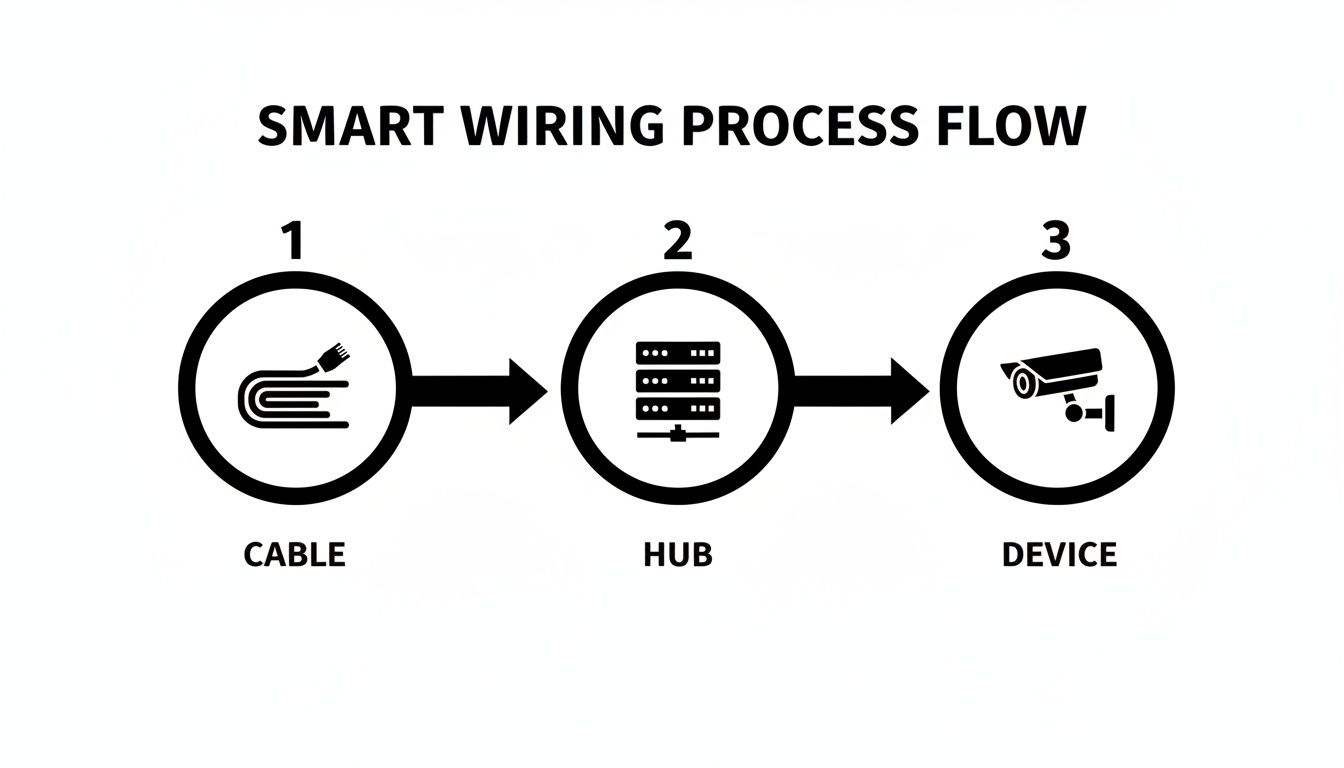
As you can see, every wire runs back to a central hub. This isn't just a junction box; it's the brain of your home's network, directing traffic and keeping everything connected efficiently.
Your Room-by-Room Planning Checklist
To make this real, grab a floor plan and walk through each space, thinking critically about how it's used. Start marking up where you'll need connections.
Here’s a practical checklist to get you started:
- Living Room / Family Room: This is ground zero for entertainment. You'll want multiple Ethernet ports for your smart TV, streaming box (like an Apple TV or Roku), gaming console, and AV receiver. Don't forget coax for broadcast TV and speaker wire runs for a proper surround sound setup.
- Home Office: Reliability is everything here. Plan for at least two Ethernet ports right at the desk—one for your computer and another for a network printer or a VoIP phone. I'd even add another drop on a different wall for future flexibility.
- Bedrooms: Every bedroom deserves at least one Ethernet and one coaxial outlet. For the primary bedroom, you might want more, especially if you have a TV and a small desk area.
- Kitchen: The modern kitchen is a tech hub! An Ethernet port on an island or near a counter is perfect for a smart display (like an Echo Show) or for plugging in a laptop while you follow a recipe.
- Outdoor Spaces: Think ahead. Run Ethernet to the eaves for security cameras, to the patio for outdoor speakers, and near the front door for a video doorbell. A great pro tip is to run these cables inside a conduit, which makes pulling new or replacement wires later on a breeze.
A common mistake I see all the time is underestimating how many connections you'll need. A solid rule of thumb is to install at least two data outlets (each with Ethernet and coax) on opposite walls in every major room. This gives you total freedom with furniture arrangement down the road.
This kind of detailed planning is why new construction is driving the smart wiring boom, accounting for a 55.65% global market share in 2025. It's just so much easier to do it right from the start. The global market for smart home installation is projected to skyrocket from USD 4.68 billion in 2023 to an incredible USD 32.25 billion by 2032, all because people are demanding reliable, professionally wired setups. You can see more data about this fast-growing market for professional smart home installation services and what's driving it.
Locating Your Command Center
Every single cable you run needs a place to come home to. This is your central structured wiring panel, and its location is a crucial design choice. You need a spot that's cool, dry, and accessible but out of the way—think a utility room, basement, or a dedicated closet.
Make sure your chosen location checks these boxes:
- Sufficient Space: You need enough wall space for the panel itself, plus room to stand in front of it and work without being cramped.
- Power Access: Plan for at least one dedicated electrical circuit here. It'll be powering your modem, router, network switch, and other essential gear.
- Ventilation: All that networking equipment generates heat. A stuffy closet with no airflow is a recipe for trouble. Good ventilation is non-negotiable.
For a deeper dive into the power requirements and setup, you can explore our other resources on smart home electrical installation. Planning your command center properly ensures your network stays organized, runs cool, and is easy to manage for years to come.
Connecting Your Devices to the Wired Network
So, you’ve run all the cables and have this fantastic data superhighway built into the walls of your home. What's next? This is the fun part—connecting your gear and seeing that planning pay off in a fast, reliable smart home.
Think of it this way: your structured wiring is the road system, but you still need traffic control. Your modem is the main on-ramp bringing internet to your house, while a router and network switches act as the interchanges, directing all that data to the right destinations. Everything comes together neatly in that central wiring panel you set up.
Unlocking Peak Performance for Key Devices
The real game-changer with smart wiring for homes is taking the pressure off your Wi-Fi. By hardwiring devices that stay in one place and chew through a lot of data, you give them a private, VIP lane that guarantees top speed. This also clears up the airwaves for all the phones, tablets, and laptops that need to be wireless.
I always recommend plugging these devices in first:
- Smart TVs and Streaming Boxes: An ethernet cable to your Apple TV, Roku, or the TV itself is the secret to killing buffering for good. Your 4K movie nights will be flawless.
- Gaming Consoles: Ask any serious gamer. Low latency (or "lag") is everything. Wiring up your PlayStation or Xbox gives you a split-second advantage that Wi-Fi just can't match.
- Desktop Computers and Workstations: For anyone working from home, a wired connection means your video calls won't drop and massive files download in a blink. It’s a huge productivity boost.
- Security Systems: For maximum reliability, your security cameras and sensors need an uninterruptible connection. It's often best to work with professional security system integration services to ensure these critical devices are perfectly hardwired.
By getting these data-hungry devices off Wi-Fi, you’re not just making them faster. You're actually improving your wireless network for every other gadget in the house.
Creating Flawless Whole-Home Wi-Fi
Here's a concept that might seem backward at first: a great wired network is the key to perfect wireless coverage. Forget about those weak Wi-Fi extenders that just make a bad signal bigger. Your new Ethernet wiring allows you to build a truly powerful and seamless Wi-Fi system.
The magic happens with devices called Wireless Access Points (WAPs). These are small hubs that you plug directly into the Ethernet jacks you’ve installed in the ceiling or on walls around your home. Each WAP then broadcasts a fresh, full-strength Wi-Fi signal in its zone.
Because WAPs get their data straight from a cable, they deliver speeds that wireless repeaters can only dream of. This is how the pros get rid of dead spots for good.
Bringing It All Together with Smart Home Hubs
Your wired network is the physical foundation, but a smart home hub is often the brain of the operation, getting all your different gadgets to work together. Hubs from companies like SmartThings or Hubitat can be plugged right into your network. This gives them a rock-solid connection to both the internet and all your other wired devices.
This stability is crucial. The hub acts as a translator between different smart home languages. You can learn more about how these work by reading up on the various smart home protocols that make up your ecosystem. A wired hub means that when you ask Alexa to turn off the lights, it happens now—not five seconds from now.
Choosing Between DIY and Professional Installation
Okay, you’ve got your smart wiring plan mapped out. Now comes the big decision: do you roll up your sleeves and tackle this yourself, or is it time to call in a pro?
Honestly, there’s no single right answer here. It really boils down to your budget, your timeline, your comfort level with this kind of work, and how much you value having an expert handle it. Both paths can get you to a brilliantly connected home, but the journey to get there is completely different.
To make the right call, you need to be realistic about what each choice involves. This isn't just a question of saving a few bucks; it's about making sure the digital nervous system of your home is installed correctly from day one.
The Do It Yourself Approach
For the confident, hands-on type, going the DIY route can be incredibly tempting. The biggest draw, of course, is saving a significant amount of money on labor costs. You’re only paying for the parts and maybe a few new tools. It also means you have total control over the pace and every little detail of the project.
But let's be clear—this isn't a basic weekend project. You'll need some specific skills under your belt:
- Running Cables: You have to be comfortable pulling wires through walls, navigating attics, and squeezing into crawlspaces without damaging the cables or your home's structure.
- Terminating Connections: This is where many DIY projects go wrong. Properly attaching connectors to Ethernet and coax cables is a precise skill. One bad termination can make an entire cable run useless or, worse, intermittently fail.
- Understanding Code: Knowing how to keep your low-voltage wiring safely away from high-voltage electrical lines isn't just good practice; it's a critical safety rule.
The single biggest risk for any DIYer is a shoddy installation. A poorly terminated cable might technically "work," but it could be operating at a tiny fraction of its potential speed. This creates mysterious network bottlenecks that are an absolute nightmare to track down later.
Hiring a Low-Voltage Professional
On the other hand, bringing in a professional low-voltage contractor or a dedicated home automation installer offers a whole different set of benefits, mainly centered on expertise and guaranteed results. These folks do this for a living; they live and breathe smart wiring for homes. They’ve seen it all and can design a system that avoids common mistakes a rookie might not even think about.
Here’s what you get with a pro:
- Flawless Execution: They have the right tools and the experience to run cables cleanly and terminate every single connection perfectly. This ensures your network performs at its absolute best from the get-go.
- Access to Better Gear: Installers often source commercial-grade cables, connectors, and structured wiring panels that are far more durable and reliable than what you’ll find on the shelf at a big-box store.
- Warranty and Support: A professional job comes with a guarantee. If a port is dead or a connection fails down the line, they’re on the hook to fix it. That kind of peace of mind is worth a lot.
Of course, this level of expertise comes at a price. Labor will be a significant chunk of your budget, but remember what you're paying for: experience, top-notch quality, and the assurance that it's done right. To get a better sense of what this involves, our full guide on professional home automation installation breaks down the entire process.
When you're wiring for specialized systems like home security, professional expertise becomes even more valuable. If you decide to hire an installer, it's important to know what to look for when finding a reliable security system supplier.
DIY vs. Professional Smart Wiring Cost and Effort
To help you decide, let's break down the practical differences between tackling the job yourself and hiring an expert. This table gives a realistic look at the trade-offs in terms of cost, time, and the skills you'll need.
| Factor | DIY Approach | Professional Installer |
|---|---|---|
| Estimated Cost | $500 – $2,000 for materials and tools. | $3,000 – $8,000+ including labor and materials. |
| Time Commitment | Can take several weekends or even weeks, depending on the home's size and your pace. | Usually completed in 2-5 days by an experienced crew. |
| Required Skills | High. Must understand cable pulling, termination (RJ45, coax), and safety codes. | None. The installer handles all technical aspects. |
| Tools Needed | Cable tester, crimpers, punch-down tool, fish tape, drill, etc. | Professional-grade tools and equipment are included. |
| Quality & Reliability | Varies with skill. High risk of poor connections and troubleshooting headaches. | High. Guaranteed performance with warranties and post-installation support. |
| Best For | Tech-savvy homeowners on a tight budget with ample free time and patience. | Homeowners who value a guaranteed, high-performance system and want to save time. |
Ultimately, there's no wrong choice, only the one that’s right for you. A DIY project can be incredibly satisfying and easy on the wallet if you've got the skills. But hiring a professional ensures a rock-solid foundation for your smart home, letting you enjoy the benefits without any of the headaches.
Common Mistakes to Avoid in Smart Wiring
Getting your smart wiring right isn't just about what you do—it's about the costly mistakes you sidestep. A few common, seemingly small blunders can completely derail an otherwise solid plan, leaving you with a network that just doesn’t perform. Avoiding these pitfalls is the key to building a system that you'll be happy with for years to come.
The most common mistake I see? Simply not running enough cable. It's easy to wire for the devices you have today, but what about tomorrow? That guest room might become a home office, or the basement could be your future home theater. The cost of pulling a single new cable after the drywall is up can be 10 times what it would have been during construction.
Do yourself a huge favor: wire for everything. Run two or three extra drops to key locations. It’s a tiny upfront cost that buys you a massive amount of flexibility down the road.
Choosing Outdated or Cheap Materials
Another classic mistake is trying to save a few bucks on the wire itself. It's tempting, I get it. But opting for older Cat5e cable is like building an eight-lane superhighway and then paving it with gravel. You’re immediately creating a bottleneck that will choke your network speed, especially as multi-gig internet becomes the norm.
For any new smart wiring for homes, your baseline should be Cat6, period. If you want to really set your home up for the long haul, Cat6a is the way to go. It has better shielding to fight electrical interference and holds its speed over longer runs.
Here are a few other material traps to watch out for:
- Using CCA Cable: Steer clear of Copper Clad Aluminum (CCA) cables. They're cheaper for a reason: they're brittle, don't conduct as well, and don't meet the standards for things like Power over Ethernet (PoE). Always demand 100% solid copper wiring.
- Buying Cheap Connectors: That premium cable is only as good as the plastic plug on the end. A cheap RJ45 connector is a guaranteed source of intermittent connection drops that will drive you crazy trying to troubleshoot.
- Forgetting Conduit: For tricky runs—like out to the eaves for a security camera or across a finished basement—install a simple plastic conduit. Think of it as a pipe for your wires. It turns a future cable replacement from a drywall-destroying nightmare into a simple pull-through job.
Planning a smart home requires thinking in decades, not just years. The components and wiring integrated into your home's structure are foundational. Making choices that prioritize longevity, like using high-grade copper cable, ensures your system remains reliable long after today's gadgets are obsolete.
Poor Central Hub Planning
Finally, let’s talk about your network's command center: the structured wiring panel. Tucking it away in a sweltering attic or a damp, cramped closet is just asking for trouble. Switches, modems, and other networking gear generate heat and need good airflow to live a long, happy life.
Your central hub deserves a dedicated spot that's cool, dry, and easy to get to when you need to make a change or troubleshoot. Make sure it has its own electrical circuit to power everything and enough room for you to work without becoming a contortionist. An organized, well-placed panel isn't just a sign of a professional job—it makes managing your smart home infinitely easier.
Your Smart Wiring Questions Answered
Even the best-laid plans can leave you with a few nagging questions. When it comes to something as foundational as smart wiring, you want to be sure you're making the right calls. Let's tackle some of the most common questions that pop up, so you can move forward with confidence.
We'll cut through the jargon and get straight to the practical answers you need.
With Wi-Fi So Good Now, Do I Really Need Wires?
Yes, you absolutely do. Here’s a simple way to think about it: Wi-Fi is like a shared public road. It’s convenient for everyone to use, but it gets clogged with traffic from every phone, tablet, and smart speaker in your house.
Smart wiring is your own private, multi-lane expressway, built exclusively for your most important, data-hungry devices.
By hardwiring your 4K TV, gaming console, and home office computer, you give them a dedicated, rock-solid connection that won't drop or lag. This has a fantastic side effect: it takes a huge load off your Wi-Fi, freeing it up to work much better for all your wireless gadgets. It's a win-win.
What's a Realistic Budget for Smart Wiring?
This is the million-dollar question, and the answer really depends on two things: the size of your home and whether it’s a new build or an existing house.
- New Construction: For a typical new home, you can expect a comprehensive smart wiring installation to fall somewhere between $2,000 and $10,000. It's much easier and cheaper when the walls are open.
- Retrofitting: Getting wires into an existing home is a bigger job. It involves cutting drywall, fishing cables, and patching everything up afterward, so the labor costs are naturally higher.
The best move is always to get a few quotes from qualified low-voltage installers. They can give you a precise figure based on your home and your goals.
Which Ethernet Cable Should I Use? Cat6? Cat6a?
For any new installation today, your baseline should be Cat6. It's the current sweet spot, easily handling speeds up to 10 Gbps, which is more than enough for just about any home network need for years to come.
If you’re serious about future-proofing and want the absolute best, go with Cat6a. The "a" stands for "augmented," and it provides better shielding from electrical noise and maintains those top-tier speeds over longer cable runs. Don't even consider older standards like Cat5e—it's just not worth the small savings, as it will quickly become a bottleneck.
The golden rule of smart wiring is simple: plan for a future you can't yet see. Installing more cable than you think you need right now is a tiny upfront cost. Trying to add more after the drywall is up? That's a massive, expensive headache.
Can't I Just Add More Wiring Later If I Need It?
You can, but you probably won't want to. Adding wires to a finished home is a disruptive and messy process. It means cutting holes in your walls, trying to fish cables through insulated and obstructed spaces, and then patching and repainting everything.
This is precisely why we stress the importance of future-proofing from the start. Running an extra cable or two to key locations—or even just an empty conduit pipe for later use—during construction is one of the smartest investments you can make in your home.
At Automated Home Guide, our mission is to help you build a smarter, more connected, and more enjoyable living space. For more expert tips, in-depth reviews, and practical guides, be sure to visit us at https://automatedhomeguide.com.
Leave a Reply