

Proper wiring is the digital nervous system of any truly smart home. It's the hidden infrastructure that guarantees reliability and peak performance, blowing a Wi-Fi-only setup out of the water. This means getting the right cables—like Cat6 Ethernet for data and low-voltage wires for sensors—run before the drywall goes up. Think of it as creating a future-proof foundation for every smart device you'll ever own.
Why a Wired Foundation Is Non-Negotiable
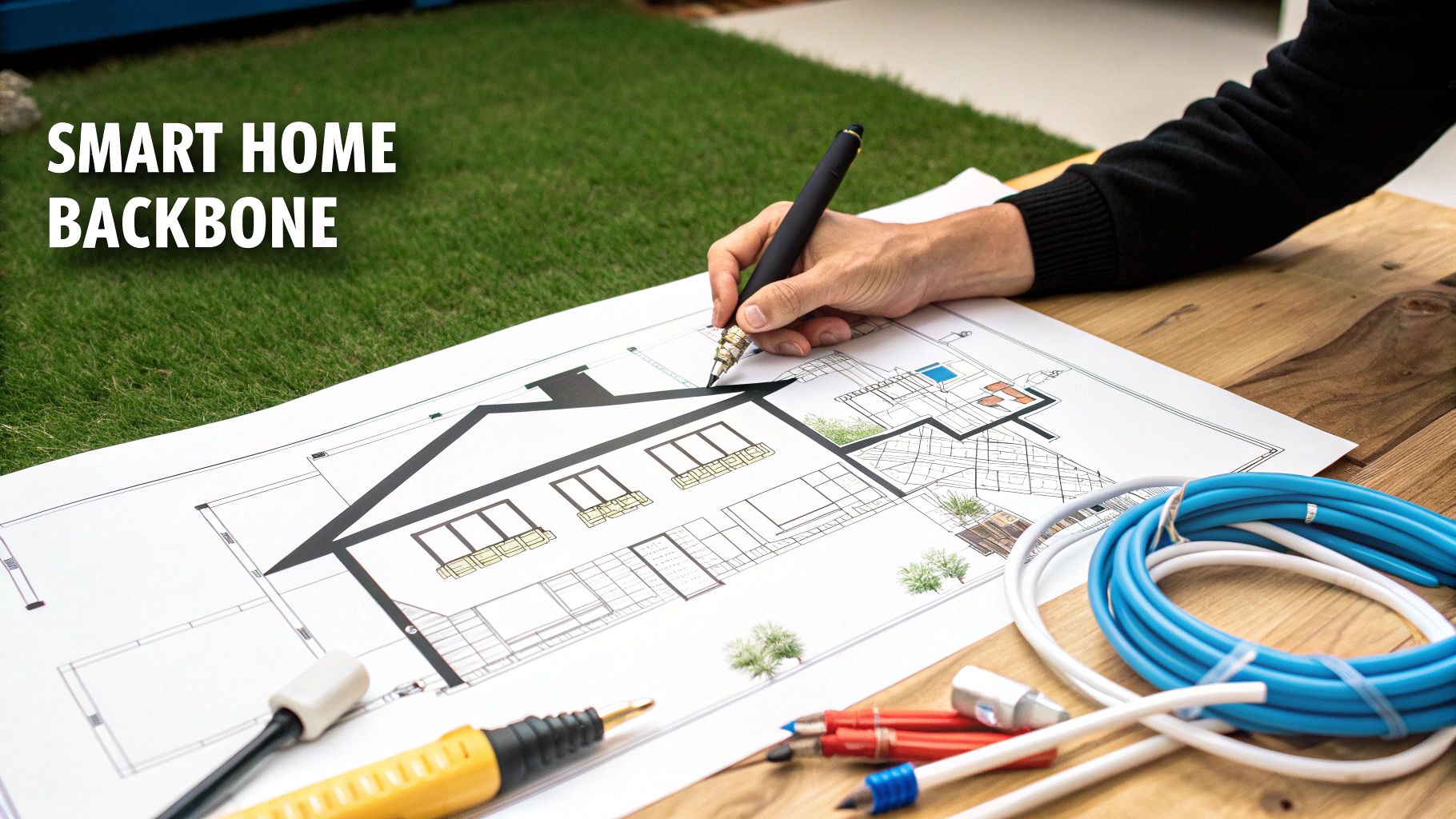
It’s tempting to lean on the convenience of wireless, but trying to run an entire smart home on Wi-Fi alone is a recipe for lag, dropouts, and constant frustration. A solid wired backbone is the secret to a reliable, high-performance automated home. It’s like building a dedicated superhighway for your data instead of forcing every device to fight for bandwidth on a congested two-lane road.
This hardwired foundation is what supports your most demanding gear—think 4K security cameras, high-resolution media streamers, and robust access points. A physical connection is just flat-out faster, more secure, and infinitely more dependable than wireless. It takes the heavy lifting off your Wi-Fi, freeing up the airwaves for the devices that truly need it, like your phone and laptop.
Assessing Your True Smart Home Needs
Before you even think about buying a spool of cable, stop and picture how you'll actually live in the space. Don't just think about today; consider your daily routines and what you might want five or ten years from now. A little foresight here prevents a lot of headaches (and drywall dust) later on.
Get specific and walk through your home room by room:
- Home Office: Are crystal-clear video calls and lightning-fast file transfers non-negotiable? You need dedicated Ethernet ports at your desk. No question.
- Entertainment: Planning a media room with a projector, a serious sound system, or multiple gaming consoles? Hardwiring these devices is the only way to guarantee a flawless audio-visual experience.
- Security: Will you be installing PoE (Power over Ethernet) cameras? They run on a single Ethernet cable for both data and power, making them far more reliable than their battery-powered counterparts.
- Convenience: Dreaming of motorized shades, smart in-wall switches, or whole-home audio with in-ceiling speakers? These systems almost always perform best with dedicated low-voltage wiring.
To map this all out effectively, you need a good floor plan. Getting comfortable with mastering blueprint reading is a huge advantage, as it helps you visualize where every cable run and device will go long before construction starts.
New Construction vs Retrofit Wiring
How you tackle wiring for a smart home depends entirely on your starting point. Are you building from the ground up or upgrading an existing house? The game plan for each is completely different.
Smart Home Wiring Comparison: New Build vs. Retrofit
When it comes to wiring a smart home, the difference between a new build and a retrofit is night and day. A new construction project is a blank canvas, offering unparalleled freedom, while a retrofit requires a more surgical and creative approach. This table breaks down what you can expect from each scenario.
| Consideration | New Construction Approach | Retrofit Approach |
|---|---|---|
| Accessibility | Unrestricted. Walls are open, making it easy to run cables anywhere. | Limited. Requires fishing wires through finished walls, attics, and crawl spaces. |
| Cost | Lower. Labor and materials are part of the overall build budget. | Higher. Labor-intensive work like cutting and patching drywall adds significant cost. |
| Planning | Ideal. You can place outlets, ports, and conduits exactly where needed. | Challenging. You're constrained by the existing structure and must find creative routes. |
| Future-Proofing | Excellent. Easy to install extra conduit and "dark" cables for future tech. | Difficult. Adding new runs later is just as complex as the initial retrofit. |
| Disruption | Minimal. It's all done before you move in. | Significant. Can be messy and disruptive to daily life. |
Ultimately, a new build gives you the golden opportunity to get it perfect from the start. A retrofit, while more challenging, can still yield fantastic results with careful planning and a bit of patience.
With a new build, you have the ultimate advantage: open walls. Running cable is cheap and easy, so this is the time to be ambitious. You can place data ports, speaker terminals, and smart switch locations exactly where you want them.
If there's one piece of advice I give every client, it's this: "Figure out how much cable you think you need, then double it. The cost of the extra wire is nothing compared to the cost of opening up walls later."
Retrofitting an existing home is more of a surgical procedure. It involves carefully fishing wires through wall cavities, navigating attics, and crawling under the house. It demands more skill, patience, and often, a higher budget. But don't be discouraged—a well-planned retrofit can absolutely deliver a robust and powerful smart home network. The trick is to plan your cable paths strategically to minimize the need for drywall surgery.
The demand for this kind of infrastructure is exploding. Projections show that by 2025, over 45% of homes in North America will have integrated smart systems. This shift is being built on standards like Cat6 Ethernet, and the pros are already looking ahead. Experts now recommend a hybrid approach, combining Cat6a, fiber optic lines, and empty conduit pathways to ensure a home is ready for whatever comes next.
Selecting the Right Cables and Pathways
Think of your home's wiring as its central nervous system. The choices you make here, behind the drywall, will determine just how smart, fast, and reliable your home can be for years to come. Getting this wrong is like building a house on a shaky foundation—the whole thing will eventually suffer.
This isn't about just grabbing the cheapest spool of Cat6 you can find. It’s a strategic decision. High-speed networking, low-voltage power for sensors, and even multi-room audio all have different demands. Let’s break down what you’ll need to create a truly robust and future-ready system.
Data and Network Cabling
Sure, Wi-Fi is great, but for anything that doesn't move and needs a rock-solid connection, nothing beats a hardwired Ethernet connection. I'm talking about your streaming devices, security cameras, desktop computers, and wireless access points.
-
Category 6 (Cat6): This is my go-to for 95% of residential projects. It easily handles speeds up to 10 Gbps over typical home distances, which is more than enough for streaming multiple 4K videos or running a full security camera system. Cat6 hits the sweet spot between performance and cost.
-
Category 6a (Cat6a): If you're serious about future-proofing and have a bit more in the budget, Cat6a is a solid upgrade. It guarantees that 10 Gbps speed over longer runs (up to 100 meters) and has better shielding, which helps in "noisy" electrical environments. It's a bit thicker and tougher to work with, but it buys you peace of mind for whatever tech comes next.
Here’s a pro tip: always pull at least two Ethernet cables to every important location. Think home offices, media centers, and especially anywhere you might place a Wi-Fi access point. That second cable is your "get out of jail free" card—it provides redundancy or lets you add another device later without tearing open a wall.
The Magic of Power Over Ethernet (PoE)
This is one of my favorite technologies because it's such an elegant solution. Power over Ethernet (PoE) lets you send both data and electricity over a single Ethernet cable. It’s a game-changer.
PoE completely simplifies the installation for a ton of smart devices:
- IP security cameras
- Video doorbells
- Wireless access points
- Smart home touchscreens
Imagine mounting a security camera on the corner of your house without having to figure out how to get a power outlet up there. With PoE, you just run one cable. It leads to a cleaner, more reliable setup, and you'll never have to worry about a battery dying on a critical device. Just make sure your network switch has enough PoE ports and power budget for all the devices you plan to connect.
Don't Forget Low-Voltage and Specialized Wires
Beyond the data network, a lot of smart systems need their own kind of wiring. It’s incredibly cheap and easy to run these when the walls are open, but a massive headache to add later.
For a multi-room audio system, for example, you'll need to run dedicated speaker wire (usually 14/2 or 16/2 gauge) from a central hub to each speaker location. Smart thermostats often require multi-conductor wire (like 18/5 or 18/8) to connect to the HVAC system. And if you're installing automated blinds, run a low-voltage power line to the top of each window—trust me, you’ll thank yourself when you never have to climb a ladder to replace a dozen batteries.
The biggest mistake I see people make is relying too heavily on wireless for everything. A hardwired connection will beat a wireless one in reliability every single time. Spending a few hundred dollars on simple low-voltage cable during construction can save you thousands in frustration and retrofitting costs later on.
Pave a Highway for the Future
Let’s be honest: none of us know what kind of tech we’ll be using in 15 years. That's why one of the smartest, cheapest investments you can make is installing pathways for cables you haven't even thought of yet.
The best way to do this is with flexible, non-metallic conduit—we usually call it "smurf tube" because it’s almost always bright blue.
This stuff is basically a hollow, protected tunnel inside your walls. Run an empty conduit from your central network closet to your main TV location, your home office, or even the attic. When the next big thing comes along—maybe it's fiber optic to every room or Cat9 cable—you won't have to rip open your drywall. You can just easily pull the new cable right through the tube.
Always leave a pull string inside the conduit to make that future job a thousand times easier. This simple, low-cost step is the ultimate future-proofing move.
Designing Your Central Network Hub
Think of your smart home's wiring like a nervous system. Every powerful system needs a brain, and that's exactly what your central network hub is—the single point where every data, audio, and video cable comes together. This is usually a structured media panel or a dedicated closet where everything terminates. Honestly, getting this hub right is the most critical part of building a reliable and easy-to-manage smart home.
If you skip this, you’ll end up with a tangled mess of wires spewing out from your internet router. It's a troubleshooting nightmare waiting to happen. By bringing every single cable run back to one spot, you create a clean, professional setup. This is where you'll house your modem, router, network switch, and maybe a dedicated smart home controller like a Hubitat or Home Assistant box. Everything stays neat, cool, and easy to access.
As you plan this hub, it's also a good idea to think about security from the ground up. Implementing a solid Network Access Control (NAC) system helps you manage and secure every smart device that connects to your network. It's an extra layer of defense that ensures only authorized gadgets get online.
Planning Your Power Over Ethernet Strategy
One of the best tools in our toolkit for smart home wiring is Power over Ethernet (PoE). This technology is a total game-changer. It sends both data and low-voltage power down a single Ethernet cable, which means you don't need a separate power outlet for a ton of different devices. This simplifies your installation massively.
So, what kind of gear is perfect for PoE?
- Security Cameras: Mount them anywhere you want—under the eaves, on a pole—without worrying about running a power cord.
- Wireless Access Points (WAPs): Stick them on the ceiling for the best possible Wi-Fi coverage without an ugly power adapter.
- Video Doorbells: You get an ultra-reliable connection and power that never quits.
- In-Wall Touchscreen Panels: These give you sleek, always-on control of your home, powered right through the network cable.
To figure out what you need, just walk through your plan and count every device you want to power with PoE. Then, you can choose a network switch that not only has enough PoE ports but also a big enough "power budget" (measured in watts) to handle everything running at once. My advice? Always buy a switch with a few more PoE ports than you think you need today. You'll thank yourself later when you decide to add another camera or access point.
A Real-World Example: Wi-Fi Access Point Placement
Let's put this into practice. Imagine you're wiring a typical two-story, 2,500-square-foot home. Just plopping a single router in a corner office is a classic mistake that guarantees dead zones. The professional way to solve this is with hardwired Wireless Access Points (WAPs).
Here’s how I’d tackle it:
- Survey the Layout: First, I'd get a look at the floor plan. I'm looking for high-traffic areas and notorious dead zones—like the far end of the house from the office, the basement, or out on the patio.
- Plan WAP Locations: For a two-story house like this, a great starting point is one centrally located WAP on each floor. Mounting them on the ceiling gives you the best signal spread.
- Run the Cables: While the walls are open, run two Cat6 Ethernet cables from your central hub to each of those WAP locations. Why two? One cable powers the WAP with PoE, and the second one serves as a crucial backup or a port for another device you might want to add there in the future.
This diagram breaks down the thought process for choosing the right cables for data, control signals, and future-proofing.
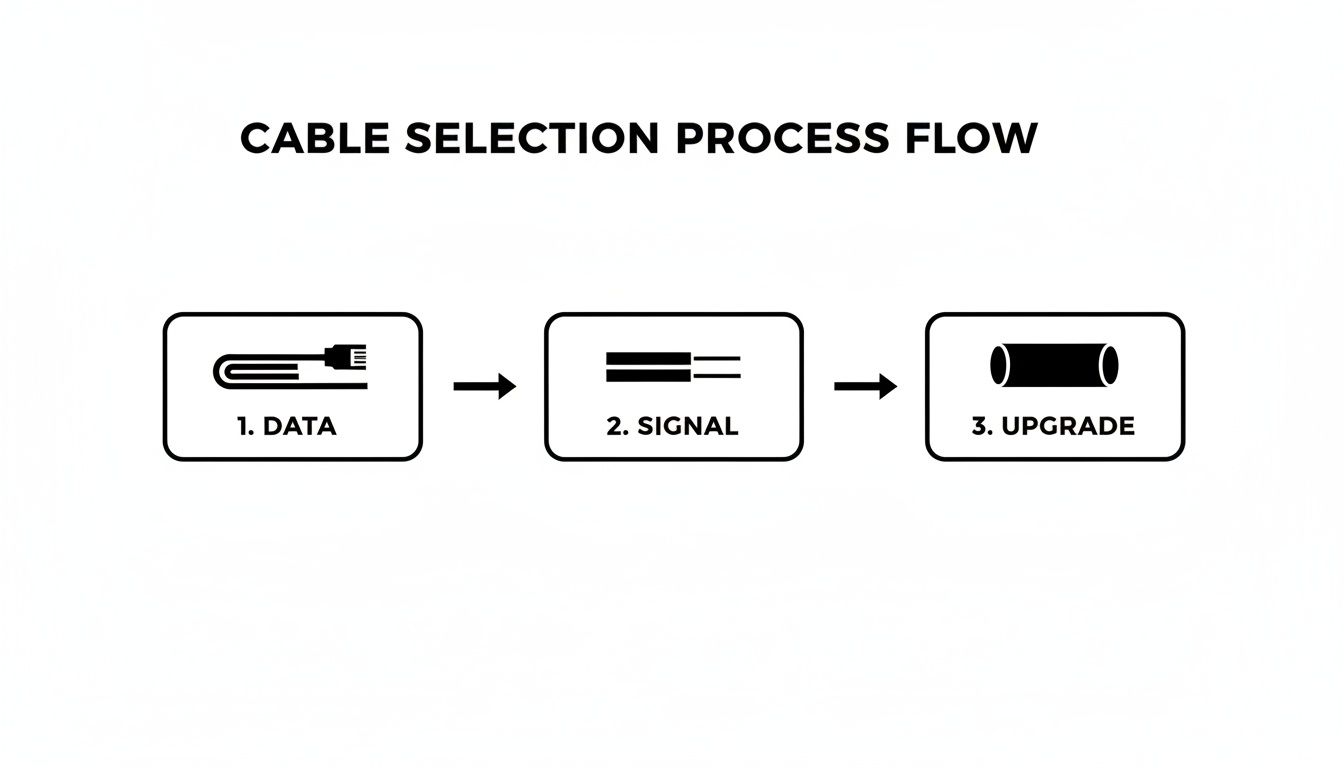
It really just comes down to picking the right tool for the job while always keeping an eye on what you might need down the road.
By strategically placing PoE-powered WAPs, you're building a seamless, high-performance Wi-Fi network that blankets your entire property. This kind of planned approach is worlds better than trying to fix poor coverage later with a patchwork of unreliable wireless extenders.
Your central hub isn't just a closet full of gear; it's the heart of your home's connectivity. A well-designed hub, combined with a smart PoE plan, is the difference between a smart home that works flawlessly and one that's a constant source of frustration.
Of course, the hardware you put in that hub is just as important as the wiring itself. For a deep dive into the controllers that can run your system, our detailed smart home hub comparison can help you find the perfect fit for your setup.
Wiring for Smart Switches and Sensors
This is where your smart home's digital brain meets the physical world. Getting the wiring right for your smart switches, motion detectors, and other sensors is what turns a house full of gadgets into a truly responsive, automated home. It’s the difference between fumbling for a switch in the dark and having the room gently light up as you walk in.
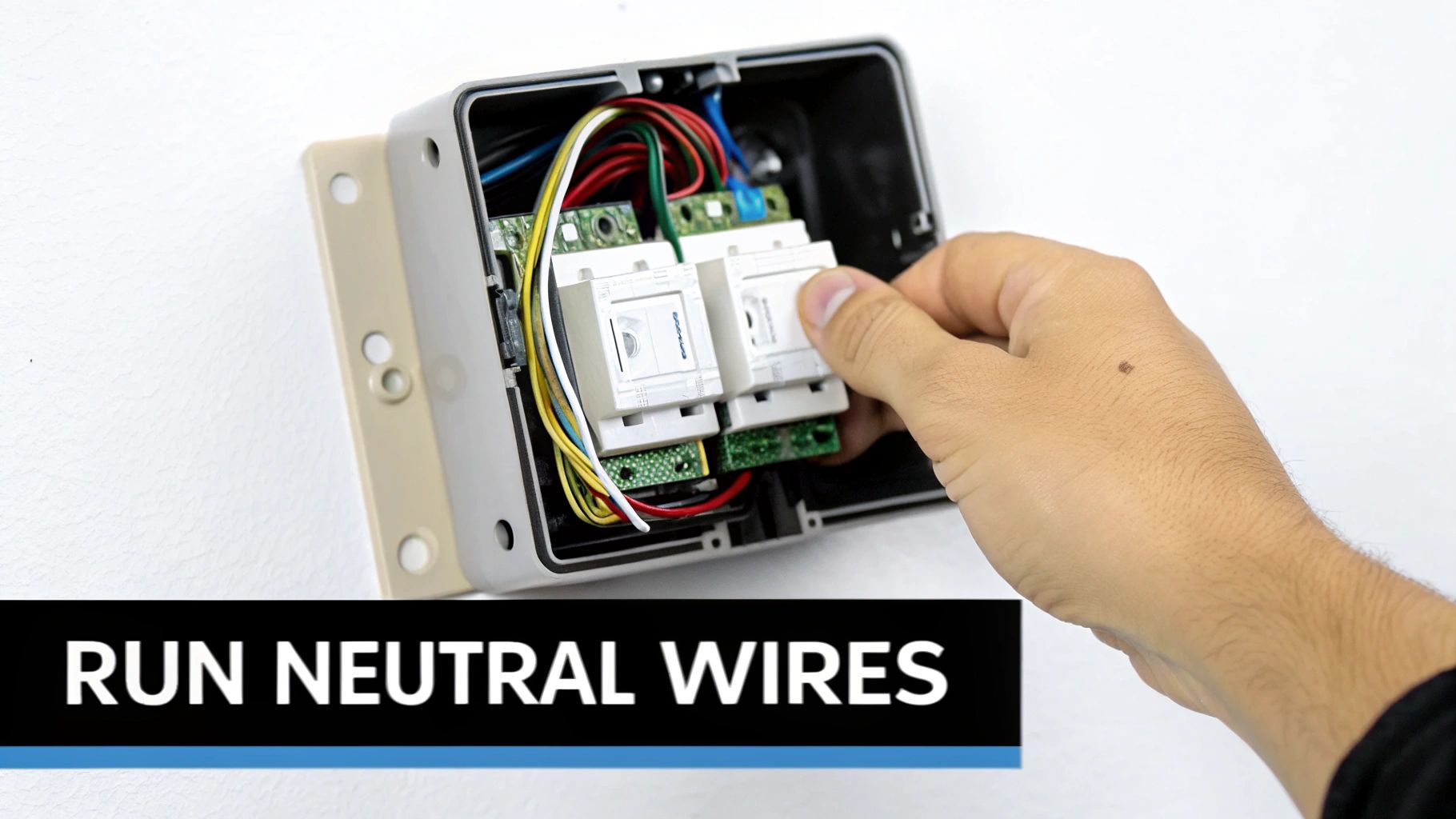
Smart switches are a massive upgrade, but they come with one crucial requirement that often trips people up in older homes. Most smart switches need a neutral wire to power their own internal radios—the Wi-Fi or Zigbee chip that lets them talk to your network. Your standard "dumb" switches don't need this, so it’s common for the neutral wire to be absent in the switch box.
The All-Important Neutral Wire
If I can give you one piece of advice for a new build, it's this: run a neutral wire to every single switch box. No exceptions.
The cost is practically zero when the walls are open, but it becomes a huge pain to add later. Having that neutral wire gives you the freedom to install almost any smart switch on the market without having to hunt for special models or use clunky workarounds.
If you're retrofitting an older home and find you're missing this wire, you're not completely out of luck. We've got a whole guide on how to handle a Wi-Fi light switch with no neutral. But for a new build or a major renovation, making sure a neutral is in every switch box is absolutely non-negotiable.
This simple bit of foresight keeps you from being locked into a small selection of "no-neutral" switches, which often come with performance compromises. It sets your home up for whatever the next generation of lighting control looks like.
Plan for your future self. Even if you have no intention of putting a smart switch in the guest closet today, run the neutral wire anyway. The five minutes it takes an electrician during construction will save you hours of frustration and hundreds of dollars down the line.
Wiring for a World of Sensors
Sensors are the eyes and ears of your smart home, and how you place and power them is critical. While many sensors are wireless and run on batteries, a hardwired connection offers unbeatable reliability for the most important locations.
- Motion and Occupancy Sensors: These are perfect for automatically turning on lights in hallways, bathrooms, and walk-in closets. For rock-solid performance, I recommend low-voltage, ceiling-mounted sensors powered by a simple two-conductor wire run back to a central closet or power source.
- Door and Window Contacts: These are the backbone of any good security setup. During construction, have your electrician run a small 22/2 or 22/4 gauge security wire to each door and window frame. This creates a bulletproof, battery-free security perimeter.
- Water Leak and Temperature Sensors: Placing these under sinks, behind toilets, and near your water heater can save you from a catastrophic flood. A simple low-voltage wire ensures they’re always on and ready to send an alert.
Specialized Wiring for Advanced Automation
A truly smart home often goes beyond just lights and basic sensors, incorporating systems that need their own dedicated wiring. Thinking about these during the planning phase is the key to a clean, professional-looking install.
Here are a few common upgrades to plan for:
| System Type | Recommended Wiring | Pro Tip |
|---|---|---|
| Motorized Shades | 16/2 or 18/2 Low-Voltage Wire | Run wire to the top corner of every window you might ever want to automate. This lets you use powerful, reliable motors without ever worrying about batteries. |
| In-Ceiling Speakers | 14/2 or 16/2 Speaker Wire | Pull speaker wire from your central media closet to each spot you want a speaker. Be sure to use CL2 or CL3-rated wire for in-wall use to meet fire safety codes. |
| Home Theater Gear | Cat6, Coax, and Speaker Wire | Your main media center needs a bundle of connectivity. I always pull at least two Cat6 cables, one RG6 coax, and all the necessary speaker wires to this one spot. |
Every one of these systems works infinitely better with a dedicated, hardwired connection. Trying to rely on wireless for motorized shades or high-fidelity audio almost always leads to a compromise in performance or reliability. By planning these runs from the start, you ensure every part of your smart home works exactly as it should from day one.
How Smart Wiring Boosts Security and Efficiency
Proper wiring in a smart home is about so much more than convenience; it's the bedrock of your home's security and a powerful tool for slashing energy waste. A hardwired foundation creates a system that is fundamentally more reliable and powerful than one pieced together with wireless gadgets. This difference is crystal clear when it comes to keeping your home safe.
A truly robust security system is built on dedicated, physical connections. When your cameras and sensors are hardwired, you sidestep the single biggest weakness of wireless systems: signal interference. Things like Wi-Fi jammers, a congested network, or even a neighbor's new router can knock wireless devices offline at the worst possible moment. A physical cable just doesn't have that problem.
Building a Bulletproof Security System
The difference between a wired and wireless security device is night and day. Take Power over Ethernet (PoE) cameras, for instance. They get both their data connection and continuous power through a single Ethernet cable, creating an incredibly stable, high-performance setup that you can set and forget.
Let's look at the real-world advantages of this approach:
- Uninterrupted Power: Hardwired sensors and PoE cameras never run out of batteries. You won't get a "low battery" notification from a critical door sensor at 3 AM or have your driveway camera go dark because you forgot to charge it.
- Superior Image Quality: PoE cameras can consistently stream crisp, high-resolution 4K video without the buffering or compression issues that plague Wi-Fi cameras fighting for bandwidth.
- Rock-Solid Reliability: A wired connection is immune to wireless interference. Your security system stays online and operational even if your Wi-Fi goes down, which is a massive leap in protection.
A wired security camera is always on, always recording, and always connected. It's the difference between a professional-grade security tool and a consumer gadget that can offer a false sense of security.
For a deeper dive into this topic, our detailed comparison of wireless vs. wired security systems explores the pros and cons of each, helping you make the most informed decision for your home's safety.
Here’s a direct comparison that highlights why professionals often lean toward wired security solutions for critical applications.
Wired vs Wireless Smart Security Devices
| Feature | Wired Devices | Wireless Devices |
|---|---|---|
| Reliability | Extremely high; immune to Wi-Fi interference | Susceptible to signal drops, jammers, network congestion |
| Power Source | Consistent power via PoE or low-voltage wire | Relies on batteries (requires charging) or AC outlets |
| Performance | Supports high-bandwidth 4K video streaming consistently | Video quality can be compressed or buffer on weak Wi-Fi |
| Installation | More involved; requires running cables through walls | Simple DIY setup, flexible placement |
| Security | Closed, physical connection is harder to hack remotely | Vulnerable to network-based attacks if not secured properly |
Ultimately, while wireless devices offer convenience, wired systems provide the kind of unwavering reliability you want when it comes to protecting your home.
Driving Down Costs with Smart Energy Management
Beyond security, structured wiring is a cornerstone of effective energy management. While wireless smart thermostats and light bulbs are a popular entry point, a hardwired system delivers far more precise data and control, leading to very real savings on your utility bills.
By running dedicated low-voltage wires for thermostats, lighting control modules, and energy monitors, you create a closed-loop system that operates with maximum efficiency. These devices communicate instantly and reliably, without the lag or dropouts common in a crowded wireless environment. This allows for fine-tuned automation that genuinely impacts your bottom line.
The numbers are pretty compelling. Homes with integrated wiring see an average savings of 15-25% on electricity bills. By enabling devices like smart thermostats and LED lighting to communicate efficiently, structured wiring helps cut standby power waste by up to 50% compared to wireless-only setups. It’s a core component of building a more efficient, responsive, and sustainable home from the inside out.
Answering Your Smart Home Wiring Questions
Even the best-laid plans can leave you with a few nagging questions. I've been there. Let's tackle some of the most common things people ask when they're planning a smart home wiring job, clearing up the confusion so you can move forward with confidence.
What's a Realistic Budget for Wiring a Smart Home?
This is always the first question, and the answer really depends on whether you're building new or working with what you've got.
For a new build, a good rule of thumb is to set aside between 1% and 3% of the total construction cost for a solid structured wiring package. It might feel like a big number at first, but remember, this is your one and only chance to get it done easily and affordably. Once the drywall is up, the cost to add wiring skyrockets.
Retrofitting an existing home is a different beast entirely. Here, labor is the main driver of cost, not materials. Fishing wires through finished walls without making a mess is an art form, and it takes time. A small job, like running a single network drop, might only set you back a few hundred dollars. A full-home rewire? That can easily run into the thousands. Your best bet is always to get a few quotes from local low-voltage installers.
Here’s a tip I always give my clients: If your budget is tight, focus on the pathways. It costs next to nothing to run empty conduit to key spots while the walls are open. You can always pull the actual cables later, but you can't easily add the pathway.
Should I DIY This or Call a Professional?
Deciding whether to roll up your sleeves or bring in an expert really comes down to the scale of the job and how comfortable you are with the work.
- Good for DIY: Simple tasks are perfect for a weekend project. Think running a single Ethernet cable to your desk, swapping a standard light switch for a smart one (if you know your way around a circuit), or setting up a plug-and-play mesh Wi-Fi system.
- Time to Call a Pro: Don't hesitate to hire someone for the big stuff. If you're looking at terminating dozens of cables into a network rack, fishing wires across multiple floors, or doing anything that touches your main electrical panel, it's pro time. They're insured, know the local codes, and have specialized tools that make the job clean and fast.
Honestly, for the core infrastructure, hiring a professional is almost always the right move. It guarantees your foundation is solid, safe, and ready for whatever you throw at it.
How Do I Make Sure My Wiring Isn't Obsolete in a Few Years?
Nobody can predict the future, but we can definitely wire for it. The whole point of "future-proofing" is to build a system that can evolve with technology without needing a major renovation.
- Conduit is Your Best Friend: Run flexible conduit (often called "smurf tube") from your central wiring closet to key locations like your main TV area, home office, and even the attic. This creates a clear, protected highway for pulling new or upgraded cables down the road.
- Pull More Cable Than You Need: The wire itself is cheap. The labor to run it is not. While you're pulling one Cat6 cable to a room, pull a second one. While you're running speaker wire, add an extra pair. It's the cheapest insurance policy you'll ever buy.
- "Home Run" Everything: This is non-negotiable. Every single wire—be it for networking, audio, or video—should run in a continuous, uninterrupted line from its endpoint straight back to your central hub. This "star" or "home run" configuration gives you total control and makes troubleshooting a breeze.
Getting your wiring right also has a massive impact on security. A hardwired system is simply more reliable. Recent data shows that robust, wired setups are changing the game in home security, with some reports suggesting they can deter up to 72% more intrusions because of their reliability. This is a huge reason the US smart home market is a $29 billion industry. When your PoE cameras and smart locks have a wired connection, they have 99.9% uptime, working flawlessly even when the Wi-Fi or power goes out. You can learn more about where things are headed by reading up on these smart home market trends.
At Automated Home Guide, we're all about giving you expert advice and practical guides for your smart home. Our goal is to make modern living safer, more efficient, and more convenient for everyone. Come see what else we're working on at https://automatedhomeguide.com.










Leave a Reply