
When you're building a smart home, the wiring for home automation is its central nervous system. It’s what guarantees your commands happen instantly and everything works without a hitch. While wireless gadgets are convenient, a solid wired backbone is what separates a truly seamless smart home from one plagued by frustrating lag and interference.
Your Blueprint for a Truly Smart Home
Think of your home's wiring as the hidden foundation for your entire smart ecosystem. Just like a house needs a solid concrete base to stand strong, your smart devices need a reliable network of cables to talk to each other. Getting this right from the very beginning is the secret to building a system that's not just powerful today, but also ready for whatever tech comes next.
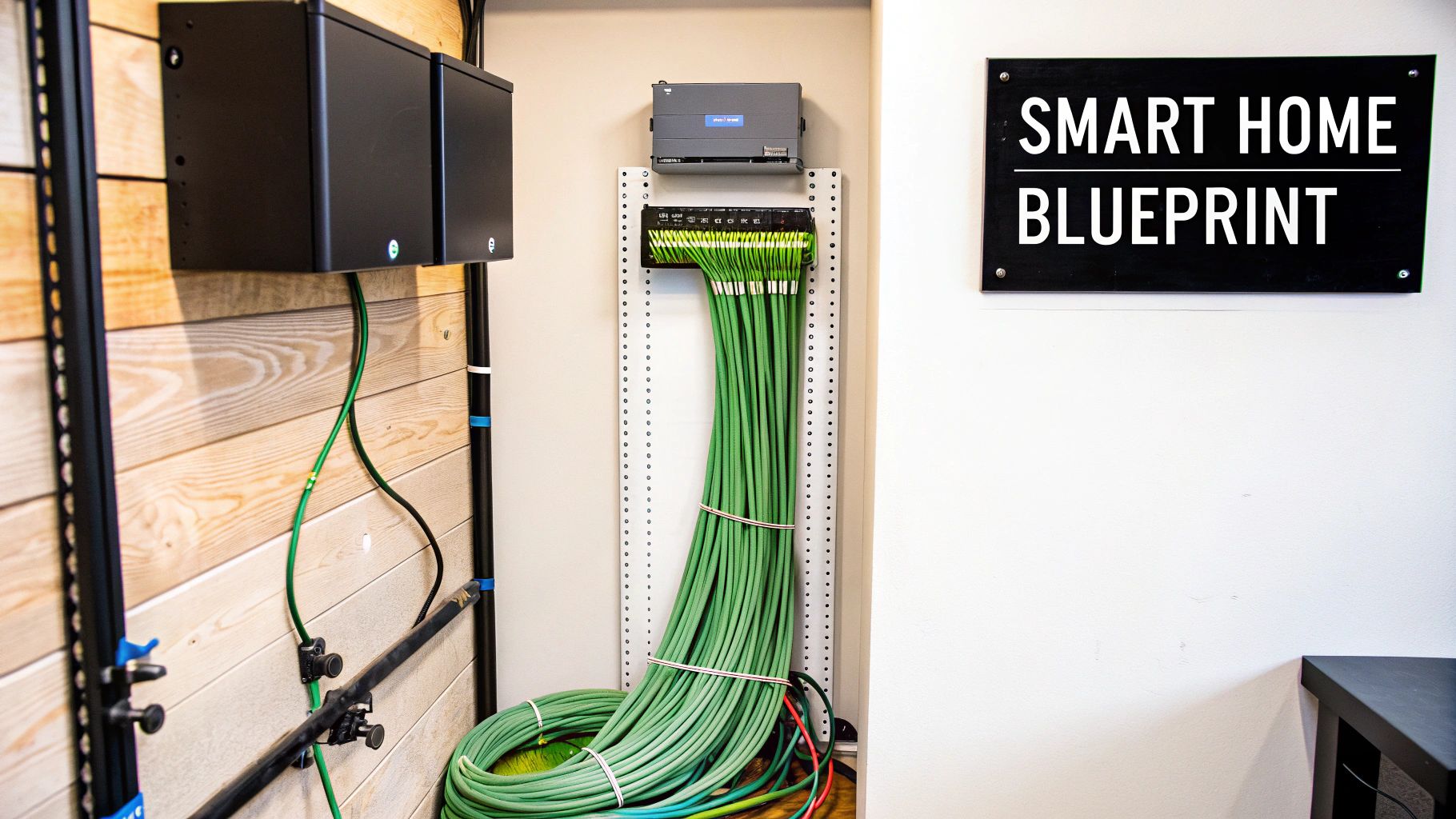
This guide is your roadmap. We’ll walk through everything from the basic concepts to practical layouts, helping you design a wiring plan that actually fits your life. The goal here is to take the mystery out of the process, so you can feel confident in the decisions you make for your home.
Why a Wired Foundation Matters
Sure, Wi-Fi is everywhere, but trying to run every single smart device on it is a recipe for a slow, congested network. For your most critical devices, a dedicated wired connection delivers a level of speed and stability that wireless just can't touch.
Here’s why it’s a game-changer:
- Unwavering Reliability: Hardwired connections don’t care about Wi-Fi dead zones. They aren't affected by your microwave or your neighbor's 20 different wireless networks. They just work.
- Superior Speed: Nothing beats a physical Ethernet cable for data-hungry jobs like streaming 4K video to your media room or managing a dozen high-resolution security cameras.
- Enhanced Security: It’s simple, really. Wired networks are much harder to hack into than wireless ones, significantly reducing the risk of someone gaining unauthorized access to your home's systems.
- Future-Ready Infrastructure: Running the right cables now means your home will be ready for future technologies that demand even more bandwidth, saving you from tearing open walls later.
A thoughtful wiring plan is the single best investment you can make in your smart home. It transforms your system from a collection of gadgets into a cohesive, high-performance ecosystem.
As you map out your system, remember that a strong security framework is crucial. This comprehensive guide to smart home security systems is an excellent resource to consult alongside your wiring plans. To see how all these pieces fit into the bigger picture, our overview on setting up a smart home will give you that complete perspective.
Understanding Core Wiring Components
Before we get into the nitty-gritty of layouts and topologies, we have to talk about the cables themselves. Think of your smart home’s wiring as its central nervous system. Just like our bodies use different nerves for different signals, a smart home needs a mix of cables to handle everything from high-speed data to low-power commands.
Choosing the right wiring isn't about finding one "best" cable. It's about matching the right tool to the right job so every device performs flawlessly, without bottlenecks or failures.
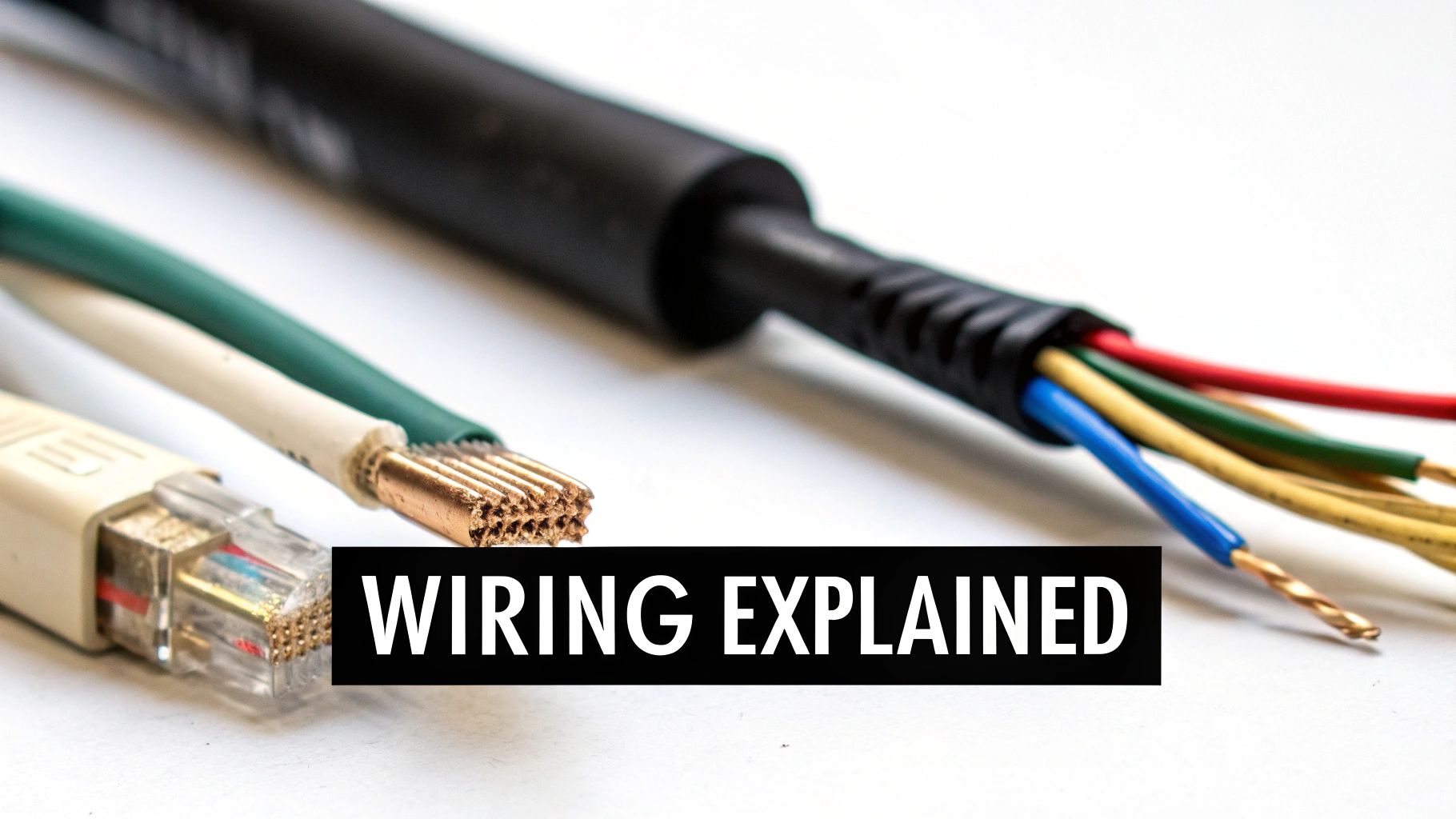
Let's break down the three main players you'll be working with.
The Workhorse: Low-Voltage Wiring
Low-voltage wiring is the unsung hero of home automation. These cables, typically carrying between 12V and 24V, are the perfect choice for sending signals and supplying small amounts of power to devices that don’t need a full wall outlet. They’re the go-to for creating a web of sensors, keypads, and control systems.
Because they carry so much less power, these cables are generally safer to work with and are often subject to less stringent installation codes than standard electrical wiring.
This category includes specialized cables for:
- Motion and Occupancy Sensors: Telling your lights to turn on when you enter a room.
- Door and Window Contacts: The backbone of any good security system.
- Smart Thermostat Controls: The link between your thermostat and the HVAC unit.
- Motorized Shades and Blinds: Powering and controlling your automated window treatments.
This is a huge area of growth. The market for home automation sensors is projected to explode from USD 155.6 billion in 2025 to a massive USD 672.9 billion by 2035. When properly wired, these systems can help cut home energy consumption by 20-30% by automating lighting and climate control.
The Information Superhighway: Ethernet Cables
When you need to move a ton of data quickly and without interruption, nothing beats a hardwired Ethernet connection. Wi-Fi is fantastic for convenience, but for devices that demand consistent, high-speed bandwidth, a physical cable is non-negotiable.
Ethernet cables are the data superhighways of your smart home. They are what ensure your 4K movie streams without buffering and your security camera footage is always crystal clear. The current standards to aim for are Category 6 (Cat6) and Category 6a (Cat6a). Both offer plenty of speed for today's needs while giving you headroom for future tech.
Think of Ethernet as a private, dedicated lane on the freeway for your most important data. It completely bypasses the potential traffic jams of your Wi-Fi network, guaranteeing a smooth and uninterrupted journey from your device to your router.
For a deeper dive into what makes a robust hardwired network, it's worth understanding professional reliable cabling practices.
The Foundation: Standard Electrical Wiring
Finally, we have your home's standard 120V electrical wiring. This is the bedrock that powers your lights, outlets, and major appliances. In a smart home, you don't replace this infrastructure—you upgrade it.
Smart switches, dimmers, and outlets are designed to fit right into your existing electrical boxes. They connect to the standard wiring for power but have extra electronics inside that let them "talk" to your central hub or other devices, usually over a wireless signal like Zigbee or Z-Wave.
This hybrid approach lets you build smart control directly into your home's core electrical system. The result is a clean, seamless experience without the massive headache of rewiring every single light fixture from scratch.
To help you keep track of which cable does what, here's a quick reference table.
Essential Cable Types for Home Automation
| Cable Type | Primary Use | Key Benefits | Things to Consider |
|---|---|---|---|
| Ethernet (Cat6/6a) | High-speed data for devices like media streamers, computers, security cameras, and Wi-Fi access points. | Reliable and fast; not susceptible to Wi-Fi interference. Future-proofs your home for higher bandwidth needs. | Can be more difficult to run in an existing home. Requires termination with RJ45 connectors. |
| Low-Voltage (18/2, 16/4) | Powering and signaling for sensors, keypads, smart locks, thermostats, and motorized shades. | Safe to handle, flexible, and often exempt from strict electrical codes. Inexpensive and versatile. | Limited power capacity. Conductor size (gauge) must be matched to the device's power draw and cable length. |
| Standard Electrical (14/2, 12/2 Romex) | Powering smart switches, outlets, and dimmers, integrating them into the home's main electrical grid. | Utilizes existing infrastructure. Provides a clean, built-in look for smart controls. | Requires adherence to strict electrical codes. Installation should be done by a qualified electrician to ensure safety. |
This table should give you a solid starting point for planning which wires need to go where. Having a clear understanding of these core components is the first step toward designing a smart home that's not just clever, but also incredibly reliable.
Choosing Your Wiring Strategy
Every smart home has a philosophy, a core idea of how it should work. When it comes to the wiring, that philosophy splits into two main camps. This isn't just a technical detail; it's a decision that will dictate how you install, maintain, and upgrade your system for years. You're essentially choosing the nervous system for your home.
The two main strategies are centralized and distributed. One isn't flat-out better than the other—they just solve different problems. Let's break down what each one looks like in the real world so you can pick the right blueprint for your project.
The Centralized "Home Run" Approach
Picture a command center for your entire smart home. In a centralized setup, often called a "home run" or structured wiring system, every single wire—for every keypad, speaker, and sensor—runs directly back to this one central spot. This nerve center is usually tucked away in a media closet or a utility room.
Think of it like an old-school telephone switchboard. Every connection is patched through one central hub. This makes managing the whole network incredibly clean and simple.
- Painless Troubleshooting: When a smart light stops responding, you're not tearing open a wall. You go straight to the central panel where all the connections live. Testing a cable or diagnosing an issue becomes a quick, straightforward process.
- Future-Proof Upgrades: Technology is always changing. With a centralized system, you can swap out the main "brain" of your system without ever touching the wires running through your walls. The heavy lifting happens in one place.
- Maximum Flexibility: Since all the intelligence is in one spot, reconfiguring your home is just a matter of software. A keypad that controls your lights today could be reprogrammed to manage your window shades tomorrow. No electrician required.
This approach is the gold standard for new builds or gut renovations where you have open walls. It’s a bigger investment upfront, but it pays off with unmatched control and readiness for whatever comes next.
The Distributed "Intelligent Edge" Approach
A distributed (or decentralized) system takes the opposite approach. Instead of one big brain, the intelligence is spread throughout the house. Smart switches, thermostats, and speakers each have their own little bit of processing power built right in. They talk to each other directly or through smaller local hubs, usually over wireless signals like Wi-Fi, Zigbee, or Z-Wave.
This is more like a neighborhood watch than a central police station. Each device handles its own business and communicates with its neighbors as needed. The system is modular and doesn't depend on a single point of failure.
In a distributed system, the smarts are at the "edge" of the network—right where the action is. This makes it a fantastic and adaptable solution for homes where pulling new wires just isn't an option.
This strategy is the king of retrofits. You can make your home smarter one room at a time, simply by swapping out a standard light switch for a smart one. The installation is far less invasive because you're using the home's existing electrical wiring for power and relying on wireless for commands. You can see a great example of this by exploring the differences between wireless vs. wired security systems.
Making the Right Choice for Your Home
So, how do you choose? It really comes down to your project, your budget, and what you want to achieve down the road. The demand for smart home technology is exploding—in the U.S. alone, the market is expected to grow by USD 6.47 billion between 2025 and 2029, fueled by both wired and wireless solutions. You can dig into the numbers and global trends over at P.S. Market Research.
Here’s a quick cheat sheet to help you decide:
| Factor | Centralized System | Distributed System |
|---|---|---|
| Best For | New construction, major renovations | Retrofitting existing homes, smaller projects |
| Installation | More complex, requires extensive cable runs | Simpler, uses existing electrical wiring |
| Upgradability | Very easy at the central hub | Can require replacing individual devices |
| Reliability | Rock-solid, immune to Wi-Fi dead spots | Dependent on wireless signal strength |
| Cost | Higher upfront investment in cabling | Lower initial cost, can be built over time |
Honestly, most of the best smart homes today are a hybrid. They use a hardwired backbone for the mission-critical stuff like networking and AV, then layer on distributed wireless devices for things like lighting and sensors. It's a pragmatic approach that gives you the best of both worlds: rock-solid reliability and day-to-day flexibility.
Practical Wiring Plans for Key Systems
Okay, this is where the theory gets real. A solid wiring plan is the difference between a smart home that feels magical and one that's a constant source of frustration. It takes all the guesswork out of the installation, ensuring every device has a rock-solid connection to do its job.
Let's ditch the abstract concepts and start mapping out some real-world wiring examples for the most common systems you'll want to automate. We'll look at the exact cables you need and see how they plug into both centralized and distributed strategies, giving you a clear blueprint to work from.
This chart gives you a quick visual breakdown of how centralized and distributed wiring strategies compare. Think of it as deciding where the "brain" of your smart home lives.
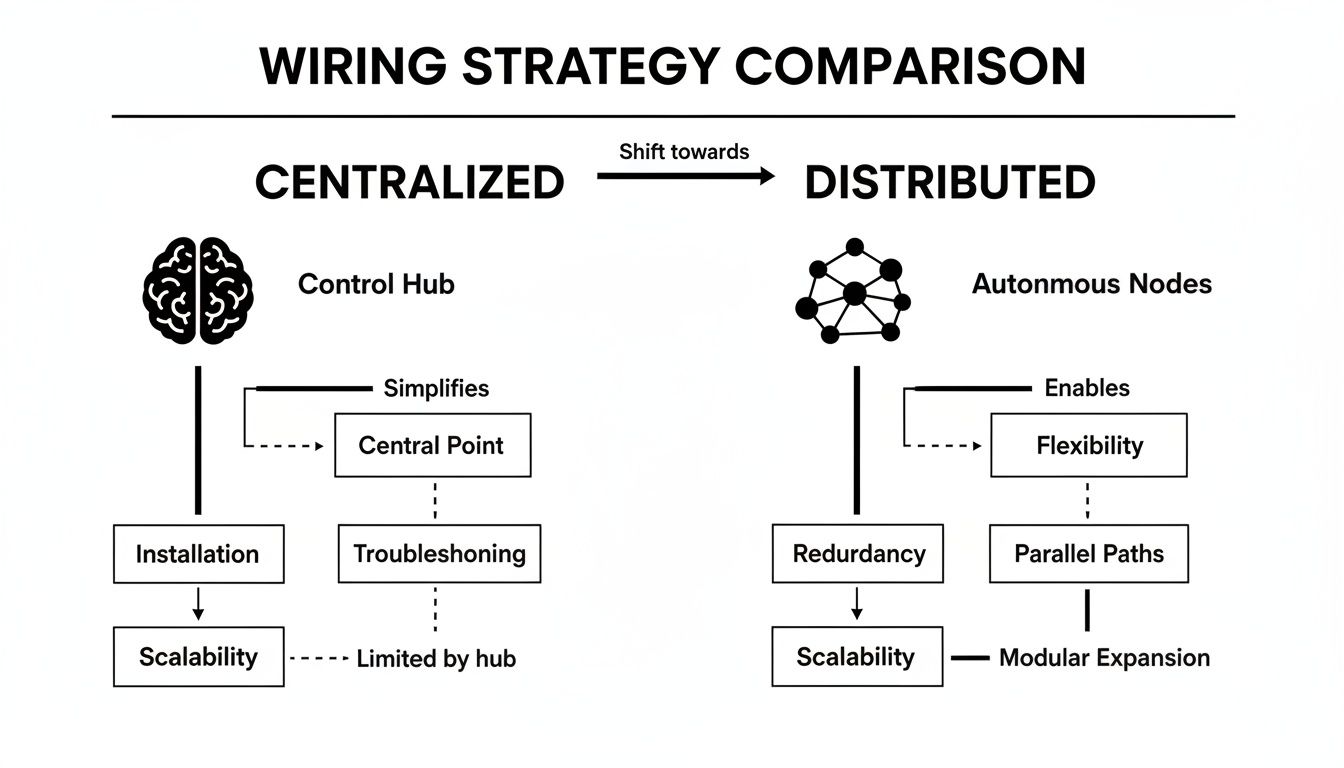
As you can see, a centralized setup brings everything back to one main hub, while a distributed system spreads the smarts out among the devices themselves.
Smart Lighting and Motorized Shades
Automated lighting and shades are usually the first things people fall in love with in a smart home. Their wiring is a perfect example of the hybrid approach you’ll see everywhere in wiring for home automation, mixing standard electrical work with low-voltage control wiring.
With a centralized lighting system (like those from Lutron or Control4), the plan is to run low-voltage cables from a central panel directly to each keypad on the wall. The big win here is flexibility; you can reprogram what any button does years down the road without ever touching the wiring.
Motorized shades follow the same logic. Each window gets its own dedicated low-voltage wire that travels back to a central power and control panel. This setup delivers consistent power and means you’ll never have to deal with changing batteries.
Example Wiring Plan (Centralized):
- From Central Panel to Each Smart Switch/Keypad Location: Run one Cat6 cable for data and one 16/2 low-voltage cable for power.
- From Central Panel to Each Window: Run one 16/4 low-voltage cable. This gives you two pairs of wires—one for the motor and another for data or sensor feedback.
- Power: All the smart switches and shade motors get their juice from a power supply tucked away in your central equipment rack, keeping your walls looking clean and uncluttered.
If you go with a distributed system instead, you'd likely use smart switches that fit into standard electrical boxes and talk to each other wirelessly. For shades, you might opt for battery-powered models or ones that simply plug into a nearby wall outlet.
Entertainment and Media Systems
A home theater or media room is where your wiring plan needs to be at its absolute best. When you're dealing with uncompressed 4K or 8K video and high-fidelity audio, wireless just isn't going to cut it. The goal here is to build a high-bandwidth network that's completely invisible.
You’ll want to run a bundle of cables to your main display (the TV or projector) and to each speaker location. Trust me on this one: run more connections than you think you need right now. It's the cheapest future-proofing you can do.
Think of your media room wiring as building a private superhighway for your entertainment. By running dedicated cables for every component, you guarantee a buffer-free, high-quality experience that Wi-Fi can't match.
Example Wiring Plan (Centralized AV):
- To the Main TV/Projector Location: Pull two Cat6a cables (one for your network, one as a spare or for video-over-IP) and a high-quality HDMI 2.1 fiber optic cable for the absolute best video signal.
- To Each In-Wall/In-Ceiling Speaker Location: Run one 14/4 speaker wire from the AV closet. Using 4-conductor wire gives you the option to bi-amp your speakers later for better performance.
- To In-Wall Subwoofer Locations: Run one RG6 coaxial cable.
- For Control: Don't forget a Cat6 cable at a convenient spot for a network-connected universal remote base station.
This "home run" approach lets you hide all your gear—streaming boxes, game consoles, and AV receivers—in a single closet, keeping the media room itself completely clean and free of clutter.
Security and Environmental Sensors
When it comes to security, reliability is everything. Wireless sensors are handy, but a hardwired system is hands-down more dependable. It can't be taken down by signal jammers, and you'll never have a sensor fail because of a dead battery. This goes for cameras, door and window contacts, and alarm keypads.
Security wiring is almost entirely low-voltage, all about connecting sensors back to a main alarm panel. For modern security cameras, Ethernet is the new standard, giving you both power and a data connection over a single, convenient wire.
Example Wiring Plan (Centralized Security):
- To Each Security Camera Location (Exterior Eaves, Interior Corners): Run one Cat6 cable. You'll use this for Power over Ethernet (PoE), which sends both power and data to the camera through the same line.
- To Each Door and Window Frame: Run a 22/4 security wire. This thin wire is easy to conceal and gives you enough conductors for your contact sensors.
- To Motion Sensor and Glass Break Sensor Locations: Run a 22/4 security wire up to the high corners of your rooms.
- To the Main Alarm Keypad Location (e.g., Near Garage Entry): Pull one 22/4 security wire to connect the keypad to the main alarm panel, which you'll want to hide in a secure closet or utility room.
By using these layouts as a guide, you can start to see exactly what your smart home will need. It turns a massive, complex project into a series of clear, achievable steps.
Installation Best Practices and Safety
Having the right cables and a solid wiring plan is half the battle. The other half? Executing the installation flawlessly. This is where the theory meets reality, and careful work pays off for decades to come. Think of this stage less like construction and more like skilled surgery—every move is precise and has a long-term purpose.
A sloppy installation is a recipe for future headaches, from mysterious system failures to expensive repairs. Our goal here is to build a smart home nerve center that’s not just powerful, but also reliable, easy to service, and fundamentally safe.
Plan Your Cable Pathways Carefully
Before you even think about pulling a single cable, you need to map out its journey. The first rule of a clean install is to plan your routes from the central hub to every single endpoint.
The most critical part of this is keeping your low-voltage data cables (like Cat6 and speaker wire) away from your high-voltage mains wiring. When they run parallel to each other, the mains power can create electromagnetic interference (EMI)—basically, electrical "noise" that messes with your data signals. This can cause network dropouts, glitchy video feeds, or unresponsive keypads. To avoid this, always maintain at least 12 inches of separation between parallel low-voltage and high-voltage runs.
Label Everything Meticulously
If you only take one piece of advice from this entire guide, let it be this: label every single wire on both ends. This is the single most important thing you can do for your future sanity. Grab a fine-tipped permanent marker or a label maker and be specific.
A good label isn't just "Cat6." It's "Living Room – NE Camera" or "Office – Wall Keypad." This simple step transforms a chaotic spaghetti monster of wires into a clean, understandable system. Two years down the line, when you need to troubleshoot a connection or upgrade a device, you'll thank yourself.
A well-labeled wiring panel is a map to your smart home's nervous system. An unlabeled one is a tangled mystery that no one wants to solve.
To keep things tidy, use velcro ties to bundle your cables together. They’re much better than zip ties because you can easily add or remove a cable later without having to snip everything and start over.
Leave Service Loops for Future Flexibility
Don't pull your cables tight! At both ends of every run, leave a little extra slack. This is called a service loop, and it’s your get-out-of-jail-free card for future work. A good rule of thumb is to leave an extra 2-3 feet of cable coiled up neatly inside the wall box or at your central panel.
This slack is incredibly useful. It gives you plenty of room to:
- Re-terminate ends: If a connector goes bad or you need to switch to a different type, you'll have enough wire to cut off the old one and install a new one.
- Move devices: Want to shift that security camera a foot to the left? The service loop makes it possible without re-running the entire cable.
- Accommodate new gear: The next generation of a device might have its connection port in a different spot. The extra length makes swapping it in a breeze.
Prioritize Electrical Safety and Code Compliance
While running low-voltage wiring like Ethernet is a great DIY project, anything involving your home's standard 120V electrical system is a different story. Installing smart switches, outlets, or touching anything inside your breaker panel is serious business. This kind of work should always be done by a licensed electrician.
This is especially true in older homes, which might have outdated wiring that can’t safely handle the constant power draw of dozens of smart devices. An electrician will ensure your system is up to code, preventing fire hazards and protecting your expensive equipment. For more on this, check out our guide on whole-home surge protector installation, which is one of the best investments you can make. By following these practices, you ensure your wiring for home automation is not just smart, but safe and built to last.
Future-Proofing Your Connected Home
Let's be honest: technology moves fast. The last thing you want is for your brand-new smart home to feel dated in just a few years. The wiring for home automation you put in the walls today is a long-term play, and thinking ahead is what separates a truly intelligent home from one that’s just a temporary gimmick.
So, how do you prepare for technology that doesn't even exist yet? The single best trick in the book is conduit.
Think of it as building a private subway system for your future cables. It’s just a simple plastic or metal tube running through your walls to all the important spots. When some incredible new fiber optic standard comes out in five years, you won’t be calling a drywall contractor. You’ll just fish the new cable right through the conduit. A major renovation becomes a simple weekend task.
Building in Room to Grow
Beyond conduit, a few other smart moves will save you a world of headaches down the road. While you’ve got the walls open, always pull more cable than you think you’ll need. Tossing in an extra Cat6 or a spare low-voltage wire to each location costs next to nothing now but gives you a ton of options later.
The same logic applies to your central hub or equipment rack. Make sure it has at least 30-40% more space than you currently need. Before you know it, you'll be adding new controllers, bigger network switches, or audio amplifiers, and you’ll be glad you have the room.
Think of your wiring infrastructure like the foundation of a house. You can repaint the walls and swap out the furniture anytime, but you can't easily rip out and replace the foundation. Build it right—and build it with room to grow—from the very beginning.
This forward-thinking approach is more important than ever. The home automation market is growing like crazy, with projections expecting it to hit USD 190.09 billion by 2030. As new devices and standards emerge, they’ll all rely on the physical network you have in place. A solid, expandable wiring plan ensures your home is ready for whatever comes next. You can learn more about the home automation market's rapid expansion on Mordor Intelligence.
Frequently Asked Questions
Even the best-laid plans can leave you with a few lingering questions. Wiring your home for automation is a big project, and it's natural to want to get every detail right before you start pulling cables. Let's tackle some of the most common queries we hear from homeowners.
Can I Retrofit Wiring in My Existing House?
Absolutely. While it’s certainly easier to run wires in a new build with open walls, retrofitting a home is done all the time. Professional installers have plenty of tricks up their sleeves, like fishing wires through wall cavities, using attic and crawlspace access, or concealing runs behind new baseboards and crown molding.
Many homeowners find that a hybrid approach is the most practical solution for an existing house. You might run Ethernet to a few critical spots—like your media center, home office, and security camera locations—but rely on wireless smart switches and battery-powered sensors for the rest. This gets you that hardwired reliability exactly where you need it most, without tearing your entire house apart.
Is Cat6 Cable Enough, or Should I Use Cat7?
For virtually any smart home today, Cat6 or Cat6a is the perfect choice. It has more than enough bandwidth to handle everything you can throw at it, from multiple 4K video streams to a full network of high-definition security cameras. It hits the sweet spot of performance, affordability, and ease of installation.
Instead of spending a premium on Cat7 or fiber optic cable, a smarter investment is to run conduit to key locations. This simple plastic tubing acts as a protected highway inside your walls, making it incredibly easy to pull new, more advanced cables in the future if technology ever outpaces what you have.
Think of conduit as the ultimate future-proofing. It’s a relatively small upfront cost that saves you from ever having to cut open your walls again, ensuring your home’s infrastructure can evolve for decades to come.
Do I Need a Special Electrician for This Job?
This is a great question. Any licensed electrician can legally handle the 120V mains wiring for smart switches and outlets. However, for the low-voltage side of things—all that Cat6 and speaker wire—you'll be much better off hiring someone with specific home automation experience.
These specialists understand the art of running data cables to avoid signal interference from electrical lines, and they know how to terminate everything cleanly in a central structured wiring panel.
Look for installers with credentials from an organization like CEDIA (the Custom Electronic Design and Installation Association). Hiring a low-voltage contractor or a CEDIA-certified pro ensures you're working with someone who lives and breathes this stuff. They’ll make sure all your systems talk to each other perfectly from the moment you flip the switch.
At Automated Home Guide, we're dedicated to helping you build a smarter, safer, and more efficient home. Explore our expert articles and in-depth guides to find the perfect solutions for your connected lifestyle. Learn more at https://automatedhomeguide.com.










Leave a Reply