
The best outdoor wifi security camera is the one that fits your specific situation. It’s a powerful combination of crystal-clear video, tough weatherproofing, and smart detection that gives you real peace of mind, not just a folder full of pointless recordings.
What Makes an Outdoor Security Camera the Best
Trying to find the single "best" outdoor WiFi camera is like asking for the "best" car—are you hauling lumber, commuting in the city, or hitting the racetrack? The needs are completely different. The camera that’s perfect for watching a small, well-lit front porch is overkill for a tiny balcony and completely inadequate for monitoring a sprawling, unlit backyard.
This guide isn't about pushing a particular brand. Instead, it's about giving you the framework to choose wisely. We'll cut through the marketing jargon and focus on the fundamental features that make a camera a genuinely effective security tool.
The Four Pillars of Outdoor Security
A truly great outdoor camera stands on four pillars. If a camera gets these right, you'll have a reliable system that actually makes you feel safer.
- Image Clarity: Can you actually see what's happening? A camera must capture sharp, usable details, whether it’s bright daylight or the middle of the night.
- All-Weather Durability: It has to survive outside, period. A good outdoor camera will keep running flawlessly through pouring rain, freezing snow, and blistering summer heat.
- Smart AI Detection: The camera needs the intelligence to know the difference between a person walking up your driveway and a tree branch swaying in the wind.
- Reliable Power & Connectivity: It has to stay online and recording, especially when you need it most. A dead battery or a dropped WiFi signal makes a camera useless.
Nailing these four pillars is how you build a security setup tailored to your home's unique layout and weak spots. It's a much smarter approach than just grabbing whatever's on sale.
Remember, the point of a security camera isn't just to record things. It's to give you actionable information. The best camera provides a clear, dependable view so you can identify a face, read a license plate, and know exactly what’s going on.
It's no surprise that demand for these cameras is exploding. The wireless home security camera market was valued at a huge USD 9.8 billion in 2024 and is expected to rocket to USD 37.5 billion by 2034, all thanks to better AI and smart home technology.
Thinking about security as a complete system is key. While protecting your home is the focus here, the same principles apply to everything you want to keep safe. For example, learning about the best car security systems can help you build a more comprehensive protection strategy for all your valuables. By the time you finish this guide, you’ll have the confidence to make the right call.
What Really Makes a Great Outdoor Security Camera?
When you're looking for the right outdoor Wi-Fi camera, it's easy to get lost in brand names and marketing hype. But to get real security, you have to look past all that and focus on the tech that actually does the work. After all, the specs on the box directly determine whether the footage is a blurry mess or a crystal-clear piece of evidence when you need it most.
Figuring out these core features is the first step toward building a surveillance system you can truly rely on. It all starts with understanding what the camera can actually see.
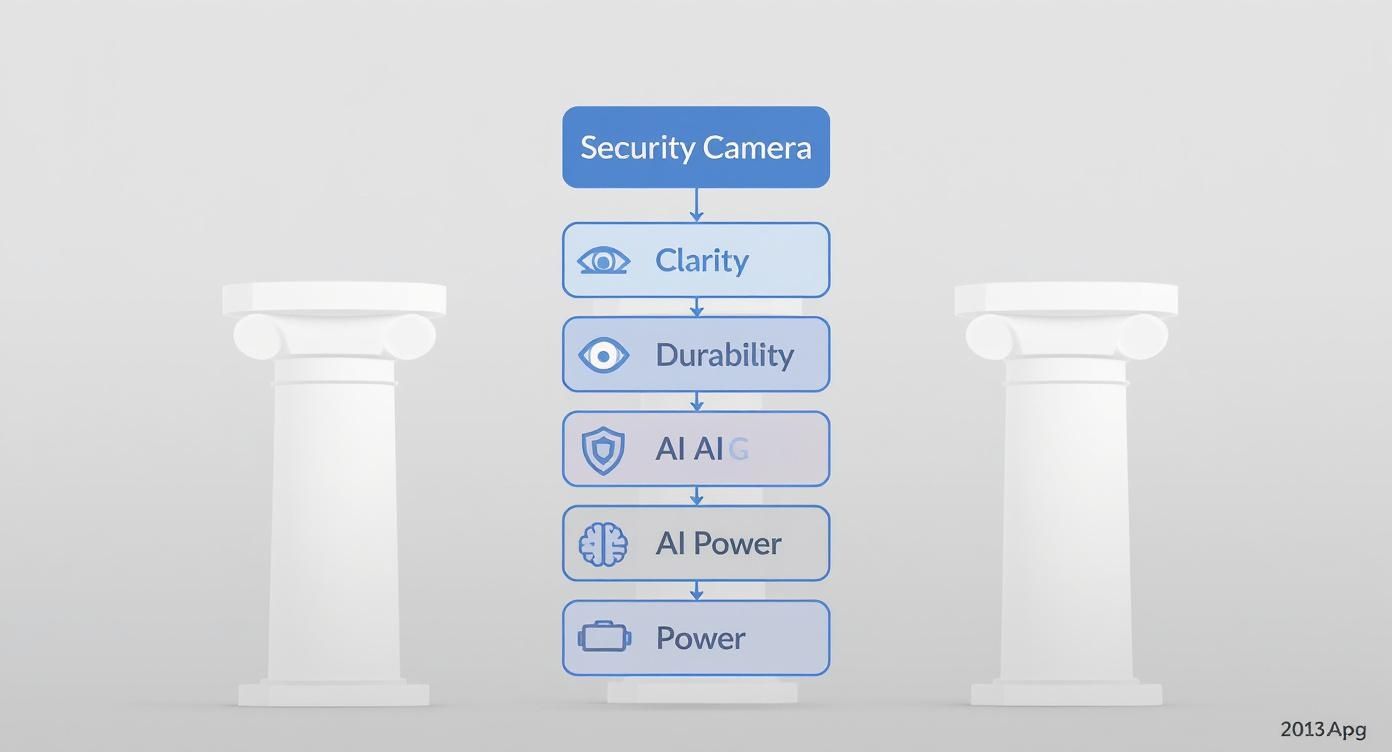
This image nails it. A top-notch camera isn't just about one thing; it's a balanced system. It needs sharp image quality (Clarity), the toughness to survive outdoors (Durability), smart alerts that don't waste your time (AI), and a power source that never quits (Power).
Crystal Clear Resolution Matters
Resolution is all about detail. It's measured in pixels, and the more pixels you have, the sharper the image. This is absolutely critical for identifying faces, license plates, or any other important details from a distance.
-
1080p (Full HD): This is the bare minimum for any security camera today. It's perfectly fine for general monitoring of a small space like a front porch. You'll be able to see who's there, but don't expect to zoom in on something across the yard without it turning into a pixelated blob.
-
2K (Quad HD): Offering about twice the detail of 1080p, 2K is a huge step up. It makes it much easier to make out faces or objects further from the camera. It’s a fantastic sweet spot, giving you significantly more clarity without the massive storage and bandwidth needs of 4K.
-
4K (Ultra HD): This is the top of the line for a reason. With four times the pixels of 1080p, a 4K camera lets you digitally zoom deep into the footage without losing that crucial detail. Think reading a license plate from across the street. If you have a large property or absolutely cannot compromise on clarity, 4K is the only way to go.
Here's the bottom line: The point of high resolution isn't just a pretty picture. It's about capturing usable evidence. A blurry video of a prowler is frustrating. A crisp 4K recording that clearly shows their face is actionable.
Seeing in the Dark: Night Vision Technology
A security camera that goes blind at sunset is worthless. Your property is most vulnerable after dark, so night vision isn't just a feature; it's a necessity. You’ll generally find two types.
The most common is infrared (IR) night vision. It uses IR lights, invisible to the human eye, to light up the scene. This gives you a very clear black-and-white video, almost like watching an old movie. It’s fantastic for detecting motion and seeing what’s happening in complete darkness.
Then there's color night vision. This technology is a game-changer. It uses highly sensitive sensors, and often a small motion-activated spotlight, to capture video in full color at night. The ability to see the color of a car or a trespasser's clothing can provide critical details that are completely lost in a black-and-white image.
A Wider View: Field of View
A camera's Field of View (FoV) is its peripheral vision, measured in degrees. The wider the FoV, the more of your property you can see with a single camera, which means fewer blind spots.
A narrow FoV (around 90 degrees) is like looking through a tube—perfect for monitoring a specific spot like a doorway or gate. A wide FoV (130 degrees or more) is what you want for surveying broad areas like a backyard or a long driveway. One wide-angle camera can often do the job of two narrower ones.
Built to Endure: Weather Resistance and IP Ratings
An outdoor camera has to be tough. It's going to face rain, snow, heat, and dust year-round. Its durability is measured by its Ingress Protection (IP) rating, a simple two-digit code that tells you how sealed it is against solids (dust) and liquids (water).
Here’s an easy way to think about it:
-
An IP65 rating is like a good raincoat. The camera will be completely dust-tight and can handle jets of water, like driving rain, without any issue. For most homes, this is perfectly adequate.
-
An IP67 rating is like a submarine. It has the same dust protection but can also be fully submerged in up to a meter of water for 30 minutes. While you probably won't be dunking your camera, this level of protection ensures it will survive the most violent downpours and storms without skipping a beat.
Understanding Your Camera's Power and Connectivity
Even the most feature-packed outdoor Wi-Fi camera is just a plastic box if it's offline. A camera's real-world performance boils down to two things that happen behind the scenes: how it gets power and how it stays connected to your network. Getting these two fundamentals right is the difference between a reliable security system and a frustrating gadget.
Think of it this way: an unreliable power source or a spotty Wi-Fi signal is the Achilles' heel of an otherwise perfect setup. Let's walk through how to choose the right options for your home so your camera is always on, especially when you need it most.
Choosing the Right Power Source
The way you power your camera directly impacts where you can install it and how often you'll have to mess with it. Each method has clear pros and cons, so it's all about matching the power type to the location.
-
Battery-Powered Cameras: These are the cordless drills of the security world. You get total freedom to mount them anywhere you want, no cables or drilling required. The trade-off? You're on battery duty, meaning you'll need to take them down for a recharge every so often.
-
Wired Cameras: A wired camera is more like a desk lamp—plug it in, and it just works. This "set it and forget it" reliability is fantastic because you never have to think about charging. The catch is a more complex installation, as you'll need to be near an outlet or be prepared to drill holes to run the power cord.
-
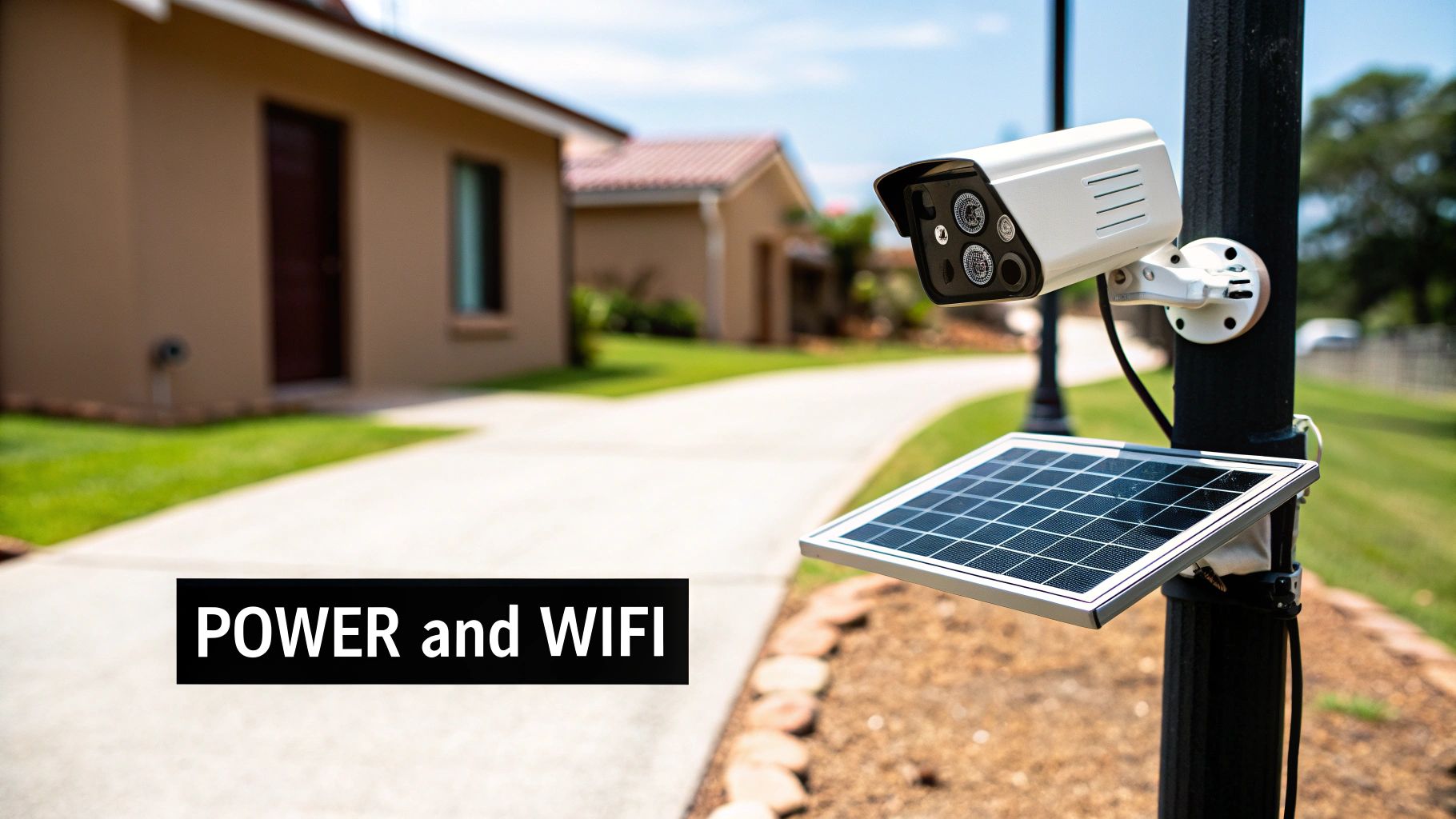
Solar-Powered Cameras: This is a great middle-ground option. A small, dedicated solar panel keeps an internal battery topped off with sunshine. You get the placement flexibility of a battery unit but with far less maintenance, so long as the panel gets a few hours of direct sun each day.
Deciding between these is a crucial first step. For a much deeper dive, our guide comparing wireless vs wired security systems can help you figure out exactly what makes sense for your property.
Ensuring a Rock-Solid WiFi Connection
Your camera's Wi-Fi connection is just like a radio signal. The farther it travels from your router and the more stuff it has to punch through—like brick walls or metal siding—the weaker it gets. A camera that keeps dropping its connection is a massive security hole.
A camera with a poor signal might fail to upload a critical motion event, leaving you with a dangerous blind spot in your security coverage. Ensuring a strong connection isn't just a technical detail; it's a security imperative.
Before you even think about buying a camera, test your Wi-Fi signal at your desired installation spots. It’s easy. Just take your smartphone to where you want to mount the camera and check the Wi-Fi icon. If you’ve only got one or two bars, you’re probably going to run into trouble.
But don't worry if you find a dead zone. You have a couple of solid solutions:
- WiFi Extender: This is a simple device that plugs into an outlet and essentially repeats your router's signal, pushing it further out to cover those weak areas.
- Mesh WiFi System: If you want to solve the problem for good, a mesh system is the way to go. It replaces your single router with several "nodes" that work together to blanket your entire property in one strong, seamless signal.
As these cameras become more integrated with home automation, being able to access them remotely is a huge draw for homeowners and renters alike. The demand for reliable outdoor Wi-Fi cameras continues to grow, which means we'll keep seeing more innovation in this space.
Making Sense of Smart Alerts and Video Storage
Today’s security cameras are much more than just passive eyeballs; they’re becoming smart enough to act as digital lookouts for your home. This big leap forward comes down to two key things: how they detect motion and where they store the video. Getting these right is the secret to a system that’s helpful, not just noisy.
The real magic behind the best wifi security cameras outdoor is their ability to tell the difference between a real event and just random movement. When a camera can do this well, you get alerts that actually mean something, instead of a constant buzz of notifications you end up ignoring.
From Simple Motion to Smart AI Detection
Not too long ago, motion detection was pretty basic. It worked like one of those old-school motion-activated floodlights that flips on for anything—a passing car, a raccoon, or even just leaves blowing in the wind. This kind of system creates "alert fatigue," where your phone pings so often with meaningless notifications that you're tempted to tune them all out.
Modern AI-powered detection, on the other hand, is like having a sharp security guard on duty. It uses smart software to actually analyze what it's seeing and figure out what’s what.
- Person Detection: This is the big one. The camera only alerts you when it sees a human shape, ignoring all the other motion. It’s perfect for keeping an eye on your front door or walkway.
- Vehicle Detection: You can get a heads-up when a car pulls into the driveway without being bugged every time someone walks their dog on the sidewalk.
- Animal Detection: This feature helps filter out alerts from neighborhood cats or other critters, keeping your notifications focused on what matters most.
This kind of intelligent filtering is what turns a camera from a simple recording device into a true security partner. It means that when your phone buzzes, it’s for something that actually deserves your attention.
It's no surprise this smarter tech is fueling massive growth. The global market for outdoor cameras hit an impressive USD 31,993.5 million in 2024 and is expected to climb to USD 62,657.2 million by 2030. This boom, largely driven by AI and cloud technology, is reshaping home security.
Where Does the Footage Go? The Storage Showdown
After your camera captures an event, that video clip has to go somewhere. This is a huge decision that impacts your privacy, ongoing costs, and how easily you can access your recordings. You’ve got two main choices: storing it locally or sending it to the cloud. Each has its own set of pros and cons.
Local Storage: Your Personal Safe
Local storage usually means popping a microSD card right into the camera. Think of it like having a small, personal safe right there in your house. You own the storage device, and you have complete control over your video files.
Pros:
- No Monthly Fees: This is the biggest selling point. You buy the SD card once, and that's it.
- Total Privacy: Your video footage never leaves your property, which is a huge comfort for anyone concerned about privacy.
- Works Without Internet: If your Wi-Fi cuts out, the camera can keep right on recording to the card.
Cons:
- Risk of Theft: If a burglar grabs the camera, they take your evidence right along with it.
- Limited Capacity: An SD card can only hold so much video before it has to start recording over the oldest files.
Cloud Storage: The Secure Bank Vault
With cloud storage, your video clips are sent over the internet to the manufacturer's secure servers. It's a lot like keeping your valuables in a bank vault—it's off-site, professionally managed, and you can get to it from anywhere.
Pros:
- Remote Access: You can watch your recordings from any phone or computer, anywhere in the world, as long as you have an internet connection.
- Safe from Theft: Even if the camera is stolen or smashed, your video is safely tucked away in the cloud.
- Extra Features: A subscription often unlocks more advanced AI tools, like package detection or even facial recognition.
Cons:
- Subscription Costs: Most cloud plans come with a monthly or annual fee, adding an ongoing cost.
- Privacy Concerns: You're trusting a company to keep your footage secure on their servers, which requires a leap of faith in their security practices.
In the end, it all comes down to what you value most. If you're big on privacy and want to avoid another monthly bill, local storage is a fantastic choice. But if you want the peace of mind of off-site backups and easy remote access, a cloud subscription is probably the way to go. Whichever you choose, remember that your camera is only as secure as your network. To tighten things up, take a look at our guide on essential home network security best practices.
Strategic Installation and Privacy Considerations
Picking the right camera is a huge first step, but it’s only half the job. Where you put that camera is what turns a piece of tech into a truly effective security tool. Think of it like a photographer framing a shot—the right placement tells the whole story, maximizing your view of vulnerable spots while respecting everyone’s privacy.
The main idea is simple: cover your home’s entry and exit points. Put yourself in the shoes of a potential intruder. How would they approach your house? Those are the exact spots you need eyes on.
Finding the Perfect Vantage Points
Every property is unique, but some camera locations are universally effective. The trick is to think about what you absolutely need to see from each angle.
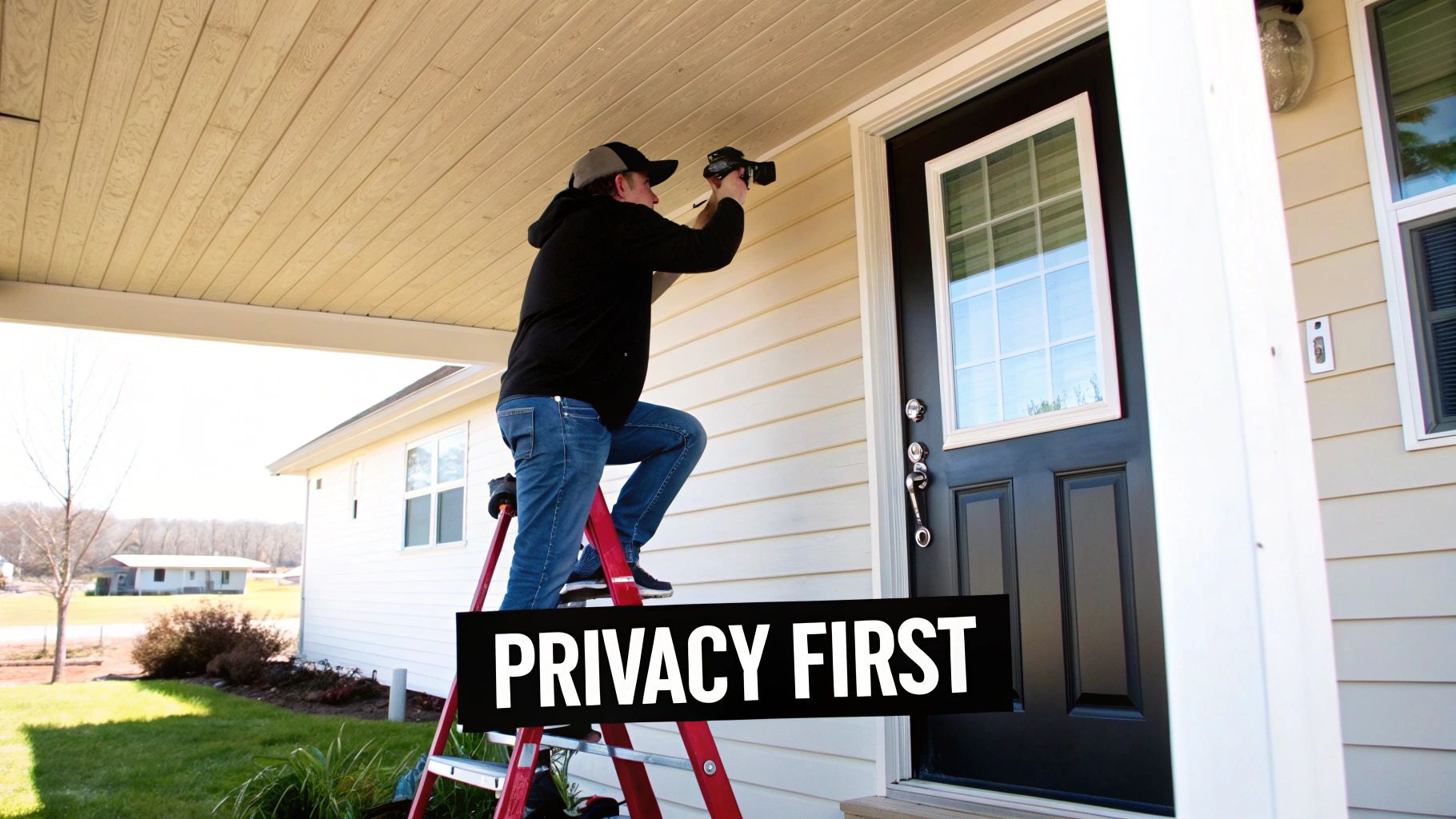
- Front Door: This one’s a no-brainer. Mount your camera above the door and angle it down slightly. This gives you a clear shot of visitors' faces and any packages left on the porch.
- Driveway and Garage: A camera watching the driveway is perfect for monitoring vehicles and catching license plates. Placing it high on the garage or under an eave keeps it safe from bad weather and anyone trying to tamper with it.
- Back and Side Doors: Don't forget the less-obvious entry points. These are often prime targets for intruders. Covering a back patio, side gate, or basement entrance adds a critical layer of defense.
Pro Tip: Aim to mount your cameras at least 9 to 10 feet off the ground. This is the sweet spot—high enough to stop someone from messing with it, but low enough to capture clear, identifiable details like faces.
Angling is also key. Try to position your camera so the sun is behind it. Pointing a camera directly into the sun is a recipe for lens flare and glare, which can completely wash out the image at certain times of the day. For a more detailed walkthrough, our guide on wireless security camera installation breaks it all down.
Respecting Privacy and Securing Your System
Your security setup should make you feel safe without making your neighbors feel spied on. Being a good neighbor means angling your cameras to focus exclusively on your property. Make sure they aren't pointed into a neighbor’s windows, backyard, or other private spaces.
Thankfully, most modern cameras have a feature called privacy zones. This lets you digitally "black out" parts of the camera's view, ensuring you only record what you’re supposed to.
Beyond the physical setup, your digital security is just as important. A Wi-Fi camera is an internet-connected device, and if it's not locked down, your biggest security asset can quickly become your biggest vulnerability.
Here are the essential steps to secure your system:
- Create a Strong, Unique Password: The default password is the first thing a hacker will try. Ditch it immediately and create a long, complex password with a mix of letters, numbers, and symbols.
- Enable Two-Factor Authentication (2FA): This is your single best defense. 2FA adds a second layer of security, like a code sent to your phone, to stop anyone from getting in, even if they manage to steal your password.
- Keep Firmware Updated: Camera manufacturers regularly release updates to patch security holes. Always install these as soon as they’re available to keep your device protected.
- Understand the Privacy Policy: Take a moment to actually read the manufacturer’s privacy policy. You need to know how your data is being collected, stored, and used. Sticking with reputable brands known for their strong security practices is always the smart move.
Your Outdoor Security Camera Questions Answered
Alright, let's tackle those lingering questions. Once you've got a handle on the main features, a few practical details always seem to surface that can make or break your decision. Getting these right is key to being happy with your purchase long-term.
Think of this as your final pre-flight check before you buy. We'll get into the nitty-gritty of internet speeds, hidden costs, and security, so you can move forward without any second-guessing.
How Much Internet Upload Speed Do I Really Need?
This is a big one, and it trips up a lot of people. The number that matters here isn't your download speed; it's your upload speed. Your camera is constantly sending video out to the cloud or your phone, and that's what upload speed measures.
A good rule of thumb depends on the camera's resolution:
- For 1080p (Full HD): You’ll want at least 2-4 Mbps of upload speed available for each camera to get a smooth, reliable stream.
- For 2K or 4K (Ultra HD): That crystal-clear picture creates much larger files. You should aim for 5-8 Mbps of upload speed or more per camera. Skimping here is a recipe for laggy video and notifications that arrive too late.
Before you even think about adding a camera to your cart, go outside to the exact spot you plan to mount it, pull out your phone, and run an internet speed test. This five-second check can save you a massive headache down the road.
Do All Outdoor Security Cameras Force You into a Subscription?
Nope, and this is a huge deciding factor for many. Plenty of fantastic cameras give you a way out of monthly fees, and the magic word is local storage.
Look for cameras with a microSD card slot. This lets you record footage directly onto a small card inside the camera itself. No monthly fees, no cloud, and your video clips stay right there at your home. That said, subscriptions aren't just a money grab; they often unlock some seriously powerful features.
Think of a subscription plan as an insurance policy for your footage. It gives you secure cloud storage, which means that even if a thief is bold enough to rip the camera off the wall, the video evidence is already safe and sound somewhere else.
Paid plans also tend to add smarter AI features, like telling the difference between a person and a raccoon, and they can store weeks or months of video history—far more than a tiny SD card can handle. Just make sure you check exactly what you get for free versus what’s tucked away behind that paywall.
Can Outdoor Wi-Fi Security Cameras Be Hacked?
Let's be blunt: any device connected to the internet can be a target. But the good news is that making your camera a tough nut to crack is surprisingly simple. Your security is only as strong as your setup, so taking a few minutes to lock it down is absolutely non-negotiable.
Here are the three most critical things you need to do, right out of the box:
- Change the Default Password: Don't just change it—make it a long, complex, and unique password. This is the single most effective step you can take.
- Turn On Two-Factor Authentication (2FA): This adds a second layer of defense, usually by sending a one-time code to your phone. Even if someone steals your password, 2FA will stop them in their tracks.
- Keep the Firmware Updated: Manufacturers regularly release software updates to patch security holes. Turn on automatic updates or check for them regularly. It’s like getting free security upgrades.
How Do These Cameras Actually Handle Bad Weather?
A camera's toughness is spelled out in its Ingress Protection (IP) rating. This simple two-digit number tells you everything you need to know about how well it's sealed against dust and water.
- IP65: This is a great starting point for most homes. It means the camera is completely protected from dust and can handle direct jets of water, so heavy rain is no problem.
- IP66 or IP67: If you live somewhere with brutal storms or you need to mount the camera in a spot with zero cover, a higher rating is your best bet. An IP67-rated camera can even survive being dropped in a puddle.
Beyond the IP rating, quickly check the manufacturer's stated operating temperature range. This tells you if the camera will keep working through a scorching heatwave or a sub-zero cold snap. For a little extra peace of mind, mounting a camera under an eave or a small overhang gives it an extra shield against the absolute worst Mother Nature can throw at it.
At Automated Home Guide, our mission is to help you build a smarter, more secure home. For more hands-on advice and deep dives into the latest in home automation, be sure to check out our other resources.










Leave a Reply