
Dipping your toes into the world of smart home tech can feel a little overwhelming at first. But the idea behind it all is actually pretty straightforward: a smart home is just a home with internet-connected gadgets that let you manage things like lights, climate, and security from afar. It’s all about giving your house a bit of a brain to handle the little things, making your day-to-day life easier and more streamlined. And these days, building a smart home for beginners is way more approachable than you might think.
What Is a Smart Home, Really?
Forget the idea of a complicated network of sci-fi gadgets. A better way to think about a smart home is like having a helpful assistant who takes care of your home's environment for you. At its core, it's about connecting ordinary objects to the internet—and to each other—so they can work together seamlessly. You definitely don’t need a computer science degree for this; it's just about adding some practical, helpful upgrades to your life.
This whole concept has grown far beyond a niche hobby for tech geeks. The smart home market has absolutely exploded, proving it's gone mainstream. In fact, some analysts predict the market could swell to over USD 311 billion by 2031. That’s a pretty clear signal that this technology is sticking around and only getting easier to use. You can dive deeper into this trend with the latest market research.
Why Bother with a Smart Home?
The real appeal isn't just about the novelty of turning on a light with your voice. The magic is in the real, tangible benefits you get when these devices work together to improve your daily routine. The "why" for most people usually comes down to three big wins:
- Next-Level Convenience: Picture this: your coffee maker starts brewing the moment your morning alarm rings. Or, as you head out the door, a single command turns off every light in the house. These little automations are small, but they add up, saving you time and mental clutter every single day.
- Serious Peace of Mind: A smart home can make you feel a lot more secure. Video doorbells let you see who’s at the door, no matter where you are. Smart locks can give a guest temporary access without you having to hand over a key. And sensors can shoot you an alert if there’s any unexpected movement while you're away.
- Smarter Energy Use: This is where you can see a real impact on your wallet. Smart thermostats learn your habits and adjust the temperature automatically to save energy. Smart plugs can cut power to appliances that are just sitting there in standby mode. It all leads to lower utility bills and a greener home.
A smart home is a journey, not a destination. You don't need to automate everything at once. The best approach for beginners is to start by solving one small problem, like automating your living room lights or securing your front door.
Think of this guide as your roadmap. We’ll walk you through everything, from the basic building blocks to picking your first devices and keeping your digital life private. By the time you're done, you'll feel ready to build a smart home that truly fits your life and your budget—one simple piece at a time.
Understanding How a Smart Home Actually Works
Jumping into the world of smart homes can feel a little intimidating, but the basic idea behind it all is surprisingly straightforward. The best way to think about it is like an orchestra. You have all these different musicians—your lights, thermostat, door locks, and so on—and each one knows how to play its own part.
A smart home simply adds a conductor to the mix.
This conductor might be a smart speaker, a central hub, or even just an app on your phone. It uses the "sheet music" you give it (your rules and commands) to bring all those individual parts together into a perfectly coordinated symphony. The result? A home that runs smoothly, saves you energy, and works exactly the way you want it to.
The Three Core Components of Any Smart Home
No matter how simple or complex the setup, every smart home is built on three essential pillars. Once you see how they fit together, everything else clicks into place. Let's break them down.
Smart Devices (The Musicians): These are the actual gadgets in your home that can be connected and controlled. We're talking about everything from smart light bulbs and thermostats to video doorbells and coffee makers. What makes them "smart" is their built-in ability to hop onto your home network and listen for commands.
Your Network (The Concert Hall): This is the communication backbone, which is almost always your home’s Wi-Fi. Think of it as the invisible stage that allows all your devices to talk to each other and, more importantly, to your controller. Without a solid network, your musicians can't hear the conductor's instructions.
Your Controller (The Conductor): This is how you tell your devices what to do. It could be a voice assistant like Amazon Alexa or Google Assistant, a dedicated app on your smartphone, or even automated schedules that you set and forget. This is your direct line of communication to every connected device in your house.
This simple diagram shows what happens when you bring these three elements together effectively.
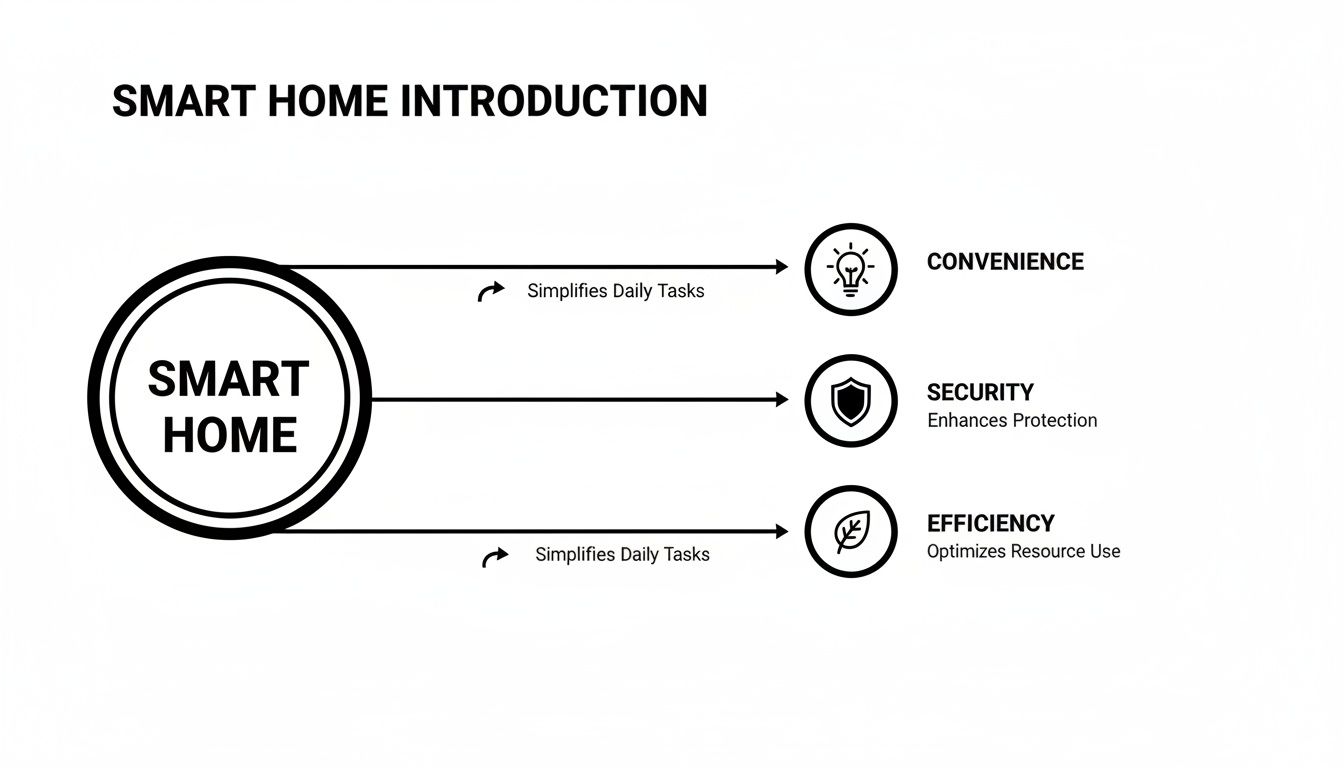
As you can see, the synergy between your devices, network, and controller is what unlocks those key benefits: convenience, better security, and real energy efficiency.
How These Components Create Automation
Now for the really cool part. The magic of a smart home isn't just about turning things on and off from your phone. It's about automation—setting up routines that happen automatically, without you having to lift a finger.
At its core, an automation is just a simple recipe you create based on cause and effect. The most popular framework for this is "If This, Then That."
A smart home's true power isn't just remote control; it's proactive automation. It's the difference between telling your lights to turn on and having them turn on automatically the moment you walk through the door.
Let's look at a few real-world examples of how this works:
- "Good Morning" Routine: You can create a routine where your morning alarm is the trigger. If your alarm goes off at 7 AM, then the smart lights in your bedroom slowly brighten, the smart plug for your coffee maker switches on, and your smart speaker gives you the day's weather forecast.
- "Leaving Home" Scene: This one can be triggered by your phone's location. If your phone’s GPS detects you've left the house, then your thermostat automatically adjusts to an energy-saving temperature, all the lights turn off, and the front door locks itself.
- "Movie Night" Mode: A simple voice command can kick this off. If you say, "Hey Google, it's movie night," then the main lights dim to 20% brightness, the smart TV turns on, and the smart blinds roll down.
In each of these scenarios, the conductor (your controller) is simply telling the musicians (your devices) what to do over the network. This seamless interaction is what makes a smart home so powerful. Once you grasp this concept, you have everything you need to start building a connected home that genuinely makes your life easier.
Choosing Your Smart Home Ecosystem
Before you rush out and buy that cool new smart gadget, there's a crucial decision to make first. It's one that will shape your entire smart home journey.
Think of it like choosing a language for all your devices to speak. If your smart speaker speaks French and your new smart lights only understand German, they’re never going to get along. This common "language" is what we call a smart home ecosystem.
An ecosystem is the glue that holds everything together, letting all your different devices work in harmony. It’s the command center, usually run by a voice assistant, that transforms a pile of disconnected gadgets into a truly intelligent home. For anyone just starting out, picking one ecosystem and sticking with it is the best way to avoid headaches.
The three big names you'll see everywhere are Amazon Alexa, Google Assistant, and Apple HomeKit. Each one acts as the "brain" of the operation, giving you a single app and voice assistant to rule them all.
The Big Three Smart Home Platforms
Let's break down the major players. They all want to unify your smart home, but each brings something different to the table. One of them is likely a much better fit for you than the others.
Amazon Alexa: You've probably seen the Echo speakers everywhere. Alexa's biggest strength is its massive compatibility. Seriously, if a smart device exists, it almost certainly works with Alexa. This makes it an incredibly flexible and easy entry point for beginners who want the widest possible selection of gadgets.
Google Assistant: Living inside Google Nest devices like the Nest Hub, Google Assistant is fantastic at understanding natural, conversational commands. If you’re already an Android user or live in Google's world (Gmail, Calendar, Maps), this ecosystem will feel right at home, blending seamlessly into your digital life.
Apple HomeKit: In classic Apple fashion, HomeKit is all about privacy, security, and a beautifully polished user experience. It has the strictest security requirements for device makers, which means it supports fewer gadgets. The upside? The devices that are supported tend to work together flawlessly. If you're an iPhone or Mac user, HomeKit is a natural extension of the experience you already know.
The best ecosystem isn't about which one has the most features, but which one fits your life. Look at the phone in your pocket, the apps you use every day, and how comfortable you are with technology.
To make things a bit clearer, I've put together a quick comparison of the big three. This should give you a good starting point for figuring out which one aligns with what you’re looking for.
Comparing The Top 3 Smart Home Ecosystems
| Feature | Amazon Alexa | Google Assistant | Apple HomeKit |
|---|---|---|---|
| Best For | Maximum device choice and flexibility. | Seamless integration with Google services. | Apple users who prioritize privacy and security. |
| Voice Assistant | Alexa | Google Assistant | Siri |
| Main Hubs | Echo Speakers, Fire TV | Nest Hub, Nest Mini | Apple TV, HomePod, iPad |
| Device Compatibility | Excellent (Largest selection by far) | Very Good (Supports most major brands) | Good (Fewer devices, but high quality) |
| Ease of Use | Simple setup process for most devices. | Very intuitive, great natural language. | Polished and deeply integrated into iOS. |
| Privacy Focus | Good, with user-managed settings. | Good, with clear privacy controls. | Excellent, with a strong focus on on-device processing. |
Ultimately, any of these platforms can build a fantastic smart home. The key is to pick the one that feels the most natural to you before you start buying devices.
How Your Devices Talk to Each Other
Okay, you've picked an ecosystem. There's just one more layer to understand: the wireless protocols. This is simply how your devices send messages to each other and to your central hub. You don't need to become an expert, but knowing the basics will help you choose the right gear.
The most common ones you'll run into are:
Wi-Fi: You already know this one! Many smart devices, like cameras and smart plugs, connect right to your home’s Wi-Fi network. It's simple and doesn't require any extra hardware. The only downside is that too many devices can sometimes bog down your network.
Zigbee and Z-Wave: These are special low-power networks built just for smart home gadgets. Instead of every device connecting to your router, they connect to each other, forming a super-reliable "mesh" network that doesn't clog up your Wi-Fi. Devices using these protocols do require a separate hub to translate their signals. You can learn more in our smart home hub comparison.
Thread and Matter: Matter is the new kid on the block, and it's a game-changer. It’s a universal standard designed to make everything work together, regardless of the brand. Built on tech like Thread, its goal is for any device with the Matter logo to work with any major ecosystem. As a beginner, keeping an eye out for the "Matter" logo is a great way to future-proof your home.
Your choice of ecosystem really does set the foundation for everything that comes next. By thinking about your current tech habits and knowing a little about how these devices connect, you can make a smart choice that leads to a simple, powerful, and fun smart home.
Building Your First Smart Home Starter Kit
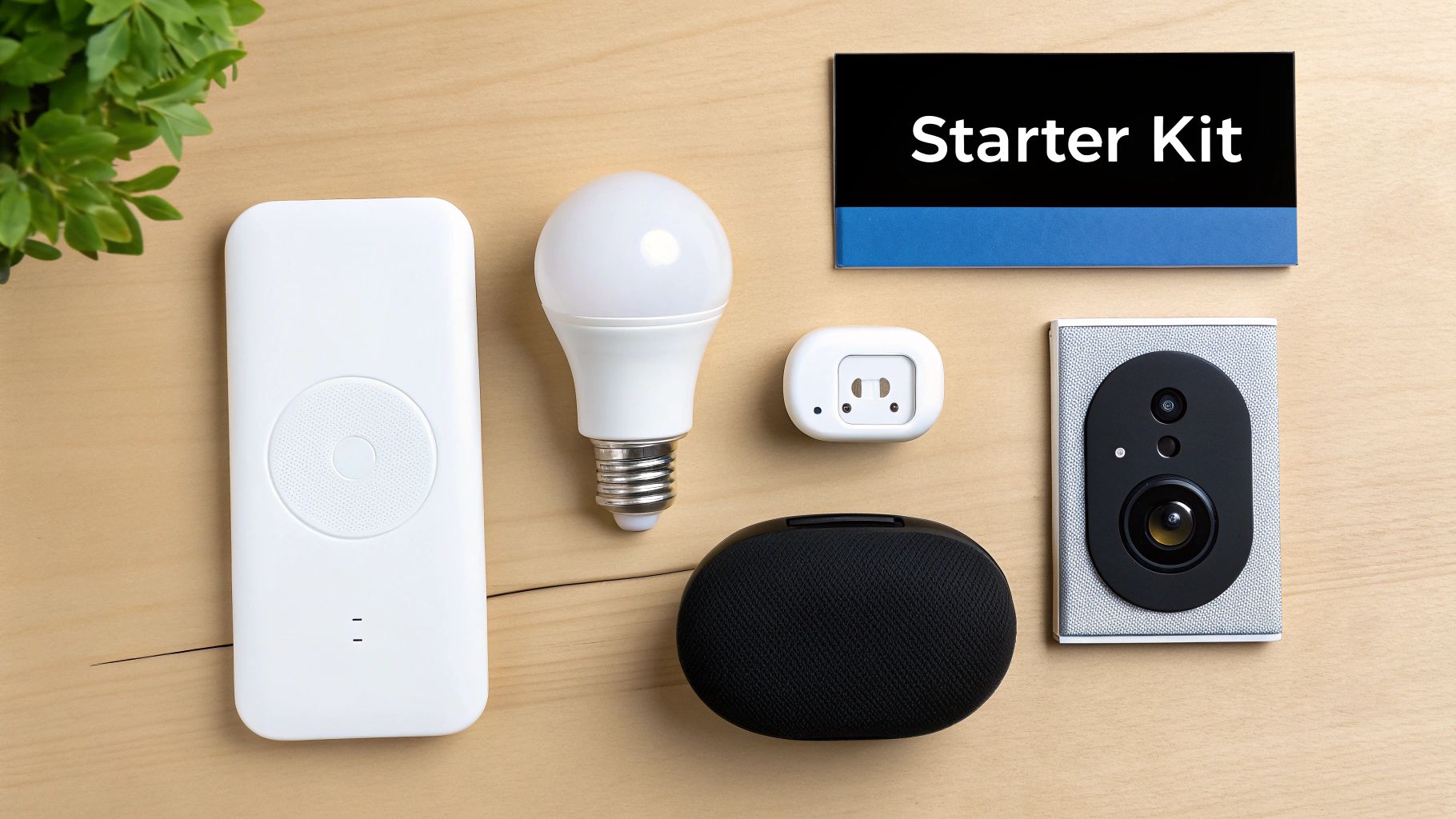
Alright, now we get to the fun part: picking out your first few gadgets. Once you've got the basics down, you can start putting together a small collection of devices that work for you. The absolute key when you're just starting is to keep it simple.
Don't fall into the trap of trying to automate your entire house in one weekend. Instead, pick one or two small, nagging problems you'd love to solve. This focused approach gives you a big win right away with a small investment, which makes the whole process feel rewarding instead of overwhelming.
To help you get started, I've put together three simple but effective starter kits based on what most people want from a smart home. Think of each one as a self-contained weekend project that you can always add to later.
Starter Kit 1: The Convenience Seeker
If your main goal is to smooth out your daily routines and do less fumbling for switches, this is the perfect place to begin. This setup is built around two of the most popular and affordable types of smart devices on the market.
What to Buy:
- A Smart Speaker: This is your central command. An Amazon Echo Dot or a Google Nest Mini are fantastic, low-cost choices that serve as the "ears" for your voice commands.
- Smart Plugs (2-4): These little adapters are borderline magic. They can make almost any "dumb" appliance with a physical on/off switch smart. Think about using them for lamps, fans, or even your coffee maker.
Simple Setup Guide:
- Get your smart speaker set up first by following the prompts in its app (like Amazon Alexa or Google Home). This is usually a quick, 5-minute job.
- Plug a smart plug into an outlet, then plug something like a floor lamp into the smart plug.
- Open your speaker's app, look for the option to add a new device, and follow the on-screen steps. It will find the plug and connect it to your Wi-Fi.
- Name the plug something intuitive like "Living Room Lamp" so your commands feel natural.
Real-World Example:
You're finally settled on the couch with a blanket, and of course, you left a light on across the room. Instead of getting up, you just say, "Hey Google, turn off the living room lamp." Boom. Done. Or you can set up a "Good Morning" routine where the plug for your coffee maker automatically switches on at 7 AM.
The real power of smart plugs is their simplicity. They offer an instant upgrade to the electronics you already own, providing a low-risk entry into home automation that delivers immediate value.
Starter Kit 2: The Security Conscious
For a lot of people, the main draw of a smart home is the peace of mind that comes with better security. This kit zeroes in on your front door, giving you eyes and control over who comes and goes, no matter where you are.
What to Buy:
- A Video Doorbell: This replaces your old doorbell and pings your phone when someone approaches your door. You can see and talk to them from anywhere in the world.
- A Smart Lock: A smart lock takes the place of your standard deadbolt. It lets you lock or unlock your door with your phone, give temporary "keys" to guests, and check if you remembered to lock up.
Simple Setup Guide:
- For the video doorbell, you'll need to shut off power at the breaker box, unscrew your old doorbell, and connect the new one to the same two wires. Most companies have excellent video tutorials that walk you through it.
- Installing a smart lock is even easier. It usually just takes a screwdriver to remove your old deadbolt and mount the new one.
- Once the hardware is installed, use the manufacturer's app to get both devices onto your Wi-Fi. Then you can link them to your main smart home app (Alexa, Google Home, etc.).
Real-World Example:
A courier drops off a package while you're at your desk at work. You get an alert from your doorbell, pull up the live video, and can ask them to tuck the package behind a planter. If a family member needs to get in to bring it inside, you can unlock the door for them from your phone and lock it right behind them.
Starter Kit 3: The Entertainer
This kit is all about creating a more immersive and fun atmosphere for movie nights, listening to music, or having people over. It's about tying your media together so it's all controlled with one simple command.
What to Buy:
- A Smart Speaker: Once again, this is your controller. Voice commands are essential for a truly hands-free entertainment setup.
- Smart Color Light Bulbs (2-3): These screw into your existing lamps and light fixtures, letting you change their color and brightness with your voice or an app.
- A Smart Streaming Device: Something like a Chromecast with Google TV or an Amazon Fire TV Stick plugs into your TV and lets you control it with your voice.
Simple Setup Guide:
- Simply swap out your old light bulbs for the new smart ones.
- Plug the streaming stick into a spare HDMI port on your television.
- Use the different apps (Google Home, Alexa, and the bulb's own app) to get everything connected to your network.
- Finally, link all the devices in your main ecosystem app so you can control them together. You can also explore our guide on the best smart home devices to find more options.
Real-World Example:
It’s time to watch a movie. You say, "Alexa, start movie night." In an instant, your TV turns on and opens Netflix, and the smart bulbs in your living room dim down to a cool, cinematic blue. You just created the perfect vibe without touching a single remote.
Protecting Your Smart Home Privacy And Security
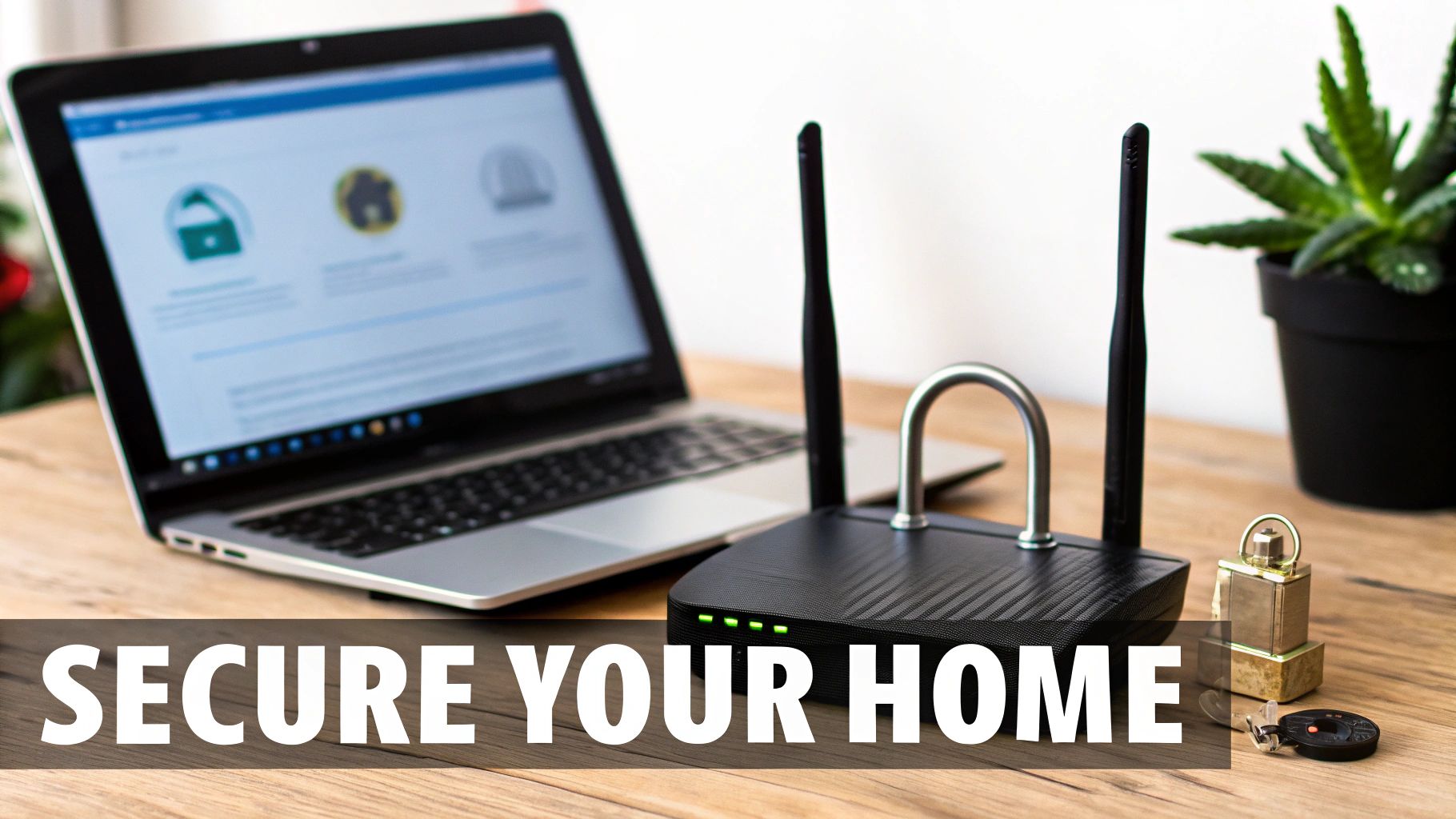
When you bring a smart device into your home, you're essentially adding a new digital "door" or "window." Just like you wouldn't leave your front door unlocked, it's just as vital to secure these digital entry points. Thinking about security isn't about being paranoid; it's about being proactive so you can enjoy your new tech with complete peace of mind.
This is a core part of building a smart home for beginners. The goal is simple: keep your private data private and your devices safe from anyone who shouldn't have access. By putting a few good security habits in place right from the start, you build a foundation for a reliable and safe system.
Lock Your Digital Doors
Your first and most important line of defense is your passwords. It sounds almost too basic, but this is where a surprising number of security problems begin. Using a weak or reused password is the digital equivalent of leaving your key under the doormat.
Here are the essential rules to live by:
- One Device, One Password: Never, ever reuse passwords across your smart devices or accounts. If a hacker gets into one, using unique passwords stops them from getting into everything else.
- Create Strong Passwords: A good password should be long and messy. Mix it up with uppercase letters, lowercase letters, numbers, and symbols to make it incredibly hard to guess.
- Enable Two-Factor Authentication (2FA): This is a game-changer for security. 2FA adds a second step to logging in—usually a code sent to your phone—making it vastly more difficult for someone to get in, even if they steal your password.
Secure Your Home Wi-Fi Network
Think of your Wi-Fi network as the central highway that all your smart devices use to communicate. If that highway isn't secure, then neither are any of the devices connected to it. Locking it down is absolutely non-negotiable.
Securing your smart home is not just about protecting devices; it's about protecting your personal space. Treat your network password with the same care as your house key.
For starters, always change the default administrator username and password on your router. The credentials it comes with are often public knowledge, making them an easy target. You can dive deeper with our guide on home network security best practices. You might also want to explore options like enhancing your home security with effective alarm response to deal with any potential threats quickly.
Manage Device Permissions and Updates
Every smart device you buy has its own set of privacy settings. When you're setting something up, take a minute to look through them, especially for anything with a camera or a microphone. Ask yourself, "Does this light bulb really need access to my microphone?" and turn off any permissions that don't feel right.
Finally, keep your devices updated. Manufacturers regularly release firmware and software updates that patch security holes they've discovered. Most devices have an "auto-update" setting—turn it on. It's the easiest way to stay protected without even thinking about it.
It's also interesting to see how different markets approach this. The U.S. smart home market, for instance, is projected to hit USD 84.20 billion by 2030. A device from a brand based elsewhere might handle your data differently based on local regulations, which is something to keep in mind.
Got a Few More Questions? Let's Clear Things Up
Diving into the world of smart homes often brings up a few last-minute "what ifs." Even with the basics down, you might be wondering how this all plays out in the real world. Let's tackle the most common questions people have when they're just starting out so you can build your system with confidence.
Think of this as tying up the loose ends. Getting these answers straight will help you sidestep common frustrations and make sure you're picking the right gear from the get-go.
Do I Need Some Kind of Special Internet for a Smart Home?
Nope! You don’t need a special internet plan. Your standard home Wi-Fi is exactly what most smart devices are designed to use. For your first handful of gadgets, what you have right now is almost certainly good enough.
But, as your collection grows, you do need to think about your network's health. If you start adding devices that use a lot of data, like multiple security cameras streaming video 24/7, you’re putting more strain on your router. At that point, you might think about a speed boost from your provider or, even better, a mesh Wi-Fi system. A mesh system is great for blanketing your whole house in a strong, reliable signal, killing any dead zones and keeping everything responsive.
Your smart home is only as good as the Wi-Fi network it runs on. For most devices, a strong, consistent signal is far more important than raw speed.
What Happens If My Internet Goes Down?
This is a fantastic question, and the answer really depends on the specific device. Anything that needs the cloud to function will stop working. For example, asking your smart speaker for the weather or checking your video doorbell’s live stream from your phone requires an internet connection.
However, your whole house won't grind to a halt. A lot of devices are built with local control in mind, meaning they can still handle basic tasks without talking to the internet.
- Good Old-Fashioned Switches: A smart light bulb can almost always be turned on and off with its physical wall switch, just like any other bulb. You're never left in the dark.
- Local Routines: If you have a system built around a dedicated hub using protocols like Zigbee or Z-Wave, many of your automations will keep running. A motion sensor can still trigger a light to turn on because that command happens entirely inside your home network, no internet needed.
If having things work offline is a big deal for you, keep an eye out for products that specifically advertise "local control" as a feature.
Can I Mix and Match Devices from Different Brands?
Yes, absolutely! This is actually one of the best things about building a smart home today. You're not locked into one company for everything. The trick is to make sure all the different gadgets you buy are compatible with the main ecosystem you've chosen—whether that's Amazon Alexa, Google Assistant, or Apple HomeKit.
Think of your ecosystem's app or voice assistant as the universal remote for your entire home. When you're shopping, just look for the logos on the box that say "Works with Amazon Alexa" or "Works with Google Home." That little badge is your guarantee it will slot right into your setup. The new "Matter" standard is set to make this even simpler, acting as a universal translator so devices from any brand can talk to each other directly.
Is Setting This All Up Super Expensive?
It really doesn’t have to be. One of the biggest myths is that you need to drop a ton of cash to get started. Honestly, you can kick off your smart home journey for under $50 with a single smart speaker and a smart plug.
Smart plugs are a perfect first step. They can make almost any "dumb" appliance smart—just plug a lamp, a fan, or your Christmas lights into one, and you can suddenly control it with your voice or an app.
The smartest strategy is to start small and solve one specific problem. Maybe you want to automate the lights in your living room or have your coffee maker turn on automatically. From there, you can add new devices over time, as your budget and needs grow. This way, building a smart home becomes a fun and affordable project, not a massive expense.
At Automated Home Guide, we're here to help you build a smarter, safer, and more convenient home, one device at a time. For more expert guides and honest reviews, explore everything we have to offer at https://automatedhomeguide.com.










Leave a Reply