

It really boils down to this: Amazon Alexa is the king of compatibility, working with just about every smart home gadget you can find. Google Assistant is the brainiac, offering smarter, more natural conversations. And Apple's Siri? It’s the secure, seamless choice for anyone living in the Apple ecosystem. Your best bet depends on what you value most: endless device options, a brilliant AI, or a private, integrated experience.
Choosing Your Smart Home Brain: The Ultimate Comparison
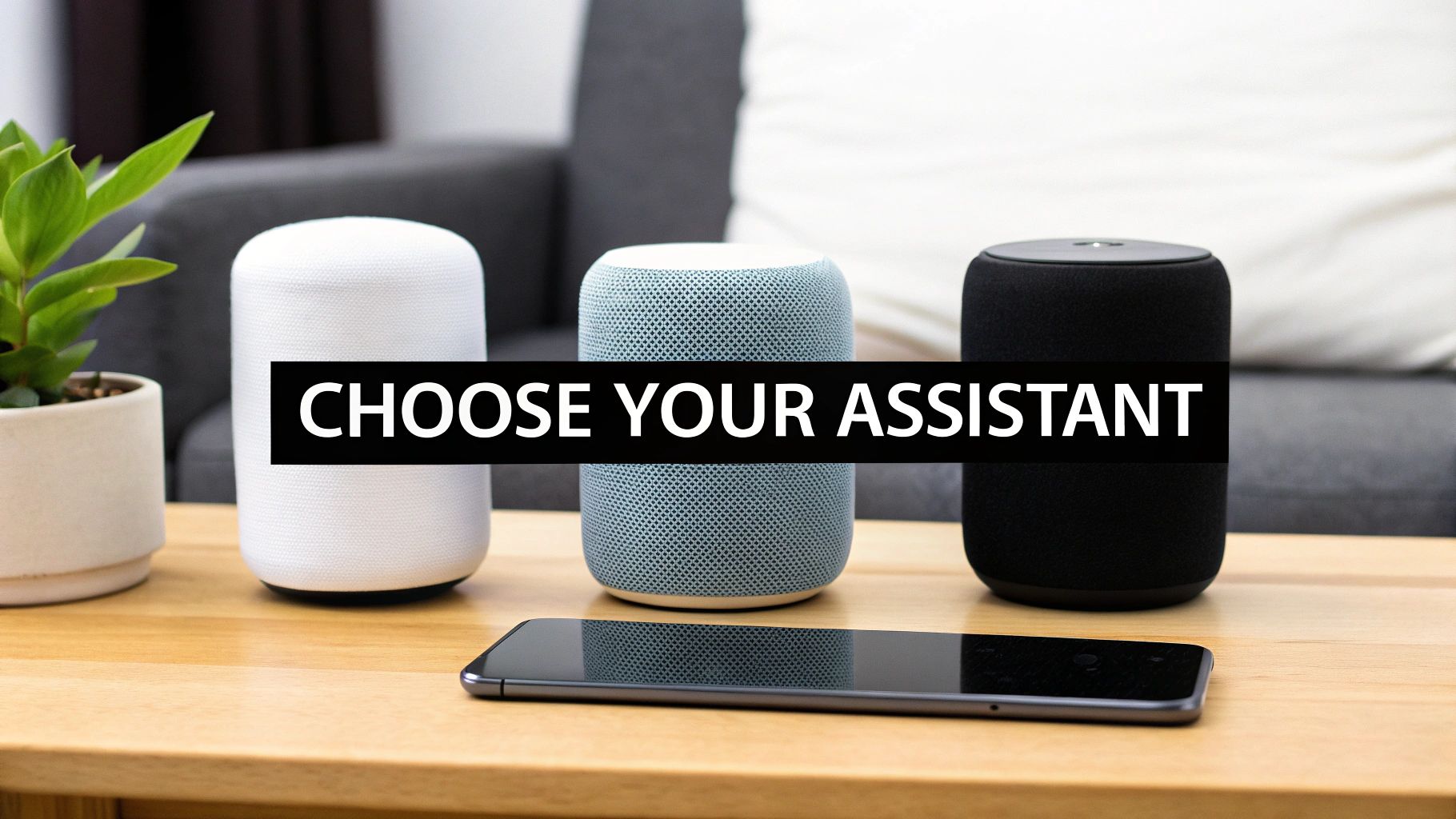
Picking a voice assistant is a bigger deal than just choosing a speaker for your kitchen counter. You're actually selecting the command center for your entire smart home. This one decision shapes which gadgets you can use, how you interact with your home, and even how your personal data is handled.
To get it right, you need to look past the marketing and understand what makes each of these platforms tick. We're going to dive deep into the Alexa vs. Google vs. Siri debate, comparing them on the things that actually matter—from device support and AI smarts to automation and privacy.
Quick Look At The Smart Assistant Titans
Let's start with a bird's-eye view. Each of these assistants has carved out its own niche in the smart home world, playing to very different strengths.
As of 2025, Amazon's Alexa holds a commanding 36.12% of the global smart speaker market. That dominance is built on a massive ecosystem of over 400 million compatible devices. Google Assistant isn't far behind with a 29% share, winning people over with its 81% accuracy in answering questions. Siri, holding about 18% of the market, remains the go-to for those who put a premium on privacy. For more on market trends, check out the data over on Mordor Intelligence.
This table gives you a quick snapshot of where each one shines.
Quick Look At The Smart Assistant Titans
| Assistant | Best For | Key Strength | Ideal User Profile |
|---|---|---|---|
| Amazon Alexa | Maximum Device Compatibility | The largest ecosystem of third-party devices and skills | The tinkerer who wants endless options and customizations. |
| Google Assistant | Conversational Intelligence & Search | Unmatched natural language processing and knowledge base. | The data-driven user who values accurate, contextual answers. |
| Apple Siri | Seamless Integration & Privacy | Tight integration with Apple hardware and strong security. | The Apple enthusiast who prioritizes a secure, frictionless experience. |
At the end of the day, your choice might just come down to your personal tech habits and the devices you already own. If you're also thinking about hardware, our guide on the best smart speakers for your home can help you see how the speaker itself impacts the overall experience.
2. Ecosystem And Smart Device Compatibility
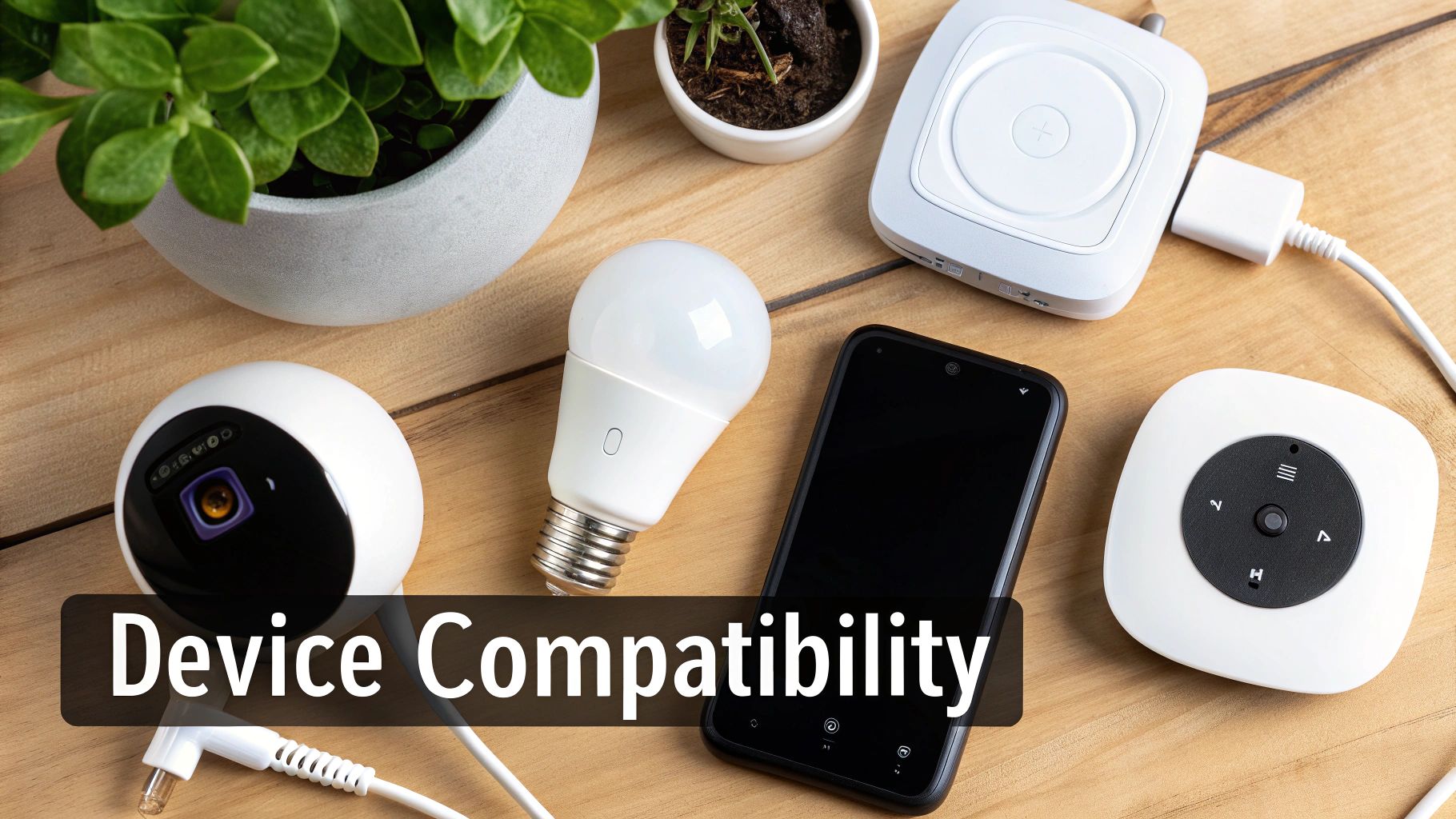
A voice assistant is only as good as the devices it can talk to. When you're weighing Alexa vs. Google vs. Siri, you're really looking at the universe of gadgets each one controls. This isn't just a numbers game; it's about how well those connections work and how they fit into your daily life.
Think of it this way: choosing an assistant is like picking a team. Once you start building your smart home around one, it can be a real headache to make it play nice with devices designed for another. Getting this decision right from the start saves a lot of frustration down the road.
Amazon Alexa: The King Of Compatibility
Amazon got into the smart speaker game early, and it shows. Alexa’s head start gave it a massive advantage in building a sprawling network of compatible products. If a smart home device exists, chances are it has a "Works with Alexa" sticker on the box.
This is Alexa's superpower: choice. You aren't boxed into buying smart plugs, light bulbs, or security cameras from just a few select brands. This opens the door to incredible customization, letting you cherry-pick devices from countless companies to build a system that fits your exact needs and budget.
The numbers back this up. Projections for 2025 show Echo devices maintaining a 34% global market share, connecting to a staggering 400 million gadgets. For anyone trying to be more efficient, that translates to millions of weekly commands that can cut down on energy use, from dimming lights to tweaking the thermostat.
Google Assistant: A Curated And Connected Ecosystem
Where Alexa goes for sheer numbers, Google Assistant focuses on a more polished, cohesive experience. Its ecosystem is built around a tight integration with Google's own hardware, particularly the Nest family of thermostats, cameras, and smart displays. If you commit to the Nest lineup, you’re rewarded with a system that just works, smoothly and reliably.
Google is also all-in on Matter, the open-source standard designed to tear down the walls between smart home brands. This protocol aims to make devices from different companies communicate effortlessly, which simplifies setup and makes everything more dependable. By championing Matter, Google is positioning itself for a future where your smart home is less fragmented.
Real-World Scenario: Let's say you want to trigger a "Movie Night" routine. You've got Philips Hue lights, a TP-Link Kasa smart plug for the popcorn maker, and a Sony smart TV. Because of Google's focus on Matter, getting these different brands to work together in a single routine is often a much simpler process.
Siri and HomeKit: The Walled Garden
Apple plays by a completely different set of rules. With Siri and HomeKit, the top priorities are security and privacy, period. This philosophy creates a "walled garden"—a closed, tightly controlled environment where every device has to pass a strict certification process to get the "Works with Apple HomeKit" badge.
This approach has a clear trade-off. First, the selection of compatible devices is much, much smaller than what you'll find for Alexa or Google. Your choices are limited, and the gadgets often carry a premium price tag.
But here’s the payoff: HomeKit devices are rock-solid. They're known for their exceptional security, reliability, and flawless integration into the Apple world. Since Apple oversees everything from the iPhone in your hand to the software on the device, the user experience is incredibly slick and intuitive. If you're looking for a central brain for your system, our smart home hub comparison can help you weigh the options. With HomeKit, you get fewer choices, but the ones you have work beautifully.
Comparing Conversational AI And Intelligence
At the end of the day, a voice assistant is only as good as its ability to understand what you actually mean. This is where the digital brains behind Alexa, Google Assistant, and Siri really show their differences. The best assistant isn't just a robot waiting for a command; it's a partner that gets the context, handles tricky requests, and gives you information that's actually useful.
This intelligence is the engine that powers your whole smart home. To really get a feel for what makes these devices tick, it helps to understand what an AI voice assistant truly is. It's the difference between a seamless experience and a frustrating one.
Google Assistant: The Undisputed Knowledge Champion
When it comes to pure conversational ability and raw intelligence, Google Assistant is in a league of its own. Its secret weapon is having the entire Google search index and Knowledge Graph at its fingertips, allowing it to answer an incredible range of questions with a nuance that the others just can't match.
Google has a knack for understanding the intent behind your words, not just the keywords. You can ask follow-up questions without awkwardly repeating yourself, thanks to a feature called "Continued Conversation." For instance, ask, "Who directed The Godfather?" and immediately follow up with, "What other movies did he direct?" Google just knows you're still talking about Francis Ford Coppola.
This advanced intelligence shows in the numbers. By 2025, the U.S. is expected to have 154.3 million voice assistant users, with Google Assistant leading the charge at 92.4 million. It also commands 36% of voice search users, a dominance built on its deep tie-in with Google Maps that drives a ton of local business. You can find more details in these voice assistant trends.
Alexa: The Practical Taskmaster
While Google Assistant wins the trivia contest, Alexa is the one you hire to get things done. Its intelligence is less about answering obscure questions and more about executing commands with ruthless efficiency. Amazon built Alexa to be an action-oriented assistant, and it absolutely shines in that role.
Alexa’s real power comes from its massive library of "Skills," which are basically voice-activated apps. This lets it connect with and control a staggering number of third-party devices and services. Simple, direct commands like, "Alexa, order more paper towels" or "play my 'Focus' playlist on Spotify" are where it feels most at home. It’s a master of direct action.
The trade-off is that its conversational skills can feel a bit stiff. Alexa sometimes stumbles on complex, multi-part requests or loses the plot on follow-up questions, meaning you have to be more literal and precise with how you phrase things.
Key Differentiator: Google Assistant is like talking to a super-smart librarian who can find any piece of information and understand its context. Alexa is more like an incredibly efficient executive assistant who is brilliant at checking tasks off your to-do list.
Siri: The Private and On-Device Processor
Siri operates on a completely different philosophy, one that puts privacy and on-device processing first. Many of its computations happen right on your iPhone, iPad, or HomePod instead of being sent to a server in the cloud. This makes it feel snappier for basic tasks like setting a timer or sending a text, and it's a fundamentally more secure approach to your data.
But this privacy-first model has its downsides. Siri’s well of knowledge isn't nearly as deep as Google’s, and its grasp of complex, natural language often trails both of its rivals. You frequently have to word things just right, and it can easily get stumped by questions that require pulling data from multiple places online.
Apple is constantly working to make it better, but for now, you might ask Siri the same complex question that Google nails, only to get a frustrating "Here's what I found on the web," which just pushes the work back onto you.
To see how these differences play out in the real world, I ran a few typical voice commands by each assistant, ranging from simple to complex. Here’s how they stacked up.
Real-World Command Performance Test
This table shows how each assistant handles a series of increasingly complex voice commands, from simple queries to multi-step routines.
| Command Type | Alexa Response | Google Assistant Response | Siri Response |
|---|---|---|---|
| Simple Command | "Okay, setting a 10-minute timer for pasta." (Instant and reliable) | "Sure, a 10-minute timer for pasta, starting now." (Slightly more conversational, equally reliable) | "Your pasta timer is set for 10 minutes." (Fast and direct, processed on-device) |
| Information Query | "The average distance from the Earth to the Moon is about 238,855 miles." (Accurate, from a web source) | "The Moon's average distance from Earth is about 238,855 miles." (Answers directly from Knowledge Graph) | "Here's what I found on the web," displaying search results. (Requires user to read) |
| Contextual Follow-Up | "Who is the CEO of Disney?" (Answers correctly) Then, "How old is he?" (Responds, "I'm not sure.") | "Bob Iger is the CEO of Disney." (Answers correctly) Then, "How old is he?" (Responds, "He is 73 years old.") | "Bob Iger is the CEO of The Walt Disney Company." Then, "How old is he?" (Responds with web results for "how old is he") |
| Complex Routine | "Alexa, good night." (Turns off lights, locks door, plays sleep sounds – as pre-programmed in a routine) | "Okay, good night." (Executes the exact same multi-step routine flawlessly) | "Hey Siri, good night." (Can run a "Scene" in HomeKit, but with slightly fewer third-party integrations) |
As you can see, for simple tasks and routines, all three are quite capable. But as soon as you introduce complexity or a need for contextual awareness, Google Assistant pulls ahead significantly, while Siri tends to fall back on web searches.
Building Smart Home Routines And Automations
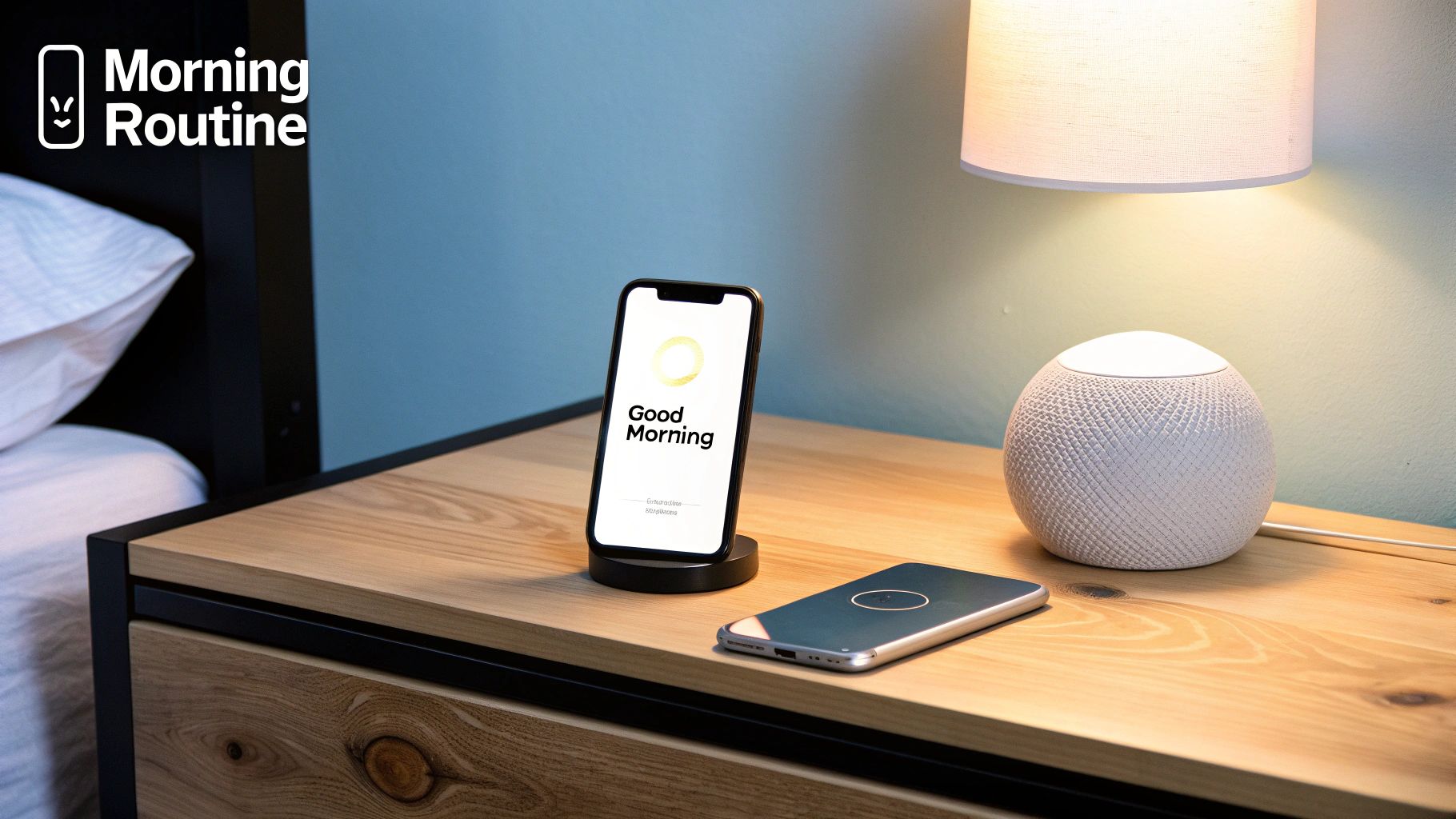
The real magic of a smart home isn’t just telling a speaker to turn on a light. It’s when the light turns on by itself, exactly when you need it. This is where routines and automations come in, turning your assistant from a simple command-taker into the silent conductor of your home’s symphony.
Each platform approaches this differently, and when comparing Alexa vs. Google vs. Siri on this front, you see three completely distinct philosophies for how a smart home should operate.
Alexa Routines: The Power Of Flexibility
Of the three, Amazon’s Alexa hands you the most powerful and flexible toolkit. Routines are the gold standard if you’re a tinkerer or someone who wants to micromanage every detail of your smart home.
What makes Alexa so dominant here is its massive library of triggers. You can kick off a Routine with almost anything you can imagine:
- Voice: A custom phrase like, "Alexa, it's movie time."
- Schedule: A set time, or even at sunrise or sunset.
- Device State: When a smart lock is unlocked or a motion sensor is tripped.
- Location: As you leave or arrive home.
- Sound Detection: When a baby cries or a dog barks (on supported Echo devices).
This sheer variety of triggers allows you to build incredibly complex, multi-layered automations that truly adapt to your life. The huge number of compatible gadgets also means you can easily get devices from different brands to work together in a single, smooth sequence. If you need a hand getting things paired up, our guide on how to connect devices to Alexa can walk you through it.
Google Assistant Routines: Simplicity And Integration
Google Assistant takes a much more user-friendly path with its Routines. While they don't offer the same dizzying complexity as Alexa's, they are dead simple to create and are woven deeply into the Google and Nest ecosystem.
Google cleverly splits routines into two types: Household and Personal. This is a great touch, letting you create automations that affect everyone in the home or just you. The setup itself is a breeze, with a clean interface that guides you through triggers and actions without any confusion.
Key Difference: Alexa's real power comes from its third-party device triggers (like a contact sensor on a window), giving it a huge advantage for custom setups. Google's strength is its simplicity and tight integration with its own services, like starting a routine based on one of your calendar events.
For instance, a Google routine can start the moment you dismiss an alarm on your Android phone—a feature that feels incredibly natural and baked into your day. It’s all about making powerful automation feel effortless.
Siri Automations: Secure And Localized
Apple's philosophy with Automations in the Home app is built on a foundation of security and rock-solid reliability. Many Siri automations run locally on a home hub like an Apple TV or HomePod, which is a game-changer.
This local processing means your automations will still work even if your internet goes down. That's a huge plus for critical automations like security alerts or automated locks. The triggers are logical and straightforward, focusing on time of day, your location, or the status of another accessory.
The trade-off, of course, is Apple’s famous walled garden. Your automation potential is limited to HomeKit-certified devices. While this guarantees a stable and secure experience, it lacks the anything-goes flexibility you get with Alexa.
Creating A 'Good Morning' Routine Step-By-Step
To really see how these philosophies play out, let's build a classic "Good Morning" routine on each platform.
Amazon Alexa Routine:
- Trigger: "When I dismiss my alarm" between 6 AM and 8 AM.
- Action 1: Gradually brighten Philips Hue bedroom lights to 70% over 15 minutes.
- Action 2: Alexa says, "Good morning. The weather is…" followed by the forecast.
- Action 3: Start playing a "Morning Motivation" playlist on Spotify.
- Action 4: Switch on the TP-Link Kasa smart plug connected to the coffee maker.
Google Assistant Routine:
- Trigger: Voice command "Hey Google, good morning."
- Action 1: Set the Nest Thermostat to 70 degrees.
- Action 2: Read my first Google Calendar event for the day.
- Action 3: Announce my commute time using Google Maps data.
- Action 4: Play a news briefing from a chosen source.
Apple Siri Automation:
- Trigger: "When the first person wakes up" (based on iPhone interaction).
- Action 1: Run the "Good Morning" HomeKit Scene, which turns on designated lights.
- Action 2: Open the smart blinds halfway.
- Action 3: A HomePod begins playing an Apple Music playlist.
This side-by-side comparison says it all. Alexa excels at mixing and matching actions from countless third-party devices. Google shines with its deep integration into your digital life. And Siri offers a secure, reliable, if more constrained, experience that just works.
A Look at Privacy and Data Security
When you bring a smart speaker into your home, you're placing a lot of trust in the company that made it. And when it comes to Alexa, Google Assistant, and Siri, their philosophies on privacy and data security couldn't be more different. These aren't just minor policy details; they're direct reflections of how Amazon, Google, and Apple make their money.
This goes beyond worrying about your speaker accidentally recording a private conversation. It's about what happens to every command you give—how it’s stored, who analyzes it, and what it’s used for. All three give you some control, but their starting points are worlds apart.
Apple’s Privacy-First Model
Apple has staked its reputation on privacy, and Siri is a perfect reflection of that. Whenever possible, Siri processes your commands right on-device. Asking to set a timer or turn off a HomeKit light? That request probably never even leaves your house. This local processing isn't just faster; it's automatically more secure.
When a request does need to go to the cloud, Apple goes to great lengths to protect it with end-to-end encryption and random identifiers, making it incredibly hard to link your voice data back to your Apple ID.
Apple’s philosophy is simple: they sell you premium hardware, not your data. This gives them very little financial reason to Hoover up your personal information for ad targeting, which is the single biggest difference between them and their competition.
This privacy-first approach is also why the HomeKit ecosystem feels so locked down. It might mean fewer compatible gadgets, but it guarantees that every single one has passed Apple’s tough security checks.
Google and Amazon: A Different Game
Google and Amazon play a completely different game. Their business models are built on data. They use it to make their services smarter and more personal, and in Google’s case, to serve you incredibly relevant ads. It’s no secret that your interactions with Google Assistant and Amazon Alexa can be used to figure out your interests for ad targeting.
Now, this doesn't mean your data is just floating around unprotected. Both companies use strong encryption and have poured millions into security. The key difference is the default mindset: your data is used to improve the system and personalize your experience, and that experience includes advertising.
Thankfully, both give you the tools to manage your own privacy:
- Review and Delete: You can dive into your voice history in the Alexa or Google Home apps, listen to what was recorded, and delete things one by one. Better yet, you can set them to auto-delete after 3, 18, or 36 months.
- Microphone Control: Every Echo and Nest speaker has a physical mute button. Pressing it electronically disconnects the microphone, giving you a hardware-level guarantee that it's not listening.
Taking Control of Your Data
No matter which assistant you go with, you're not helpless. If you know where to look, you can get surprisingly granular with your privacy settings.
For instance, when you add a Ring (Amazon) or Nest (Google) camera to your setup, you're also making a choice about how your video footage is stored and used. It's really important to dig into the settings for these devices in their own apps.
Here are a few practical steps everyone should take:
- Set Up Auto-Deletion: The first thing you should do is find the privacy settings and turn on automatic deletion for the shortest period you're comfortable with.
- Review Your History: Every once in a while, scroll through your voice history. It's the best way to see what's being recorded and find out what might be causing accidental "hotword" activations.
- Manage Skill and Action Permissions: Just like on your phone, Alexa Skills and Google Actions can ask for permission to access your personal info. Pay attention to what you’re granting them access to.
Ultimately, your choice comes down to a classic trade-off. Siri gives you the best privacy right out of the box, but you sacrifice some smarts and device compatibility. Alexa and Google Assistant deliver a more powerful, connected experience, but they ask you to be more hands-on with managing your own data.
Which Smart Assistant Is Right For You?
So, after digging into the nitty-gritty of ecosystems, smarts, automation, and privacy, the big question remains: Alexa, Google Assistant, or Siri? There’s no single "best" answer here. The right choice is the one that actually fits your life, the tech you already own, and what you value most.
Getting this decision right from the jump saves a lot of headaches (and money) down the line. Let's match your needs to the strengths of each platform to build a smart home that feels helpful, not frustrating.
For The Smart Home Tinkerer
Your best choice is Amazon Alexa. If you’re the kind of person who wants to connect everything but the kitchen sink and tweak endless settings, Alexa is your playground. Its "Works with Alexa" program is massive, meaning you can find a compatible version of just about any smart gadget out there, from big names to obscure brands.
Alexa's Routines are also the most powerful for creating complex automations. You get a ton of triggers to work with—like sound detection or specific sensor states—that let you build incredibly specific chains of command. It’s the perfect setup for anyone who loves to experiment and build a truly custom smart home piece by piece.
For The Data-Driven User
Your best choice is Google Assistant. If you want an assistant that understands you and can pull information from anywhere, Google Assistant is in a league of its own. It’s built on top of Google's ridiculously large search index, so its answers are more accurate and context-aware than the competition.
It's also much better at handling natural, back-and-forth conversations without making you repeat yourself. For anyone already living in Google’s world of Calendar, Maps, and Gmail, the integration is seamless and genuinely useful. Google Assistant is the smartest of the bunch because it doesn't just hear your words; it understands your intent.
This flowchart can help you think through the decision based on how you feel about your data and privacy.
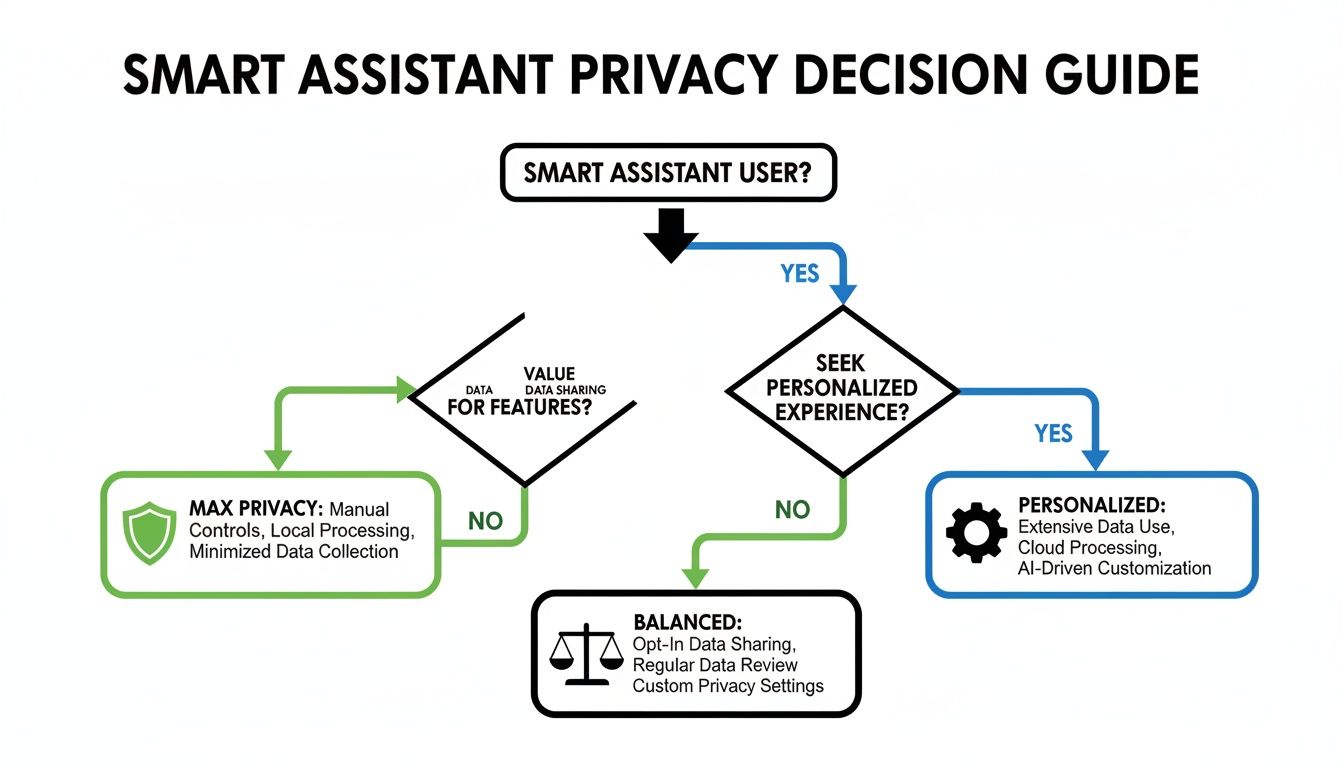
It lays out the trade-offs pretty clearly. If you want maximum privacy, one path opens up. If you're all about a personalized experience, the others become more appealing.
For The Privacy-Focused Apple User
Your best choice is Apple's Siri. If you’re already an Apple user and put privacy above all else, Siri and HomeKit are the obvious fit. Apple makes its money selling hardware, not mining your data for ads, and that philosophy is baked right into how Siri works.
Siri handles many requests right on your device and uses end-to-end encryption for anything that goes to the cloud. This approach is fundamentally more private. While the HomeKit ecosystem is smaller, every device in it has been vetted for security and reliability. For anyone with an iPhone, Mac, or Apple Watch, Siri offers a secure and smooth smart home experience that just works.
Frequently Asked Questions
Got questions? You're not alone. When you're trying to pick the right brain for your smart home, a few common uncertainties always pop up. Let's clear them up.
Can You Use Multiple Voice Assistants In One Home?
You absolutely can. In fact, plenty of smart homes run a mix of assistants to get the best of all worlds. It’s not uncommon to see an Amazon Echo in the kitchen for its killer shopping list integration and a Google Nest Hub in the living room because it’s just better at answering random questions.
The catch? They don't talk to each other. You'll have one ecosystem managed in the Alexa app and another in the Google Home app. It's a great setup if you want to play to each assistant's strengths in different rooms, but it does mean your smart home won't feel like one single, unified system.
Real-World Example: You might have an Echo Show by the door to see when your Amazon packages arrive and a HomePod Mini on your nightstand to securely control your HomeKit-enabled bedroom lights. They'll work fine on the same Wi-Fi, but you can't ask Siri to start a timer on your Echo device.
How Does The Matter Standard Affect My Choice?
Matter is a game-changer. Think of it as a universal language for smart home gadgets. It’s a new connectivity standard designed to let devices from different companies work together without a fuss. The whole point is to get rid of that "Works with Alexa" or "Works with Apple HomeKit" headache.
Amazon, Google, and Apple are all backing Matter, which is huge news for homeowners. It means picking an assistant today is less of a permanent commitment than it used to be. A new smart plug with the Matter logo on the box will work with Alexa, Google Assistant, and Siri. This makes your investment much safer and gives you the freedom to mix and match devices later on.
What Is The Next Generation Of Voice AI?
The future is all about generative AI, the same kind of tech that powers things like ChatGPT. This is going to make talking to your assistant feel less like giving commands and more like having a real conversation. Assistants will get much better at understanding context, anticipating what you need, and personalizing their responses.
Instead of waiting for you to say, "turn down the heat," your assistant might notice the sun is setting and you're settling in for the evening, then proactively ask if you'd like to lower the thermostat. We're moving from a reactive model to a proactive one, where your assistant acts less like a simple remote control and more like a genuine home manager.
At Automated Home Guide, our goal is to help you build a smarter, more connected home. For more deep dives and practical setup guides, check us out at https://automatedhomeguide.com.










Leave a Reply