
Let's cut right to the chase. If you're wondering what Wi-Fi you need for a modern smart home, here’s my straightforward advice. For most homes under 2,500 sq ft with 25+ connected devices, a Wi-Fi 6 mesh system is the sweet spot—it delivers fantastic performance without breaking the bank.
But if you're a serious tech enthusiast, a gamer, or live in a large home juggling over 50 smart devices, then stepping up to Wi-Fi 6E or 7 is a smart move. It's about future-proofing your network for whatever comes next.
Your Personalized Wi-Fi Roadmap
Picking the right Wi-Fi isn’t about grabbing the newest, shiniest box off the shelf. It’s a custom-fit decision that hinges on three things: your home's size and layout, how many gadgets you have, and what you actually do online.
Think of it like buying a car. You wouldn't buy a two-seater sports car for a family of five, and a giant SUV is probably overkill for a city commuter. Your Wi-Fi is the same. The setup for a small apartment with a laptop and a phone will grind to a halt in a three-story house packed with smart lights, cameras, and streaming TVs.
This guide is your roadmap. We’ll figure out the best route for you before we get lost in the technical jargon.
Key Factors Shaping Your Decision
To get this right, you first need to take stock of your own environment. Let's break down the three pillars that will support your decision:
Home Size and Layout: A sprawling ranch or a multi-story home is a different beast than a studio apartment. Obstacles like brick fireplaces, concrete walls, or even large metal appliances can kill a Wi-Fi signal. A more robust solution, like a mesh system, is often needed to get solid coverage everywhere.
Number of Connected Devices: We're not just talking about phones and computers anymore. Take a quick inventory. Smart speakers, TVs, security cameras, video doorbells, smart plugs, thermostats—they all count. Once you cross the 50-device threshold, you need a modern router that can handle that much traffic without getting overwhelmed.
Primary Internet Activities: What does a typical day look like on your network? If you’re a competitive gamer, low latency is everything. If you work from home, crystal-clear video calls are non-negotiable. Or maybe you're a movie buff streaming 4K content while your security cameras upload footage to the cloud. Each of these activities places a unique stress on your Wi-Fi.
This simple flowchart can help you visualize how your home size and device count point you toward the right standard.
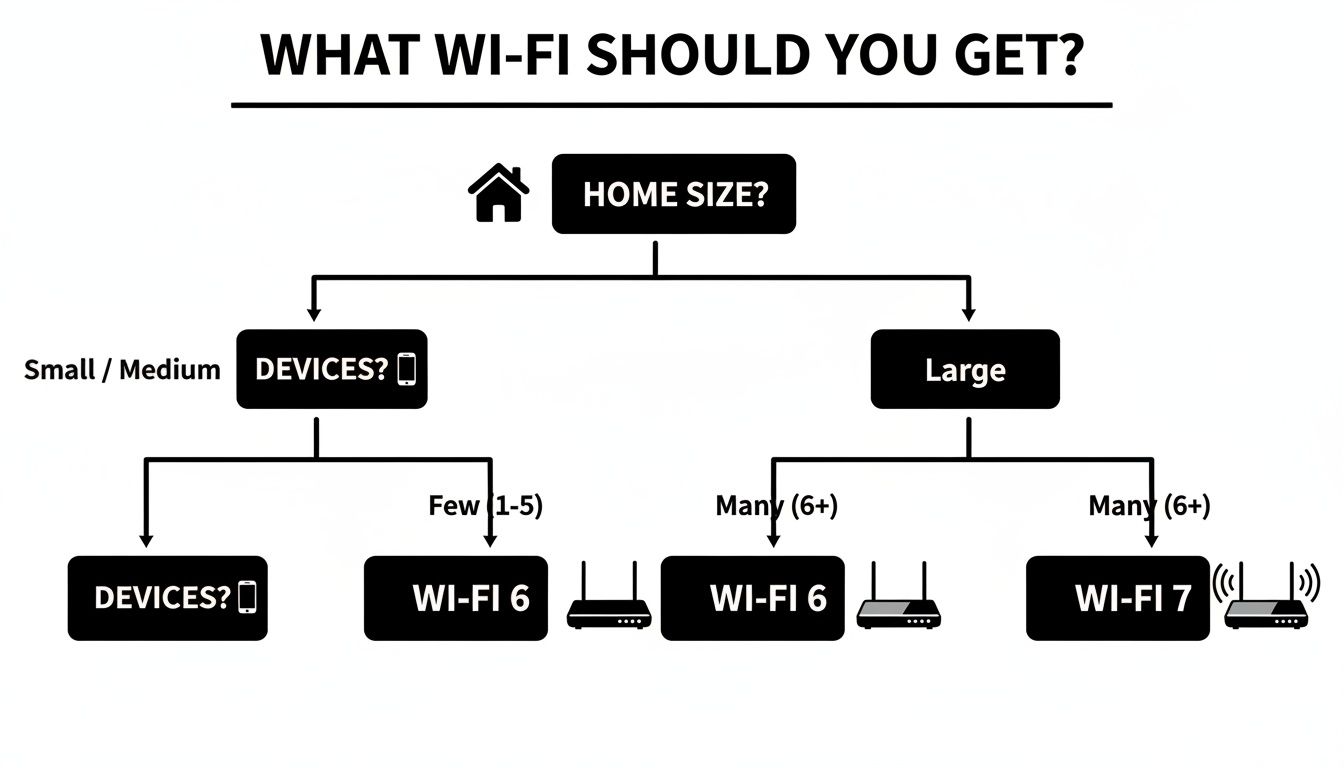
As you can see, a smaller space with fewer devices can get by beautifully with Wi-Fi 6. But once you scale up in either size or device count, the extra muscle of Wi-Fi 7 really starts to pay off.
By looking at these three areas—coverage, capacity, and usage—you move from a vague question to a confident, clear-cut decision. This initial self-assessment is the single most important step you can take toward building a home network that just works.
Quick Wi-Fi Recommendation Guide
To make it even easier, here's a table matching common home profiles with the right gear. Use this to quickly find a starting point for your own setup.
| Home Profile | Recommended Wi-Fi Standard | Best Router Type | Ideal For |
|---|---|---|---|
| The Apartment Dweller | Wi-Fi 6 | Single Router | 1-2 users, under 1,500 sq ft, 15-25 devices, streaming & browsing. |
| The Modern Family | Wi-Fi 6 | Mesh System | 2,000-3,500 sq ft, 25-50 devices, 4K streaming, WFH, smart home. |
| The Power User / Gamer | Wi-Fi 6E or Wi-Fi 7 | High-Performance Router | Intense gaming, VR, massive file transfers, and low-latency needs. |
| The Large Smart Home | Wi-Fi 7 | Mesh System | 3,500+ sq ft, 50-100+ devices, multiple 4K/8K streams, home automation. |
This table should give you a solid recommendation, but remember to consider your specific layout and online habits. The "best" choice is always the one that fits your life, not just the specs on a box.
Understanding Wi-Fi Generations From 5 to 7
When you start digging into what Wi-Fi you should get, all the numbers—Wi-Fi 5, 6, 7—can feel a bit like alphabet soup. The easiest way to think about them is to picture your home network as a highway. Each new generation is a major upgrade, designed to handle more traffic, more efficiently.
This isn't just about pure speed. It’s really about capacity and stability. Our homes are bursting with smart speakers, security cameras, and even Wi-Fi-connected coffee makers. The demand on our networks has exploded. An older Wi-Fi standard is like trying to merge onto a single-lane road during rush hour—everything just slows to a crawl.
Let's walk through how each generation has evolved to fix the problems of the modern, device-packed home so you can pick the right one for you.
Wi-Fi 5: The Reliable Old Highway
For years, Wi-Fi 5 (also known by its technical name, 802.11ac) was the trusty workhorse. You'll still find it in millions of homes. Its big advantage was operating on the 5 GHz band, a much cleaner, less crowded space than the old 2.4 GHz frequency that was always getting interference from microwaves and cordless phones.
But Wi-Fi 5 was built for a simpler time, before the smart home craze really took off. It can handle a few high-demand devices, like a streaming TV and a couple of laptops, without much trouble. The moment you start adding a dozen smart bulbs, a video doorbell, and multiple smart speakers all asking for a signal, it starts to buckle under the pressure. The highway gets congested, and you get buffering, lag, and dropped connections.
If you have very few smart devices, Wi-Fi 5 might still do the job. For anyone trying to build a modern smart home, though, it’s a bottleneck waiting to happen.
Wi-Fi 6: The Smart Traffic Upgrade
Wi-Fi 6 (802.11ax) changed the game entirely. It wasn't just about making the highway wider; it was about adding an intelligent traffic management system. This standard brought two key technologies to the table that are essential for today's connected homes.
OFDMA (Orthogonal Frequency-Division Multiple Access): This lets a router talk to multiple devices at the same time within a single transmission. Imagine a delivery truck that can drop off packages at several houses on one street in a single trip, instead of driving back and forth for each one. It's incredibly efficient.
MU-MIMO (Multi-User, Multiple-Input, Multiple-Output): While an early version existed in Wi-Fi 5, it’s vastly improved in Wi-Fi 6. It allows the router to communicate with multiple devices at once, like a customer service agent who can expertly handle several phone calls simultaneously.
Together, these features slash latency and boost efficiency, especially when you have a ton of devices connected. A Wi-Fi 6 router can juggle 75% more devices than a Wi-Fi 5 router without breaking a sweat. It's the new baseline for any smart home.
Wi-Fi 6E and Wi-Fi 7: The Exclusive Superhighway
If Wi-Fi 6 improved the existing highway, Wi-Fi 6E and Wi-Fi 7 built a brand-new, exclusive superhighway. These standards are the first to access the 6 GHz frequency band, a massive, untouched stretch of airwaves with practically zero interference from older devices.
Wi-Fi 6E was the trailblazer, opening up this 6 GHz band to give compatible devices their own private, high-speed lane. It’s like having an express toll road just for new, high-performance cars, letting them bypass all the old, slow traffic.
Wi-Fi 7 (802.11be) pushes this concept into overdrive. It introduces a groundbreaking feature called Multi-Link Operation (MLO), which lets a single device connect to your router using multiple bands (2.4 GHz, 5 GHz, and 6 GHz) all at the same time. This creates an unbelievably fast and stable connection by combining the speed of all available lanes. If one band gets congested, your data seamlessly shifts to another.
The potential here is enormous. The Wi-Fi 7 market was valued at $1.38 billion in 2024 and is expected to skyrocket to $46.79 billion by 2032. That explosive growth is fueled by its ability to hit theoretical speeds of up to 46 Gbps—nearly four times faster than Wi-Fi 6. It’s built for the future: AR/VR, 8K streaming, and homes with over 100 smart devices. You can read more about the Wi-Fi 7 market's rapid expansion for more detail. For anyone who wants to build a truly future-proof smart home, Wi-Fi 7 is the final answer.
Single Routers vs. Mesh Systems vs. Extenders
Picking the right Wi-Fi standard is a great start, but it's only half the story. To truly bring your network to life, you have to pair that technology with the right hardware. Answering "what Wi-Fi should I get?" means looking past the numbers on the box and thinking about how the signal will actually travel through your unique home.
You've got three main contenders: the traditional single router, the budget-friendly Wi-Fi extender, and the increasingly popular mesh Wi-Fi system.
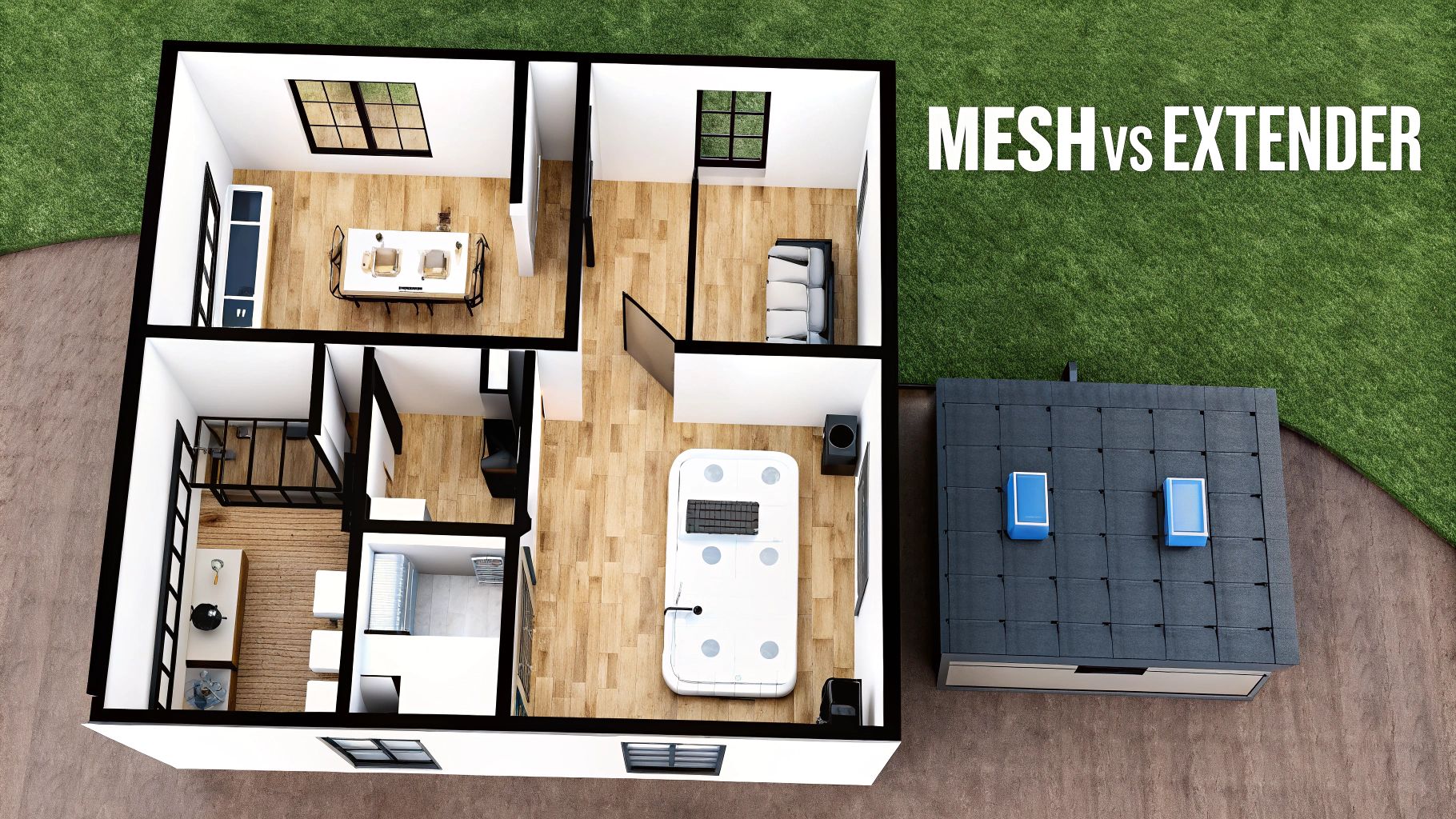
Each one works on a totally different principle. Think of it like lighting up your house. A single router is like one powerful lamp in the living room. A Wi-Fi extender is like placing a few mirrors around to bounce that light into other rooms. A mesh system is like installing smart, coordinated light fixtures in every major area.
Let's break down which one is the right fit for you.
The Lone Lighthouse: A Single Router
For years, the single router was all we had. You’d stick this one powerful box in a central spot and just hope its signal could muscle its way into every corner of your home. In the right environment, this setup is still a perfectly good—and by far the most cost-effective—solution.
A high-quality single router really shines in:
- Smaller Homes: Perfect for apartments, condos, and smaller single-story houses, usually anything under 1,500 square feet.
- Open-Concept Layouts: With fewer walls and obstacles, the signal can travel much farther before it gets weak.
But its weaknesses become obvious pretty quickly in larger or more complicated homes. The signal strength drops dramatically with every wall, floor, or even large piece of furniture it has to pass through. Materials like brick, plaster, and concrete are notorious signal killers, creating those frustrating dead zones where your connection just vanishes. This is exactly why a single router often falls short in multi-story houses or homes with dense construction.
The Signal Mirror: A Wi-Fi Extender
Wi-Fi extenders (sometimes called repeaters) were invented to solve the dead zone problem without breaking the bank. They work by grabbing the existing signal from your main router and simply rebroadcasting it, stretching its reach a bit further. It's the digital equivalent of placing a mirror in a hallway to bounce light from one room into another.
Sounds good, right? Well, there's a big catch. Every time that signal gets rebroadcast, its quality takes a hit. In fact, using an extender often cuts your potential Wi-Fi speed in half. On top of that, extenders usually create a separate network name (SSID). This means your devices won't automatically hop between the router and the extender; you have to manually disconnect and reconnect as you move around your home. It's anything but a seamless experience.
An extender can be a quick, cheap fix for a single, isolated dead zone—like a basement office or a back patio. But it's a compromised solution that trades real performance for a low price, and it's definitely not the answer for reliable, whole-home coverage.
The Modern Gold Standard: Mesh Wi-Fi Systems
For most modern homes, especially those packed with smart devices, a mesh Wi-Fi system is the definitive answer. Instead of relying on one central point, a mesh system uses multiple "nodes"—a main router connected to your modem and one or more satellite nodes you place around your house.
These nodes don't just mindlessly repeat a signal; they communicate with each other to form a single, unified network. The result is a powerful and seamless blanket of Wi-Fi that covers your entire home.
Here’s why mesh has become the go-to choice for so many people:
- Seamless Roaming: All the nodes work together under a single network name. Your phone, laptop, or tablet will automatically connect to whichever node has the strongest signal as you move from room to room, with no connection drops.
- Intelligent Traffic Routing: Mesh systems are smart. They dynamically route your data through the fastest and clearest path available. If one node gets congested or somehow goes offline, the system instantly reroutes traffic through another node to keep you online.
- Superior Coverage: By placing nodes strategically, you can kill dead zones for good, even in the most challenging homes. Multi-story layouts, thick walls, and sprawling floor plans are no match for a good mesh system. You can even get great coverage out in your yard or garage.
If you're serious about building a rock-solid smart home, a mesh system is an investment that pays for itself in reliability. You can learn more about what makes a wireless mesh network setup so effective at providing robust, whole-home coverage. It’s really the only solution that delivers the consistent performance needed for dozens of connected devices.
Matching Your Wi-Fi to Your Smart Home Needs
Before you can pick the right Wi-Fi gear, you need a crystal-clear picture of what you’re asking your network to do. A modern smart home isn't just a handful of gadgets; it's a bustling digital ecosystem where devices are constantly chattering with each other and the internet.
To build a network that won't buckle under the pressure, you need to start with two simple questions: How much space do you need to cover, and how many devices will be connecting? Getting this right is the first and most important step toward flawless performance instead of endless frustration.
Sizing Up Your Space for Coverage
First things first, let's talk about your home's layout. A Wi-Fi signal is a physical wave, and it gets weaker as it travels through the air and bumps into things. The size of your house and what it’s made of will directly determine how far that signal can reliably go.
For a smaller apartment, say under 1,500 sq ft, a single high-quality router can often do the trick. But once you get into a larger home with multiple floors or a spread-out design, dead zones become almost guaranteed with just one broadcast point.
You also have to think about the stuff between your router and your devices.
- Drywall and Wood: Wi-Fi signals pass through these materials pretty easily.
- Brick and Concrete: These are notorious signal killers and can create dead spots that are tough to overcome.
- Metal Appliances & Plaster with Wire Mesh: These can reflect or absorb signals, causing all sorts of interference.
If your home has multiple stories or is built with signal-blocking materials, a mesh Wi-Fi system isn't just a luxury—it’s practically a necessity for consistent coverage everywhere.
Remember, the goal isn't just to get a signal in every room, it's to get a strong one. A weak, spotty connection is often just as infuriating as no connection at all, especially for smart devices that depend on a stable link to work properly.
Counting Every Connection
Next up, it’s time for a device census. It’s easy to remember the big ones—laptops, smartphones, and smart TVs. But in today’s smart homes, the real traffic jams come from the dozens of smaller, often-forgotten gadgets.
Take a quick walk through your house and make a list. Every single device that connects to your Wi-Fi adds to the load on your router. Don’t forget these:
- Smart speakers and displays (like Amazon Echo or Google Nest Hub)
- Security cameras and video doorbells
- Smart light bulbs, switches, and plugs
- Smart thermostats and environmental sensors
- Wi-Fi-enabled appliances like refrigerators or robot vacuums
A home with just 15 devices has completely different needs than one with 50 or more. Think of each connection as a separate conversation your router has to manage. An older router trying to juggle that many conversations will quickly get overwhelmed, leading to lag, buffering, and devices that randomly drop offline.
The sheer volume of these devices is only growing. Projections show there will be 21.1 billion connected IoT devices by 2025, and Wi-Fi powers a massive 31% of them. This is why having a robust network is no longer optional. To get a better sense of this trend, you can read more about the growth of connected IoT devices.
Finally, think about the type of traffic on your network. A 4K security camera constantly uploading high-definition video uses way more bandwidth than a smart plug that only sends a tiny bit of data now and then.
By putting all this together—your home’s layout, device count, and data demands—you can build a clear profile that points directly to the right Wi-Fi solution. The table below can help you visualize where you might land.
Wi-Fi Needs Based on Home Size and Device Count
This table provides a great starting point for matching a Wi-Fi solution to your specific living situation.
| Home Size (sq ft) | Device Count | Recommended Solution | Key Feature to Look For |
|---|---|---|---|
| < 1,500 | < 25 | Single Wi-Fi 6 Router | High speed rating (AX3000+) |
| 1,500 – 3,000 | 25 – 50 | 2-Pack Wi-Fi 6 Mesh System | Easy app-based setup & management |
| 3,000 – 5,000 | 50 – 75 | 3-Pack Wi-Fi 6/6E Mesh System | Tri-band for dedicated backhaul |
| > 5,000 | 75+ | High-Performance Wi-Fi 6E/7 Mesh | Multi-gigabit ports, advanced QoS |
By finding where your home and device count intersect, you can narrow down your choices and focus on the features that will actually make a difference for you.
Optimizing Your Network for Peak Security and Performance
Picking the right hardware is a huge first step, but even the most powerful Wi-Fi system needs to be set up correctly. To really get the performance you paid for, you have to nail two things: security and optimization. Without them, that brand-new router is just a fast but vulnerable gateway into your home.
Think of your Wi-Fi network as the digital front door to your house. You wouldn't leave it unlocked, right? The same logic applies here, especially with how much of our lives—from banking to smart home controls—runs through that connection.
Fortifying Your Digital Front Door
The single most important security feature you should look for today is WPA3 (Wi-Fi Protected Access 3). It's the latest and strongest security standard out there, making it incredibly difficult for anyone to snoop on your traffic or crack your password. For a home filled with personal data and connected devices, WPA3 isn't a luxury; it's essential.
Another incredibly simple yet effective trick is to set up a guest network. Nearly all modern routers have this option. It creates a completely separate, walled-off network just for visitors. It’s like giving guests a key to the guest house but not your main home—they can get online without ever being able to see or access your personal computers, files, or smart home gadgets.
Setting up a guest network is one of the easiest and most effective ways to protect your main devices. It ensures that visitors' devices, which may not be secure, are kept completely separate from your sensitive personal network.
Beyond the Wi-Fi protocol itself, it's worth learning the fundamentals of how to secure your home network. Many new routers also include built-in security software that acts as another line of defense, actively scanning for threats and blocking malicious sites. For a deeper dive, check out our guide on how to protect your Wi-Fi from hackers.
Creating an Internet Express Lane with QoS
Once your network is locked down, it's time to make it smarter. This is where Quality of Service (QoS) comes into play. Think of QoS as a traffic cop for your internet connection. It looks at all the data zipping around and prioritizes what's most important.
For instance, you can tell your router to always give top priority to certain activities.
- Work video calls: This keeps your Zoom or Teams meetings crystal clear, even if someone else starts streaming a movie.
- Online gaming: It cuts down on lag, which can make all the difference in a competitive match.
- 4K video streaming: No more dreaded buffering icon in the middle of your favorite show.
By creating this digital "express lane," QoS makes sure your most critical tasks aren't choked out by less urgent traffic, like a massive software update downloading in the background. It's this kind of intelligent traffic management that makes a network feel truly fast and responsive.
This need for smarter, more secure home networks is fueling some serious growth. The global Wi-Fi market was valued at $17.08 billion in 2024 and is expected to explode to $120.23 billion by 2035. This boom is all thanks to our ever-growing collection of smart devices demanding better, more reliable connections. Making security and QoS a priority today ensures your network is ready for whatever comes next.
Your Wi-Fi Buying and Setup Checklist
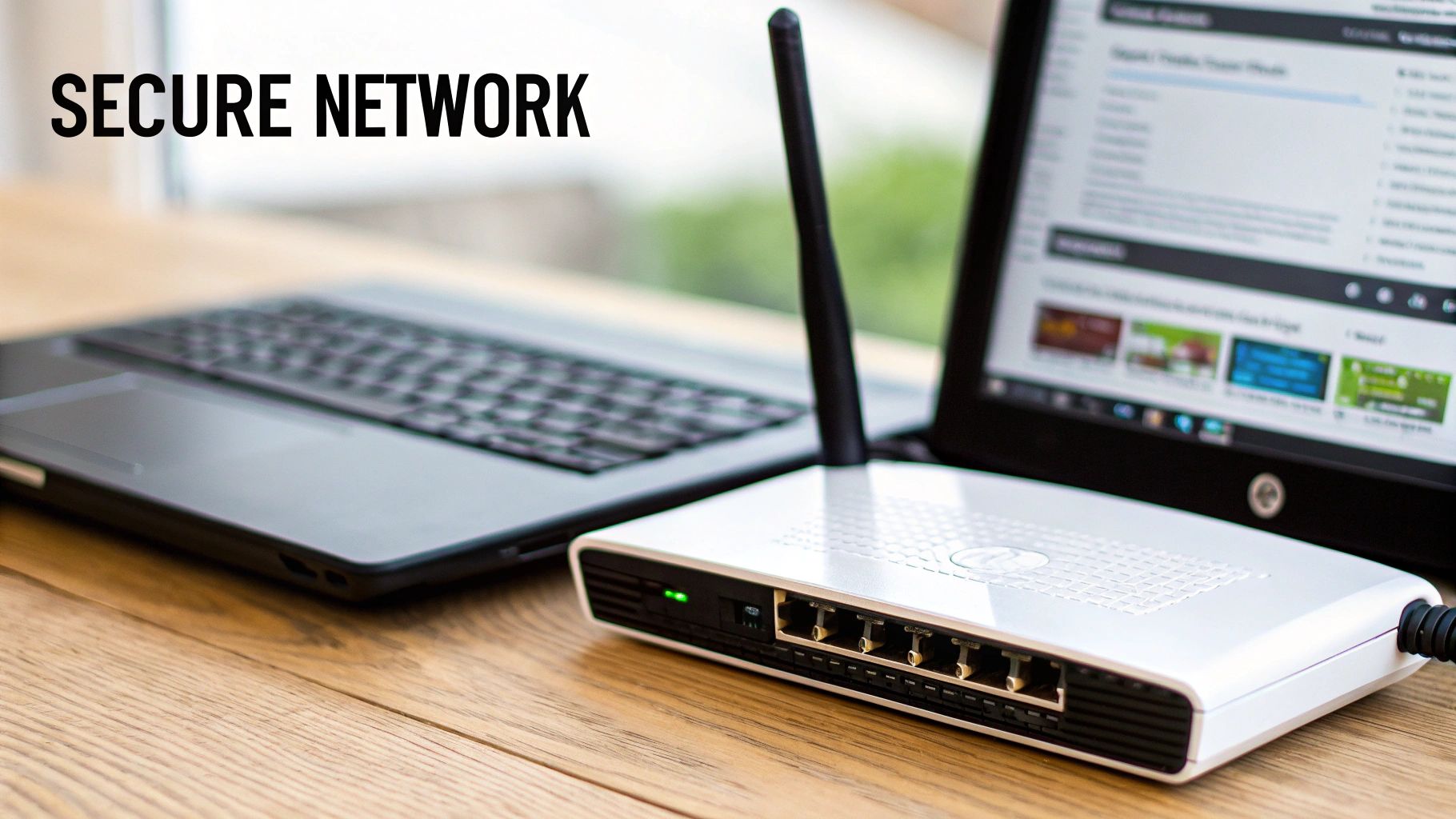
Alright, you've done the hard work of figuring out exactly what your home needs. Now it’s time to put that knowledge into practice. Answering "what Wi-Fi should I get" is as much about the setup as it is about the purchase. This simple checklist will guide you through the entire process, from what to check before you even hit "buy" to the essential security tweaks you need to make right after you plug it in.
Think of this as your roadmap to a successful network upgrade. Following these steps helps guarantee you get the speed, coverage, and protection you're paying for from day one.
Before You Buy
A little prep work before you spend any money can save you a world of frustration. Double-check these two things to make sure you’re getting a router that actually works for you.
Confirm ISP Compatibility: While most routers you buy today will work with any internet service provider, it never hurts to be 100% sure. A quick visit to your ISP's website should turn up a list of approved third-party routers.
Match Speeds: This one's a biggie. Make sure the router you're eyeing can actually handle the internet speeds you pay for. It’s pointless to have a 1 Gbps plan from your provider if you buy an older router that can only push 300 Mbps over Wi-Fi. You'll be creating your own bottleneck.
Your router is the gatekeeper for your internet speed. Buying a model that can't keep up with your plan is like paying for a sports car but only being allowed to drive it in first gear. You're simply not getting what you're paying for.
After You Unbox
Once the new gear arrives, how you set it up makes all the difference. Nailing these few steps during installation will dramatically improve your network's performance and security. For a deeper dive into the selection process, check out our full guide on how to choose a Wi-Fi router.
Find the Optimal Spot: Don't just stick your new router wherever the old one was. For the best signal, place it in a central, elevated spot in your home. Keep it away from thick concrete walls, microwaves, and big metal objects like refrigerators. If you got a mesh system, place the satellite nodes about halfway between the main router and your worst Wi-Fi dead zones.
Change Default Credentials Immediately: This is an absolute must. The factory-set admin username and password for your router are easily found online, making your network a sitting duck. The very first thing you should do is create a strong, unique password to lock it down.
Enable WPA3 Security: When setting up your Wi-Fi network, you'll be asked to pick a security protocol. Always, always choose WPA3 if it's available—it’s the latest and most secure encryption standard. If your router doesn't support it, the next best thing is WPA2-AES.
Create a Guest Network: Every modern router has this feature, and you should use it. Setting up a separate network for visitors keeps their devices completely isolated from your own. This simple step prevents a friend's potentially compromised phone from causing problems for your personal computers or smart home gadgets.
Common Questions About Home Wi-Fi
Diving into a new Wi-Fi system can feel a little overwhelming. Let's tackle some of the most common questions people have. This should help clear things up and give you the confidence to pick the right gear.
Should I Use My Internet Provider's Router or Buy My Own?
It’s tempting to just use the router your Internet Service Provider (ISP) gives you—it's easy and it's already there. But honestly, for most people, that convenience comes at a high cost to performance. ISPs usually hand out basic, one-size-fits-all hardware that just can't keep up with a house full of smart devices, streaming, and gaming.
Buying your own router, especially something like a modern Wi-Fi 6 mesh system, is one of the best upgrades you can make. The difference is night and day. You get consistent coverage across your entire home, much faster speeds on every device, and better security like WPA3. It's about getting the performance you're actually paying your ISP for every month.
Will a New Router Actually Make My Internet Faster?
Let's be clear: a new router won't change the speed of your internet plan. If you pay for 200 Mbps, that's the maximum speed coming into your house. What a new router can do is make your Wi-Fi feel dramatically faster by eliminating the bottleneck your old router creates.
Think of it like your home's plumbing. Your internet plan is the main water pipe coming from the street, and your router is the faucet. If you have a huge water main but a tiny, corroded faucet, you're only going to get a weak trickle. A new router is like installing a high-flow faucet—it unleashes the full potential that was there all along, so your devices get the speed they need without lag.
How Many Mesh Nodes Do I Really Need?
The right number of mesh nodes depends entirely on your home's size, its layout, and what it's made of. As a solid rule of thumb, plan on having one node for every 1,500 to 2,000 square feet.
Here's a quick cheat sheet to get you started:
- Homes up to 2,500 sq ft: A two-pack system is usually a perfect fit.
- Homes between 2,500 and 4,500 sq ft: A three-pack will likely be needed to cover everything without dead spots.
Keep in mind, if your house has multiple floors or thick walls made of brick, concrete, or old-school plaster and lath, those materials can really kill a Wi-Fi signal. You might need an extra node to push through the interference. Smart placement is everything!
At Automated Home Guide, our goal is to help you build a smarter, more connected home. Find more expert advice and find solutions that fit your life at https://automatedhomeguide.com.












Leave a Reply