
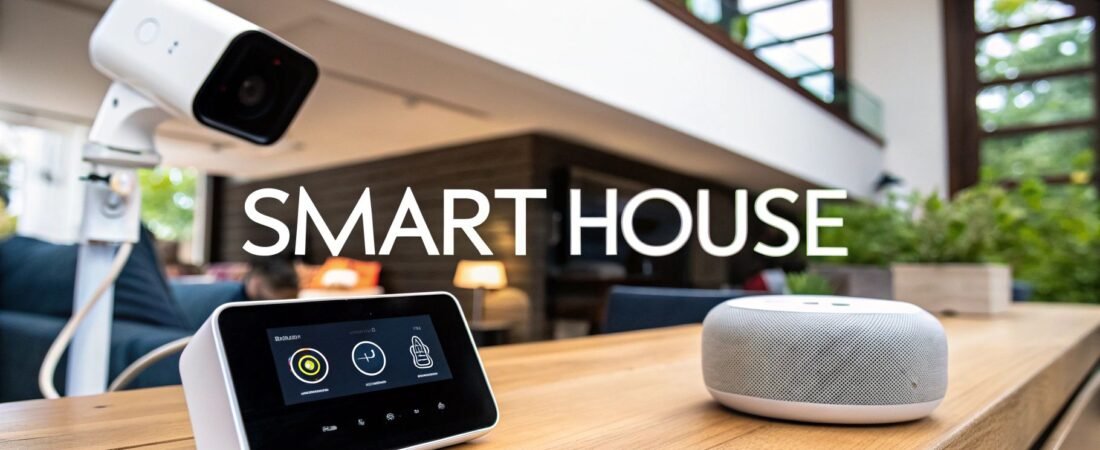
At its most basic level, a smart house is a home where your lights, climate control, entertainment systems, and security devices are all connected and can talk to each other. This isn't just about controlling things from your phone; it's about creating an interconnected ecosystem designed for convenience, efficiency, and security.
These devices don't just work on their own—they work together in a coordinated way.
Defining the Modern Smart House
So, what really makes a house "smart"? Most people think it's just about having a bunch of cool gadgets. While smart plugs and voice-activated speakers are part of the equation, the real magic happens when these devices stop being individual items and start working as a team.
Think of it like an orchestra. A single smart lightbulb is like one violinist playing a solo. It’s nice, but it's not a symphony. A true smart house is the entire orchestra, with every instrument playing in harmony, all guided by one conductor—you.
This seamless integration is what separates a truly smart house from a home that just has a few smart products scattered around. Instead of juggling ten different apps for ten different gadgets, you get one central point of control. Better yet, you can create automations where one device triggers an action in another. For instance, the moment you unlock your smart lock, it can cue the entryway lights to turn on and tell your thermostat to switch to your preferred temperature.
Smart House vs Smart Devices: A Quick Comparison
It's easy to confuse a house full of standalone smart gadgets with a truly integrated smart house. One is a collection of solo performers, while the other is a finely tuned ensemble.
This table breaks down the key differences:
| Feature | Isolated Smart Devices | Integrated Smart House |
|---|---|---|
| Control | Requires multiple apps, one for each device. | Centralized control via a single app or hub. |
| Automation | Limited to what one device can do on its own. | Devices work together in complex "scenes" or routines. |
| User Experience | Can feel fragmented and clunky. | Seamless, intuitive, and responsive. |
| Example | Using an app to turn on a smart bulb. | Unlocking your door triggers lights, thermostat, and music. |
Ultimately, a smart house is about creating an intelligent, responsive environment, not just a collection of remote-controlled electronics.
More Than Just Gadgets
A smart house is built on a simple but powerful idea: creating a home that actively adapts to your lifestyle. It goes way beyond just turning things on and off from your couch. It’s about proactive automation that makes your day-to-day life easier, more efficient, and safer.
Some of the most tangible benefits include:
- Effortless Convenience: Imagine automating repetitive daily chores. Your blinds open automatically with the sunrise, the coffee maker starts brewing right before you wake up, and all the lights turn off with a single command when you leave.
- Smarter Energy Use: Smart thermostats learn your schedule to avoid heating or cooling an empty house. Smart lighting adjusts based on the time of day or whether anyone is in the room, significantly cutting down on your energy bills.
- Next-Level Security: You can monitor your home from anywhere in the world. Get real-time alerts from security cameras, check if you locked the doors, and even grant temporary access to a guest—all from your phone.
A Rapidly Growing Reality
This isn't science fiction anymore; it’s becoming a common feature in modern homes. The global smart home market is expected to surge from USD 164.13 billion in 2026 to a massive USD 311.22 billion by 2031.
Here in the U.S., the trend is even more pronounced. The market is projected to leap from $23.72 billion in 2024 to an incredible $84.20 billion by 2030. These numbers show just how quickly homeowners are embracing the idea of a more connected and intelligent living space. You can see the full smart home market forecast on grandviewresearch.com for a deeper dive.
At its core, a smart house is a promise of a more intuitive and seamless living experience. It’s a home that anticipates your needs, secures your space, and conserves resources without you having to think about it.
The Core Components of a Smart House
To really get what makes a smart house tick, we need to look under the hood. The magic isn't just in the cool gadgets you see; it’s in how they all work together as a single, coordinated system. Think of it like a well-rehearsed orchestra—each instrument plays its part, but a conductor makes sure they all create a beautiful symphony.
A true smart house is built on four key pillars. Nailing these down will help you make much smarter choices when you're buying devices and building a system that actually works for you, not the other way around.
This simple concept map shows how the main benefits—convenience, efficiency, and security—all stem from the central idea of a smart house.
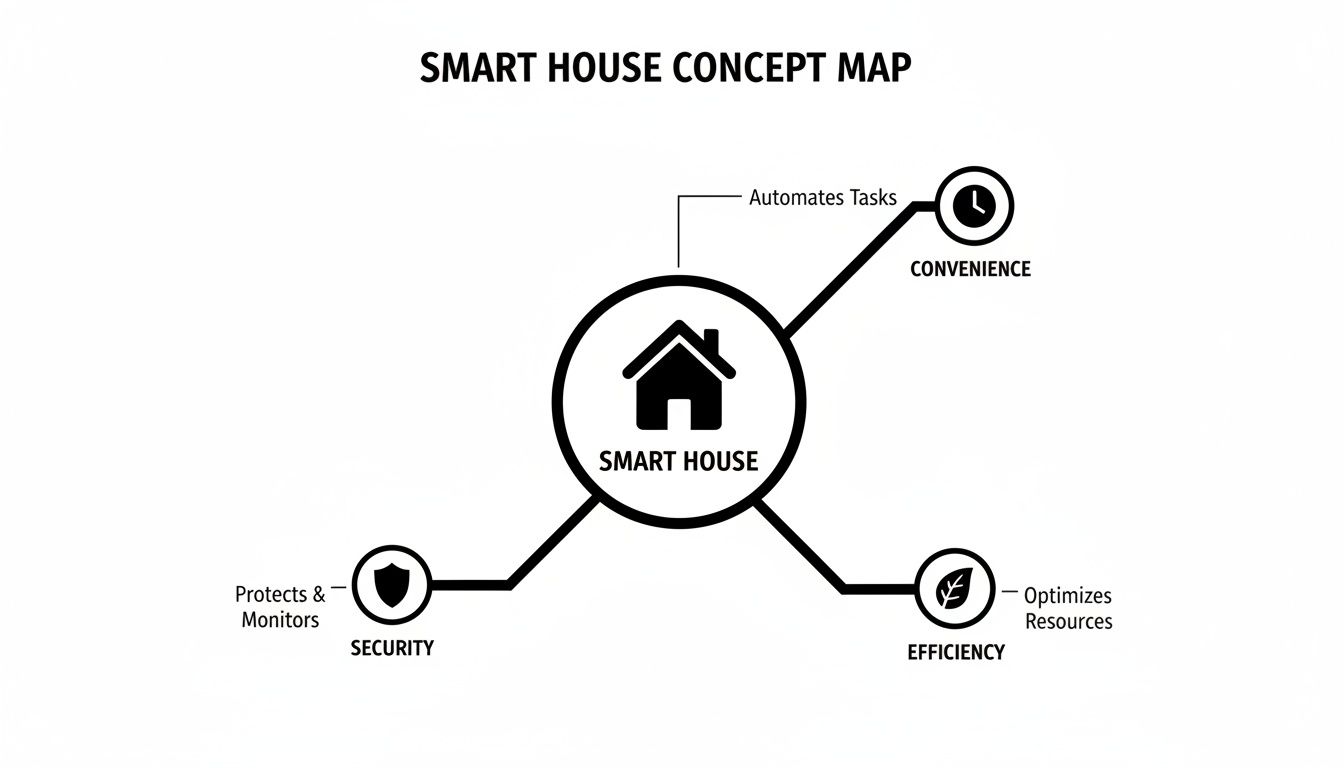
As you can see, these three perks are the real reasons people get excited about smart home tech. They form the foundation of its value.
The Devices and Sensors
The most obvious parts of any smart house are the devices and sensors. These are the "eyes, ears, and hands" of your home, the physical hardware that interacts with your world. They’re the gadgets that do the work and gather the data.
The list of possibilities here is huge. It covers everything from smart lightbulbs and thermostats to security cameras and automated blinds. Even a tiny, unassuming sensor that just tells you when a door opens is a critical piece of the puzzle.
You'll run into things like:
- Smart Lighting: Bulbs and switches you can control with your voice or set on a schedule.
- Climate Control: Thermostats that actually learn your daily routine to cut down on energy bills.
- Security Devices: Cameras, motion sensors, and smart locks that keep an eye on things for you.
- Smart Appliances: Refrigerators that tell you when you're out of milk or a coffee maker that starts brewing before you're out of bed.
These devices are the frontline workers, but they need a boss to tell them what to do.
The Central Hub or Brain
If devices are the hands, the smart home hub is the brain. It's the central command post that takes in all the information from your sensors and sends out orders to your devices. This centralization is what turns a pile of neat gadgets into a truly cohesive, intelligent system.
Instead of your phone having to individually connect to a dozen different apps for a dozen different devices, it just talks to the hub. The hub then plays traffic cop, orchestrating everything behind the scenes. For example, when you say "Goodnight" to your smart speaker, the hub is what translates that single command into a sequence of actions: locking the doors, shutting off the lights, and lowering the thermostat.
A hub is the secret sauce for creating powerful, custom automations. It lets a trigger from one device (like a motion sensor) kick off an action in a completely different device (like a smart plug), even if they're made by different companies.
The Network and Communication Protocols
The "nervous system" connecting everything is the network. This is the invisible web of communication that carries signals between the hub and all your devices. Without a solid network, commands get dropped, and your automations will be frustratingly unreliable.
Most of us know Wi-Fi, and plenty of smart devices use it. But it's not the only game in town. There are other low-power networks built specifically for smart home gear. These networks use different "languages," or communication protocols, to talk to each other.
Here’s a quick rundown of the main players:
- Wi-Fi: Perfect for high-bandwidth devices like streaming cameras, but can clog up your home network if you connect too many gadgets.
- Zigbee and Z-Wave: These are super reliable, low-power mesh networks. Devices on these networks can pass signals along to each other, which extends the range and strength of your system.
- Thread: A newer mesh network protocol that's a key part of the Matter standard. It's designed for speed and reliability.
- Matter: Now, this isn't a protocol itself, but a universal standard—think of it as a universal translator. It’s designed to finally get devices from different brands to work together seamlessly, so your Apple device can talk to your Google device without a hitch.
Getting a handle on how these pieces fit together is crucial. If you want to dive deeper into the technical side, our guide on how does a smart home work really breaks it down. Every component, from the physical device in your hand to the invisible signal in the air, has a role to play in creating a truly intelligent living space.
How a Smart House Actually Improves Daily Life
It’s one thing to understand the tech inside a smart house, but it’s another to see how it all comes together to genuinely make your day-to-day life better. This is where the whole concept really clicks. Forget the jargon for a moment; a smart house is all about making your home an environment that actively works for you, simplifying routines, boosting security, and cutting down on waste.
These improvements really boil down to three key areas: next-level convenience, smarter security, and intelligent energy management. Each one tackles common household headaches, turning tedious chores and nagging worries into automated, stress-free experiences.
Unlocking a New Level of Convenience
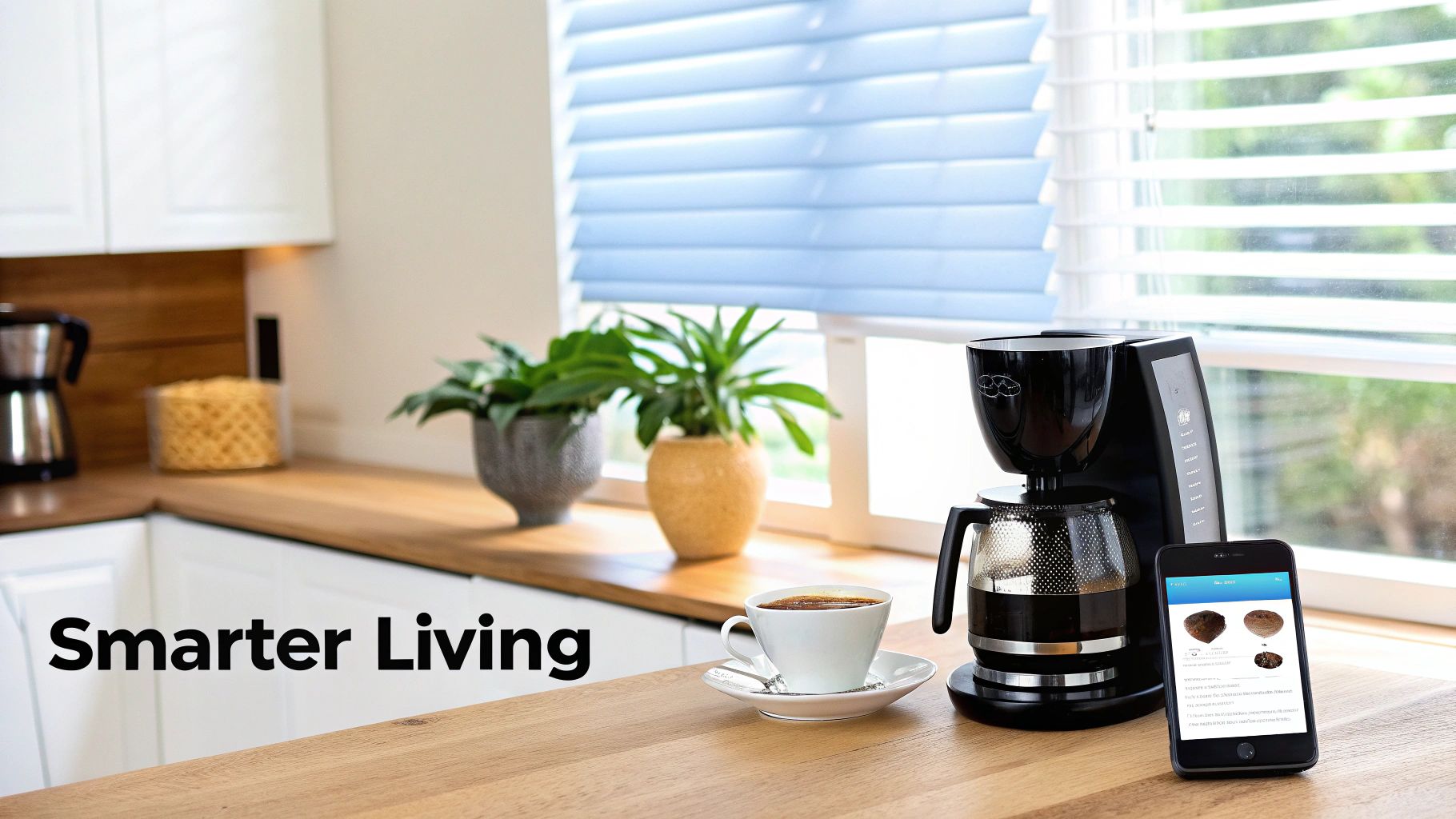
The first thing you’ll notice is the sheer convenience. It’s about getting back time and mental energy by putting all those small, repetitive daily tasks on autopilot. We’re talking about a lot more than just asking a speaker to play a song.
Think about a "Good Morning" routine. With a single phrase or at a set time, your house comes to life. Your smart blinds gently open to let the sun in, your favorite chill playlist starts to play, and the smart plug on your coffee maker kicks on to start the brew. That's what a smart house does best—it bundles a bunch of little actions into one simple, effortless command.
The same goes for leaving. A "Goodbye" scene can handle everything. Instead of running around the house, one command can switch off every light, dial back the thermostat to save energy, and arm your entire security system. That classic "Did I leave the lights on?" worry? Gone.
Fortifying Your Home with Smart Security
A smart house offers a powerful, proactive way to handle home security. It links your locks, cameras, and sensors into a single, cohesive system you can check on from anywhere in the world. This connected approach gives you a level of peace of mind that standalone gadgets just can't match.
For example, when a smart camera on your porch spots movement, it doesn't just start recording. It can instantly flip on your porch lights, ping your phone with a video alert, and let you speak directly to whoever is there through its two-way audio. If you have a smart lock, you could even unlock the door for a delivery and lock it right back up after they leave.
A truly smart security system is more than a deterrent; it's an interactive guardian. It provides the tools to not only see what's happening at home but also to react to it instantly, no matter where you are.
This network of devices can even work together to create a "vacation mode." The system intelligently turns lights and a TV on and off at random intervals, making it look like someone’s home. It’s a simple but incredibly effective trick to deter potential break-ins while you're away.
Achieving Smarter Energy Efficiency
One of the most practical reasons people jump into smart home tech is the impact on energy use and utility bills. A smart house doesn't just use less power; it uses power more intelligently by learning your patterns and eliminating waste without you lifting a finger.
The smart thermostat is the perfect example. It learns your schedule—when you leave for work, when you get home, when you go to bed—and adjusts the temperature for you. No more paying to heat or cool an empty house. The savings really add up over time.
Smart lighting and automated blinds play a big role, too. Lights can be set to turn off automatically when a room is empty. Smart blinds can close themselves during the hottest part of a summer afternoon, blocking out the sun and giving your AC a much-needed break.
This focus on smarter energy use is a huge driver for the industry. In fact, the market for devices like smart plugs and thermostats is expected to jump from USD 2.95 billion in 2017 to USD 17.5 billion by 2027. You can explore more data on the smart home automation market on precedenceresearch.com. This incredible growth shows just how much homeowners value technology that makes life safer, more efficient, and effortlessly convenient.
Real World Smart Home Automation Ideas
So, what's the big deal with a smart house? The real magic isn't just in the cool gadgets themselves, but in how they all talk to each other. When you get them working together, you can create custom automations that genuinely make life a little easier.
Theory is one thing, but seeing these systems solve real-world problems is where it all clicks. These automations—often called "scenes" or "routines"—are the secret sauce. Think of them like a recipe: one simple trigger kicks off a whole chain of events, perfectly timed and executed.
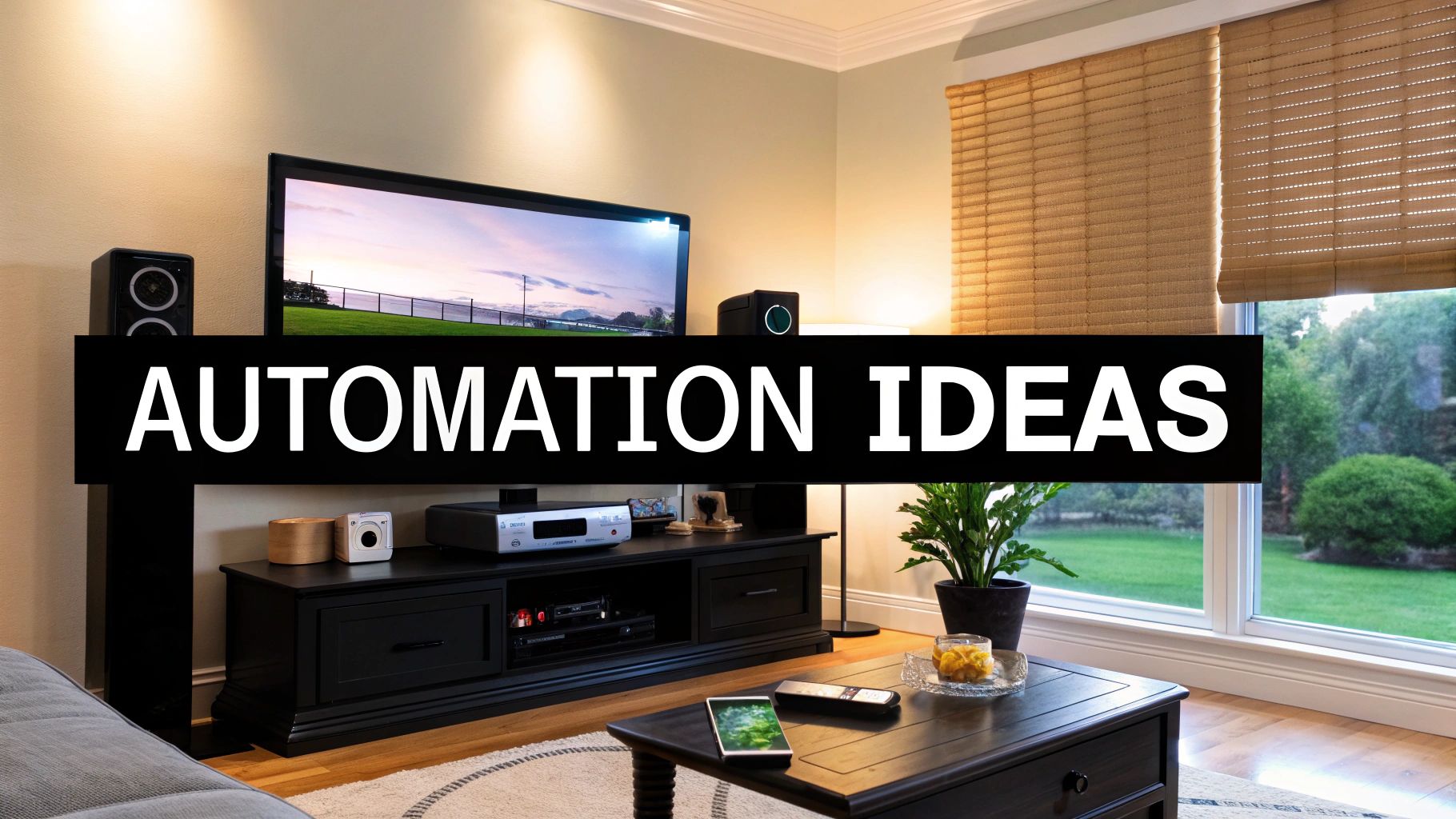
Let's dive into a few practical examples to see how this plays out for different people.
The Perfect Movie Night For Busy Families
Trying to get the family settled for a movie can feel like herding cats. You're hunting for remotes, killing the lights, and trying to close the blinds all at once. A smart house turns that chaos into a single, effortless moment.
With a "Movie Night" scene, you just say something like, "Hey Google, it's movie time." Immediately, the house gets to work:
- The main living room lights dim to a cozy 15%.
- Your automated blinds smoothly lower to cut out any glare.
- The smart TV and soundbar power on, already set to the right input.
- An accent light plugged into a smart plug behind the TV turns on for that cool, cinematic glow.
One command replaces a frantic scramble with four different devices. It's a prime example of how good automation removes the little frictions of daily life.
Vacation Mode For The Security-Conscious Traveler
Heading out of town can be nerve-wracking if you're worried about home security. This is where a "Vacation Mode" automation really shines, making your home look lived-in to deter anyone who might be watching.
This isn't just a basic light timer. A truly smart routine uses randomization to mimic the unpredictable patterns of a family at home.
A smart "Vacation Mode" is about more than just flipping lights on and off. It’s about creating a believable, dynamic presence by using multiple devices to simulate the natural rhythm of an occupied home.
A solid security routine could look like this:
- Randomized Lighting: Lights in the living room and master bedroom turn on and off at different times each evening.
- Simulated Entertainment: A smart plug connected to a TV or radio switches on for a couple of hours every night.
- Active Deterrence: If an outdoor camera senses motion after dark, it can instantly blast the porch lights to full brightness.
This proactive approach is a massive security upgrade, giving you genuine peace of mind while you're away.
Smart Savings For The Eco-Conscious User
If saving energy and shrinking your carbon footprint are important to you, a smart house is your best friend. You can set up automations that systematically cut down on energy waste without you ever having to think about it.
An "Energy Saver" routine can be set to run every night or whenever the house is empty. It’s designed to hunt down and eliminate "vampire power"—that trickle of electricity that devices pull even when they're turned off. As you plan out your home, integrating the best smart appliances for a modern kitchen renovation can give you a head start on efficiency.
Here’s how an eco-friendly routine could work:
- Trigger: It kicks in automatically at 11:30 PM or when your phone's location shows everyone has left.
- Action 1: Smart plugs kill the power to the entertainment center, home office desk, and kitchen gadgets.
- Action 2: The smart thermostat adjusts by a few degrees—up in summer, down in winter—to save energy overnight.
- Action 3: It does a final check to make sure all smart lights are off in empty rooms.
These small, consistent adjustments add up to real savings on your utility bills, making your home not just smarter, but greener, too.
Popular Smart Home Automation Ideas
To give you more inspiration, here are some of the most popular and useful automations people set up. They range from simple conveniences to powerful security measures.
| Routine Name | Trigger (What starts it?) | Actions (What happens?) | Primary Benefit |
|---|---|---|---|
| "Good Morning" | Your first alarm is dismissed | Slowly brighten bedroom lights, start the coffee maker, play a morning news briefing on a smart speaker. | Convenience |
| "I'm Leaving" | Your phone's GPS leaves the home "geofence" | Turn off all lights, adjust the thermostat, arm the security system, and lock the front door. | Energy & Security |
| "Bedtime" | Voice command ("Hey Siri, goodnight") | Dim all lights to 10%, lock doors, turn off TVs and music, set the thermostat to a sleeping temperature. | Convenience |
| "Clean the House" | Scheduled for 10 AM on weekdays | Start the robot vacuum, turn on an air purifier. | Home Maintenance |
| "Water Leak Alert" | A smart water sensor detects moisture | Shut off the main water valve automatically, send a critical alert to your phone. | Damage Prevention |
| "Welcome Home" | The garage door opens after 5 PM | Turn on entryway lights, disarm the security system, adjust the thermostat to a comfortable setting. | Comfort & Security |
These examples just scratch the surface, but they clearly show how a smart house adapts to your lifestyle, turning your space into an environment that actively works for you.
How to Start Building Your Smart House
Jumping into the world of smart technology can feel like trying to drink from a firehose. But building a genuinely smart house is much more approachable than it looks. The secret isn't buying a truckload of gadgets; it's starting with a clear plan and building from there, piece by piece.
This roadmap breaks it all down into four simple steps. Following them will help you create a connected home that actually works for you, without the headaches and buyer's remorse.
Step 1: Define Your Primary Goal
Before you even think about opening your wallet, ask yourself one critical question: "What problem do I want to solve?"
A smart house is a problem-solver, not a gadget collection. Your answer to this question will be the North Star for every decision you make, ensuring you're investing in things that bring real value.
Maybe your goal is:
- Enhanced Security: You want the peace of mind that comes from smart locks, cameras, and sensors that keep an eye on things when you can't.
- Energy Savings: The main driver is cutting down those utility bills with a smart thermostat, automated lighting, and plugs that track energy hogs.
- Daily Convenience: You simply want to automate the little things—adjusting the lights from the couch, starting the coffee maker from bed, or firing up your entertainment system with your voice.
Nailing down your "why" is the most important thing you can do. It keeps you focused and stops you from wasting money on tech you’ll never use.
Step 2: Choose Your Ecosystem
With your goal in mind, it’s time to pick the central "brain" for your smart house. This is the ecosystem that will get all your devices talking to each other. Your main choices are Amazon Alexa, Google Home, and Apple HomeKit.
Each one has its own personality and strengths. The best fit really comes down to what you're already comfortable with. If your family lives on iPhones and iPads, Apple HomeKit is a no-brainer. If you’re a big fan of Google Assistant, then Google Home is the natural choice.
For a deeper dive, you can explore a detailed smart home hub comparison to see how they stack up against your specific needs.
Step 3: Start Small With One Key Device
Here’s where people often go wrong: they try to automate the entire house at once. Don’t do it. The smartest approach is to start with a single, high-impact device that directly addresses the goal you set in step one.
This strategy is easier on your budget, way less intimidating, and lets you learn the ropes without getting overwhelmed.
For example:
- If your goal is convenience, a smart speaker like an Amazon Echo or Google Nest Hub is a perfect first step.
- If you're focused on security, start with a video doorbell or a smart lock.
- For energy savings, a smart thermostat is probably the single most effective device you can buy.
Starting small gives you an immediate win. Once you master that first device and see the benefits, you'll have the confidence and hands-on knowledge to expand your system intelligently.
Step 4: Expand and Ensure Compatibility
Once you’re comfortable with your first piece of gear, you can start layering in more devices. As you grow your system, compatibility is everything. Always, always check that any new device you buy works with your chosen ecosystem (Alexa, Google, or HomeKit).
Better yet, look for products that support universal standards like Matter. Think of Matter as a universal translator for smart gadgets. It ensures devices from completely different brands can communicate with each other reliably.
Choosing Matter-certified products is a great way to future-proof your setup, making it far easier to add new tech down the road without getting stuck in a compatibility nightmare.
Navigating Costs, Privacy, and Common Pitfalls
Let's be honest: building a truly smart house is about more than just unboxing cool gadgets. It’s about making smart decisions with your money, your personal data, and your overall game plan. Getting a handle on the real costs, privacy risks, and common mistakes from the get-go is the key to creating a home that’s not just intelligent, but also secure, reliable, and worth the investment.
The smart home trend isn't just hype; it's a massive global movement. Projections show the market is on track to hit a staggering US$193.5 billion by 2026. This isn't just about convenience—it's driven by real-world benefits. Smart thermostats can slash 10-23% off your utility bills, and AI-powered security cameras are the fastest-growing part of the market for a reason. You can dive deeper into these numbers by exploring the global smart home market insights on statista.com.
Balancing the Budget
The price tag is often the first thing that makes people hesitate. A single smart plug is cheap, but decking out an entire house? That can add up quickly. The trick is to stop thinking of it as an expense and start seeing it as an investment that pays you back.
Smart thermostats and lighting, for example, start saving you money on energy bills from day one. Over time, they often pay for themselves. On top of that, many insurance providers will give you a discount for installing smart security devices like smoke alarms and water leak sensors, which helps chip away at the initial cost. For a realistic look at what you might spend, our guide on understanding smart home installation costs breaks it all down.
A smart approach to budgeting means starting with the gear that gives you the biggest bang for your buck. Focus on energy savings or security first to see a tangible financial return before you start adding devices just for convenience.
Protecting Your Privacy and Security
Your smart house is a data-gathering machine. It learns when you wake up, when you leave, what you watch—everything. Keeping that information locked down is absolutely non-negotiable. Your first and best line of defense is securing your network and the devices connected to it.
Since your home will be collecting so much personal information, learning about effective data leak prevention strategies is crucial for keeping your private life private.
Here are a few things you can do right now to tighten up security:
- Use Strong, Unique Passwords: Seriously. Don't use the same password for your smart lock and your email. A password manager is your best friend here.
- Enable Two-Factor Authentication (2FA): This adds a powerful layer of security by requiring a code from your phone before anyone can log in.
- Check the Fine Print: Before you buy, take a minute to understand what data a company collects and how they plan to use it.
- Lock Down Your Wi-Fi: Change your router’s default admin password immediately and use WPA3 encryption if your router supports it.
Avoiding Common Mistakes
The road to a smart house is paved with good intentions… and a few common blunders that can cause major headaches and wasted money. Knowing what to watch out for will help you build a system that actually works the way you want it to.
One of the biggest face-palm moments is buying incompatible devices. There's nothing worse than discovering your brand-new smart lock won't talk to your Amazon Echo. Always, always check for compatibility with your main hub or ecosystem before you buy.
Another classic mistake is underestimating your Wi-Fi. Piling dozens of smart devices onto a weak network is a recipe for lag, dropped connections, and pure frustration. A mesh Wi-Fi system is often a smart upgrade to ensure you have a strong, stable signal in every corner of your home. And finally, resist the urge to automate everything all at once. Start small, get a feel for it, and expand your system thoughtfully.
Common Questions About Smart Houses
Even after wrapping your head around what a smart house can do, a few questions always pop up. It's totally normal. This stuff can seem pretty complex from the outside, but let's break down some of the most common concerns. You'll find they're a lot more manageable than you think.
Do I Need to Be a Tech Expert?
Not at all. This is probably the biggest myth out there—that you need some kind of IT degree to get started. The truth is, modern smart home gear is built for regular people, with simple apps that walk you through setup step-by-step.
Sure, you can dive deep and build some incredibly sophisticated routines if you want to. But the basics? Turning on lights with your voice, telling your thermostat to warm up the house before you get home, or pulling up a security camera feed on your phone? That’s all designed to be plug-and-play simple.
What Happens If the Internet Goes Down?
This is a great question. An internet outage is annoying, but it doesn't brick your entire house. What happens really depends on how your system is set up. Your smart light switches and thermostat will still work the old-fashioned way—you can just walk over and press the button or adjust the dial.
Anything that needs the cloud, like using a voice assistant or checking your cameras while you're away from home, will be down for the count. That’s why more robust setups rely on local control. This means that key automations—like your motion-activated porch lights—run directly on your home network, no internet needed. It adds a fantastic layer of reliability.
A well-designed smart house balances cloud convenience with local functionality. Key automations should ideally run without the internet, ensuring your home remains responsive even during an outage.
Is a Smart House More Vulnerable to Hacking?
Look, any device connected to the internet has some risk. But a smart house isn't a hacker's playground by default. You have a ton of control, and securing your home comes down to practicing some good digital habits—the same kind you should be using for all your online accounts.
Here are three simple things you absolutely must do:
- Change Default Passwords: The very first thing you should do with a new router or smart gadget is get rid of the factory password ("admin," anyone?) and create a strong, unique one.
- Enable Two-Factor Authentication (2FA): This is a huge one. It adds a second layer of security by asking for a code from your phone before letting anyone log into your smart home account.
- Stick with Reputable Brands: Go with companies that have a history of releasing regular security updates. Those updates are your first line of defense, patching up holes before they become problems.
At Automated Home Guide, we are dedicated to helping you build a smarter, safer, and more efficient home. For more expert tips, in-depth reviews, and practical guides, explore our resources at https://automatedhomeguide.com.












Leave a Reply