
An air conditioning controller is essentially the brain of your HVAC setup. It juggles temperature targets, custom schedules, and even lets you make adjustments from anywhere.
From straightforward IR emulators to advanced smart thermostats and multi-zone systems, these controllers help you trim energy bills and elevate comfort.
Quick Overview Of Air Conditioning Controllers
Before you decide, keep these three core capabilities in mind:
- Programmable Schedules automate your temperature changes by the hour.
- Real-Time Sensor Feedback adjusts settings based on indoor temperature, humidity or even occupancy.
- Remote Access via smartphone apps or voice assistants grants control on the go.
Below is a quick snapshot comparing the main controller types at a glance:
| Controller Type | Connectivity | Key Benefit |
|---|---|---|
| Smart Thermostat | Wi-Fi | Remote scheduling and voice commands |
| IR/Wi-Fi Controller | IR & Wi-Fi | Easy retrofit for legacy units |
| Zone Controller | Wired/Zoned | Tailored room-by-room comfort |
With this overview in front of you, picking the right controller becomes a matter of matching connectivity and perks to your space.
Key Benefits At A Glance
Smart controllers can reduce HVAC energy use by up to 25% through automated routines and geofencing.
Deciding which controller fits your home? Think about:
- How involved the installation will be.
- Whether your current wiring supports a C-wire for power.
- Ecosystem support like Google Home or Amazon Alexa.
A single-zone home often does best with a smart thermostat. Larger properties see real gains from a zone controller. And if rewiring isn’t an option—say in an apartment—an IR/Wi-Fi retrofit module is your go-to.
Choosing Your Controller
Here are the top criteria to weigh:
-
Wiring Requirements
Confirm you have a dedicated C-wire or an alternative power source. -
App Usability
Seek intuitive interfaces and frequent software updates. -
Platform Compatibility
Check for support across Google Home, Amazon Alexa, or Apple HomeKit. -
Budget vs Features
Compare upfront cost against extras like geofencing, advanced zoning or occupancy sensing.
Balancing initial investment with potential energy savings ensures your controller aligns with both your wallet and daily routines. With these pointers, you’ll navigate your controller selection with confidence today.
Understanding Key Concepts
Think of an air conditioning controller like a car’s cruise control—it keeps your indoor climate steady instead of maintaining speed. You set your desired temperature, and the controller steps in whenever the room drifts from that target.
Controllers operate on setpoints you choose. If the space warms or cools beyond your comfort zone, they relay instructions to the HVAC system—much like a driver gently tapping the accelerator to stay at the right speed.
Most controllers let you build programmable schedules for different times of day. For instance, you could cool the living room before guests arrive or warm bedrooms just before bedtime. This kind of planning cuts energy waste and keeps everyone comfortable.
To avoid hot or cold spots, controllers often rely on multiple sensors placed around your home. By comparing readings room by room, the system balances output and maintains a uniform temperature.
Some models even pull in local weather forecasts. Armed with that data, they can pre-cool your house ahead of a sweltering afternoon or pre-heat it before a chilly night sets in.
Core Controller Components
- Sensor Data
Gathers temperature, humidity and, in some cases, air-quality readings. - Control Logic
Compares sensor data against setpoints and decides when to heat, cool or circulate air. - Actuation
Sends the “go” signal to your HVAC unit so it can adjust output accordingly.
Smart controllers can cut HVAC energy use by up to 25% with well-timed schedules and precise sensing.
Beyond temperature, many controllers track humidity and air quality to keep indoor conditions healthy. That extra insight helps prevent mold growth and reduces airborne allergens.
Controllers equipped with motion sensors or door contacts also detect when rooms are occupied. This lets them power down zones that aren’t in use and jump back on when you walk in.
Occupancy detection can trim energy consumption by up to 20% by shutting off climate control in empty areas.
In larger buildings, controllers often link into building automation networks. This lets facility managers monitor every zone from a central dashboard and coordinate strategies across multiple floors or wings.
Visual Guide To HVAC Parts
Below is a screenshot showing key HVAC components and airflow paths.
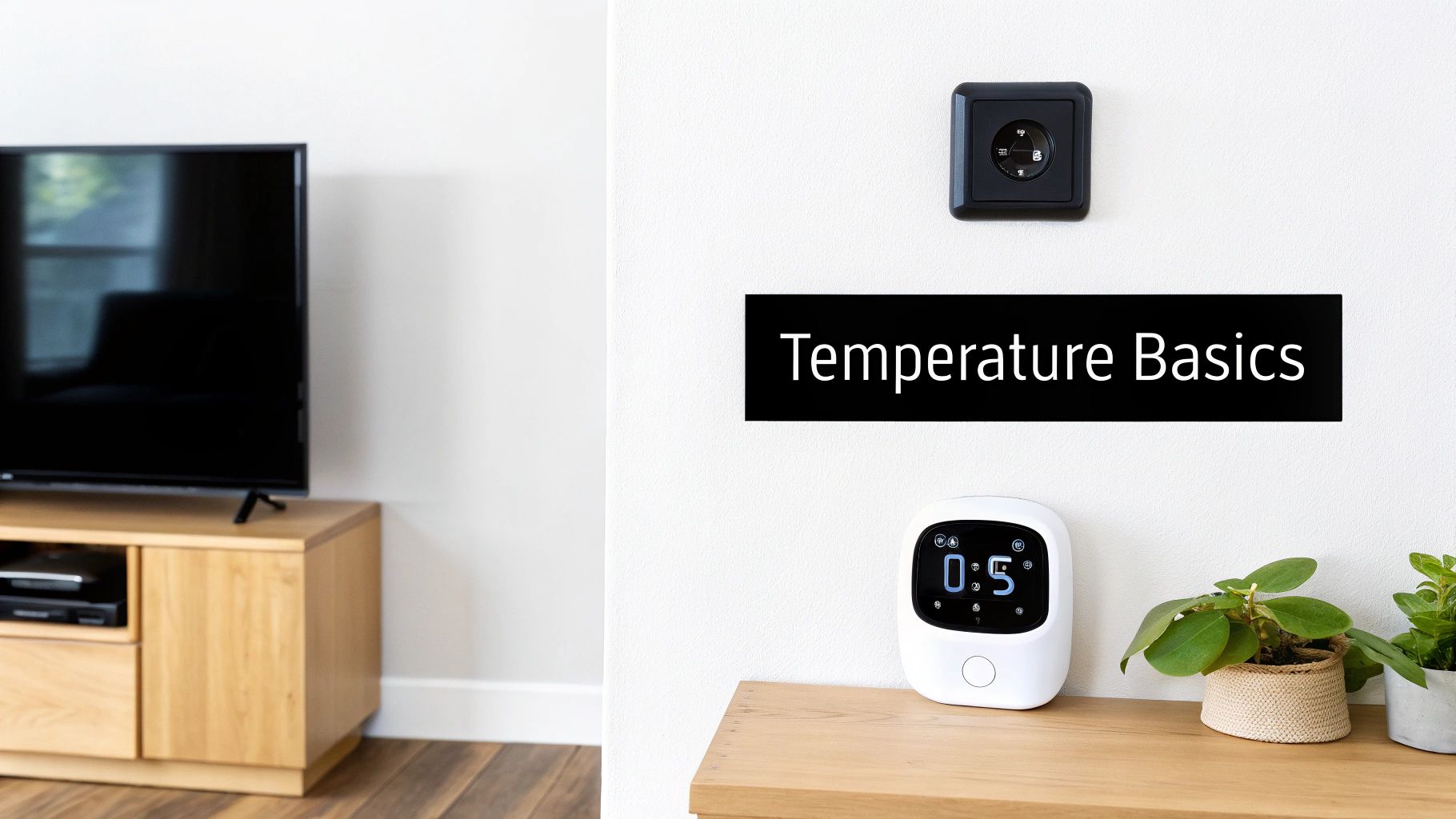
This diagram highlights how ducts, coils and fans work in concert under controller commands to keep your home at the right temperature.
The global market for HVAC system controllers is projected to grow from US$2,757 million in 2025 to US$3,937 million by 2031, a 6.1% CAGR that reflects rising demand for smart air conditioning controllers in homes and businesses. Learn more in the Infinity Market Research report on HVAC system controller market.
With these fundamentals in place, you’re ready to explore the main types of air conditioning controllers and find the one that fits your space and lifestyle.
Types Of Air Conditioning Controllers
Air conditioning controllers aren’t one-size-fits-all. Think of each as a specialist conductor, directing airflow with precision in different spaces.
You’ll typically choose among three styles: smart thermostats that talk to your apps and voice assistants, IR/Wi-Fi retrofit modules that retrofit older units without rewiring, and zone controllers that coordinate multiple dampers for room-by-room comfort.
A renter might grab a Nest or Ecobee to modernize an apartment, while a facilities manager could deploy a zone controller to keep several conference rooms just right.
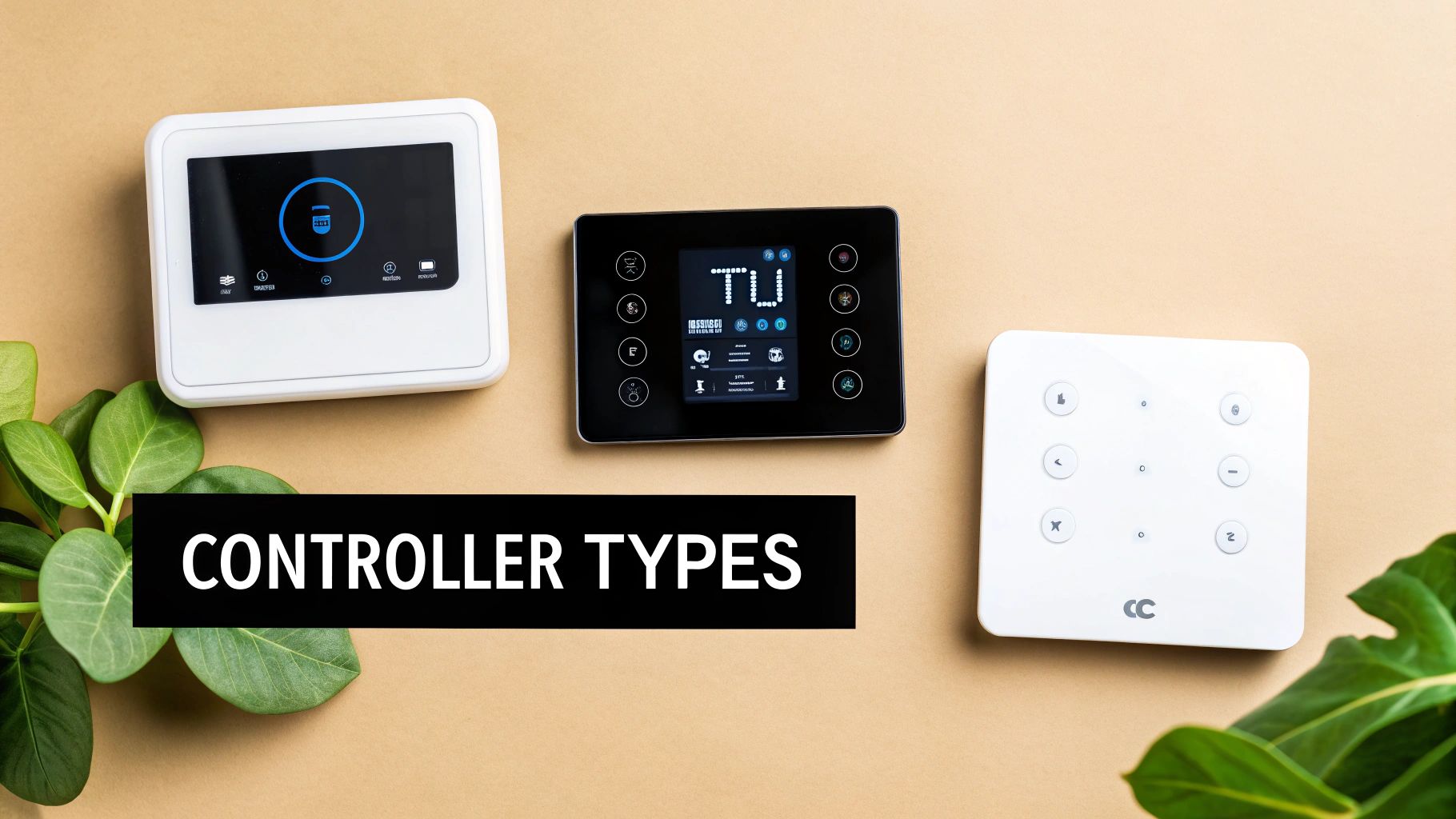
That image shows a straightforward thermostat interface. You see setpoints, modes, and sensor feedback laid out clearly—no digging through menus required.
Smart Thermostats
Smart thermostats connect over Wi-Fi, sync with mobile apps, and often learn your routine.
Smart Thermostats can trim energy bills by 10–15% by adapting schedules and detecting when you’re away.
Key Features:
- Intuitive touchscreen or app interface showing temperature, humidity, and run-time.
- Learning algorithms that build a daily routine based on your comings and goings.
- Voice-assistant support with platforms like Google Home and Amazon Alexa.
Ideal For:
- Single-zone homes
- Apartments
- Anyone who wants remote control and automated comfort
IR/Wi-Fi Retrofit Controllers
These modules behave like translators between old-school IR remotes and today’s apps. You mount them near the unit, connect to your network, and you’re set.
Advantages:
- Quick, non-invasive installation without new wiring
- Built-in IR library covers a wide range of brands
- App-based scheduling and remote override
Best When:
- You rent or can’t alter existing thermostat wiring
- You simply want app control without replacing your factory thermostat
Zone Controllers
Zone controllers introduce motorized dampers into your ductwork, letting you dial in different temperatures across multiple rooms.
Core Benefits:
- Per-zone sensors that monitor and regulate comfort levels
- Cuts energy waste by conditioning only the spaces you’re using
- Scalable setup—add more zones as your home or office expands
Perfect For:
- Large houses with distinct living areas
- Small offices needing balanced climate control
- Homes undergoing phased renovations
Here’s a side-by-side look at these options:
Comparison Of Air Conditioning Controller Types
| Controller Type | Features | Best Use Case |
|---|---|---|
| Smart Thermostat | Wi-Fi connectivity, intuitive app or touchscreen, learning schedules, voice control | Single-zone homes and apartments |
| IR/Wi-Fi Controller | Infrared retrofit, no new wiring, universal IR library, remote scheduling | Rental units and old systems |
| Zone Controller | Multi-damper setup, per-zone sensors, scalable design | Large homes and offices |
By matching these details to your layout, you’ll pinpoint which controller suits your comfort goals and installation constraints.
Remember, the global HVAC control system market is projected to grow from USD 20.84 billion in 2025 to USD 44.10 billion by 2032 at a 9.82% CAGR. For a deeper dive into those figures, check out the SNS Insider report on HVAC Control System Market Growth.
Armed with this overview, you’re ready to upgrade your system—cut waste, boost comfort, and take control.
Integrating With Smart Home Platforms
Linking an air conditioning controller to your favorite smart home platform turns a simple HVAC system into a responsive comfort solution. Suddenly, temperature sensors, automation scripts, and voice assistants all work together in harmony.
You get precise climate tweaks without ever lifting a finger.
Data Flow In Your Smart Home
Imagine you’re following a recipe: you gather ingredients, mix them carefully, then bake to perfection. Your air conditioning setup works the same way.
- Sensors scoop up data on temperature, humidity and even room occupancy.
- The controller applies your custom rules—maybe that morning cool-down or a midday boost.
- Finally, the HVAC hardware springs into action, adjusting airflow and setpoints.
This simple chain keeps you comfortable, even when the weather throws surprises your way.
Compatibility And Ecosystem Support
Not every controller speaks the same “smart home” dialect. Still, many of today’s devices sync smoothly with major platforms.
Smart thermostats typically integrate with:
- Google Home through native support
- Amazon Alexa via dedicated skills
- Apple HomeKit over a secure pairing process
IR/Wi-Fi adapters sometimes need an extra bridge or a DIY automation hub.
Zone controllers often expose APIs for custom, professional-grade deployments.
For a side-by-side look at different bridge options, check out our guide on smart home hub comparison.
Voice Assistant Setup
Adding voice control to your air conditioning controller can take just a few taps.
For Google Home:
- Open the Google Home app and enable your controller’s action.
- Link your account and grant the requested permissions.
- Assign the controller to a room for spot-on voice commands.
For Amazon Alexa:
- Install the vendor’s skill in the Alexa app.
- Sign in to connect your account.
- Try saying, “Alexa, set the living room AC to 72 degrees.”
Apple HomeKit users simply scan a QR code (on the device or in the app) to complete setup and start issuing Siri commands.
“Voice triggers can reduce thermostat adjustments by over 60 percent, boosting convenience.”
This screenshot shows the Nest app pairing menu alongside voice assistant options.
Automation Routines And Geofencing
Routines and geofencing let your system learn your daily habits.
- Morning, afternoon and night schedules adjust cooling levels automatically.
- Geofencing pauses your air conditioning controller when you head out, then resumes on your return.
- Occupancy detection powers down empty zones and reignites them when someone walks in.
- In your controller’s app, go to Routines (or Automations).
- Create a new routine and choose triggers: time, location or sensor data.
- Select actions such as setting a temperature or turning off the AC.
These tweaks can slash wasted run-time by 20–25%.
Advanced Integration Tips
For a rock-solid, secure smart HVAC setup:
- Position sensors in central areas, away from drafts or direct sunlight.
- Run smart devices on a separate guest network to isolate traffic.
- Peek at automation logs weekly to spot any missed triggers.
- If the app allows, back up your configuration to the cloud.
Proper placement and network segmentation help maintain system reliability and privacy.
Market Impact And Growth
The Smart Home HVAC Control market hit USD 4.14 billion in 2025 and is on track to reach USD 6.67 billion by 2030 at a 10.03% CAGR. This surge comes as more homeowners embrace controllers that talk to voice assistants and apps, trimming energy waste through smart routines.
Bringing It All Together
Take it one step at a time:
- Start by placing sensors in the right spots.
- Link your controller to voice assistants.
- Fine-tune your routines for maximum comfort and efficiency.
Follow these steps, and you’ll turn a basic HVAC system into a truly adaptive comfort network—one that feels as effortless as flipping on the lights.
Choosing The Right Air Conditioning Controller
Picking an air conditioning controller often feels like stepping into a maze of specs and jargon. You want something that balances ease of use, seamless integration and reliable performance.
Start by jotting down your non-negotiables: wiring preferences, sensor types, smart home platform support and the kind of user interface you actually enjoy navigating. That simple list will narrow your options faster than combing through endless product sheets.
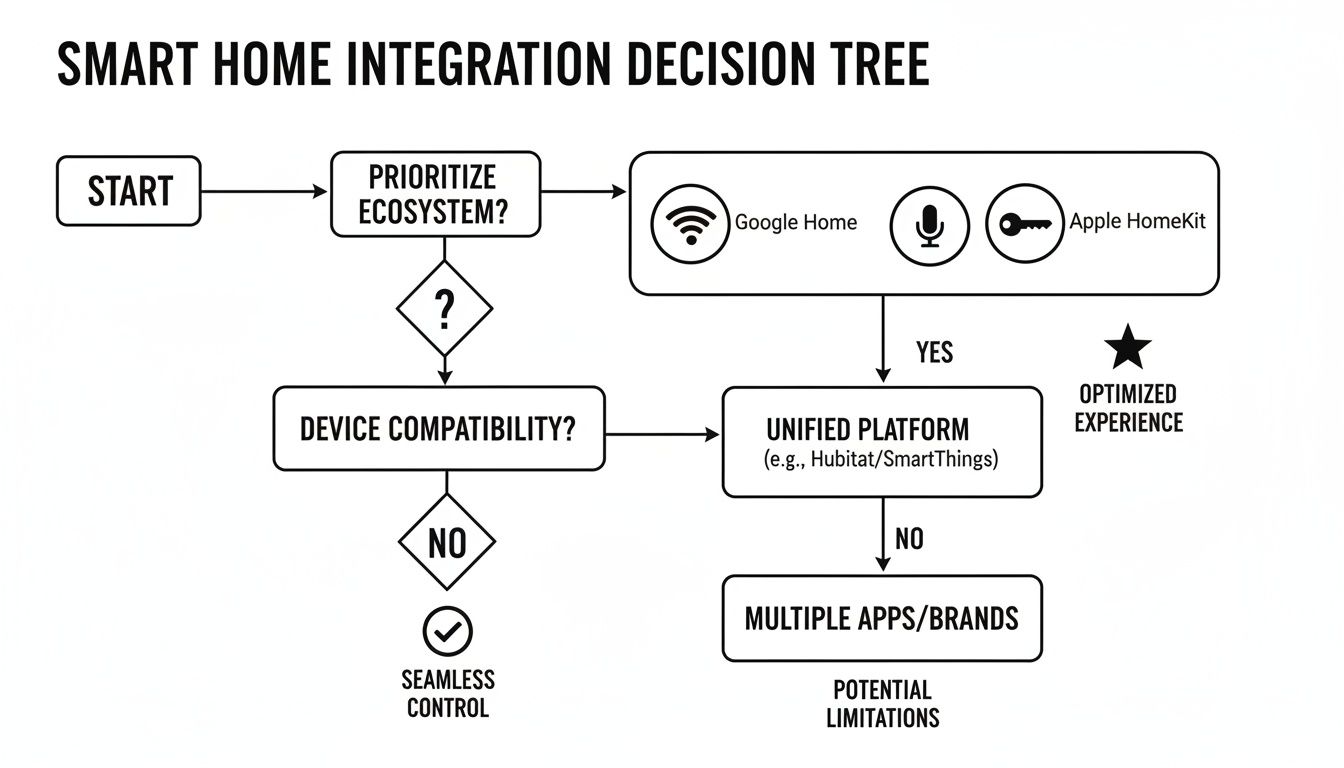
The decision tree above maps out setup paths for Google Home, Alexa and HomeKit. Follow the icons to see exactly which steps change from one ecosystem to another, saving you time and surprises during installation.
Evaluating Connectivity And Compatibility
Connectivity is the gatekeeper of any smart controller. Decide between a wired model—often powered by a C-wire—or a wireless version that taps into your Wi-Fi network.
- Wired units deliver rock-solid power but demand careful wiring work.
- Wireless controllers install quickly yet can suffer occasional dropouts in busy networks.
- Match sensor types to your home’s needs: humidity probes, motion detectors or multi-zone sensors.
Also, check native integration with your existing hub. A controller that speaks directly to Google Home or HomeKit avoids extra bridges, adapters or third-party automation platforms.
Pro Tip Always cross-reference platform icons on packaging with your hub’s logo to sidestep compatibility headaches.
Comparing Cost And Energy Savings
Your budget sets the starting line, but long-term energy savings define the finish. Entry-level controllers can begin around $50, while feature-rich smart thermostats often range from $150 to $300.
- Factor in available rebates, utility credits and tax incentives.
- Look at warranty terms—length and support channels matter when something goes wrong.
- Compare touchscreen simplicity versus app-only control based on how you like to interact each day.
Making Your Final Decision
Armed with your wiring style, sensor checklist and platform preferences, you’re ready to compare finalists side by side.
- Test live demos at a store or watch setup videos online to feel out each user interface.
- Think about installation environment: dusty basements or humid garages may call for rugged housing.
Check out our guide to programmable thermostat vs smart thermostat for deeper insights.
Learn more about programmable thermostat vs smart thermostat
Use a simple spec checklist to mark off features and spot the clear winner before you buy.
Warranty And Ongoing Support
A controller’s warranty can span from one year to five years—read the fine print. Reliable support channels, whether via live chat, phone or local technicians, save you headaches down the road.
Regular firmware updates aren’t just nice-to-have; they patch security holes and unlock new features without swapping hardware.
Installation Ease
Some controllers guide you step-by-step on a built-in screen, while others rely entirely on app-based diagrams. If you’re tackling a DIY install, choose a unit with clear documentation and an active support forum.
Hiring a professional adds cost but guarantees a clean setup and helps avoid wiring mistakes that could derail your system’s performance.
Now you have a clear roadmap. Combine your checklist, hands-on trials and our comparison guide to pick a controller that maximizes comfort while trimming energy bills for years to come.
Installation And Energy Saving Tips
Before you start peeling back your wall plate, take a moment to verify a few essentials. Double-check that your wiring setup matches the controller, confirm your network reaches the thermostat spot, and pick a flat, draft-free surface for mounting. These simple steps will save you time and frustration down the road.
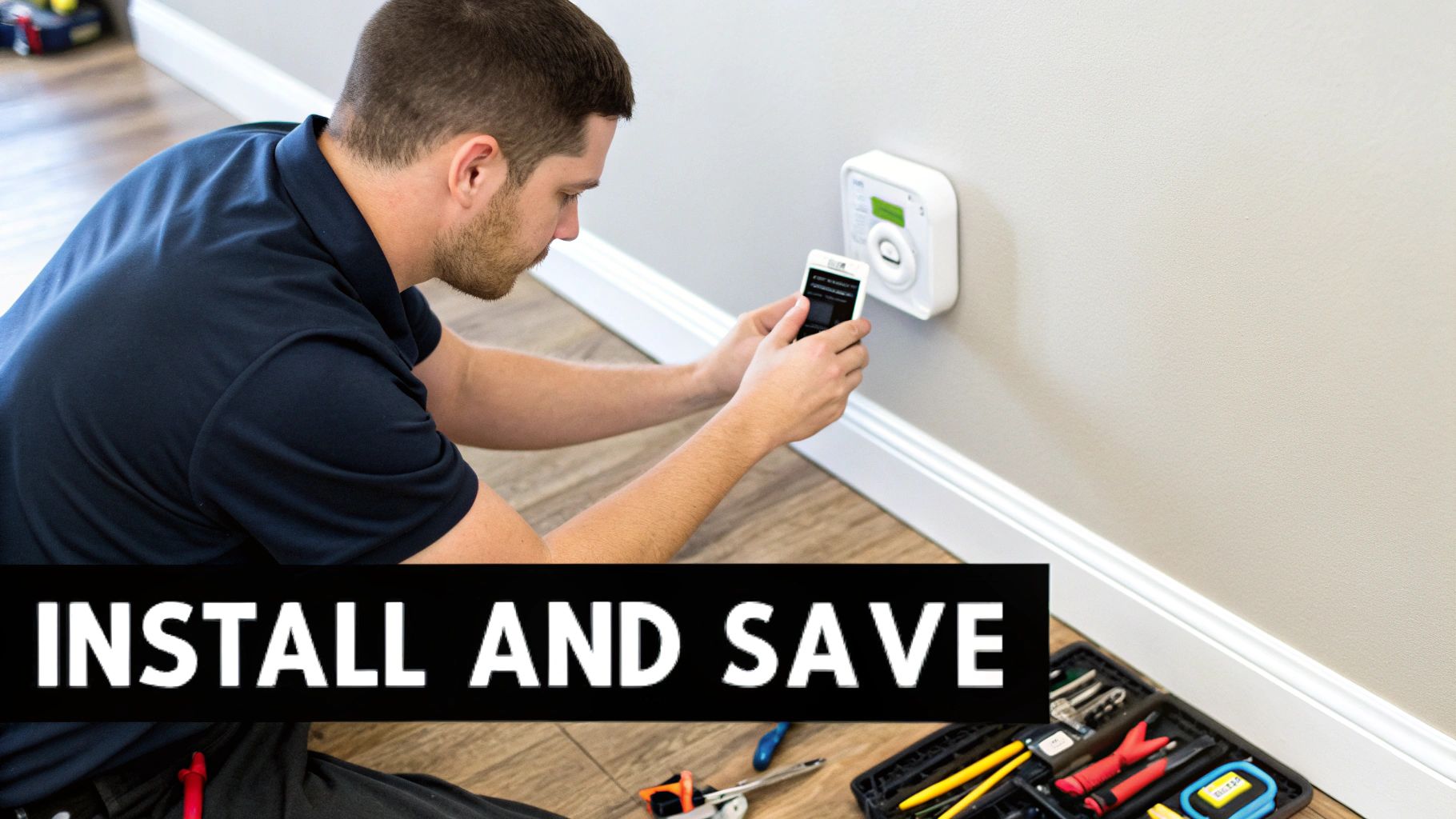
Pre-installation checklist:
- Check for a dedicated C-wire or an approved alternative power source
- Test Wi-Fi signal strength right where the controller will live
- Confirm the mounting wall is level and not exposed to drafts
Safe Wiring Basics
Always cut power at the breaker before you touch any wires. Run each conductor to its matching terminal on your new controller, making sure ground and neutral connections meet local electrical codes.
Tip from an HVAC Pro: “Double-check each wire label to avoid miswiring the compressor relay.”
Use the included wiring diagram to match color codes exactly. Tighten terminal screws until the wires hold firm—loose connections are the usual suspect behind intermittent faults.
- Identify common, heat, cool, fan and power wires
- Tighten screws until wires cannot be pulled free
- Trim stray strands that might cause shorts
Mounting And Testing
Hold the controller’s backplate at eye level for easy access. Drill pilot holes, insert anchors, then snap the unit onto its plate until you hear a reassuring click.
Initial system tests:
- Restore power and watch the self-test routine
- Change the setpoint a few degrees to confirm compressor engagement
- Cycle through fan modes to ensure proper airflow and actuator response
Energy Saving Strategies
Once your controller is live, you can lock in serious savings by automating temperature shifts around your daily routine. A few well-timed changes can trim runtime and shrink your energy bills.
Key strategies:
- Program separate weekday and weekend setpoints to match occupancy
- Use temperature setbacks at night and during work hours
- Divide your home into zones so you’re not cooling empty rooms
Sync in local weather forecasts to kick off pre-cooling before a heatwave. Adding occupancy sensors can pause HVAC in unused rooms, potentially cutting energy use by 30%.
| Tactic | Typical Savings |
|---|---|
| Programmable Schedules | 10–15% |
| Temperature Setbacks | 5–10% |
| Zoning | 8–12% |
| Weather Sync | 5% |
If you want step-by-step details on wiring and scheduling, take a look at our complete smart thermostat installation guide.
Seasonal Calibration Tips
As the seasons change, revisit your controller’s programs. Bump up cooling setpoints in summer and dial down heating thresholds in winter. These little tweaks keep you comfortable and costs under control.
Best practices:
- Preload spring and fall schedules before temperature swings hit
- Inspect and replace HVAC filters to maintain airflow
- Update your controller’s firmware for the newest efficiency features
Advanced Optimization Tips
Humidity control can make rooms feel cooler without dropping the thermostat. Flip on your AC’s dry mode or add a whole-home dehumidifier to ease muggy days.
Blocking heat at the windows also pays dividends. Heavy curtains or reflective window film can cut solar gain by 30–50%, lightening your system’s workload.
Additional tips:
- Run ceiling fans to create a wind-chill effect and raise your setpoint
- Crack windows on cool evenings to exhaust built-up heat
- Check the drain pan monthly to prevent overflows and damage
Routine maintenance is the secret to lasting efficiency and avoiding costly repairs.
Here’s a simple schedule format you can adapt in many controller apps:
{
"weekday": {"morning": 72, "day": 78, "night": 68},
"weekend": {"morning": 70, "day": 76, "night": 68}
}
By following these steps, your air conditioning controller will deliver comfort on demand and keep energy bills in check all year long.
For multi-zone setups, professional calibration ensures each room stays balanced. And don’t forget to review your energy reports regularly to spot new savings opportunities.
Troubleshooting Common Issues
Even the most reliable air conditioning controller can hit a snag. Catching problems early keeps your home cozy and prevents surprise repair bills.
Common hiccups include:
- Connectivity drops that throw off remote control and schedules
- Sensor errors leading to odd temperature swings
- Firmware bugs causing frozen screens or unresponsive buttons
Diagnostic Tools
Start with your smartphone app—check signal strength and scan the error logs for clues.
Then grab a multimeter to verify wiring integrity. This approach helps you rule out loose connections before diving into software.
Steps:
- Open the controller’s app and note the connectivity status
- Measure the 24VAC on the C-wire with a multimeter
- Inspect each terminal for loose screws or corrosion
Expert Tip: A clamp-style meter lets you measure live current safely—no need to disconnect wires.
Reset And Updates
Sometimes a simple reset is all you need. Cut breaker power for 30 seconds, then watch the LEDs or touchscreen reboot.
Next, hunt for firmware updates to squash bugs and boost stability.
- Check for updates in the device menu or companion app
- Schedule updates during off-peak hours to avoid interruptions
- Backup your settings first so you can restore your custom programs
| Issue | Quick Solution |
|---|---|
| Dropped Wi-Fi | Re-enter network credentials |
| Erratic Sensor Data | Clean the sensor, recalibrate |
| Unresponsive Display | Reset device, install latest firmware |
When To Call A Professional
If your controller still misbehaves after resets and updates, it’s time to bring in an expert. Look for a licensed HVAC technician who specializes in smart controls.
Document any error codes and unusual behavior—this intel can cut diagnostic time in half.
Example Case Study
One homeowner kept seeing offline alerts on their IR/Wi-Fi adapter. A quick check revealed a 5% drop in signal strength, so they moved their router closer.
The result? Connectivity improved and app errors fell by 90% in less than 24 hours.
Key Takeaways:
- Keep controllers away from large metal objects
- Use Wi-Fi extenders where the signal falters
Small tweaks can make a world of difference.
Ready to master your air conditioning controller? Dive into detailed tutorials, hands-on reviews, and the latest smart home insights at Automated Home Guide.










Leave a Reply to How often should hvac be serviced: Essential maintenance tips for Arizona homes Cancel reply