
When you start looking for the best smart door locks, you'll quickly notice a few names popping up again and again: August, Schlage, and Yale. There's a good reason for that. These brands have perfected the art of blending rock-solid security with modern conveniences like keypads, fingerprint scanners, and slick smart home integrations. They represent the leap from the old way of doing things—like frantically digging for keys in your bag—to a much smoother, smarter way of living.
Welcome to the End of Fumbling for Keys
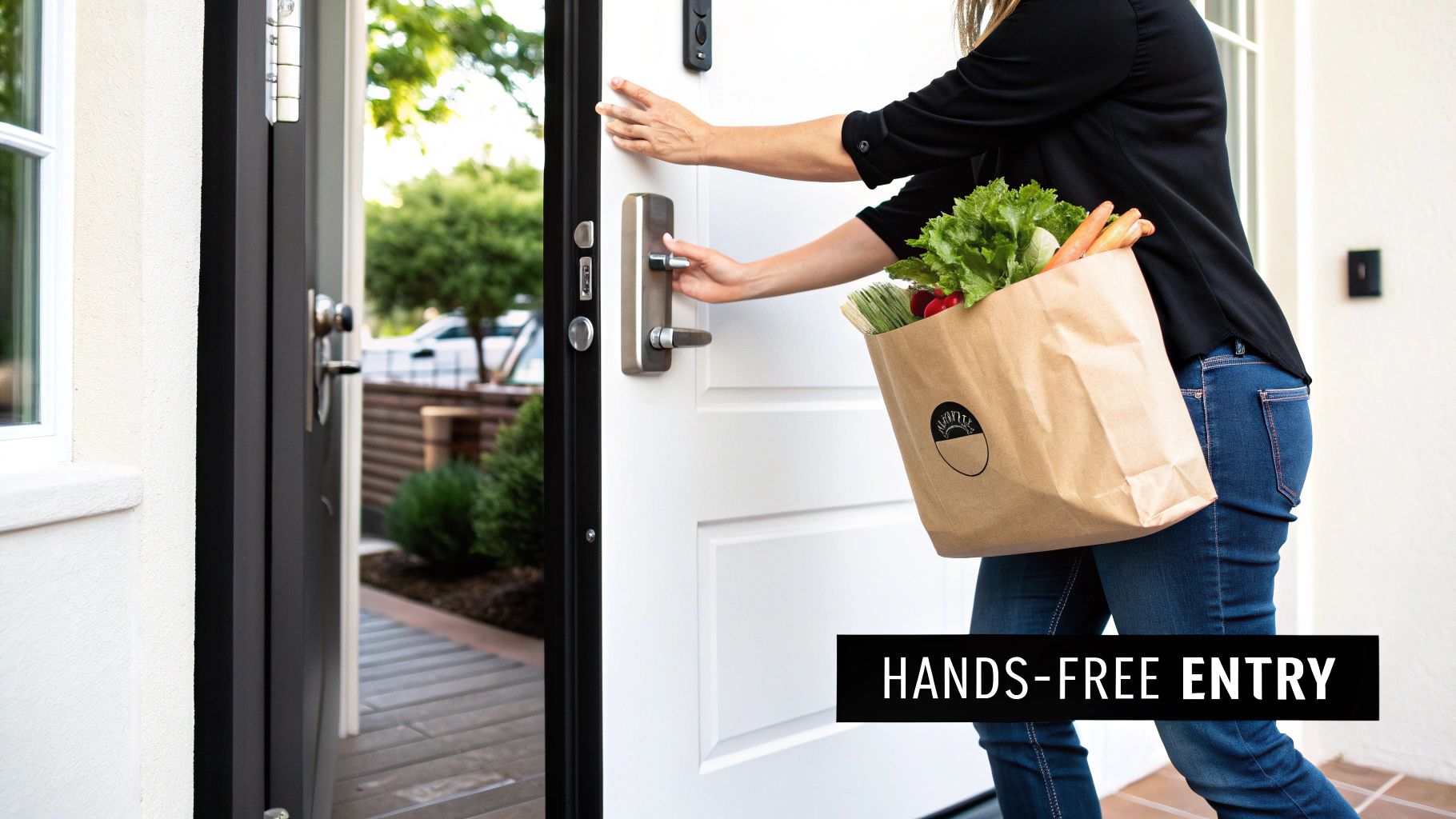
Picture this: you pull into the driveway after a big grocery run, both arms loaded with bags. As you walk up to the front door, it senses you're home and unlocks automatically. That’s not a scene from a futuristic movie; it's what a good smart lock can do for you right now.
This guide will walk you through everything you need to know about upgrading the most important entry point to your home. We'll go beyond the cool factor and get into how these devices genuinely make your day-to-day life easier, safer, and more flexible. By the end, you'll be able to confidently pick a lock that truly fits your lifestyle, not just your door.
More Than Just a Lock
A smart lock isn't just a fancier version of your old deadbolt. Think of a traditional lock like a simple light switch—it’s either locked or unlocked, on or off. A smart lock is more like a dimmer switch connected to your home's Wi-Fi. It gives you precise control, lets you set schedules, and even tells you who used it and when.
This opens up a world of practical solutions to everyday problems:
- Grant Temporary Access: Need to let the dog walker in at noon? Or have family visiting for the weekend? You can create special access codes that only work on the days and times you choose.
- Eliminate Lost Keys: The gut-wrenching feeling of a lost or stolen key is a thing of the past. If a digital "key" is compromised, you can just delete it from your phone in seconds. No locksmith needed.
- Monitor Your Home's Entry: Get a notification on your phone the moment your door is unlocked or locked. It's an incredible source of peace of mind, especially when you're away.
If you run a vacation rental, this level of control is a game-changer. For anyone in that space, mastering seamless guest arrivals becomes effortless.
A smart lock doesn’t just replace your key; it replaces the entire outdated process of managing physical access to your home. It puts control, awareness, and flexibility directly into your hands.
This shift from a purely mechanical device to a connected one isn't just a niche trend—it's exploding. The smart lock market in 2024 is valued somewhere between $2.9 and $3.4 billion. Even more telling, forecasters see it ballooning to as much as $17 billion by the early 2030s. All that growth is great news for you, as it means more competition, better technology, and more affordable options hitting the market every year.
How a Smart Lock Actually Works
To really get what makes a smart lock so great, it helps to peek under the hood and see what’s going on when you tap a button on your phone.
Think of your old-school lock like a basic light switch. It's purely mechanical—either on (locked) or off (unlocked). There's no brain, just a direct physical connection between your key and the deadbolt. A smart lock, however, is more like a smart dimmer switch. It doesn't just flip on and off; it gives you fine-tuned control, scheduling, and the ability to operate it from anywhere.
The Core Components of a Smart Lock
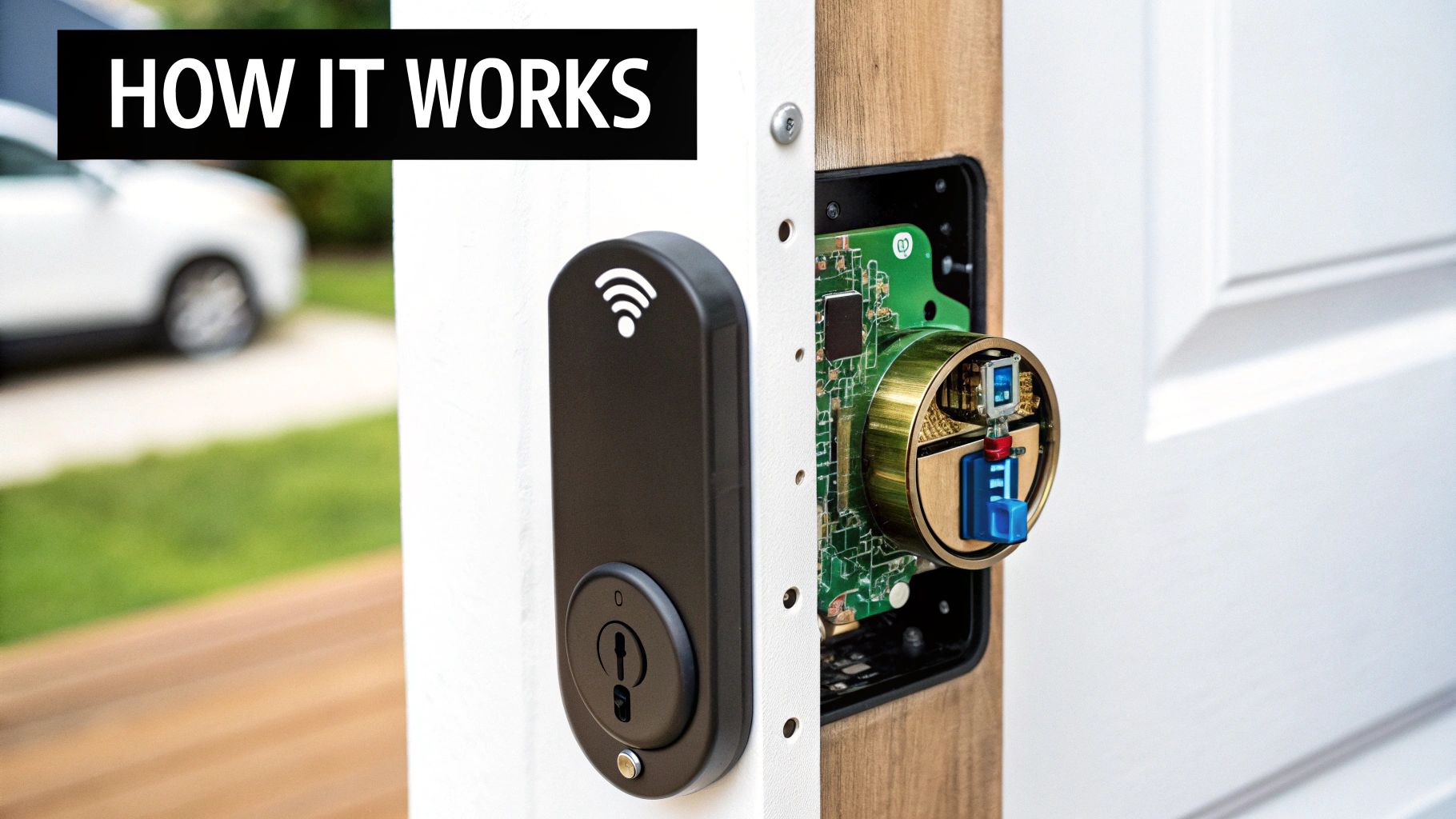
So, what makes it "smart"? Every smart lock boils down to three key parts working together to secure your door and link it to the rest of your world.
-
The Physical Lock (The Muscle): This is the part you can see and touch—the deadbolt, latch, and the metal housing. Its job is straightforward: physically block the door from opening. At the end of the day, this is still your first line of defense against a brute-force attack.
-
The Integrated Circuit (The Brain): Tucked inside is a tiny processor that acts as the command center. It takes your instructions, checks credentials (like a PIN code or a signal from your phone), and tells the motor whether to throw the deadbolt or retract it.
-
The Communication Radio (The Messenger): This is how the lock talks to your other devices. It uses a wireless language like Bluetooth, Wi-Fi, or Z-Wave to send and receive signals, which is what allows you to lock the door from your couch or check its status from the office.
These three pieces are the foundation of modern smart home security. If you're curious about how these devices fit into the grander scheme, our guide on how a smart home works connects the dots. This synergy is what turns a simple gadget into a truly integrated part of your home.
Full Replacement vs Retrofit Models
When you start shopping, you’ll quickly notice two main installation styles: full replacement and retrofit. The difference is pretty simple but has a big impact on how you'll set it up.
A full replacement lock is exactly what it sounds like. You have to take out your entire existing deadbolt, inside and out, and install the new smart lock from scratch. This approach usually gives you a sleek, unified look and often includes external features like a keypad or fingerprint scanner built right in.
A retrofit smart lock is the simplest path to a smarter door. It’s designed to work with your existing deadbolt, allowing you to keep your original keys while adding powerful remote access and automation features.
On the other hand, a retrofit lock is a clever design that only replaces the interior thumb-turn on your current deadbolt. The outside of your lock stays exactly the same, which means you can still use your original house keys. This is a fantastic option for renters or anyone who wants a less permanent, DIY-friendly installation.
Both get the job done, offering great security and convenience. Your choice really comes down to a simple question: do you want to completely upgrade your door's hardware, or just add a layer of smarts to the lock you already have?
What to Look for in a Smart Lock: The Core Features That Matter
So, what really makes a great smart lock? It's more than just the novelty of ditching your house key. The best smart door locks are a blend of robust security, day-to-day convenience, and genuine peace of mind.
Let's dig into the essential features that separate the good from the great, starting with the absolute foundation: its ability to physically protect your home.
Security and Durability: The Bedrock of Trust
Before we even get to the "smart" stuff, remember this: a smart lock is, first and foremost, a lock. Its most important job is to be a tough, physical barrier. This is where industry grading comes in, and it's not just boring technical jargon—it's a real measure of how well a lock stands up to a brute-force attack.
You'll want to look for a lock with an ANSI/BHMA Grade certification. These are standards set by the American National Standards Institute and the Builders Hardware Manufacturers Association, and they tell you exactly how much punishment a lock can take.
- Grade 1: This is the top dog, usually reserved for commercial buildings. It's built to withstand 1 million opening/closing cycles and serious abuse.
- Grade 2: This is the sweet spot for most homes. It offers fantastic security, tested for 800,000 cycles and strong enough to handle common break-in methods.
- Grade 3: This is the basic, entry-level grade. While it meets minimum standards, tested for 800,000 cycles but with less resistance to force, I always recommend aiming for Grade 2 or higher for your primary doors.
Think of it this way: a lock with at least a Grade 2 rating has the muscle to back up its smarts.
Connectivity: The Brains of the Operation
How your lock talks to your phone and other smart home gadgets is a huge deal. This decision directly affects battery life, whether you can check your door from the office, and how well it plays with your other devices. There are three main ways they connect.
It’s a bit like choosing an internet plan. Do you need the fastest, always-on connection (Wi-Fi), a super-reliable local network for your smart home (Z-Wave/Zigbee), or just a simple, direct link to your phone when you're nearby (Bluetooth)?
To make it clearer, here's a quick breakdown of how these technologies stack up against each other.
Smart Lock Connectivity Options Compared
| Connectivity Type | Best For | Pros | Cons |
|---|---|---|---|
| Wi-Fi | Direct remote access without a separate hub. | Lets you control and monitor your lock from literally anywhere with internet. | Can be a real battery hog compared to the other options. |
| Bluetooth | Simplicity and maximizing battery life. | Creates a direct, low-power link to your phone when you’re nearby (~30 feet). | No remote access on its own; you'll need a Wi-Fi bridge to control it from afar. |
| Z-Wave/Zigbee | Integrating into a serious smart home ecosystem. | These create their own reliable mesh network that won't clog up your Wi-Fi. | Requires a separate smart home hub (like SmartThings or Hubitat) to work. |
The good news is that many of the best models today give you the best of both worlds, using Bluetooth to save power when you're home and Wi-Fi when you're away.
Power Sources: Keeping Your Lock Alive
A smart lock with a dead battery is just a fancy doorknob. That's why you have to think about its power source, how long it'll last, and what happens in an emergency.
Most smart locks run on regular AA or AAA batteries, which will typically last you anywhere from 3 to 12 months.
Your lock's battery life is a direct result of its connectivity and usage. A Wi-Fi-enabled lock on a busy front door will require battery changes more often than a Bluetooth-only lock on a back door.
Thankfully, you won't be caught off guard. Any decent smart lock will warn you weeks in advance when the battery is running low, usually with a notification on your phone and a little blinking light on the lock itself. And for a worst-case scenario? They’ve got you covered. Almost every model still has a traditional keyhole, and many now include a pair of small contacts on the bottom so you can give it a temporary jump-start with a 9V battery.
Access Methods: More Ways to Get In
The real magic of a smart lock is the sheer number of ways you can open your door. You can pick and choose what works for any given situation, whether it's for your own daily routine or letting the dog walker in.
- Smartphone App: This is your command center. Lock, unlock, and check the door’s status from anywhere.
- Keypad Entry: A fan favorite for a reason. You can create unique codes for family, friends, or contractors and delete them whenever you want.
- Fingerprint/Biometric: Nothing beats it for speed and security. A single touch and you’re in—no codes or phones needed.
- Geofencing (Auto-Unlock): This is pure convenience. The lock uses your phone's GPS to sense when you're getting close and automatically unlocks the door for you. It can also lock it behind you as you leave.
- Voice Commands: Perfect for when your hands are full. Just ask Alexa, Google Assistant, or Siri to lock the door for you.
You'll notice that many of these features are becoming standard, largely thanks to a few big names in the industry. Companies like ASSA ABLOY (which owns both August Home and Yale) are pushing the market forward. Because of them, things like fingerprint readers, app control, and support for new standards like Matter are becoming common. This consolidation is good for you; it means you can expect your lock to be supported with software updates for the 5–10 years it should last. Discover more insights about the key players in the smart lock market on sphericalinsights.com.
Connecting Your Castle Through Smart Home Integration
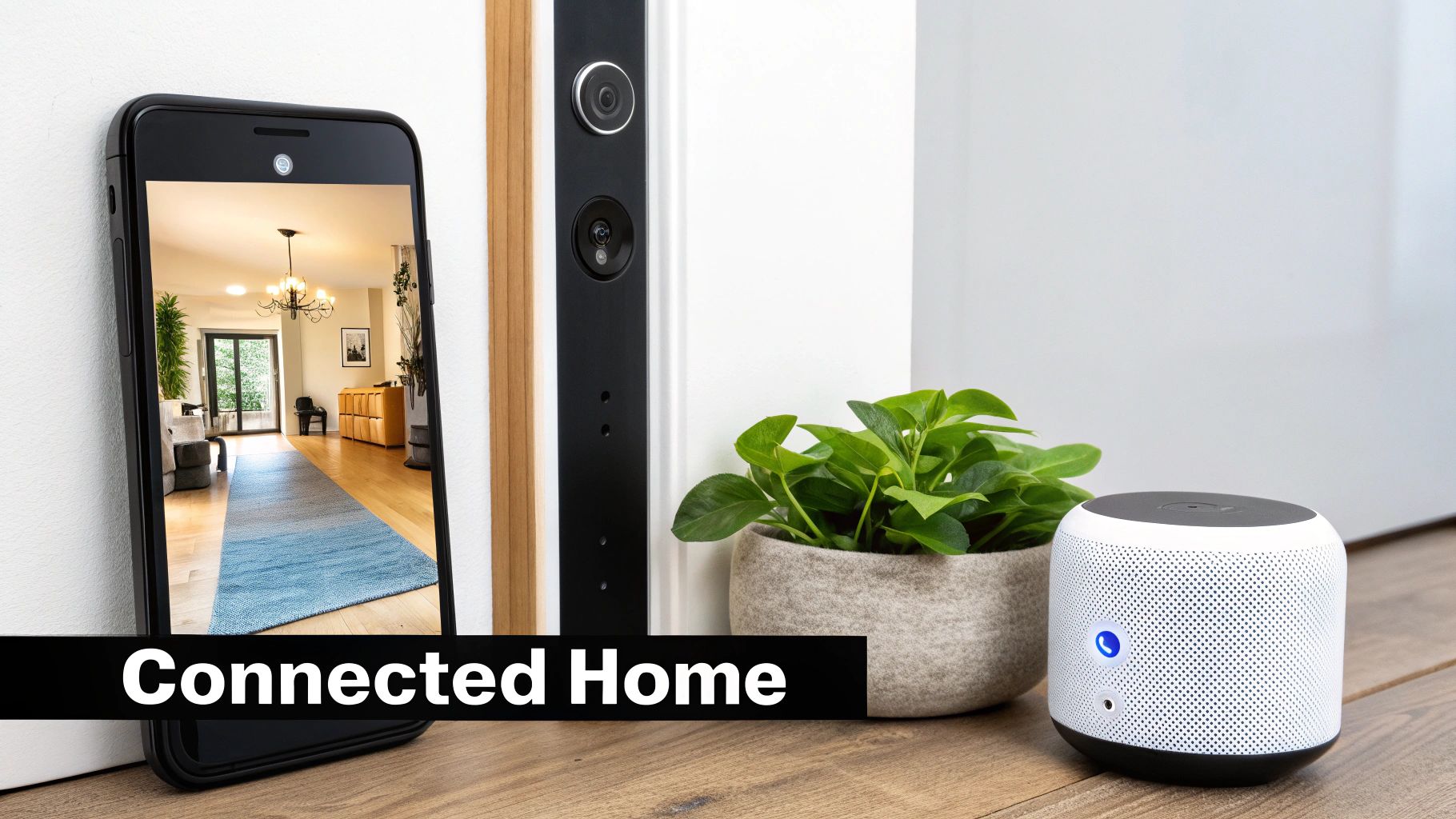
A smart lock is pretty convenient all by itself. But its real power shines when it starts talking to the other smart devices in your home. This is where smart home integration comes in, turning your lock from a passive gatekeeper into an active player in your home's daily rhythm.
Think of it like a conductor leading an orchestra. Your lock isn't just a solo instrument; it's a key member of the ensemble, taking cues from and giving signals to your lights, speakers, and security cameras. This coordination is what transforms a bunch of gadgets into a genuinely helpful, automated home.
The most basic example of this teamwork is with voice assistants. Linking your lock to Amazon Alexa or Google Assistant gives you easy, hands-free control. Saying, "Hey Google, is the front door locked?" as you’re getting into bed offers instant peace of mind—no more second-guessing and getting up to check.
Building Your Smart Home Ecosystem
Voice commands are a great start, but the real magic happens when you connect your lock to a central smart home platform or hub. These hubs act as the "brain" for your home, letting devices from different brands work together without a hitch.
The three big names you'll run into are:
- Amazon Alexa: Incredibly popular and compatible with thousands of devices, Alexa is fantastic for creating simple "routines" that set off multiple actions with one command.
- Google Home/Assistant: A major competitor with top-notch voice recognition, Google Home lets you easily manage your whole home from your phone or a smart speaker.
- Apple HomeKit: Known for its slick, user-friendly interface and a serious focus on security and privacy, HomeKit is the obvious choice for anyone already invested in the Apple world.
When you're shopping for a lock, one of the most important things you can do is look for the logo of the ecosystem you already use (or plan to use). If you're new to this and trying to figure out the best fit, our smart home hub comparison breaks down what each platform brings to the table.
Unlocking the Power of Automation
Once your lock is hooked into a hub, you can create powerful automated sequences, often called "routines" or "scenes." These are like custom recipes where one event triggers a whole chain of others, making your home feel more responsive and secure.
Here are a few real-world examples to get you thinking:
- The "Welcome Home" Scene: You unlock your door after 6 PM. The system automatically flips on the entryway lights, nudges the thermostat to your favorite temperature, and cues up your evening playlist.
- The "Goodnight" Routine: You tell your voice assistant you're heading to bed. It locks the front door, shuts off all the smart lights, and arms your security system for the night.
- An Emergency Protocol: If a connected smoke or carbon monoxide alarm goes off, the system can automatically unlock your doors. This ensures first responders can get inside quickly and, more importantly, that your family can get out safely.
A truly integrated smart lock does more than just secure your door; it becomes a trigger for making your entire home safer, more comfortable, and more attuned to your daily life.
What makes the "best" smart door lock integration can also depend on where you live. In North America, the market is dominated by deadbolt-style locks that play nicely with Alexa and Google Home. Over in the fast-growing Asia-Pacific market, you'll see more keypad and biometric locks designed for apartments, which often tie into building-wide management systems.
As you plan out your smart home, it helps to think about how these devices fit into your long-term goals for things like smart home repairs. Taking this strategic approach ensures your smart lock adds not just convenience today, but lasting value to your home.
Thinking about installing a smart lock yourself? It's probably easier than you think. The idea of messing with the main lock on your front door can sound intimidating, but most of these devices are surprisingly DIY-friendly. You can usually get the whole job done with just a screwdriver in about 30 minutes.
Before you even add a lock to your online cart, though, take a few minutes to check if it will actually fit your door. It’s like measuring for a new couch—a little prep work now saves a massive headache later. All you need is a tape measure.
Your Pre-Installation Checklist
To make sure you get a perfect fit, you’ll want to check three things on your current door:
- Door Thickness: Grab your tape measure. Most standard doors in the US are between 1 3/8 inches and 2 inches thick. If your door is thicker or thinner, you might need to find a lock that specifically supports it or buy a separate adapter kit.
- Backset Measurement: This sounds technical, but it’s just the distance from the edge of the door to the center of the big hole where the lock sits. The two standard sizes are 2 3/8 inches and 2 3/4 inches. The good news? Many smart locks come with an adjustable deadbolt to accommodate both.
- Door Alignment: This is the one everyone forgets, but it's critical. Does your door close smoothly, or do you have to shove your shoulder into it to get the deadbolt to turn? A misaligned door puts a huge strain on a smart lock's little motor, which will kill your batteries and eventually the lock itself.
Once you’ve got the green light on those measurements, swapping out the old deadbolt for the new one is pretty straightforward. For many people, adding a smart lock is just one piece of a bigger smart home puzzle. If you're planning a more integrated setup, understanding the basics of home automation system installation can help you see how everything from locks to lights can work together.
Keeping Your Smart Lock Running Smoothly
Once your lock is installed, it’s not just "set it and forget it." Like any piece of tech, it needs a tiny bit of upkeep to stay reliable for the long haul. Thankfully, it's dead simple.
The most common task is changing the batteries. You don't have to guess when—you’ll get plenty of low-battery alerts on your phone, and often the lock itself will beep or flash a light, giving you weeks of warning. Every so often, it’s also a good idea to wipe down the keypad or fingerprint sensor with a soft, dry cloth to keep gunk from building up.
The single most important thing you can do for your lock's security is to install firmware updates. These pop up in the app and often include crucial security patches to protect against new vulnerabilities. Think of them like updates for your smartphone—when you see one, install it.
A little attention to the setup and a few minutes of maintenance now and then will ensure your new smart lock works exactly as it should, giving you secure, key-free access for years to come.
Your Final Smart Lock Decision Checklist
Alright, we’ve covered a lot of ground. Now it’s time to put all that knowledge into practice and pick the right smart lock for your home. This final checklist boils everything down into a simple, practical framework.
Think of these questions as a way to cut through the marketing noise and focus on what will actually make your life easier and your home more secure. Answering them will help you confidently choose from the best smart door locks, ensuring your pick is a perfect fit for you, not just a popular choice.
1. What Kind of Installation Do You Prefer?
First things first, let's think about installation. Your comfort level with a screwdriver and your living situation are the biggest factors here. Are you a homeowner ready for a full hardware swap, or a renter who needs something less permanent?
- Full Deadbolt Replacement: Go this route if you want a sleek, all-in-one unit. These often come with built-in keypads or fingerprint scanners and mean you’re completely upgrading your door’s hardware from scratch.
- Retrofit Model: This is the perfect choice if you like your current deadbolt and want to keep your existing keys. It’s a much simpler installation that just adds smarts to the lock you already trust.
2. How Do You Want to Connect?
Your connectivity choice is a direct trade-off between remote access and battery life. There's no single "best" option—it all depends on how you plan to use the lock day-to-day.
- Wi-Fi: Choose a lock with built-in Wi-Fi if your main goal is remote access from anywhere without needing extra gear. Just know that this convenience usually comes at the cost of shorter battery life.
- Bluetooth: This is your best bet for maximizing battery life. You can only control the lock when you’re standing nearby, but you can always add a separate Wi-Fi bridge later if you need remote access.
- Z-Wave/Zigbee: If you’re already running a smart home hub like SmartThings or Hubitat, this is easily the most reliable way to integrate your lock into your wider smart home setup.
3. Which Smart Home Ecosystem Is Your Command Center?
A smart lock really shines when it plays well with your other devices. Getting this right is the key to unlocking genuinely useful home automations, like having your lights turn on when you unlock the front door.
Your smart lock shouldn't be a standalone gadget. It should be a team player that communicates with your lights, speakers, and security system to make your home more responsive and secure.
Take a look at the smart home platform you already use or plan to build on. Is seamless compatibility with Amazon Alexa, Google Home, or Apple HomeKit a dealbreaker? Double-check the product’s specs to make sure it speaks the same language as the rest of your tech.
4. What Are Your Must-Have Access Methods?
Finally, think about who will be using the lock and how. The best lock for your home is the one that’s most convenient for everyone in it.
- Need a keypad for kids, guests, or the dog walker so they don’t need a phone?
- Is the lightning-fast convenience of a fingerprint scanner a top priority for your own daily trips?
- Do you love the magic of auto-unlock, where the door senses your approach and unlocks automatically?
- Or is having a trusty physical key backup absolutely essential for your peace of mind?
This flowchart can help you visualize the decision-making process, from checking your door's alignment to thinking about long-term upkeep.
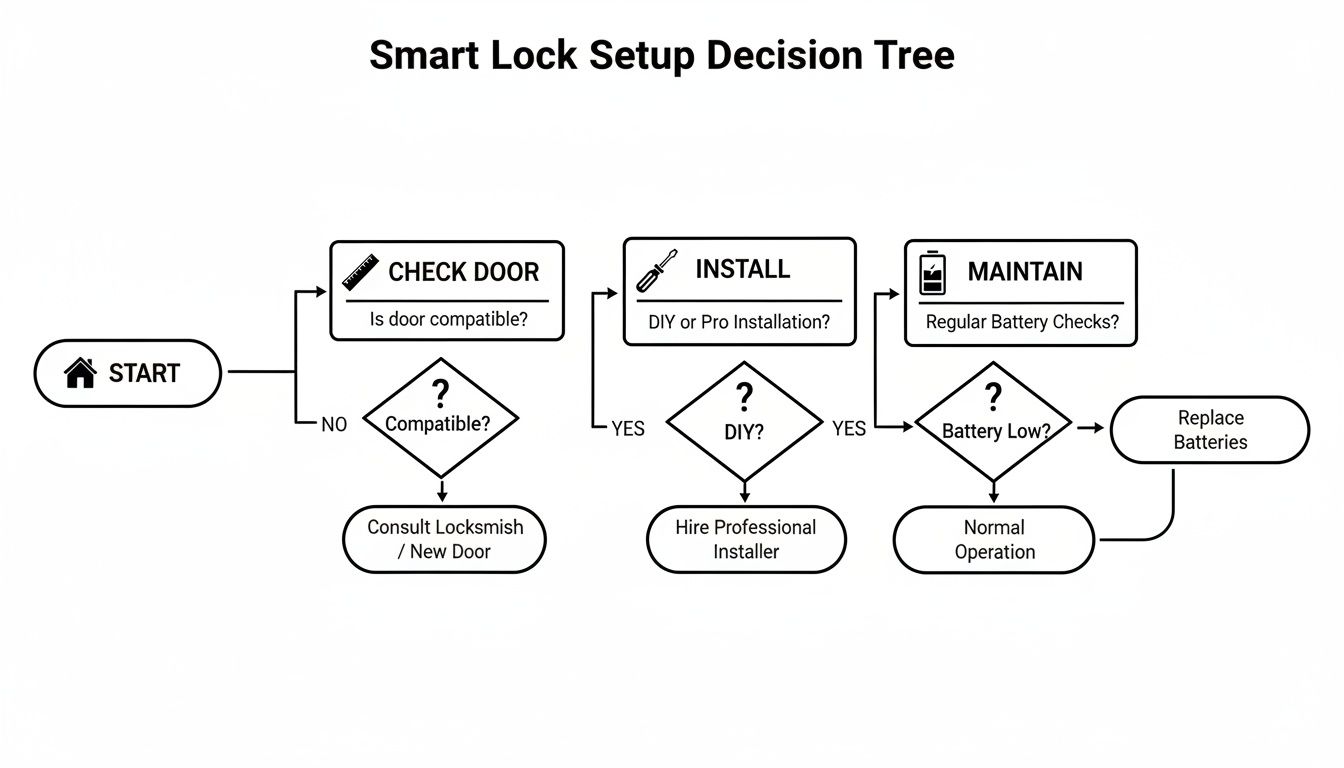
As the chart shows, a great smart lock experience starts before you even open the box. It begins with making sure your door is a good candidate in the first place.
Still Have Questions? Let's Clear Things Up
Even after doing your homework, a few questions can pop up. Let's tackle some of the most common things homeowners wonder about before picking a smart lock.
Are Smart Locks Easy to Hack?
This is the big one, isn't it? And it's a perfectly fair question. The good news is that reputable smart lock companies take this very seriously. They use the same kind of heavy-duty encryption that your online bank uses to keep communications between your phone and the lock scrambled and secure.
The real key to keeping it that way is sticking with established brands like August, Schlage, or Yale. They are constantly pushing out firmware updates to patch any security holes that might get discovered. Your job is just as important, though. Always create a strong, unique password for the lock's app and turn on two-factor authentication. That adds a crucial layer of defense that makes a world of difference.
What Happens if My Power or Wi-Fi Goes Out?
Don't worry, you won't be left out in the cold. Every smart lock is designed with fail-safes for exactly this scenario, so you'll always be able to get in.
For starters, they run on their own batteries, so a power outage in your neighborhood won't affect them at all. If your home's Wi-Fi network goes down, you'll lose the ability to check on the lock or control it from halfway across the country, but everything else will work just fine.
You can always fall back on:
- Bluetooth on your phone when you're standing nearby (usually within 30 feet or so).
- The built-in keypad for punching in your code.
- A fingerprint reader if your lock has one.
- The good old-fashioned physical key that pretty much every smart lock includes as a final backup.
How Long Do the Batteries Actually Last?
This is a classic "it depends" situation, but you can generally expect anywhere from 3 to 12 months on a set of batteries. The two biggest factors are the type of connection it uses and how often the lock is actually working. A lock with power-hungry built-in Wi-Fi on a busy front door is going to chew through batteries much faster than a Bluetooth-only lock on a rarely-used back door.
You'll never be surprised by a dead lock, though. Every decent model will give you plenty of warning when the batteries are running low. You'll get notifications on your phone, and the lock itself will usually flash a light or make a chirping sound for weeks before it's completely out of juice.
Can I Put a Smart Lock on Any Door?
Most smart locks are made for standard, modern doors, but it’s never a good idea to just assume it will fit. Taking a few quick measurements before you click "buy" can save you a ton of frustration later.
Grab a tape measure and check three things:
- Door Thickness: The standard is between 1 3/8 and 2 inches.
- Backset: This is the distance from the door's edge to the center of the big hole for the lock. It's usually 2 3/8 or 2 3/4 inches.
- Borehole Diameter: That's the main hole the lock body goes through.
Just as important is checking your door's alignment. If you currently have to shove, pull, or jiggle the door to get the deadbolt to throw properly, that's a huge problem for a smart lock. That extra resistance puts a massive strain on the little motor, which will drain the battery in no time and can cause the lock to fail long before its time. Fix the alignment first!
At Automated Home Guide, we're committed to helping you understand and implement the best smart technology for your home. Explore our guides and reviews to build a safer, more convenient living space. Learn more at https://automatedhomeguide.com.










Leave a Reply to How Much Does It Cost to Rekey a House in Port St. Lucie? Cancel reply