
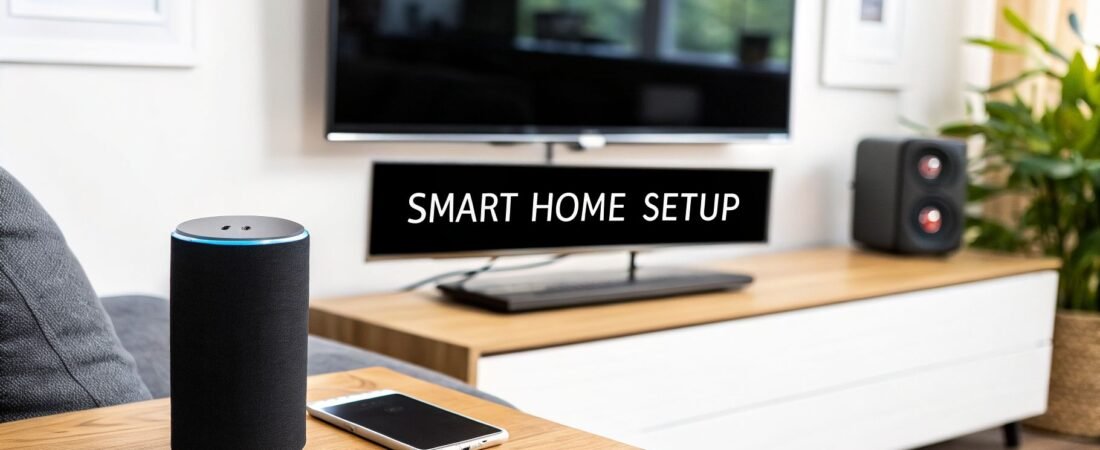
The best smart home setup isn't something you can just buy in a box. It’s a carefully curated system built around what you want it to do, whether that's beefing up security, making life a little easier, or trimming down your energy bills. A truly smart home starts with a clear plan, not a pile of gadgets.
Beyond the Gadgets: Planning Your Smart Home
It's easy to get excited and start buying cool tech, but that's a classic rookie mistake. You often end up with a drawer full of devices that don’t talk to each other, creating more headaches than convenience. Before you even look at a single product, the most important thing you can do is figure out what problem you're trying to solve.
This initial planning stage is all about deciding on your main goal. Are you a new parent who wants the peace of mind that comes with smart cameras and door sensors? Or maybe you're a busy professional who dreams of the house preparing for your arrival by turning on the lights and adjusting the thermostat. Perhaps your focus is on living more sustainably and you want to track—and cut—your energy use.
Each of these goals points you down a completely different path.
A security-first home will naturally be built around video doorbells, smart locks, and sensors. A convenience-focused setup, on the other hand, might start with smart speakers and automated lighting. Nailing down this primary goal acts as your North Star, guiding every single purchase you make from here on out.
This decision tree gives you a great visual for how to start thinking about your main objective.

As you can see, what you're trying to achieve—whether it’s security, convenience, or energy savings—directly shapes the foundation of your entire system.
Check Your Home's Foundation
Once you have a goal, it's time for a quick tech audit of your own home. The absolute backbone of any smart home is a rock-solid Wi-Fi network. A single smart speaker won't cause any issues, but once you start adding a dozen smart bulbs, a few security cameras streaming in HD, and a handful of smart plugs, you can quickly bring an older router to its knees. The result? Lag, dropped connections, and a whole lot of frustration.
Take a hard look at your router's age and its reach. Do you have dead zones where the signal is pathetic? If so, now is the time to plan an upgrade. A modern mesh Wi-Fi system is usually the answer, using multiple access points to cover your entire home in a strong, reliable signal.
If there’s one thing I’ve learned, it's that a strong Wi-Fi network is the single most critical—and most often overlooked—part of a great smart home. Investing in a good mesh system from the start will save you countless headaches.
Picking Your Smart Home Brain
Your next big decision is choosing a smart home ecosystem. Think of this as the operating system for your house; it’s the central hub that gets all your different devices, often from different brands, to work together. The big three you'll be choosing from are Amazon Alexa, Google Home, and Apple HomeKit.
Before you go any further, it's worth understanding the pros and cons of each platform. They all have their strengths, and the best one for you often depends on the devices you already own and how tech-savvy you are.
Choosing Your Smart Home Ecosystem
| Ecosystem | Best For | Key Strengths | Potential Drawbacks |
|---|---|---|---|
| Amazon Alexa | Widest device compatibility and users who want easy voice control. | Huge selection of compatible "Works with Alexa" devices at all price points. Routines are simple to set up. | Voice commands can sometimes be less conversational than Google. Privacy concerns for some users. |
| Google Home | Users who want a smart, conversational assistant and deep integration with Google services. | Superior at understanding natural language and answering complex questions. Seamless integration with Android and Nest. | The "Works with Google Home" device library is large but slightly smaller than Alexa's. |
| Apple HomeKit | Apple users who prioritize privacy, security, and a polished user experience. | Very high security and privacy standards. Flawless integration with iPhone, iPad, and Mac. Simple, reliable local control. | Much more limited selection of compatible devices. Products are often more expensive. |
Your choice here really matters, as it will shape your future device purchases. Always check the box for the "Works with…" logo for your chosen ecosystem. For a deeper dive, check out our complete guide on https://automatedhomeguide.com/setting-up-a-smart-home/.
Budgeting for Your Build
Finally, let's talk money. People are clearly excited about this tech—the global market is expected to hit USD 135.3 billion by 2025, a massive jump from USD 78.3 billion in 2020. That growth is great news for us, as it means more competition and more options at every price point. But it's still incredibly easy to get carried away.
A smart way to start is by separating your plan into two lists: "must-haves" that directly serve your primary goal, and "nice-to-haves" you can add down the line. It's also worth thinking about the big picture. Before you buy anything, consider how your new tech will fit into your home's look and feel. You can even explore how interior design with AI for a smarter home can help you visualize the final result.
This kind of strategic planning is what separates a truly functional smart home from a cluttered one, and it ensures you build something impressive without blowing your budget.
Choosing Your Core Smart Home Devices
Now that you have a solid plan and have picked your ecosystem, we get to the fun part: picking out the gear. This isn't about just buying the coolest new gadgets. It’s about being selective and choosing the foundational devices that will make the biggest difference in your day-to-day life, based on the goals you’ve already laid out.
Think of these first few devices as your heavy hitters. They’re the ones that will give you immediate, noticeable benefits, whether that’s making your home feel safer, more convenient, or helping you save on your energy bills. We'll start with the three categories that I find deliver the most bang for your buck right from the get-go.
Set the Mood with Smart Lighting
There's a good reason smart lighting is the gateway drug for most people getting into home automation. It’s relatively cheap to start, and the payoff in terms of what you can do is huge. We're talking about so much more than just telling a speaker to turn your lights on. Modern smart bulbs from brands like Philips Hue or Wyze can completely change the feel of a room.
Imagine settling in for movie night and, with one simple voice command, dimming the living room lights to a perfect, warm glow. Or, when you head out of town, you can have your lights automatically turn on and off in the evening to make it look like someone's home—a simple but effective security trick.
The practical benefits are just as impressive.
- A Better Way to Wake Up: Instead of a blaring alarm, you can sync your bedroom lights to slowly brighten, mimicking a sunrise for a much gentler start to your day.
- Stay Focused: Need to get work done? Set your office lights to a bright, cool white tone to help with concentration.
- Late-Night Navigation: You can have hallway lights automatically pop on to 20% brightness when motion is detected after dark. It’s just enough light to see by without burning your retinas.
When you're shopping for bulbs, think about brightness (lumens) and color. Full-color bulbs are a blast, but honestly, for most rooms, a simple dimmable white bulb does the job perfectly and will save you some money.
Get Comfortable and Cut Costs with a Smart Thermostat
If saving money on your energy bill is a top priority, a smart thermostat is probably the single most impactful device you can install. Models like the Google Nest Thermostat or the Ecobee Smart Thermostat go way beyond basic 7-day scheduling. They actually learn your family's comings and goings to build a heating and cooling schedule that’s truly efficient.
This learning ability is the secret sauce. The thermostat figures out when everyone has left for the day and dials back the HVAC system automatically. Then, it kicks back on just in time to have the house comfortable by the time you walk in the door. Most of them even give you slick energy reports, showing you exactly where your money is going and how you can save even more.
A smart thermostat is a true investment, not just a gadget. Independent studies show they can slash heating costs by 10-12% and cooling costs by up to 15%. For most homes, that means the device pays for itself in less than two years.
For a deeper dive into which models might be right for you, you can learn more about the best smart home devices in our detailed guide. It will help you find a thermostat that not only saves money but plays nice with the rest of your system.
Lock Down Your Peace of Mind with Smart Security
Finally, let's talk about the heart of any security-minded smart home. The right devices can give you an incredible sense of awareness and control over your property, whether you're home or on the other side of the world.
The classic one-two punch is a video doorbell and a smart lock. A doorbell from a company like Ring or Arlo is a game-changer. You get an instant alert on your phone the moment someone steps onto your porch, and you can see and talk to them live. It's fantastic for telling the delivery driver where to leave a package or politely telling a solicitor you're not interested.
When you add a smart lock from a trusted brand like August or Schlage into the mix, things get even better. Imagine your kid gets home from school and forgot their key. You can see them on the doorbell camera, then unlock the door for them right from your phone. No more mad dashes home.
Here’s how these pieces fit together to build a strong security foundation:
- Video Doorbells: These are your digital eyes and ears on the front door, giving you motion alerts and a live video feed.
- Smart Locks: They let you ditch the keys for good, using codes, your phone, or even your fingerprint. Granting temporary access to a dog walker or contractor becomes incredibly simple.
- Entry Sensors: These small, inexpensive sensors are the unsung heroes. Stick one on any door or window, and you'll get an alert anytime it's opened.
These three device types create a formidable first line of defense for your home. If building the best smart home setup for security is your main goal, this is where you start.
Designing a Smart Home Room by Room

A truly brilliant smart home feels like it knows what you need before you do. That kind of intuition doesn't come from just buying a bunch of gadgets; it comes from designing your setup around the way you actually live your life.
Instead of thinking about technology first, let's think about spaces. The best smart home setup is built one room at a time, tailored to the unique purpose of each area. This way, your tech serves a real purpose, whether that's creating the perfect movie night vibe or making your morning routine a little less chaotic.
Let's walk through a practical blueprint for the key areas of your home.
The Living Room: Your Entertainment and Relaxation Hub
The living room is usually the heart of the home, a social center that needs to be versatile. The goal here is to create a space that can shift from a bright, active area to a cozy retreat without you having to flick a dozen different switches.
Think of a smart speaker as the conductor of this orchestra, letting you control everything with your voice. Pair it with smart lighting, and you can create "scenes" for different activities. For instance, a "Movie Night" scene could dim the main lights to 10%, kill the lamps, and fire up the smart plug connected to your soundbar.
Here’s a simple recipe for a smarter living room:
- Smart Lighting: Pop some color-capable bulbs in your lamps to add personality, or just set them to a warm, soft white for everyday relaxation.
- Smart Plugs: These are the magic ingredient for making your "dumb" devices, like a floor lamp or a fan, part of your automated setup.
- Voice Control: A centrally located smart speaker or display, like a Google Nest Hub or Amazon Echo Show, puts control at everyone's fingertips—for music, lights, or even the TV.
The best smart homes are the ones where the technology just disappears. The goal isn’t a house full of blinking gadgets; it’s a home that just works for you, anticipating what you need without you even having to ask.
The Kitchen: The Smart Sous-Chef
The kitchen is all about action, and smart tech can be an incredible helping hand, especially when your own hands are covered in flour. This is where a smart display really proves its worth, acting as a hands-free hub for setting timers, pulling up recipes, and making video calls.
You can ask your voice assistant to convert ounces to grams, set three different timers at once, or add milk to the grocery list without ever smudging a screen. And don't underestimate the humble smart plug. Plug your old-school drip coffee maker into one, and it can automatically start brewing your first cup as part of a "Good Morning" routine.
The Bedroom: Your Personal Sanctuary
Your bedroom should be a haven for rest, and automation can be surprisingly effective at improving your sleep habits. The focus here is on routines that help you wind down at night and wake up feeling more refreshed.
A "Bedtime" routine is a great place to start. When you trigger it, the lights could slowly fade over 15 minutes, your thermostat could drop to a cooler sleeping temperature, and a speaker could start playing some calming white noise. In the morning, a "Wake Up" routine can gently reverse the process.
Consider these upgrades for a smarter bedroom:
- Automated Blinds or Curtains: Scheduling them to open with the sunrise is a far more natural way to wake up than a blaring alarm clock.
- Smart Lighting: Use smart bulbs in your bedside lamps to mimic a sunrise, gradually getting brighter to ease you out of sleep.
- Temperature Control: Tie in your smart thermostat so the bedroom is perfectly cool when you go to bed and just a little warmer when it’s time to get up.
The Great Outdoors: Security and Efficiency
Why should your smart home stop at the front door? Extending your setup outside boosts both your security and your convenience. Smart security cameras and video doorbells are the obvious first step, giving you eyes on your property from anywhere in the world.
But you can get even smarter. A smart sprinkler controller, for example, can check the local weather forecast and skip watering on rainy days, saving you water and money. Outdoor smart plugs are also perfect for managing seasonal decorations or landscape lighting—put them on a schedule once, and you'll never have to think about them again.
From the front yard to the bedroom, every space is an opportunity to make your life just a little bit easier.
Taking Your Smart Home from Connected to Truly Automated

Here’s the thing: having a bunch of smart devices is just the start. The real magic happens when they all start working together, anticipating what you need without you having to ask. This is the leap from a "connected" home to a genuinely "automated" one, and it's where you'll feel the full benefit of your setup.
This is all done by creating "scenes" and "routines"—pre-set recipes of actions that fire off across multiple gadgets at once. Instead of telling your speaker to turn off the kitchen light, then the lamp, then the hallway light, you just trigger one command that handles it all. It’s about making the tech work for you, not the other way around.
The Power of Scenes and Routines
Think of scenes and routines as setting up a chain reaction. You tap one domino, and a whole series of events unfolds automatically. A great smart home setup uses these to get rid of all those tiny, repetitive daily tasks and set the perfect mood for any occasion.
Let's imagine a "Good Morning" routine. Instead of being jolted awake by a blaring alarm, your home can ease you into the day.
- 6:30 AM: Your bedroom lights slowly ramp up over 15 minutes, like a gentle sunrise.
- 6:40 AM: The smart plug for your coffee maker flicks on, so the pot is brewing by the time you're up.
- 6:45 AM: Your smart speaker quietly starts your favorite morning playlist or reads you the day's headlines.
It works just as well for leaving. A "Goodbye" routine can be a lifesaver. With one tap or voice command as you walk out, you can lock the doors, drop the thermostat into an energy-saving away mode, and kill the power to all non-essential lights and plugs. It’s both convenient and a huge source of peace of mind.
The real goal of automation is to make the technology disappear. When your house just knows to dim the lights for movie night or lock itself down when you leave, you’ve graduated from owning cool gadgets to living in a truly intelligent space.
Building Your First Automation in Alexa or Google Home
Diving in is easier than you might think. Both the Amazon Alexa and Google Home apps have really user-friendly tools for this. The names might be slightly different—Alexa calls them "Routines," while Google also calls them "Routines"—but the idea is exactly the same.
You just pick a "trigger" (the thing that kicks it all off) and then add one or more "actions" (what you want your devices to do).
Common Triggers You Can Use:
- Voice Command: "Alexa, I'm home."
- Time of Day: Every weekday at sunset.
- Location: When your phone’s GPS senses you’ve arrived home.
- Device State: When the front door is unlocked.
Once you have your trigger, you can stack up as many actions as you like. For instance, a "Movie Night" routine, triggered by saying, "Hey Google, it's movie time," could dim your living room lights to 20%, turn on the smart plug powering your TV's bias lighting, and set your speaker volume to 50%—all in a split second.
Go Even Further with IFTTT
While the big ecosystems like Alexa and Google are great, you'll eventually run into a wall where two devices you own simply won't talk to each other. That’s where a fantastic service called IFTTT (If This, Then That) becomes your secret weapon. IFTTT is the universal translator for the smart home world, connecting thousands of apps and devices that would otherwise stay in their own sandboxes.
Using IFTTT, you create "Applets" that link a trigger from one product to an action on a completely different one. This unlocks a whole new layer of creative automations that you just can't build natively.
A Few Real-World IFTTT Examples:
- If my Ring doorbell spots motion, then flash my Philips Hue lights in the office.
- If I add a new task in my Todoist app, then have my Alexa speaker announce it.
- If tomorrow's weather forecast calls for rain, then change the color of my smart indicator light to red.
This ability to stitch together different services is what makes for the absolute best smart home setup. It lets you build a system that is deeply personalized and fine-tuned to your actual life, which is something a single ecosystem can't always deliver on its own.
How to Secure and Maintain Your Smart Home
Getting your smart home running is the fun part. The real work—and what separates a great setup from a frustrating one—is keeping it secure and reliable for the long haul. Think of it less like a one-and-done project and more like developing good digital habits for your home. A little ongoing attention will protect your privacy and make sure your automations stay helpful, not a headache.
The truth is, a secure smart home starts with a strong network. Many smart gadgets are built for convenience first and security second, which can create weak spots in your home's digital defenses. It’s wise to treat every new device with a bit of healthy skepticism.
Bolstering Your Network Security
One of the most powerful things you can do is to keep your smart home devices separate from your personal computers and phones. The easiest way to do this? Create a dedicated guest Wi-Fi network just for your IoT gadgets.
This simple move creates a digital wall. If a vulnerability is ever found in your smart plug or light bulb, a potential intruder won't have an easy path to the network where your personal files and sensitive data live.
From there, it's all about mastering the basics of password security.
- Change Your Router Password: First things first. The default administrator password on your router is a massive security risk. Change it immediately. It's the digital equivalent of leaving the keys in the front door.
- Use Unique Passwords Everywhere: Every single smart device app and account needs its own strong, unique password. A password manager is your best friend here; it makes this virtually effortless.
- Turn on Two-Factor Authentication (2FA): If an app or service offers 2FA, use it. This adds a crucial extra layer of security, typically requiring a code from your phone to log in.
Securing your network is like locking your doors and windows. You wouldn't skip one for the other; both are fundamental to feeling safe at home.
For those wanting to take things a step further, it's worth exploring professional residential security solutions that can integrate with and complement your smart home setup.
Keeping Your System Healthy and Up-to-Date
Security and maintenance are two sides of the same coin. Your smart home devices need regular updates, just like your smartphone or laptop. These updates aren’t just about adding new features—they often include essential patches for security flaws that have just been discovered.
Get into the habit of checking for firmware updates every few months. While most modern apps will send you a notification, a quick manual check in each device's app is a great routine to establish. This is arguably the most important maintenance task you can perform.
As more homes get connected, security is becoming a major focus. The global smart home market is projected to reach an incredible USD 1,404.59 billion by 2034. A huge part of that growth is driven by security, with some reports suggesting smart systems can reduce break-ins by as much as 300% thanks to features like instant alerts. You can read more about it in this smart home market report.
Want to dive deeper into protecting your network? Our guide on IoT security best practices covers even more ground. Following a simple checklist will ensure your smart home remains a helpful and, most importantly, a secure part of your life.
Your Top Smart Home Questions, Answered

Diving into the world of smart homes can feel a bit overwhelming, and it's natural to have a lot of questions. As you start connecting devices and imagining what’s possible, some practical concerns always seem to pop up. Let's tackle some of the most common ones I hear all the time.
One of the biggest hurdles for people is the feeling that they just aren't "techie" enough to make it all work. It’s a completely valid concern, but one you can definitely overcome.
Do I Need to Be Tech-Savvy to Set Up a Smart Home?
Not at all. The truth is, modern smart home gear is designed for regular people, not engineers. Most devices you'll find today are built for simple, DIY installation, with intuitive apps that hold your hand through the entire process right on your phone.
If you’re feeling a little intimidated, my best advice is to start small. Don't try to automate your whole house on day one. Just grab a single smart plug or a smart speaker and see how it goes. You’ll quickly realize how straightforward it is, which builds the confidence you need for bigger projects down the road.
A great smart home isn’t about technical wizardry; it’s about making your life easier. If you can use a smartphone app, you’ve already got all the skills you need.
Another big question that always comes up revolves around reliability. What happens when the internet—the very backbone of your smart home—decides to take a nap?
What Happens If My Internet Goes Down?
This is a fantastic question, and the answer really depends on the kind of gear you’ve chosen. Not everything will grind to a halt, but your home's capabilities will definitely change for a bit.
Cloud-Dependent Devices: A lot of Wi-Fi-based gadgets need a constant connection to their company's servers to work properly. When the internet is out, you'll lose things like voice commands for your smart speaker, remote access to your cameras from your phone, and most of your complex automations.
Local Control Devices: On the other hand, devices using protocols like Zigbee or Z-Wave talk to a local hub right there in your house. This means their core functions will keep chugging along even when you're offline. That smart light switch connected to a local hub? It will still turn your lights on and off, no internet required.
This is a huge reason why many enthusiasts lean towards hub-based systems. They provide a level of resilience that Wi-Fi-only setups just can't offer, keeping the essential functions of your home running no matter what.
Can I Mix and Match Brands in My Smart Home?
Yes, and you absolutely should! This is one of the best things about building a smart home today—you aren't locked into a single company's product line. The trick is to pick a central ecosystem, like Amazon Alexa, Google Home, or Apple HomeKit, that can act as the "brain" for all your different devices.
Think of your ecosystem as a universal translator for your house. It allows a smart bulb from one brand, a thermostat from another, and a smart lock from a third to all talk to each other and work together. Before you buy any new device, just check the box for a "Works with…" logo to make sure it’s compatible with the system you've chosen.
The smart home industry is exploding, with some projections showing it could become a USD 387.22 billion market by 2035. This massive growth is fueled by everything from assisted living needs for an aging population to a huge push for energy efficiency, where smart tech can slash consumption by 15-25%. You can read more about these smart home market trends to get a sense of where this is all headed.
At Automated Home Guide, our goal is to help you navigate every step of your smart home journey with confidence. Explore our site for more in-depth reviews and expert guides. https://automatedhomeguide.com










Leave a Reply