
When you start looking for the best wireless outdoor security cameras, names like the Reolink Argus PT 4K+ and Arlo Pro 5S pop up for good reason. They're packed with advanced features and have a reputation for reliability. But the best camera for you comes down to a personal balance—weighing video quality, how it fits into your smart home, and what your budget can handle.
Choosing Your Ideal Outdoor Wireless Security Camera
Home security has come a long way from the old days of complicated, hardwired setups. Now, we have wireless solutions that are not only easy to install but also incredibly powerful. These aren't just simple recording devices anymore; they're smart, connected guards for your home, giving you real peace of mind. With so many choices out there, this guide is designed to cut through the noise and help you focus on the features that truly matter.
The market for these cameras is booming, and it's easy to see why. They've become essential for keeping an eye on things, offering crisp HD video, two-way talk, and night vision that can see in the dark.
Key Decision Factors
Before getting lost in model numbers and specs, let’s talk about what actually makes a great camera. The real difference isn't just about a list of features; it's about how those features work for you day-to-day. It’s also important to know that "wireless" usually refers to the video signal, not the power. You'll still need to decide between a battery-powered camera or one that plugs into an outlet. We cover this in more detail at https://automatedhomeguide.com/wireless-vs-wired-security-systems/.
For a deeper dive into picking the right system, this guide to choosing security camera systems has some great advice that applies to home use just as well as it does for businesses.
To get you started, here's a quick look at our top picks and who we think they're best for.
Top Wireless Outdoor Security Cameras At a Glance
We've tested and analyzed dozens of cameras to find the best options for different needs. This table gives you a snapshot of our top recommendations before we jump into the detailed reviews.
| Category | Top Pick Model | Key Feature | Ideal For |
|---|---|---|---|
| Best Overall Value | Reolink Argus PT 4K+ | 4K resolution with solar power | Homeowners wanting top-tier video quality without monthly fees. |
| Smart Home Pro | Arlo Pro 5S | Seamless smart home integration | Users invested in Alexa, Google Home, or Apple HomeKit ecosystems. |
| AI Detection | Nest Cam (Battery) | Superior person and package alerts | Those who prioritize intelligent notifications and ease of use. |
Think of this as your starting point. Each of these cameras excels in its category, but the best one for your home depends on what you value most in a security system.
Digging Into the Features That Actually Matter
When you're trying to pick the right wireless outdoor camera, it's easy to get lost in a sea of tech specs and marketing buzzwords. But what really separates a great camera from a mediocre one? Let's cut through the noise and focus on the features that will actually keep your home safe.
The first thing everyone looks at is resolution. For a long time, 1080p (Full HD) was the gold standard, but now we're seeing 2K and even 4K cameras become more common. A higher resolution gives you a much sharper image, which is absolutely critical when you need to identify a face or read a license plate from a distance. Think of it this way: a 4K camera can pull out those crucial details from much farther away than a 1080p one can, giving you far more useful evidence if something happens.
Modern wireless cameras are more than just video recorders; they’re packed with smart features like motion alerts and can link up with your other smart home gear, like voice assistants or smart locks. This boom is fueled by a new generation of tech-savvy homeowners who want modern, connected security. The whole market for wireless security is expanding fast, and you can see these trends pushing companies to innovate.
Video Quality and Field of View
Beyond just crisp resolution, you need to consider the field of view (FOV). This number, measured in degrees, tells you how wide of a picture the camera can capture. A camera with a wide FOV, say 160°, can see a huge chunk of your property, which might mean you need fewer cameras to get full coverage. The only catch is that a super-wide lens can sometimes create a "fisheye" look that distorts the edges of the video.
Where you plan to put the camera makes all the difference. For a narrow side yard or a doorway, a wide angle isn't necessary. But for watching over a big backyard or driveway, it's a must-have. You're looking for that sweet spot that gives you maximum coverage without turning the edges of your video into a blurry, warped mess.
Key Insight: A 4K camera with a narrow field of view is useless if the action happens just outside its frame. On the flip side, a wide-angle camera with poor resolution might catch the event but be too blurry to identify anyone. The real magic happens when you match both the resolution and the field of view to the specific spot you're trying to protect.
What Happens When the Lights Go Out? Night Vision
Security threats don't clock out at 5 PM, so solid night vision isn't just a nice-to-have; it's essential. You'll generally run into two types when shopping for the best wireless outdoor security cameras.
- Infrared (IR) Night Vision: This is the classic black-and-white view you've probably seen before. The camera uses infrared LEDs to light up the scene. It’s invisible to our eyes, but the camera’s sensor can see it perfectly, even in pitch-black conditions.
- Color Night Vision: This is a huge step up. These cameras use highly sensitive sensors to soak up any available ambient light—from streetlights, the moon, whatever—to produce a full-color image. Many also have a small, motion-activated spotlight to illuminate the scene and ensure a vivid color recording.
Having color video at night is a game-changer. It captures details like the color of a car or a person's jacket, which can be invaluable. While today's digital cameras are incredibly advanced, it’s still useful to know how they stack up against older tech. You can learn more about this by exploring the core differences between IP and analog cameras.
Weatherproofing and Durability
Your outdoor cameras are going to take a beating from Mother Nature, 24/7. That's why you have to pay attention to their IP rating (Ingress Protection). This rating is made up of two numbers: the first tells you how well it’s protected from solids (like dust), and the second tells you how well it stands up to liquids (like rain and snow).
For instance, a camera with an IP65 rating is completely dust-tight and can handle being sprayed with water from any direction. That's plenty tough for most outdoor spots. If you see a higher rating, like IP67, it means the device can even be dunked in water for a short time. Don't overlook this spec—a good IP rating ensures your camera will survive the seasons.
Power and Connection: The "Wireless" Part
Here’s something that trips people up: "wireless" usually refers to the Wi-Fi connection, not the power cord. You've got three main ways to power these cameras, each with its own pros and cons.
- Battery-Powered: These are the easiest to install, hands down. No wires, no drilling through walls for power. The trade-off is that you have to recharge the batteries every few weeks or months.
- Solar-Powered: A brilliant add-on for battery cameras. A small, separate solar panel keeps the battery topped off with a constant trickle charge, which means you might never have to climb a ladder to recharge it again.
- Wired Power: This means plugging the camera into a regular outdoor electrical outlet. It’s less flexible in terms of placement, but you get a rock-solid, constant power supply. No dead batteries, ever.
Finally, none of this matters without a strong Wi-Fi signal. Before you buy anything, take your phone to the exact spot you want to mount your camera and check the Wi-Fi. A weak signal will lead to dropped connections, laggy video, and delayed alerts, completely defeating the purpose of your security system.
Comparing the Top Wireless Outdoor Security Cameras
Picking the right camera isn't about finding the longest feature list; it's about understanding how it will actually perform when you need it most. How clear is the video in the pouring rain at 2 a.m.? That's what really counts. Let's dive into the top contenders and look at the subtle but crucial differences in video clarity, AI smarts, and everyday reliability that set them apart.
This isn't just another spec-sheet rundown. We're going to break down the real-world strengths and weaknesses of each model to help you find the perfect match for your property and peace of mind.
Reolink Argus PT 4K+ The Video Quality Champion
The Reolink Argus PT 4K+ immediately grabs your attention with its stunning 4K video resolution. This isn't just a number on a spec sheet—it translates into footage that's incredibly sharp and packed with detail. In practice, this means you can digitally zoom in on a license plate across the street or a person's face at the edge of your yard and still get a clear, usable image.
While many cameras become a pixelated mess when you zoom, the Argus PT 4K+ holds its own. It pairs this powerful resolution with smooth pan-and-tilt controls, letting you scan a full 360-degree view of your property right from an app on your phone.
But the real game-changer is the included solar panel. This simple addition transforms the camera from a standard battery-powered device into a nearly self-sufficient security tool. For most people, this means you can forget about dragging out a ladder to recharge batteries, which is a huge win for cameras mounted up high or in awkward spots.
Key Differentiator: You simply won't find another camera that offers 4K resolution, pan-tilt flexibility, and an included solar panel at this price. Reolink also gives you the option for local storage with a microSD card, letting you sidestep mandatory monthly fees for cloud storage—a massive long-term saving.
Arlo Pro 5S The Smart Home Integrator
Where Reolink doubles down on hardware value, the Arlo Pro 5S stands out with its polished software and deep smart home integration. If your house is already decked out with smart gadgets, this camera is built to slot right into that ecosystem. It plays nicely with Amazon Alexa, Google Assistant, Apple HomeKit, and Samsung SmartThings, making it one of the most flexible options for a connected home.
This level of integration unlocks some seriously cool automation. You could, for instance, set your smart porch lights to flick on the moment the Arlo detects motion, or ask your Echo Show to pull up the live feed with a quick voice command. It turns your camera from a passive recorder into an active player in your home's security setup.
Its video is a crisp 2K (1440p), a noticeable jump from standard 1080p, delivering sharp details and rich colors. The Arlo Pro 5S also sports a wide 160-degree field of view, capturing more of the scene with a single camera. Thanks to a built-in spotlight, it can even record in full color at night, which is crucial for identifying things like the color of a car or a person's jacket.
A small but brilliant feature is its removable battery. When it's running low, you can just pop in a fully charged spare (sold separately) to eliminate camera downtime. That’s a thoughtful touch that beats having to take the entire unit down for charging.
This decision tree helps visualize the most common power options for wireless outdoor security cameras.
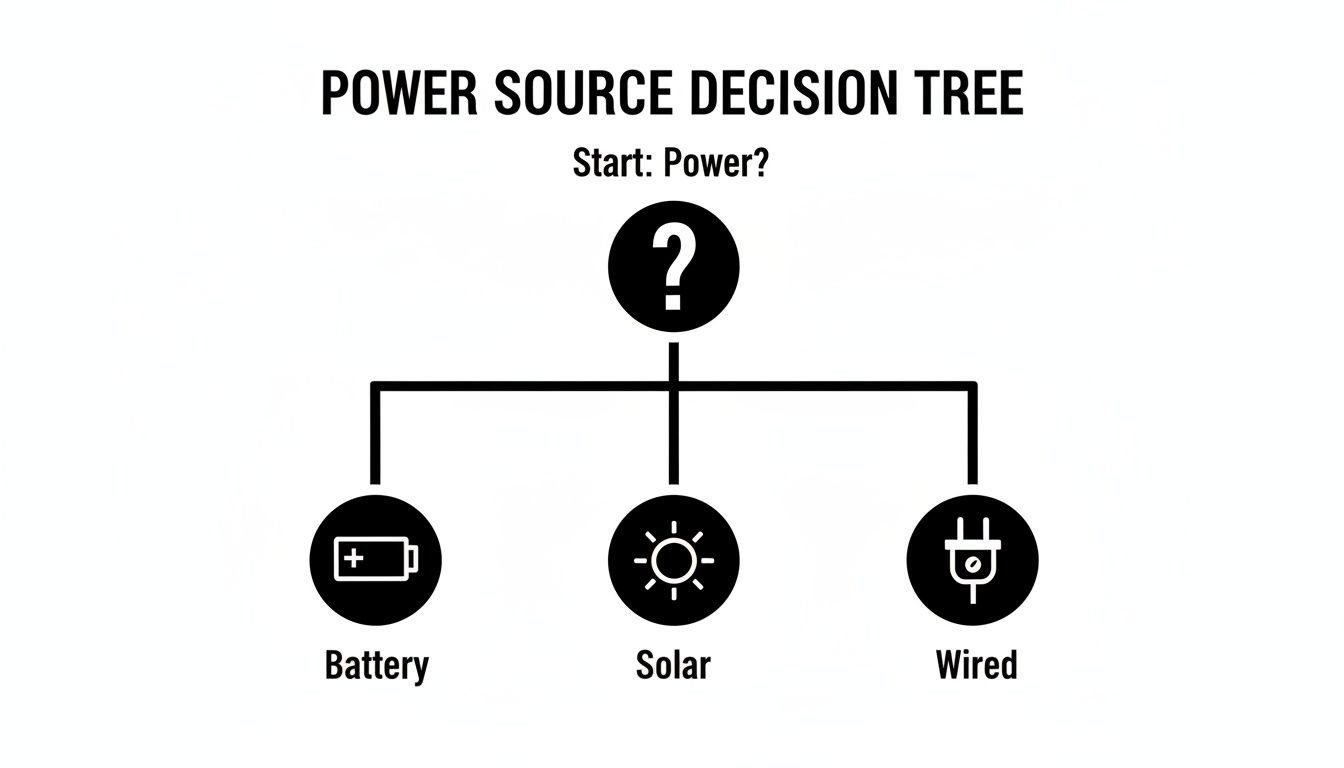
As the diagram shows, your choice of power source has a direct impact on installation ease and long-term maintenance.
Nest Cam (Battery) The AI Intelligence Leader
The Google Nest Cam (Battery) truly excels with its incredibly smart AI detection and refreshingly simple user experience. While most cameras can detect motion, the Nest Cam is brilliant at telling you what it sees—and it does this right out of the box, no subscription required. It can accurately distinguish between people, animals, and vehicles, which dramatically cuts down on the flood of useless notifications.
With this built-in intelligence, your phone won't buzz every time a car passes by or a neighbor's cat strolls through your garden. You only get the alerts that actually matter. The camera itself is sleek and minimalist, and its magnetic mount makes installation an absolute breeze.
Even though it's "only" 1080p, the video quality is fantastic, with impressive dynamic range and color. Google’s software processing really works its magic to produce clear, well-balanced footage. One of its best perks is the 3 hours of free cloud video storage for motion events, letting you review recent activity without paying a dime—a rare and welcome feature. It can even record for up to an hour locally if your Wi-Fi cuts out, ensuring you don't miss a thing.
The move toward Wi-Fi cameras is undeniable; they've become the go-to for homeowners. In fact, by 2026, these devices captured 38% of total revenue in the wireless outdoor security camera market, a clear sign of their popularity driven by easy setup and connectivity. You can read a complete analysis of these market trends on Verified Market Reports.
Feature Face-Off Leading Outdoor Security Cameras
To make the subtle differences between these cameras easier to see, here's a direct comparison of their key specs. This table shows where each camera shines, helping you match your needs to the right device.
| Camera Model | Video Resolution | Night Vision Type | Power Source | AI Detection Features | Subscription Cost (Monthly) |
|---|---|---|---|---|---|
| Reolink Argus PT 4K+ | 4K (2160p) | Color & Infrared | Battery, Solar (Included) | Person, Vehicle | Starts at $6.99 (Optional for cloud) |
| Arlo Pro 5S | 2K (1440p) | Color (Spotlight) | Battery (Removable) | Person, Package, Animal, Vehicle | Starts at $4.99 (Required for most features) |
| Nest Cam (Battery) | 1080p | Infrared with HDR | Battery (Internal) | Person, Animal, Vehicle (Free) | Starts at $6.00 (For extended history & Familiar Faces) |
This side-by-side view clarifies the trade-offs: Reolink offers top-tier resolution, Arlo delivers smart integrations at a cost, and Nest provides free, on-board intelligence.
Real-World Performance Analysis
So, how do these cameras feel in day-to-day use? The Reolink's 4K video is the undisputed champion for capturing fine details from far away. Its app and AI detection are perfectly functional, but they don't feel quite as polished or intuitive as Google's.
The Arlo Pro 5S is a fantastic all-rounder, balancing strong video quality with the absolute best smart home support. Its AI is powerful, but it's important to know that it's heavily tied to a subscription. Without one, many of its best "smart" features are locked away.
The Nest Cam delivers the smoothest and most intelligent user experience of the three. The accuracy of its free alerts is a huge plus for anyone fed up with constant false alarms. While its 1080p video won't capture the same granular detail as the 4K Reolink from 50 feet away, it's more than clear enough for most people's needs.
Ultimately, your choice boils down to what you value most.
- For Maximum Detail & No Fees: The Reolink Argus PT 4K+ is the hands-down winner if top-tier video quality and avoiding monthly fees are your main goals.
- For the Connected Smart Home: Go with the Arlo Pro 5S. It's the best option for anyone who wants a camera that communicates seamlessly with their existing smart home setup.
- For Intelligent Alerts & Simplicity: The Nest Cam (Battery) is the perfect fit if you prioritize smart, accurate notifications and a stress-free experience above everything else.
Maximizing Security with Strategic Camera Placement
Let's be honest: even the most expensive outdoor security camera is useless if it's pointed at the wrong spot. Getting the placement right is the single most important step you can take. It’s the difference between capturing a crystal-clear face and a blurry video of a hat. Good placement isn't just about recording crime; it’s about preventing it in the first place.
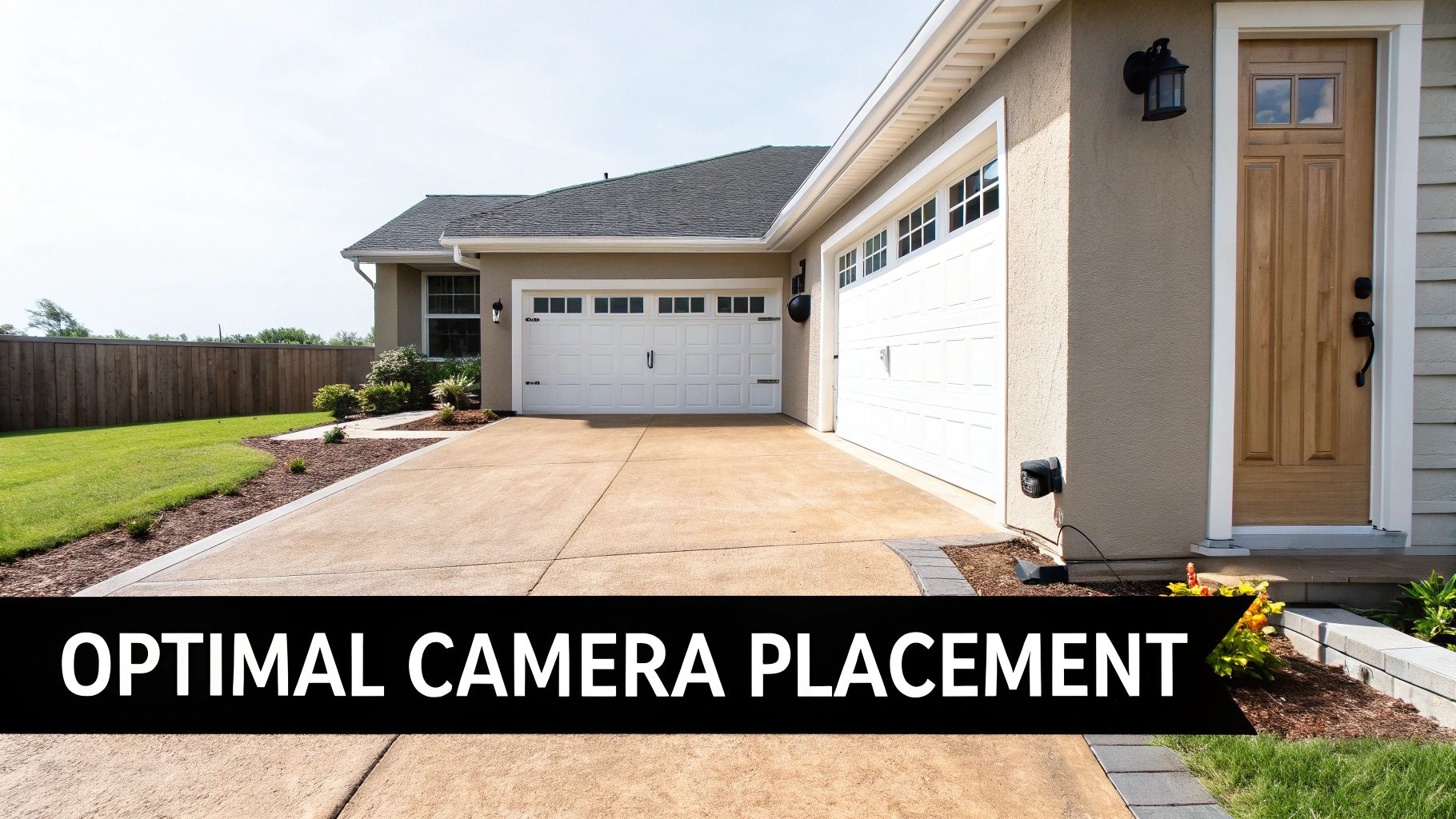
Your main goal is to watch over the most obvious entry points. Think like a would-be intruder for a moment. Which doors, windows, or gates look easiest to approach? Those are your hot spots. Start there.
Finding the Right Height and Angle
Mounting your camera is a bit of a balancing act. If you hang it too low, it’s an easy target for a thief to snatch or disable. But mount it too high, and you’ll get a great view of everyone's hairstyle and not much else.
The sweet spot is usually between 8 to 10 feet off the ground. This keeps it out of casual reach but still low enough to get a good look at people's faces.
You also have to fight the sun. If your camera is staring directly into the sunrise or sunset, the glare will completely wash out the image. You'll be blind for hours every day. Whenever possible, try to face your cameras north or south to avoid that direct east-west sunlight.
Pro Tip: Don't drill holes right away. Use some strong temporary adhesive (like Command strips) to stick the camera up for a day. Check the live feed in the morning, at midday, and in the evening to make sure sun glare doesn't ruin your shot.
Ensuring Comprehensive Coverage
A good security plan has layers. You want to cover your most vulnerable areas first and work your way out. Here’s where I always tell people to start:
- Front Door: This is the main event. A surprising 34% of burglars just walk right in the front door. Your camera should be aimed to see faces clearly as they approach, not angled straight down from the eaves.
- Back and Side Doors: These doors are often targeted because they’re more secluded. Don't forget them. Each one should have its own camera coverage.
- Off-Street Windows: Any window that isn't easily visible from the road is a potential weak point. A single camera with a wide field of view can often keep an eye on a whole bank of windows.
- Garages and Driveways: A camera watching your driveway helps you keep tabs on vehicles coming and going. For an extra layer, consider putting another one inside the garage itself.
Remember, a well-lit area is a less inviting target. Good camera placement paired with smart modern exterior lighting designs can make a world of difference.
Verifying Your Wi-Fi Connection
Before you get out the ladder and drill, there's one last crucial test. Your "wireless" camera is only as good as its Wi-Fi signal. Walk out to the exact spot you plan to mount it and pull out your phone.
Check your Wi-Fi bars. If you only have one or two, that’s a red flag. A weak signal means you'll deal with frustrating video lag, dropped connections, and alerts that arrive too late. If you find a dead zone, you'll need to look into a Wi-Fi extender or a mesh system to make sure your camera can do its job reliably.
What You'll Really Pay: Subscription Costs and Data Privacy
When you're comparing wireless outdoor security cameras, it's easy to get laser-focused on video quality and smart features. But what often determines your long-term satisfaction are two things that aren't on the box: what you'll pay over time and how your personal data is handled. A camera's sticker price is just the beginning; ongoing subscription fees can quickly add up, turning a bargain into a budget-buster.
At the same time, a camera meant to secure your home shouldn't open up new doors for privacy invasions.
You have to get a handle on the different subscription models out there. Most cameras give you the basics for free, like live streaming and motion alerts. The catch? The most useful features are almost always locked behind a monthly or annual paywall.
Decoding the Fine Print: Subscription Plans
Most brands hook you with a tiered subscription model. The free plan might let you see what’s happening in real-time, but if you want to save video clips to the cloud for more than a few hours, you’ll have to pull out your wallet. These paid plans are what truly unlock a camera’s capabilities.
Here are the features most often tied to a subscription:
- Cloud Video History: This is the big one. While a few brands might give you a couple of hours of free event history, paid plans are what get you 30, 60, or even 180 days of stored footage.
- Advanced AI Detection: Smart alerts for packages, animals, or familiar faces are almost always premium features. This is what separates useful notifications from a constant stream of false alarms.
- Activity Zones: The ability to draw a custom zone over your walkway to detect motion while ignoring the busy street next to it is often reserved for paying customers.
It's absolutely crucial to factor these ongoing costs into your decision. A camera that seems like a great deal upfront could end up costing you more over a few years than a pricier model that offers generous free features or a local storage option.
A camera with a microSD card slot, like the Reolink Argus PT 4K+, can be a huge money-saver. It lets you record and store video clips locally, freeing you from the grip of a mandatory monthly cloud subscription. You control your footage and your budget.
Keeping Your Footage Private: Data and Security
When you install a security camera, you're placing a ton of trust in the manufacturer. The footage of your home’s exterior reveals a lot—your comings and goings, your visitors, your deliveries. Making sure that data stays locked down and away from prying eyes is non-negotiable.
Always look for cameras from companies that take security seriously. The two most important features to demand are end-to-end encryption (E2EE) and two-factor authentication (2FA). E2EE means your video is scrambled in a way that only you can view it—not even the camera company has the key. 2FA adds a critical second layer of defense to your account, requiring a code from your phone to log in. This stops a hacker in their tracks even if they manage to steal your password.
Of course, your camera is only as secure as your network. You can learn more about shoring up your defenses in our guide covering practical ways to protect your Wi-Fi from hackers.
Before you buy, spend five minutes reading the company’s privacy policy. See what data they collect, how they use it, and who they share it with. A trustworthy brand will be upfront about its practices and give you clear controls. Choosing a camera from a company with a solid security reputation gives you peace of mind that protecting your home isn't coming at the cost of your personal privacy.
Answering Your Top Outdoor Security Camera Questions
Alright, let's cut through the marketing noise. You've looked at specs, you've read reviews, but now you're wondering about the real-world stuff. What happens after you get the camera out of the box?
This is where the practical questions pop up. I'm talking about things like Wi-Fi range, hidden costs, and how often you'll really be climbing a ladder to charge that battery. Let's get you some straight answers based on years of hands-on experience.
How Far Can a Wireless Camera Actually Reach?
This is the big one. Manufacturers throw around some impressive numbers, but the truth is, your camera's range is all about your Wi-Fi. It’s a team effort between your router and the camera, and there are a lot of things that can get in the way—literally.
You can generally count on a solid signal within 50 to 100 feet of your router in an open space. But every wall, especially brick or concrete ones, slashes that range. A thick exterior wall can easily cut your effective distance in half. If you're trying to monitor a detached garage or a far corner of your yard, you’ll likely need a Wi-Fi extender or a mesh system to get a reliable, smooth video feed.
My Pro Tip: Don't drill any holes just yet. Before you commit to a spot, hold the camera exactly where you plan to mount it and stream the live video to your phone. If the feed is choppy or keeps dropping, you've found a dead zone. It's time to either boost your Wi-Fi or pick a new location.
Do I Really Need to Pay for a Subscription?
This is a crucial question because it hits your wallet long-term. Here's the good news: almost every camera will give you the basics for free. You'll be able to watch a live stream and get a simple notification when it detects motion.
But here’s the catch—all the "smart" features that make these cameras so great are usually locked behind that monthly fee. Without a subscription, you're often giving up:
- Cloud Video History: The ability to look back at recordings from last night or last week. Free plans might only save clips for a couple of hours, if at all.
- Smart AI Alerts: This is the game-changer. It's the difference between a notification for every swaying tree branch versus a specific alert that says "Person Detected" or "Package Delivered."
- Custom Activity Zones: Want the camera to ignore the public sidewalk but watch your porch? That's what activity zones do, and they are almost always a premium feature.
So, while the camera works without a plan, you're missing out on most of the intelligence you paid for.
How Long Do Batteries Actually Last?
Battery life claims are notoriously optimistic. A manufacturer might advertise six months, but that's in a perfect lab setting. In the real world, your mileage will vary—a lot.
Think of it this way: every time your camera wakes up to record, it's sipping battery power. A camera pointed at your busy front door might only last a few weeks. One watching a quiet, low-traffic side yard might actually get you a few months. Cold weather is another huge battery drain.
If you're placing a camera in a high-activity area, I strongly recommend getting the solar panel accessory. It's a small upfront cost that saves you the constant hassle of taking the camera down to charge it. It’s a true set-it-and-forget-it solution.
At Automated Home Guide, our mission is to demystify smart home tech so you can make confident decisions. We're constantly testing and reviewing to help you build a smarter, safer home. For more expert advice, visit us at https://automatedhomeguide.com.












Leave a Reply to drover sointeru Cancel reply