

So, do you actually need a dedicated Wi-Fi router? For any home dipping its toes into smart technology, the answer is a firm and resounding yes. Your router is the digital brain of your home, acting as the traffic controller for every security camera, smart speaker, and connected light bulb you own.
Why a Wi-Fi Router Is Your Smart Home's Foundation
Picture a home where your lights adjust automatically at sunset, your security cameras give you a live view from anywhere, and your thermostat fine-tunes the temperature for perfect comfort and efficiency. That’s the dream of a smart home, and it all runs on a powerful, reliable network.
The global market for wireless routers tells the story. Valued at USD 14.1 billion in 2025, it's expected to jump to USD 33.1 billion by 2035. This isn't just about faster Netflix; it's about the ever-growing demand for a solid home network. You can discover more insights about these market trends on Market.us.
Simply using the modem-router combo (the "gateway") your internet provider gave you is like trying to direct traffic at a busy intersection with just a single stop sign. It works for a few cars, but it's not long before you have gridlock.
A dedicated router, however, is designed to be the central nervous system for a secure and high-performing smart home. It does so much more than just beam out a Wi-Fi signal; it intelligently manages the constant chatter between dozens of devices.
To put it simply, a separate router is no longer a "nice-to-have." For any home with more than a handful of connected devices, it's essential. The table below breaks down the key reasons why.
Quick Answer: Why a Dedicated Router Is Essential
| Scenario | Why a Router is Essential |
|---|---|
| Multiple Smart Devices | It prevents network congestion by efficiently managing data traffic from cameras, speakers, lights, and more. |
| Streaming & Gaming | Quality of Service (QoS) features prioritize bandwidth, ensuring smooth, buffer-free video and lag-free gaming. |
| Home Security | It provides a stable connection for security cameras and sensors, and guest networks keep your main devices secure. |
| Large or Multi-Story Homes | Better antennas and technologies like beamforming eliminate dead zones, providing reliable coverage throughout your home. |
| Work-from-Home Setups | It guarantees your work computer gets the bandwidth it needs for video calls and file transfers, even on a busy network. |
This small investment in your home's "digital foundation" pays off immensely in performance, security, and sheer lack of frustration.
The Problem with Overloaded Networks
Every smart device you own—from the video doorbell to the smart plug controlling a lamp—is constantly sending and receiving tiny bits of data. One or two devices are no problem for a basic gateway, but the combined demand from ten, twenty, or even fifty devices creates a massive digital traffic jam.
A high-quality router doesn't just provide internet access; it provides intelligent network management. It ensures that critical devices, like your security system, always have the bandwidth they need to function without interruption.
This is where a dedicated router’s advanced features become absolutely critical for a smooth-running smart home. These aren't just buzzwords; they solve real problems:
- Device Prioritization (QoS): This feature lets you tell your router what's most important. You can give top priority to your work video call so it doesn't stutter when your kid starts streaming a 4K movie in the living room.
- Enhanced Security: A separate router gives you more powerful security tools, like the ability to create a guest network. This lets visitors get online without ever touching your main network, protecting your smart home controls and personal data from potential threats.
- Better Coverage: High-performance antennas and modern tech like beamforming actively steer the Wi-Fi signal toward your devices. The result is a strong, stable connection in every corner of your home, finally killing those frustrating dead zones.
Thinking of a router as a simple accessory is a common mistake. In reality, it’s the foundational piece of gear that dictates whether your smart home is a seamless, automated paradise or a constant source of connectivity headaches. Upgrading isn't just an expense; it's a proactive step toward building a digital home you can actually rely on.
Demystifying Your Home Network Hardware
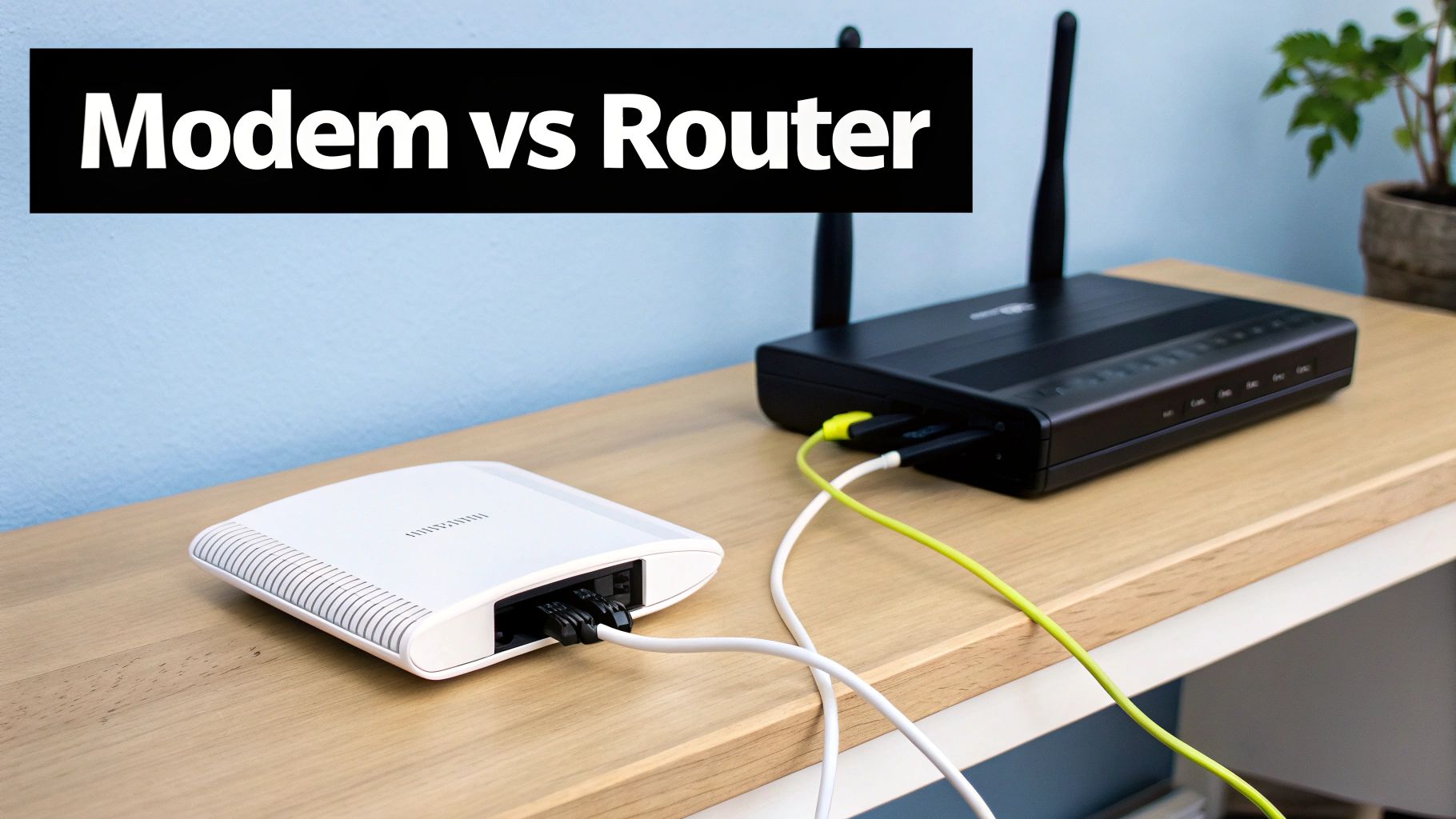
Let's be honest, home networking can feel unnecessarily complicated. You’ve got a tangled mess of wires, a collection of blinking lights, and a bunch of acronyms. But it really just boils down to a few key pieces of equipment, each with a very specific job.
Once you get a handle on what each box does, you’re in a much better position to build a network that won’t buckle under the pressure of a modern smart home. Think of it like a mail delivery system: the modem, router, and gateway are all just links in the chain that brings the internet from the outside world into your living room.
The Modem: Your Internet On-Ramp
Your modem is the first stop. Its sole purpose is to connect your home to your Internet Service Provider's (ISP) network. It’s essentially a translator, taking the signal from their cable or fiber line and converting it into a digital signal that a single device can use.
Think of the modem as the official on-ramp to the internet superhighway. It establishes that one crucial connection, giving you a single lane of access. Without it, you're offline. Period.
The Router: Your Local Traffic Director
So, if the modem only provides one connection, how do all your devices get online? That's where the router comes in. A router takes that single internet connection from the modem and creates a private network for all the devices in your home.
It’s your home’s air traffic controller for data. It broadcasts the Wi-Fi signal, gives every device—from your laptop to your smart thermostat—its own unique local address, and makes sure the right information gets to the right place. It's the brains of the operation, preventing digital traffic jams and keeping everything running smoothly.
A modem brings the internet to your front door. A router takes that connection and securely distributes it to every room and every device inside your house.
Keeping these two jobs separate gives you a ton of flexibility. When your ISP rolls out new technology, you might only need to swap out the modem. And when a new Wi-Fi standard like Wi-Fi 7 becomes the norm, you can upgrade just your router to get the latest speeds and features without touching anything else.
What Is a Gateway?
That all-in-one box your ISP probably gave you is called a gateway. It’s simply a modem and a router crammed into a single piece of hardware. While it’s certainly convenient, this jack-of-all-trades approach almost always means you're compromising on performance and features.
To really see why a dedicated router matters, it helps to understand the broader components of IT infrastructure that manage information. A standalone router is a specialist, while a gateway is a generalist. For a home packed with smart gadgets that communicate in different ways, that specialization is key. You can dive deeper into how these devices talk to each other in our guide to the most common smart home protocol.
Here’s why separating them is usually the smarter move:
- Performance: A dedicated router almost always has a more powerful processor, more memory, and better antennas than a gateway.
- Features: Standalone routers give you access to advanced settings like granular parental controls, Quality of Service (QoS) to prioritize gaming or streaming, and much better security options.
- Control: You decide when to update the firmware and have total control over the settings. ISP-managed gateways can be updated or reconfigured remotely without you even knowing.
By using a separate modem and router, you aren’t just adding another box to your desk. You’re building a more powerful, secure, and future-proof foundation for your connected home. This separation is the secret to unlocking what your smart devices can really do.
When Your ISP-Provided Gateway Falls Short
For most people, the all-in-one box from their Internet Service Provider (ISP) is their first—and often only—experience with home Wi-Fi. It’s convenient, usually bundled right into your monthly plan, and for a little while, it seems to get the job done.
But as you add more and more connected devices to your home, that convenience starts to wear thin. The limitations of that simple gateway box quickly turn into a source of daily frustration.
The signs might be subtle at first. A video call freezes right when you're making a critical point. Your favorite show starts buffering endlessly during the climactic scene. You walk into the back bedroom, and your phone's Wi-Fi signal vanishes. These aren't just random glitches; they’re symptoms of a network being pushed past its breaking point.
ISP-provided gateways are designed to be a one-size-fits-all solution for millions of customers, a true jack-of-all-trades. This approach values simplicity over performance, leaving the hardware ill-equipped to handle the heavy demands of a modern smart home where a dozen or more devices are all competing for bandwidth.
The Digital Traffic Jam in Your Home
Think of your Wi-Fi network as a single-lane road. When there are only a few cars, traffic moves along just fine. But now imagine rush hour. Your smart TV is streaming in 4K, your security cameras are uploading footage, a smart thermostat is pinging the server, and a couple of smartphones are scrolling social media. You’ve got gridlock.
That’s exactly what’s happening inside a basic gateway. Its processor simply isn't powerful enough to manage the constant data requests from so many devices at once. The result is a digital traffic jam where every single device's performance slows to a crawl.
This problem has only gotten worse as more people work from home. By 2025, it's projected that over 36.2 million Americans—a full 22% of the workforce—will be working remotely. This shift puts enormous pressure on home networks that were never designed for professional-grade use. It’s no surprise the home Wi-Fi router market is expected to grow by USD 3.34 billion between 2025 and 2029; people are actively looking for better solutions. Learn more about the home Wi-Fi market growth from Technavio.
Why More Devices Mean More Problems
A dedicated router, on the other hand, is built for this. It's engineered with a more powerful CPU and more RAM, specifically to handle these high-density environments. That's why when people ask, "do you need a wifi router?" the answer almost always comes down to how many devices they’re trying to connect.
Here are the common frustrations that tell you it’s time to upgrade:
- Weak or Spotty Coverage: ISP gateways often have weak internal antennas, creating annoying "dead zones" where the signal just can't reach.
- Constant Buffering: When multiple devices are active, the gateway can't prioritize the data streams effectively, causing videos to constantly pause and buffer.
- Dropped Connections: Devices may randomly disconnect from the network because the overloaded gateway can't maintain a stable connection with everything.
- Slow Speeds: Even if you pay for a high-speed internet plan, a weak gateway acts as a bottleneck, preventing your devices from ever using the full bandwidth you're paying for.
The question isn't just about internet speed. It's about network capacity. A powerful router doesn't just make one device faster; it ensures dozens of devices can all perform well at the same time.
The Security and Feature Gap
Beyond just raw performance, ISP gateways are often bare-bones when it comes to features—especially ones crucial for security. A perfect example is the guest network. This feature creates a separate, isolated Wi-Fi network for your visitors, preventing their devices from having any access to your main network where your personal computers and smart home devices live.
Worse yet, some providers will actually disable the guest network feature on their hardware so they can use it to broadcast their own public Wi-Fi hotspots. This leaves you with two bad options: share your primary Wi-Fi password with everyone who visits, or leave them without internet.
A dedicated router puts this essential security tool back in your hands. It gives you full control over who accesses your network and how, allowing you to build a more robust, secure, and frustration-free digital home.
How a Better Router Transforms Your Smart Home
Upgrading your router is about more than just raw speed—it’s about giving your smart home a capable and intelligent brain. A high-quality router acts as the central hub for your entire connected life, bringing a level of security, reliability, and performance that the basic box from your ISP just can't match.
Think of it like this: a cheap, ISP-provided router tries to manage all your devices like a substitute teacher in a chaotic classroom. Everyone is shouting for attention at once. A great router, on the other hand, is like an expert air traffic controller, calmly and efficiently guiding dozens of signals to their destinations without a single collision.
Ending the Digital Traffic Jam
One of the biggest leaps forward you'll see comes from technologies like WiFi 6 and MU-MIMO (Multi-User, Multiple Input, Multiple Output). Don't let the acronyms scare you; they are simply elegant solutions to the digital congestion that grinds most smart homes to a halt.
MU-MIMO is a game-changer. It lets your router talk to multiple devices at the same time, instead of making them take turns. Your smart TV can stream a 4K movie while your video doorbell uploads a security clip and your laptop joins a video call—all without a single stutter. It’s the difference between a single-lane country road and a six-lane highway during rush hour.
A powerful router with features like WiFi 6 doesn't just make your network faster—it makes it smarter. It's engineered to handle the constant, overlapping data requests from a house full of connected devices, ensuring stability for everything.
For anyone trying to run an eco-friendly smart home, this stability is crucial for smart thermostats and lighting that need to respond instantly. Imagine efficiently managing 20+ devices to lower your energy bills, all without a hint of lag. This is the kind of performance that also powers buttery-smooth 4K streaming and immediate responses from voice assistants like Alexa or Google Home.
Prioritizing What Matters Most
Ever been on an important Zoom call that suddenly freezes because someone in the next room started downloading a massive file? A quality router fixes this with a feature called Quality of Service (QoS).
QoS is your network's priority list. It lets you tell the router which devices or apps get first dibs on your internet connection. You can ensure your work laptop always has the bandwidth it needs for video calls or that your security cameras never drop their feed, no matter what else is happening online.
Here’s a real-world example of setting up QoS:
- Top Priority: Your home office computer for crystal-clear video conferences.
- High Priority: The living room TV to keep movie night buffer-free.
- Medium Priority: Smart security cameras for reliable footage streaming.
- Low Priority: Guest devices or non-essential smart plugs.
This kind of granular control is a feature you’ll rarely find on a standard ISP gateway, and it's absolutely essential for a frustration-free smart home.
The table below gives you a quick snapshot of why making the switch from ISP-issued equipment is often a smart move for anyone serious about their connected home.
ISP Gateway vs Third-Party Router Feature Comparison
| Feature | Typical ISP Gateway | Recommended Third-Party Router |
|---|---|---|
| Wi-Fi Standard | Often older (Wi-Fi 5) | Latest standards (Wi-Fi 6, 6E, or 7) |
| MU-MIMO | Limited or non-existent | Advanced MU-MIMO for many devices |
| Quality of Service (QoS) | Basic or none | Customizable, application-level QoS |
| Security Updates | Infrequent, controlled by ISP | Regular, user-controlled firmware updates |
| Guest Network | Limited, sometimes disabled | Robust, fully isolated guest networks |
| Parental Controls | Rudimentary, if any | Advanced, schedule-based controls |
| Coverage Area | Average, designed for smaller spaces | Superior range and stronger signal |
| User Interface | Clunky and restrictive | Intuitive app-based management |
As you can see, a dedicated router gives you far more control and capability, turning your Wi-Fi from a simple utility into a powerful tool for managing your digital life.
Building a Secure Digital Fortress
Maybe the most compelling reason to buy your own router is security. Every smart bulb, camera, and speaker is another potential door into your home network. That’s why robust security isn't a luxury—it's a necessity.
A dedicated router puts powerful security tools in your hands. One of the most important is the ability to create a guest network. This is a completely separate Wi-Fi network just for visitors. Their phones and laptops can get online, but they’re walled off from your personal files and, more importantly, your smart home devices.
This is a huge weakness in many ISP gateways. Some even disable the guest network feature entirely to use the hardware for their public hotspot services, taking that control away from you. And while a better router can often fix dead spots, if you still have signal issues, you can check out our guide on how to extend WiFi range for other solutions.
Ultimately, a superior router is the foundation for implementing essential IoT security best practices. By separating your core smart home devices from guests and less-trusted gadgets, you create layers of defense that make your entire home safer and more resilient against threats.
Choosing the Right Router for Your Home
So, we've established why a good router is the unsung hero of your home network. Now for the fun part: picking the right one for your home. This isn't about grabbing the box with the most antennas or the biggest price tag; it's about making a smart match between the hardware and your living space.
The right choice means flawless streaming in the family room and zero lag on a video call in your home office. Getting it wrong means… well, you probably already know. It all comes down to the size of your home and just how many gadgets you have vying for a slice of that sweet Wi-Fi pie.
For Apartments and Smaller Homes
Living in an apartment or a single-story house under 1,500 square feet? A single, high-quality standalone router is likely all you need. Forget the complicated multi-unit setups for a moment. A modern router is a powerhouse, built to flood a specific area with a strong, reliable signal that can easily juggle dozens of devices.
In fact, a good Wi-Fi 6 router can comfortably handle 40 or more devices simultaneously. That’s more than enough bandwidth for 4K movies, online gaming, and all your smart lights, plugs, and speakers. For most smaller homes, one great router delivers the perfect blend of performance and simplicity.
This little flowchart can help you decide if it's time to ditch the router your internet provider gave you.
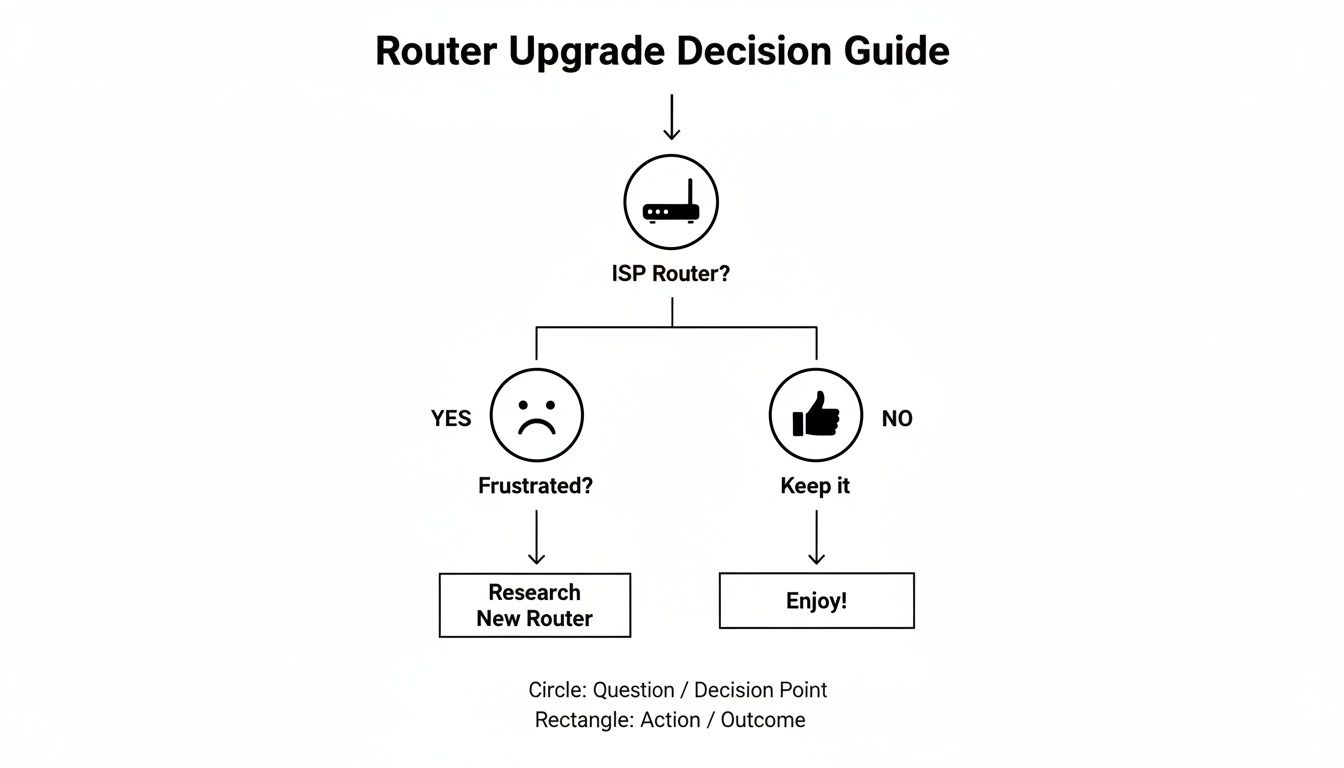
As you can see, the decision often starts with one simple question: "Is my internet frustrating?" If the answer is yes, you know it's time for a change.
For Larger or Multi-Story Homes
Now, if your home is bigger, has a second story, or is built with Wi-Fi-unfriendly materials like brick and plaster, that single router is going to struggle. You'll get frustrating dead zones. This is exactly why mesh Wi-Fi systems were invented.
Instead of trying to blast a signal from one central spot, a mesh system uses a team of smaller "nodes" you place around the house. They all work together to create one big, seamless network. Your phone or laptop will automatically hop to the node with the strongest signal as you move around, so you never notice a drop.
It's like switching from a single, giant lightbulb in the hallway to having a separate lamp in every room. You get perfect, even light everywhere instead of one bright spot and a bunch of shadowy corners. A mesh system does that for your Wi-Fi signal.
This is a game-changer for smart homes, ensuring the video doorbell on your porch and the security camera in the backyard have the same rock-solid connection as the smart TV in your living room. To dig deeper into the options, our complete guide on how to choose a WiFi router breaks it all down.
Figuring Out Your Coverage and Device Needs
Before you click "buy," take a quick inventory. A little self-assessment goes a long way in finding the perfect network solution for your family.
Ask yourself these simple questions:
- Home Size & Layout: Is your place over 2,000 square feet or does it have multiple floors? If yes, a mesh system should be at the top of your list.
- Building Materials: Are your walls made of thick plaster, brick, or concrete? Those materials kill Wi-Fi signals, making a mesh network almost a necessity.
- Device Count: Do a quick headcount of your connected gadgets. If you're over 25 devices (think phones, laptops, TVs, smart speakers, cameras), you'll want the power of a modern Wi-Fi 6 router or mesh system built to handle that kind of traffic.
- How You Use It: Do you have serious gamers in the house? Multiple people working from home on video calls? A 4K streaming habit? These high-demand activities will see a massive improvement with a dedicated, high-performance router.
Once you have these answers, you'll know exactly what you need to build a home network that just works.
So, What's the Final Verdict on Your Home Network?
When it comes down to it, asking "do you need a Wi-Fi router?" is a bit like asking if a house needs a solid foundation. For any modern, connected home, the answer is a resounding yes. Your router isn't just another blinking box on a shelf—it's the heart of your home's digital life, the central hub that keeps everything running smoothly.
As we've explored, the right router is what separates a frustrating, laggy smart home from a seamless, responsive one. It’s the difference between a network that can handle a dozen devices today and one that’s ready for the 50 you might have tomorrow.
While the gateway your internet provider gave you can get you online, it's often a one-size-fits-all solution that just can't keep up. A dedicated router gives you the power, control, and security needed to manage a busy network full of smart speakers, cameras, and thermostats without everything grinding to a halt.
Think of it this way: investing in a good router isn't just buying hardware. It's an investment in your home's digital future, ensuring you get the performance, security, and peace of mind you paid for.
By making a smart choice now, you're building a home network that won't just work—it will thrive, ready for whatever new technology comes next.
Your Top Questions Answered
Even after covering the basics, a few questions always pop up. Let's tackle the most common ones head-on so you can feel completely confident about your home network setup.
Can I Use My Own Router with My Internet Provider?
Yes, you almost certainly can. Most internet service providers (ISPs) are required to allow customers to use their own equipment. All you need to do is plug your new router into the modem they provided.
Now, if your ISP gave you one of those all-in-one modem/router boxes (often called a "gateway"), there’s one extra step. You'll need to put that device into "bridge mode." This simple setting shuts off its built-in, and often mediocre, router, letting your new, much better router take full control of your home network. It's the key to unlocking better performance and features.
How Often Should I Replace My WiFi Router?
Think about replacing your router every three to five years. That might sound frequent, but network technology evolves at a breakneck pace. New standards like WiFi 6 and the newer WiFi 7 bring massive improvements in speed, security, and how many devices can be connected at once without bogging things down.
An old router becomes the weak link in your network chain, throttling the internet speeds you're paying good money for. Even more critically, manufacturers eventually stop releasing security patches for older models, which can leave your entire smart home exposed. If your connection is constantly dropping or everything feels sluggish, your router is probably telling you it's time to retire.
Will a New Router Actually Make My Internet Faster?
This is a great question, and the answer is a little nuanced. A new router can't change the internet plan you have with your provider—if you pay for 100 Mbps, you're not going to suddenly get 500 Mbps. What it can do is make sure you're getting every bit of the speed you pay for, making your WiFi feel significantly faster.
Think of it this way: an old router is like a one-lane country road during rush hour. A modern router is a multi-lane superhighway. The destination is the same, but the journey is a whole lot smoother and faster.
Upgrading your router clears up the digital traffic jams in your home. It delivers a stronger signal to every corner of your house, slashes lag for gaming and video calls, and juggles dozens of smart plugs, speakers, and cameras without breaking a sweat. So, while your bill won't change, your experience definitely will.
What’s the Deal with WiFi 5, WiFi 6, and WiFi 7?
These are simply names for the different generations of WiFi technology, and each one is a big improvement on the one before it.
- WiFi 5: This was the standard for years, but it can really start to struggle in a modern home filled with smart gadgets, causing frustrating slowdowns.
- WiFi 6: A huge leap forward. WiFi 6 was built from the ground up for the smart home era. It’s fantastic at managing tons of devices simultaneously, cuts down on interference from your neighbors' networks, and can even help your phone and laptop batteries last a bit longer.
- WiFi 7: This is the latest and greatest, designed for the future of the internet—think flawless 8K streaming, augmented reality, and competitive cloud gaming. It's incredibly fast with super-low latency.
For most people right now, a WiFi 6 or WiFi 6E router hits the sweet spot. It gives you incredible performance and enough power to handle a growing smart home for years to come.
At Automated Home Guide, we're committed to helping you build a smarter, safer, and more efficient home. Explore our expert guides and reviews to find the perfect technology solutions for your connected life. Visit us at https://automatedhomeguide.com to learn more.










Leave a Reply