
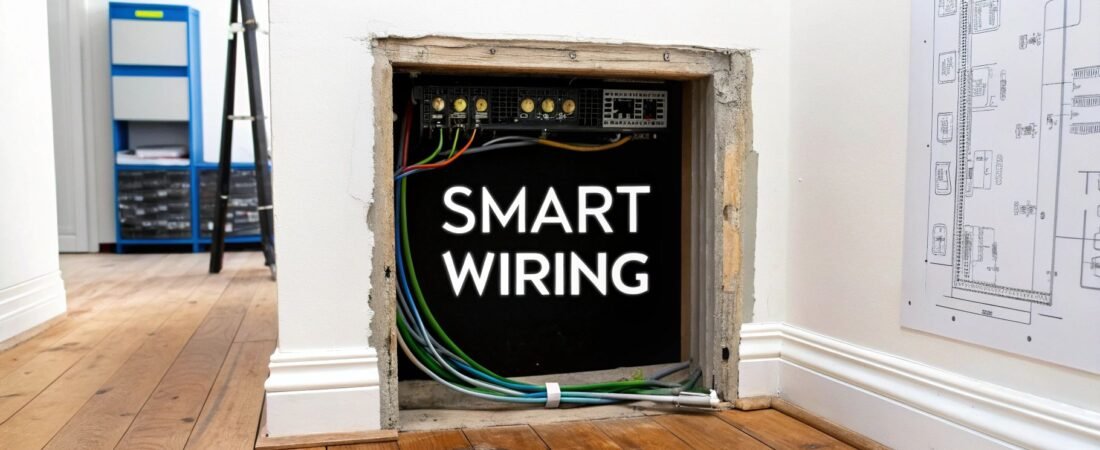
Before you even think about picking out a single smart gadget, let's talk about the invisible foundation that makes it all click: home automation and wiring. You can think of it as your home's central nervous system. A well-planned, structured wiring system is the backbone that guarantees everything runs with lightning-fast speeds, rock-solid reliability, and is ready for whatever tech comes next.
Building a Reliable Foundation for Your Smart Home
Wireless devices are undeniably convenient, but relying on them alone often leads to frustrating lag, dropped connections, and signal interference.
Picture your home's data as traffic. A wireless-only network is like a congested city street, full of stoplights and unexpected delays. A wired connection, on the other hand, is a dedicated, multi-lane freeway—a clear, uninterrupted path for data to travel at top speed.
This dedicated path ensures your smart home performs exactly as it should, right when you need it. And this isn't just a tip for new construction; a smart wiring plan is often the single best upgrade you can make to any home looking to embrace automation.
Why a Wired Backbone Matters More Than Ever
Smart technology adoption is exploding. The global home automation market is projected to hit $124.85 billion in 2025, jumping from $112.28 billion in 2024. With North America making up 40% of the market share, our homes are getting crowded with more and more devices competing for bandwidth.
A hardwired infrastructure provides the stability to support this growing ecosystem. It gives your most critical systems a dependable connection that isn't at the mercy of Wi-Fi congestion.
- Unmatched Reliability: Hardwired connections for things like security cameras, smart lighting, and network access points just don't drop out or get flaky from interference.
- Superior Speed: Ethernet cables can handle data speeds that leave typical Wi-Fi in the dust, which is a must for streaming high-resolution media or moving large files around.
- Future-Proofing: Running cables like Cat6A and conduit now—whether during construction or a renovation—prepares your home for technologies that don't even exist yet. It's a small investment that can save you a fortune down the road.
Adhering to Codes and Safety Standards
Of course, a critical part of building a reliable smart home foundation is making sure all the electrical work is up to snuff with local codes. For a good primer on navigating these requirements, understanding building codes and regulations is a great place to start. Getting it installed right by a qualified pro isn't just about performance—it's about keeping your home and family safe.
A smart home is only as reliable as its underlying infrastructure. Investing in a proper wiring plan from the start is the difference between a seamless automated experience and a collection of frustrating gadgets.
Ultimately, by planning your home automation and wiring thoughtfully from the get-go, you’re creating a robust and dependable platform. This ensures every smart device, from your thermostat to your home theater, operates at its absolute best, no compromises.
Choosing Your Smart Home Wiring Architecture
Just like a city needs a well-planned road network, your smart home needs a thoughtfully designed wiring architecture. This isn't just about running some cables; it's about creating the central nervous system for your entire home. The choice you make here will define how reliable, fast, and future-proof your system will be.
Are you building a single, powerful brain to control everything? Or are you creating a network of smaller, independent command centers? Each philosophy has its place, and the right one for you depends entirely on your project, budget, and long-term goals. Let’s break down the three main approaches: centralized, distributed, and hybrid.
This diagram perfectly illustrates why wiring is so crucial. It’s the essential foundation that connects your physical home to the smart gadgets you interact with every day.
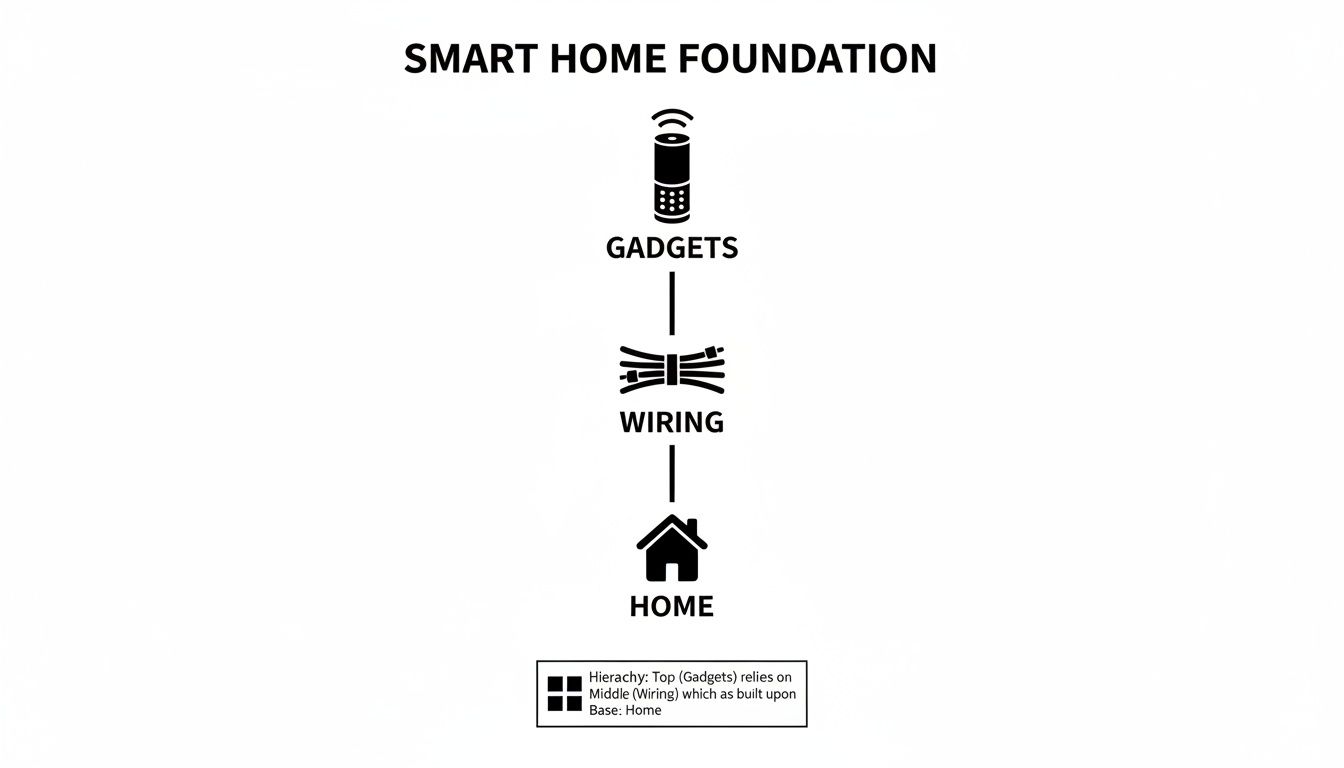
Without this solid wiring layer, even the most expensive gadgets will fail to perform reliably. It’s the unsung hero of a truly smart home.
Three Wiring Topologies To Know
Before you pull a single cable, it's vital to understand the high-level design you're aiming for. Each of these three "topologies," or wiring layouts, offers a different balance of performance, cost, and installation complexity.
Comparing Home Automation Wiring Topologies
This table breaks down the core concepts behind centralized, distributed, and hybrid systems, helping you see at a glance which might be the best fit for your home.
| Topology Type | Core Concept | Best For | Pros | Cons |
|---|---|---|---|---|
| Centralized | A "home run" system where every wire runs directly back to a single central hub or rack. | New construction or major gut renovations. | Incredibly reliable, easy to troubleshoot, simplifies upgrades, top-tier performance. | High upfront cost (materials & labor), requires extensive planning, difficult to retrofit. |
| Distributed | Intelligence is spread out. Devices communicate wirelessly or via local mini-hubs. | Retrofitting existing homes, smaller budgets, DIY projects. | Lower installation cost, less invasive, easy to start small and add on. | Can be less reliable, dependent on wireless signal strength, can be complex to manage. |
| Hybrid | A practical blend: critical systems are wired, while less crucial devices are wireless. | Most modern projects, including new builds and substantial remodels. | Balances reliability with flexibility, provides a rock-solid core, easily expandable. | Requires careful planning to decide what gets wired, can still be a significant investment. |
As you can see, there’s no single "best" answer—only the best answer for your specific situation. Let’s dig a little deeper into what these look like in the real world.
The Centralized "Home Run" Approach
The centralized model is the gold standard for home automation and wiring, especially if you're building from scratch. Imagine every single low-voltage cable—for your internet, speakers, security cameras, you name it—running from its device straight back to one central point. This is your command center, usually a dedicated tech closet or equipment rack.
This "star" or "home run" topology creates an exceptionally clean and powerful system. All your core gear (network switches, amplifiers, automation controllers) lives together, which makes managing, troubleshooting, and upgrading a breeze. If your living room TV loses its network connection, you know exactly which cable to check at the rack.
The major consideration here is cost and complexity. This method requires a ton of cable and a lot of planning before the drywall goes up. It's the ultimate setup for performance but is often too difficult and expensive to pull off in a finished home.
The Distributed "Local Control" Method
A distributed system flips the script entirely. Instead of one big brain, the intelligence is spread throughout the house. Smart switches, thermostats, and speakers often talk directly to each other or connect through small local hubs using wireless signals. We cover the specifics of these communication methods in our guide to understanding the different smart home protocols.
This approach is a lifesaver for retrofits. Since you don't have to run dozens of new wires through existing walls, installation is far simpler and less destructive. It leans on your home's existing electrical wiring for power and uses wireless protocols for the data.
The trade-off? You're at the mercy of your wireless network. Performance can be affected by Wi-Fi dead spots, interference from neighbors, or even a microwave running. Managing fifty individual smart devices, each with its own connection, can also become more of a headache than managing one neatly organized central rack.
The Hybrid "Best of Both" Strategy
For most people, the sweet spot is a hybrid model. It’s a pragmatic strategy that wires up the most important infrastructure but leaves room for wireless convenience where it makes sense.
Here’s how it typically works:
- Wired Backbone: Your home's mission-critical systems get a dedicated, hardwired connection. This means running Ethernet to your Wi-Fi access points, security cameras, and primary entertainment areas (like the home theater). This guarantees maximum speed and unshakable reliability where it matters most.
- Wireless Flexibility: For everything else, you go wireless. Think smart plugs, individual light bulbs in a guest room, or voice assistants on a nightstand. These devices don't need gigabit speeds, so the convenience of wireless is a perfect fit.
This balanced approach gives you a rock-solid foundation without the massive expense of wiring every last device. It provides excellent performance today and makes it incredibly easy to add new wireless gadgets down the road. It has become the go-to choice for a reason.
How to Plan Your Smart Home Wiring Layout
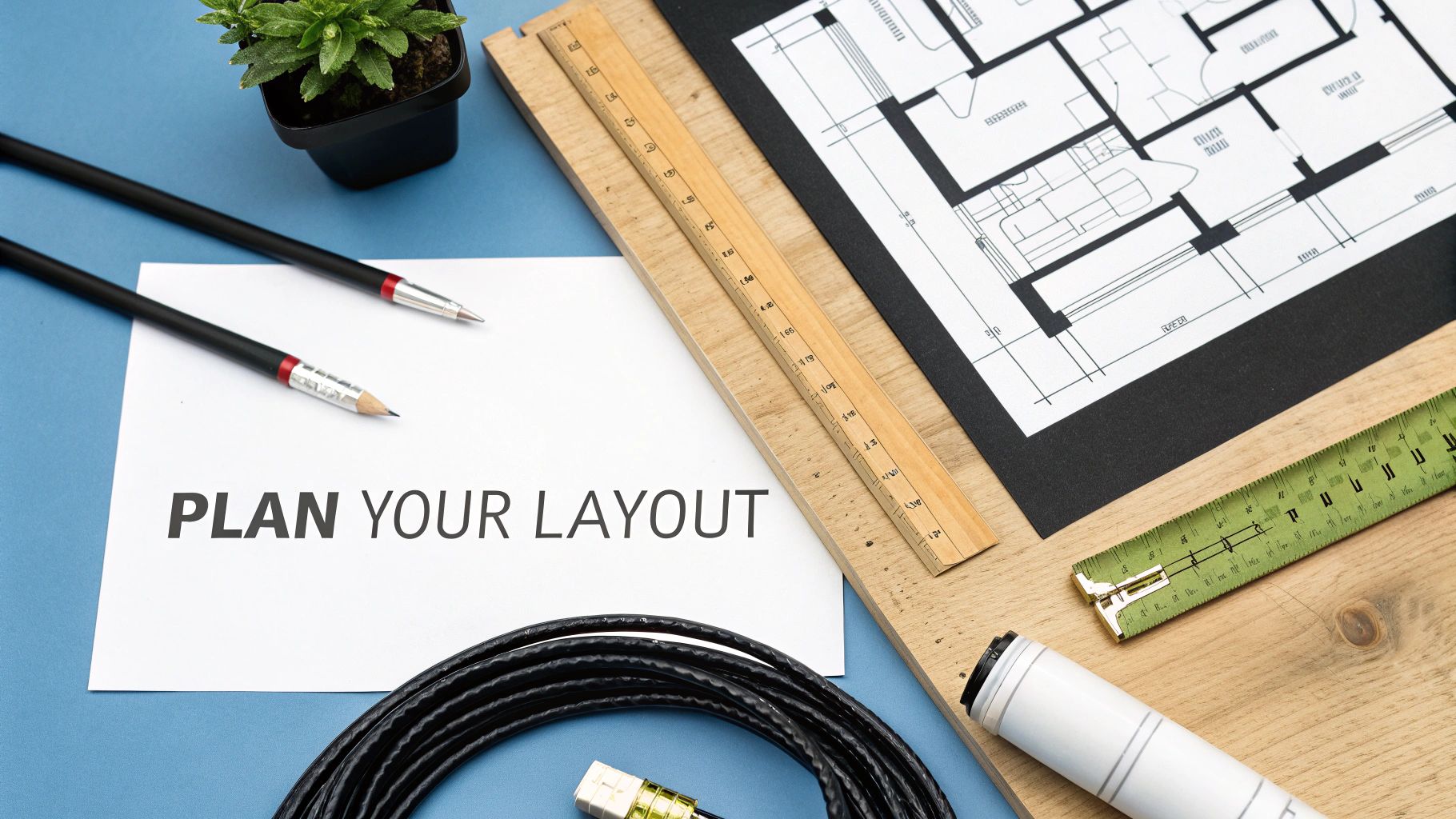
A successful smart home project is won or lost in the planning phase, long before you ever pull a single cable. Think of a detailed wiring layout as the roadmap for your home's central nervous system. This blueprint is what guarantees every device gets the connection it needs to work perfectly, turning a bunch of separate gadgets into one cohesive, integrated system.
This whole process starts with a simple floor plan of your house. You don't need a fancy architectural drawing—a basic sketch of each room is perfectly fine. The idea is to visually map out where your tech will live and how you actually use each space, building a plan around your real-world lifestyle.
Begin with a Room-by-Room Audit
Grab your floor plan and walk through it, one room at a time. The key is to think critically about how you use each space and how technology could make it better. This goes way beyond just figuring out where the TV goes; it's about anticipating what you’ll need for connectivity, control, and entertainment down the road.
Taking a systematic approach here will save you from forgetting crucial spots. This audit really is the foundation of your entire home automation and wiring strategy.
For every room, think about these key elements:
- Network Access: Where do you need the absolute fastest, most reliable internet? Home offices, media centers, and gaming areas are prime candidates. Mark these spots for dedicated Ethernet jacks.
- Audio and Video: Dreaming of in-ceiling speakers for the kitchen or living room? Planning to mount a TV on the wall? Each of these needs a specific low-voltage wire run to that exact spot.
- Control and Automation: Where would a smart keypad or a touchscreen be most useful? Think entryways, the master bedroom, or right in the main living area.
- Security: Pinpoint strategic locations for security cameras—like the front door, back patio, and garage—along with any door or window sensors. These devices always work best with a hardwired connection for both power and data.
- Motorized Shades: Those windows that get blasted by the afternoon sun or are just too high to reach are perfect for automated blinds. They’ll need low-voltage power run to the top of the window frame.
Embrace the Power of Future-Proofing
If there’s one piece of advice I can give, it’s to future-proof your home. Technology moves incredibly fast, and the plan you make today really should serve you well for the next decade or more. The absolute easiest and cheapest time to add wiring is when the walls are already open.
Running an extra cable or even an empty conduit to a key location might add a few dollars to your budget now, but it can save you thousands in labor and drywall repair later. It’s the cheapest insurance you can buy for your smart home.
This means you have to think beyond what you need right now. You might not want a networked projector today, but running an extra Cat6A cable and a conduit to the ceiling in your media room is a brilliant move. That simple step makes a future upgrade a simple plug-and-play job instead of a massive renovation. To get a better sense of these practical wiring choices, you can learn more about what goes into a comprehensive smart wiring plan for your home and how it sets you up for long-term success.
Creating Your Wiring Legend
As you start marking up your floor plan, create a simple legend with symbols for each type of connection. This visual shorthand makes the plan dead simple for you or an installer to read at a glance.
Your legend could look something like this:
| Symbol | Description | Cable Type |
|---|---|---|
| N² | Dual Network Port | 2x Cat6A |
| S | Security Camera | 1x Cat6A (for PoE) |
| SP | In-Ceiling Speaker | 1x Speaker Wire |
| WAP | Wireless Access Point | 1x Cat6A (for PoE) |
| C | Control Panel | 1x Cat6A |
By meticulously mapping out every single drop and planning for what might come next, you’re building a foundation that is both robust and flexible. This detailed layout is the single most important document for your project, ensuring your smart home’s invisible infrastructure is just as intelligent as the devices plugged into it.
Smart Wiring Installation for New and Existing Homes
How you tackle your home automation wiring plan really boils down to one simple question: are your walls open or are they closed? Putting a structured wiring system into a new build is a completely different world than snaking wires through an existing home. You can absolutely do both, but each path demands its own strategy, tools, and frankly, a different mindset.
Getting a handle on these differences is your first step toward a great installation, whether you're a hands-on DIYer or you're bringing in a pro. Let's break down what it really takes to bring a wiring plan to life in both scenarios.
Installing Wires in New Construction
If you're building a new home, you’ve hit the smart wiring jackpot. There's a perfect window of opportunity called the "rough-in" phase—it's that sweet spot after the framing is up but before the insulation and drywall go in. At this point, you have wide-open, easy access to every wall cavity, floor joist, and ceiling space. This is prime time for running cable.
With the walls open, an installer can move fast, drilling holes and pulling wire bundles with incredible precision. The end result is a clean, perfectly organized system that’s way less labor-intensive, which also means it’s easier on your wallet.
Here's why wiring a new build is the ideal scenario:
- Perfect Placement: You can run cables exactly where they need to go, no compromises. This means every outlet, keypad, and sensor lands in the perfect spot for both convenience and aesthetics.
- Future-Proofing is a Breeze: Want to add extra conduit or a few spare cables to key spots for future tech? It's incredibly simple and cheap to do when the walls are still skeletons.
- Troubleshooting Made Simple: A system that's routed cleanly and logically from the start is a dream to work with down the road. Tracing a line to diagnose an issue becomes a quick task, not an all-day hunt.
Retrofitting Wires into an Existing Home
Bringing a full-on structured wiring system to a home that's already built is less like construction and more like surgery. You don't have the luxury of open walls, so you have to get creative to run new cables without turning the place into a dusty construction zone. This is where a professional's experience really pays off.
The job usually involves leveraging access points like attics, basements, and crawlspaces to fish wires down into the wall cavities. You can't just show up with a drill; you need some specialized gear for this kind of work.
Professionals have a whole bag of tricks for this, using tools like long, flexible drill bits to navigate around hidden studs and pipes. They also use fish tapes or fiberglass glow rods to grab a cable and pull it through a dark, cramped space. The whole game is getting from point A to point B with the smallest possible footprint.
While a few small, neat cuts in the drywall might be necessary for complex runs or installing a new wall box, a skilled technician can often get the job done with just a couple of small holes that are easy to patch and paint.
The demand for this kind of retrofit work is exploding. Government incentives and new, more accessible smart home tech are pushing adoption forward. Take the U.S. Inflation Reduction Act, for example, which set aside $8.8 billion for smart tech rebates. This is kickstarting a massive wave of upgrades in older housing stock, a huge market just waiting for modern automation. You can dig into more insights on this growing market at Mordor Intelligence.
Installation Best Practices to Follow
Whether you’re working with open studs or finished walls, a few core principles will make sure your home automation wiring is safe, reliable, and performs like a champ for years to come.
- Keep High and Low Voltage Separate: This is a non-negotiable rule. Always keep your low-voltage data cables (like Ethernet and speaker wire) physically away from standard high-voltage electrical lines (the 120V stuff). A good rule of thumb is to run them on opposite sides of a wall stud or maintain at least 12 inches of separation. This prevents electromagnetic interference (EMI), a nasty buzz that can kill your signal quality.
- Label Everything. No, Seriously—Everything: Before you even think about closing up those walls, make sure both ends of every single cable are labeled with a clear, permanent tag. This one simple step will save you from a massive headache later. What could be a day-long troubleshooting nightmare becomes a five-minute fix.
- Check Local Permit Requirements: While most places don't require a permit to run low-voltage wiring yourself, the second you touch a line-voltage electrical circuit, you're in a different league. That work almost always requires a permit and an inspection. Always, always check with your local building department first to make sure your project is safe and up to code.
Powering and Connecting Your Automation System
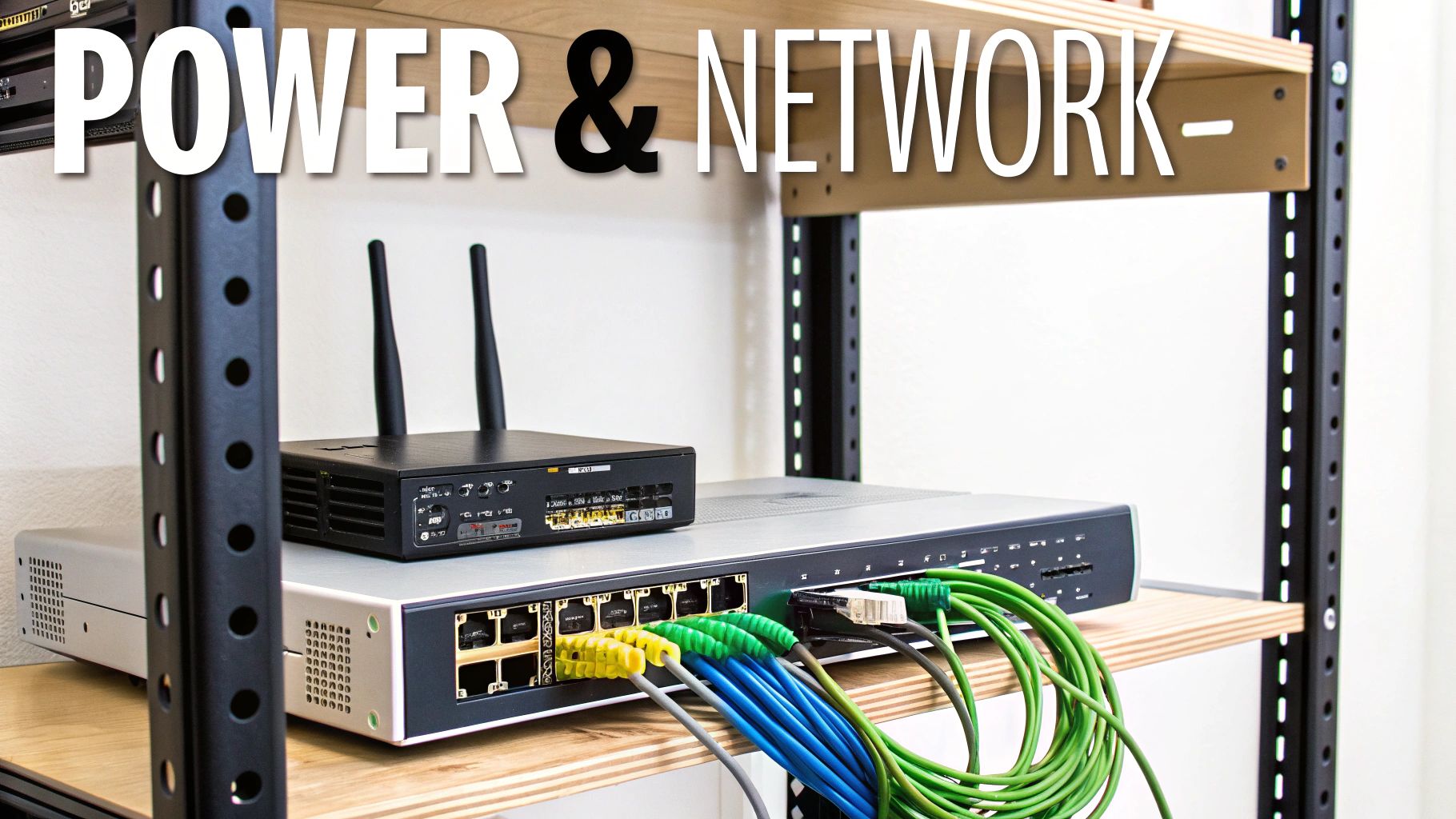
So, you’ve planned your wiring layout down to the last inch. That’s fantastic, but all those cables are just copper until you give them clean, stable power and a rock-solid network connection. This is the part of the project where your smart home really comes to life.
Think of power and data not as two separate systems, but as partners. Modern home automation wiring merges them in some really clever ways, making your installation cleaner and more powerful. Let's look at the key technologies that will be the heart and soul of your connected home.
The Magic of Power Over Ethernet
Picture this: you want to install a security camera on the corner of your house for the perfect viewing angle. The old way meant running two cables—one for the network and another for power, which usually involved hiring an electrician to add an outlet. It was a pain.
This is where Power over Ethernet (PoE) is a total game-changer. It’s a brilliant piece of tech that lets a single Ethernet cable (like the Cat6A we talked about) carry both network data and low-voltage electrical power. One cable does it all, which radically simplifies your entire home automation and wiring project.
This single-cable approach is perfect for all sorts of devices:
- Security Cameras: Mount them literally anywhere an Ethernet cable can reach. No power outlet nearby? No problem.
- Wireless Access Points (WAPs): Stick them on the ceiling for the best possible Wi-Fi signal, all powered directly from your network switch.
- Wall-Mounted Touchscreens: Get those sleek, professional control panels without a clunky power brick or a new outlet cluttering the wall.
PoE is more than just a convenience; it's a strategic advantage. It drastically reduces cable clutter, cuts down on installation time and cost, and gives you incredible freedom to place devices exactly where they need to be. The result is a much cleaner, more professional system.
Why a Wired Network Always Wins
It’s tempting to just buy a powerful Wi-Fi router, plug it in, and hope for the best. But if you’ve ever dealt with frustrating dead zones or buffering videos, you know that approach rarely works for a whole house. For a smart home you can actually depend on, nothing beats a wired network backbone.
The idea is to run Ethernet cables to key locations and install dedicated wireless access points. This creates a powerful, seamless blanket of Wi-Fi that covers your entire property—inside and out. It’s the only way to guarantee your growing army of smart devices has the speed and stability it needs.
And that army is growing fast. The number of connected devices is expected to skyrocket to 27 billion by 2025. As the home automation market in North America heads toward $25.74 billion by 2030, a robust network isn't just a nice-to-have; it's an absolute necessity.
Protecting Your System with a UPS
Your smart home’s central hub—that rack holding your router, switch, and automation controller—is the brain of the whole operation. What happens if the power flickers or goes out? Everything goes dark. Your network dies, cameras stop recording, and your smart home is suddenly… not so smart.
This is why you need an uninterruptible power supply (UPS). Think of it as a smart battery backup for your most critical gear. During a power outage, the UPS instantly kicks in, supplying clean power to keep your system running. It gives you enough time to either shut things down safely or just ride out a brief outage without any interruption at all.
Beyond blackouts, a UPS also protects your sensitive electronics from power surges and brownouts. Combined with using appropriate cable sizing to prevent voltage drops, it’s the final layer of defense for a truly resilient and reliable smart home.
Budgeting Your Project and Hiring the Right Pro
So, how much is this all going to cost? Thinking about the budget for a home automation and wiring project can be intimidating, but it's not as complex as it seems once you break it down.
Essentially, your expenses boil down to three main buckets: materials, hardware, and labor. Materials cover the bulk stuff—we're talking hundreds or even thousands of feet of Cat6A, speaker wire, and coaxial cable. Hardware is all the physical connection points: the jacks, wall plates, patch panels, and connectors. The biggest wildcard, though, is almost always labor. Pulling cable through the open studs of a new build is a world apart from carefully fishing it through finished walls in an existing home.
Estimating Your Project Costs
Let's put some real-world numbers to this to give you a better idea. Remember, these are just ballpark figures. The final price tag will shift based on your home's size, how complex you want the system to be, and what labor costs look like in your area.
Estimated Wiring Project Cost Breakdown
Here's a sample budget to help you visualize how costs can scale depending on the scope of your wiring project.
| Project Size | Estimated Cable Costs | Estimated Hardware Costs | Estimated Professional Labor Costs | Total Estimated Cost Range |
|---|---|---|---|---|
| Small (Basic Retrofit) | $300 – $600 | $200 – $500 | $1,000 – $2,500 | $1,500 – $3,600 |
| Medium (New Build) | $800 – $1,500 | $700 – $1,200 | $2,500 – $5,000 | $4,000 – $7,700 |
| Large (Complex Custom) | $2,000+ | $1,500+ | $6,000+ | $9,500+ |
Notice how much higher the labor can be for a retrofit? That's the price of working around existing drywall and paint. For a deeper dive into all the variables, check out our complete guide on calculating smart home installation costs.
DIY vs. Hiring a Professional
This is the classic fork in the road for any home project. Can you do it yourself? Absolutely, especially for smaller jobs. If you're just running a couple of Ethernet drops and have easy access through a basement or attic, it can be a really satisfying weekend project.
But the moment the scope grows, the calculus changes.
When you're looking at a full-house wiring plan, multiple rooms, or anything that involves getting near your home's high-voltage electrical circuits, it’s time to put down the tools and pick up the phone. A qualified low-voltage contractor is worth every penny.
These pros ensure the work is done right, done safely, and meets all local building codes. If your vision includes a high-end, fully integrated system—think home theaters, multi-room audio, and sophisticated lighting control—you may even want to look for a CEDIA-certified integrator. These are the specialists in the world of custom home technology.
When you start talking to installers, arm yourself with a few key questions:
- Are you licensed, bonded, and fully insured for low-voltage installations?
- Can I see a portfolio or speak with references from recent, similar projects?
- Will you provide a detailed wiring diagram as part of the plan?
- What's your process for labeling, testing, and certifying every single cable you run?
A true professional will offer a detailed, itemized quote that clearly separates the cost of materials from their labor. Be wary of vague, lump-sum estimates—that’s a major red flag. A good partner will invest the time to understand exactly what you want to achieve and give you a transparent plan to get there.
Common Questions About Home Automation Wiring
As you get closer to finalizing your wiring plan, a few big questions almost always come up. Getting clear answers to these will give you the confidence to move forward. Let's dig into the ones I hear most often.
Is Wired Home Automation Better Than Wireless?
This is probably the number one question, but it's not really an "either-or" situation. The real answer is: it depends on the job. Wireless is fantastic for convenience, no doubt. But for speed, rock-solid reliability, and security, nothing beats a hardwired connection. Wires don't care about Wi-Fi congestion or your neighbor's new router interfering with your signal.
For the most important systems in your home—your core network, high-resolution media streaming, and security cameras—wired is the only way to go. The smartest strategy is a hybrid approach: build a robust wired backbone for all your critical infrastructure, then use wireless for everything else, like smartphones, tablets, and other portable gadgets. You get the best of both worlds.
What Is the Most Important Cable for Future-Proofing?
If I had to pick one MVP for future-proofing, it's Category 6A (Cat6A) Ethernet cable, hands down. Don't just think of it as an internet cable; it's a multi-purpose digital pipeline for your entire home. This thing is a workhorse, capable of handling blistering data speeds, video, audio, and even delivering power to devices using Power over Ethernet (PoE).
I always tell people to run at least two Cat6A cables to every key location—think media centers, home offices, and anywhere you might put a device in the future. This one step creates an incredibly flexible and powerful network backbone that will keep up with new technology for years.
Making this small investment in extra cable now is the cheapest and most effective insurance policy you can buy for your smart home's long-term health.
Can I Really Retrofit Wires Without Destroying My Walls?
Yes, you absolutely can. This is a huge fear for homeowners, but a skilled installer isn't going to come in with a sledgehammer. It's more like performing careful "surgery" on your home.
Professionals have a whole bag of tricks and specialized tools—fish tapes, super-flexible drill bits, and glowing rods—to snake cables through wall cavities. They'll typically work from less-visible access points, like an attic, basement, or closet. While a particularly tricky run might require a small, easily patched cut in the drywall, a good pro can get the job done with surprising precision and minimal mess. Their goal is always to get the wires exactly where they need to be, leaving your walls looking like they were never touched.
At Automated Home Guide, we're here to help you build a smarter, safer, and more efficient home. Explore our resources to make informed decisions on your home automation journey. You can find out more at https://automatedhomeguide.com.










Leave a Reply to Building Home Theater: A Guide to building home theater Setup Cancel reply