
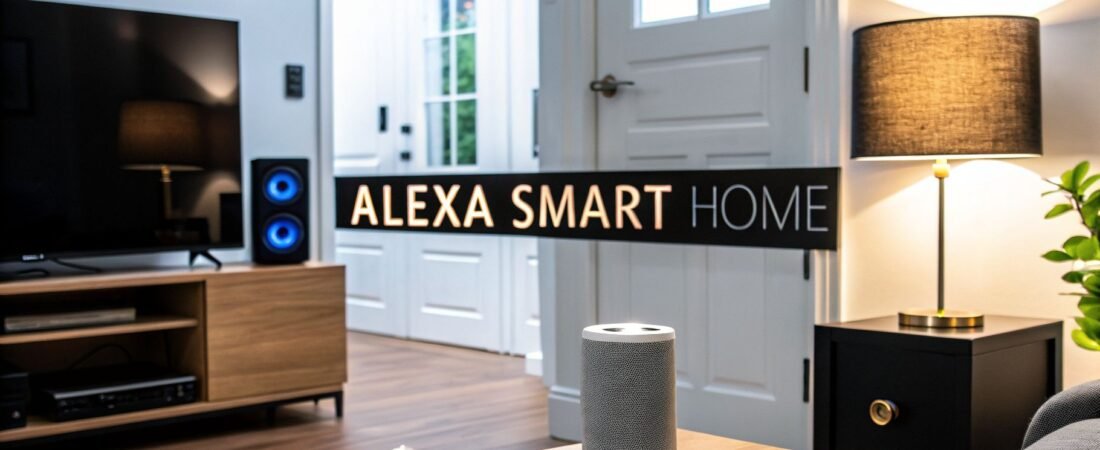
Picture this: your morning alarm goes off, and instead of fumbling for your phone, the lights in your room slowly fade up. Downstairs, you can hear the coffee maker gurgling to life. As you get ready, a calm voice gives you the day's weather forecast. This isn't science fiction; this is what a home built around home automation devices that work with Alexa actually feels like.
This massive collection of products—lights, locks, thermostats, you name it—is all designed to listen to you, turning your house into a home that responds to your needs.
Your Smart Home Journey Starts With Alexa
Getting into the smart home world can feel overwhelming. With so many different brands and competing technologies, it's easy to get lost. Using Alexa as the brain of your operation cuts through all that noise.
Think of Alexa as the conductor for your home's orchestra. Instead of opening one app for your Philips Hue lights, another for your Ring camera, and a third for your Ecobee thermostat, you have a single point of control. It all just works together, usually with a simple voice command.
This unified control is the real magic of building your smart home around Alexa. It smooths out the rough edges of managing dozens of gadgets and creates a truly seamless living experience.
Why Build Your Smart Home Around Alexa?
The appeal is about so much more than just asking Alexa to tell you a joke. When you connect your home's devices to the Alexa ecosystem, you get real, practical benefits that simplify everything from your morning routine to your end-of-day security check.
Here are a few of the biggest wins:
Unified Control: You can manage devices from tons of different brands—like Ring, Philips Hue, and Ecobee—all from the Alexa app or any Echo speaker. No more app-hopping.
Enhanced Security: A quick question is all it takes to check if your doors are locked, see a live feed from your security camera, or turn on a few lights to make it look like you're home.
Energy Efficiency: Set up routines to automatically lower your thermostat when you leave or turn off lights in empty rooms. It's a simple way to trim your energy usage and save a little money on your utility bills.
Effortless Convenience: Automate those little repetitive tasks. A single command like, "Alexa, goodnight," can be set up to lock your doors, shut off every light, and set the thermostat for the night.
When Alexa acts as the central hub, your collection of smart gadgets stops being a pile of remotes and starts acting like a truly connected home. The goal is to make your space responsive, not just remote-controlled.
Before we dive deeper, here's a quick summary of the main advantages you get when you choose Alexa-compatible devices for your home.
Key Benefits of an Alexa-Powered Smart Home
| Benefit Category | Description | Example Voice Command |
|---|---|---|
| Convenience | Control multiple devices from different brands with a single command or through one app, simplifying daily routines. | "Alexa, start my day." |
| Security | Monitor your home with cameras, sensors, and locks from anywhere, adding peace of mind whether you're home or away. | "Alexa, show me the front door camera." |
| Efficiency | Automate lighting and climate control to reduce energy waste and lower your monthly utility bills. | "Alexa, set the thermostat to 70 degrees." |
| Entertainment | Easily play music, podcasts, or audiobooks on one or more speakers throughout your house with simple voice commands. | "Alexa, play today's hits everywhere." |
These benefits are why so many people start—and stick with—Alexa when building out their smart home.
The Power of a Connected Ecosystem
The sheer popularity of Alexa has created a huge and dependable network of products that work with it. As of March 2024, Alexa works with over 60,000 device models, which means you can use your voice to control almost any smart home gadget you can think of.
This massive scale is backed by more than 500 million Alexa-enabled devices sold across the globe, with 71.4 million active users in the US alone. You can dig into more of the numbers in these recent smart home statistics.
What this really means for you is choice and reliability. No matter what you're trying to do or what your budget is, you're almost guaranteed to find great home automation devices that work with Alexa.
How Alexa Communicates With Your Smart Devices
Ever wonder what actually happens when you ask Alexa to turn on a light? It feels like magic, but it's really a conversation happening behind the scenes between your Echo and your smart devices. The key is knowing that not all your gadgets speak the same language.
Think of it like this: Alexa is the project manager, but she needs to talk to different teams, and each team uses its own communication style. Some devices chat over your home's Wi-Fi, while others use dedicated low-power signals like Zigbee or Z-Wave. Understanding how these work is the first step to building a smart home that's fast, reliable, and frustration-free.
This whole ecosystem is designed to deliver some core benefits, turning a collection of standalone gadgets into a genuinely helpful, automated home.

As you can see, it all comes together to make your life easier, more secure, and even a bit more energy-efficient.
The Role of Wi-Fi Direct Connection
Connecting a device via Wi-Fi is the most common method you'll encounter. Smart plugs, light bulbs, and many security cameras often use this approach, linking directly to your home's router. When you issue a command, it travels from your Echo to Amazon's cloud servers, then gets sent right back down to the device through your Wi-Fi network.
The beauty of this is its simplicity—there's no extra hardware needed. But there’s a catch. If you start adding dozens of Wi-Fi gadgets, they all begin competing for your router's attention, which can clog up your network and slow things down for everything else, like streaming movies or online gaming.
Zigbee and Z-Wave Hub-Based Systems
This is where protocols like Zigbee and Z-Wave come into play. These are low-power wireless languages built specifically for smart home automation. Instead of every single sensor and switch connecting to your router, they create their own special network—a mesh network—and report back to a central hub.
Think of the hub as a dedicated interpreter. It speaks Zigbee or Z-Wave to your devices and then translates their messages for Alexa over your regular Wi-Fi. This setup has some serious perks:
- Keeps Your Wi-Fi Clear: It shifts all that smart device traffic off your main network, so your Netflix stream doesn't buffer just because you turned on a light.
- Rock-Solid Reliability: In a mesh network, devices can relay signals for each other. If one light bulb is too far from the hub, the signal can hop through a closer device to get there. It's a self-healing system.
- Incredible Battery Life: These protocols are incredibly efficient. That means battery-powered devices like motion sensors or door locks can run for months, sometimes even years, on a single battery.
Good news—you might not even need to buy a separate hub. Many newer Amazon devices, like the Echo (4th Gen) and Echo Show 10, have a Zigbee hub built right in, making it easier than ever to get started.
The Future is Matter: The Universal Translator
For a long time, the smart home felt a bit like the Wild West, with all these different protocols creating confusion. That’s the problem Matter was created to solve. It's a new, universal standard backed by all the big names—Amazon, Apple, and Google included—designed to get all our smart devices speaking the same language.
The goal of Matter is simple: if a device has the Matter logo, it will just work. It will connect seamlessly with any Matter-compatible controller, including Alexa, regardless of the manufacturer.
This promises to make buying and setting up home automation devices that work with Alexa ridiculously simple. No more checking compatibility charts! We explain the setup process in our guide on how to connect devices to Alexa.
Alexa Skills: The Device's "App"
The final piece of this communication puzzle is the Alexa Skill. You can think of a Skill as a small app you enable for your voice assistant. When you get a new smart device from a brand like Philips Hue or Wyze, you'll usually be prompted to enable its Skill in the Alexa app.
This simple step is what "teaches" Alexa the specific commands for that gadget—how to dim its lights, change its color, or access its camera feed. It’s the software that bridges the gap between your voice command and the device's unique functions.
The Most Popular Alexa-Compatible Devices Worth Getting

Now that we’ve covered how Alexa communicates, let's get to the fun part: the actual gadgets. The world of Alexa-compatible devices is huge, but most of the truly useful stuff falls into a handful of core categories. Getting a handle on these is the key to building a smart home that actually makes your life easier.
Think about the real-world difference. It's that little moment of magic when you say, "Alexa, movie night," and the lights dim just right. Or the peace of mind you get when you're already in bed and can just ask, "Alexa, is the front door locked?" instead of having to get up and check. These are the small, practical wins that define a great smart home setup.
This isn't a niche hobby anymore. The smart home market is set to grow from $145.44 billion in 2025 to over $171.62 billion by 2026. What’s driving that boom? The two biggest players are smart lighting and security, which together make up nearly 50% of the market. And with Alexa in so many homes, it’s become the go-to voice assistant for tying it all together.
Smart Lighting for Every Mood
If you're wondering where to start, smart lighting is almost always the answer. It's one of the easiest and most affordable entry points into home automation, and the payoff is immediate. These devices do more than just let you turn a bulb on and off with your voice—they give you complete control over your home's atmosphere.
You can dim the lights for a relaxing evening, change their color to set the mood for a party, or create a schedule that gently wakes you with slowly brightening light. It’s a simple upgrade with a huge impact.
- What they do: They replace your existing light bulbs, switches, and light strips with connected versions you can control from anywhere.
- How they help: They let you fine-tune brightness and color, set schedules to save energy, and create custom lighting scenes on command.
- Try this command: "Alexa, set the living room lights to warm white."
And it’s not just about bulbs. You can expand this to include things like motorised skylight blinds with smart home integration, which can automatically adjust to let in natural light during the day.
Smart Locks and Security Cameras
For most of us, home security is non-negotiable. Alexa-compatible locks and cameras give you a powerful set of tools to see what’s happening at home and control access, whether you're in the next room or on vacation.
A smart lock means you can lock or unlock your door from your phone, give a guest a temporary access code, and never have to worry about lost keys again. When you pair it with a video doorbell or camera, you can see exactly who’s at your door before you even think about opening it.
One of my favorite features is being able to check the front door from bed. Just asking, "Alexa, is the door locked?" brings a level of peace of mind that's hard to beat.
Smart Thermostats for Comfort and Savings
Of all the home automation devices that work with Alexa, a smart thermostat might just have the biggest long-term impact. It’s so much more than a fancy scheduler. These devices actually learn your family's routines, sense when you're home or away, and adjust the temperature automatically to save a surprising amount of energy.
Those energy savings really add up, often paying for the thermostat itself over time. But the real luxury is the convenience—being able to warm up the house on your way home from work with a simple voice command is a game-changer.
- What they do: They replace your old thermostat with an intelligent one that manages your home’s heating and cooling system.
- How they help: They learn your patterns to cut down on energy waste, lower your utility bills, and keep your home perfectly comfortable without you lifting a finger.
- Try this command: "Alexa, I'm cold." (Many thermostats will hear this and bump the heat up a couple of degrees for you).
Smart Plugs: The Ultimate Problem-Solver
Looking for the quickest, cheapest way to make a "dumb" device smart? The smart plug is your answer. You just plug this little adapter into any standard outlet, then plug your device into it. That's it.
Anything you connect—a floor lamp, a fan, your Christmas tree lights, even a coffee maker—can now be controlled with your voice or through the Alexa app. They're fantastic for experimenting with automation and adding a bit of smart control to the simple appliances you already own.
Recommended Alexa-Compatible Devices for 2026
Alright, so you’ve got the lay of the land. But with so many options out there, where do you actually start? Picking your first—or next—smart device can feel like a huge decision, but it doesn't have to be. We’ve tested countless products to find the real winners that work seamlessly with Alexa.
To make things easier, we've broken our top picks into a "Good, Better, Best" format. This isn't about finding a "bad" product; every item on this list is solid. Think of it as finding the right fit for your budget and how deep you want to dive into home automation. "Good" options are fantastic, budget-friendly starting points, while "Best" selections are for the enthusiast who wants top-tier performance and features.
The smart home market, especially the speaker space where Amazon reigns, is absolutely booming. Projections show it will grow by a staggering USD 6.41 billion between 2024 and 2029. Why the loyalty? A massive 66% of users stick with the Amazon ecosystem, largely because Alexa integrates with over 100,000 skills. This makes it incredibly easy to connect popular devices from brands like Ring and Philips Hue. With nearly 33% of consumers planning to buy a new smart device soon, that ecosystem is more important than ever.
Recommended Smart Lighting
For most people dipping their toes into the smart home world, lighting is the perfect first step. It’s relatively inexpensive, a breeze to set up, and the payoff is instant.
Good: Wyze Bulb Color. Wyze has absolutely cornered the market on reliable, no-frills smart home gear that won't break the bank. These color bulbs are bright, connect right to your Wi-Fi (no hub needed!), and just work. They're the ideal way to try out smart lighting in a room or two without a major commitment.
Better: Kasa Smart (TP-Link). If you're ready to expand beyond a single bulb, Kasa is a fantastic step up. Their app is more polished, and they offer a whole family of products—from bulbs to light strips and switches. Kasa devices are known for being rock-solid and simple to set up, making them a great middle-ground choice.
Best: Philips Hue. Let's be honest: Philips Hue is the gold standard, and for good reason. The color accuracy is second to none, the response time is instant, and the ecosystem is massive. It runs on a Zigbee network via the Hue Bridge, which creates an incredibly stable mesh for your lights that won't clog up your Wi-Fi. The performance and advanced tricks like syncing lights with your TV make it the undisputed champ for home automation enthusiasts.
Recommended Smart Locks and Security Cameras
After lighting, home security is usually the next frontier. These devices blend everyday convenience with genuine peace of mind, and the integrations with Alexa are incredibly powerful.
Having your front door automatically lock 10 minutes after you leave isn't just cool—it's a genuinely useful security feature. This is where automation moves from a novelty to a necessity.
Good: Wyze Cam v4 & Wyze Lock Bolt. Once again, Wyze delivers unbelievable value. The Wyze Cam v4 gives you crisp 2K video, color night vision, and smart alerts for a tiny fraction of what competitors charge. Pair it with the Wyze Lock Bolt—a straightforward keypad and Bluetooth deadbolt—and you've got a basic, effective smart security setup on a shoestring budget.
Better: Ring Video Doorbell & Schlage Encode Smart Lock. This combination is a classic for a reason—it's powerful and reliable. The Ring doorbell lets you see and talk to anyone at your door from your phone, and the Alexa integration is seamless. The Schlage Encode is a workhorse Wi-Fi lock that lets you grant access, check its status, and lock up from anywhere with a simple voice command like, "Alexa, lock the front door."
Best: Arlo Ultra 2 Cameras & August Wi-Fi Smart Lock. For those who want the absolute best, this is it. Arlo's 4K wireless cameras deliver breathtaking video quality and a suite of advanced detection features. The August Wi-Fi Smart Lock is our top pick because it cleverly fits over your existing deadbolt, so you can still use your old keys. Its best feature is DoorSense, a sensor that confirms the door is physically closed, not just that the lock is thrown.
Recommended Smart Thermostats
A smart thermostat is one of the few smart devices that actively pays you back. By learning your schedule and preferences, it can seriously cut down on your energy bills without you ever feeling too hot or too cold.
Good: Amazon Smart Thermostat. Designed in partnership with the pros at Honeywell, this thermostat is an incredible deal. It handles all the essentials—scheduling, app control, and of course, deep Alexa integration—at a price that makes it a no-brainer for anyone.
Better: Ecobee Smart Thermostat Enhanced. There's a reason Ecobee has such a loyal following. It ships with a remote room sensor that helps solve the age-old problem of uneven heating and cooling. Your system can now make decisions based on the temperature in your bedroom or office, not just the hallway where the thermostat is.
Best: Nest Learning Thermostat. Even though it's a Google product, the Nest Learning Thermostat works beautifully with Alexa. Its claim to fame is the "learning" part—after about a week, it starts building a schedule for you automatically based on your adjustments. On top of that, its premium metal-and-glass design simply looks and feels better than anything else on the market.
Now, let's pull all of this together in a simple table to help you compare your options at a glance.
Recommended Alexa-Compatible Devices by Budget
This table offers a comparative look at our top-rated smart home devices across different price points, helping you choose the best products to fit your budget and smart home ambitions.
| Device Category | Budget-Friendly (Good) | Mid-Range (Better) | Premium (Best) |
|---|---|---|---|
| Smart Lighting | Wyze Bulb Color | Kasa Smart (TP-Link) | Philips Hue |
| Smart Locks | Wyze Lock Bolt | Schlage Encode Smart Lock | August Wi-Fi Smart Lock |
| Security Cameras | Wyze Cam v4 | Ring Video Doorbell | Arlo Ultra 2 |
| Smart Thermostats | Amazon Smart Thermostat | Ecobee Smart Thermostat Enhanced | Nest Learning Thermostat |
Whether you're starting small with a single smart bulb or building a fully-automated fortress, these devices represent the best in their class for Alexa users.
For an even wider selection of products across more categories, be sure to check out our complete guide to the best smart home devices available today.
Creating Powerful Alexa Routines for a Smarter Home

Telling Alexa to turn on a single light is neat. But what if you could orchestrate your entire home with just one phrase? That’s where the real magic of a smart home kicks in, and it's all thanks to Alexa Routines. This is the feature that transforms a simple collection of gadgets into a truly responsive, automated environment.
Instead of barking out a series of individual commands—"Alexa, turn off the lights," "Alexa, lock the door," "Alexa, set the thermostat"—a Routine bundles all those actions together. You can kick off this entire sequence with a custom voice command, have it run at a specific time, or even trigger it automatically when a sensor detects something. It's about making your home work for you, not the other way around.
The Anatomy of an Alexa Routine
Every single Routine you can dream up is built from two simple parts. Once you get the hang of these, you can create some seriously impressive automations.
- The Trigger: This is what starts the show. It’s the "When this happens…" part of the equation.
- The Action: This is everything Alexa does in response. It's the "…do all this stuff" part, and you can stack as many actions as you need.
Think of it as a set of digital dominoes. Your trigger—like saying, "Alexa, good morning"—is the first domino you push. That sets off a chain reaction of actions you’ve already programmed, like turning on the lights, starting the coffee maker, and telling you the weather.
Routines are what separate a basic smart home from a truly intelligent one. They let you build proactive, multi-step sequences that simplify daily tasks, making your collection of home automation devices that work with Alexa operate like a single, cohesive system.
Building Your First Routine Step by Step
Putting together your first Routine is surprisingly easy. Let's walk through the classic "Good Morning" example right inside the Alexa app.
- Open the Alexa App and find the More button in the bottom-right corner.
- Tap on Routines, then hit the + icon in the top-right to start a new one.
- First, tap Enter routine name and give it a clear label, like "Good Morning."
- Next, under the When section, select Voice. Type in the phrase you want to use to start it, like "good morning."
- Now for the fun part. Tap Add action. You can add a whole sequence of events here. For instance:
- Smart Home: Find the smart plug your coffee maker is plugged into and set it to Turn On.
- Lights: Choose your bedroom lamp and have it slowly brighten up over 10 minutes.
- Alexa Says: Have Alexa greet you with the day's weather forecast.
Save the Routine, and you're done. The next time you say, "Alexa, good morning," this entire sequence will unfold automatically.
Practical Routine Ideas to Get You Started
The best Routines are the ones you build around your own life. To get your creative juices flowing, here are a few ideas that show just how flexible this feature can be.
Movie Night Routine
- Trigger: A simple voice command, "Alexa, it's movie time."
- Actions:
- Dim the living room lights down to a cozy 15%.
- Turn on the smart TV and switch it to the right input.
- If you have them, command your smart blinds to close.
"I'm Leaving" Routine
- Trigger: Another voice command, "Alexa, I'm leaving."
- Actions:
- Turn off every smart light in the house.
- Lock the front door.
- Adjust the thermostat to an energy-saving "Away" temperature.
Late-Night Motion Sensor
- Trigger: A motion sensor in the hallway detects movement between 11 PM and 5 AM.
- Actions:
- Gently turn on the hallway lights to a very dim 10% brightness—just enough to see without being blinded.
- After 5 minutes of no motion, turn the lights back off.
These examples are really just scratching the surface. Once you start combining different triggers, devices, and actions, you can build a smart home that truly anticipates your needs.
Navigating Privacy and Security in Your Alexa Smart Home
Let's be honest—placing a bunch of internet-connected microphones and cameras around your house is a big step. It’s completely normal to have questions about privacy and security when you start building a smart home with devices that work with Alexa. Thankfully, you have far more control over your data than you might think.
Amazon built some key privacy features right into its Echo devices. Every Echo has a physical microphone mute button that electronically cuts power to the mics. When you press it, the light ring glows red, giving you a clear, unmistakable sign that Alexa isn't listening for its wake word.
Taking Control of Your Voice Data
Beyond the physical mute button, the Alexa app is your command center for managing voice data. It gives you the power to review every single voice recording tied to your account. From there, you can delete them one by one, by date range, or wipe the entire history.
You can even tell the app to automatically delete your recordings after a set period, so you don't have to think about it.
The most important takeaway is that you are in the driver's seat. Your smart home's privacy isn't a fixed setting; it's a series of choices you can actively manage to match your comfort level.
Essential Security Best Practices
Keeping your smart home secure is a team effort. While Amazon and other manufacturers build in safeguards, a few simple habits on your end will dramatically boost your protection against unwanted access. This is all about getting the convenience of automation without sacrificing peace of mind.
Here’s a quick checklist to get you started:
- Use Strong, Unique Passwords: This is your first line of defense. Never reuse passwords across different smart device accounts. A good password manager can be a lifesaver here, creating and remembering complex passwords for you.
- Enable Two-Factor Authentication (2FA): Think of 2FA as needing both a key and a PIN to open a door. It's one of the most powerful security tools available, requiring a second code (usually sent to your phone) to log in, stopping hackers even if they manage to steal your password.
- Be Mindful of Skill Permissions: When you enable a new Alexa Skill, it will ask for permission to access certain information. Always take a second to review what it's asking for. If a simple game Skill wants access to your contacts, that’s a red flag.
To really get into the weeds on this topic, check out our complete guide on essential IoT security best practices.
Frequently Asked Questions About Alexa Devices
When you first start exploring the world of smart homes, it’s natural to have a few questions. Getting these sorted out from the beginning will save you a lot of headaches and help you build a system you'll actually love using.
Can I Mix and Match Different Brands with Alexa?
You bet. In fact, that’s one of the best parts about building your smart home around Alexa. Just think of Alexa as the universal translator for all your gadgets.
As long as a device has the "Works with Alexa" badge on the box, it’s been certified to communicate properly. This frees you up to pick the absolute best smart lock from one company and your favorite thermostat from another, without worrying about them not talking to each other.
Do I Need a Special Smart Hub for My Devices?
Sometimes you do, but often you don’t. It really boils down to the technology inside the device you’re buying.
Many popular smart home devices, like cameras and smart plugs, connect directly to your home’s Wi-Fi network. No extra hardware or "hub" is needed. However, other gear—especially things like tiny sensors or certain light bulbs—uses a different low-power network called Zigbee. These devices need a hub to translate their signal for Alexa. The good news? Newer Amazon Echo devices (like the Echo 4th Gen and Echo Show 10) have a Zigbee hub built right in, so you might already have one without knowing it.
What Is the Real Cost to Start a Smart Home?
You don't need to break the bank to get started. Honestly, you can get your feet wet for under $50 by grabbing an Echo Dot and a single smart plug. That's all it takes to start controlling a lamp or a coffee maker with your voice.
The beauty of an Alexa-based system is how it grows with you. You can start with one or two devices and add more over time as you see a need or as your budget allows. It's all about creating the smart home that works for you, one piece at a time.












Leave a Reply to Darrenitavy Cancel reply