

The real debate between IP cameras and analog cameras boils down to one simple thing: how they process and transmit video. IP cameras are digital natives, capturing and sending crisp, high-resolution video over a network. Analog cameras, on the other hand, send a raw video signal down a coaxial cable to a recorder, which then does all the heavy lifting.
Your decision really depends on what you value most—modern smarts and crystal-clear detail, or a straightforward, budget-conscious setup.
Choosing Your Home Security Camera: A Simple Guide
Picking the right security camera can feel like diving into a sea of technical jargon. But once you grasp the core difference between IP (Internet Protocol) and analog (now often called HD-over-Coax) systems, the choice becomes much simpler. Think of it like this: an IP camera is a modern smartphone, while an analog camera is more like a classic film camera. Both get the job done, but their technology, quality, and what you can do with them are worlds apart.
IP cameras are basically mini-computers. They capture video, process it right inside the camera body, and then send that digital data over your home network. This digital-first approach is what allows for incredibly high resolutions, built-in smart features like person detection, and easy connections to your other smart home gadgets.
Analog cameras work differently. They capture the video and send an unprocessed, analog signal through a thick coaxial wire to a Digital Video Recorder (DVR). It's the DVR that digitizes the signal, compresses it, and saves it. This keeps the camera itself simple and, often, cheaper.
IP vs Analog Camera Quick Comparison
To cut through the noise, here's a quick side-by-side look at what really matters for most homeowners. This table highlights the practical differences you'll run into.
| Feature | IP Camera (Network) | Analog Camera (HD-Over-Coax) |
|---|---|---|
| Image Quality | Superior. Delivers true HD from 1080p up to 4K and beyond. | Good, but usually tops out at 1080p and can be prone to interference. |
| Installation & Wiring | Much simpler. One Ethernet cable handles both power and data (PoE). | More complex. Needs two separate cables: one for video (coax) and one for power. |
| Total Cost | Higher upfront cost for the gear, but installation can be easier. | Cheaper cameras and recorders, but the wiring job can be more labor-intensive. |
| Smart Features | Natively supports AI, remote access, and smart home integration. | Very limited. Any "smarts" come from the DVR, not the camera itself. |
This isn't just a small shift in preference; it's a massive industry-wide pivot. The numbers tell the story. Back in 2011, the analog camera market was worth $7.4 billion, dwarfing the IP market's $4.3 billion. Fast forward to 2017, and the tables had completely turned: the IP camera market exploded to $14.5 billion while analog dropped to $4.4 billion. This data, highlighted by research on scoop.market.us, shows exactly where the technology is heading.
Ultimately, the right choice is all about your priorities. If you demand sharp, detailed video, need to check in remotely, and want a system that plays well with your smart home, an IP system is the only way to go. If you just need basic visual monitoring on a tight budget, a modern HD analog system can still be a perfectly good choice.
Getting a handle on these key differences is the first step. As you look at specific products, think about how they'll fit into your larger plan for smart home security systems. Making the right choice now ensures you'll have a secure and connected home for years to come.
How IP and Analog Cameras Actually Work
To really get to the bottom of the IP vs. analog camera question for your home, you have to look under the hood. The real difference isn't just the cable they plug into; it's all about where the video gets processed. Once you grasp this, it’s much easier to see why one system might be a better fit for you than the other.
An IP camera is basically a tiny computer with a lens. It captures the video, digitizes it, and compresses the file right inside the camera's body. This onboard brainpower is what allows it to handle everything from crisp high-resolution video to smart features like person detection.
After doing all the heavy lifting, the camera sends a clean, ready-to-record digital signal over a standard network cable (Ethernet) to a Network Video Recorder (NVR) or the cloud. Think of it as another smart device on your home network, just like your laptop or smart TV.
The IP Camera Workflow
An IP camera is a complete surveillance unit in a small package. The entire journey from lens to recorder is digital, which means the video quality stays pristine.
- Capture and Digitize: The image sensor sees the world and immediately turns it into a high-resolution digital video stream.
- Onboard Processing: A built-in processor compresses the video to a manageable size, analyzes it for things like motion, and packages it for the network.
- Network Transmission: The camera then sends the fully processed digital video over an Ethernet cable straight to the NVR or cloud service.
This "digital from the start" method is precisely why IP cameras deliver such fantastic clarity and advanced smart features.
The Analog Camera Workflow
Analog cameras, even the newer HD-over-Coax models, are much simpler. At their core, they are just an "eye"—capturing video and sending a raw, unprocessed signal down a coaxial cable.
An analog camera's only job is to capture an image and transmit it. All the "thinking"—digitizing, compressing, and storing the video—is handled externally by a Digital Video Recorder (DVR).
This split responsibility is the key difference. The camera itself is a simple, durable piece of hardware, but it leans completely on the DVR to turn its raw feed into usable video footage.
- Capture and Transmit: The camera captures the scene and sends it out as a raw analog signal through a coaxial cable.
- DVR Processing: The DVR receives this signal, where a special chip converts it to a digital format, compresses it, and finally records it onto a hard drive.
Because the signal travels in an analog format before being converted, it's more prone to electrical interference and can lose quality over long cable runs. This can sometimes impact the final image you see.
This fundamental move from analog to digital isn't just happening in security cameras. For a great parallel, look at how SIP trunking replaces legacy analog phone lines with virtual IP channels for business phone systems. Understanding that IP cameras are intelligent network devices while analog cameras are simple signal transmitters is the key to appreciating their differences in quality, features, and installation, which we’ll dive into next.
A Detailed Feature Showdown for Homeowners
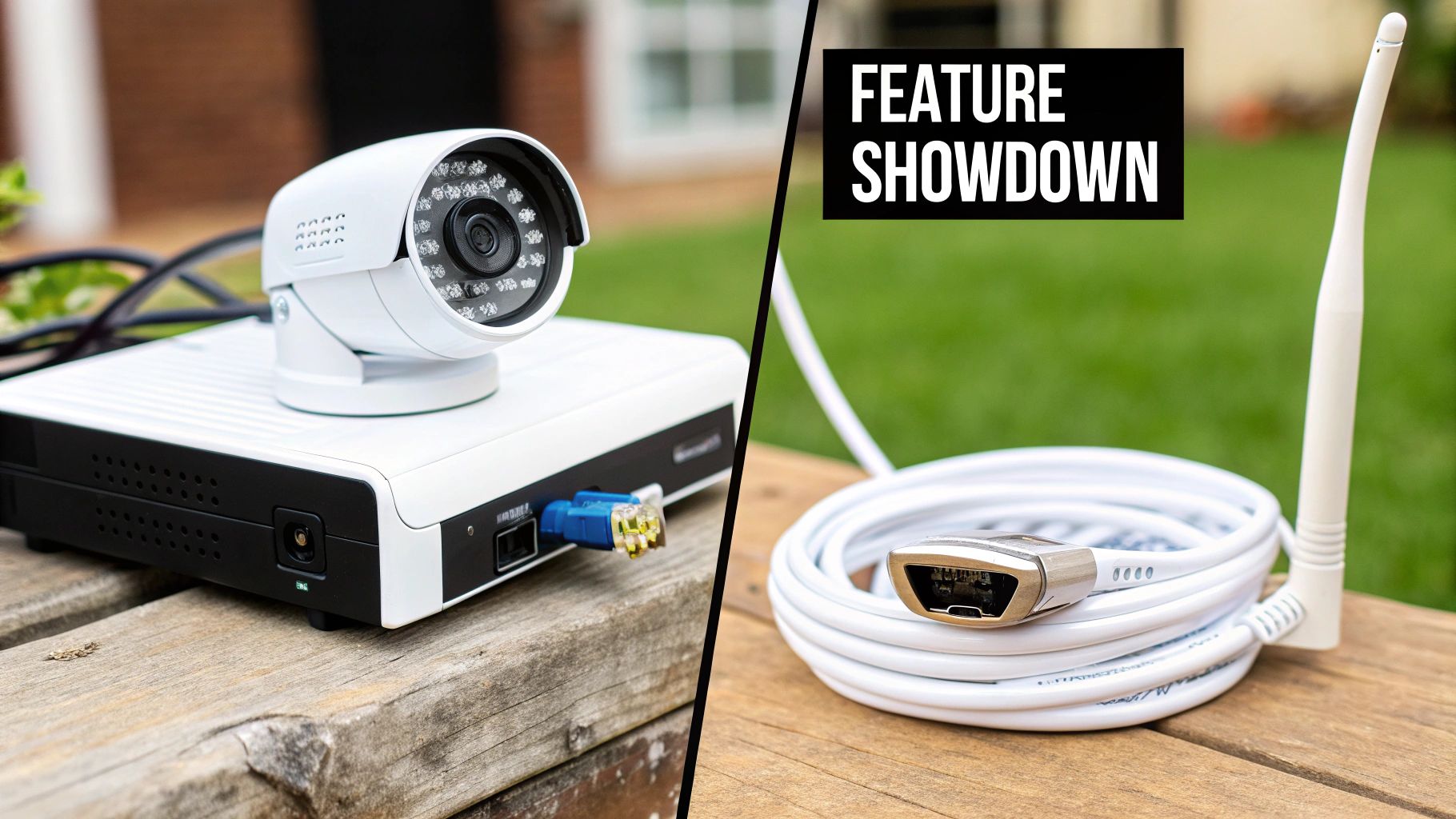
When you get past the basic tech specs, the real-world differences between an IP and an analog camera system start to jump out. For a homeowner, these features are everything—they dictate how useful your footage is and whether your weekend installation project goes smoothly or turns into a nightmare.
This is where the rubber meets the road. It’s not just about what’s cheaper; it’s about what works best for your home. We'll break down the most critical aspects head-to-head, so you can see exactly where each system pulls ahead and where it stumbles.
Image Resolution and Clarity
Here’s the biggest win for IP cameras: their image quality is simply on another level. Because the video is digital from the moment it's captured, they can record at much higher resolutions than their analog cousins. An entry-level IP camera usually starts at 1080p (2 megapixels), but most modern consumer options are pushing into 4K (8 megapixels) and beyond.
Why does this matter? It’s not just about a prettier picture. High resolution means you can digitally zoom in on your recorded video and still see what’s going on. Think about trying to read a license plate number from a car down your driveway or getting a clear look at the face of a stranger at your door. With a 4K IP camera, those details stay crisp and usable.
To be fair, modern "HD-over-Coax" analog systems have come a long way and can deliver a solid 1080p picture. But that’s usually where they top out. Plus, the analog signal itself is more prone to electrical interference, which can show up as static or a fuzzy image, especially if you have long cable runs.
The Bottom Line: If your main reason for getting cameras is to capture clear, identifiable details for evidence and true peace of mind, the high resolution of an IP camera is non-negotiable. For just keeping a general eye on things, HD analog will do the job.
Cabling and Power: The PoE Advantage
Installation is often the biggest headache for homeowners, and this is where IP systems have a knockout feature. Most wired IP cameras use Power over Ethernet (PoE). This technology is a game-changer because it sends both power and data to your camera through a single standard Ethernet cable.
This makes running the wires worlds easier. You just have one thin, flexible cable to route to each camera location. This is a lifesaver for tricky spots, like under the eaves or on a detached garage, where finding a separate power outlet would be a huge pain. If you're weighing your wiring options, our guide on wireless vs wired security systems breaks down the pros and cons even further.
Analog systems, on the other hand, are much clunkier. Each camera requires two distinct cables:
- A thick coaxial cable to send the video signal back to the recorder.
- A separate power cable that needs to be plugged into a nearby outlet or run to a centralized power box.
This dual-cable setup doubles the work and mess, making installation more difficult and potentially more costly if you’re paying a professional by the hour.
Recording and Storage Flexibility
The way your system records and stores footage is another key battleground. IP systems use a Network Video Recorder (NVR), while analog systems rely on a Digital Video Recorder (DVR). They sound similar, but their flexibility is vastly different.
An NVR is a network device, meaning it talks to your cameras over your home network. The NVR and cameras don't need a direct physical connection; as long as they're on the same network, they work. You could have cameras all over your property and keep the NVR tucked away safely in a locked closet. IP cameras also give you more storage choices—you can record to a microSD card right in the camera, to the NVR, or even to the cloud for offsite backup.
A DVR is far more restrictive. It has to be physically connected to every single camera with its own coaxial cable. This not only limits where you can place the DVR but also makes the whole system less scalable. Want to add another camera? You have to run a brand-new coax line all the way back to the recorder, and you're limited by the number of BNC ports on the back of the unit.
Let's break down these practical differences in a table.
In-Depth Feature Comparison: IP vs. Analog Systems
Here's a technical and practical breakdown of key features to help you evaluate which system aligns with what you truly need for your home.
| Aspect | IP Camera System | Analog Camera System | What This Means for You |
|---|---|---|---|
| Resolution | Up to 4K+ (8MP+) | Typically tops out at 1080p (2MP) | IP is far better for identifying faces, license plates, and small details. |
| Wiring | Single Ethernet cable (PoE) for data and power | Two separate cables (coaxial for video, one for power) | IP systems are much easier and cleaner to install, especially for DIY projects. |
| Recorder | NVR (Network Video Recorder) | DVR (Digital Video Recorder) | NVRs offer more placement flexibility and easier network integration. |
| Storage | NVR, Cloud, On-Camera (microSD) | DVR Hard Drive Only | IP offers more versatile and redundant storage options for critical footage. |
This table shows a clear pattern: IP systems deliver higher performance and more modern convenience, while analog systems stick to a more basic, though proven, formula.
Network Impact and Cybersecurity
Since IP cameras are network devices, they will use your home's internet bandwidth, especially when streaming in high definition. A single 4K camera can eat up 15-20 Mbps of bandwidth while you're actively viewing the stream. With a system of four or more cameras, you’ll want to make sure your network router can handle the extra traffic without bogging down your Netflix stream.
This network connection also brings up cybersecurity. An IP camera, like any smart device, can be a target for hackers if it isn't secured properly. It is absolutely critical to change default passwords, use strong, unique credentials, and keep the firmware updated to protect your system and your privacy.
Analog systems don't touch your home network, so they use zero bandwidth. This closed-circuit design also makes them naturally immune to remote cyberattacks. The only real security risk is physical—someone would have to physically tap into the coaxial cable, which is a highly unlikely threat for the average homeowner. This trade-off between advanced features and simple, old-school security is a core part of the decision.
Analyzing the True Cost of Your Security System
The price on the box is only the beginning of the story. To really understand the investment you're making, you have to look past the initial hardware and consider the total cost of ownership over the life of your system.
At first glance, analog cameras almost always look like the budget-friendly choice. The cameras themselves, along with their DVRs, are typically cheaper. That lower entry price is tempting for a lot of homeowners.
IP cameras and their NVRs, on the other hand, will have a higher upfront cost. But as we'll see, the simplicity of their setup and their modern features can actually lead to savings down the road, painting a much more detailed financial picture.
Breaking Down the Upfront and Installation Costs
The real initial investment isn't just the equipment—it's the labor to get it all up and running. While analog hardware is cheaper to buy, the installation can be a different story. It's often far more complex, which can drive up the cost significantly if you're hiring a pro.
Think about the wiring. Every single analog camera needs two separate cables: a bulky coaxial for video and another wire for power. This doubles the amount of cabling you have to snake through walls and attics, making the job more difficult and time-consuming.
IP cameras, thanks to Power over Ethernet (PoE), only need a single, slim Ethernet cable for both power and data. This streamlined approach can seriously cut down on installation time. It makes a DIY project much more manageable and a professional install faster, and therefore, cheaper.
The initial savings on analog hardware can be deceptive. A more complex, two-cable installation can quickly erode that price advantage, especially on larger properties where long, difficult cable runs are required.
Evaluating the Hidden Long-Term Expenses
Your spending doesn't stop once the cameras are on the wall. Ongoing costs are a huge factor, and this is where the two systems really start to diverge. These recurring expenses can dramatically change the total cost of your system over time.
For example, IP cameras open the door to modern features like cloud storage, which gives you a secure, off-site backup of your recordings. That convenience, however, usually comes with a monthly subscription fee. While small on their own, these fees add up to a substantial amount over a few years.
When you're weighing your options, storage is a key consideration. A deep dive into cloud storage vs local storage can help clarify the long-term cost implications of an IP system’s cloud-first approach versus an analog system’s local-only setup.
Scalability and Future Upgrade Costs
It's smart to think about the future. Your security needs might grow, and the cost of expanding your system is wildly different between IP and analog setups.
Expanding an analog system is rigid and can be surprisingly expensive. You're limited by the number of BNC ports on your DVR. If you want to add just one camera beyond its capacity, you're forced to buy a whole new, larger DVR. That also means running a fresh set of coaxial and power cables all the way back to the new recorder.
IP systems are way more flexible. Need another camera? Just connect it to your network. This makes scaling your system incredibly simple and cost-effective. As technology improves, you can upgrade individual IP cameras one by one, whereas an analog system might need a complete overhaul to keep up. This future-proofing is a major financial win for IP.
Smart Home Integration and Future-Proofing
In today's connected home, a security system that can't talk to your other devices is like a ship without a rudder. This is where the real-world difference between IP and analog cameras comes into sharp focus—it’s not just about today's features, but about where your system can go tomorrow.
IP cameras were born for the network. They're essentially tiny, specialized computers that speak the same digital language as your smart lights, speakers, and thermostats. This native connectivity makes linking them to smart home hubs a breeze.
Want to see who's at the front door? Just ask your Google Assistant or Amazon Alexa to show the feed on your smart display. This kind of seamless interaction is a standard feature for IP cameras, not a complicated workaround.
The Power of Onboard Intelligence
The real magic of IP cameras, however, is what happens inside the camera itself. Their onboard processors can run powerful software, including AI analytics, that analog systems just can't handle.
This "intelligence at the edge" unlocks some incredibly useful capabilities:
- Smarter Alerts: Modern IP cameras can tell the difference between a person, a car, and a raccoon. This means you get notified about what actually matters, not every time a tree branch sways in the wind.
- Package Detection: Many cameras can now recognize when a package is dropped off and send a specific alert, giving you a head start against porch pirates.
- Custom Motion Zones: You can literally draw boxes on the screen to tell the camera exactly where to watch for motion, ignoring the busy sidewalk or your neighbor's driveway.
These aren't gimmicks; they turn your security system from a passive recorder into an active partner that provides genuinely useful information.
The core difference is that IP cameras have intelligence at the edge—right in the camera itself. Analog systems centralize all processing at the DVR, which limits their ability to perform complex, real-time analysis for each individual camera feed.
This digital-first approach is why the entire market is shifting. While adoption rates vary, the trend is undeniable. North America was the biggest market for IP cameras in 2024, driven by homeowners who want these advanced features. For comparison, the region's analog camera market is expected to hit $4.41 billion by 2030, a far slower pace than its IP counterpart. This data, which you can dig into with these North American surveillance market trends on mordorintelligence.com, clearly shows where the industry is headed.
The Analog Connectivity Gap
Analog cameras, on the other hand, are fundamentally built for a closed-circuit world. Their one job is to send a video signal down a coax cable to a DVR. Getting that video feed to play nicely with your smart home is clunky at best and often impossible.
Sure, many modern DVRs can connect to your network so you can view feeds on your phone. But that's where the "smart" features usually end. You won't be asking Alexa to show you "the backyard camera" or creating an automation where a detected person on the driveway turns on the porch lights. In a home that gets smarter every year, an analog system is a technological dead end.
Of course, putting cameras on your network means you need to be smart about security. Our guide on home network security best practices covers the essential steps to keep your connected devices safe. Ultimately, choosing an IP system is an investment in a security solution that can grow and adapt right alongside the rest of your home.
Making the Final Decision for Your Home
So, which system is right for you? There's no single "best" answer. The choice between an IP or analog camera system really boils down to your specific needs, your budget, and how comfortable you are with the tech. What you value most will point you in the right direction.
If you’re a tech-savvy homeowner creating a fully connected smart home, the decision is pretty much made for you. An IP camera system is the only way to go. It’s built to work with voice assistants, send you smart alerts, and grow alongside your other smart gadgets.
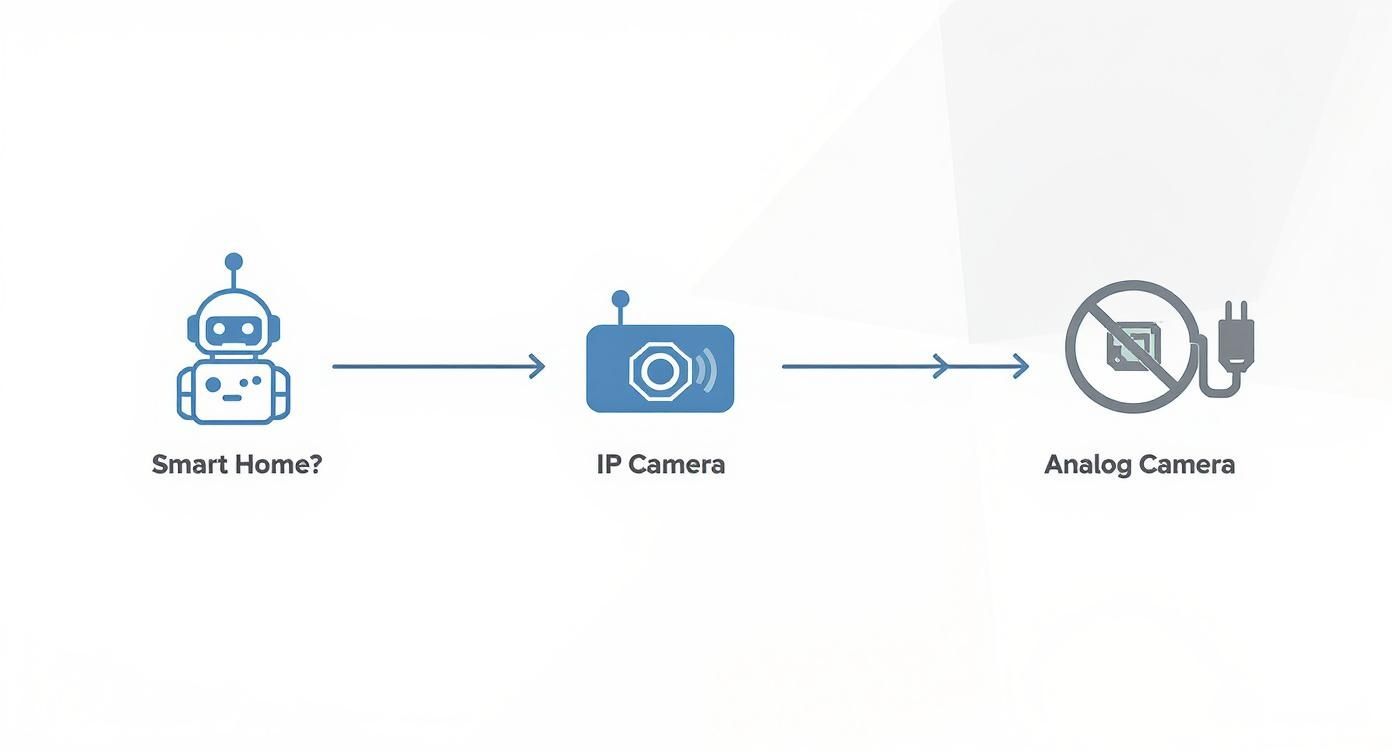
As you can see, if a connected home is your goal, IP cameras are the essential piece of that puzzle.
On the flip side, if you're on a tight budget or happen to have old coax wiring already in place, a modern HD-over-Coax analog setup is an incredibly practical option. You'll get solid 1080p quality for general monitoring without the steep upfront cost or the headache of running new network cables.
Practical Scenarios and Recommendations
Let's think about a few common situations:
- Watching a Nursery or Front Door: A single, standalone IP camera is perfect here. Most are plug-and-play, have two-way talk, and let you check in from your phone without needing a whole recorder setup.
- Budget-Conscious Homeowners: If you just want a visible deterrent and basic recording for a smaller home, an all-in-one analog DVR kit offers tremendous value and is dead simple to operate.
- Future-Proofing for Clear Detail: Need to capture faces or license plates clearly? If you want a system that will keep up with technology, investing in a good PoE IP camera system is the smarter long-term move.
The best choice comes from being honest about what you need today and what you might want tomorrow. An analog system solves today's problem cost-effectively. An IP system is a flexible investment for the future.
To wrap it up, ask yourself these four final questions before you buy:
- What’s Your Budget? Figure out what you can realistically spend on the gear and any potential installation help.
- What’s Your Wiring Situation? Are you working with existing coax cables, or are you prepared to run Ethernet?
- What’s the Main Goal? Do you just need a general overview, or do you need crystal-clear, evidence-grade video?
- How Important is Smart Home Integration? Does your security system need to talk to your lights, locks, and voice assistant?
Answering these will help you look past all the technical jargon and pick the system that genuinely gives you peace of mind.
Frequently Asked Questions
After weighing all the features, you might still have a few questions rolling around. Picking between an IP and an analog camera system is a big decision for your home, so let's clear up some of the most common things people ask.
Can I Use My Old Analog Camera Wires for New IP Cameras?
This is probably one of the most frequent questions from homeowners looking to upgrade an older setup. The short answer is yes, you can, but with a catch. You can't just plug a modern IP camera into an old coaxial cable.
You'll need what's called an Ethernet over Coax (EoC) adapter. These little gadgets are lifesavers, converting your old wiring to handle the digital signal from an IP camera. This can save you a ton of time and effort by avoiding the headache of fishing new Ethernet cables through your walls.
That said, while EoC adapters work, they do introduce another piece of hardware that could potentially fail. For rock-solid reliability and the best possible performance, nothing beats running a dedicated Ethernet cable straight to your new IP camera.
How Secure Are IP Cameras from Hacking?
It's a smart question. Since IP cameras live on your home network, the risk of someone trying to hack into them is real, and an unsecured camera is a major privacy concern.
The good news? Reputable camera brands have gotten serious about security, building in features like end-to-end encryption to protect your video feeds.
Ultimately, your best defense is good old-fashioned security hygiene. The moment you set up a new camera, change the default username and password. Make it strong and unique. If two-factor authentication is an option, turn it on. And always, always keep the firmware updated to get the latest security patches.
Do IP Cameras Use a Lot of Internet Bandwidth?
This is a common worry, but the impact is often less than you'd think. Your IP cameras only really start using your internet bandwidth when you're actively streaming video on your phone or when they're uploading clips to a cloud service.
A single 4K camera can eat up 15-20 Mbps of your upload speed while you're watching it live from outside your home. If you have several cameras and a basic internet plan, you might notice a slowdown.
However, for 99% of their operational time, your cameras are just recording to a local NVR on your home network. In this case, they aren't using your internet connection at all, so your daily browsing and streaming won't be affected.










Leave a Reply