

Think of smart home wiring as your home's central nervous system. It’s the hidden network of high-voltage and low-voltage cables that powers everything, making sure all your automated devices talk to each other reliably and safely. This isn't just about plugging things in; it’s the bedrock of a truly intelligent, future-ready home.
The Invisible Backbone of Your Smart Home
Before you get excited about that new smart thermostat or voice-controlled speaker, let's talk about what makes it all work. Tucked away behind your walls is the infrastructure that truly defines your home's IQ. Getting the smart house electrical wiring right from the start is more than just connecting A to B—it's about creating a strategic blueprint for reliability, safety, and even energy savings down the road.
If a traditional home's wiring is like a basic circulatory system pumping power to outlets, then smart wiring is a huge upgrade. It’s the circulatory and nervous system rolled into one. It doesn’t just carry power; it also transmits the data that lets all your gadgets communicate with each other and with you. This dual function is what elevates a standard house into a genuinely smart one.
Why Planning Your Wiring is a Game-Changer
A well-thought-out wiring plan is arguably the most crucial investment you can make in a modern home. Sure, wireless is convenient, but for your most important systems, nothing beats the rock-solid speed and dependability of a hardwired connection. Trying to run dozens of devices on Wi-Fi alone is a recipe for network traffic jams, dropped connections, and a whole lot of frustration.
Here’s why a strategic wiring plan pays off big time:
- Future-Proofs Your Home: Technology changes in the blink of an eye. Running conduit and extra low-voltage cables like Cat6 Ethernet now means you’re ready for whatever comes next, without the headache of tearing open your walls later.
- Guarantees Unbeatable Reliability: For mission-critical devices like security cameras, media streamers, and the central smart hub, a wired connection is non-negotiable. It ensures they stay online and perform at their best, always.
- Improves Safety and Code Compliance: Proper wiring isn't just about performance; it's about safety. Following electrical codes minimizes risks, keeping your home and family safe.
The real goal here is to build a robust foundation that supports not just today’s tech, but tomorrow’s innovations too. Smart wiring is all about creating possibilities.
This kind of forward-thinking is more valuable than ever. The global smart home market is exploding and is projected to hit USD 253.87 billion by 2033. This massive growth signals that a home with a solid wiring infrastructure isn't just a nice-to-have—it's becoming a significant selling point.
This guide will walk you through the essentials, helping you make informed decisions for your home's electrical future. To get a better handle on the basics, you can also check out our guide on how a smart home works to understand the core technology.
Getting to Grips with Smart Wiring Basics
Before we dive deep, let's get one thing straight: the wiring is the central nervous system of any truly smart home. Think of your standard house wiring as basic plumbing—it gets the job done, delivering power where you need it, but that's about it. It’s functional, but not very clever.
Smart house electrical wiring, on the other hand, is a whole different beast. It’s more like arteries and nerves working in tandem. The high-voltage lines (your arteries) deliver the raw power, while the low-voltage cables (the nerves) carry the data and commands that make everything intelligent. Getting both right is the key to a home that’s responsive, reliable, and ready for whatever comes next.
Why a Centralized Hub is a Game-Changer
If there's one piece of advice I can give, it's this: plan for a home-run topology. Picture all the nerves in your body leading back to the brain. That's exactly what a home-run layout does for your home's data. Every important low-voltage cable—be it for internet, security cameras, or audio—runs directly from its endpoint back to a single, central hub.
This isn't just about keeping things neat. A centralized setup is the gold standard for good reason. It makes troubleshooting a breeze because all your key connections are in one spot. Want to upgrade your network switch or add a new media server? You just do it at the hub, without having to tear into walls elsewhere. This approach makes your system incredibly flexible and easy to manage for years to come.
A home-run wiring design transforms your home's data network from a tangled mess into an organized, high-performance command center. It is the single most important decision for ensuring a reliable and future-ready smart home.
The diagram below really brings home how this foundational wiring supports the bigger picture.
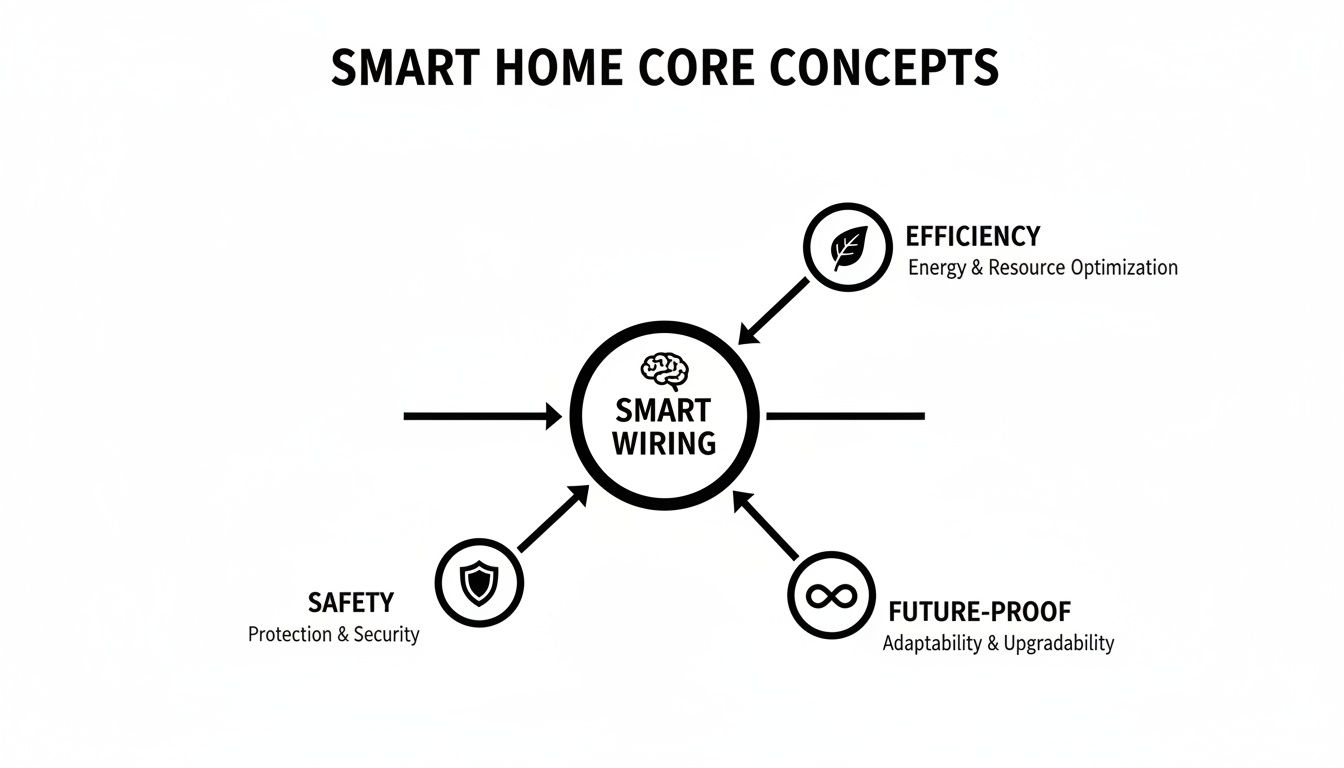
As you can see, smart wiring isn't just about connecting gadgets; it's the bedrock for a safer, more efficient, and future-proof home.
High-Voltage vs. Low-Voltage: The Two Sides of the Coin
It’s crucial to understand that we’re dealing with two different kinds of wiring, each with its own job.
-
High-Voltage Wiring (The Arteries): This is the standard 120V/240V electrical wiring that powers your outlets, lights, and appliances. In a smart home, its job is to provide clean, consistent power to everything from your smart switches to your refrigerator. Good planning here means adding dedicated circuits for power-hungry devices and thinking ahead about where you'll need outlets.
-
Low-Voltage Wiring (The Nerves): This is where the "smart" part really happens. We're talking about cables like Cat6 Ethernet, speaker wire, and coaxial cable. These don't carry dangerous voltage; they're all about moving data. This is the wiring that gives you a rock-solid connection for your smart TV, your security cameras, and your in-ceiling speakers.
Sure, Wi-Fi is fantastic for your phone or laptop. But for critical devices, nothing beats the speed and reliability of a dedicated hardwired connection. You really don't want your security feed buffering when you need it most.
Don't Forget Power Protection
A smart home is packed with sensitive, expensive electronics. Your smart hubs, processors, and network gear are all prime targets for damage from power surges, which can come from lightning strikes or even just fluctuations in the power grid. A single powerful surge can fry thousands of dollars worth of equipment in an instant.
This is why proper surge protection isn't an optional add-on; it's an absolute necessity. To see how you can shield your entire system, check out our guide on whole-home surge protector installation. Putting one of these at your main panel is the best defense for your home's new brain, ensuring your investment is safe from the unexpected.
How To Plan Your Smart Wiring Blueprint
A truly smart home is built on a thoughtful plan, not a haphazard collection of gadgets. Before you even think about installing a single smart switch, the most important work happens on paper. Creating a wiring blueprint is like drawing a roadmap for your home's nervous system, making sure every device gets the power and data it needs without creating digital traffic jams or electrical overloads.
Think about it this way: you wouldn't build a house without architectural plans. Diving into smart house electrical wiring without a blueprint is just asking for frustration, surprise costs, and major limitations down the road. A good plan prevents the nightmare of having to cut into finished drywall just to run one more wire.
Start With A Room-By-Room Audit
The best place to begin is by walking through your home—or its floor plans—and imagining how you want each space to actually work. Don't just think about today; try to picture what you might want in five or even ten years. This kind of forward-thinking is what separates a good smart home from a great one.
Grab a notepad or a tablet and ask yourself a few key questions for every room:
- Lighting Control: Which lights need to be automated? Think about the entryway lights that pop on when you arrive, or kitchen lights that dim for movie night.
- Window Treatments: Do you envision motorized blinds or shades? Hardwiring them is so much more reliable than dealing with batteries that always die at the worst time.
- Entertainment: Where will your TVs, speakers, and media streamers live? These devices crave a stable, hardwired data connection for the best performance.
- Security: What are the best spots for security cameras, motion sensors, and smart locks? These are critical systems that demand rock-solid power and data.
- Convenience: Where would a smart outlet be most useful for controlling a lamp, a fan, or that coffee maker?
This detailed audit becomes the very foundation of your wiring needs, helping ensure no critical connection gets forgotten.
Planning your wiring is an exercise in foresight. The small amount of time spent now will save you a massive amount of money and headaches later. It’s the difference between a home that works for you and one you have to work around.
Powering Your Plan Thoughtfully
Once you know what you want to connect, you have to figure out how to power it all safely. A common mistake is just piling new smart devices onto existing circuits without thinking about the total electrical load. High-draw appliances and complex systems deserve their own space on your electrical panel.
For example, a beefy home theater with a big receiver, a subwoofer, and multiple amps can pull a lot of juice. Tossing all that onto the same circuit as your living room lights is a recipe for tripped breakers. The answer is a dedicated circuit—a direct line from the electrical panel that serves only that specific setup, guaranteeing it gets clean, uninterrupted power.
As you map out your home's electrical needs, you also need to keep an eye on current regulations. For instance, new rules like the mandatory EV charging installation requirements for new homes can have a huge impact on your planning. An EV charger is a power-hungry beast that will almost always require its own dedicated 240V circuit.
The All-Important Neutral Wire
Finally, let's talk about a small but crucial detail for your lighting plan: the neutral wire. In many older homes, the wiring to a light switch only includes a "hot" wire. A traditional switch works just fine like that, but most smart switches don't. They need a tiny, constant sip of electricity to power their internal radios (like Wi-Fi or Z-Wave) and stay connected to your network.
Making sure a neutral wire is present in every switch box is one of the most important future-proofing steps you can take. It opens up your options to the widest possible selection of smart switches and dimmers, saving you from compatibility headaches and ensuring your smart lighting is stable and responsive. Your blueprint should call this out for every single smart switch location.
Choosing The Right Components And Cables
Okay, you've got your blueprint laid out. Now comes the part where we turn those plans into reality by picking the hardware that will run your smart home. This isn't just a shopping trip; it’s about choosing the right building blocks for a system that’s safe, reliable, and actually performs the way you want it to. The quality of everything you install, from the cables you’ll bury in the walls to the switches you’ll touch every day, will make or break your smart home experience.
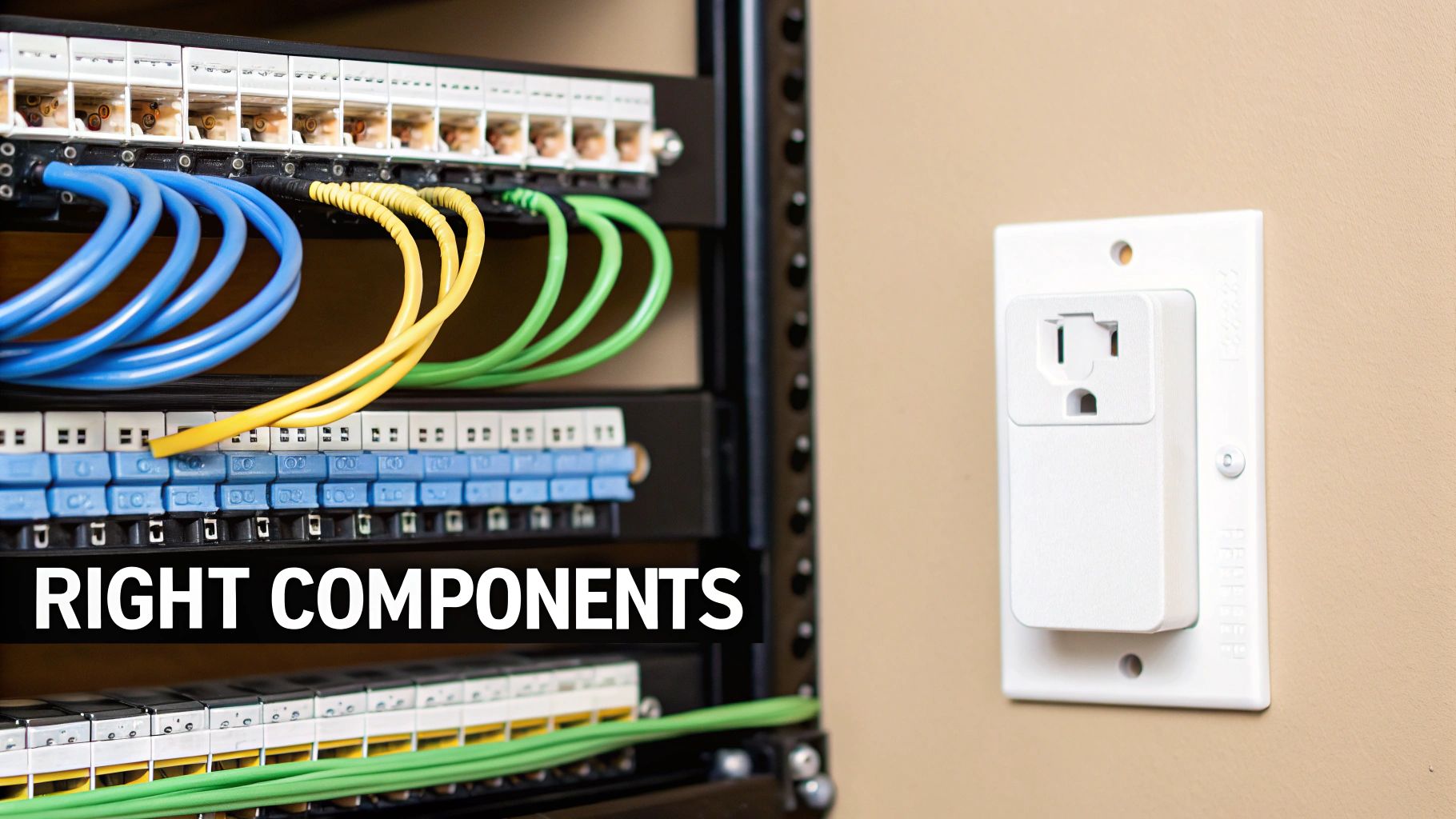
Think of it like building a high-performance car. You wouldn't throw cheap, unreliable parts into the engine and expect it to win a race. The same exact logic applies here. Every single component plays a critical role in the health and longevity of your home’s electrical and data network.
Picking The Right Wires And Cables
Let's get one thing straight: not all wires are created equal. Using the wrong cable for a specific job is a recipe for poor performance, frustrating signal drops, or even serious safety hazards. For a solid smart house electrical wiring foundation, you’ll mainly be working with three types of cable.
- High-Voltage Power Cable (Romex): This is your workhorse wire, the standard stuff that brings 120V power from the breaker panel to your outlets and light fixtures. You’ll mostly see 14-gauge wire for 15-amp circuits (like standard lighting) and beefier 12-gauge wire for 20-amp circuits (think kitchen and bathroom outlets).
- Ethernet Cable (Cat6/6a): For all things data, Cat6 or Cat6a is the way to go. It gives you the massive bandwidth you need for streaming 4K video without buffering, keeping security camera feeds crystal clear, and just having a rock-solid home network. Wi-Fi is fantastic for your phone, but for stationary devices, a hardwired connection is always king.
- Multi-Conductor Cable: This stuff is incredibly versatile. It’s basically a bundle of smaller, individually insulated wires all tucked inside one main jacket. It's perfect for low-voltage tasks like hooking up motion sensors, alarm keypads, or even running power and control signals to automated window treatments. In fact, understanding the specific motorized blind wiring components is a great example of how these specialized cables are used.
Safety First: Always, always use UL-listed components. That little logo means Underwriters Laboratories has put the product through rigorous testing for fire and electrical shock safety. For anything electrical going into your home, this is absolutely non-negotiable.
Getting Organized With A Structured Wiring Panel
A home-run wiring layout is a great start, but all those cables need a place to land. To really tame your home's low-voltage nervous system, you need a central hub—the structured wiring panel.
Think of this as a metal cabinet, usually tucked away in a utility closet or basement, where every single one of your Cat6, coaxial, and other low-voltage cables comes together.
This panel becomes your home's communication command center. It gives you a clean, organized place to house your modem, router, and network switches. It’s the difference between a tangled "spaghetti monster" of wires and a system that’s easy to manage, troubleshoot, and upgrade down the road.
Choosing Your Smart Devices And Controllers
With the backbone wiring planned, we can finally get to the fun part: the smart devices you'll actually use every day.
- Smart Switches and Dimmers: These replace your dumb light switches, giving you control over your lighting with an app, your voice, or automated schedules. The big thing to check here is whether they require a neutral wire—many do.
- Smart Outlets: Just like smart switches, these give you control over anything plugged into them, from a simple lamp to a coffee maker.
- Sensors: These are the eyes and ears of your smart home. Motion detectors, door and window contacts, and temperature sensors are what trigger all your cool automated routines.
- Controllers or Hubs: This is the brain of the operation. A hub is the coordinator that gets all your different devices to speak the same language. Hubs use protocols like Zigbee, Z-Wave, or the newer Matter standard to pull everything together into one seamless system.
Picking a hub is a big decision, as it dictates which brands and types of devices you can use. To make it easier, we put together a complete https://automatedhomeguide.com/smart-home-hub-comparison/ that breaks down the pros and cons of the top options on the market. When you pair the right physical wiring with a capable controller, you get a smart home that's not just powerful, but also a genuine pleasure to use.
Deciding Between DIY And A Professional
So, you're planning your smart house electrical wiring. This is where one of the biggest questions pops up: should you tackle this yourself or call in a pro? The temptation to save a few bucks is always there, I get it. But this is a classic case of risk versus reward.
Getting it wrong isn't just about a glitchy smart light. We're talking about serious safety hazards, code violations, and even potentially voiding your homeowner's insurance. The key is knowing exactly where to draw the line between the low-voltage, data-centric stuff and the high-voltage, power-related work. Getting that right is everything.
What You Can Safely DIY
If you're reasonably handy and tech-savvy, there are plenty of wiring jobs you can handle, especially if you’re building new or have the walls opened up for a renovation. These tasks almost always fall into the low-voltage category, which means you’re not dealing with the kind of electricity that can give you a dangerous shock.
Think of it this way: you’re running the "nerves" of your smart home, not its circulatory system.
- Running Low-Voltage Cables: This is your bread and butter. Pulling bundles of Cat6 Ethernet cable for a rock-solid home network, routing speaker wire for multi-room audio, or running security wire for door and window sensors. The biggest risk here is kinking a cable, not getting hurt.
- Terminating Ethernet Jacks: Learning how to punch down network cables into keystone jacks and install them in wall plates is a fantastic skill to have. All it takes is a couple of inexpensive tools and a little practice.
- Setting Up a Structured Wiring Panel: Organizing all your low-voltage runs into a central media enclosure is a deeply satisfying project. You'll mount the panel between studs and neatly route all your home-run cables to this one central spot.
The absolute best time for a DIYer to get involved is during construction. With the walls open, what would be a nightmarish job of fishing wires becomes a simple, straightforward task. You can save a ton of money and effort.
When You Absolutely Need An Electrician
Okay, let's be crystal clear. While you can handle the data side of things, anything that touches your home's high-voltage "arteries" is strictly a job for a licensed professional. The risks are real: fire, electrocution, and failing to meet legal building codes. There's no gray area here.
You must hire a qualified electrician for any of these jobs:
- Working in the Main Electrical Panel: This is the heart of your home’s electrical system, and it is non-negotiable territory. Adding new circuits, upgrading breakers, or installing a whole-home surge protector is for a pro, period.
- Running New High-Voltage Circuits: Need a dedicated circuit for your home theater, an EV charger in the garage, or a new kitchen appliance? An electrician has to be the one to run that new Romex wire from the panel.
- Installing Smart Switches and Outlets: I know it looks easy on YouTube, but you're still working with live 120V wires. One wrong move can create a short circuit, dangerous arcing, or a fire inside your wall. It's just not worth the risk.
Finding The Right Professional
When it comes to smart homes, not all electricians have the same skillset. You need someone who is as comfortable with home automation requirements as they are with traditional electrical code.
When you're looking for an electrician, ask about their direct experience with smart lighting systems like Lutron, structured wiring, and integrating different platforms. A great electrician becomes a partner. They'll work with you on your plans to make sure the smart house electrical wiring is not only safe and up to code, but perfectly laid out to bring your vision to life.
Your Smart Wiring Questions, Answered
Jumping into smart home wiring can feel like a big step, and it's totally normal to have a few questions before you get started. Let's tackle some of the most common things homeowners ask, so you can move forward with your project confidently.
Do I Really Need to Rewire My Entire House to Make It Smart?
Good news: absolutely not. You don't have to tear open your walls to get a great smart home experience. Many people start by using wireless tech like Wi-Fi, Z-Wave, or Zigbee. Smart plugs, smart bulbs, and even certain smart switches work perfectly well over the air, letting you build a pretty impressive system without touching a single wire inside the walls. This is the go-to approach for most existing homes.
However, if you're looking for rock-solid reliability, a hybrid approach is the gold standard. While wireless is fantastic for its flexibility, your most critical gear—like your central hub or security cameras—really benefits from a hardwired connection.
If you're building a new home or doing a major gut renovation, this is your golden opportunity. Running dedicated low-voltage cable (like Cat6 Ethernet) and making sure every switch box has a neutral wire is one of the smartest investments you can make for the future.
This gives you the best of both worlds:
- Wireless Flexibility: Pop a smart plug on a lamp or screw in a smart bulb wherever you want, no electrician needed.
- Wired Reliability: Your main hub, security cameras, and media streamers get a flawless, high-speed connection that never drops.
What’s the Big Deal About a Neutral Wire?
Think of a simple electrical circuit like a loop. The "hot" wire brings the power in, and the neutral wire is the return path that completes the circuit. In older homes, the wiring to a light switch often skipped the neutral—it only needed the hot wire to turn a simple mechanical switch on and off.
But smart switches are different. They're like tiny computers that need a small, constant trickle of power to stay online. This is what allows them to listen for commands from your phone or voice assistant, even when the lights are off. The neutral wire provides that continuous power source.
Without a neutral wire in the switch box, your smart switch options get pretty slim. You're stuck with special "no-neutral" models that are often more expensive, can be less reliable, and sometimes cause annoying flickering with LED bulbs. Getting a neutral wire into that box is a key step in future-proofing your home.
So, How Much Does It Cost to Wire a Smart Home?
This is the million-dollar question, and the answer really depends on your starting point. Wiring a new home from scratch is a completely different ballgame than retrofitting an existing one.
For a new build, getting a structured wiring plan in place while the walls are open is surprisingly affordable. A solid package that runs Cat6 Ethernet and coaxial cable to all the key spots will likely cost between $2,000 and $5,000. That's a small price to pay to avoid major headaches and expenses down the road.
Retrofitting an existing home involves more labor, so the costs go up. Here’s a rough idea of what to expect:
- Simple Upgrades: Just want an electrician to swap out a few light switches and outlets? You're probably looking at a few hundred dollars.
- Moderate Projects: Need to run a couple of new Ethernet lines for your home office or TV? That could land in the $1,000 to $3,000 range, depending on how tricky it is to get into the walls.
- A Full Overhaul: If you're talking about running new circuits, dozens of low-voltage cables, and a professional install throughout the house, the bill could easily top $10,000.
Will Smart Wiring Actually Increase My Home's Resale Value?
You bet it can. As smart homes become the new normal, a house that’s already wired for modern tech is a huge draw for buyers. It sends a clear message: this home is up-to-date, well-cared-for, and ready for whatever comes next.
Think about it from a buyer's perspective. A pre-wired home means they can bring in their own security system, set up a powerful Wi-Fi network, or create an amazing home theater without having to cut into a single wall. You've done the hard work for them.
While you might not get a 1-to-1 return on every dollar you spend, a thoughtfully wired home is a major selling point in a competitive market. It can help your house sell faster and fetch a better price than a comparable home that lacks that future-ready foundation. It’s a real investment in your home’s long-term appeal.
At Automated Home Guide, we're dedicated to helping you make sense of smart home technology. For more expert advice and in-depth guides, explore all our resources at https://automatedhomeguide.com.











Leave a Reply