
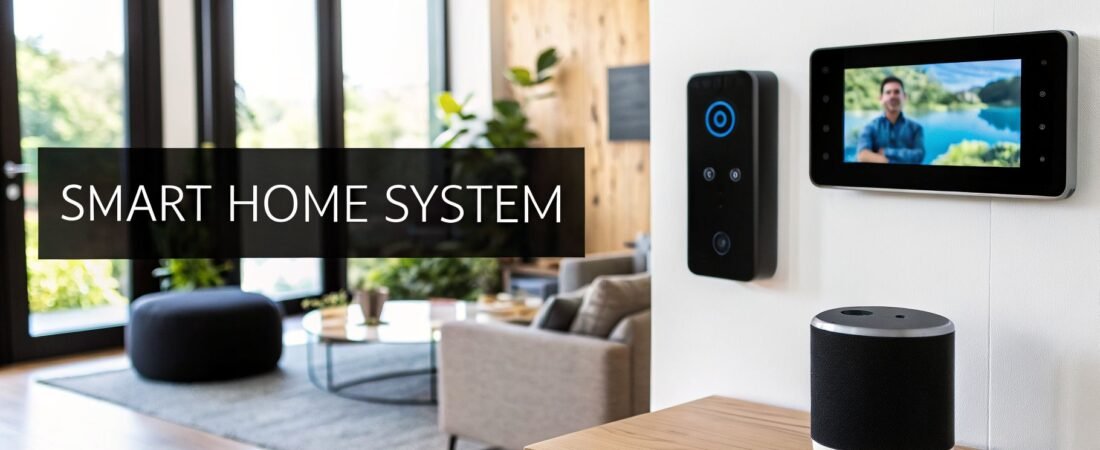
Ever wonder what people mean when they talk about a "smart home"? At its core, a smart home system is simply a way for all the different electronic devices in your house to talk to each other—and to you. It connects things like your lights, thermostat, locks, and cameras into one network you can control with an app or your voice.
This isn't just about remote control. It’s about turning your house into an environment that responds to your life, making things easier, safer, and more efficient.
What is a Smart Home System, Really?
Think of it like your home's own brain and nervous system. Instead of you running around flipping switches and twisting dials, the system connects all these individual parts so they can work together automatically. Imagine your house knowing to lock the doors and turn down the heat when you leave for work, all on its own.
While the idea sounds futuristic, its origins go way back to the 1970s with a technology called X10. But things really took off in the 2010s when fast Wi-Fi and affordable smart gadgets became common. Now, systems connect everything from your speakers to your coffee maker using a mix of technologies like Wi-Fi, Bluetooth, Zigbee, and Z-Wave. The market for this technology has absolutely exploded, as you can see from the latest industry data from Precedence Research.
The Orchestra Analogy
One of the best ways I've found to explain a smart home is to think of it as an orchestra. It helps make sense of how all the pieces fit together.
The Hub (The Conductor): This is the central brain, like an Amazon Echo, Google Nest Hub, or a dedicated hub from brands like Hubitat. It’s the conductor, telling all the other devices what to do and when to do it.
The Devices (The Instruments): Each smart device—a lightbulb, a thermostat, a door sensor—is like an instrument in the orchestra. On its own, it can only do one thing. But when it works in concert with the others, it creates something much more powerful.
Your Commands (The Sheet Music): Your voice commands ("Hey Google, it's movie time") or the automated schedules you set up are the sheet music. They provide the instructions that the conductor follows to make the orchestra play in harmony.
When all these parts work together, you're not just turning on a lamp; you're creating a "scene." A single "good night" command could lock the doors, turn off all the lights, and set the thermostat to a comfortable sleeping temperature. That's the difference between a collection of gadgets and a truly smart home.
The real magic of a smart home isn't just remote control; it's automation. It's the ability for your home to anticipate your needs and act on them, creating a seamless living experience that enhances convenience, security, and efficiency.
In the end, a smart home system is about making your house work for you. It learns your routines and handles the little things, giving you back time and offering a sense of security and control.
To break it down even further, here's a quick look at the main ideas.
Smart Home System at a Glance
| Concept | Simple Explanation |
|---|---|
| Hub / Controller | The "brain" of the system that connects and manages all your devices. |
| Sensors | The "senses" of your home (e.g., motion detectors, door sensors) that trigger actions. |
| Actuators | The "hands" that perform actions (e.g., smart locks, light switches, thermostats). |
| Network | The communication paths (Wi-Fi, Zigbee, Z-Wave) that let devices talk to each other. |
| App / Interface | Your remote control for the whole system, usually on your phone or a smart display. |
| Routines / Scenes | Pre-programmed sets of actions, like a "Wake Up" scene that turns on lights and starts coffee. |
This table covers the fundamentals. With these components working in sync, you create a home that's truly connected and responsive.
2. Understanding The Core Components
So, what are the actual building blocks of a smart home? To really get it, it helps to think of the whole system like a person. Each part has a specific job, but they all need to work in harmony to create a home that feels alive and responsive.
This idea of an interconnected home isn't just a niche hobby anymore. The smart home market was valued at an incredible USD 127.67 billion in 2024 and is expected to balloon to USD 1,404.59 billion by 2034. That kind of explosive growth shows just how much these systems are becoming a part of our daily lives.
The Hub: The Brain of the Operation
At the very heart of your smart home is the hub, also known as the controller. This is the central command post—the brain. It takes in all the information from your various devices, makes sense of it, and decides what to do next.
Imagine a door sensor detects you've just come home. It sends a quick message to the hub. The hub, following the rules you've set, then tells the hallway lights to turn on and the thermostat to adjust to your favorite temperature. It’s the coordinator for everything.
Hubs can be dedicated devices, like those from Hubitat or Aeotec, or they can be built right into smart speakers like an Amazon Echo or Google Nest Hub. The hub’s most important job is acting as a universal translator, letting devices that use different languages (like Zigbee, Z-Wave, and Wi-Fi) all communicate with each other. For a deep dive, you can check out our detailed smart home hub comparison to find the right "brain" for your setup.
This diagram really shows how the hub connects everything, making sure all your devices can work together as a single, cohesive system.

Without that central hub, you just have a bunch of cool gadgets that can't talk to each other. The hub is what turns them into a true "system."
Sensors: The Senses of Your Home
If the hub is the brain, then sensors are the home's eyes, ears, and nerve endings. Their one job is to notice what’s happening in the environment and report that information back to the hub. They are the triggers for all your automated routines.
Think of them as being constantly aware, just waiting for a specific change to happen. It's this awareness that makes a home feel genuinely intelligent.
A smart home doesn't just follow orders; it understands its surroundings. Sensors give it context—is it dark outside? Is anyone in the living room? Is the back door shut?
You'll find all sorts of sensors out there:
- Motion Sensors: They spot movement, making them perfect for automatically turning on lights or sending a security alert.
- Contact Sensors: Stick these on doors and windows, and they'll tell the hub if they're open or closed.
- Temperature & Humidity Sensors: These keep an eye on the room's climate, helping your smart thermostat make smarter decisions.
- Light Sensors: By detecting how bright it is, they can trigger your lights to come on automatically as the sun goes down.
Actuators: The Muscles that Take Action
Okay, so the hub has received a message from a sensor and made a decision. Now what? It needs a way to actually do something. That's where actuators come in. They are the muscles of the smart home, carrying out all the physical tasks.
An actuator gets a command from the hub and makes a change in the real world. They turn digital instructions into physical actions.
You'll find actuators all over a smart home:
- Smart Light Bulbs & Switches: The most common example—they turn on, off, or dim your lights.
- Smart Locks: They physically lock or unlock a deadbolt based on a command.
- Smart Plugs: These let you control power to any regular appliance, turning a "dumb" coffee maker into a smart one.
- Smart Thermostats: They adjust the flow of air to heat or cool your home.
- Motorized Blinds: They open or close your window coverings for you.
The User Interface: Your Voice and Touch
Finally, you need a way to talk to your smart home. The user interface is how you give commands, create schedules, and check on your devices. It's your personal control panel.
This is the part of the system you'll interact with the most, whether it's an app on your phone, a slick touchscreen on the wall, or simply your own voice. The rise of voice assistants has made controlling everything as simple as just saying what you want out loud. This interface brings all the other components—hubs, sensors, and actuators—together under your direct control.
How Smart Devices Talk to Each Other
Ever wonder how tapping a button on your phone can instantly turn on a light across the room? It’s not magic. It's a quiet, invisible conversation happening over the airwaves. For any smart home to work, all its different parts need to speak a common language—or at least have a really good translator.
Think of it like an international meeting. Your smart light bulb might speak "Zigbee," while your video doorbell speaks "Wi-Fi." They can't directly understand each other. This is where your smart hub steps in, acting as a universal translator, relaying messages so every device is on the same page. That translation is what makes everything feel so seamless and connected.

These conversations happen using wireless technologies called protocols. Each protocol has its own set of strengths, and manufacturers choose one based on what a device is built to do. Getting a handle on these core languages is the key to building a smart home that's both fast and reliable.
The Main Languages of Smart Homes
Different devices have vastly different jobs. A security camera needs a wide-open lane to stream high-quality video, but a tiny door sensor just needs to whisper "open" or "closed" once in a while. This is why there’s no single, one-size-fits-all protocol.
Here are the most common ones you'll run into:
Wi-Fi: You already know this one—it’s the backbone of your internet. Its speed and power are perfect for data-hungry devices like smart displays and security cameras. The trade-off? Wi-Fi is thirsty for power, which is why most battery-operated sensors avoid it.
Bluetooth: Best known for connecting your phone to headphones, Bluetooth excels at short-range, low-power communication. This makes it ideal for smart locks, fitness trackers, and other gadgets you interact with up close. Newer versions, like Bluetooth Mesh, allow devices to relay signals to extend their range.
Zigbee & Z-Wave: These two are the true workhorses of the smart home. They are both low-power mesh networks. In a mesh network, every device can talk to its neighbors, passing messages along like a bucket brigade. This creates a powerful, resilient web of coverage that’s perfect for small devices like sensors, lightbulbs, and smart plugs scattered throughout your home.
The real beauty of mesh networks like Zigbee and Z-Wave is how robust they are. If one device, or "node," drops offline, the message just finds a different route to the hub. Your commands almost always get through.
Understanding these communication methods is essential, and this same connectivity principle allows for more advanced integrations. For instance, a proper P1 port smart meter activation lets your system pull in real-time energy data for truly intelligent automation.
Comparing Smart Home Communication Protocols
When you're buying a new smart device, you don't typically choose the protocol yourself; the manufacturer has already made that call based on the product's function. The key is to pick a smart hub that speaks multiple languages so you can mix and match the best devices for your needs.
This table breaks down the key differences at a glance.
| Protocol | Typical Use Case | Range | Power Consumption | Key Advantage |
|---|---|---|---|---|
| Wi-Fi | Security Cameras, Smart Speakers | High | High | High Speed and Bandwidth |
| Bluetooth | Smart Locks, Proximity Tags | Low | Very Low | Simplicity and Low Power |
| Zigbee | Smart Bulbs, Motion Sensors | Medium (extensible via mesh) | Very Low | Fast, Open Standard |
| Z-Wave | Door Locks, Thermostats, Sensors | Medium (extensible via mesh) | Very Low | High Reliability, Low Interference |
Ultimately, the best smart homes use a mix of these technologies, all orchestrated by a capable hub that makes sure every device understands each other. This frees you up to pick the right tool for the job without worrying about the language it speaks. To dive deeper into the technical side of things, you can learn more about smart home protocols in our article that covers these technologies.
Real-World Examples of Home Automation
All the tech talk about hubs, sensors, and protocols is great, but what does a smart home actually do for you? This is where the magic happens—when all those individual gadgets start working together to solve real problems and make everyday life a little bit easier.
Let's step away from the theory and look at what this looks like in practice. These aren't far-off futuristic ideas; this is what people are doing in their homes right now.
Imagine pulling into your driveway after a long day at work. The moment your phone connects to your home's Wi-Fi, a "Welcome Home" scene kicks into gear. The garage door rolls up, the hallway lights fade on to a soft, warm glow, and your smart thermostat bumps the temperature from its energy-saving "away" mode to a comfortable 72 degrees. As you step inside, your favorite "chill-out" playlist starts playing quietly on the living room speaker.
That whole sequence is a perfect example of automation. You didn't press a single button. Multiple devices—the garage door, lights, thermostat, and speakers—all coordinated based on one simple trigger: you arriving home. This is the core promise of a smart home: turning a dozen tiny tasks into one seamless, effortless experience.

Enhancing Your Daily Routines
Automation truly shines when it smooths out the repetitive bookends of your day. By setting up "scenes" or "routines," you can bundle a whole bunch of actions into a single command, saving you time and mental clutter.
Think about a "Good Morning" routine that’s tied to your alarm:
- Your smart blinds slowly open, letting natural light gently wake you.
- The bedroom lights gradually brighten to mimic a sunrise.
- Down in the kitchen, the coffee maker clicks on and starts brewing.
- Your smart speaker chimes in with a quick weather report and your first meeting of the day.
On the flip side, a "Good Night" routine can lock down the entire house with one voice command. Just say the word, and your system can lock every smart lock, arm the security system, turn off all the lights (except for a dim hallway nightlight), and double-check that the garage door is closed.
The goal here isn't just about being lazy. It’s about creating a home that proactively takes care of the little things, freeing you up to focus on what actually matters.
These simple automations give you back precious time and provide real peace of mind. No more second-guessing whether you locked the back door.
Boosting Home Security and Awareness
Beyond making life more convenient, a smart home is a powerful ally in keeping your property and family safe. Automation turns your security system from a passive alarm into an active, intelligent guardian.
Let's say you’re on vacation. A motion sensor on your back patio detects movement at 11 PM. Instead of just pinging your phone, your system triggers an automated "Deterrent" scene:
- Floodlights On: The backyard floodlights snap on to full brightness.
- Make It Look Real: A few lights inside the house turn on and off, making it seem like someone is home and has been woken up.
- Make Some Noise: An outdoor speaker plays a loud, pre-recorded message like, "You are being recorded," or even the sound of a large dog barking.
- Get the Alert: You immediately get a critical alert on your phone with a live video feed from the camera that triggered the event.
This kind of active response is far more likely to scare off a would-be intruder than a siren that only goes off after they’ve already broken in.
Creating an Efficient and Eco-Friendly Home
Smart home automation is also one of the best tools for conserving energy. By making intelligent adjustments based on your routines and real-time conditions, your system can slash waste and lower your utility bills.
For families and anyone looking to live a bit greener, this can translate to up to 20-30% energy savings from a smart thermostat alone. Here at Automated Home Guide, we see this as the future—not just using tech for fun, but for building smarter, safer, and more sustainable homes. You can dig deeper into these trends in this comprehensive smart home research.
For example, a smart thermostat learns your schedule and automatically dials back the heat or AC when the house is empty. It can even connect with door and window sensors, so it knows not to run the air conditioning if someone left a window open. Likewise, automated lighting can use motion sensors to turn off lights in empty rooms, ensuring you’re never paying to illuminate a space no one is in.
By weaving hundreds of these small, smart decisions into the background of your daily life, automation creates a home that’s both more comfortable and more cost-effective.
Weighing the Benefits and Drawbacks
Stepping into the world of smart homes is a big decision, and it’s smart to ask: is it really worth it? While the tech promises to make life easier, it’s not without its own set of challenges. Taking a clear-eyed look at both sides of the coin is the best way to figure out if a smart home is right for you.
Most of the buzz centers on three big wins: convenience, efficiency, and security. Think of it as your home learning to anticipate your needs, saving you a little time and effort every single day.
The Clear Advantages of a Smart Home
The most immediate benefit you'll feel is convenience. We all have those little repetitive tasks—flicking off lights, tweaking the thermostat, checking if the garage door is closed. Automating these frees up your mental bandwidth. With a simple voice command or a schedule you set once, your house can juggle dozens of these small chores on its own.
Then there’s energy efficiency. A smart thermostat that learns when you’re home and when you’re away can seriously slash your heating and cooling bills. It’s simple: why pay to heat an empty house? Smart lighting does the same, making sure you’re not burning electricity in rooms nobody is in. These intelligent tweaks add up to real savings over the year.
Finally, enhanced security delivers some serious peace of mind. Smart locks, cameras, and sensors work together to create a security system that's always on alert. You can get a notification if a door is left unlocked, check who’s at your front door from your desk at work, and even set up routines that make it look like you're home when you're on vacation.
A smart home system moves security from a reactive alarm to a proactive guardian. It’s the difference between knowing a break-in happened and potentially deterring it before it ever starts.
Potential Hurdles to Consider
Of course, it’s not all seamless automation. The first hurdle for most people is the initial cost. You can definitely start small with just a smart speaker or a few plugs, but building out a fully integrated system can be a significant investment upfront.
Another real-world headache can be interoperability. Not all smart gadgets play nicely together, especially when you mix and match brands that use different wireless languages. This can get frustrating fast, and it’s why a good central hub that can act as a "translator" between devices is often so important.
Lastly, don't forget your home's reliance on a stable internet connection. While some basic automations might run locally without the internet, most of the cool stuff—remote access, voice commands, cloud services—grinds to a halt when your Wi-Fi goes down. This dependency is a big factor to keep in mind.
There's no question that demand for this tech is booming. North America, for instance, held a 35.62% market share in 2024, with companies like Amazon and Google pushing the technology into the mainstream. The most popular devices are still in security and access control, which shows what’s top of mind for most homeowners. It's also becoming a standard feature in new construction as builders try to meet modern expectations. For a deeper dive, you can explore the data on the global adoption of smart home technology.
How to Start Building Your Smart Home
Getting started with a smart home can feel like a huge project, but it really boils down to one simple question: What problem do you want to solve? Figuring this out first is the secret sauce. It gives you a clear focus and saves you from a drawer full of gadgets you never actually use.
Your answer to that question will guide every purchase. Are you trying to bolster your home's security? Maybe you're looking to shave some money off your monthly energy bills. Or perhaps you just want to make life at home a little easier. Each of these goals points you toward a different set of starter devices.
Define Your Primary Goal
Before you start browsing for deals or comparing brands, take a minute to nail down what you want to achieve. Think of this as your smart home roadmap.
- For Security: The obvious starting points are a video doorbell, smart locks, or a few outdoor cameras. These give you immediate control over who comes and goes and lets you keep an eye on things.
- For Energy Savings: A smart thermostat is the classic first step here. It learns your routine and adjusts the temperature automatically. Smart plugs are another great, low-cost option for cutting power to appliances that sip electricity even when they're off.
- For Convenience: If making daily tasks simpler is your main driver, you can't go wrong with a smart speaker, a few smart light bulbs, or some plugs. Controlling your lights and small appliances with your voice is a game-changer.
Choose Your Core Ecosystem
Once you have a goal, you need to pick a "brain" for your new system—the platform that gets all your different devices to work together. For most people, this means choosing one of the big three.
- Amazon Alexa: Widely known for its massive library of compatible devices and easy-to-use voice commands.
- Google Home / Assistant: A powerhouse when it comes to leveraging Google's search capabilities for more natural, intelligent automations.
- Apple HomeKit: The top choice for those prioritizing user privacy and a seamless experience within the Apple ecosystem.
Honestly, this often comes down to personal preference or what tech you already have. If your whole family has iPhones, HomeKit will probably feel the most intuitive. If you're an Android user, Google Home is a natural fit.
Key Takeaway: The best advice anyone can give you is to start small. Don't feel pressured to automate your entire house in one weekend. Pick one room or one specific problem, get it working just right, and then build from there.
Start Small with One or Two Devices
The great thing about modern smart homes is that you can build them up over time, piece by piece. There’s no need to drop a ton of cash right away. Just start with one or two devices that directly address the goal you set.
A smart plug, for instance, is a perfect low-cost, no-risk way to test the waters. You could use it to automatically start your coffee maker in the morning or tell a lamp to turn off from your couch. Smart bulbs are another fantastic entry point, letting you instantly create different lighting moods for watching movies or winding down at night.
Once you get the hang of those, you can confidently move on to more devices. If you're looking for more guidance, you might be interested in our guide on setting up a smart home from scratch.
Whether you’re adding tech to an old house or planning a new build, you’re in good company. Adoption is climbing fast—by 2034, there will be over 500 million smart homes around the world. This trend is also driven by a growing focus on sustainability, with incentives in places like the U.S. and Europe encouraging energy-saving installations. You can discover more insights about the future of smart home adoption on PrecedenceResearch.com. This step-by-step approach makes the whole process manageable and lets you create a smarter home on your own timeline and budget.
Got Questions? We’ve Got Answers.
Jumping into the world of smart homes can bring up a few questions. That’s perfectly normal. Let's tackle some of the most common ones we hear from people just getting started.
How Much Does a Smart Home Really Cost?
This is the big one, and the honest answer is: it varies wildly. But that's actually a good thing.
You can dip your toes in for under $50 by picking up a smart speaker or a couple of smart plugs. If you want to build a starter kit—say, some smart lights, a thermostat, and a video doorbell—you might be looking at a few hundred dollars. On the high end, a professionally installed, whole-home system can easily run into the thousands.
The most important thing to remember is scalability. You don't need a huge budget to start. Solve one problem first, like automating your living room lights, and build from there when you're ready.
This "start small, dream big" approach makes smart home tech accessible to just about anyone.
Do Smart Devices Stop Working If the Internet Goes Out?
Great question. The answer is a classic "it depends." Many of your core, local functions will keep chugging along just fine without the internet.
For example, your smart light switch can still turn on the light. If you have a powerful local hub like Hubitat or Home Assistant, many of your pre-programmed automations—like lights turning on at sunset—will still run.
But anything that needs to reach the outside world will be down for the count. This typically includes:
- Remote Control: You won’t be able to use your app to check on things or control devices when you're away from home.
- Voice Commands: Your smart speaker needs the cloud to understand what you're saying.
- Cloud-Reliant Automations: Any routine that pulls in external data, like the weather forecast, won't work.
Are Smart Homes Safe from Hackers?
Security is, and should be, a top concern for any device you connect to your network. While nothing is 100% impenetrable, the good news is that securing your smart home is very manageable.
Major brands put a lot of effort into security features like data encryption and release regular software updates to fix any discovered weaknesses. Your job is to practice good digital hygiene. Start by using a strong, unique password for your Wi-Fi network and for each smart home account.
The single most effective thing you can do is turn on two-factor authentication (2FA) wherever it's available. It adds a crucial layer of security that makes it dramatically harder for anyone to get in who shouldn't be. And, of course, always install those firmware updates when they pop up.
At Automated Home Guide, our mission is to help you create a home that’s smarter, more secure, and works for you. We offer the expert insights and straightforward guides you need to navigate your smart home journey with confidence. Explore all our resources today at https://automatedhomeguide.com.












Leave a Reply