

So, what exactly is an "automated home"? Forget the images of sterile, robotic spaces from sci-fi movies. At its core, an automated home is simply a house where various devices and systems—like your lights, thermostat, security cameras, and even your coffee maker—are connected and can talk to each other.
This connection allows them to work together to make your life easier, safer, and more efficient, all without you having to lift a finger for every little thing.
Understanding Your Home on Autopilot
Think of your home as a symphony orchestra. In a standard house, every musician plays their own instrument. The lights, the locks, the speakers—they all do their job, but they do it independently. You're the one running around, acting as the conductor for each one individually, flipping switches and twisting dials.
Now, imagine an automated home. In this scenario, you have a true conductor—a smart hub or an app on your phone—that brings all those individual instruments into harmony. You give a single command, like "Good morning," and the conductor cues everything at once. The lights gently fade up, the thermostat nudges the temperature to a comfortable level, and your favorite morning playlist begins to play softly in the kitchen.
It’s this seamless coordination that transforms a bunch of separate gadgets into a truly intelligent environment that responds to the rhythm of your life.
The Core Goals of Home Automation
This isn't just technology for technology's sake. The drive behind home automation is about making tangible improvements to your daily life. The market numbers tell the story: the global smart home industry was recently valued at over USD 121 billion and is expected to skyrocket to USD 633.20 billion by 2032. This incredible growth, detailed in the full smart home market report, shows just how many people are finding real value in it.
At the end of the day, all the gadgets and programming boil down to achieving four simple, powerful goals.
An automated home doesn't just add technology to your house; it adds time back to your day, peace of mind to your evenings, and efficiency to your budget. It’s about creating an environment that actively works for you.
To really get a feel for what this means, let's look at the foundational pillars that hold up the whole idea of a modern automated home.
The Four Pillars of a Modern Automated Home
This table breaks down the primary benefits and goals of home automation into four key categories, providing simple examples for each.
| Pillar | What It Means for You | Example in Action |
|---|---|---|
| Convenience | Simplifies daily tasks and reduces manual effort. | Your lights automatically turn on as you enter a room and turn off when you leave. |
| Security | Provides enhanced safety and peace of mind. | Receive a smartphone alert with video when motion is detected at your front door. |
| Efficiency | Optimizes energy use to lower utility bills. | Your smart thermostat learns your schedule and adjusts the temperature to save energy while you're away. |
| Entertainment | Creates immersive and seamless media experiences. | With a single voice command, dim the lights, lower the blinds, and turn on your TV for movie night. |
These four pillars—Convenience, Security, Efficiency, and Entertainment—are the real "why" behind home automation. They represent the practical, everyday benefits that turn a high-tech house into a truly smart home.
The Three Key Ingredients of a Smart Home
A truly automated home can feel like magic, but it’s really just technology working in concert. Think of it like a symphony orchestra. To get that beautiful, coordinated performance, you need three things: talented musicians, a skilled conductor, and a shared piece of sheet music.
Your smart home operates on the exact same principle. Once you understand these three core components, the whole concept clicks into place, and you can see how a house can learn to anticipate your every need.
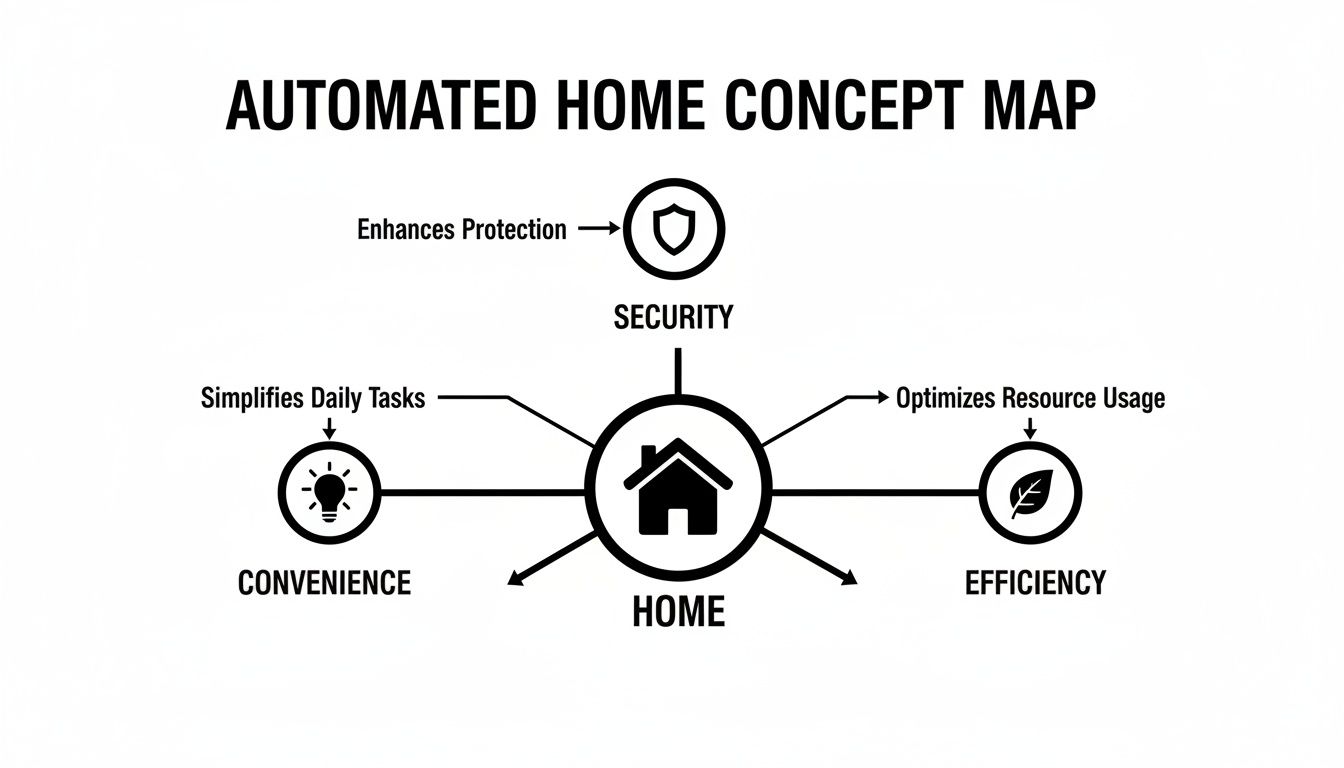
This map shows how a smart home's power comes from its ability to deliver convenience, security, and efficiency through interconnected systems. Let's pull back the curtain and see what makes it all possible.
The Musicians: Smart Devices and Sensors
First up are the smart devices. These are the "musicians" in our orchestra—the physical gadgets that do the actual work. They are the eyes, ears, and hands of your home, either performing an action or sensing what’s going on around them.
You’ll find them in all shapes and sizes. Some are built for action, like a smart lock that secures your front door or a smart bulb that lights up a hallway. Others are all about sensing the environment, like a motion detector that sees movement or a temperature sensor that keeps tabs on the climate.
A few common players include:
- Smart Lighting: Bulbs and switches you can control with your voice, dim for movie night, or schedule to wake you up gently.
- Smart Thermostats: These learn your habits and adjust the temperature automatically, keeping you comfortable while saving money.
- Security Cameras and Sensors: Your digital watchdogs, streaming live video to your phone and alerting you if a door or window is opened.
- Smart Plugs: Genius little adapters that make any old lamp, coffee maker, or fan "smart" just by plugging it in.
Each device is a powerful tool on its own. For a deeper dive, our guide covers many of the best IoT devices for home automation on the market. But their real power is only unlocked when they start working together, which requires a conductor.
The Conductor: Hubs and Controllers
This brings us to the hub or controller—the conductor of your smart home orchestra. This is the central brain that tells all the individual devices what to do and when to do it. Without a conductor, you’d just have a room full of talented musicians making a racket. With one, you get harmony.
A smart hub transforms a collection of individual gadgets into a cohesive, intelligent ecosystem. It's the difference between having a dozen separate apps and having one central command center for your entire home.
Now, you don't always need a dedicated physical hub. Some simpler setups work just fine using a smartphone app or a smart speaker like an Amazon Echo or Google Nest. But a true hub offers far more robust control, allowing devices from different brands to finally talk to one another. This is where you can create powerful "if this, then that" automations. For instance, if your smoke detector goes off, the hub can tell all the lights to turn on and the front door to unlock, creating an instant escape route.
The Sheet Music: Communication Protocols
Finally, for the conductor to lead the musicians, they all need to be reading from the same sheet music. In the smart home, this "sheet music" is the communication protocol. These are the invisible languages that your devices use to talk to the hub and to each other. They’re the ground rules that make sure every command is sent and received perfectly.
You’re probably already using a couple of the most common ones:
- Wi-Fi: Great for devices that need a lot of bandwidth, like security cameras streaming video. It's already in nearly every home.
- Bluetooth: Perfect for short-range control, like setting up a new device or controlling something in the same room.
But there are other protocols built specifically for home automation:
- Zigbee and Z-Wave: These are low-power "mesh" networks. Instead of every device shouting back to your router, they can whisper to each other, passing the message along. This makes the network more reliable and extends its range, and it’s super-efficient for small battery-powered sensors.
- Matter: This is the new kid on the block, a universal language designed to get all smart home devices to play nicely together, no matter who made them. It promises to make setup a breeze and finally end the compatibility headaches.
Put them all together—the devices, the hub, and the protocols—and you have the foundation of any smart, automated home.
How an Automated Home Transforms Your Daily Routines
It's one thing to understand the bits and pieces of a smart home, but it’s another to see how it all comes together. The real "aha" moment isn't about the tech itself; it's about how it melts into the background of your life, smoothing out the little frustrations and adding moments of convenience you’ll wonder how you ever lived without.
Let's walk through a day in the life. This isn't some far-off futuristic dream; this is what a well-designed automated home can do for you right now.
Morning Routines Made Effortless
Forget the jarring blare of an alarm clock. Instead, your day begins with a "Good Morning" routine that gently wakes your house up with you.
About fifteen minutes before you need to be up, your bedroom's smart blinds slowly open to let in the natural light. At the same time, your smart lights mimic a sunrise, gradually brightening to ease you out of sleep. The thermostat has already nudged the temperature up to your perfect setting, so you're not hit with a blast of cold air when you get out of bed.
When you walk into the kitchen, a motion sensor flicks on the under-cabinet lights. Your smart coffee maker, which you prepped the night before, has already brewed a fresh pot. While you pour your cup, your smart speaker gives you the day's weather, a quick traffic report for your commute, and a few news headlines. Everything just happens, setting a calm, organized tone for the day ahead.
Peace of Mind While You're Away
As you head out the door, a single tap on your phone or a voice command triggers your "Away" scene.
- All the lights in the house shut off.
- The thermostat dials back to an energy-saving temperature.
- Every smart lock on your doors confirms they're secure.
- The robot vacuum takes this opportunity to start its cleaning cycle in an empty house.
Later, you get a notification on your phone: "Front Door Unlocked." It's just the kids getting home from school. You can quickly check the lock's activity log to see they used their own code, and a peek at an indoor camera shows them grabbing a snack in the kitchen. It’s that simple connection that gives you incredible peace of mind, no matter where you are.
An automated home acts as a silent partner, handling the small details of daily life so you can focus on what truly matters. It anticipates your needs, from brewing your morning coffee to securing your home as you leave.
The Perfect Welcome Home
The end of the workday can be chaotic, but your home is ready to help you decompress. By using your phone's location, it knows when you're just around the corner.
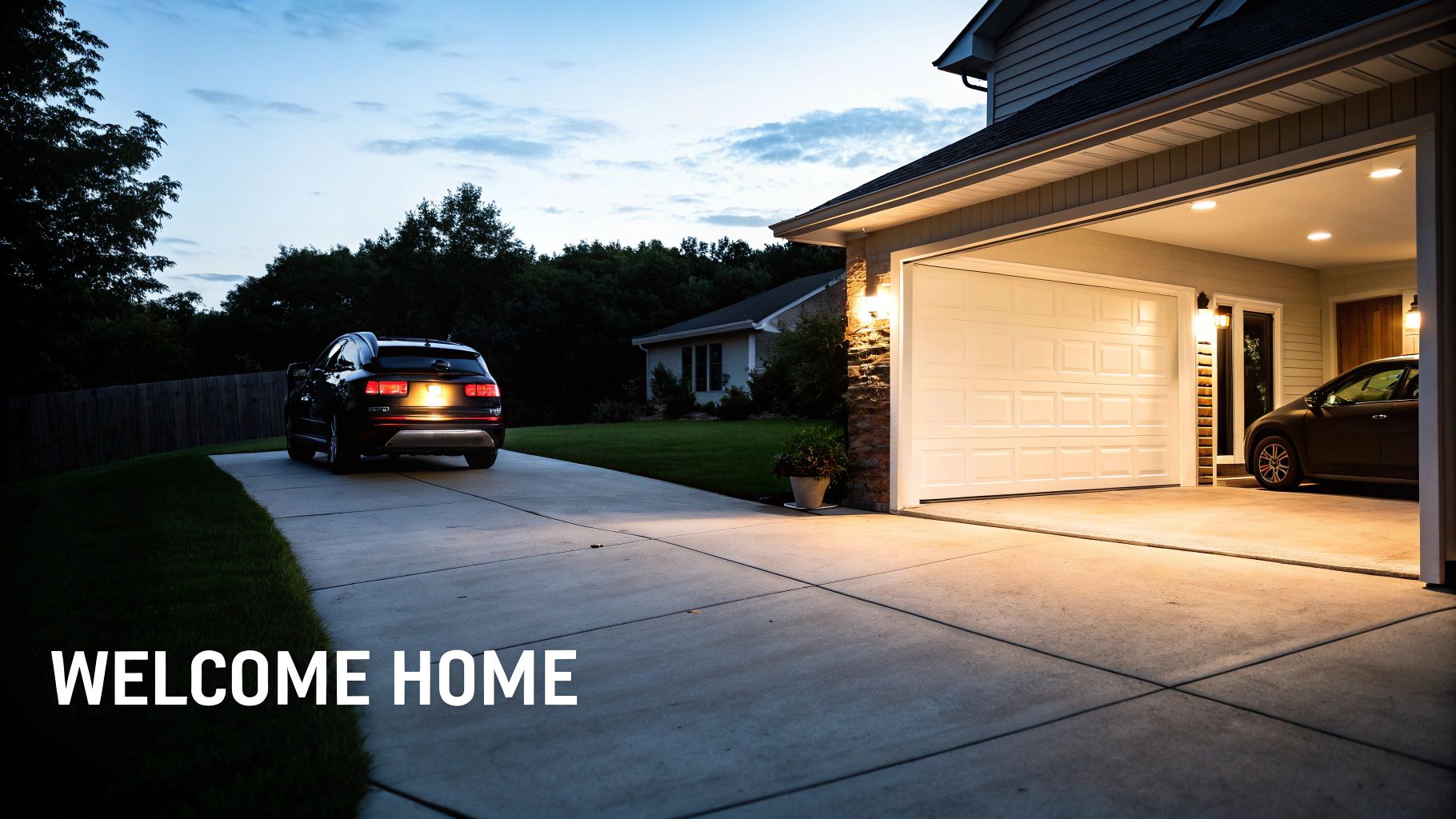
As you turn onto your street, the garage door glides open. The entryway and kitchen lights fade on, creating a warm, welcoming path inside. The thermostat has already brought the temperature back to your preferred evening setting, and your favorite "unwind" playlist starts playing softly on the living room speakers. You haven't touched a single switch; your home just got ready for you.
Evening Ambiance and Entertainment
As the sun goes down, your home shifts into evening mode. The exterior lights turn on automatically at dusk, boosting both curb appeal and security. Inside, the lights dim to a cozy, warm white.
Ready for a movie? One voice command—"Hey Google, it's movie time"—kicks off a sequence you designed.
- The living room lights dim to a cinematic 10% brightness.
- The smart blinds close to cut out any glare.
- The TV and sound system fire up, all set for you to press play.
And when you're ready to call it a night, a final "Good Night" command puts the house to bed. It turns off every light, locks the doors, arms the security system, and sets the thermostat for a comfortable sleep. Your home is now a quiet, secure, and efficient sanctuary, ready to do it all over again tomorrow.
From Clunky Gadgets to Intelligent Ecosystems
To really get a feel for how smooth and intuitive a modern automated home can be, it helps to glance back at where it all started. The idea isn't new. What we have today is the result of decades of tinkering, slowly transforming clunky, standalone gadgets into the interconnected home ecosystems we see now. The journey from simply flipping a switch to having your home practically read your mind is a fascinating story.
It all began with a clever, yet surprisingly simple, idea. The dream of home automation really kicked off in the late 1970s when the pioneering X10 protocol debuted in 1975. For the first time, you could wirelessly control lights and appliances using your home's own electrical wiring. This was a massive leap forward for early adopters, turning the fantasy of a remote-controlled house into a clunky but very real possibility.
The Rise of Isolated Gadgets
For a long time, home automation was a niche hobby for tech enthusiasts. The gear was expensive, a pain to install, and everything worked in its own little world. You might have had a timer for your living room lamp and a separate remote for the garage door, but they had no idea the other existed. Each device was its own island, with its own set of rules and its own remote control.
This era was all about function over finesse. The technology did what it was told, but it wasn't what we'd call "smart" today. It followed blunt commands without any context, leading to a clunky experience that felt more like juggling a dozen remote controls than living in a unified system.
The earliest smart devices were like solo performers, each playing their own tune. Today’s automated home is a fully orchestrated symphony, where every device works in harmony to create a seamless living experience.
But this foundational period was crucial. It set the stage for the next big jump, which came as the internet became a household staple and Wi-Fi technology matured. Developers finally saw a way to connect all those lonely islands.
Connecting the Dots to Create Ecosystems
The real magic happened when devices started talking to the internet and, more importantly, to each other. The introduction of wireless protocols like Z-Wave and Zigbee, followed by the explosion of Wi-Fi-enabled gadgets, finally tore down the old walls. This new wave of connectivity gave birth to the central hub—the conductor of the smart home orchestra, capable of coordinating all the individual instruments.
Suddenly, your front door sensor could tell the entryway lights to turn on. Your thermostat could automatically dial things back when it knew you’d left for work. This move from isolated gadgets to a cohesive ecosystem was the birth of the true smart home.
Things have moved incredibly fast since then. By 2025, the U.S. alone is expected to have 700 million smart home devices up and running, a huge surge powered by the easy accessibility of voice assistants like Alexa and Google Home. You can read more about this explosive adoption and what it means in this breakdown of the smart home market landscape. It’s clear proof that the automated home has officially graduated from a futuristic concept to a practical part of everyday life.
Weighing the Good with the Bad in Home Automation
So, you’re thinking about making your home smarter. It's an exciting idea, but like any big home project, it's smart to look at the whole picture before you start buying devices.
Smart home technology brings some incredible advantages, but it also comes with a few real-world challenges. Knowing what you're getting into—both the good and the potentially tricky parts—is the best way to decide if it’s the right move for you, your budget, and how comfortable you are with new tech.
The Upside: What You Stand to Gain
The number one reason most people jump in is for the sheer convenience. Seriously, it's a game-changer. Imagine your house just knows what you need. The lights pop on as you pull into the driveway. The thermostat warms the house up just before you get out of bed. Your coffee maker starts brewing the moment your morning alarm goes off. It sounds small, but these little automated moments add up, saving you time and mental clutter every single day.
Next up is a huge one: security. A smart security setup is miles ahead of an old-school alarm. You get instant alerts on your phone if a door opens, you can watch a live video feed of your front porch from halfway across the world, and you can even let the dog walker in with a temporary code for your smart lock. It’s an active, responsive shield for your home.
Let’s not forget about the impact on your wallet. A smart home can be a lean, mean, energy-saving machine. Smart thermostats are famous for this, learning your routine to cut back on heating and cooling when you're away. When you start adding other energy-efficient smart home features, those savings on your utility bills really start to stack up. For a deeper dive, check out our full guide on the benefits of home automation.
An automated home offers more than just convenience; it provides accessibility solutions that empower individuals with mobility challenges, allowing them to control their environment with simple voice commands or app taps, fostering greater independence.
The Other Side: Potential Hurdles to Keep in Mind
Okay, let's be realistic. It’s not all effortless magic from day one. There are a few challenges to be aware of.
The most obvious is the upfront cost. While a single smart plug is cheap, outfitting a whole home with hubs, sensors, and smart gadgets is a real investment. The best strategy for most people is to start with a few key devices and build out the system over time as your budget allows.
Another real concern is privacy and data security. Every device you connect to your home network is another potential door for hackers. This is where good digital habits become non-negotiable. You absolutely have to use strong, unique passwords, turn on two-factor authentication wherever possible, and stay on top of firmware updates to keep your network locked down.
To help you weigh everything at a glance, here’s a simple breakdown of the pros and cons.
Benefits vs. Potential Challenges of an Automated Home
| Key Advantages | Potential Challenges to Consider |
|---|---|
| Daily Convenience: Automate repetitive tasks and save time. | Initial Cost: Can be a significant investment to get started. |
| Enhanced Security: Real-time monitoring and remote control. | Privacy Risks: Requires careful management of data and security settings. |
| Energy Efficiency: Lower utility bills through smart management. | Learning Curve: Setting up advanced automations can be complex. |
| Peace of Mind: Check on your home from anywhere in the world. | Internet Reliance: An outage can disrupt many smart functions. |
| Accessibility: Voice and app control can help those with mobility issues. | Compatibility Headaches: Devices from different brands may not work together. |
Ultimately, the goal is to make sure the advantages you care about most outweigh the challenges you'll have to manage.
Finally, a few more practical things to think about:
- The Learning Curve: Getting a smart light to turn on is easy. Getting it to turn on, dim to 50%, and change to a warm white when your movie-night scene is activated… that can take a little more tinkering. Be prepared for some trial and error.
- Internet Dependency: No Wi-Fi, no smarts. It’s the simple truth for most devices. If your internet goes down, your smart speaker becomes just a speaker. Some systems with local hubs can keep basic schedules running, but most features will be offline.
- Compatibility Issues: This is a big one. The tech world is full of different brands that don’t always want to talk to each other. Before buying anything new, double-check that it works with the system you already have (like Amazon Alexa, Google Home, or Apple HomeKit) or a universal standard like Matter to avoid a drawer full of useless gadgets.
Keeping Your Smart Home Safe, Inside and Out

While smart homes are brilliant at protecting your physical space, keeping your digital world locked down is just as important. Think about it: every smart device you add to your network is like a new door into your home. If you leave those digital doors unlocked, you’re potentially exposing your personal data and undoing the peace of mind you were trying to create.
The good news is that you don't need a degree in cybersecurity to fortify your setup. It really comes down to building a few simple, powerful habits that create a digital fortress around your personal information. These practices are the absolute foundation for a safe and private automated home.
Core Security Habits for Every Smart Homeowner
Imagine your home's security in layers. The first and most important layer is your Wi-Fi network—it's the main entryway. From there, each device needs its own set of locks and keys to make sure your system remains a private sanctuary, not a public liability.
In an automated home, digital security is not an afterthought; it is the bedrock of trust. Protecting your data is as fundamental as locking your front door.
To get started, let’s focus on these four non-negotiable security pillars:
- Secure Your Wi-Fi Network: The moment you set up your router, change the default name and password. Always enable the strongest encryption available, ideally WPA3 or WPA2. A great pro-tip is to create a separate "guest" network just for your smart devices, isolating them from sensitive things like your laptop or phone.
- Use Strong, Unique Passwords: Never, ever reuse passwords across different smart devices or apps. Each account needs its own complex password. If one account is ever compromised, this stops the intruder from getting into everything else. A password manager makes this totally painless.
- Enable Two-Factor Authentication (2FA): This is a huge one. 2FA adds a critical security step by requiring a second verification code (usually sent to your phone) before granting access. It’s one of the single most effective ways to block someone from getting into your accounts, even if they have your password.
- Keep Software and Firmware Updated: Device makers constantly release updates to patch security holes. Turn on automatic updates wherever you can for your devices and apps. This ensures you’re always running the latest, most protected software.
These steps are foundational for a secure smart home. For a more detailed walkthrough, our guide offers in-depth advice on home network security best practices.
More Than Just Digital: Integrating Physical Safety
There's a reason security is the driving force in the automated home market. Systems that tie together cameras, smart locks, and sensors can dramatically reduce break-ins. In fact, some studies show homes with these systems are up to 300% safer. If you're interested in the data, this smart home market analysis shows just how much homeowners are prioritizing peace of mind.
But smart safety goes beyond stopping intruders. It also protects you from threats inside the home. Smart smoke and carbon monoxide detectors can send an alert straight to your phone and even unlock the doors for first responders. Smart appliances can prevent accidents with automatic shutoff features. There are many practical ways to prevent house fires that can be woven into your automation, turning your home into a truly vigilant protector.
Got Questions? We’ve Got Answers
Even after covering the basics, it's natural to have a few lingering questions. Let's tackle some of the most common things people ask when they first consider diving into home automation.
So, What's This Going to Cost Me?
The great news is that getting started with a smart home is cheaper than you probably think. You don't have to mortgage the house to begin. The best part about this tech is that you can start small and build it out piece by piece, as your budget and needs grow.
- Dipping Your Toes In: For less than $50, you can grab a smart speaker or a couple of smart plugs. It’s a perfect, low-risk way to play around with voice commands and start scheduling simple things, like turning a lamp on and off.
- A Solid Starting Point: If you're ready for a bit more, you can get a great starter kit for anywhere between $100 and $300. This usually gets you a central hub, a few smart bulbs, and maybe a sensor. This is where you can start creating genuine automations that really make a difference.
- The All-In System: Of course, if you want a complete, professionally installed setup that handles everything—security, lighting, climate, the works—you're looking at costs that can climb into the thousands.
My advice? Don't try to boil the ocean. Pick one small problem you want to solve, like automating the lights by your front door, and expand from there.
Do I Need to Be a Tech Genius to Set This Up?
Absolutely not. While what’s happening behind the scenes is definitely complex, companies have poured a ton of effort into making the setup process dead simple. Most devices today are made for regular people to install themselves.
Honestly, the setup for most gadgets comes down to three basic steps:
- Plug it in.
- Download the brand's app on your phone.
- Follow the simple, step-by-step instructions on the screen to get it on your Wi-Fi.
Sure, if you're wiring up a whole-house system, you might want to call in a pro. But for the foundational stuff—lights, plugs, cameras—it’s designed to be a straightforward, frustration-free experience.
A truly smart device shouldn’t make you feel like a software engineer. It should just work, quietly improving your daily routine without you even having to think about it.
What Happens If the Internet Dies?
This is a fantastic question, and one that really gets to the heart of good smart home design. What happens during an internet outage really depends on how you've built your system. It’s the key difference between a system that relies on the cloud and one that runs locally.
Many entry-level devices are cloud-dependent, meaning they need to talk to a company's servers to work. If your internet goes down, they lose their "smart" features. You can still flip the light switch for your smart bulb, but your voice commands, app control, and automations will be offline until you're reconnected.
On the other hand, systems built around a local hub that uses protocols like Z-Wave or Zigbee are much more robust. These hubs are the brains of the operation inside your home. They can keep running all your pre-set automations—like the motion sensor in the hallway turning on the lights—without needing an internet connection at all. You just won't be able to control things from your phone when you're away from home. This is a massive advantage for anyone who values reliability.
Ready to turn your house into a home that works for you? At Automated Home Guide, we provide the real-world insights and practical advice you need to get started on the right foot. Check out our deep-dive articles and product reviews to build the smart home you've always wanted. Learn more at https://automatedhomeguide.com.












Leave a Reply